Claude Code 做一個往下滑、房子自己蓋起來的建案網站:提示詞+ChatGPT 照片做法
往下滑,房子從空地蓋到完工的建案網站。附 Claude Code 完整提示詞、6 張 ChatGPT 圖片提示詞、同角度改圖的秘訣和試玩頁。照片皆為 AI 生成。
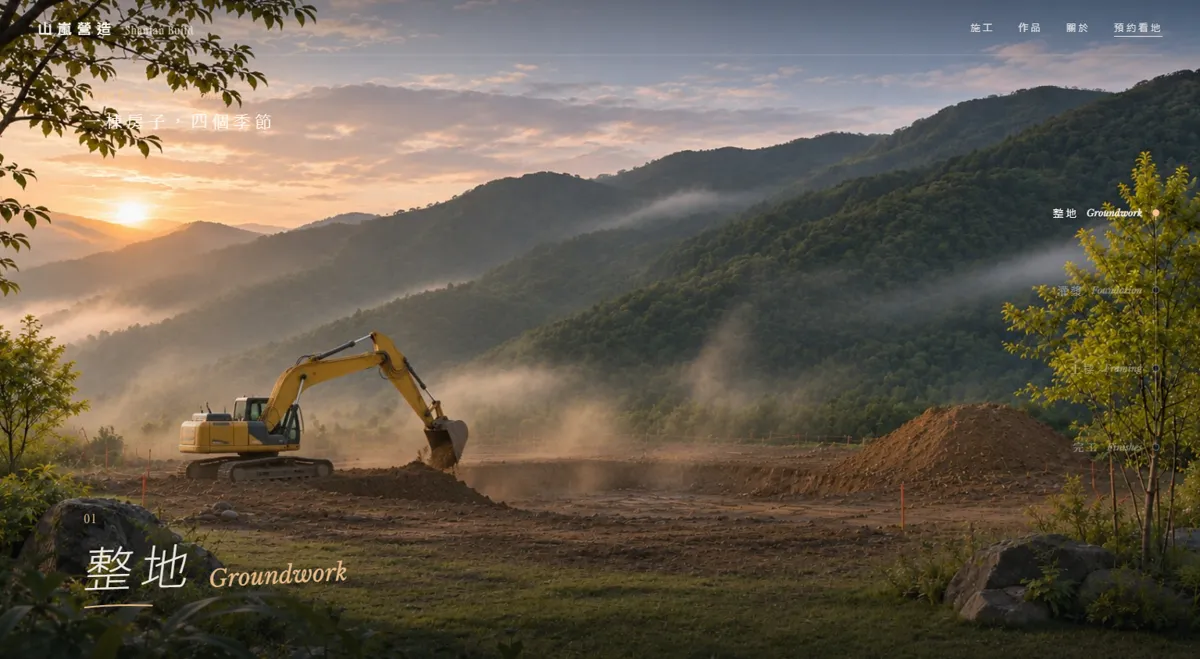
你可能在 Instagram 看過這種建案網站:往下滑,房子就從一塊空地一路蓋到完工,像一段被你捲動控制的縮時影片。
這篇的網站是一個全新的 Claude Code agent 照一段提示詞做出來的,程式我們沒有改。照片全部是 AI 在 ChatGPT 生成的,建設公司「山嵐營造」和這棟房子都是虛構的。這篇給你:完整提示詞(把[]換成你的)、6 張 ChatGPT 圖片提示詞、真實截圖,還有可以直接滑的試玩頁。秘訣只有一個:先生成完工的房子,再用同一個角度一步一步改回工地。
01先看成果:往下滑,房子自己蓋起來
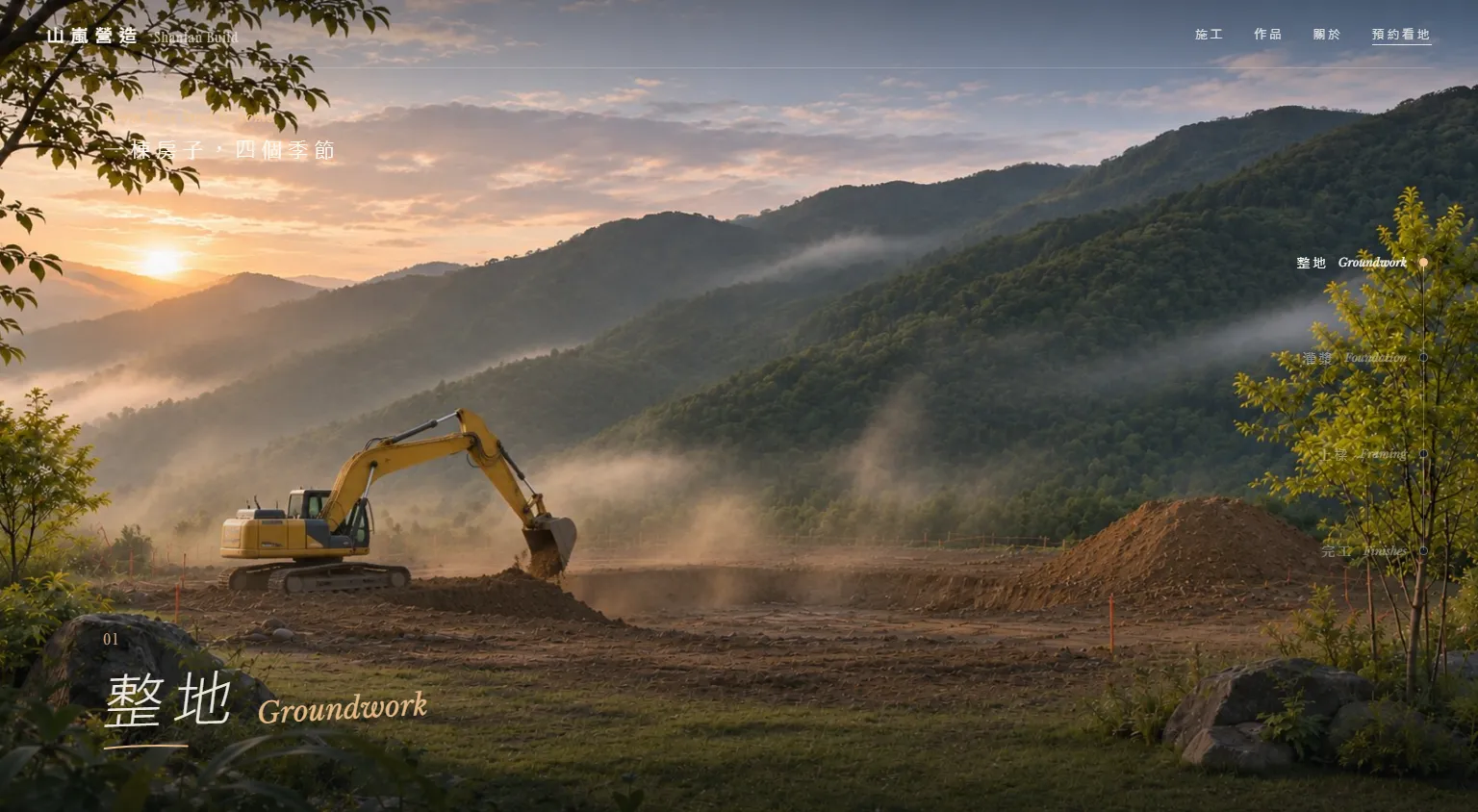
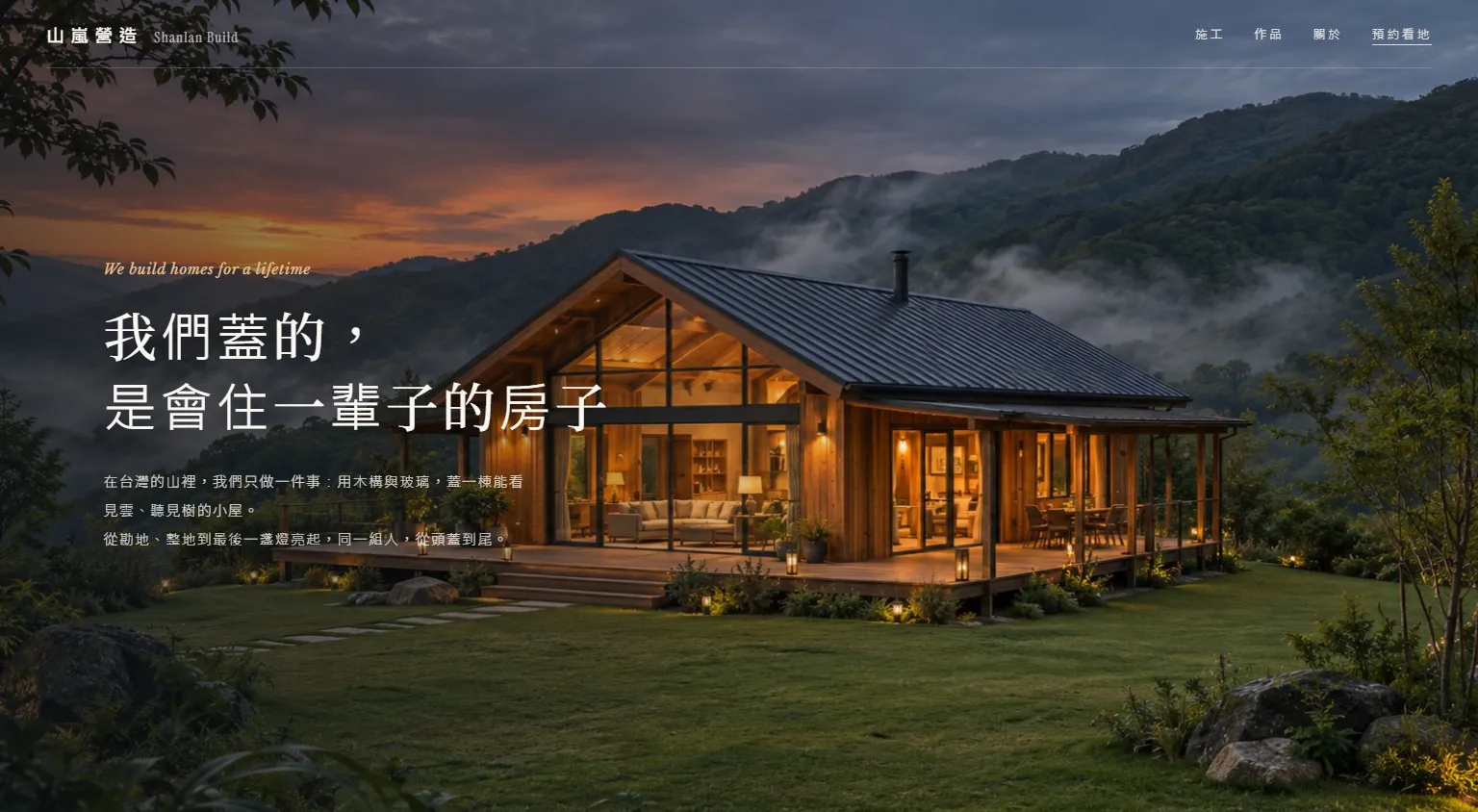
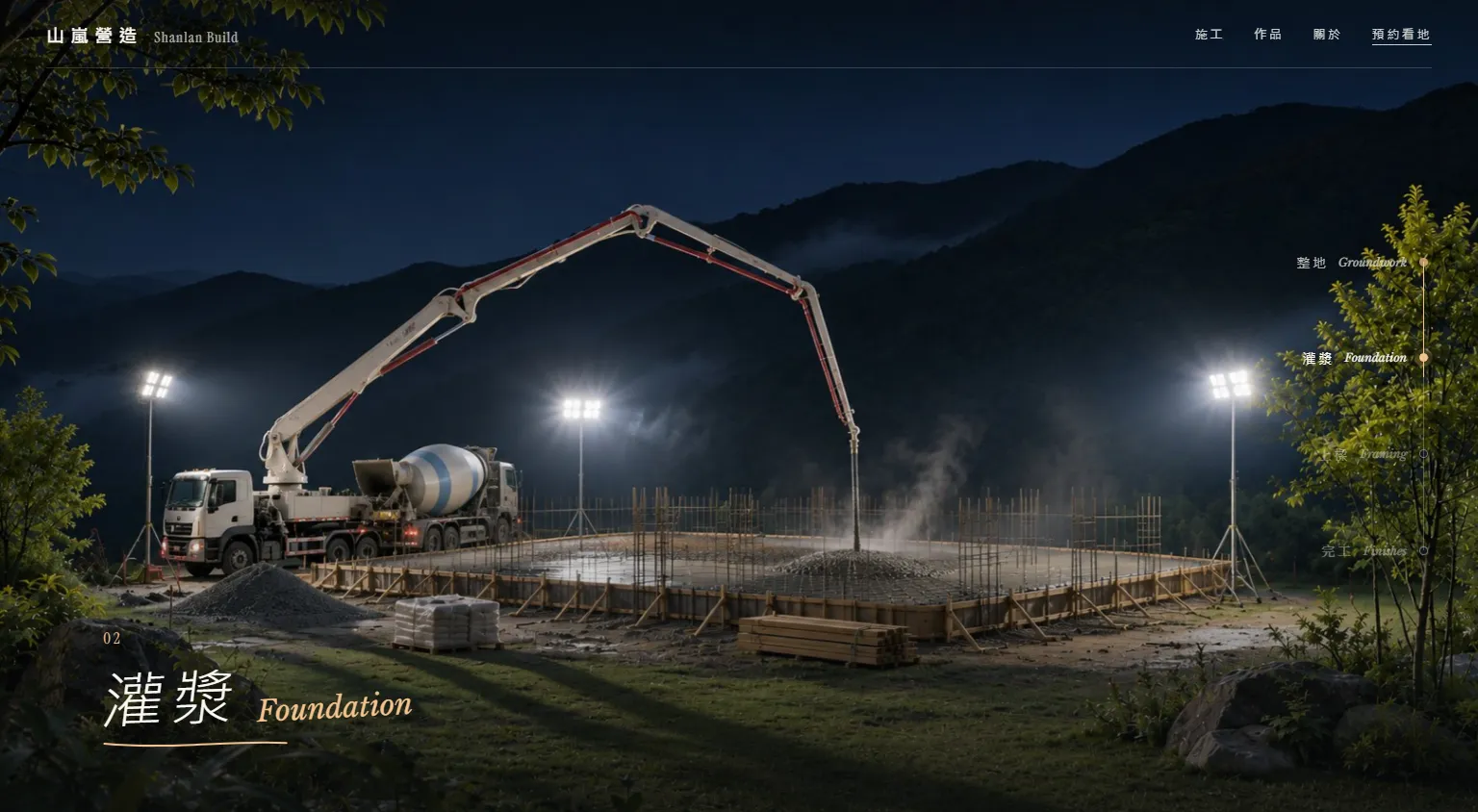
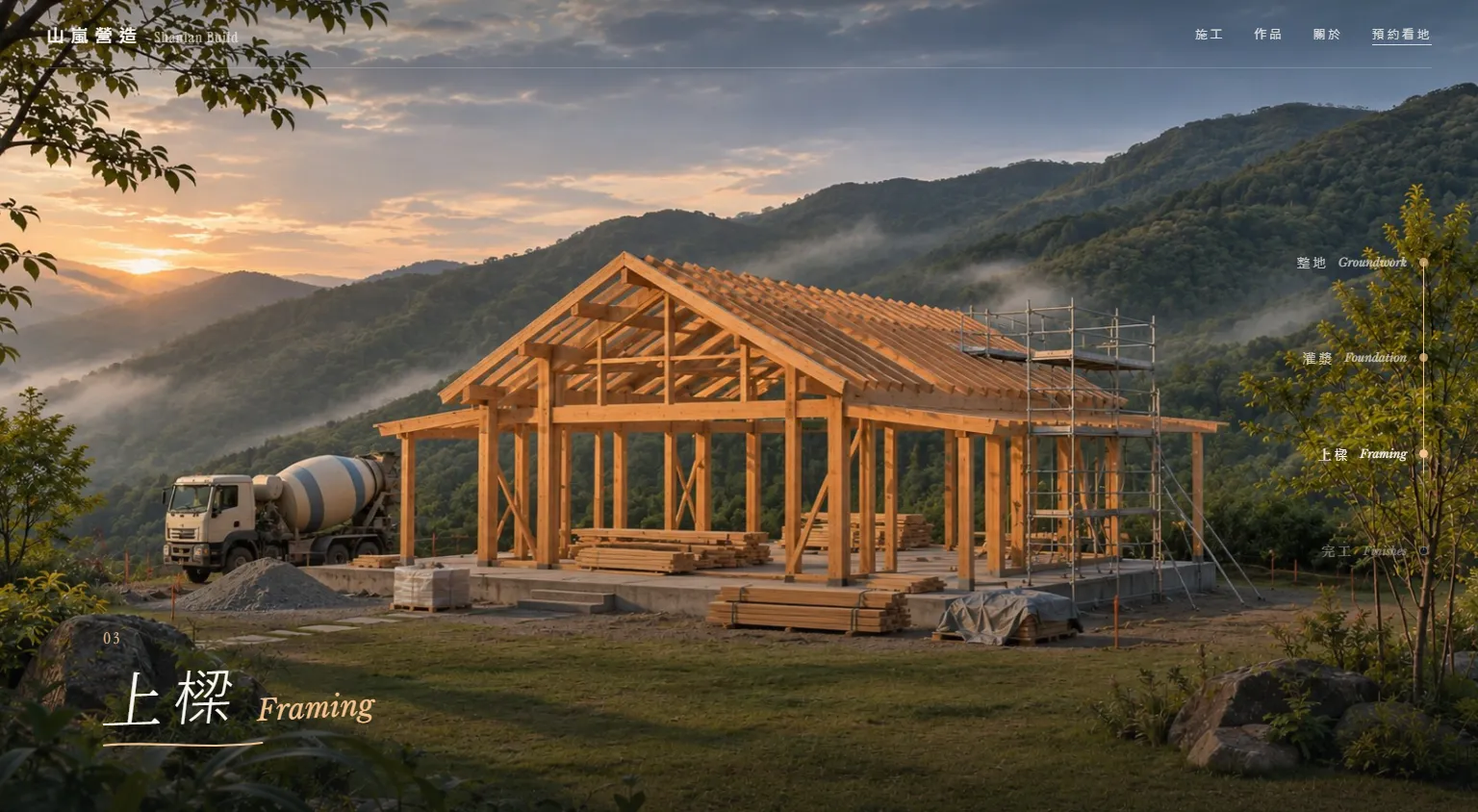
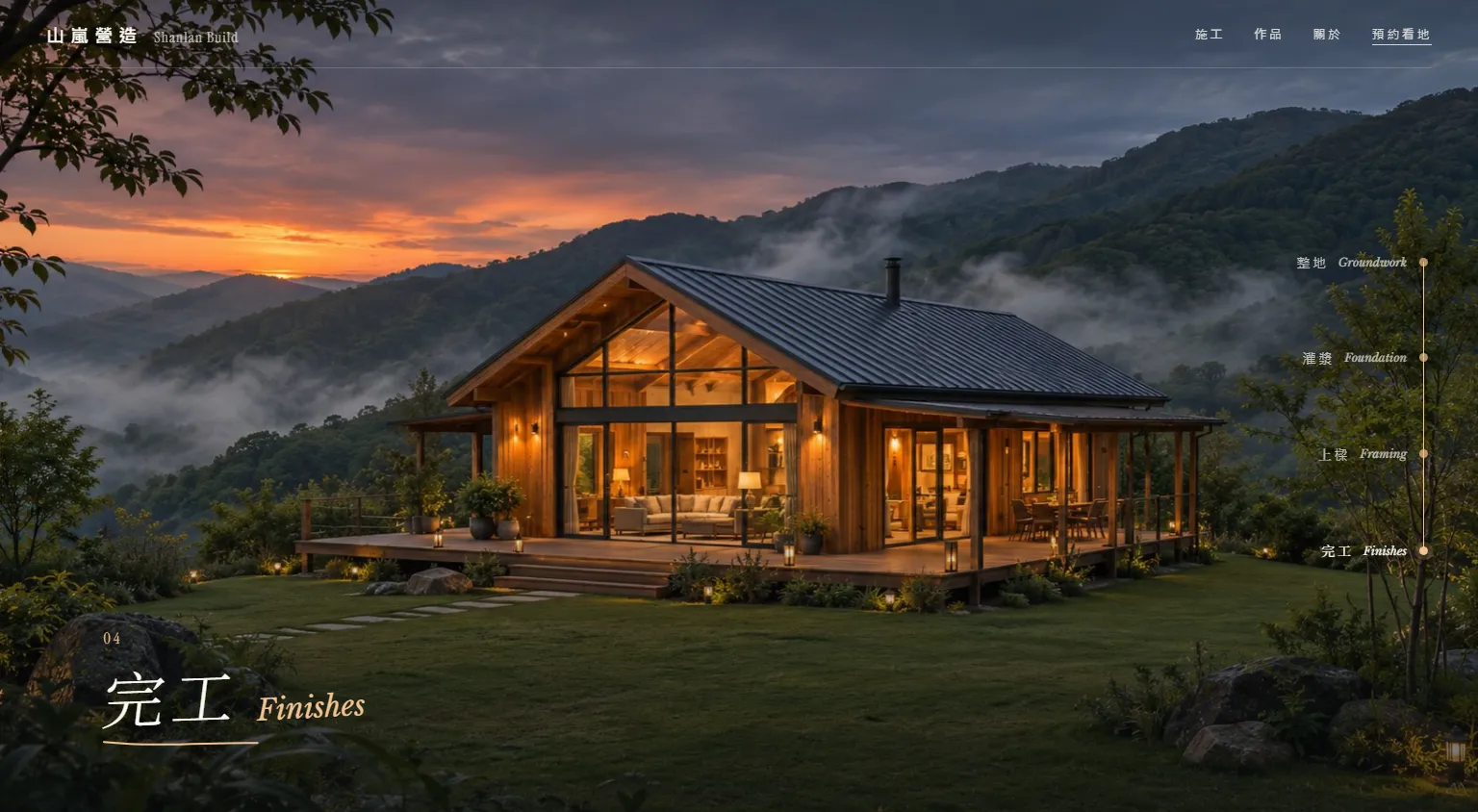
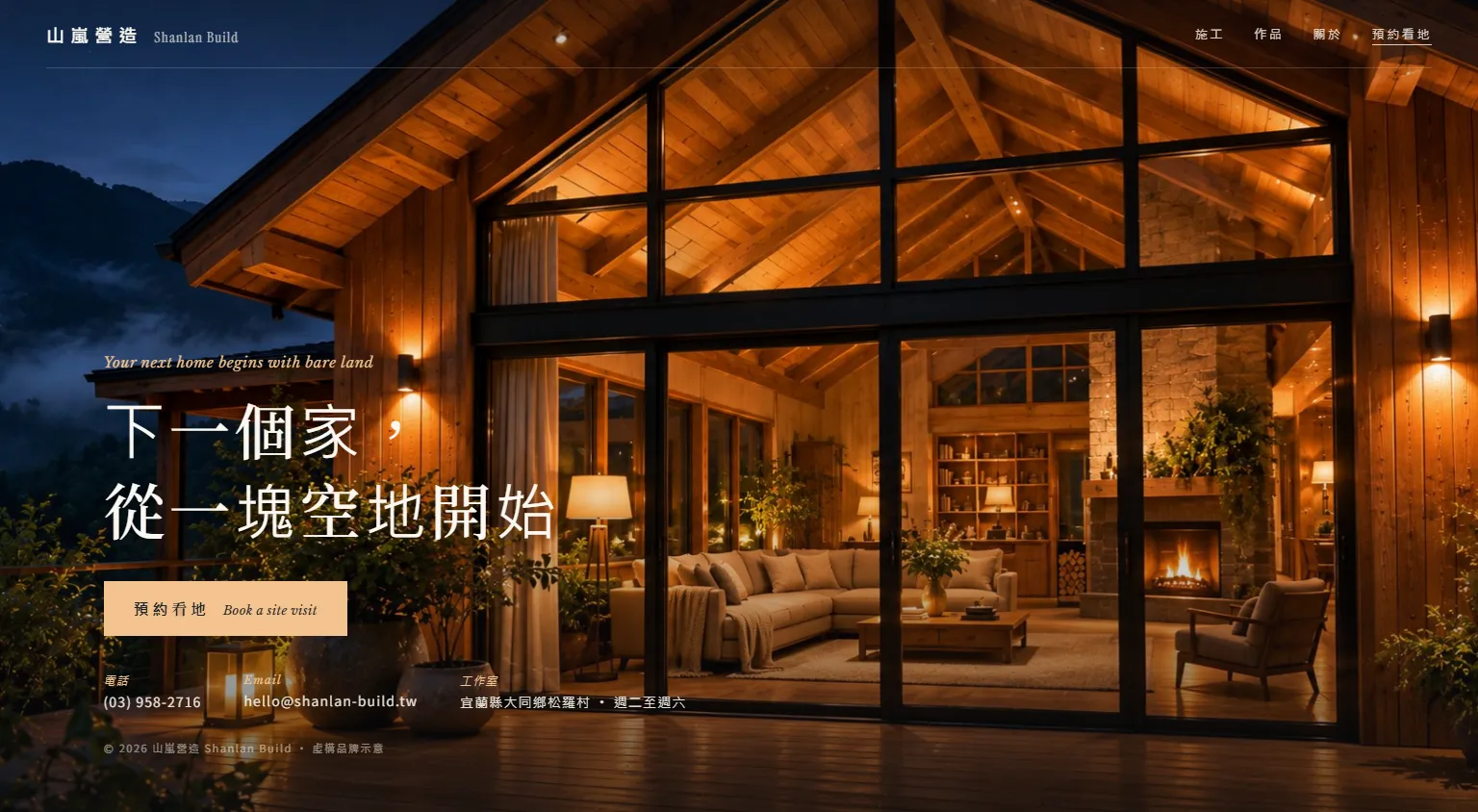
整頁由上到下是:一片白霧 → 霧散開露出空拍 → 左邊大標和介紹 → 黃昏的正面山景 → 黏在畫面上的施工段(整地、灌漿、上樑、完工)→ 夜裡發光的玻璃屋和「預約看地」按鈕。
- 玩玩看:蓋房子網站 — 用電腦開,慢慢往下滑再往回滑
- 打開試玩頁,先滑一下,白霧會散開。
- 繼續往下滑:施工段會黏在畫面上,照片從整地換到完工,右邊的進度軸跟著亮。
- 往回滑:房子會倒著「拆」回空地。
02第一步:用 ChatGPT 生成同一個角度的 4 張照片
重點是「先完工、再倒回去」。先生成一張完工的房子,固定一個三分之四正面的角度;再在同一個對話裡叫它「同一個相機、同一個角度、同一個構圖」改成更早的階段。這樣四張圖才會對得起來,交叉淡化時才像縮時攝影。
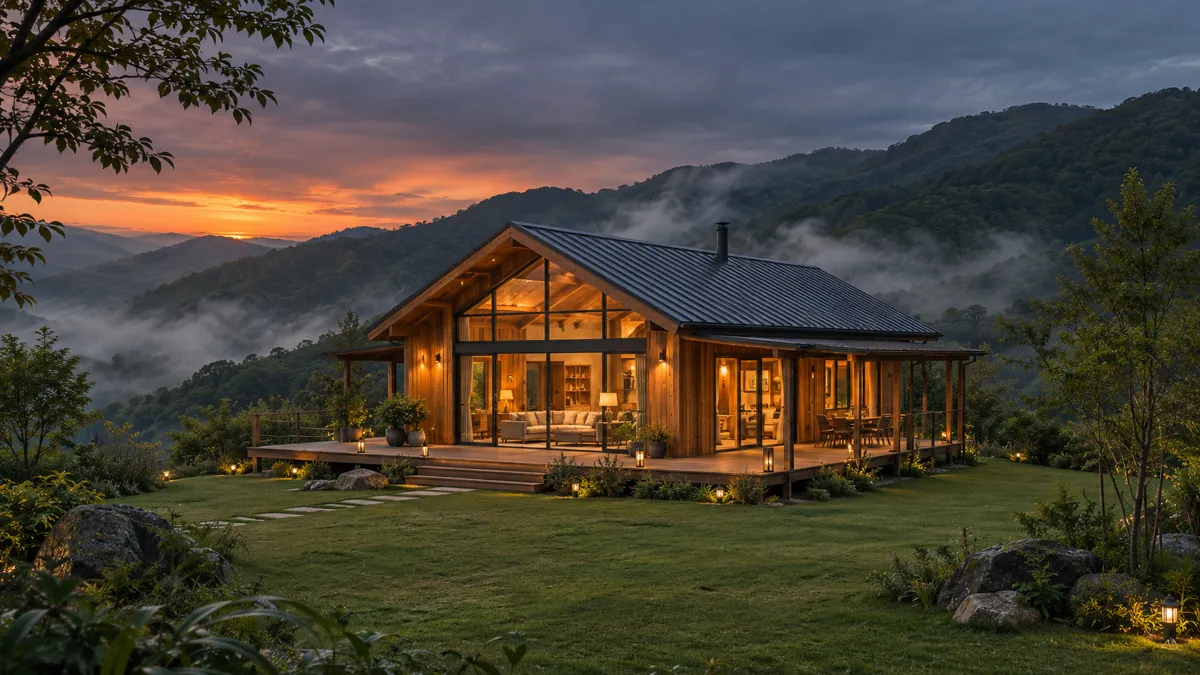
Create an image. A photorealistic architectural photo for a fictional Taiwanese home builder: a modern mountain cabin made of warm cedar timber and big glass walls, with a gabled roof and a long wooden deck, standing on a grassy plot in misty green mountains in Taiwan (Yilan / Miaoli feel), at dusk: the sky deep blue-grey with a warm orange glow at the horizon, mist in the valleys behind, all the windows lit warm yellow from inside. Fixed camera: three-quarter front view from slightly above eye level, about 40 m away, the whole house in the centre with space around it. Cinematic, high-end real-estate photo. Landscape 16:9. No people, no text, no logos.
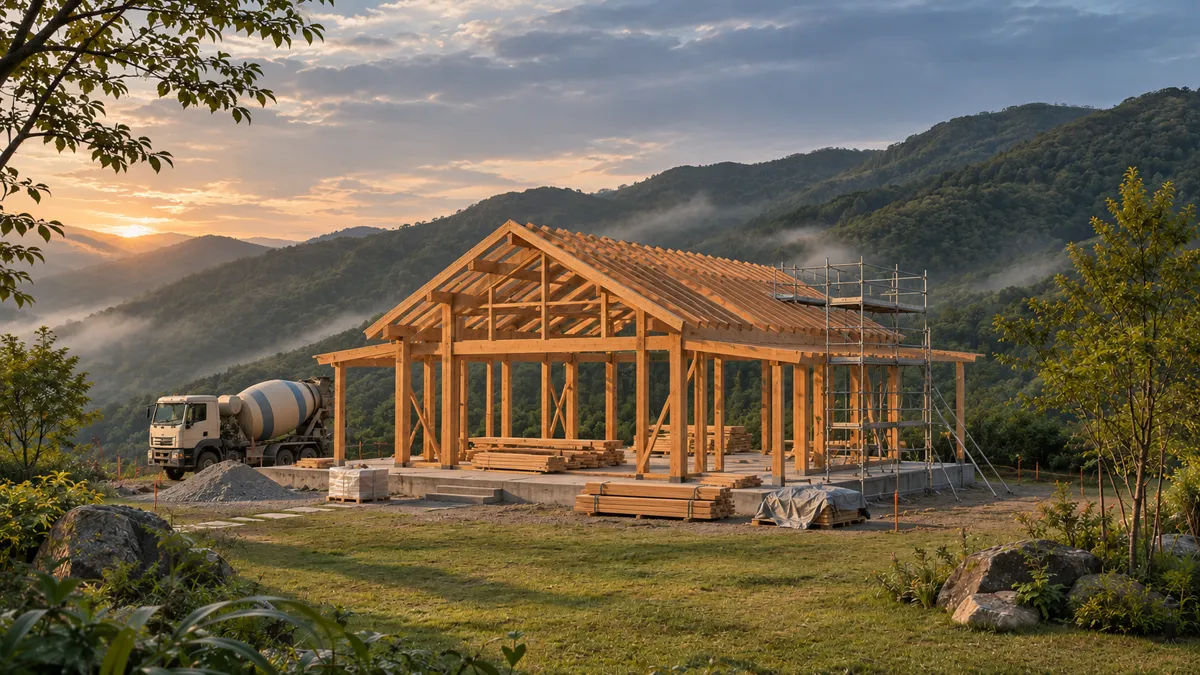
Now edit this exact image. Keep the SAME camera, same view, same framing, same mountains and plot: show the same house earlier, during construction: only the timber frame skeleton of the house is standing (posts, beams, roof rafters, no walls or glass yet), scaffolding on one side, stacks of timber, a concrete mixer truck parked beside the site, late afternoon light. Landscape 16:9. No people visible, no text, no logos.
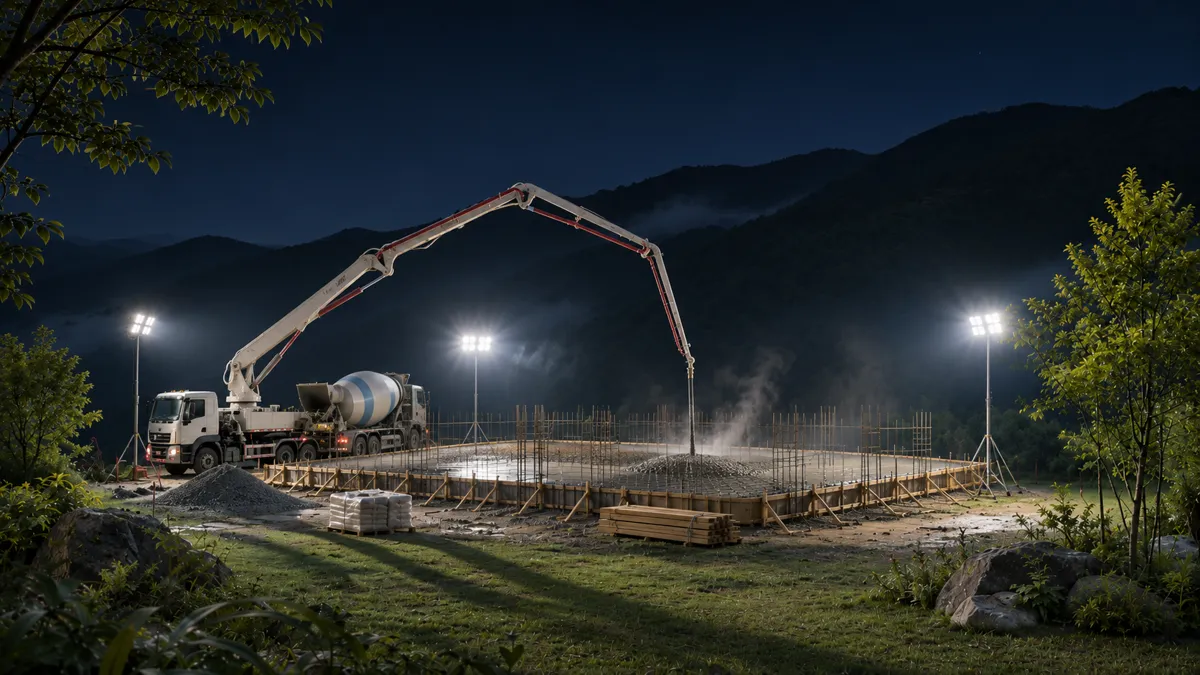
Edit again, SAME camera and framing: an even earlier stage, at night: no house yet, just the concrete foundation slab and rebar being poured on the plot, a concrete pump truck with its long boom arching over the foundations, bright work lights on poles casting white light and long shadows, a little steam in the cold air, the dark mountains behind. Landscape 16:9. No people visible, no text, no logos.
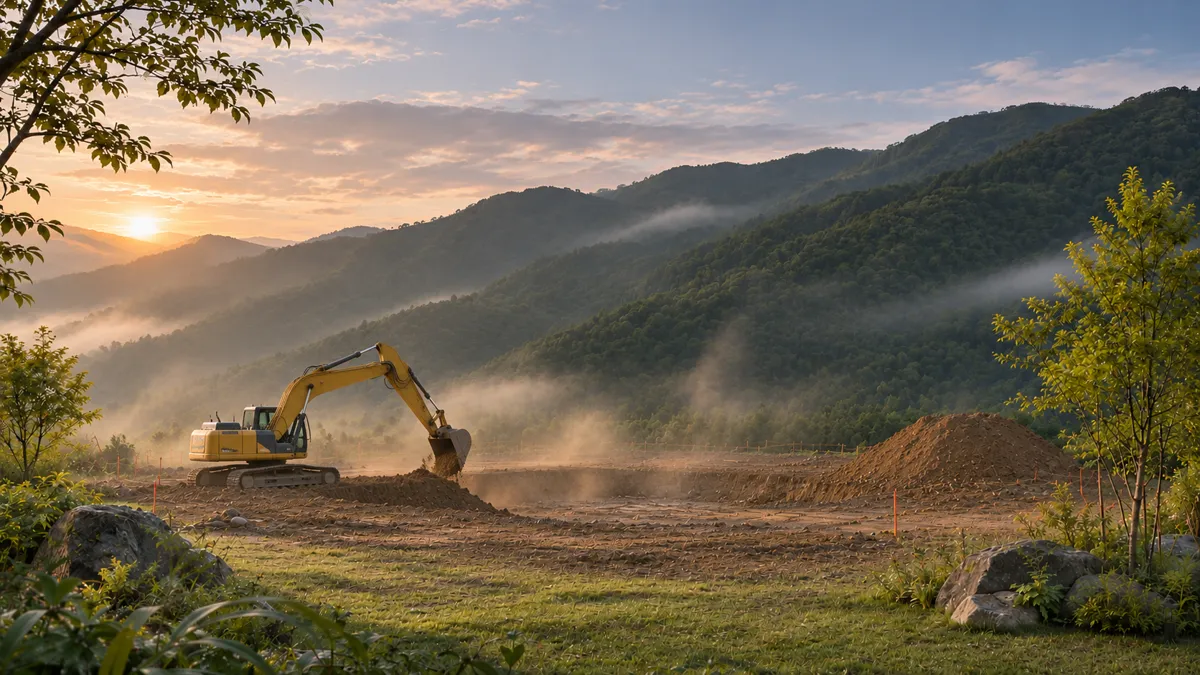
Edit again, SAME camera and framing: the very first stage: the empty excavated plot, bare brown earth, a small excavator digging, piles of soil, dust and white mist drifting across the site, morning light, the same mountains behind. Landscape 16:9. No text, no logos.
03第二步:再生成空拍和夜景室內
開一個新對話,把完工那張圖傳上去,再生成一張正上方空拍(開場用)和一張晚上的玻璃屋室內(結尾用)。
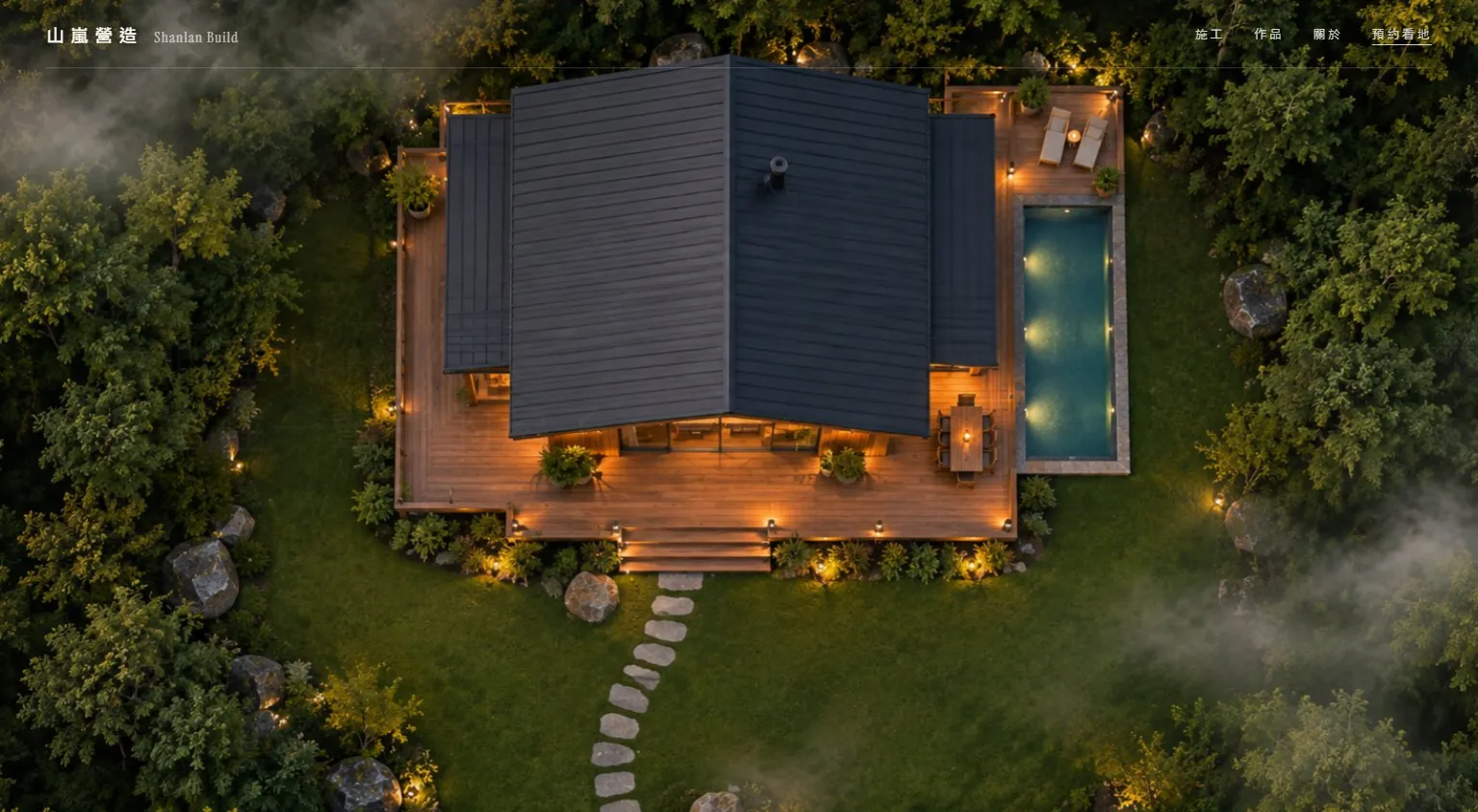
Now a top-down drone photo of the same finished cedar-and-glass cabin seen from straight above: the roof, the wooden deck, a long rectangular pool beside the house, a gravel path, surrounded by dense green trees with wisps of mist, soft dusk light. Landscape 16:9. No text, no logos.
Now the same finished cabin at night, seen from outside on the deck looking through the tall glass front into the living room: warm lights on, a timber ceiling, a sofa, a fireplace glowing, plants, the room glowing like a lantern in the dark blue night. Landscape 16:9. No people, no text, no logos.
- 開一個資料夾,裡面建 img/。
- 6 張圖照提示詞裡的英文名字存成 aerial、groundwork、foundation、framing、finished、interior(16:9)。
- 我們的圖都是直接用,沒有修圖。
04第三步:提示詞整段貼給 Claude Code
幫我做一個建設公司的網站,往下滑,房子就從一塊空地一路蓋到完工。
公司:[山嵐營造 Shanlan Build](虛構),[在台灣山區蓋木構+玻璃的山居小屋]。
照片都在 img/,全部是「同一台相機、同一個角度」拍的同一棟房子,只是不同階段:
- aerial:完工後從正上方往下看的空拍(房子、泳池、四周樹林)
- groundwork:整地,空地上挖土、煙塵和霧氣
- foundation:晚上灌漿,混凝土泵車的長臂、工作燈
- framing:木構架上樑,旁邊一台混凝土攪拌車
- finished:完工,黃昏的山景,房子亮著燈
- interior:晚上從外面看進玻璃落地窗,客廳暖暖地亮著

由上往下:
1. 開場是一整片白霧,什麼都看不清楚;一往下滑,霧慢慢散開,露出 aerial 空拍。
2. 霧散完,左邊淡入一行小小的英文襯線字「We build homes for a lifetime」,下面是大標「[我們蓋的,是會住一輩子的房子]」和兩三行介紹文字。畫面慢慢從空拍轉成 finished 的正面山景。
3. 蓋房子(我最想要的一段):這一段要黏在畫面上(sticky),繼續往下滑時,照片依序從 groundwork → foundation → framing → finished 換過去,換的時候要交叉淡化,同時慢慢推近,看起來像一段縮時影片被捲動控制。每個階段在左下角出現一個手寫感的標籤,中文+英文:「整地 Groundwork」「灌漿 Foundation」「上樑 Framing」「完工 Finishes」。右邊一條細細的進度軸,標出四個階段,目前在哪一段就亮哪一段。往回滑就倒著播。
4. 最後:interior 滿版,玻璃屋在夜裡發光,一行字「[下一個家,從一塊空地開始]」,一個「預約看地」按鈕和聯絡方式(虛構的電話和 email)。

風格:安靜、高級、有電影感,像高端建案的網站。顏色跟著照片走:霧白、山的藍灰、黃昏的暖橘、木頭色。大標用襯線字,標籤用手寫感的字。導覽列很細:左邊 logo 字「山嵐營造」,右邊幾個小連結。
繁體中文(台灣)為主,點綴一點英文。
我們另外附了幾行技術說明(只用本機字型、純 HTML/CSS/JS、不用平滑捲動套件),沒有給任何設計方向。照片到齊後我們只再跟它講了兩次話:一次說照片放好了,請它跑完自我測試;一次請它把施工段的小標題弄清楚一點(它加了柔和的漸層和文字陰影)。
05Claude Code 做出來的頁面
06換成你自己的建案
- 照片:用你自己的建案照片,或照上面的方法用 ChatGPT 生成;同檔名放進 img/ 就會換掉。有真的工地照片的話,從同一個腳架位置拍最好。
- 文字:公司名稱、大標、階段名稱和聯絡方式都在 index.html 裡,是一般文字。
- 想多加階段(外牆、景觀):多放一張照片、多一個標籤,跟 Claude Code 說一聲就好;階段範圍在 main.js 的 window.__timeline。
- 分享:把整個資料夾拖到 Netlify Drop 或放上 GitHub Pages。
07要注意
- 所有照片都是 AI 在 ChatGPT 生成的,不是真的建案。「山嵐營造」、這棟房子、電話和 email 都是虛構的。
- 整頁是 Claude Code 寫的,我們沒有改程式;試玩頁只把照片壓成較小的 jpg,讓它載入快一點。
- 每次跑結果都不一樣,你拿到的版面不一定跟我們一樣。
- ChatGPT 改圖時偶爾會改到角度。如果四張對不起來,就重生那一張,提示詞再強調「SAME camera, same framing」。
- 影片裡的筆電和書桌也是 ChatGPT 生成的背景圖,螢幕上是這個網站的真實錄影。
- 另一篇:跟著捲動畫出來的紅緞帶網站 — 也是 Claude Code,附試玩