A builder site where the house builds itself as you scroll, made with Claude Code and ChatGPT
Scroll down and the house goes from empty plot to finished. Full Claude Code prompt, 6 ChatGPT image prompts and a demo. Photos are AI-generated.
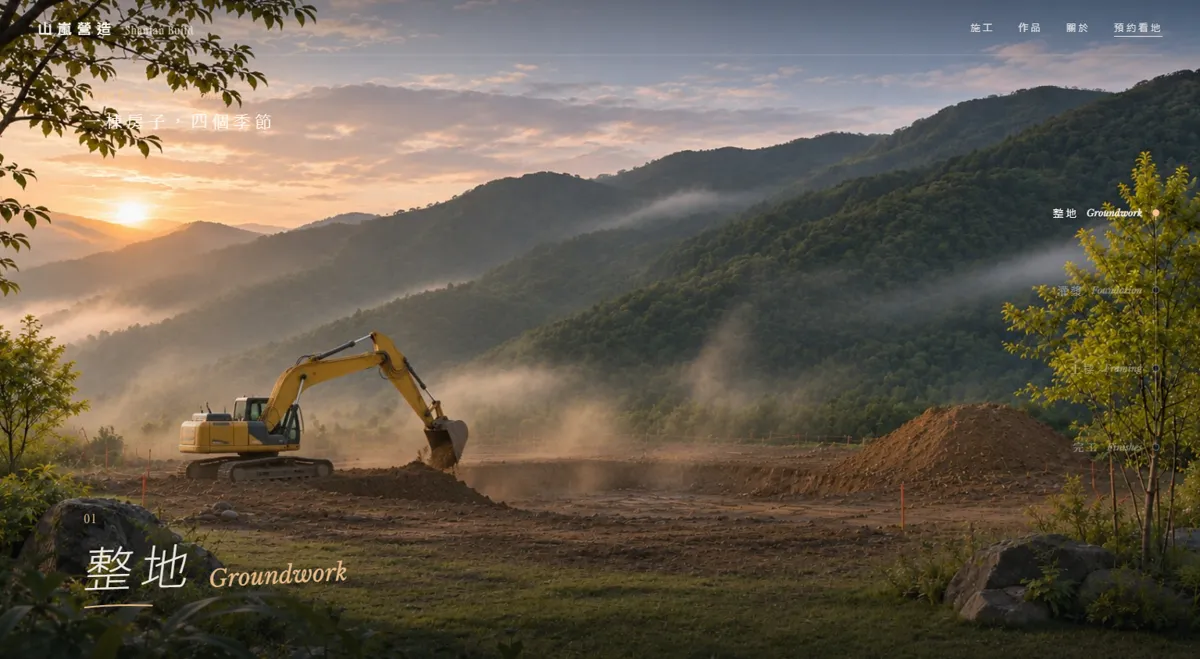
You may have seen this kind of home-builder site on Instagram: as you scroll down, the house goes up from an empty plot to finished, like a timelapse video you control with the scroll.
The site in this guide was built by a fresh Claude Code agent from one prompt, and we didn't change its code. Every photo is AI-generated in ChatGPT, and the builder "Shanlan Build" and the house are fictional. You get the full prompt (swap the [ ] parts for yours), the 6 ChatGPT image prompts, real screenshots and a demo you can scroll yourself. The one trick: generate the finished house first, then edit it back into a building site step by step with the same camera angle.
01The result: scroll down and the house builds itself
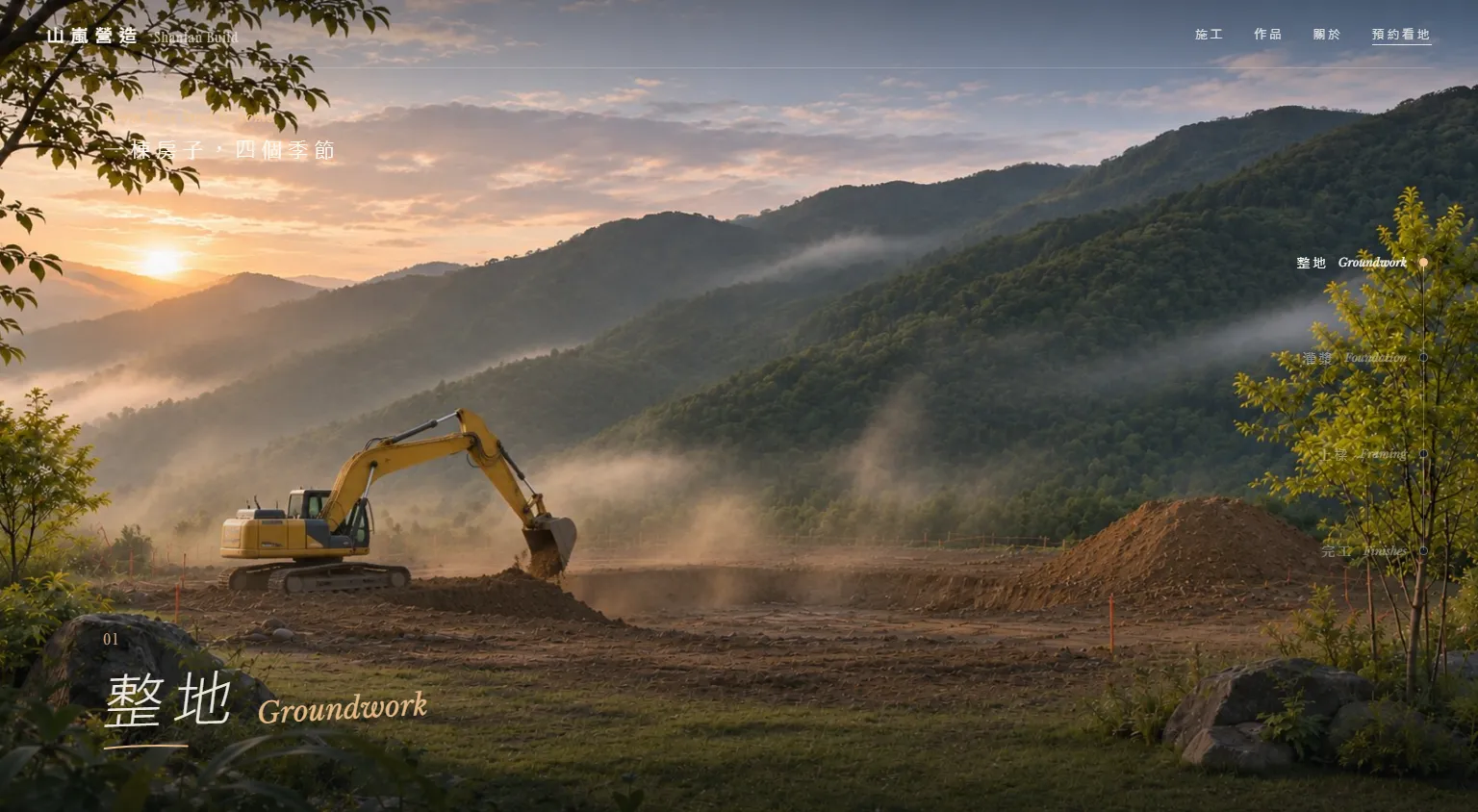
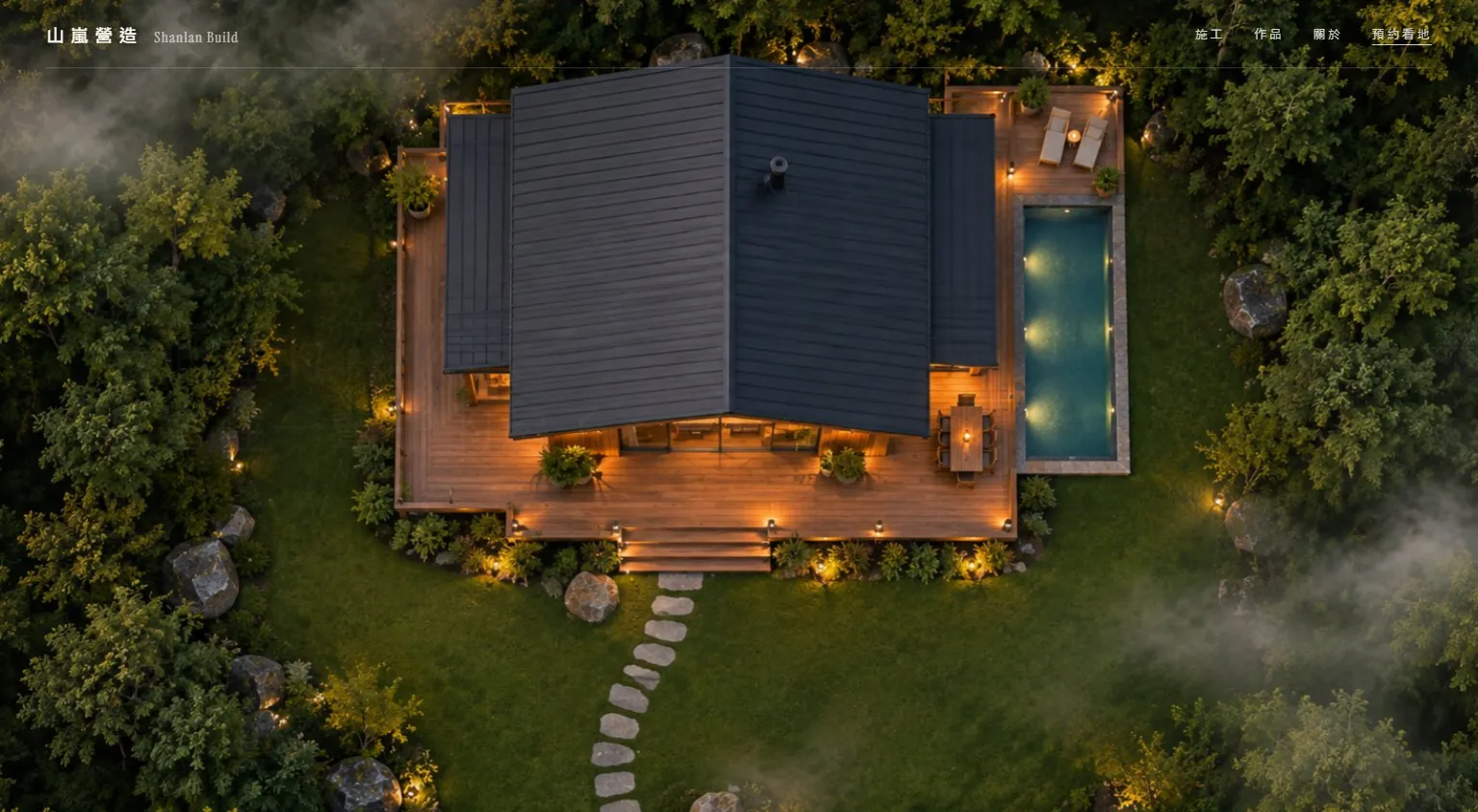
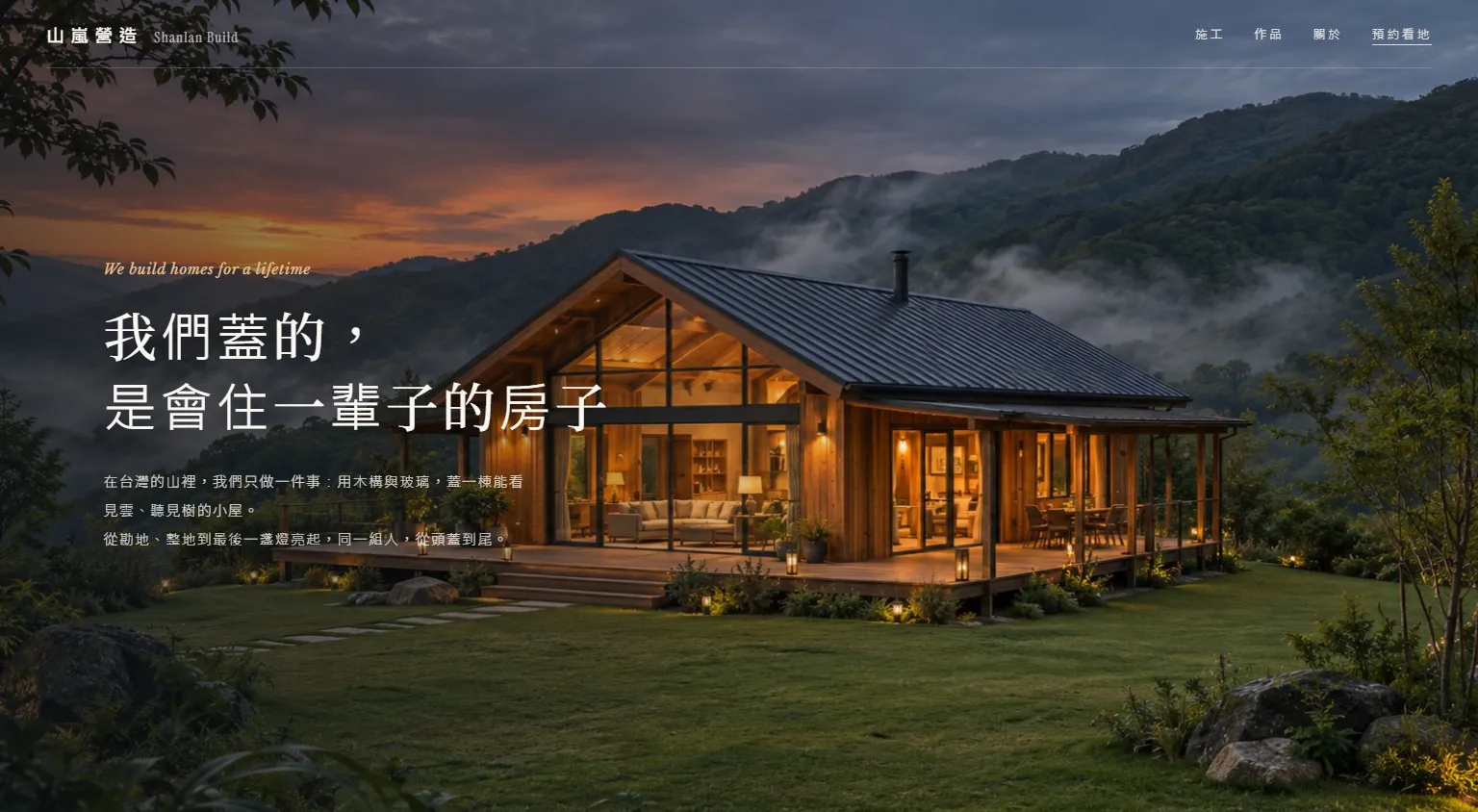
Top to bottom: white fog → the fog clears to an aerial → headline and intro on the left → the front view at dusk → a sticky build section (groundwork, foundation, framing, finishes) → the glass house glowing at night with a "book a site visit" button.
- Try it: the house-build site — Open on a computer, scroll down slowly, then back up
- Open the demo and scroll a little: the white fog clears.
- Keep scrolling: the build section sticks to the screen, the photo goes from groundwork to finished, and the rail on the right lights up.
- Scroll back up: the house "un-builds" back to an empty plot.
02Step 1: four photos from the same angle in ChatGPT
The key is "finished first, then go back". Generate the finished house with a fixed three-quarter front angle, then in the same chat ask for earlier stages with "the same camera, same view, same framing". That way the four photos line up and the crossfade looks like a timelapse.
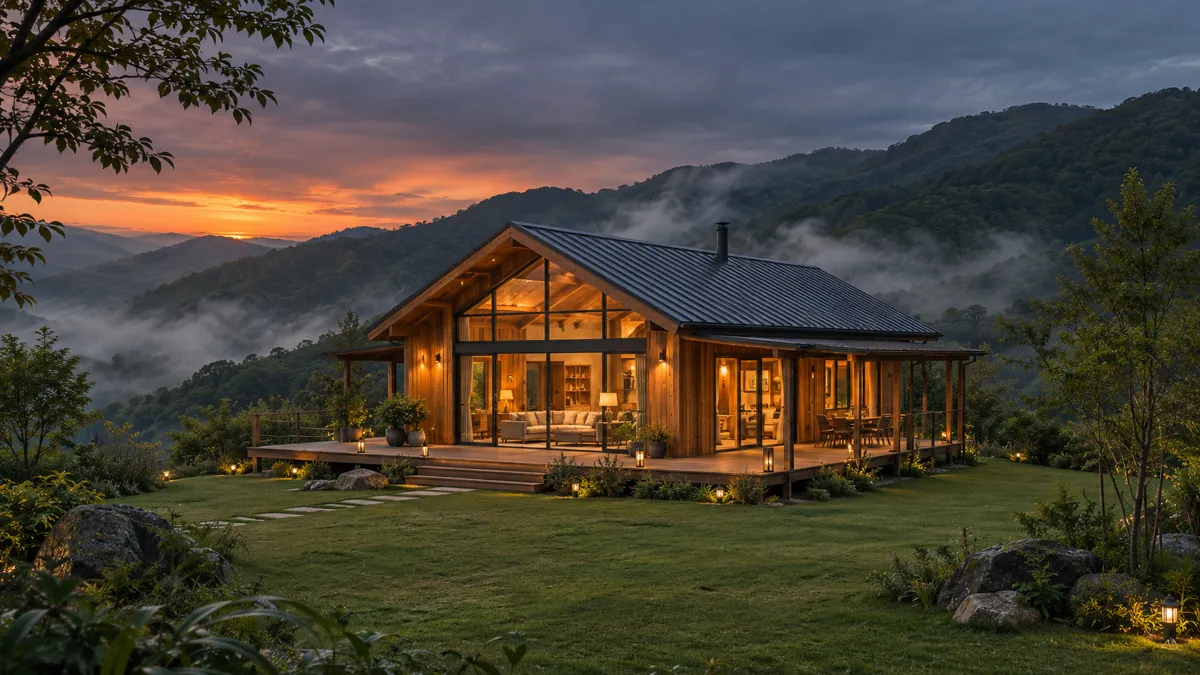
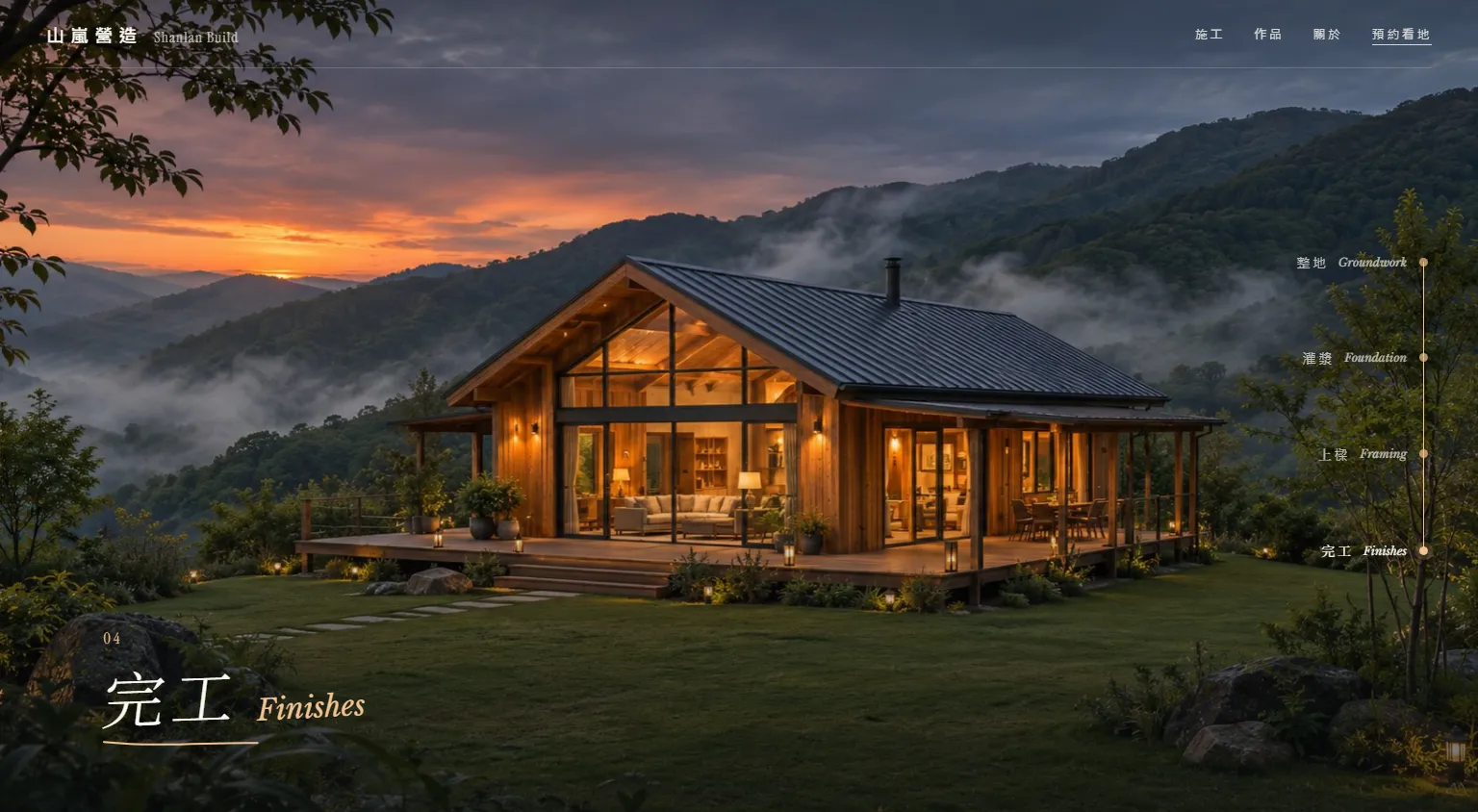
Create an image. A photorealistic architectural photo for a fictional Taiwanese home builder: a modern mountain cabin made of warm cedar timber and big glass walls, with a gabled roof and a long wooden deck, standing on a grassy plot in misty green mountains in Taiwan (Yilan / Miaoli feel), at dusk: the sky deep blue-grey with a warm orange glow at the horizon, mist in the valleys behind, all the windows lit warm yellow from inside. Fixed camera: three-quarter front view from slightly above eye level, about 40 m away, the whole house in the centre with space around it. Cinematic, high-end real-estate photo. Landscape 16:9. No people, no text, no logos.
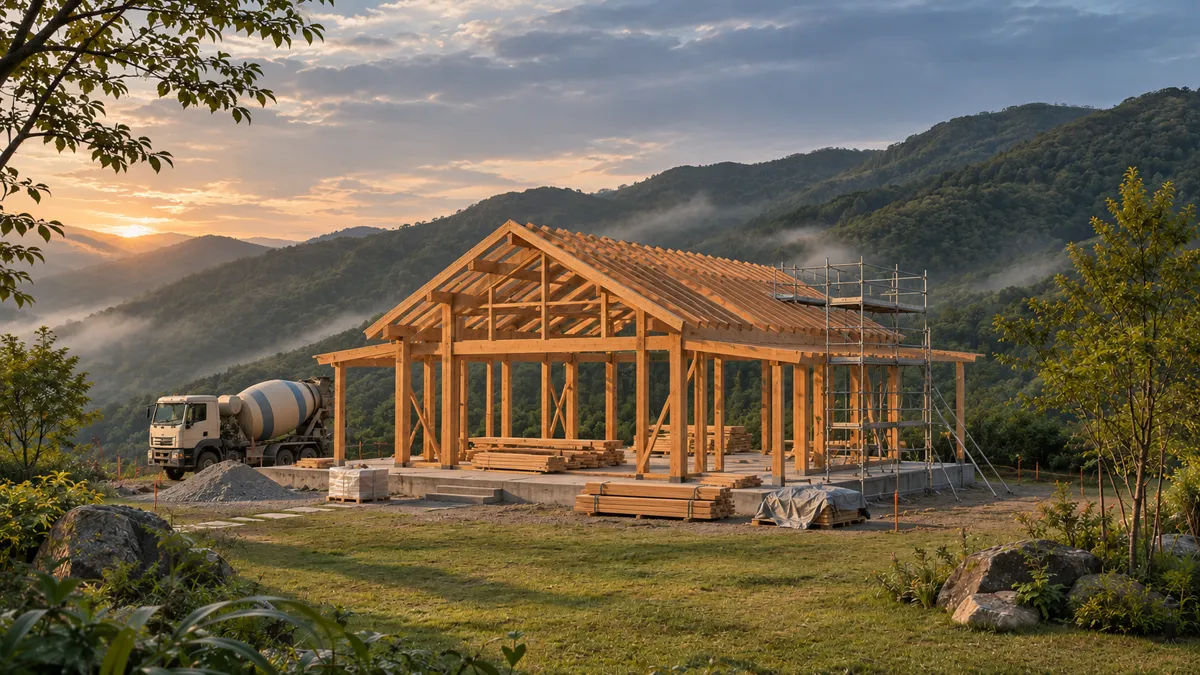
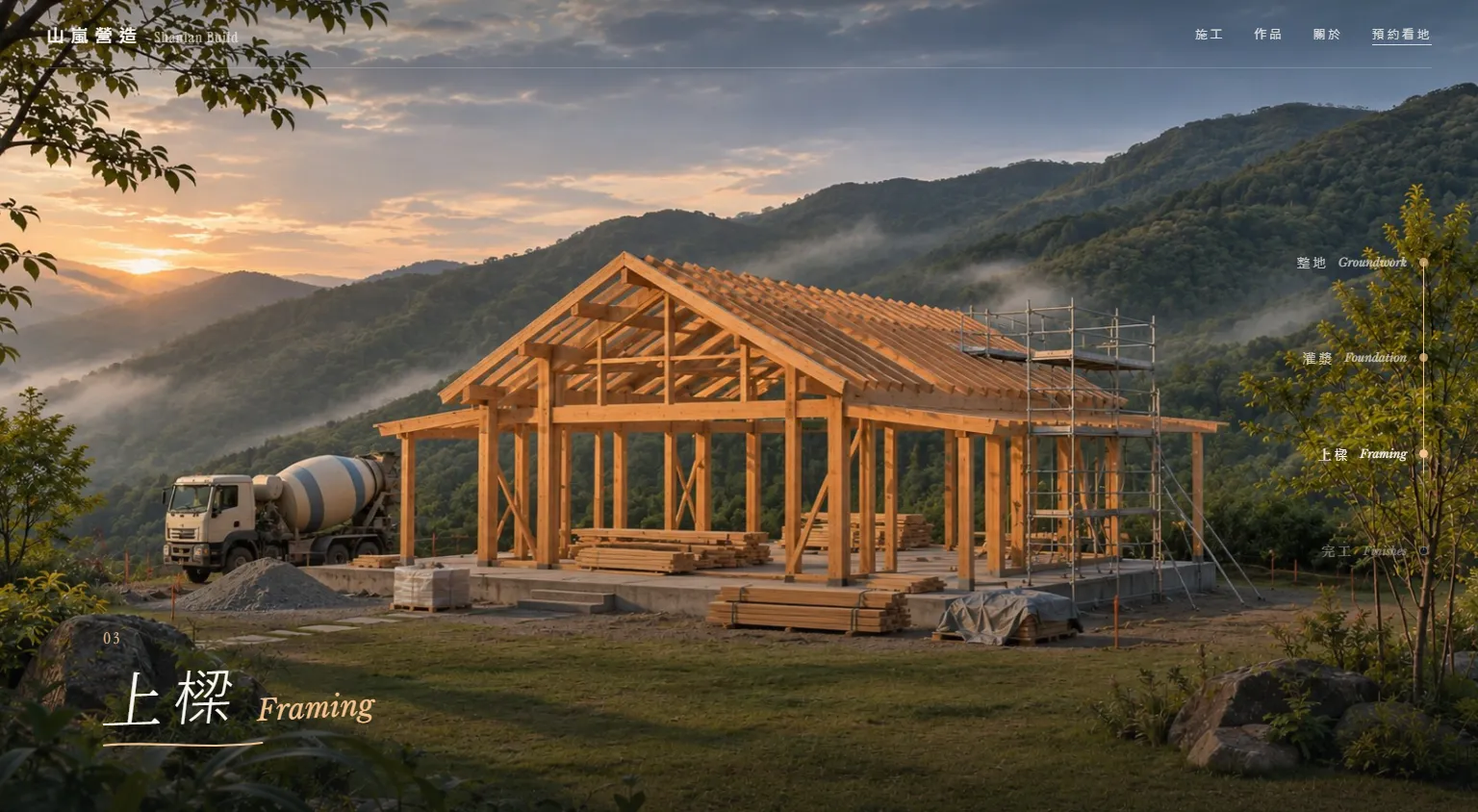
Now edit this exact image. Keep the SAME camera, same view, same framing, same mountains and plot: show the same house earlier, during construction: only the timber frame skeleton of the house is standing (posts, beams, roof rafters, no walls or glass yet), scaffolding on one side, stacks of timber, a concrete mixer truck parked beside the site, late afternoon light. Landscape 16:9. No people visible, no text, no logos.
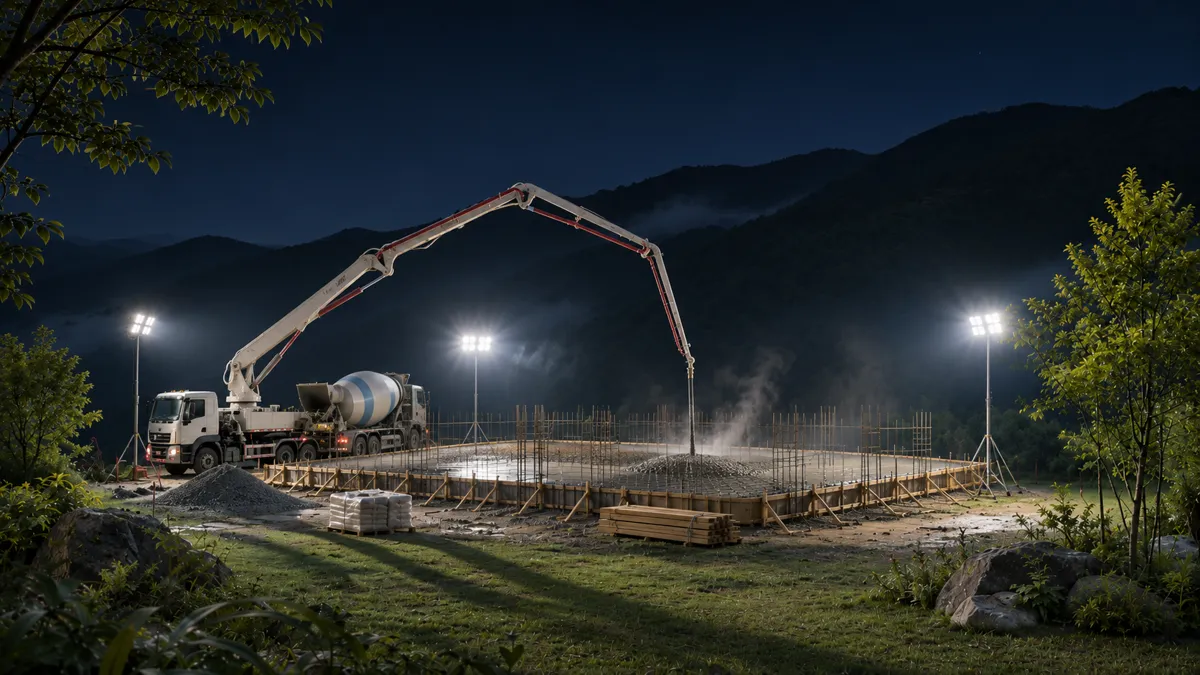
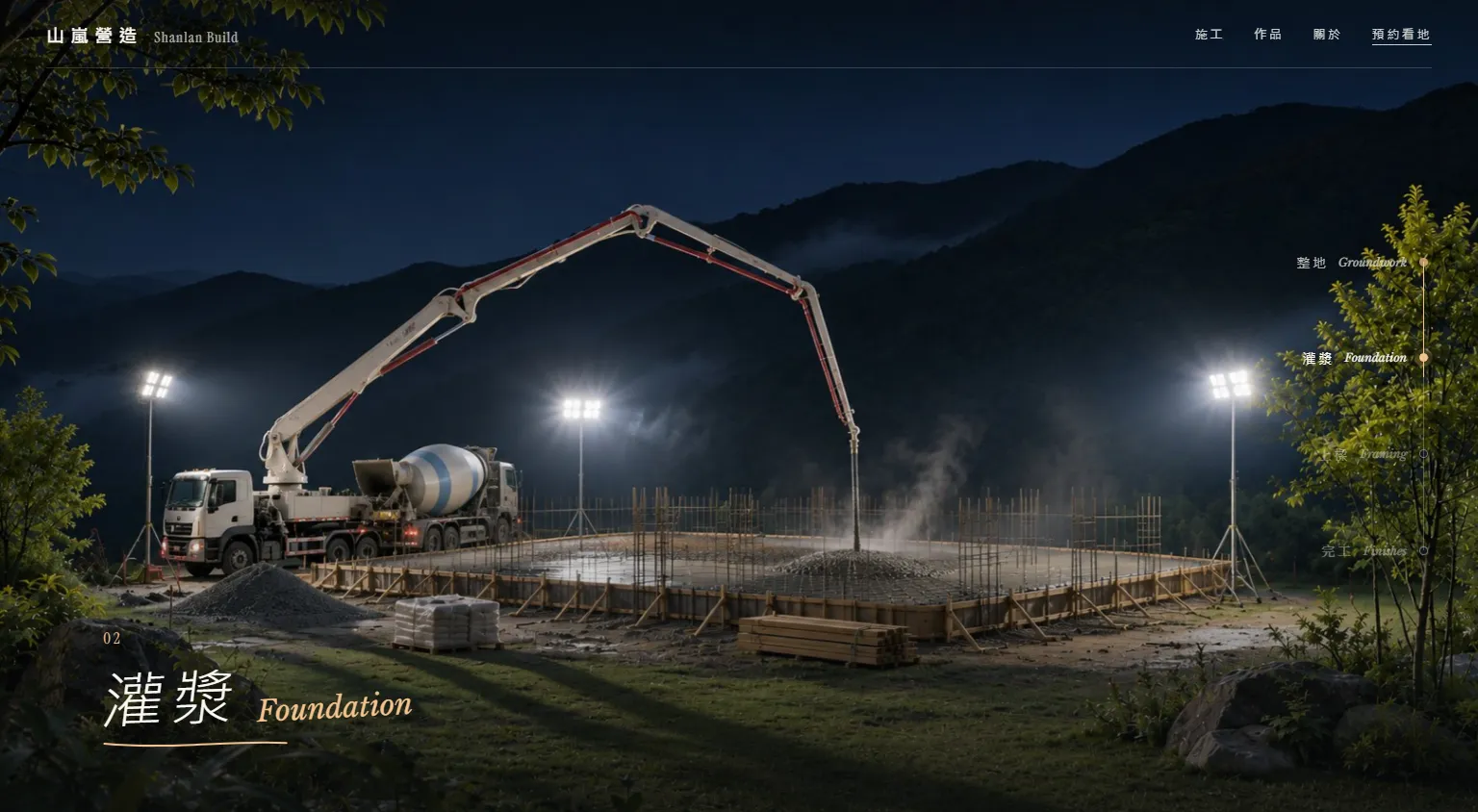
Edit again, SAME camera and framing: an even earlier stage, at night: no house yet, just the concrete foundation slab and rebar being poured on the plot, a concrete pump truck with its long boom arching over the foundations, bright work lights on poles casting white light and long shadows, a little steam in the cold air, the dark mountains behind. Landscape 16:9. No people visible, no text, no logos.
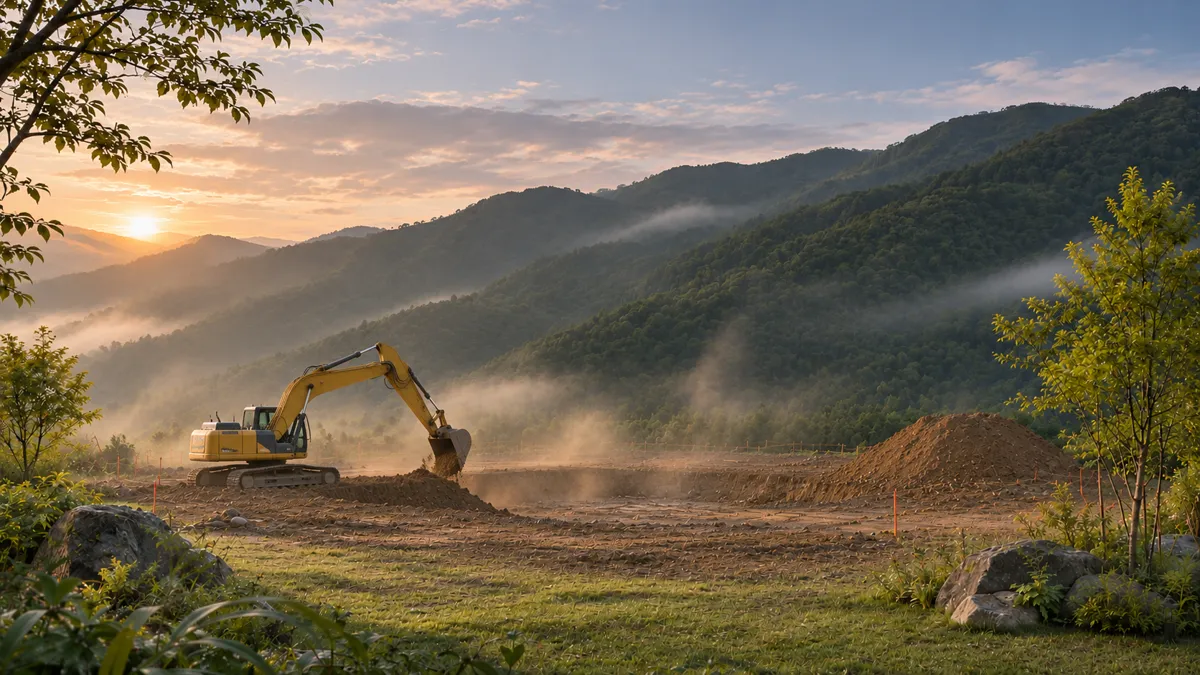
Edit again, SAME camera and framing: the very first stage: the empty excavated plot, bare brown earth, a small excavator digging, piles of soil, dust and white mist drifting across the site, morning light, the same mountains behind. Landscape 16:9. No text, no logos.
03Step 2: an aerial and a night interior
In a new chat, attach the finished image and generate a top-down aerial (for the opening) and a night interior through the glass (for the ending).
Now a top-down drone photo of the same finished cedar-and-glass cabin seen from straight above: the roof, the wooden deck, a long rectangular pool beside the house, a gravel path, surrounded by dense green trees with wisps of mist, soft dusk light. Landscape 16:9. No text, no logos.
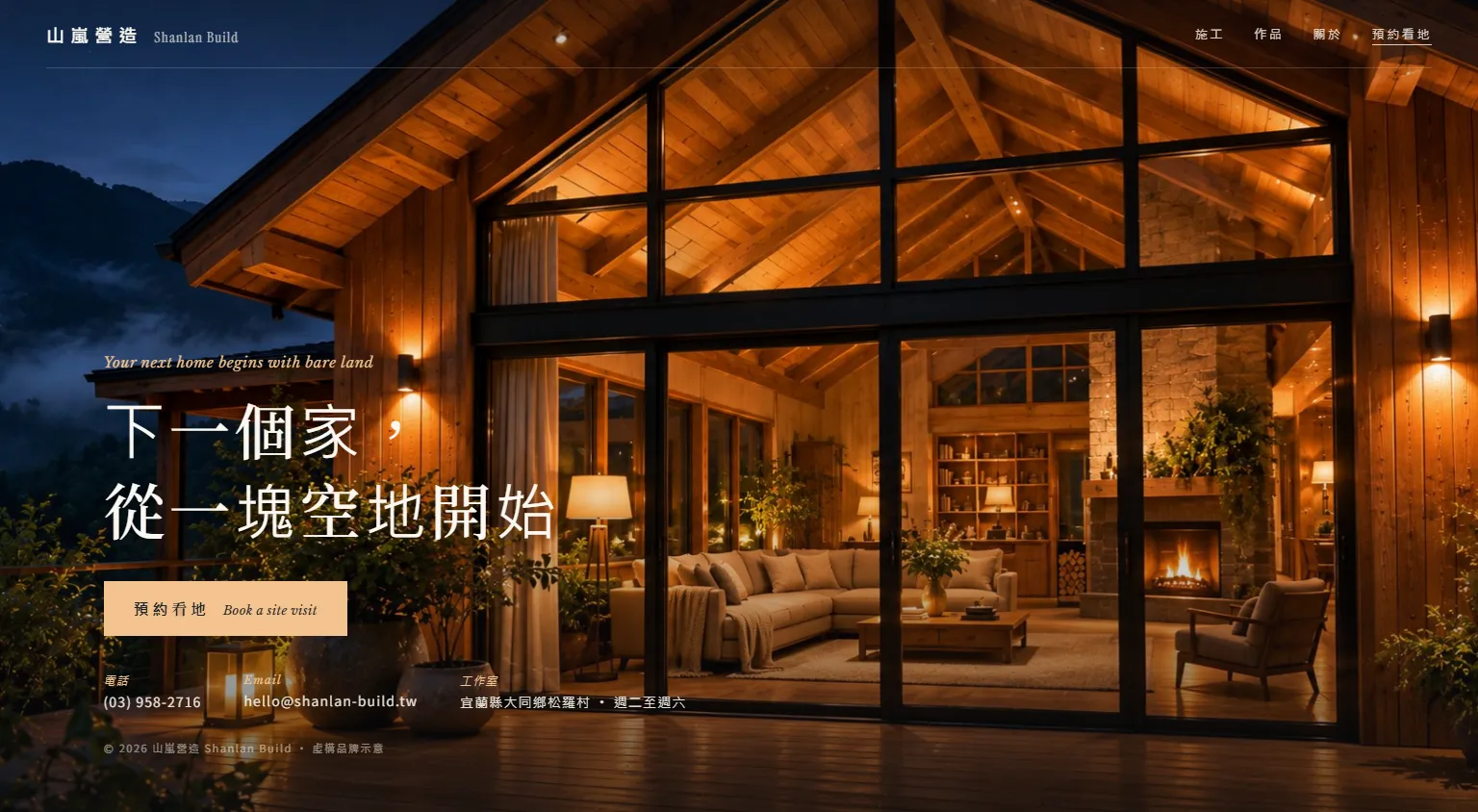
Now the same finished cabin at night, seen from outside on the deck looking through the tall glass front into the living room: warm lights on, a timber ceiling, a sofa, a fireplace glowing, plants, the room glowing like a lantern in the dark blue night. Landscape 16:9. No people, no text, no logos.
- Make a folder with an img/ folder inside.
- Save the 6 images as aerial, groundwork, foundation, framing, finished and interior (16:9).
- We used every image as it came out, no retouching.
04Step 3: paste the prompt into Claude Code
Build me a website for a home builder: as you scroll down, the house goes up from an empty plot all the way to finished.
Company: [Shanlan Build] (fictional), [building timber-and-glass mountain cabins in the mountains of Taiwan].
All photos are in img/. They were all shot with "the same camera, from the same angle": the same house at different stages:
- aerial: straight down from above after it is finished (the house, a pool, the forest around it)
- groundwork: site prep, digging on the empty plot, dust and mist
- foundation: pouring concrete at night, the long boom of a concrete pump truck, work lights
- framing: the timber frame going up, a concrete mixer truck beside it
- finished: done, a mountain view at dusk, the house lit up
- interior: at night, looking in from outside through the tall glass windows, the living room glowing warm

Top to bottom:
1. It opens on a full screen of white fog, nothing clear; as soon as you scroll, the fog slowly clears and shows the aerial photo.
2. When the fog is gone, a small line of English serif text fades in on the left, "We build homes for a lifetime", with the big headline "[We build homes you will live in for a lifetime]" below and two or three lines of intro. The picture slowly turns from the aerial into the finished front view of the mountains.
3. Building the house (the part I want most): this section sticks to the screen (sticky). As you keep scrolling, the photo changes in order groundwork → foundation → framing → finished, crossfading each time while slowly pushing in, so it looks like a timelapse video controlled by the scroll. Each stage shows a handwritten-style label at the bottom left, Chinese + English: "整地 Groundwork", "灌漿 Foundation", "上樑 Framing", "完工 Finishes". On the right, a thin progress rail marks the four stages and lights up the current one. Scrolling back plays it backwards.
4. The end: interior full screen, the glass house glowing in the night, one line "[Your next home starts with an empty plot]", a "Book a site visit" button and contact details (a fictional phone and email).

Style: quiet, high-end, cinematic, like a luxury real-estate site. Colours follow the photos: fog white, mountain blue-grey, warm dusk orange, wood. Serif for the headline, a handwritten feel for the labels. A very thin nav bar: logo text "[Shanlan Build]" on the left, a few small links on the right.
Mainly [English], with a touch of [Traditional Chinese].
We also added a few technical notes (local fonts only, plain HTML/CSS/JS, no smooth-scroll library) and no design direction. After that we only spoke to it twice: once to say the photos were in place so it could finish its self-test, and once to make the small build-section title easier to read (it added a soft gradient and text shadow).
05What Claude Code built
06Make it your own project
- Photos: use your own project photos, or generate them as above; drop them into img/ with the same names. With real site photos, shoot from one tripod spot.
- Text: company name, headline, stage names and contact are plain text in index.html.
- More stages (cladding, landscaping): add a photo and a label and tell Claude Code; the stage ranges are in main.js (window.__timeline).
- Sharing: drag the whole folder onto Netlify Drop or put it on GitHub Pages.
07Good to know
- Every photo is AI-generated in ChatGPT, not a real project. "Shanlan Build", the house, the phone number and email are fictional.
- Claude Code wrote the whole page and we didn't change its code; for the demo we only compressed the photos into smaller jpgs so it loads faster.
- Every run is different, so your layout may not match ours.
- ChatGPT sometimes shifts the angle when editing. If the four photos don't line up, regenerate that one and stress "SAME camera, same framing".
- The laptop and desk in the video are ChatGPT-generated backdrops too; the screen shows a real recording of this site.
- Also: a red ribbon that draws itself as you scroll — Claude Code too, playable