One prompt, 10 animation styles by Claude: the same flying sports car, only the style line changes (full prompt)
A red sports car lifts off over Taipei. Change one style line and Claude codes 10 four-second animations: pixel, chalk, PS2, comic, bricks, paper cut and more.
Watch the reel on InstagramComment #跑車 to get this guide
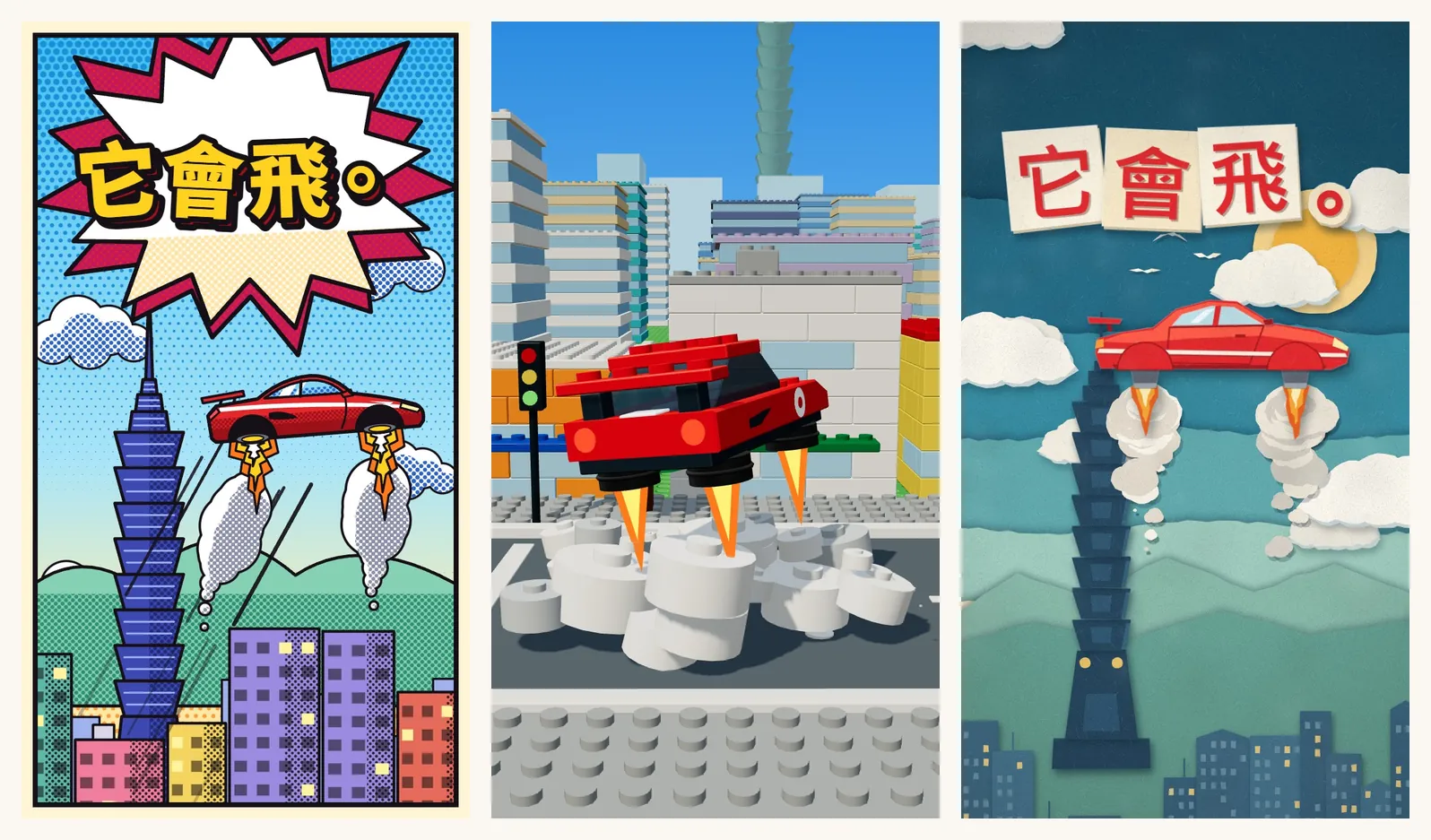
Can one scene become 10 completely different animations? We asked Claude to try: a small red sports car parked on a Taipei street folds its wheels in, blasts air, lifts off and flies over the city, and the line 「它會飛。」 ("It flies.") appears at the end. Not a word of the prompt changes except the "animation style" line, and we got 10 vertical four-second animations.
All 10 were drawn by code that Claude wrote, with no photos, image assets or AI-generated images, and we edited none of them. You get the prompt (swap the [ ] parts for your own), the 10 style names in Chinese and English, and how to record it as a video.
01The results first: one sports car, 10 animation styles
Every clip got exactly the same scene; the only difference is the style name in the prompt. We made each one in a brand-new Claude Code conversation, so it could not see the other 9 and could not copy them.
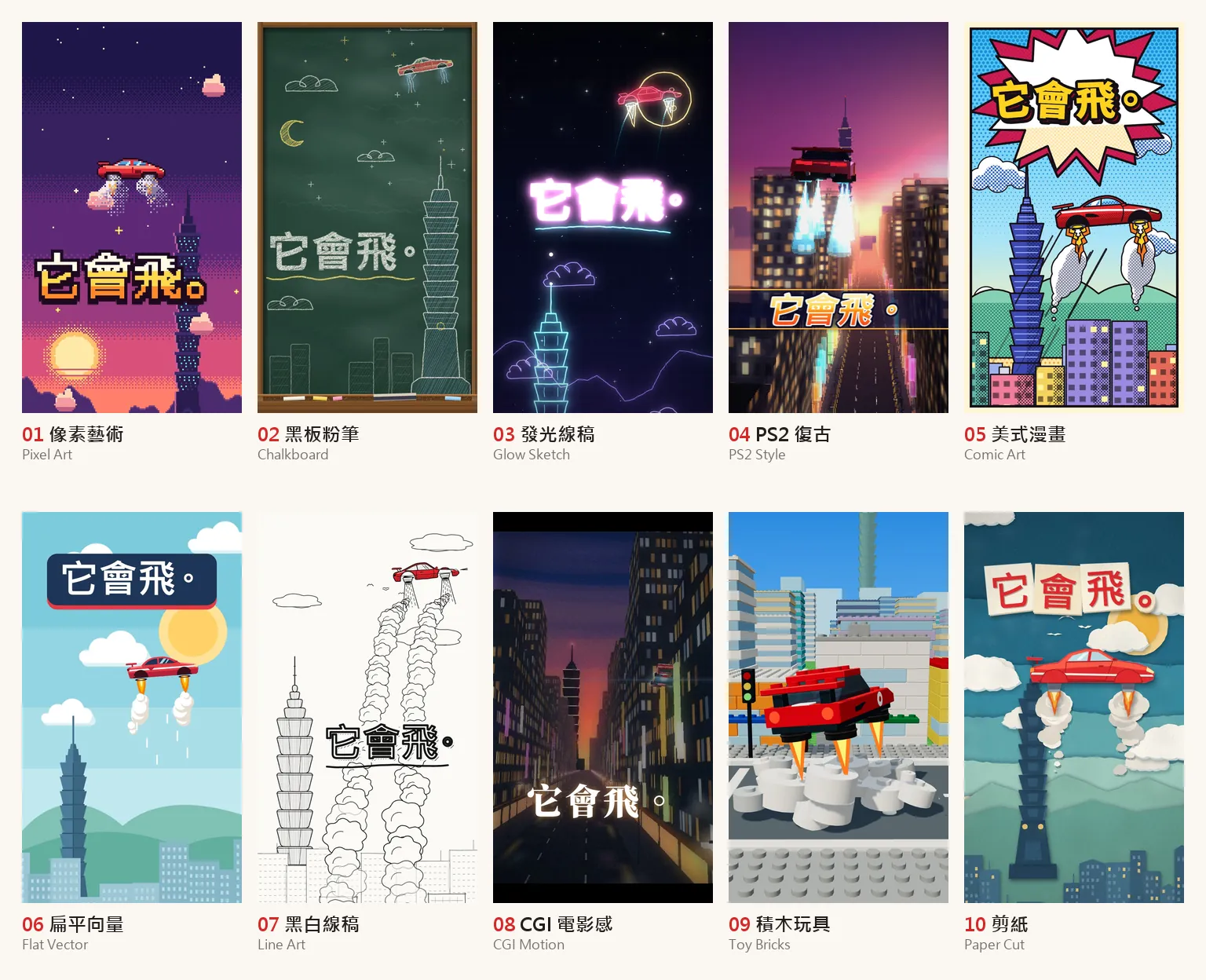
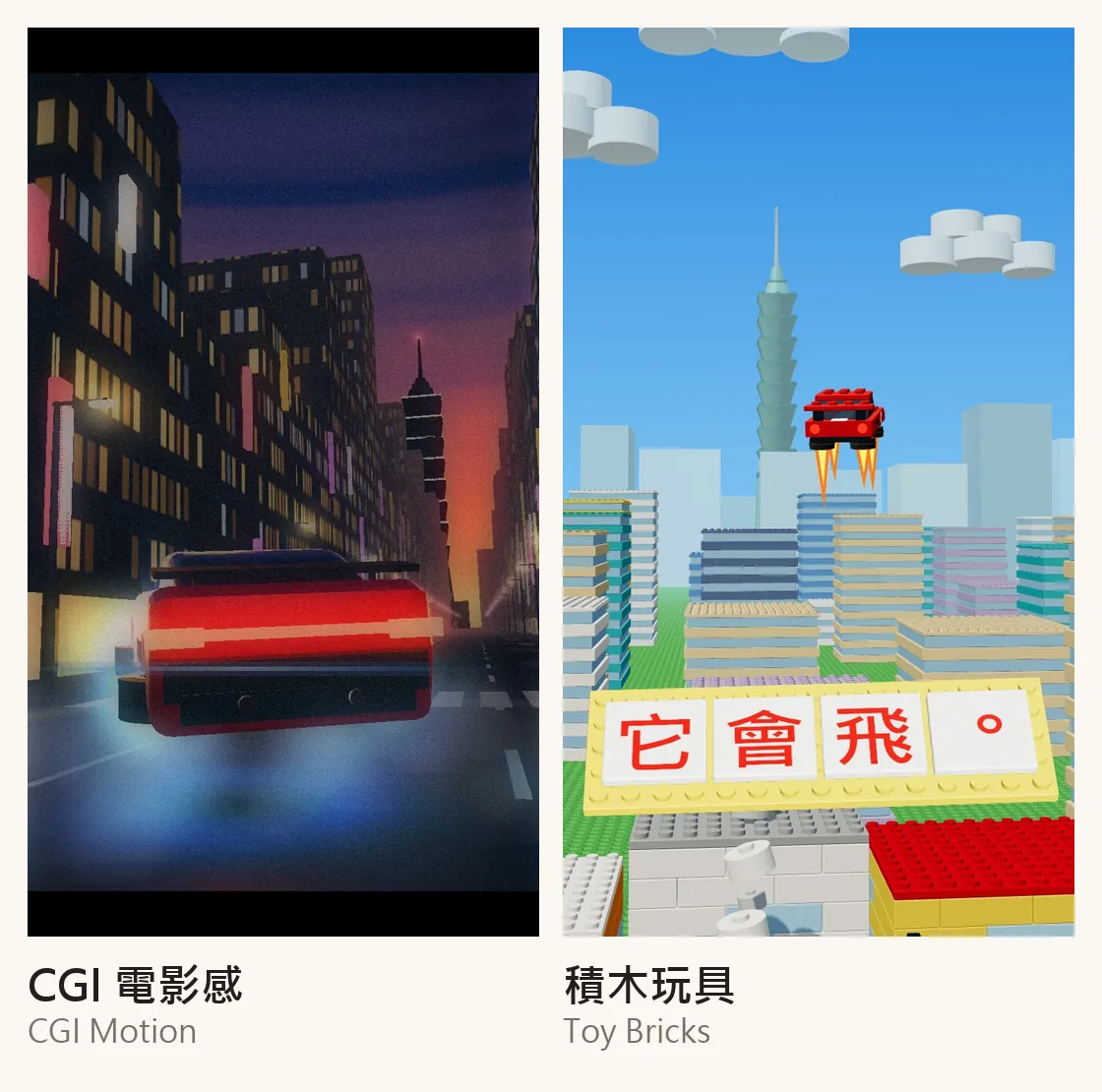
Interestingly, Claude also picked the tools itself. Seven clips are drawn stroke by stroke with the browser's built-in Canvas 2D; for PS2, CGI Motion and Toy Bricks, which need depth, it switched to the 3D library three.js on its own. All the prompt said was "canvas / SVG / three.js are all fine".
02Step 1: paste this prompt and change only the style line
Make me a 9:16 vertical short animation in code (one HTML file; canvas / SVG / three.js are all fine), [seconds] seconds long.

Scene: [main character] in [place], with [background or landmark] in the distance (no real logos or sign text). [Action 1], [action 2], [action 3]. At the end, one line of text appears: "[one line]"

Animation style: [[style name, Chinese + English]]

Requirements: recognisable as this style at a glance; smooth motion with good rhythm; looks like a finished piece you could post on IG straight away.
This is what we filled in. All 10 used the same text; only the style name at the end changed. (We wrote the prompt in Chinese; this is a translation.)
Make me a 9:16 vertical short animation in code (one HTML file; canvas / SVG / three.js are all fine), 4 seconds long.

Scene: a small red sports car parked on a Taipei street, with the silhouette of a tower like Taipei 101 in the distance (no real logos or sign text). The wheels fold in, air and smoke blast out from under the car, the car slowly lifts off the ground and flies up over the city. At the end, one line of text appears: 「它會飛。」

Animation style: [積木玩具 Toy Bricks]

Requirements: recognisable as this style at a glance; smooth motion with good rhythm; looks like a finished piece you could post on IG straight away.
- Open claude.ai or Claude Code, start a new conversation and paste the prompt.
- For the "animation style" line, pick one of the 10 names in the next step.
- To compare several styles, open a new conversation for each one, paste the same prompt and change only the style name.
- To change the main character, edit the "scene" paragraph, for example "a cat jumping onto a roof at a night market", and keep swapping the style line as before.
- Claude — The web app; just ask it for the HTML in the chat
- Claude Code — We made these 10 with it; it can save the file and check its own screenshots
03Step 2: 10 style names, paste Chinese and English together
These are the exact words we put inside the brackets. Writing Chinese and English together, for example "剪紙 Paper Cut", makes Claude less likely to misread which style you mean.
- 1 像素藝術 Pixel Art
- 2 黑板粉筆 Chalkboard
- 3 發光線稿 Glow Sketch
- 4 PS2 復古 3D 遊戲 PS2 Style
- 5 美式漫畫 Comic Art
- 6 扁平向量 Flat Vector
- 7 黑白線稿 Line Art
- 8 CGI 電影感 CGI Motion
- 9 積木玩具 Toy Bricks
- 10 剪紙 Paper Cut
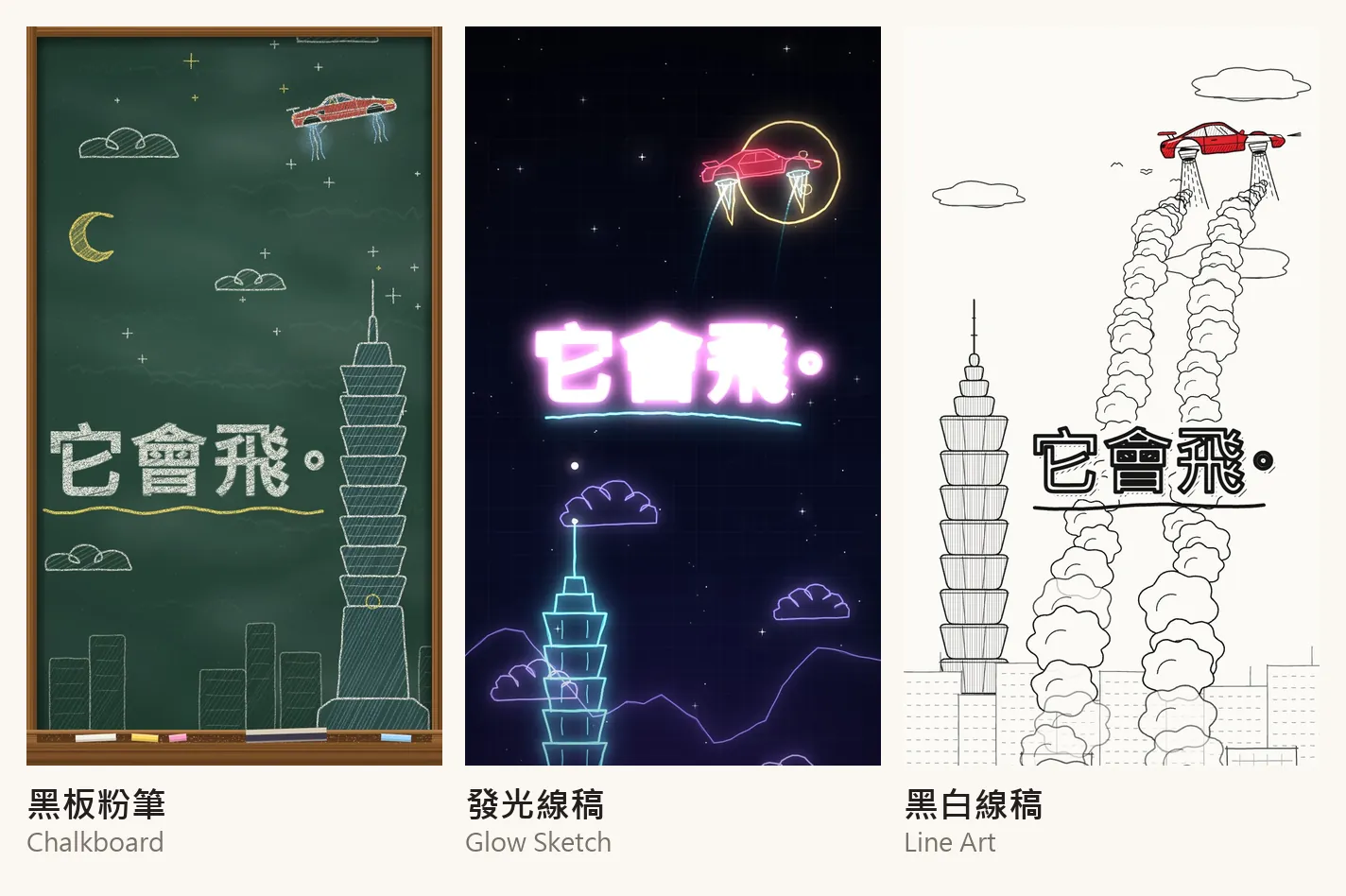
For the three line styles, Claude came up with a different way of drawing each: Chalkboard redraws its strokes 12 times a second so they wobble slightly, like real chalk; Glow Sketch draws its lines stroke by stroke and adds a neon glow; Line Art uses ink lines and hatching for shadows, and only the car is red.
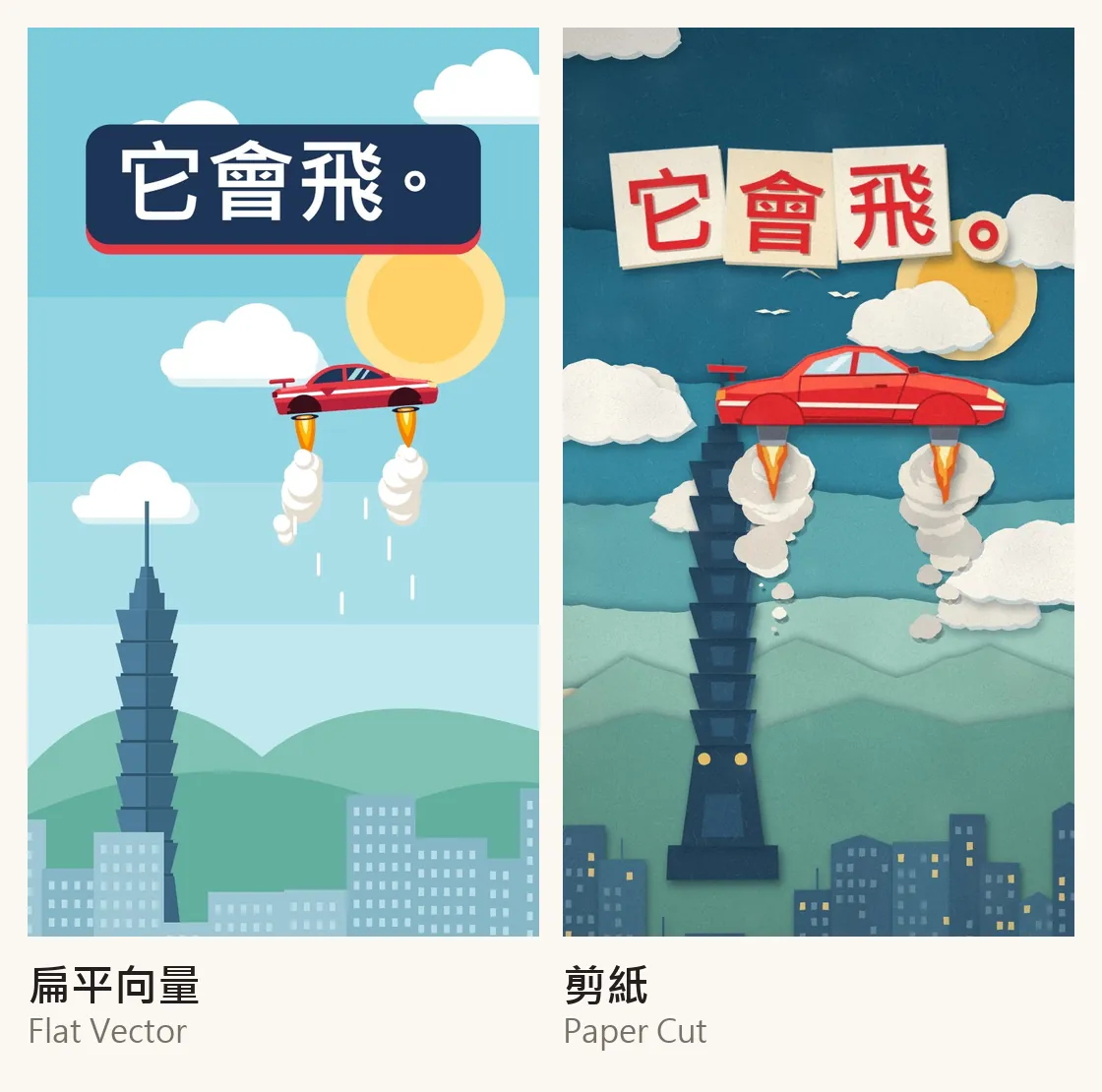
Flat Vector uses flat colour shapes, with just a light and a dark tone per object. Paper Cut stacks layers of paper with a shadow under each one; even 「它會飛。」 is made of paper cards stuck on one by one.
For the two retro game styles, Claude made the picture rough on purpose: Pixel Art is drawn on a tiny 144 × 256 canvas and scaled up 5 times without blurring; PS2 Style renders a small 240 × 427 frame with three.js, scales it up 3 times and adds fog and dithering for that old-console grain.
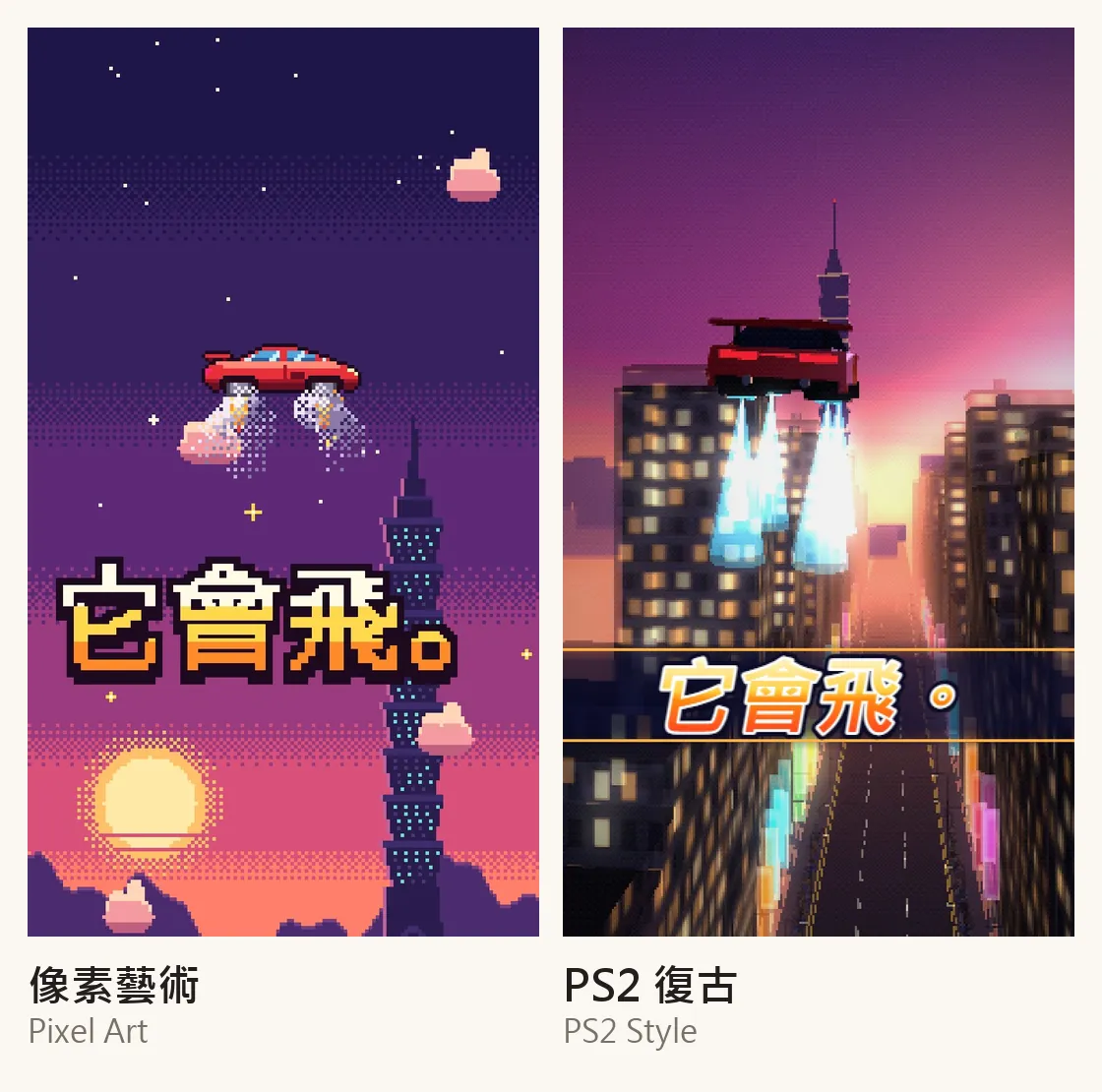
Both 3D styles use three.js. CGI Motion adds glow, a colour grade, film grain and black bars at the top and bottom, which was Claude's own idea of "cinematic"; in Toy Bricks the car, buildings and road are built from rounded blocks with studs, and 「它會飛。」 is a row of brick tiles.
04Step 3: the "scene" paragraph is your storyboard
Four seconds is short, so write the actions in the scene paragraph in time order: parked, wheels fold, jets fire, lift-off, text. Claude splits the time along that order by itself. Here are 4 moments from the Comic Art clip within its 4 seconds:
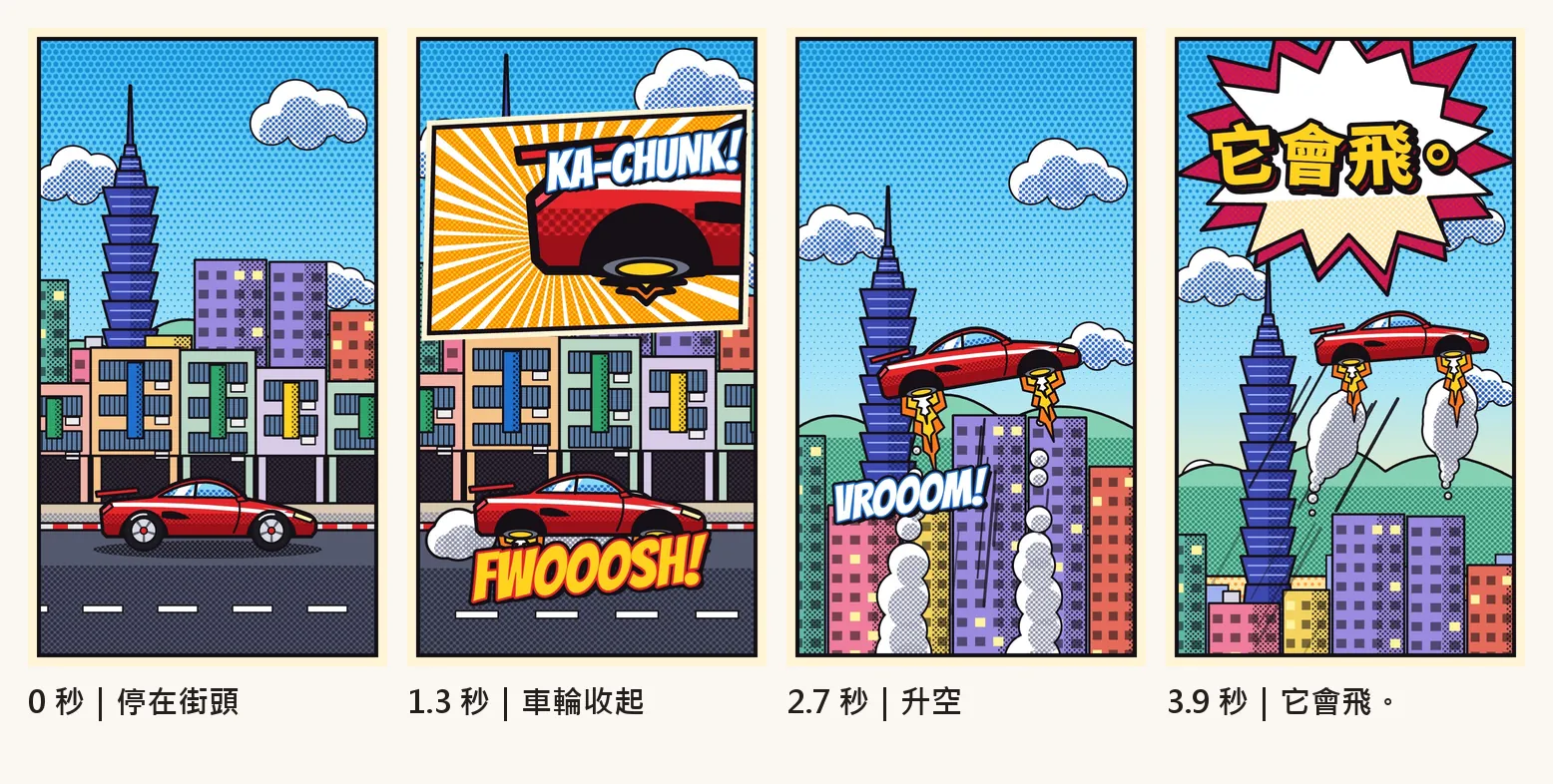
The sound words KA-CHUNK!, FWOOOSH! and VROOOM!, and the close-up panel when the wheels fold, are not in our prompt. Claude came up with them from the words "Comic Art" alone.
- One short phrase per action, separated by commas; the order is the playback order.
- Put the closing text in quotation marks and Claude places it word for word.
- Keep it to 4 or 5 actions. Cram more into 4 seconds and every action feels rushed.
- For a landmark in the background, write "the silhouette of something like X" and add "no real logos or sign text" so it doesn't draw anyone's trademark.
05Step 4: open it, play it, then record it as a video
- Save the HTML Claude gives you as anim.html (Claude Code saves it for you).
- Open it in Chrome and the animation starts playing.
- The simplest way to record is a screen recording: on a Mac press Cmd+Shift+5; on Windows the built-in Snipping Tool can record the screen. Make the browser window tall before you record.
- For crisp frames with no dropped frames, add the extra requirements below to the prompt so Claude builds a version you can export frame by frame.
Extra requirements:
- Make one self-contained anim.html that fills a 720 × 1280 viewport exactly, with no scrollbars.
- Draw everything in code (canvas / SVG / WebGL): no photos, downloaded images or AI images.
- Define window.renderAt(t): given a time t in seconds (0 to [seconds]), it draws that frame. The same t must always draw the same picture (fixed random seed, no real elapsed time).
- Load the Chinese font before drawing and check that every character of "[one line]" shows, with no blank boxes.
- Also write a small script that opens anim.html in headless Chrome, calls renderAt(0/30), renderAt(1/30) and so on, saves each frame as an image and joins them into a 30 fps MP4.
That is how we recorded our 10: each one was run in headless Chrome by calling renderAt, 4 seconds × 30 frames per second, 120 frames in all, with no screen recording and no slowed-down playback. That's why every clip in the Reel is smooth; even the chalk wobble is calculated frame by frame.
06Step 5: have Claude look at its own frames and fix at least 3 rounds
An animation is not a poster: one frame isn't enough, you have to see the whole run. We asked each Claude to tile frames from several moments into one image after every change and check it. The 10 clips took 3 to 7 rounds each, and we added no design instructions.
After every change, tile the 9 frames at t = 0, 0.5, 1, 1.5, 2, 2.5, 3, 3.5 and 3.95 s into one image, open it and critique it as an art director and animator:
- Shrunk to phone size (about 450 px wide), is it still clearly this style?
- Is the [main character] clear? Is the [key action] really visible?
- Does "[one line]" appear without being covered?
- Also check 3 consecutive frames (for example 1.5, 1.533 and 1.567 s): is the motion smooth, with no jumps?
Then improve it. Do at least 3 rounds. Finally tell me the style name, the libraries and fonts you used, and how many rounds you did.
The problems Claude spots by itself are usually a car that's too small, text hidden by smoke, messy smoke, or a frame that suddenly jumps. You don't have to point them out one by one; once it sees the image it fixes them.
- One poster, 20 graphic design styles by Claude — Read this one for still posters rather than animation
- three.js — The free 3D library behind the PS2, CGI and Toy Bricks clips
07Good to know
- All 10 animations are drawn by code Claude wrote, with no photos, image assets or AI images, and we did not edit the content of any of them.
- Each one is a brand-new Claude Code conversation that got only the same prompt plus one style line, along with technical notes for recording (frame size, renderAt, how to self-check).
- We made these with Claude Code and did not test the same prompt on claude.ai. claude.ai can write the HTML too, but the in-chat preview may not load outside libraries and fonts, so the safest route is to save the HTML and open it in Chrome.
- The street, tower and car are generic shapes drawn by Claude, with no real logos or sign text. The tower is only a silhouette "like Taipei 101"; Toy Bricks is a generic brick style, not any brand, with no brand marks.
- The black bars on CGI Motion are a cinematic effect Claude made itself, not a cropped picture.
- three.js and Google Fonts load from the internet, so opening the file offline may lose text or show a blank page. Glow Sketch, Flat Vector, Line Art, Toy Bricks and Paper Cut use Microsoft JhengHei, a font built into Windows, which is swapped for another font on a Mac; to keep it consistent, ask Claude to use Noto Sans TC from Google Fonts instead.
- Before any commercial use, ask Claude to list the fonts it used and check each licence.
- Claude Code needs a paid Claude plan (such as Pro or Max) or an API account to sign in.
- This was made in November 2026. The same prompt gives a different animation every time, and that's normal.