One poster, 20 graphic design styles by Claude: the prompt changes only the style name (20 names + full prompt)
One fictional event brief, 20 poster styles made by Claude with Anthropic's free canvas-design skill. Full prompt, 20 style names and the self-check rules.
Watch the reel on InstagramComment #流派 to get this guide
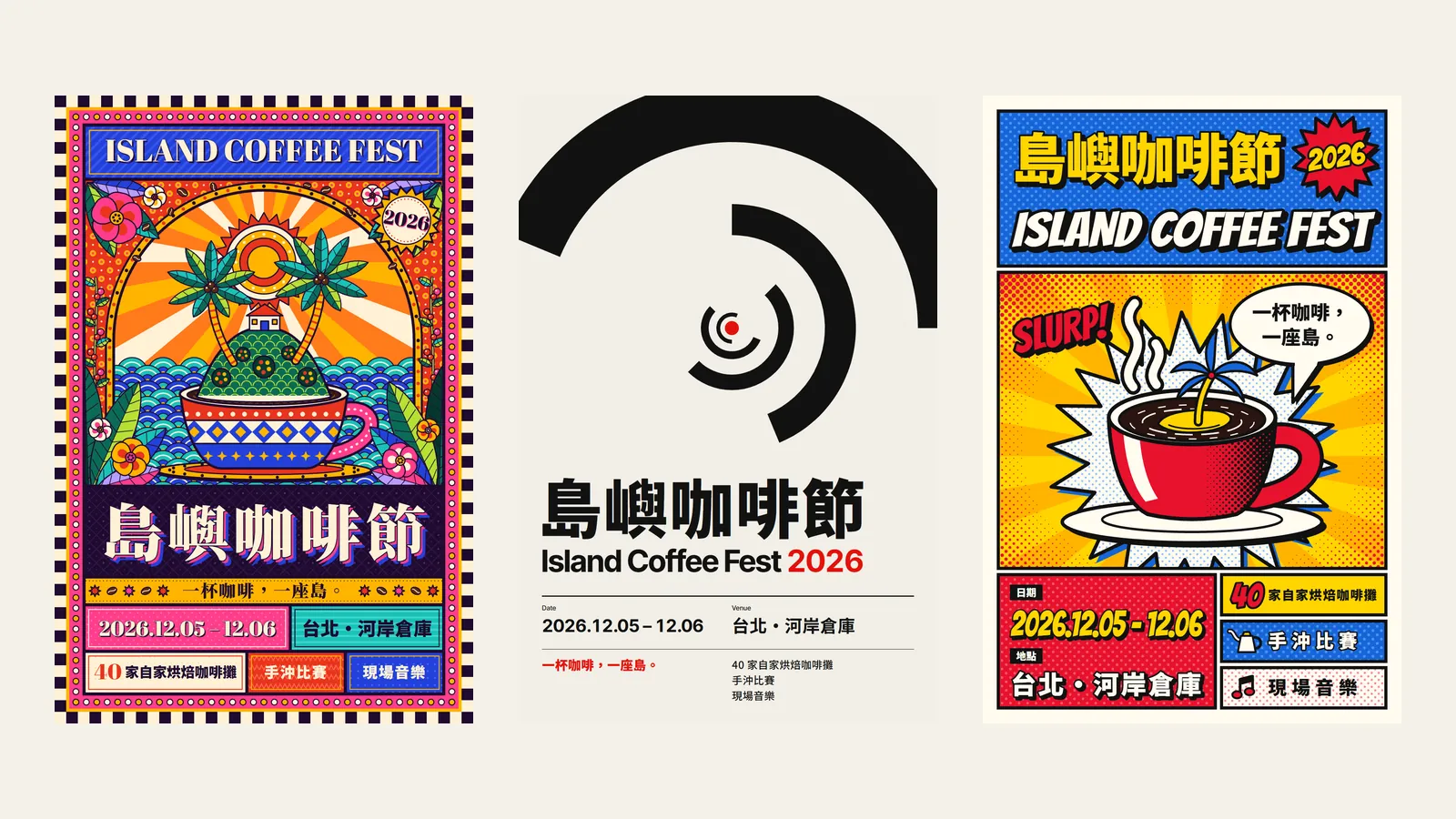
Can one poster turn into 20 completely different looks? We asked Claude to try: not a word of the event details changes, only the "design style" line in the prompt, from Minimalism all the way to Handwritten, for 20 posters.
島嶼咖啡節 (Island Coffee Fest) is a fictional event. All 20 were designed by Claude with Anthropic's free official canvas-design skill and we edited none of them; the photos inside 4 of them were generated by ChatGPT. You get the prompt (swap the [ ] parts for your own), the 20 style names in Chinese and English, and the extra requirements that make Claude check its own work.
01The result: one set of event details, 20 styles
Every poster got the same event details: the name, the dates, the venue, one tagline and three highlights. The only difference is the style name in the prompt. We made each one in a brand-new Claude Code conversation, so it could not see the other 19 and could not copy them.
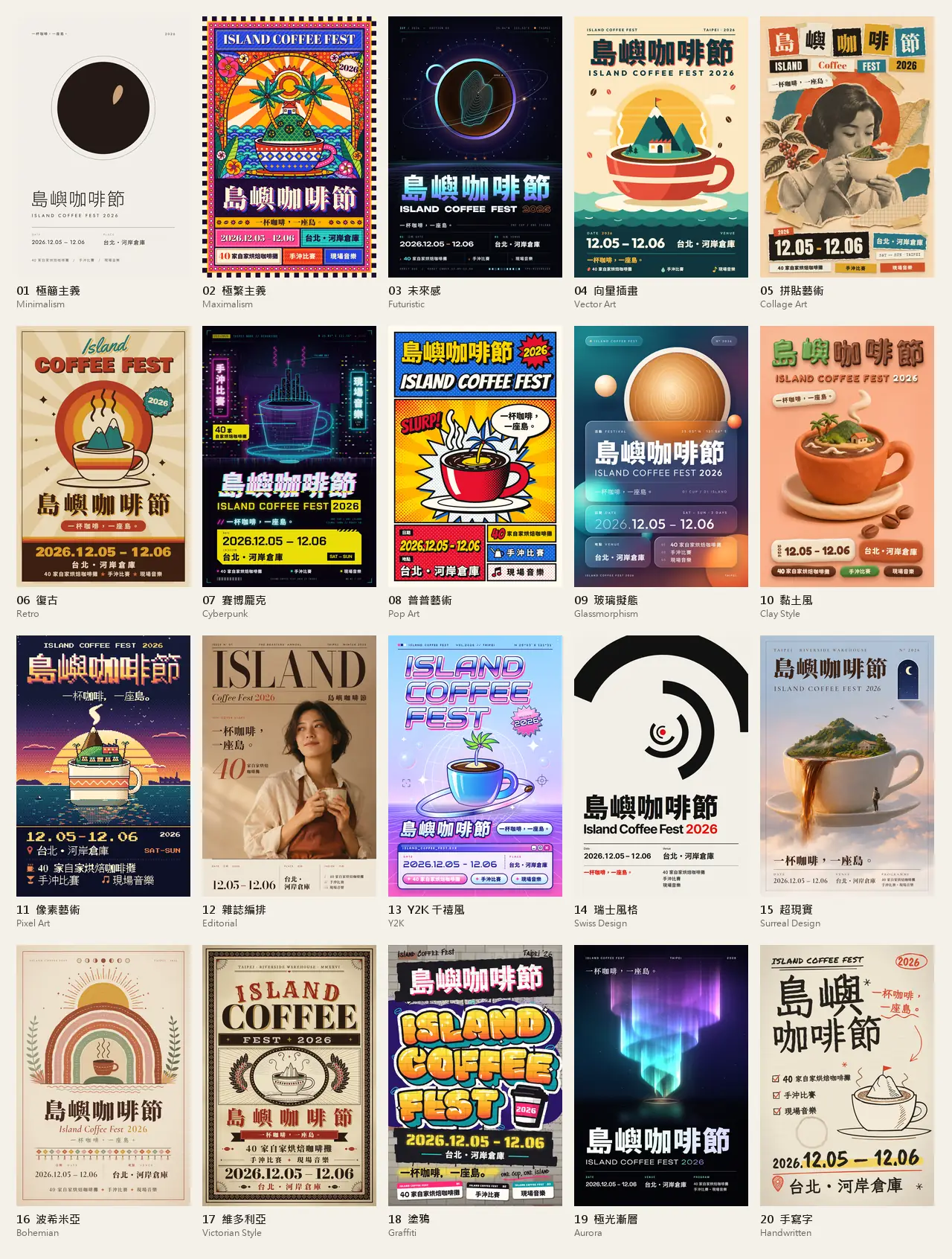
The fun part: most of the posters came up with "an island inside a coffee cup" by themselves, straight from the tagline 一杯咖啡,一座島。 (one cup of coffee, one island). So a tagline with a picture in it gives Claude something to draw.
02Step 1: install the canvas-design skill
canvas-design is a skill that Anthropic keeps in its public GitHub repository anthropics/skills, free to download. It is really just an instruction file that tells Claude to make static designs such as posters in two steps: write a short "design philosophy" first, then build the visual from it, then refine it once more.
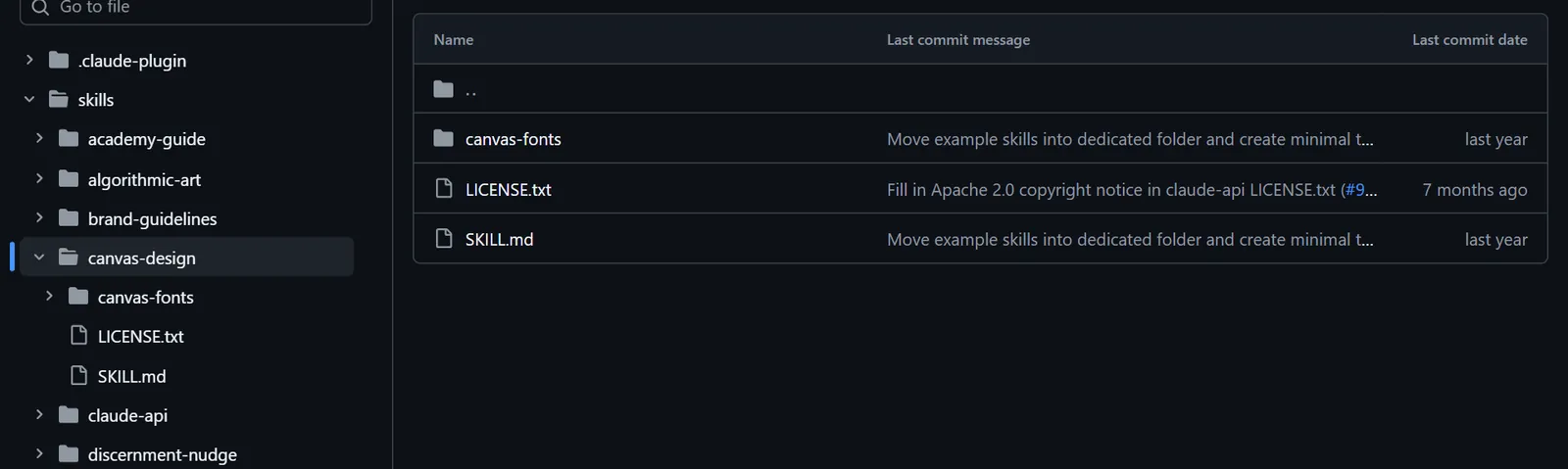
- Open the anthropics/skills repository, click the green Code button → Download ZIP, and unzip it.
- In your project folder, create a .claude/skills/ folder.
- Copy the whole canvas-design folder from the unzipped skills/ folder into it, so you have .claude/skills/canvas-design/.
- Start Claude Code in that project folder. Begin your prompt with "Use the canvas-design skill" and it reads that instruction file first.
- canvas-design skill — Official from Anthropic, free to download
- anthropics/skills repository — The same repository has other skills
- Claude Code — Works in the terminal, the desktop app and VS Code
03Step 2: paste this prompt and change only the style line
Use the canvas-design skill to design an event poster for me.

Event: [event name]
Date: [date]
Venue: [venue]
Tagline: [one line]
Programme: [3 highlights]

Size: portrait 2:3 (1080 × 1620 px), output a PNG.
Design style: 【[style name, Chinese + English]】

Requirements: it should read at a glance as a signature piece of this style; the event name, date and venue must be clear and easy to read; it should look like a finished piece from a designer's portfolio.
These are the event details we filled in, the same for all 20:
Event (fictional): 島嶼咖啡節 ISLAND COFFEE FEST 2026
Date: 2026.12.05 – 12.06
Venue: 台北・河岸倉庫 (Taipei, Riverside Warehouse)
Tagline: 一杯咖啡,一座島。 (One cup of coffee, one island.)
Programme: 40 home-roaster coffee stalls, a pour-over competition, live music
- Swap the first five lines for your event. The more specific the better; write the date and venue the way you want them printed on the poster.
- For the "design style" line, pick one of the 20 names in the next step and paste it in.
- To compare several styles, open a new conversation for each one and paste the same prompt with only the style name changed.
04Step 3: the 20 style names, Chinese and English together
These are the exact words we put inside the 【】. Write the Chinese and the English together, for example 瑞士風格 Swiss Design, so Claude is less likely to misread which style you mean.
- 1 極簡主義 Minimalism
- 2 極繁主義 Maximalism
- 3 未來感 Futuristic
- 4 向量插畫 Vector Art
- 5 拼貼藝術 Collage Art (needs a photo)
- 6 復古 Retro
- 7 賽博龐克 Cyberpunk
- 8 普普藝術 Pop Art
- 9 玻璃擬態 Glassmorphism
- 10 黏土風 Clay Style (needs a photo)
- 11 像素藝術 Pixel Art
- 12 雜誌編排 Editorial (needs a photo)
- 13 Y2K 千禧風 (Y2K)
- 14 瑞士風格 Swiss Design
- 15 超現實 Surreal Design (needs a photo)
- 16 波希米亞 Bohemian
- 17 維多利亞 Victorian Style
- 18 塗鴉 Graffiti
- 19 極光漸層 Aurora
- 20 手寫字 Handwritten
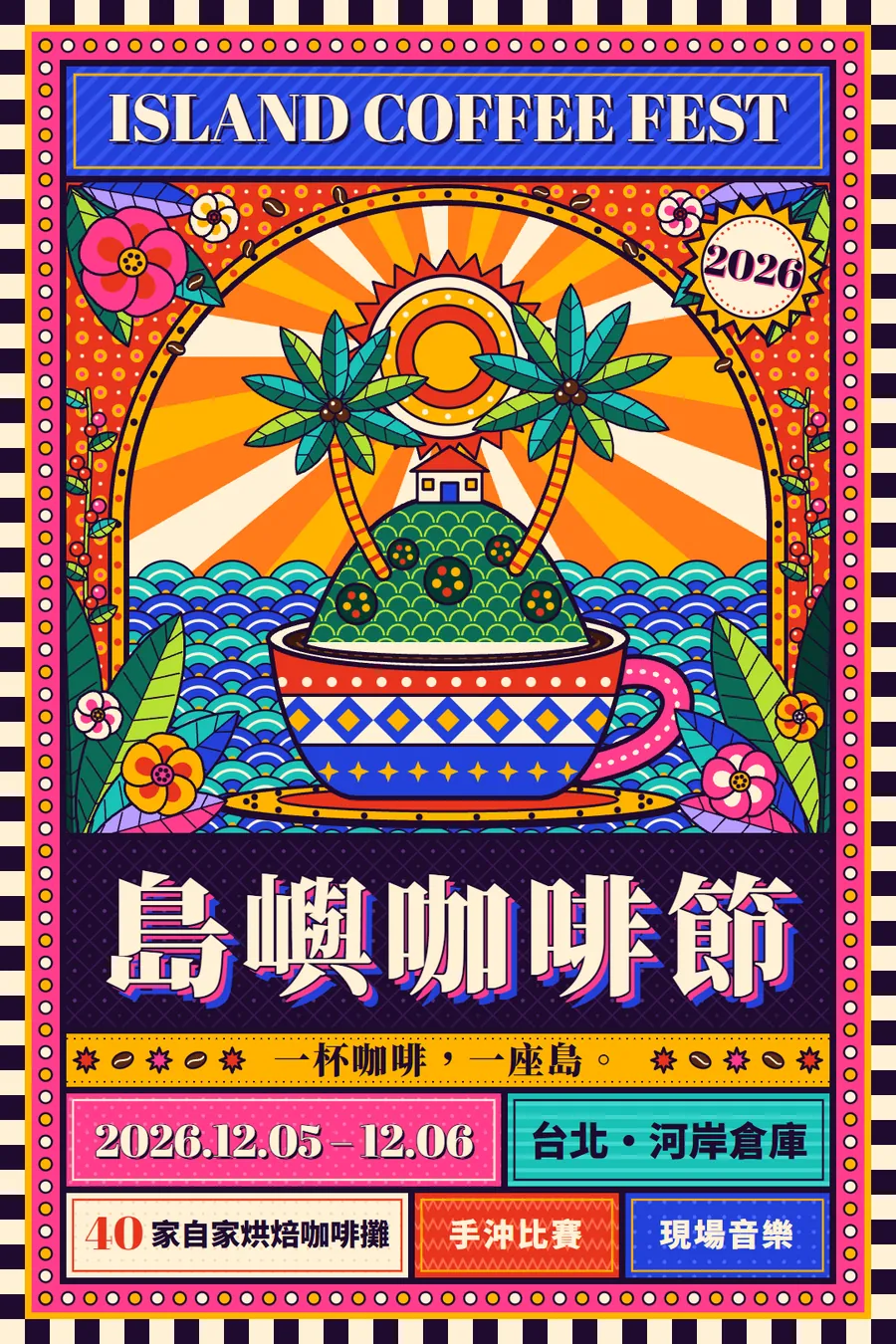
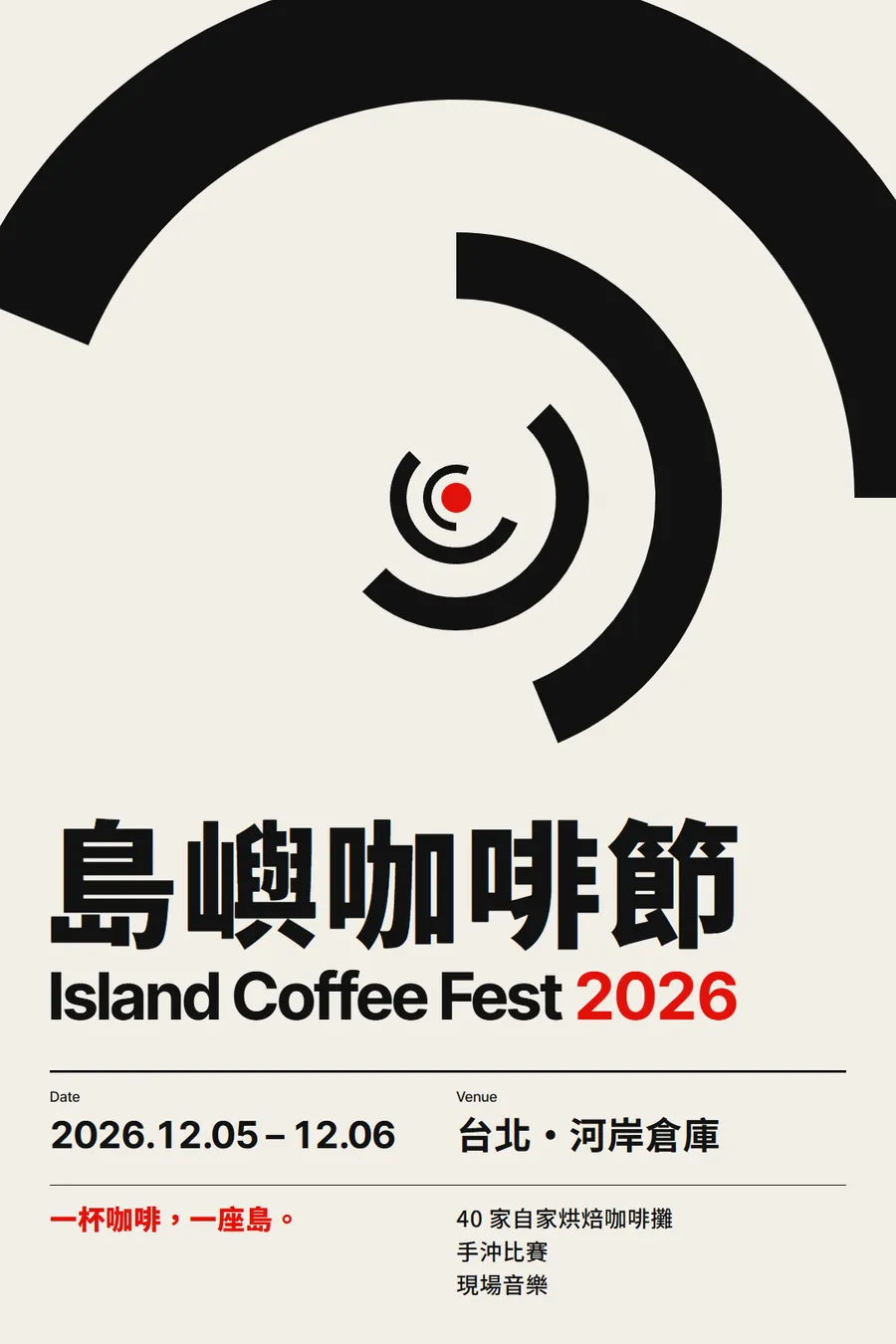
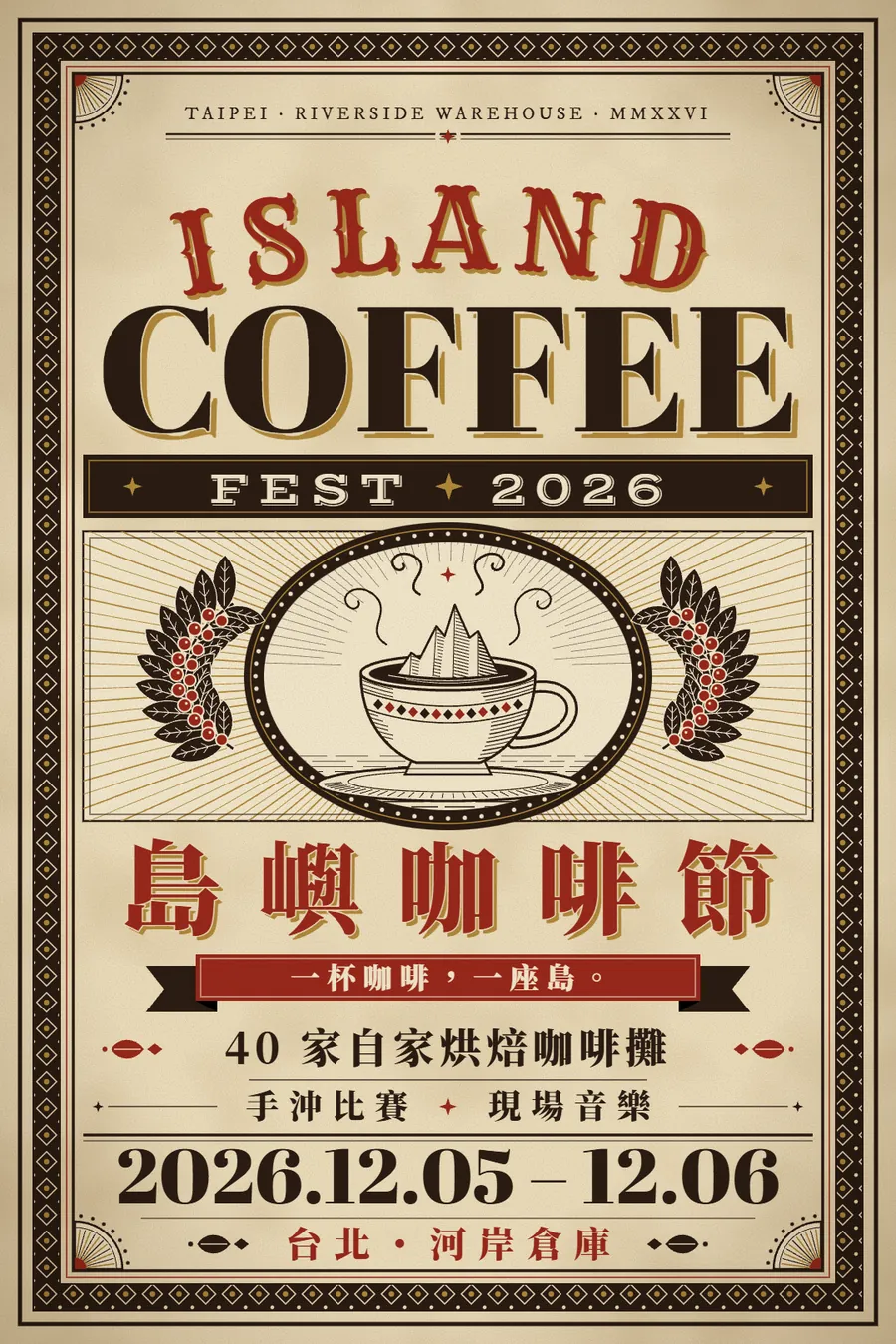
These two got exactly the same event details. Maximalism fills every corner; Swiss Design keeps only arcs and a few lines of type. That is how strong a switch the style name is.
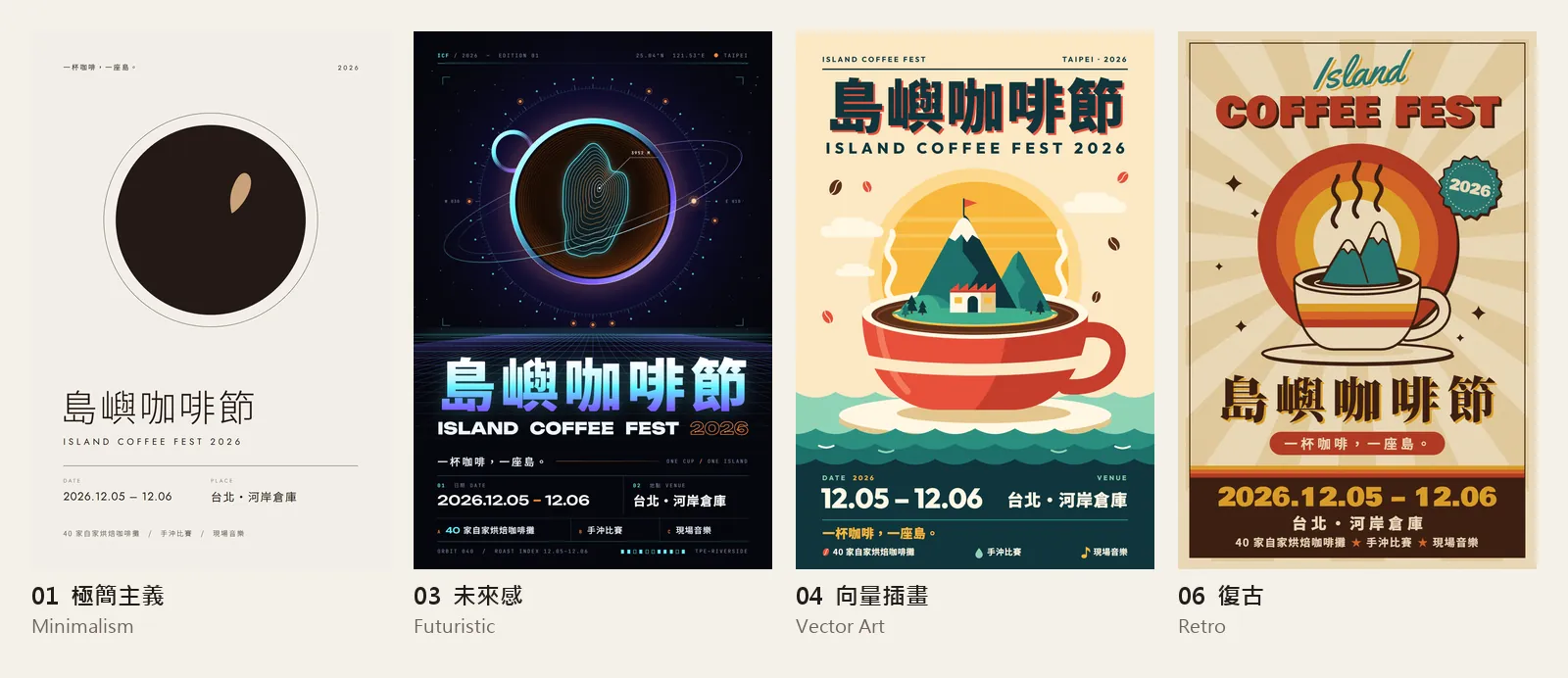
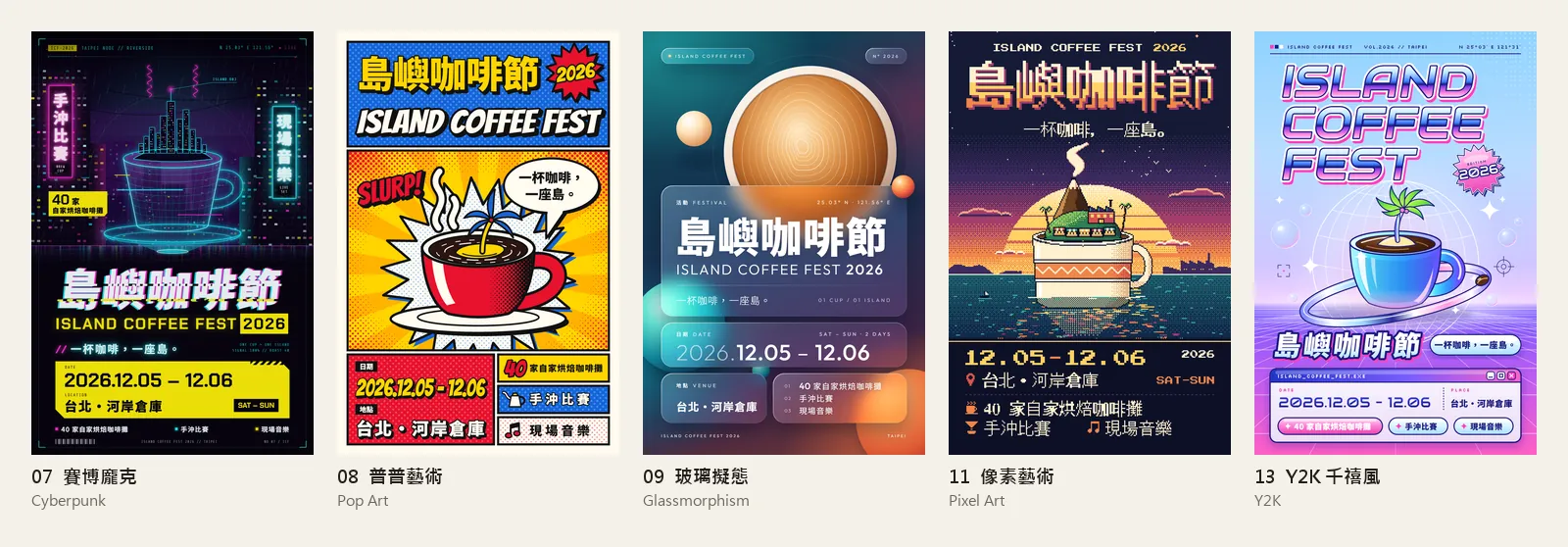
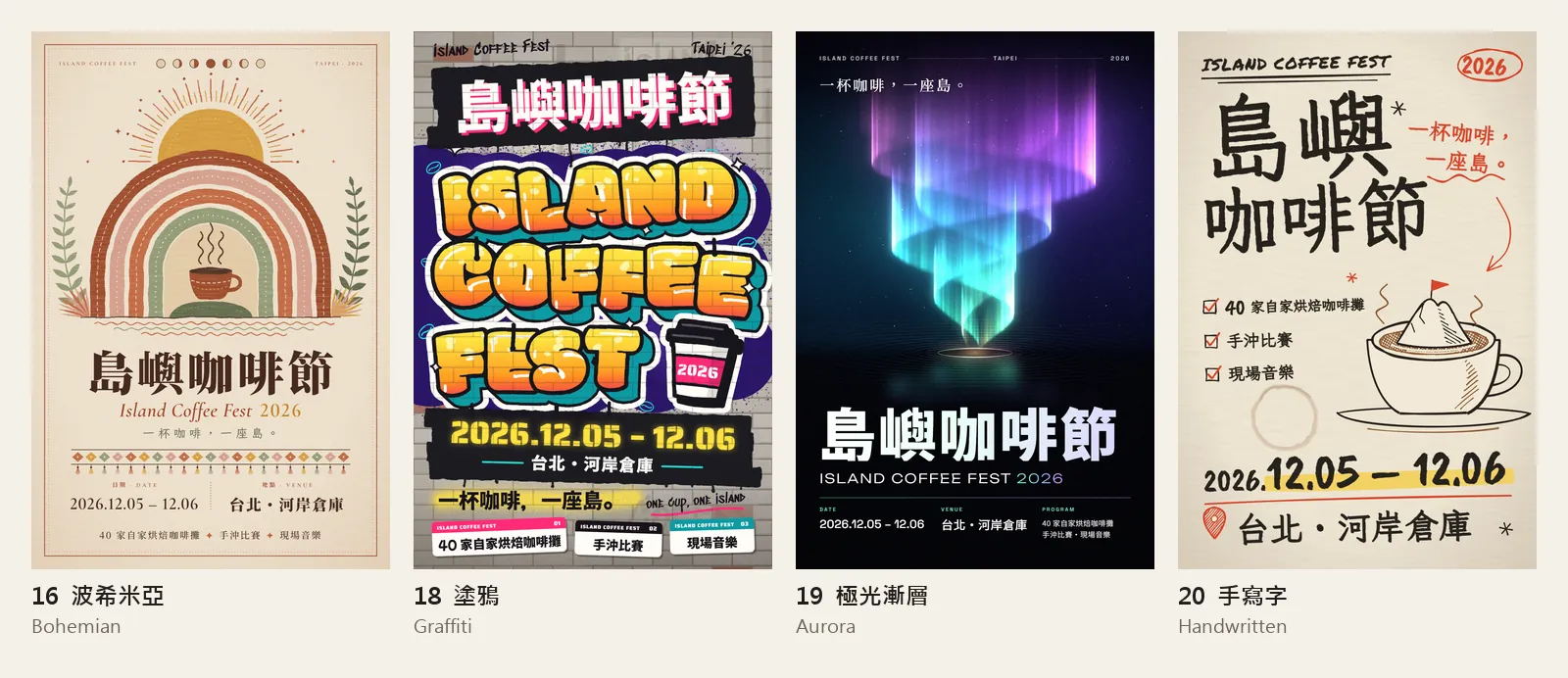
05Step 4: for these 4 styles, prepare a photo first
For 16 of the 20, Claude drew everything in code (SVG, canvas, CSS) with no photos at all. But for Collage Art, Clay Style, Editorial and Surreal Design we judged that the style needs a photo to look right, so we generated one image in ChatGPT first and handed it to Claude to design around.
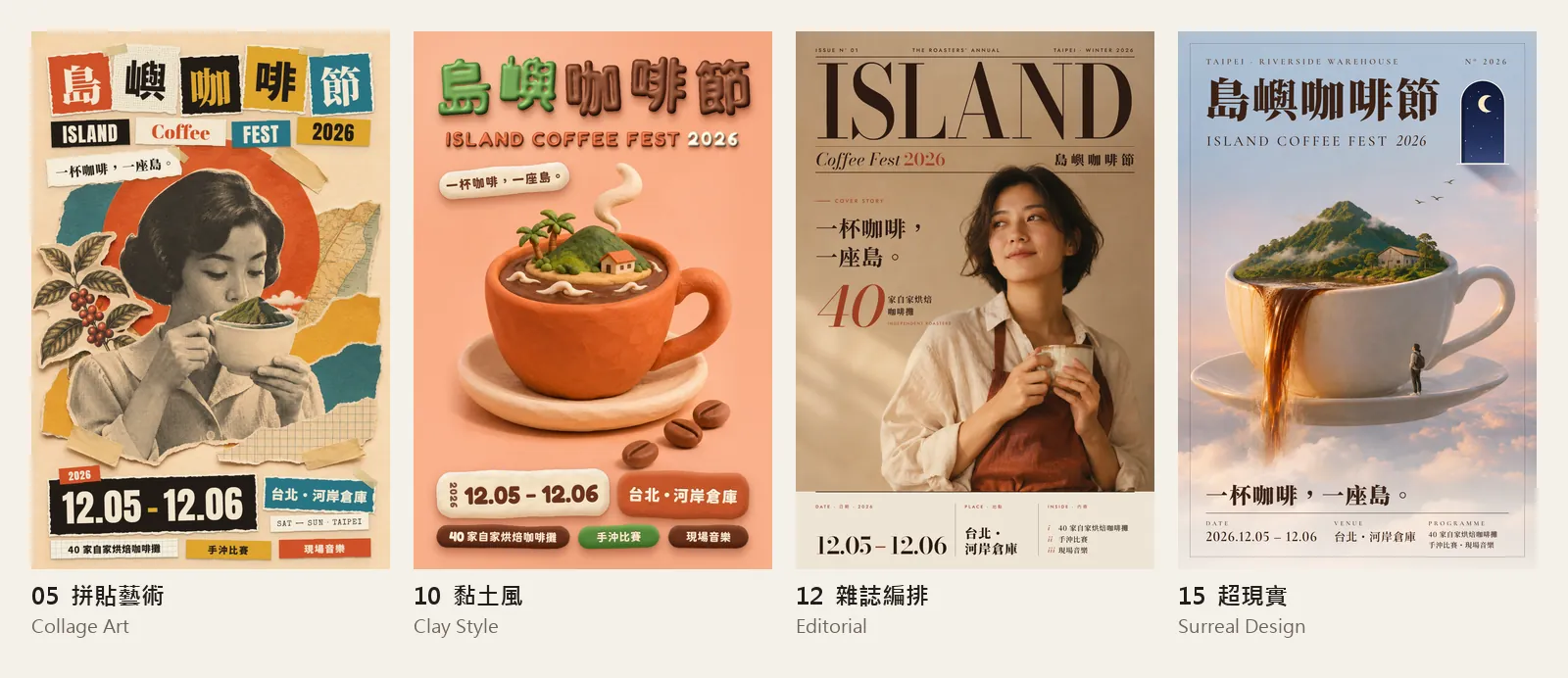
- Generate one image in ChatGPT with the format below. Always say "no text": leave the type to Claude.
- Say where to leave empty space (for example the top third), so Claude has room for the title.
- Save the image as photo.png in your project folder.
- Paste the prompt from step 2 and add one line: "photo.png in this folder is the image for this poster. Use it as the main imagery and design everything else in code."
Create an image, portrait 2:3 aspect ratio. [A 3D claymation-style render], with no text, letters or logos anywhere.
Subject: [a terracotta-orange clay coffee cup with a tiny island floating on the coffee: a green hill, two palm trees, a small warehouse with a red roof].
Background and light: [soft pastel peach background, soft studio lighting, visible fingerprints and handmade clay texture].
Keep the top third empty and leave some plain space at the bottom, because I will add a title there.
- ChatGPT — For generating the text-free main image
06Step 5: ask Claude to look at its own poster for at least 3 rounds
We added extra requirements after the prompt, asking Claude to open the PNG after every render, critique it and fix it by itself. It did 3 to 4 rounds on each poster, and we added no further design instructions.
Extra requirements:
- Build the poster as one self-contained HTML page (exactly 1080 × 1620 px), then capture it as poster.png in headless Chrome.
- All Chinese text is Traditional Chinese and must match my event details exactly. No real brand logos and no real people.
- Draw all imagery in code (SVG / canvas / CSS). No photos, no AI image generators, no downloaded images.
- After every render, open poster.png yourself and critique it as an art director: hierarchy, spacing, anything clipped or overlapping, and whether it still reads as this style at phone size (about 480 px wide). Then improve it. Do at least 3 rounds.
- Check that every Chinese character renders in the intended font, with no blank boxes.
- At the end tell me: the style name, the fonts you used and how many rounds you did.
That is how these 20 were made: each one is an HTML page captured as a 1080 × 1620 PNG by headless Chrome. For the 4 photo styles, replace the third point with the line from step 4.
07Good to know
- 島嶼咖啡節 ISLAND COFFEE FEST 2026 is a fictional event; the dates, venue and programme are demo content.
- All 20 posters were designed by Claude, and we changed nothing inside any of them.
- The photos in the Collage Art, Clay Style, Editorial and Surreal Design posters were generated by ChatGPT. The women in the Collage and Editorial posters and the tiny figure in the Surreal one are AI-generated fictional people, not real people.
- The other 16 are drawn entirely in code, with no photos. The small moon window at the top right of the Surreal poster is also a vector shape Claude added by itself.
- canvas-design is free to download; its licence terms are in LICENSE.txt in the folder, so read them before commercial use. Claude Code itself needs a paid Claude plan (such as Pro or Max) or an API account.
- The skill's instructions say to output a PNG or PDF. Building an HTML page and capturing it is our own addition, not something the skill requires.
- We let Claude choose freely from Google Fonts and the system fonts on the computer, so every poster uses different fonts. Before commercial use or printing, ask Claude to list the fonts it used and check each licence.
- 1080 × 1620 px suits screens and social posts. For print, ask Claude for a PDF or a larger size, and confirm the specs with your printer first.
- Each of these movements has its own history; Claude makes the typical, recognisable-at-a-glance version. That is great for finding a direction or pitching, but it is not the whole movement.
- This was made in November 2026. The same prompt will not give the same poster twice, and the skill itself may be updated later.