From ugly bottle to brand: ask Claude for a layered SVG label you can edit line by line
A vintage-sticker mood board and one Claude Code prompt give you a layered SVG label: live text, separate layers. Then ChatGPT puts it on the bottle.
Watch the reel on InstagramComment #包裝 to get this guide
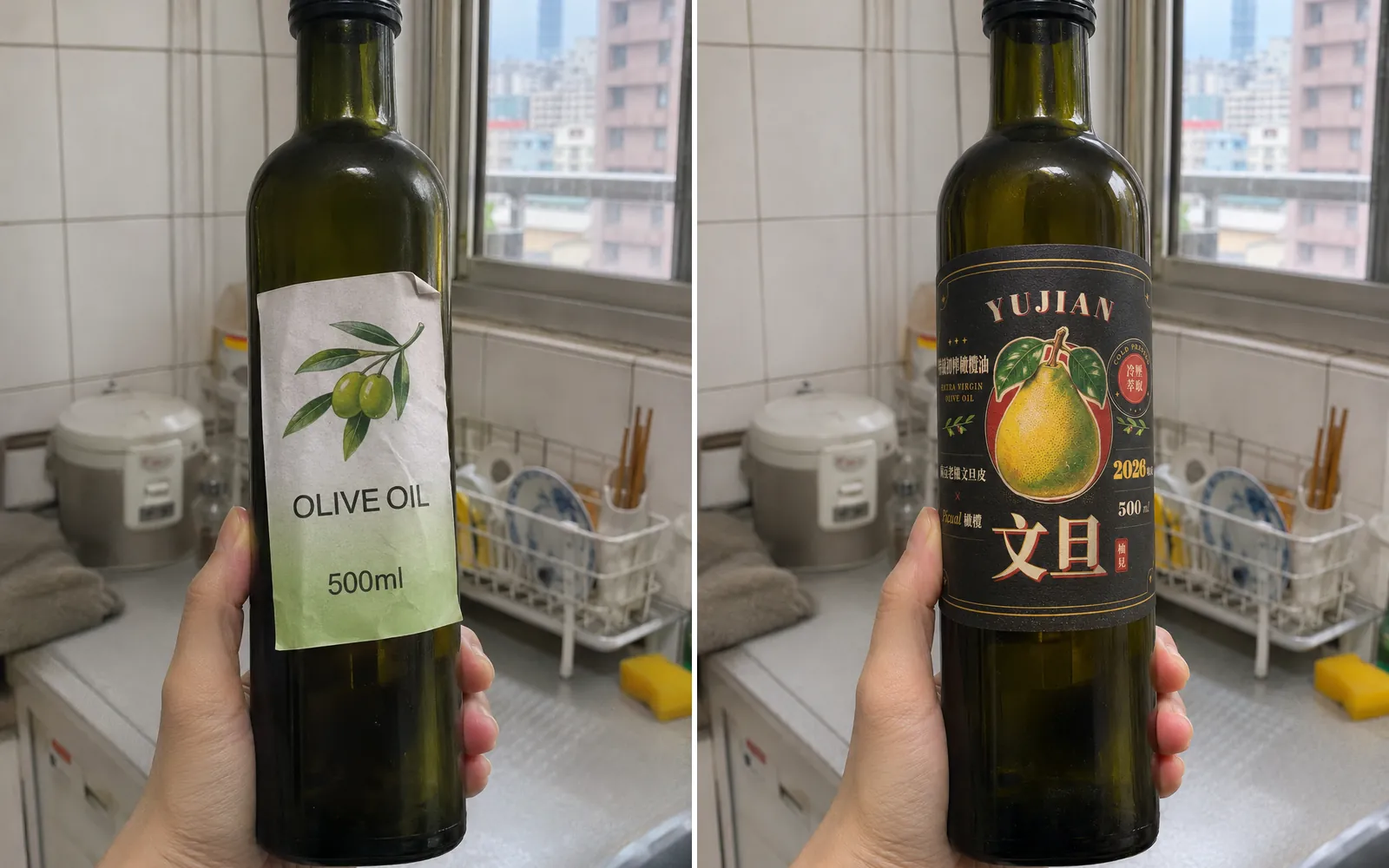
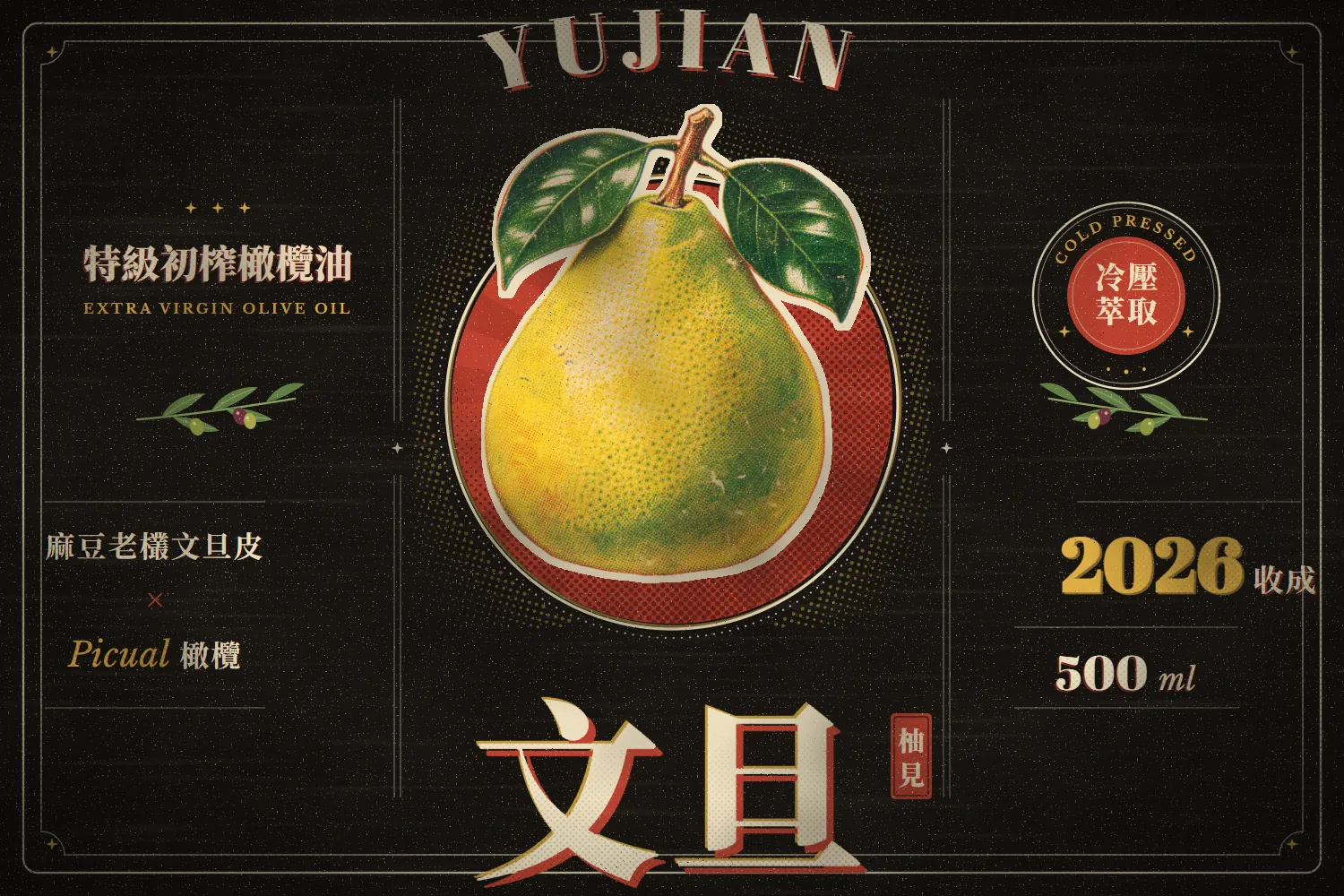
Getting a packaging label out of AI is easy. Fixing it is the hard part. Most of the time AI hands you a flat picture, so changing one word means starting over. In this guide we built a label for a fictional Taiwanese brand, YUJIAN (pomelo-infused olive oil): a mood board of vintage fruit stickers, then Claude Code designing the label as a layered SVG where every line of text can be edited and every block moves on its own, and finally ChatGPT putting it on the bottle. The label below is Claude's first file, untouched.
01The result: a plain oil bottle becomes a brand
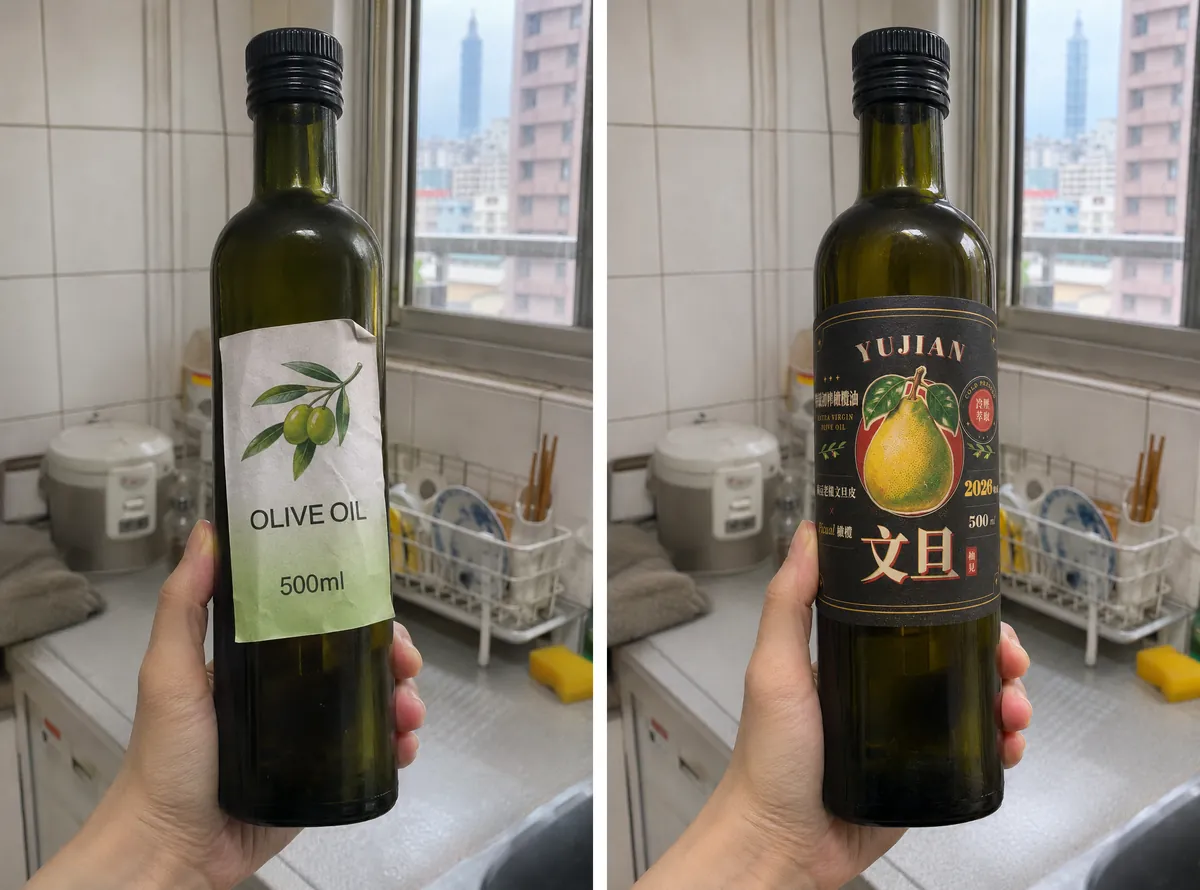
The workflow uses two tools: ChatGPT draws the pictures (mood-board stickers, the pomelo illustration, the bottle photos) and Claude Code makes the label itself (layout, type, print texture) as an SVG file you can edit.
- Build a mood board: 6 to 12 vintage stickers or old packages you like.
- Prepare the hero illustration: a transparent PNG, such as a pomelo.
- Hand both to Claude Code and ask for a layered SVG.
- Edit the text and move the layers until it's right.
- Export a PNG and give it to ChatGPT with a bottle photo to make product shots.
02Step 1: build a mood board of vintage fruit stickers
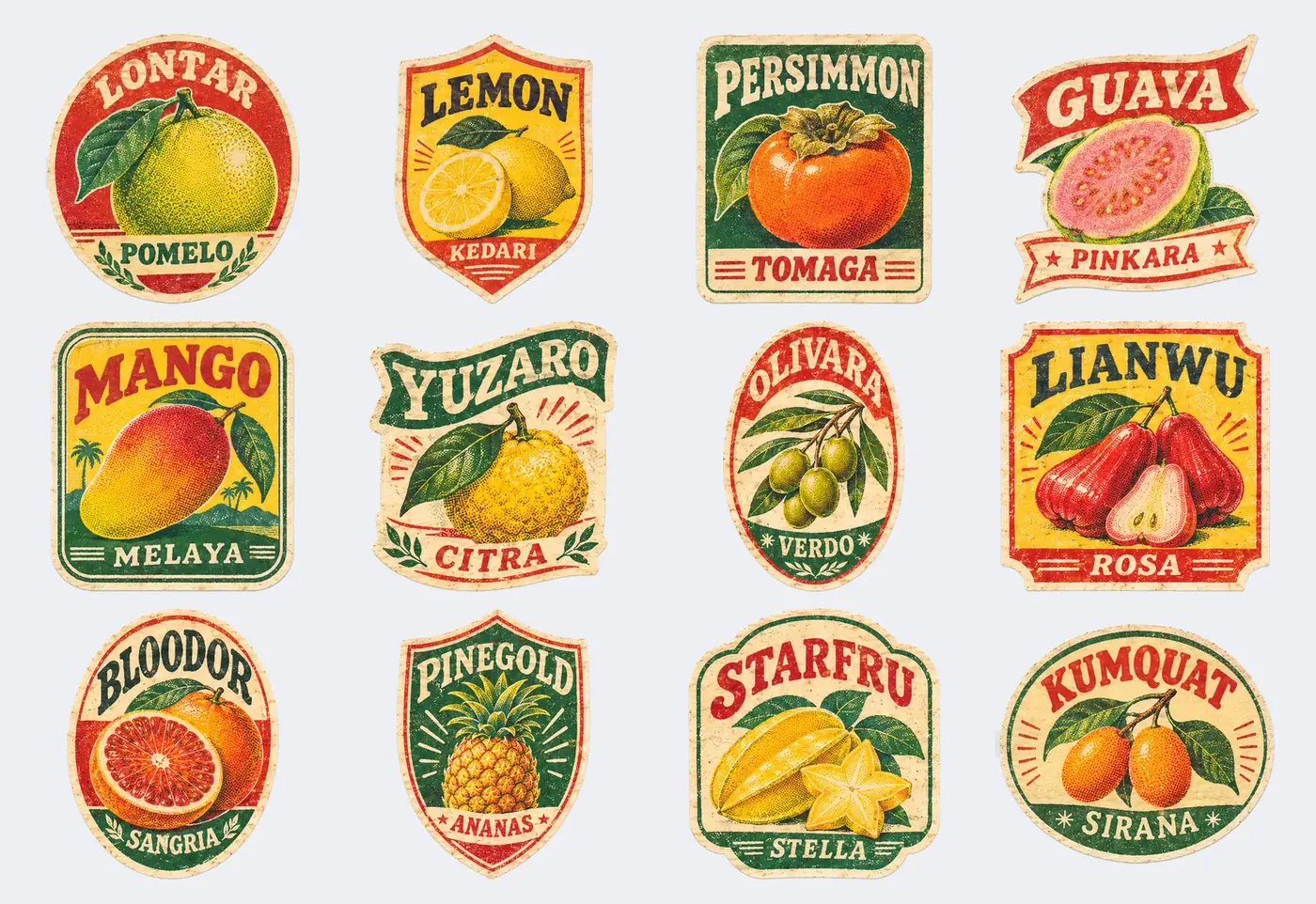
A mood board is the fastest way to tell Claude "this feeling". Pictures beat a long list of adjectives: chunky serif type, halftone dots, misregistered inks, faded paper. Our 12 stickers were drawn by ChatGPT, and all the words on them are made up, not real brands.
Create an image: a flat-lay scan of 6 separate vintage fruit stickers / fruit-crate labels from 1950s-1970s Asia, each die-cut with a thin white border, in a loose 3 by 2 grid on a plain light-grey background with generous space between them so each can be cut out cleanly.
Fruits: [pomelo, kumquats, lemon, persimmon, guava, mango]
Each sticker a different shape (circle, oval, shield, rectangle, banner, rounded square), chunky hand-lettered serif type with MADE-UP words only, no real brands, old offset-print texture, halftone dots, slightly misregistered inks, faded cream paper, palette: [mustard yellow, olive green, tomato red, ink black, cream]. Square 1:1, straight top-down, no shadows.
We also asked ChatGPT for the illustration that sits in the middle of the label: one Madou pomelo in the same old lithograph style, on a transparent background, with no text and no border.
03Step 2: hand it to Claude Code and ask for a layered SVG
- Make a folder with moodboard/ (the sticker images) and the hero illustration, e.g. moodboard/fruit.png.
- Open Claude Code in that folder.
- Paste the prompt below and replace the [ ] parts with your brand and copy.
Design a label for an [olive-oil bottle]. The brand is [brand name], the product is [product name] ([one line on what makes it special]).

moodboard/ holds the [vintage fruit stickers] I collected. Match their feel: [chunky serif type from old fruit-crate labels, halftone dots and misregistration from old printing, faded paper]. moodboard/fruit.png is the [illustration] for the label (transparent background).

Label content:
- [Black] background, landscape, 3:2 (1500 × 1000), to wrap around a [cylindrical glass bottle]
- The illustration is the hero, with a big "[main title]" and the wordmark "[brand name]"
- Copy: [every line of copy, separated by commas]
- Old-print texture (halftone, slight misregistration, paper specks), but the text must stay clear
- It should look like a real brand you'd want to buy, not a template

Deliverables (all in this folder):
1. label.svg: it MUST be a layered SVG. Every line of text is a real <text> (not converted to outlines) so I can edit it later. Group it into clear layers with <g id="...">, at least: background, texture, illustration, main title, wordmark, copy (one group per copy block).
2. label.png: a 1500 × 1000 export.
3. index.html: a preview page showing label.svg large and centred.
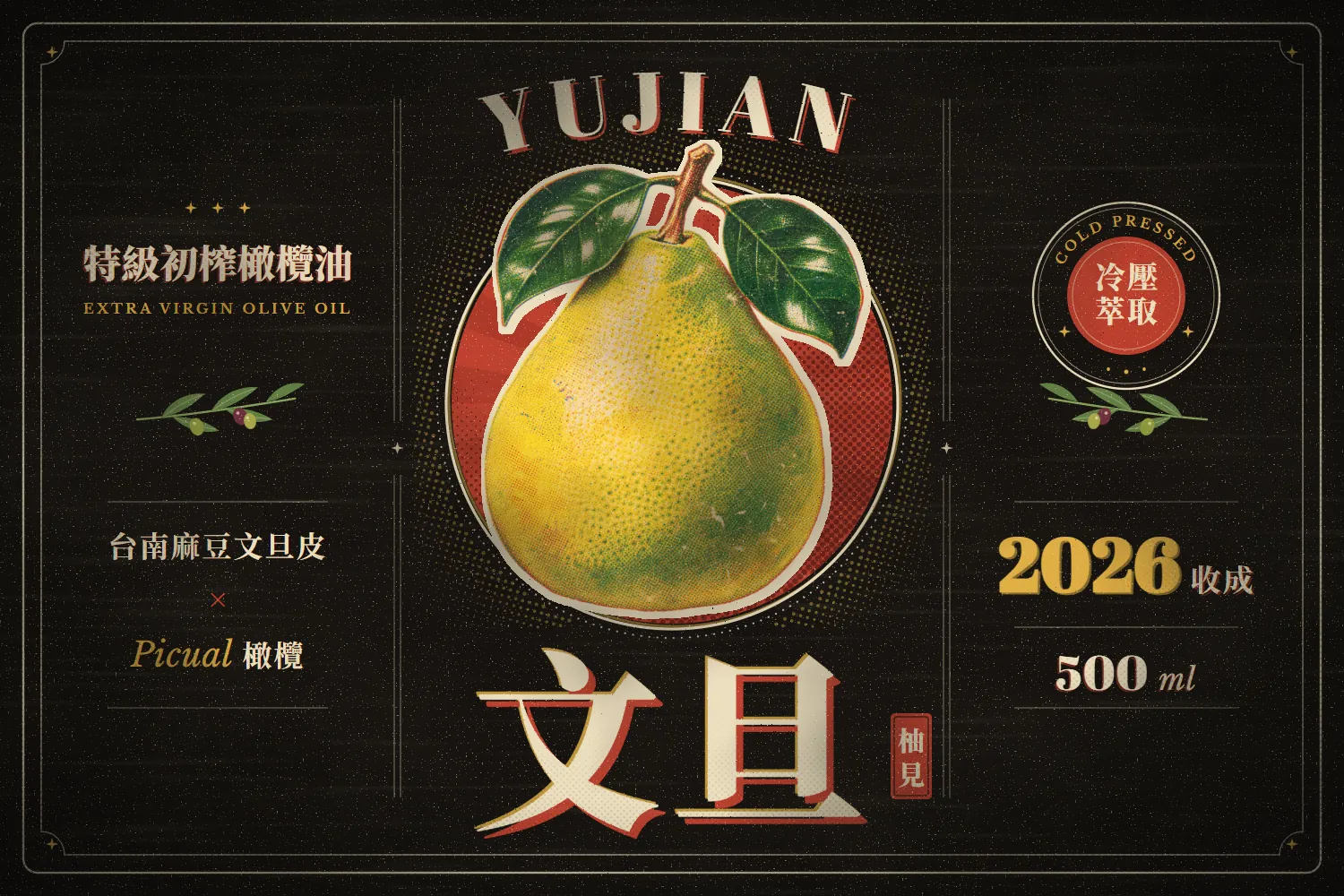
Our run took about 8 minutes. Claude looked at the stickers, laid out the label, added halftone and misprint texture, and took screenshots in a browser to check its own work.
- Claude Code — We used it to read the images in the folder and write the SVG
04Why a layered SVG, not a flat picture
Zoom into a PNG and it turns into squares; the text is just pixels and can't be edited. An SVG is really a text file: each line of copy is a <text>, each block of the design is a <g> group, and you can open it, see it and change it.
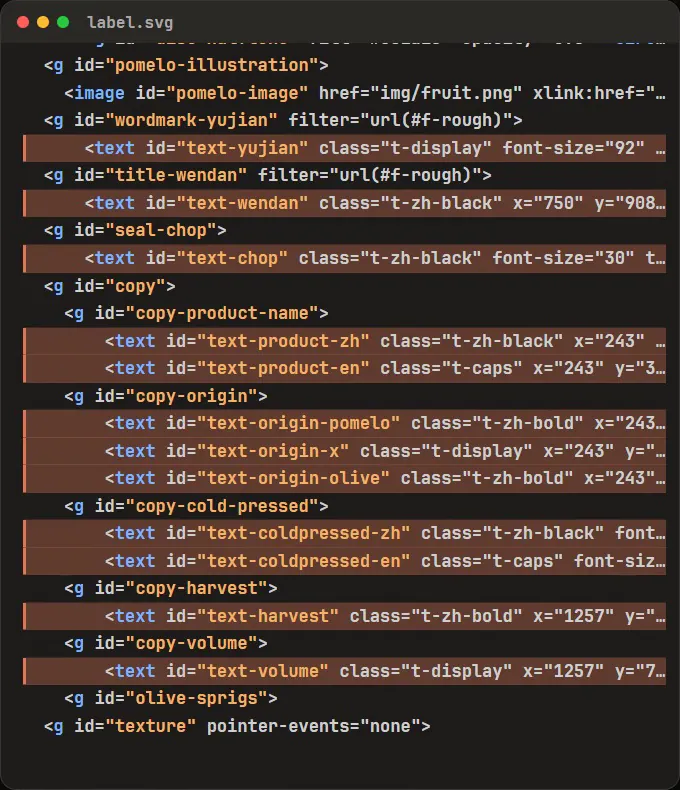
- 9 main layers: background, frame, sun disc, pomelo illustration, YUJIAN wordmark, the big 文旦 title, seal, copy and texture.
- Each copy block has its own group: product name, origin, cold pressed, harvest year, volume.
- All 12 lines are real <text>, set in three free fonts: Abril Fatface, Noto Serif TC and Libre Baskerville.
- The halftone, misprint and paper specks are all made in SVG on a texture layer on top, so they never bury the text.
05Step 3: edit the text, the font stays
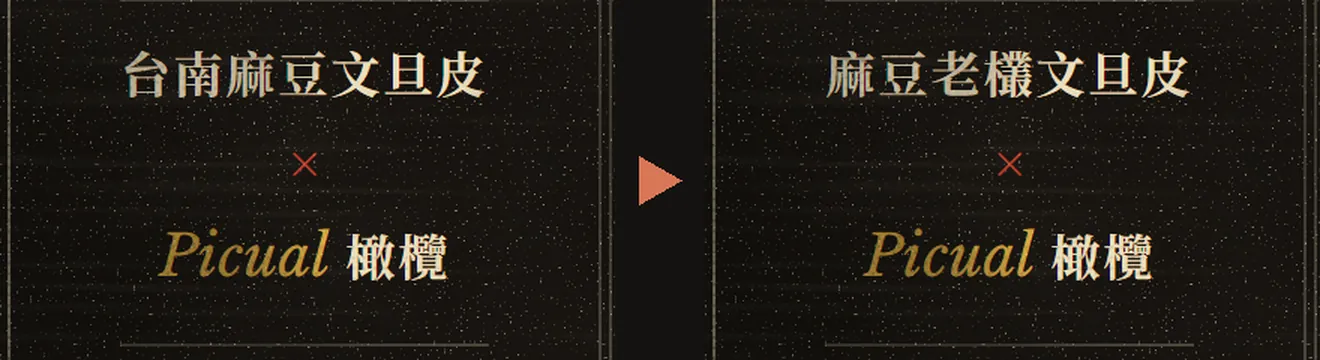
We wanted to change the origin line from 台南麻豆文旦皮 (Madou, Tainan pomelo peel) to 麻豆老欉文旦皮 (old-tree Madou pomelo peel). In a layered SVG that's one line of text.
- Open label.svg in a text editor (Notepad or VS Code both work).
- Search for that line's id, e.g. text-origin-pomelo.
- Change only the words inside <text>, leave everything else, and save.
- Reload index.html: the label is updated in the same font, size and position.
In label.svg, change the text with id="[text-origin-pomelo]" to "[new text]" and leave everything else alone. Save it as [label_v2.svg] and export a new label.png.
06Step 4: move and scale each layer on its own
Changing the layout doesn't mean starting over either. Each <g> layer can be moved or scaled on its own, and the other layers stay put.
In label.svg: move [pomelo-illustration] up [40] px and scale it to [105%]; move [wordmark-yujian] up [60] px; move [copy-origin] left [70] px. Leave all other layers alone and export a new label.png for me to check.
07Step 5: give it to ChatGPT to put on the bottle
- Save your finished label.png.
- Take a photo of your bottle (or generate one).
- Start a new ChatGPT chat and attach both: the label first, the bottle second.
- Paste the prompt below.
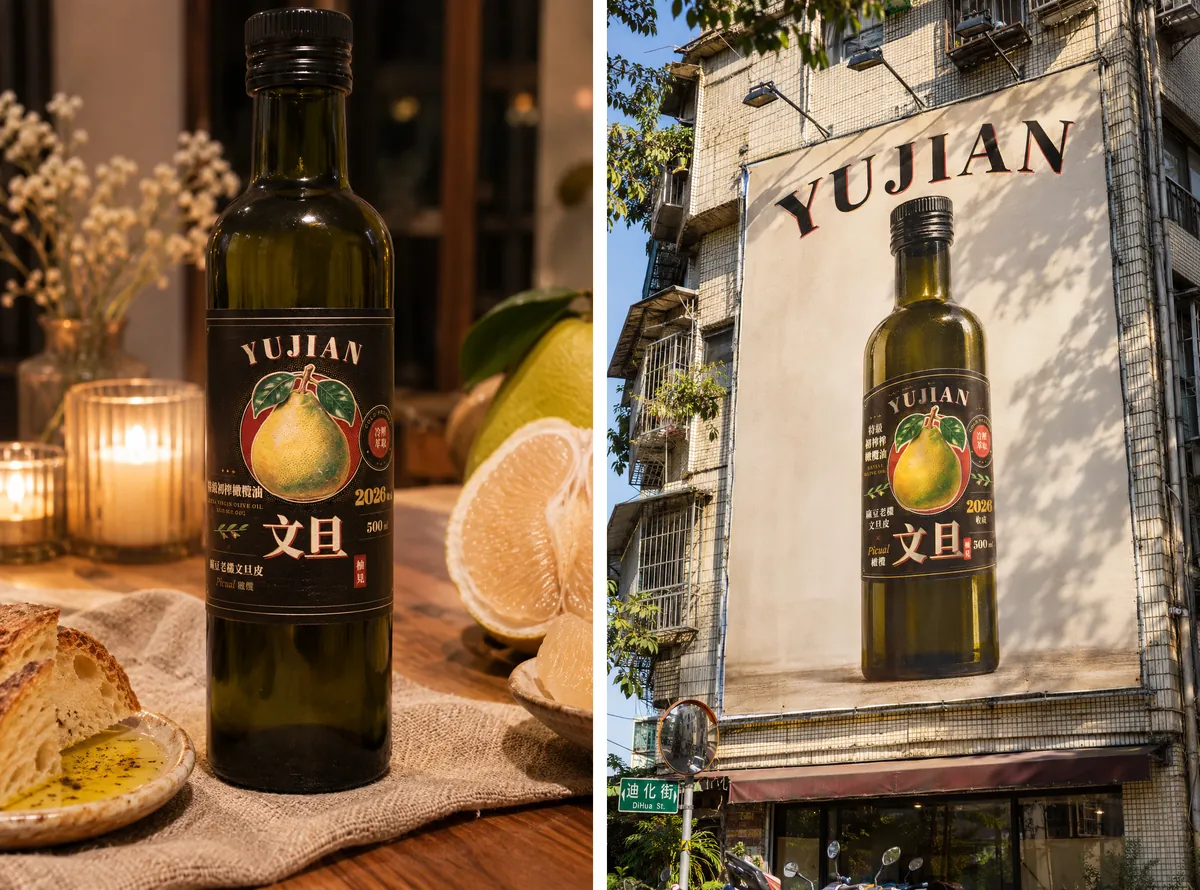
Replace [the cheap white label] in the second photo with the label design from the first image: printed on [matte paper], wrapping naturally around the cylindrical bottle (the part with the [pomelo] facing the camera, the sides turning away with the curve). Keep the hand, bottle, [kitchen], framing and light the same. Copy the label's artwork and text exactly; don't change any words. Vertical 2:3.
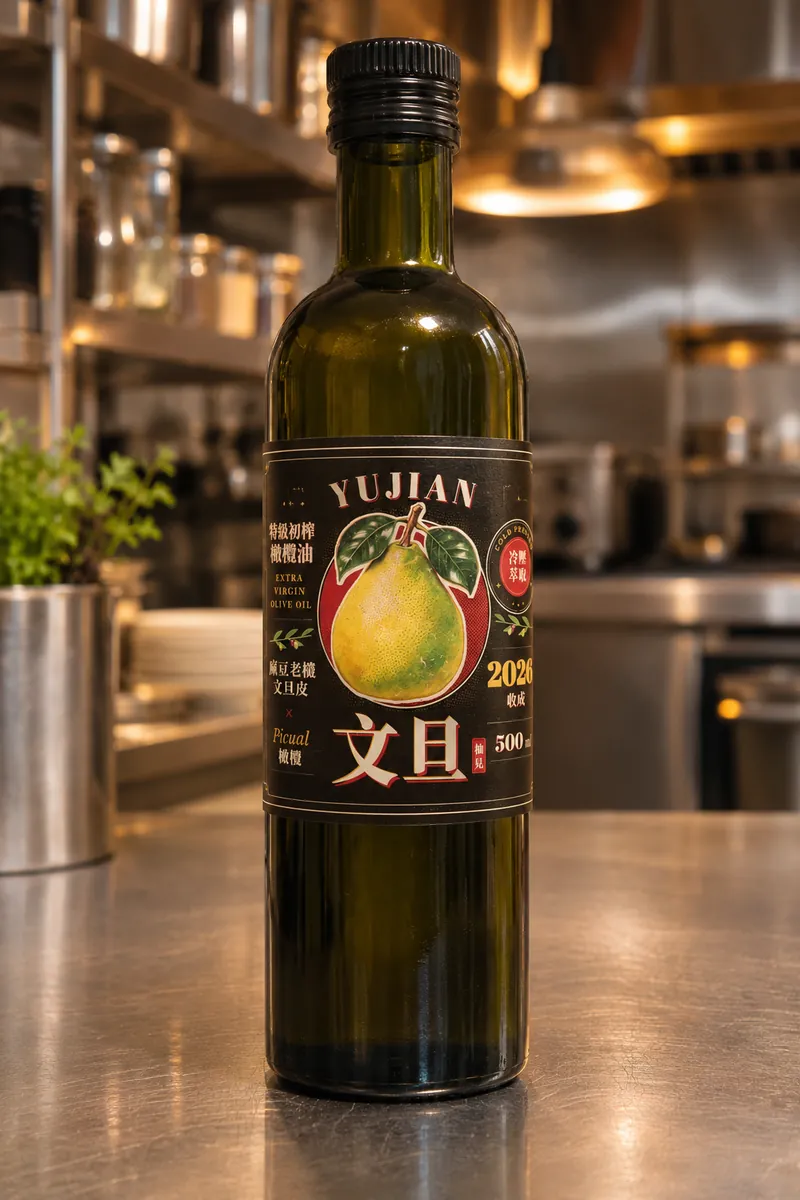
For more scenes, just swap the scene line: "Use the oil bottle from the second photo with the label from the first image. Scene: [a dinner table at night, with bread and a cut pomelo]." We made four: a home kitchen, a steel counter, a dinner table and a big street poster in Taipei.
08Good to know
- YUJIAN is a fictional brand and the product doesn't exist. The stickers, the pomelo illustration and every bottle photo are AI images from ChatGPT; the label's layout, type and texture are Claude's SVG.
- Small text in the ChatGPT product shots isn't guaranteed to be exact. For client sign-off or printing, always use the label.svg file.
- The SVG links its fonts and illustration as separate files (fonts/, moodboard/fruit.png). Send the whole folder to anyone else or to the printer; convert text to outlines only for the final print file, and keep an unconverted master so you can still edit the text.
- Use fonts licensed for commercial use. Abril Fatface, Noto Serif TC and Libre Baskerville used here are free Google Fonts under the SIL OFL.
- We previewed and exported in Chrome. SVG-filter textures may look different in other design apps; we didn't test that.
- The demo label has none of the information food-labelling rules require (such as ingredients, expiry date and manufacturer). Before a real launch, check the rules in your market (in Taiwan, the Food and Drug Administration).