Why does nobody click your YouTube thumbnail? Check title and thumbnail as one pairing with a free Claude skill
A free, open-source pack of 11 Claude skills for YouTube. /yt-package lints title and thumbnail as one pairing; tested on a fictional café channel.
Watch the reel on InstagramComment #縮圖 to get this guide
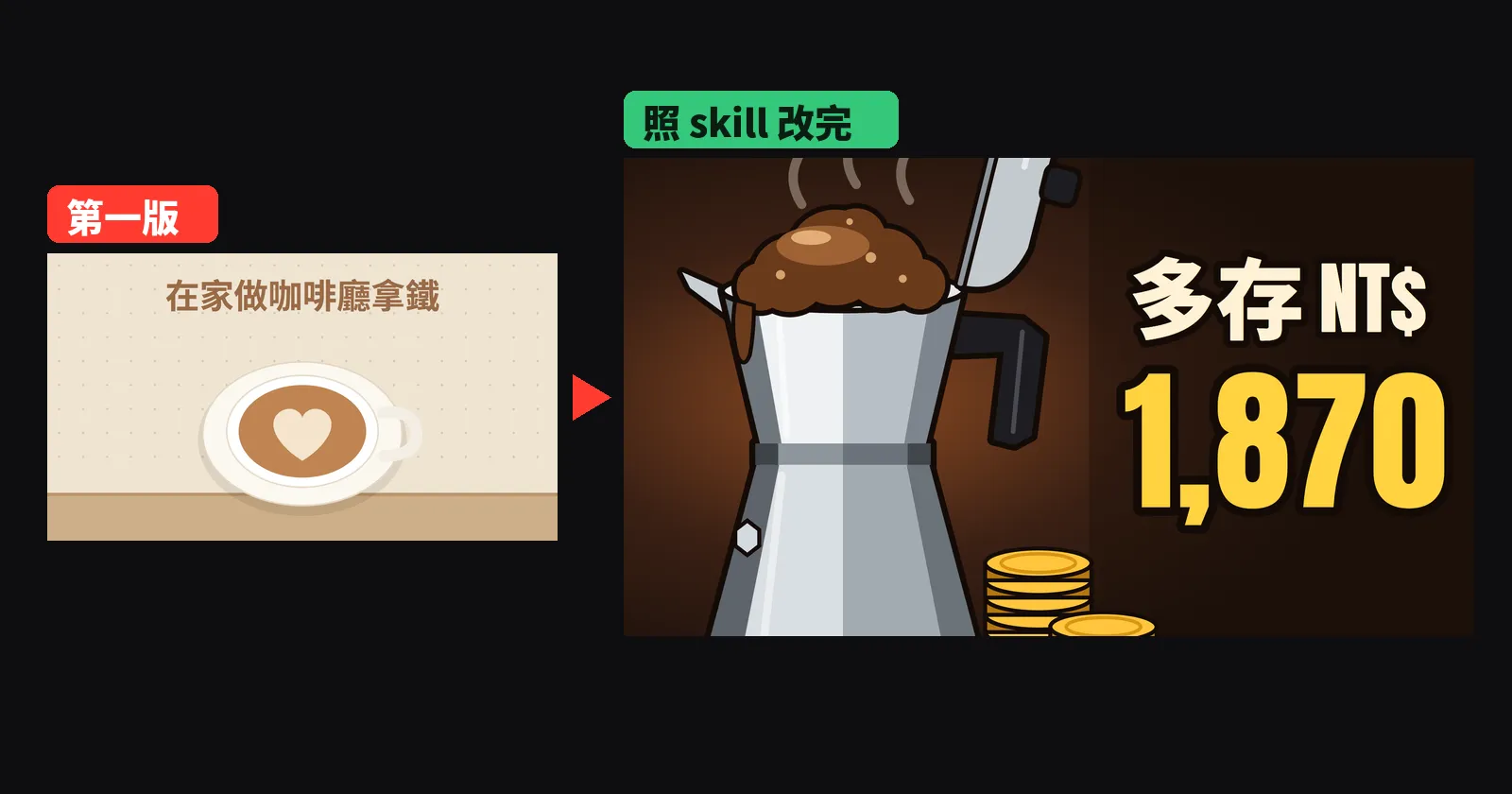
When a thumbnail gets no clicks, most people reach for a prettier image or bigger text. The most common problem is different: the thumbnail and the title say the same thing, so half of the click surface is wasted. This guide uses /yt-package from the free, open-source YouTube agent skill to take a fictional café channel, 小島手沖 (Island Pour-Over), from a first draft to a version that works. Every check below was really run, and both thumbnails were drawn in code from its brief.
01The result first: draft vs. fixed with the skill
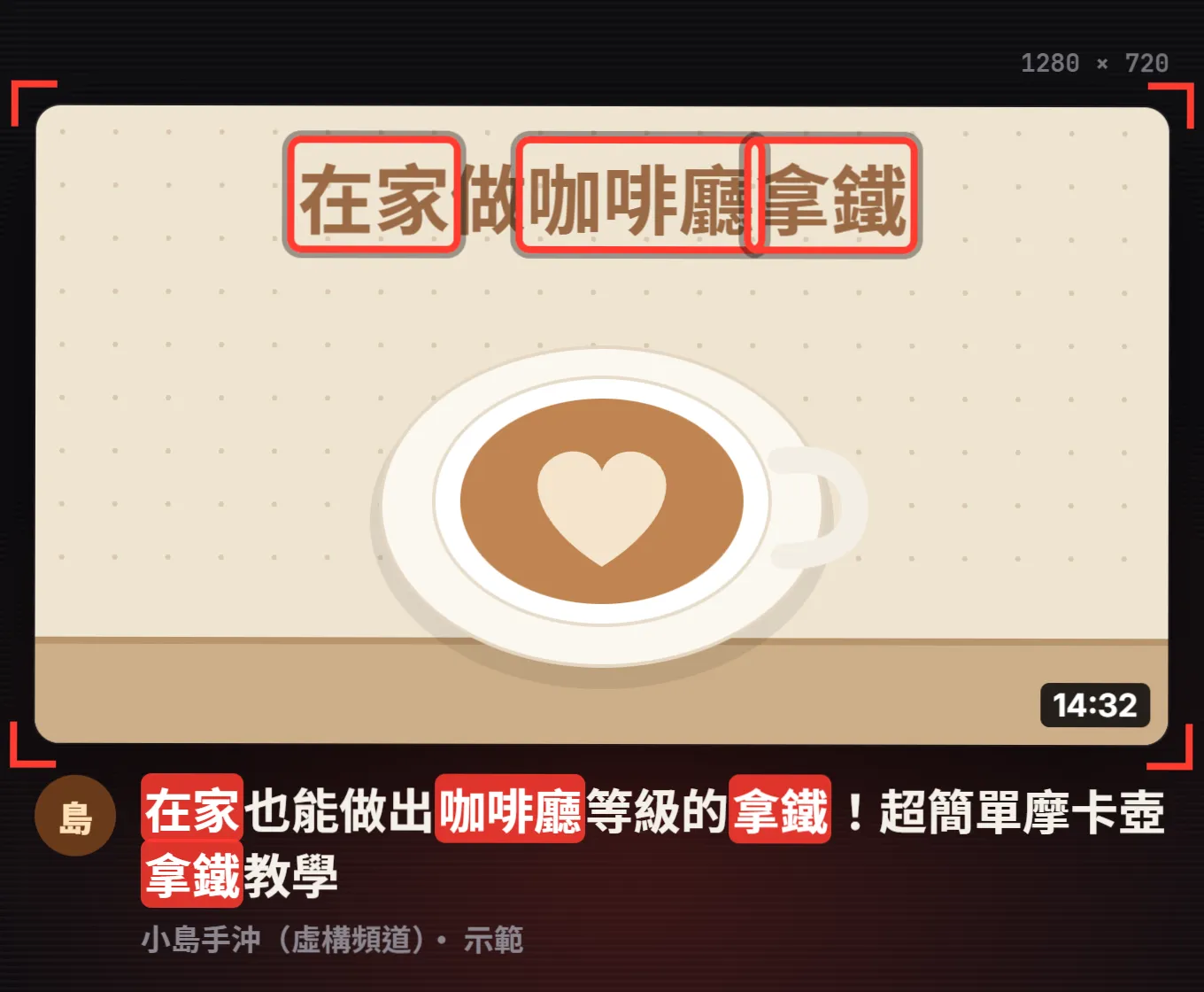
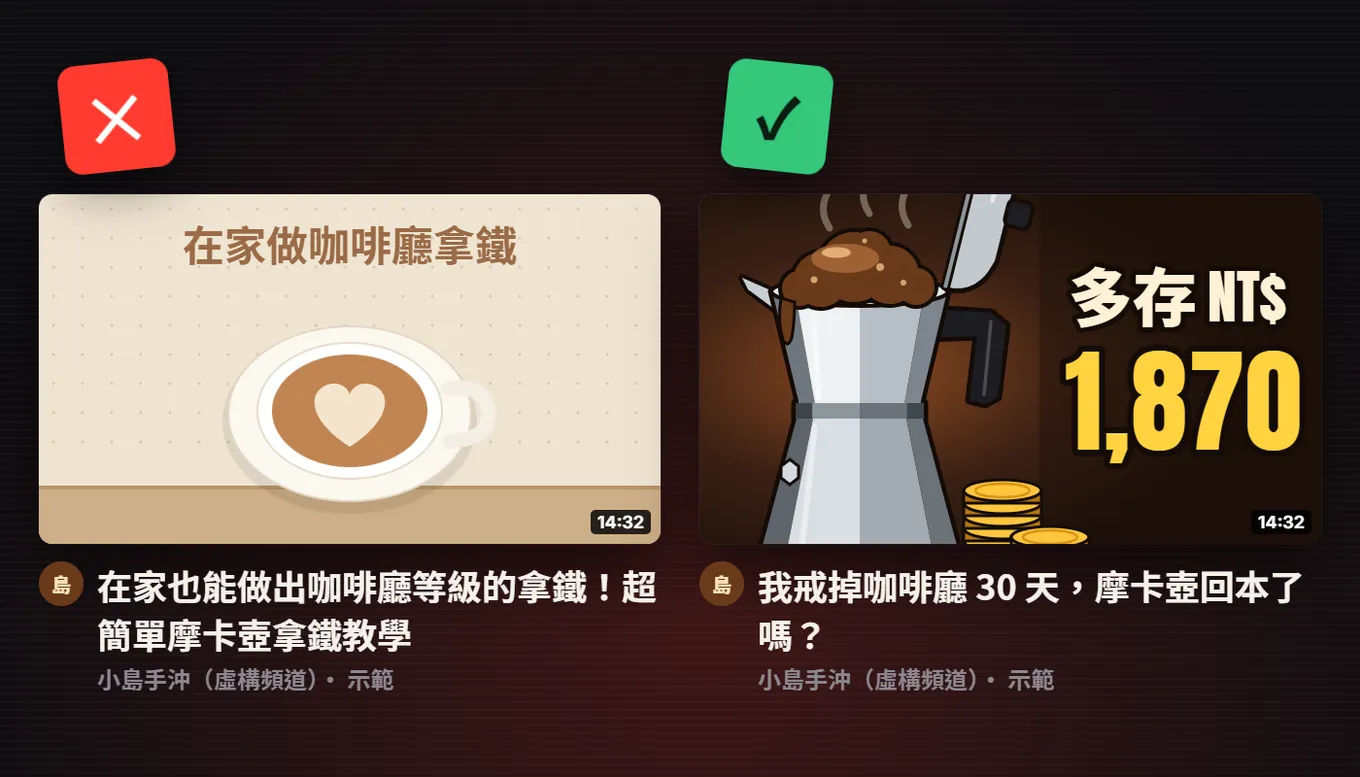
Draft: title 「在家也能做出咖啡廳等級的拿鐵!超簡單摩卡壺拿鐵教學」 ("Café-level latte at home! Super easy moka-pot latte tutorial"), thumbnail text 「在家做咖啡廳拿鐵」 ("make a café latte at home"). All four words on the thumbnail are already in the title.
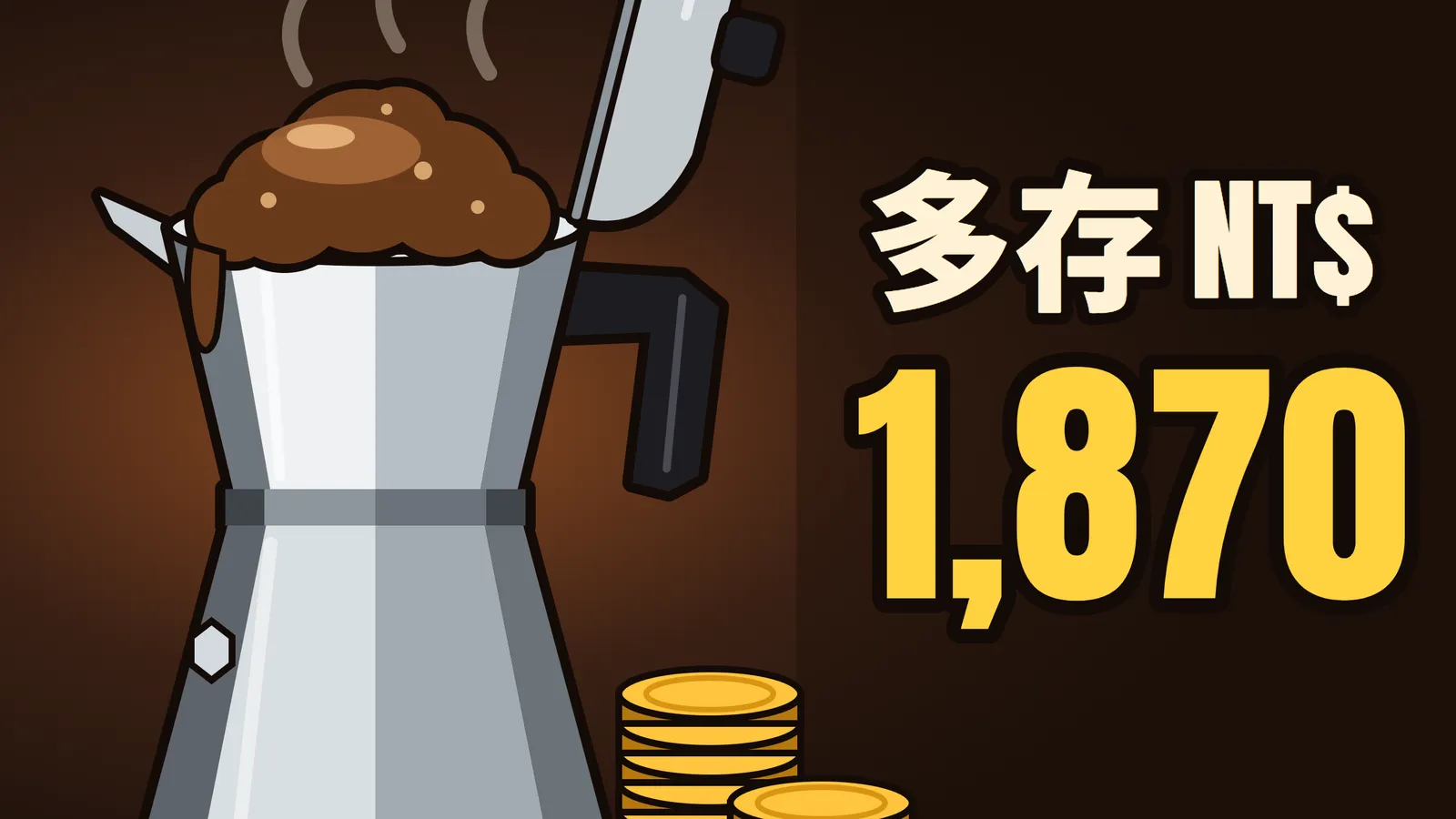
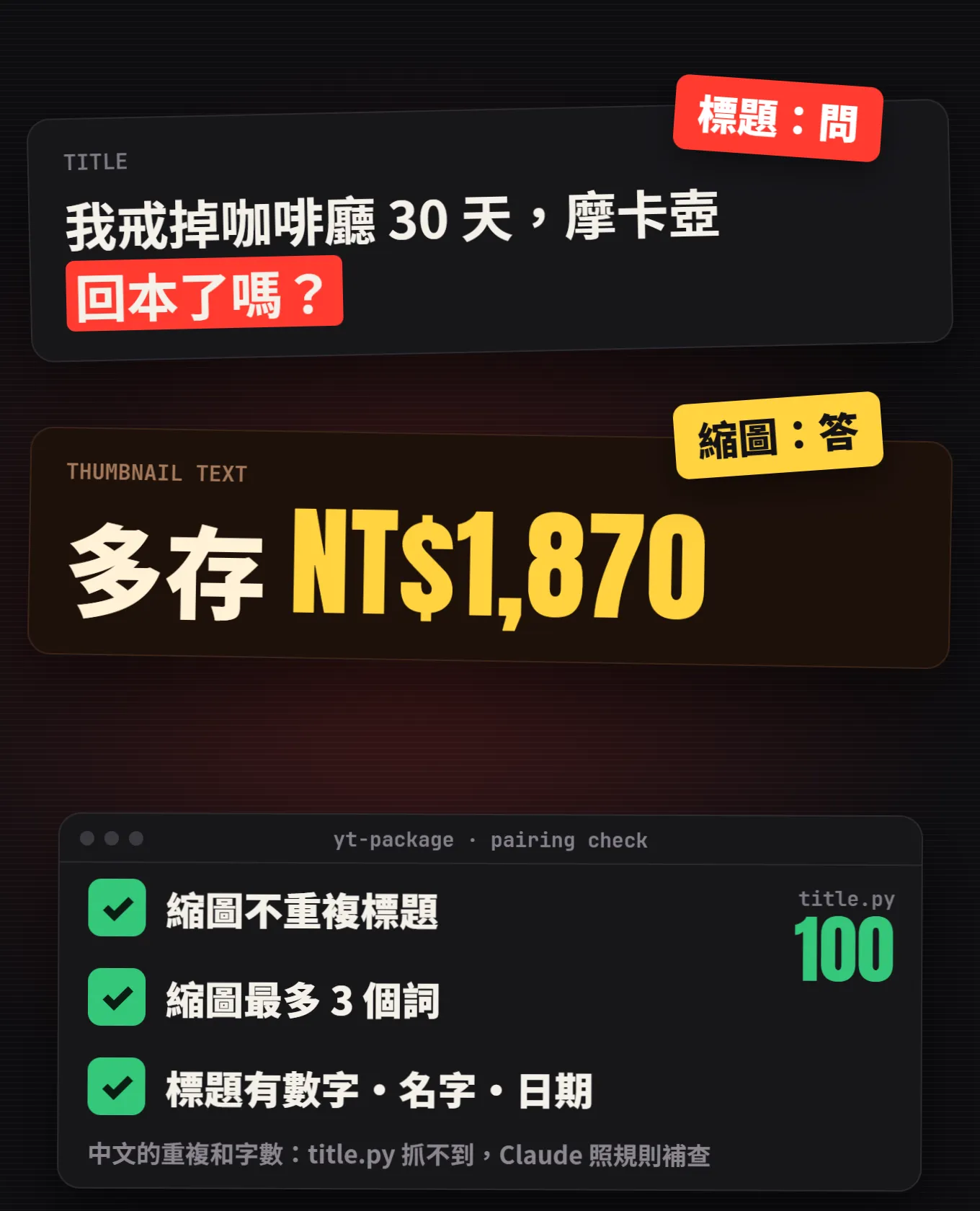
Fixed: title 「我戒掉咖啡廳 30 天,摩卡壺回本了嗎?」 ("I quit cafés for 30 days. Did the moka pot pay for itself?"), thumbnail text only 「多存 NT$1,870」 ("NT$1,870 saved"). The title asks, the thumbnail answers, and they share no words.
02Install the YouTube agent skill (2 minutes)
Jake Schincariol put 11 Claude skills in one GitHub project: MIT licence, free, no signup, no API key. The simplest install in the README is to paste the link to Claude.
- Open Claude Code.
- Paste: https://github.com/Jakeschincariol/youtube-agent-skill
- In the same message add: Install this skill, then confirm /yt-script works.
- Manual install: git clone the project and copy skills/yt-* to ~/.claude/skills/.
- Or as a plugin: /plugin marketplace add Jakeschincariol/youtube-agent-skill, then /plugin install youtube-agent.
No Claude Code? Paste a single SKILL.md at the top of a chat and it runs as a mode, without the Python tools.
- youtube-agent-skill (GitHub) — MIT licence, 11 skills + 6 Python tools
03Step 1: write voice.md so it sounds like you
Every skill first reads ~/.claude/youtube/voice.md: how you talk on camera, words you never use, who you talk to, what you will not claim. Without it, the skill asks for three of your own videos and writes the file from them.
- Copy templates/voice.md from the project to ~/.claude/youtube/voice.md and fill it in (about 10 minutes).
- Or send Claude three of your videos and say "write my voice.md from these".
- List what you would never say. Our demo channel wrote "never claim café-level", and that line is what caught the draft title later.
04Step 2: give your draft to /yt-package
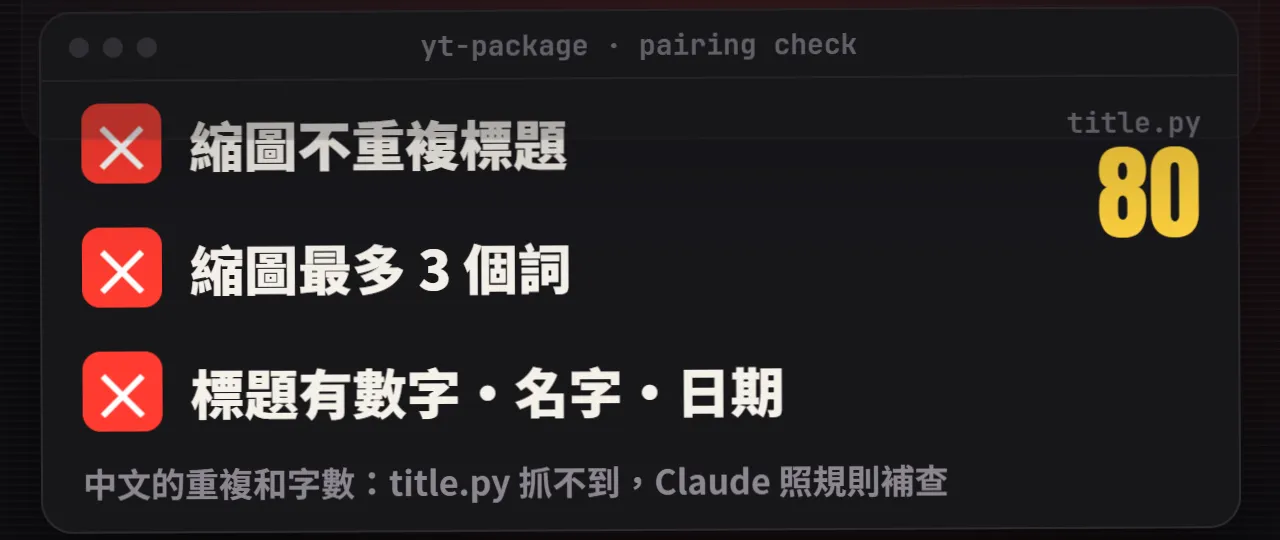
The /yt-package SKILL.md sets these rules: desktop search cuts near 60 characters, a mobile home feed near 40; the thumbnail must not repeat the title; three words maximum on the thumbnail; a number, a name or a date beats any adjective; two all-caps words is the ceiling.
/yt-package
Video: [one sentence on what this video does]
Real numbers: [cost, days, result... leave it out if you do not have one, never invent]
Draft title: [your current title]
Draft thumbnail text: [the words on your thumbnail]
Lint the draft first, then write ten titles and keep the best two, then give me the thumbnail brief (hero, framing, max three words, what the background does to hold contrast on a phone).
If the title is not in English: title.py only reads Latin words, so check duplication and word count yourself against the SKILL.md rules.
05Step 3: write ten, keep two
This is the fixed SKILL.md routine: write ten titles, run them all through title.py, keep the best with their scores and the specific issue on each. All ten Chinese titles scored 100 (the tool could not tell them apart), so Claude picked by the rules.
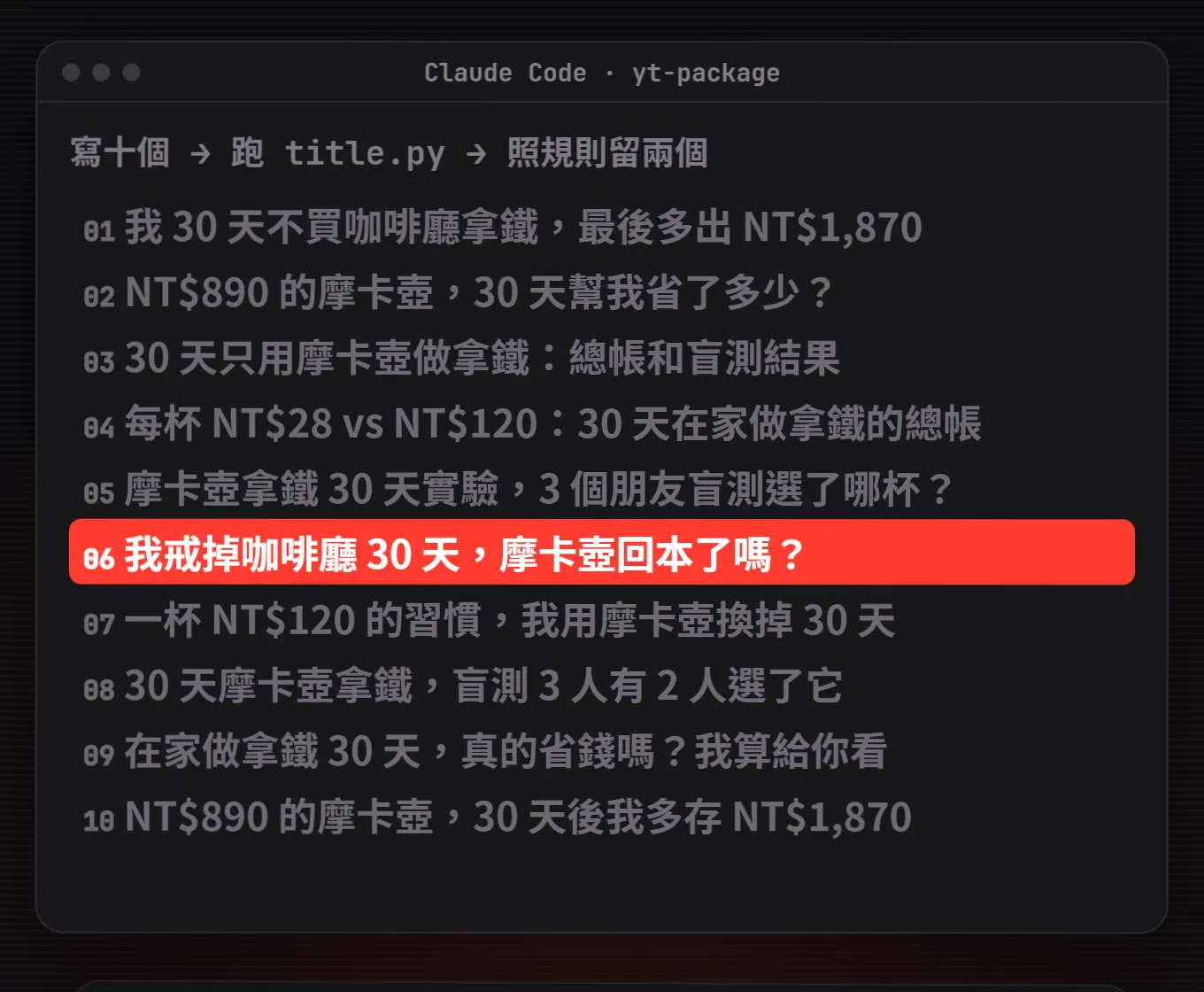
- 我戒掉咖啡廳 30 天,摩卡壺回本了嗎? ("I quit cafés for 30 days. Did the moka pot pay for itself?") Picked: the title asks, the number is left for the thumbnail.
- 我 30 天不買咖啡廳拿鐵,最後多出 NT$1,870 ("30 days without café lattes, NT$1,870 ahead") The payoff sits at the end of 27 characters, the first thing a phone cuts.
- NT$890 的摩卡壺,30 天幫我省了多少? ("How much did an NT$890 moka pot save me in 30 days?") Leads with cost; the familiar café habit is gone.
06Step 4: the title asks, the thumbnail answers
With the title chosen, it writes the thumbnail brief. The thumbnail has to say what the title does not: the title asks "did it pay for itself?", the thumbnail answers "NT$1,870 saved".
- Hero: no person, so the moka pot stands in for a face, lid open, coffee bubbling up.
- Framing: the pot fills the left 55-60%, slightly low angle, a stack of coins at its base.
- Words: 多存 ("saved") small, NT$1,870 big, one heavy sans, cream or warm yellow with a thick dark outline.
- Background: one flat dark colour (espresso brown), no kitchen or café scene; keep the bottom-right corner clear for the duration stamp.
07Step 5: build it from the brief, then shrink it to phone size
We had Claude draw the brief as a 1280×720 thumbnail in SVG code: dark ground first, then the moka pot, the bubbling coffee and the coins, and the words last. No photos and no real people.

08The other 10 skills at a glance
- /yt-script: one idea into a script, five hooks off 21 formulas, scored.
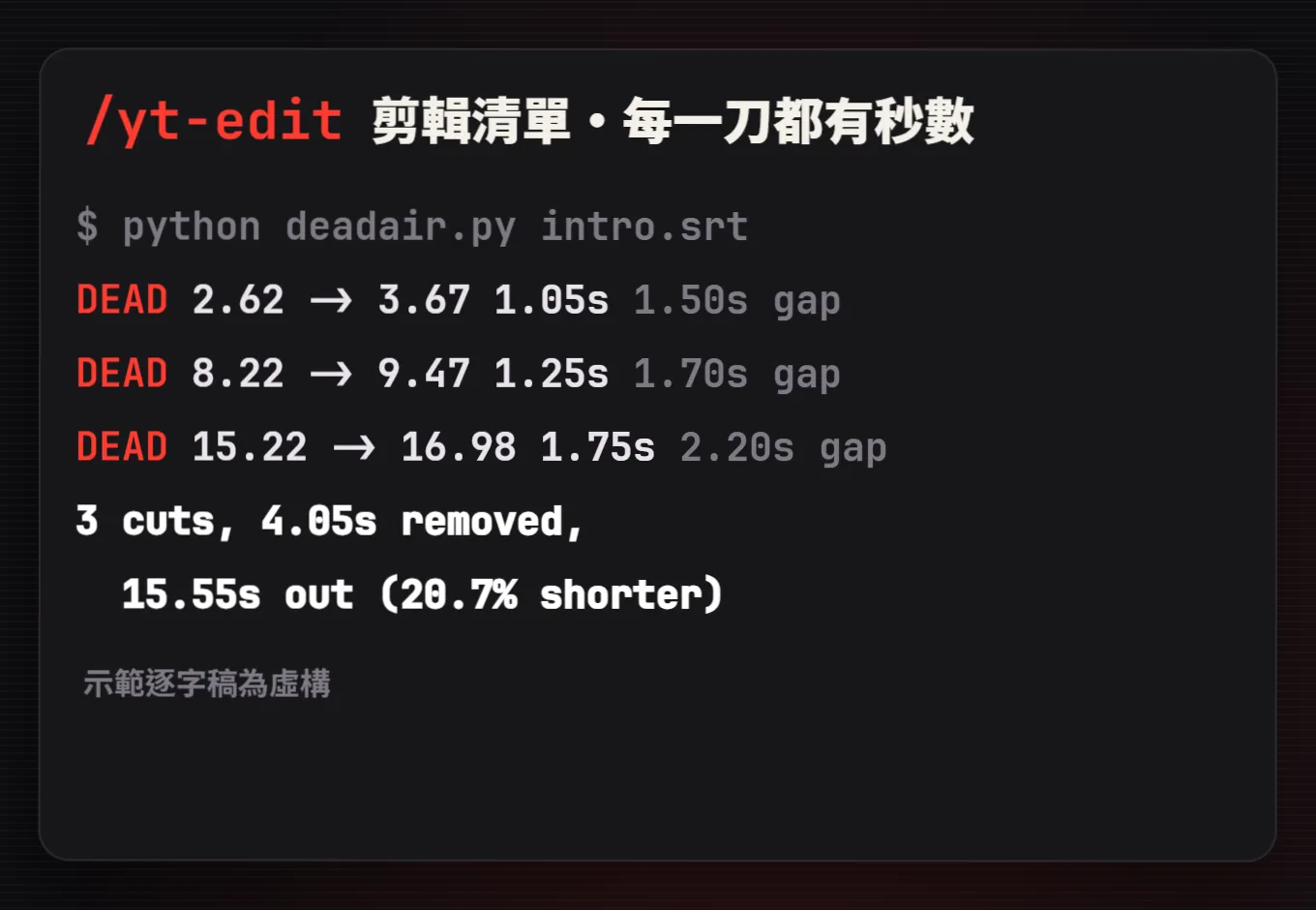
- /yt-edit: a transcript into an edit decision list with dead air, filler and retakes, timecoded.
- /yt-comment: comments sorted into questions, corrections, praise and bait, replies in your voice, and which one to pin.
- /yt-plan: a week that fits the hours you have: one anchor, one cheap one, three Shorts.
- /yt-viral: what is working in your niche, ranked by how far each video beat its own channel.
- /yt-retention: reads your retention export and finds the second people left.
- /yt-shorts, /yt-seo, /yt-chapters, /yt-audit: Shorts inside a long video, the description, chapters, and ONE fix for the whole channel.
09Good to know
- 小島手沖 is a fictional channel. The video numbers (NT$890 pot, NT$28 vs NT$120 a cup, NT$1,870 saved, 2 of 3 in the blind test) are demo settings.
- title.py only reads Latin words. For Chinese titles, ask Claude to check repeats, word count and vague adjectives by the rules; do not trust the score alone.
- It never uploads anything: every run ends with "ship it, or change it?", and you decide.
- Scores are prompts, not predictions. The README itself calls hookscore.py a heuristic: a high score is not a promise.
- Not affiliated with the skill author, Anthropic or YouTube.