把你的城市變成浮世繪版畫:不是濾鏡,是寫進 prompt 的 4 條規則(ChatGPT 6 張台灣城市實測)
粗黑主版線、礦物色平塗、只有天空能漸層、地標放最大。先請 Claude 幫你的城市寫 prompt,再貼進 ChatGPT。附我們做台北、九份、台南等 6 張的完整 prompt。
在 Instagram 看這支 Reels留言關鍵字 #浮世繪 就會收到這篇
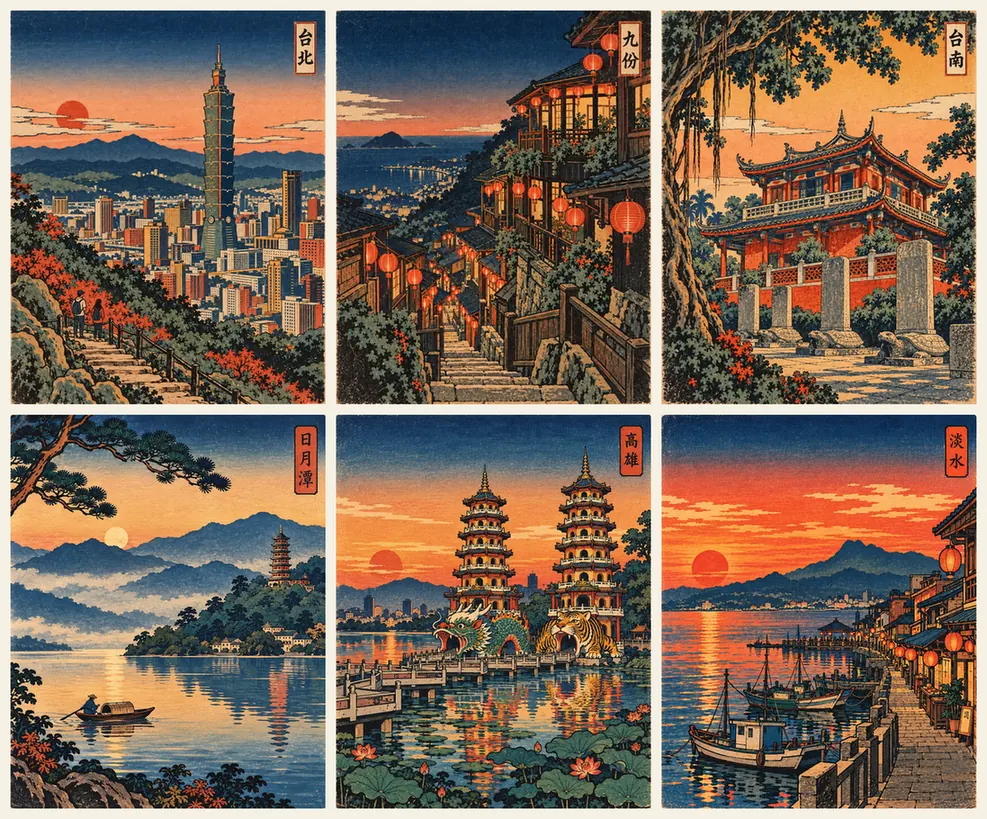
台北 101、九份的紅燈籠、高雄的龍虎塔,變成一張像是兩百年前印出來的日本木刻版畫。很多人以為這是套了一個濾鏡,其實是寫進 prompt 的四條規則。這篇把我們做這組六張的方法整理出來:prompt 由 Claude 寫,圖由 ChatGPT 畫,每一段 prompt 都附上原文。下面每一張版畫,都是我們在自己的 ChatGPT 裡實際生成的。
01不是濾鏡,是四條規則
浮世繪木版畫是「一色一版」:先刻一塊只有黑線的主版,再每個顏色各刻一塊版,一層一層印上去。所以它的樣子有幾個固定的特徵。把這些特徵寫進 prompt,AI 就會照著畫。
- 粗黑主版線:bold black keyblock outlines of even weight。線條粗細一致,像刻出來的,不是用筆畫的。
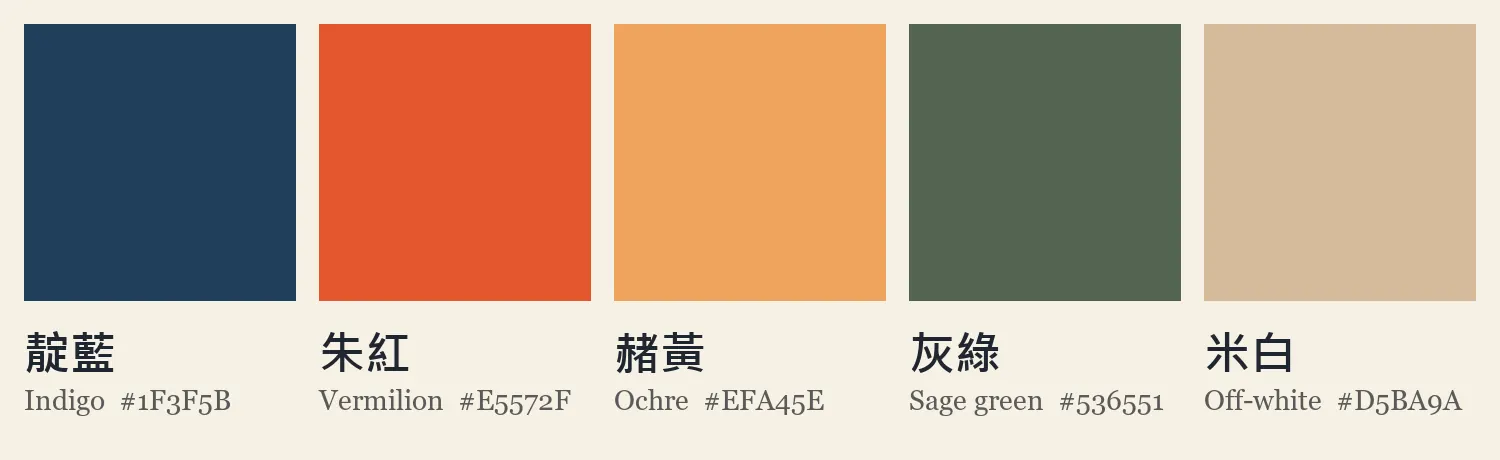
- 礦物色平塗:flat mineral pigment colours only,只用靛藍、朱紅、赭黃、灰綠、米白五種顏色,平平塗滿。
- 只有天空能漸層:浮世繪的天空漸層叫「ぼかし」(bokashi),從靛藍漸到淡桃色。整張圖只准這裡有漸層。
- 地標放最大:the landmark large and dominant。101、赤崁樓、龍虎塔永遠是畫面主角。
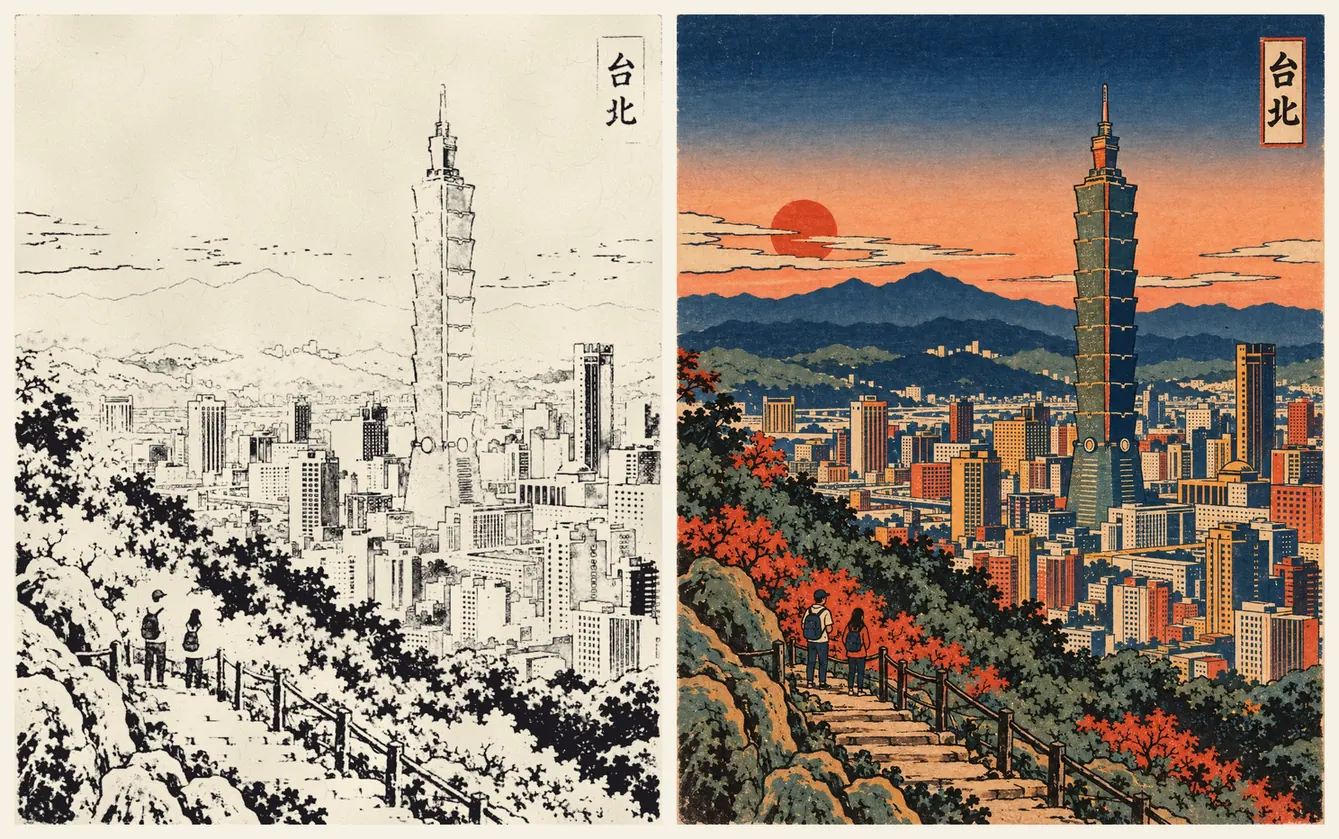
再加兩句,讓它像是「印」出來的:visible washi paper fibre texture(看得到和紙的纖維),和 slight colour-registration offsets(套色時微微對不準)。真的版畫每一層顏色都會有一點點錯位,少了這兩句,畫面會太乾淨,看起來像向量插畫。
02第 1 步:請 Claude 幫你的城市寫 prompt
我們的分工是:prompt 給 Claude 寫,圖給 ChatGPT 畫。Claude 很會替一個城市挑出最有代表性的地標、時間和畫面,而且會把四條規則原封不動留著。下面是範本,[]是要換的地方:
Create an image, vertical 4:5. A traditional Japanese ukiyo-e woodblock print of [地標] in [城市] at [時間,例如 dusk / dawn / night], [畫面裡還有什麼,例如 the city spread below, mountains behind]. Keyblock style: bold black keyblock outlines of even weight, flat mineral pigment colours only (deep indigo, vermilion, ochre, sage green, off-white), visible washi paper fibre texture and slight colour-registration offsets, a bokashi gradient sky from indigo to soft peach, the landmark large and dominant in the composition, two tiny figures in modern clothing in the foreground. A narrow vertical cartouche in the top right reading 「[城市名]」 in Traditional Chinese. No photorealism, no 3D, no gradients except the bokashi sky, no other text.
打開 Claude(claude.ai),把範本整段貼上,下面再加這一句:
幫我把這段 prompt 改成[城市]的版本,挑最有代表性的地標和時間。
03第 2 步:第一張貼進 ChatGPT(我們的台北)
打開 ChatGPT(chatgpt.com),開一個新對話,把 Claude 寫好的 prompt 整段貼上。我們第一張是台北,下面是我們貼進去的原文,一字不差:
Create an image, vertical 4:5. A traditional Japanese ukiyo-e woodblock print of Taipei 101 seen from Elephant Mountain at dusk, the city spread below, mountains behind. Keyblock style: bold black keyblock outlines of even weight, flat mineral pigment colours only (deep indigo, vermilion, ochre, sage green, off-white), visible washi paper fibre texture and slight colour-registration offsets, a bokashi gradient sky from indigo to soft peach, the landmark large and dominant in the composition, two tiny figures in modern Taiwanese clothing on the trail in the foreground. A narrow vertical cartouche in the top right reading 「台北」 in Traditional Chinese. No photorealism, no 3D, no gradients except the bokashi sky, no other text.
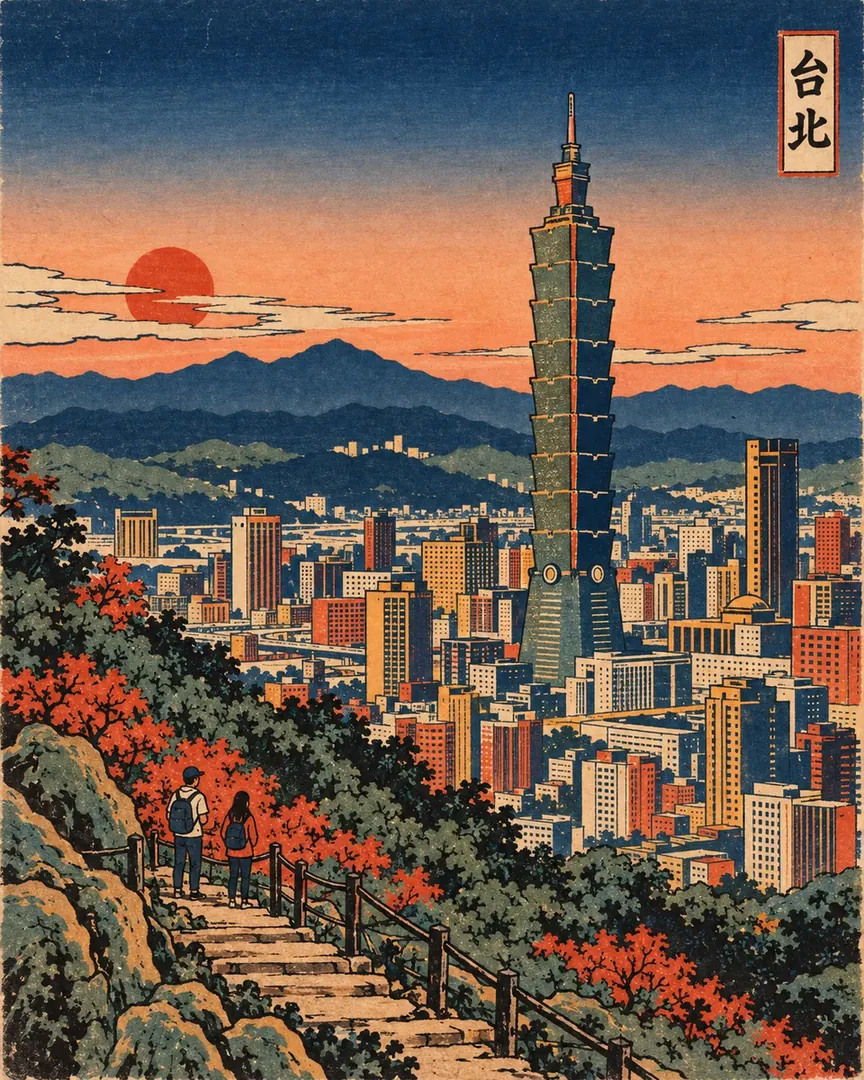
- 看右上角的直式招牌,字有沒有寫對。我們這張是「台北」,一次就對。
- 看線條是不是黑色、粗細一致。
- 看天空以外的地方,有沒有偷偷出現漸層或 3D 光影。
04第 3 步:同一個對話,接著做一整套
第二張起不用再貼整段。在同一個對話裡說「Same style and rules, new image:」,後面接新的地標和招牌字就好。ChatGPT 會沿用前面的規則,六張的線條、顏色和紙紋才會一致。
Same style and rules, new image: [下一個地標,和畫面裡還有什麼] 「[城市名]」
這是我們第 2 到第 6 張接在「Same style and rules, new image:」後面的內容,照我們的紀錄原文:
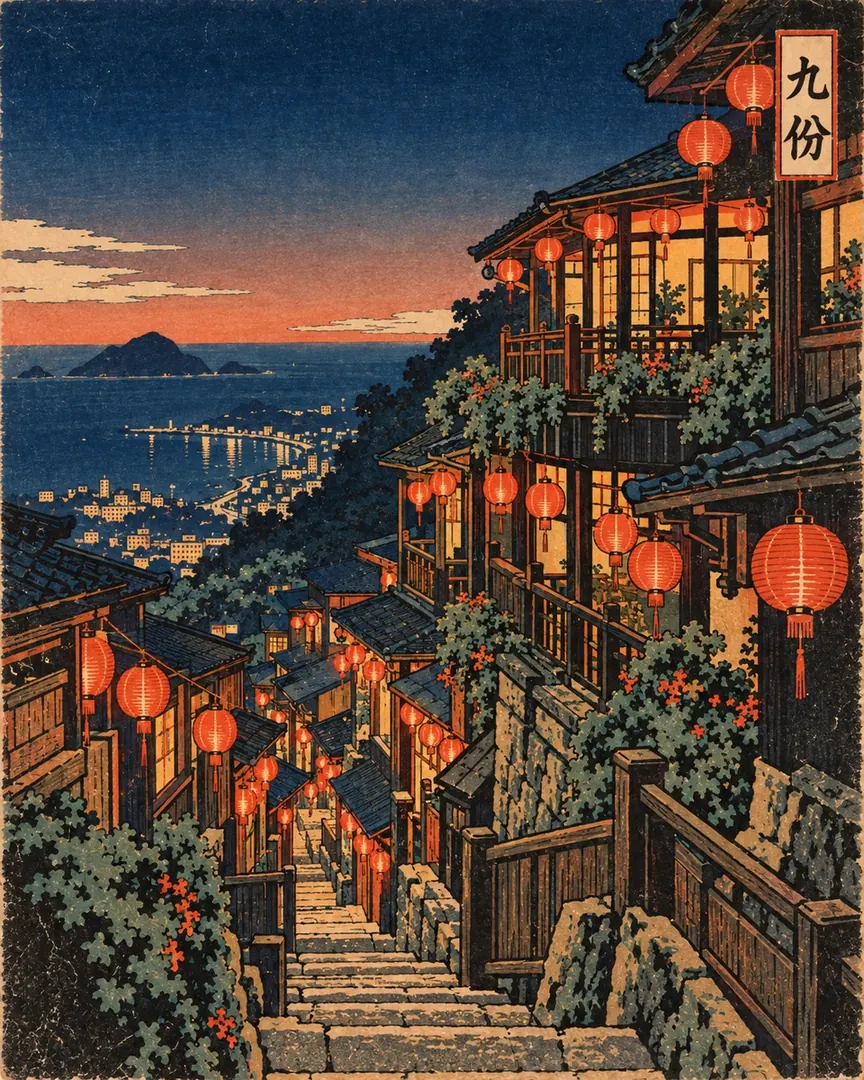
Jiufen old street at night, the stepped lane of red lanterns and teahouse balconies climbing the hillside, the sea and Keelung islet far below. 「九份」
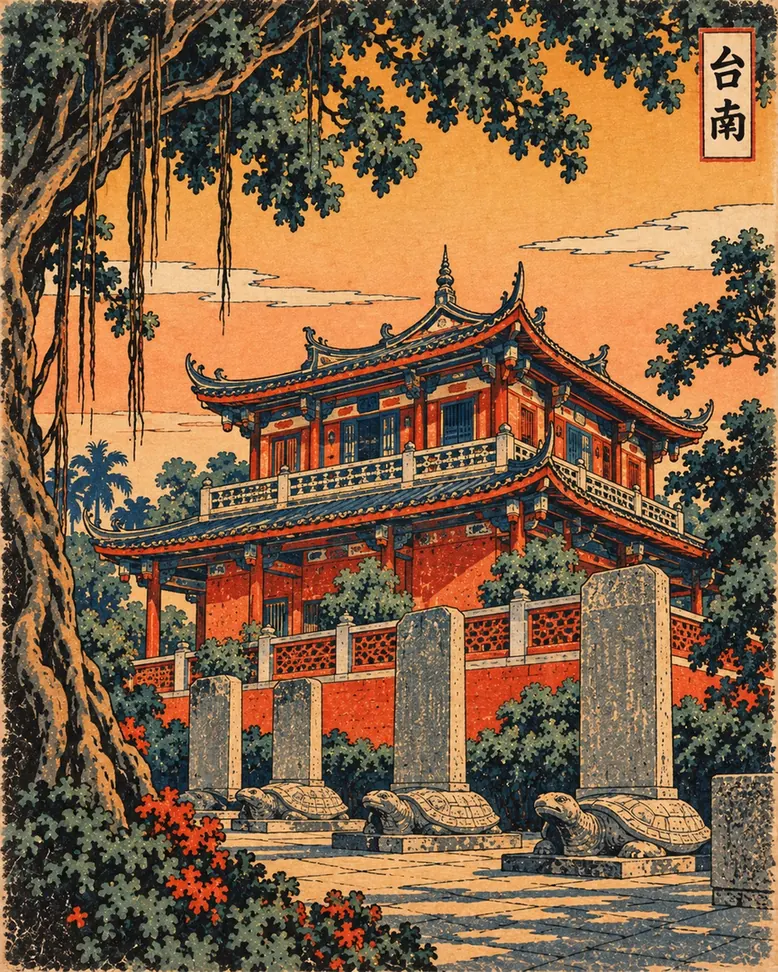
Chihkan Tower in Tainan, red-walled pavilion with curved swallowtail roofs, stone turtle steles, banyan branches framing it, warm afternoon sky. 「台南」
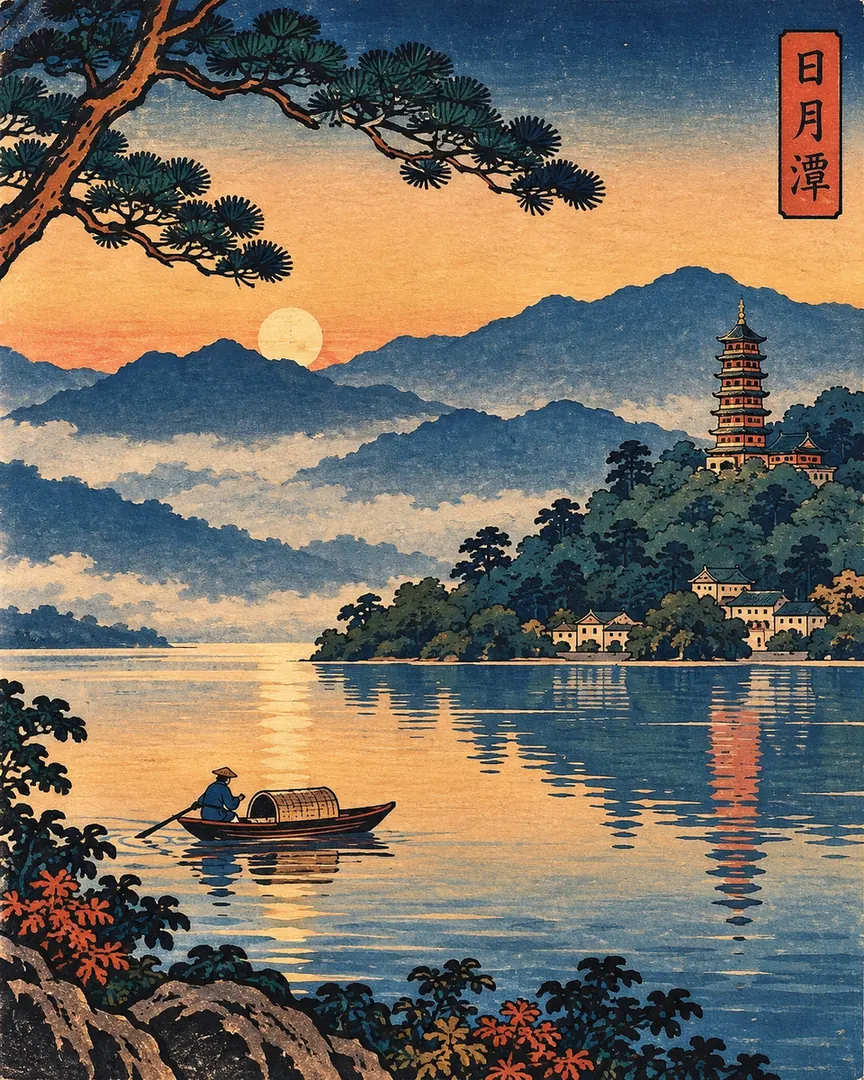
Sun Moon Lake at dawn, small wooden boat with a lone rower, Ci'en Pagoda on the ridge, layered blue mountains in mist. 「日月潭」
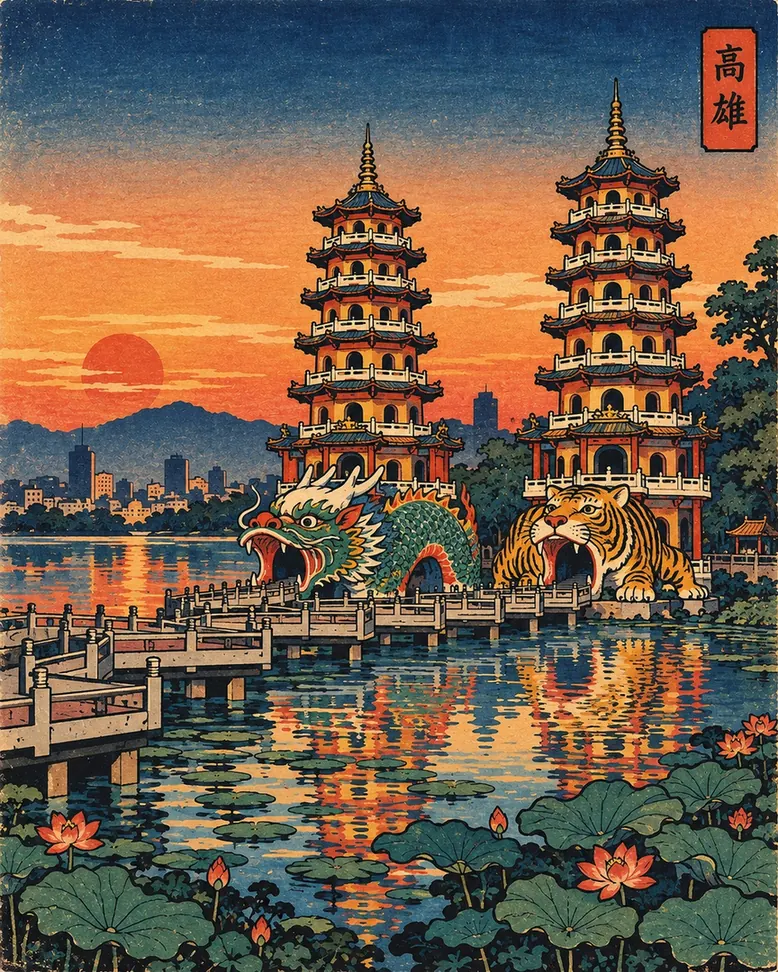
Dragon and Tiger Pagodas on Lotus Pond, Kaohsiung, zigzag bridge, dragon and tiger gate mouths, lotus leaves, sunset. 「高雄」
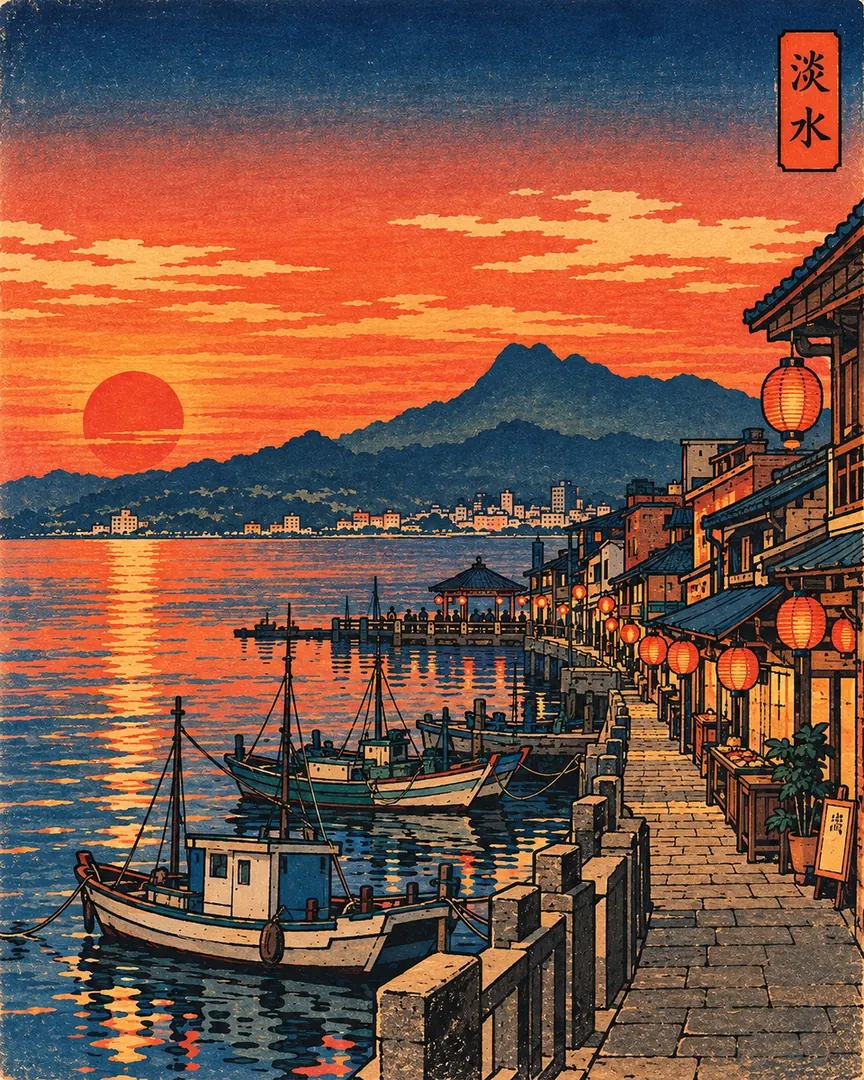
Tamsui at sunset, river mouth with fishing boats, Guanyin Mountain across the water, old riverside street with lanterns. 「淡水」
05字畫錯了怎麼辦
AI 生圖最容易出錯的是字。我們這組的六個招牌字(台北、九份、台南、日月潭、高雄、淡水)都一次就對,但城市名筆畫多、或是比較少見的字,就有可能畫錯。這時候不用整張重來,只要叫它重畫招牌:
只重畫右上角的直式招牌,寫「[城市名]」
prompt 最後的「no other text」,是在防 AI 在畫面裡亂加字。就算寫了,也可能漏網:我們淡水那張,右下角店家的小招牌上,還是多了一個看不出是什麼的字。放大檢查一遍再發。
06要注意
- 六張版畫是 2026 年 10 月 21 日在我們自己的 ChatGPT 生成的,prompt 由 Claude 撰寫。AI 每次的結果都不一樣,同一段 prompt 不會畫出一模一樣的圖。
- 這是「浮世繪風格」的 AI 圖,不是真的木刻版畫,也不是任何一位浮世繪畫師的作品。分享時寫清楚是 AI 生成。
- 文中的黑線主版圖,是我們用程式從成品抽出黑線做的示意,不是 ChatGPT 另外畫的。
- 地標的細節不一定準(樓層數、屋頂形狀、塔的位置)。要做成旅遊海報或商品,先對照真的照片檢查。
- ChatGPT 生圖的功能、額度和介面,以 OpenAI 當下的說明為準,之後可能會變。