Turn your city into an ukiyo-e woodblock print: not a filter, but 4 rules in the prompt (6 Taiwan cities in ChatGPT)
Bold black key lines, flat mineral colours, a gradient only in the sky, the landmark largest. Claude writes the prompt, ChatGPT draws it. All 6 prompts inside.
Watch the reel on InstagramComment #浮世繪 to get this guide
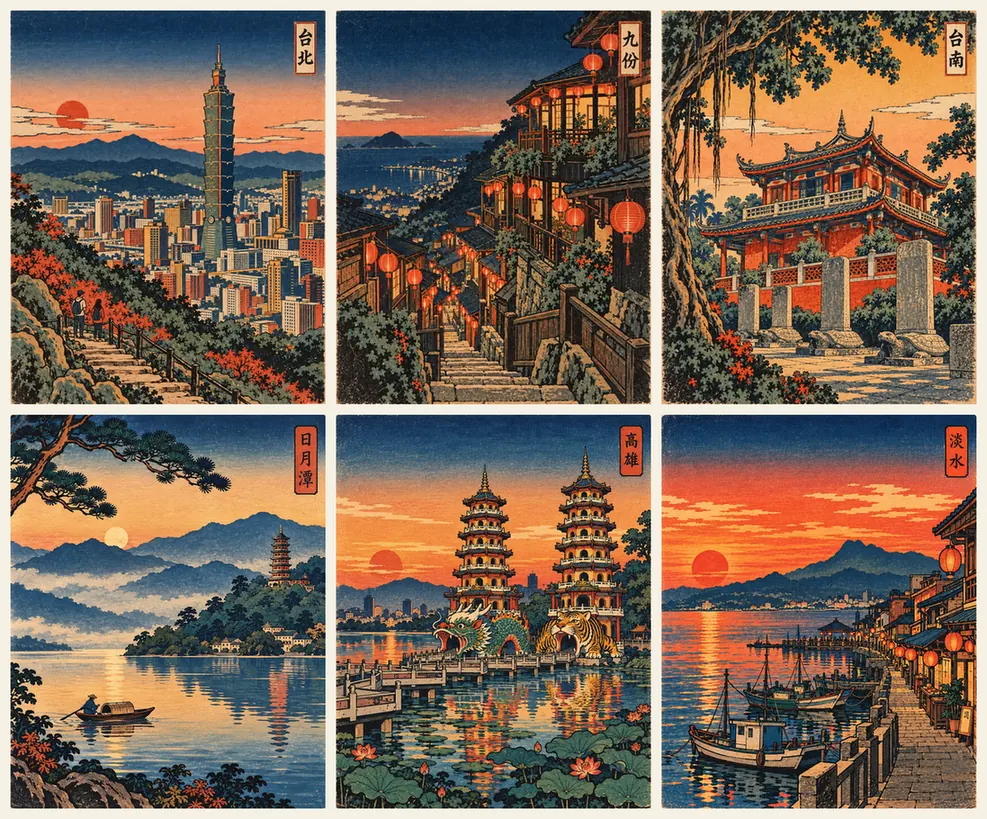
Taipei 101, the red lanterns of Jiufen and Kaohsiung's Dragon and Tiger Pagodas, turned into what looks like a Japanese woodblock print from two hundred years ago. Most people assume it is a filter. It is actually four rules written into the prompt. This guide shows how we made this set of six: Claude wrote the prompts, ChatGPT drew the images, and every prompt is quoted in full. Every print below was generated in our own ChatGPT.
01Not a filter: four rules
Ukiyo-e woodblock prints use one block per colour: first a key block carved with only the black lines, then a separate block for each colour, printed layer by layer. That gives the style a few fixed traits. Write those traits into the prompt and the AI follows them.
- Bold black key lines: "bold black keyblock outlines of even weight". The lines keep one thickness, as if carved, not brushed.
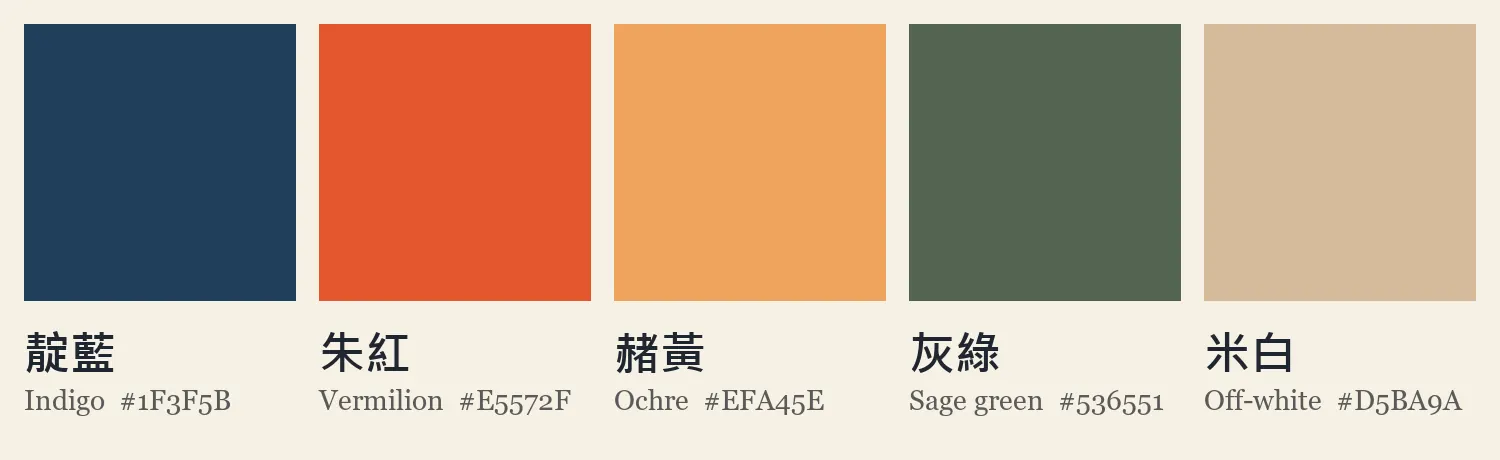
- Flat mineral colour: "flat mineral pigment colours only", just deep indigo, vermilion, ochre, sage green and off-white, filled flat.
- Gradient only in the sky: the ukiyo-e sky gradient is called bokashi, here from indigo to soft peach. Nothing else in the picture may have a gradient.
- Landmark largest: "the landmark large and dominant". Taipei 101, Chihkan Tower and the pagodas are always the hero.
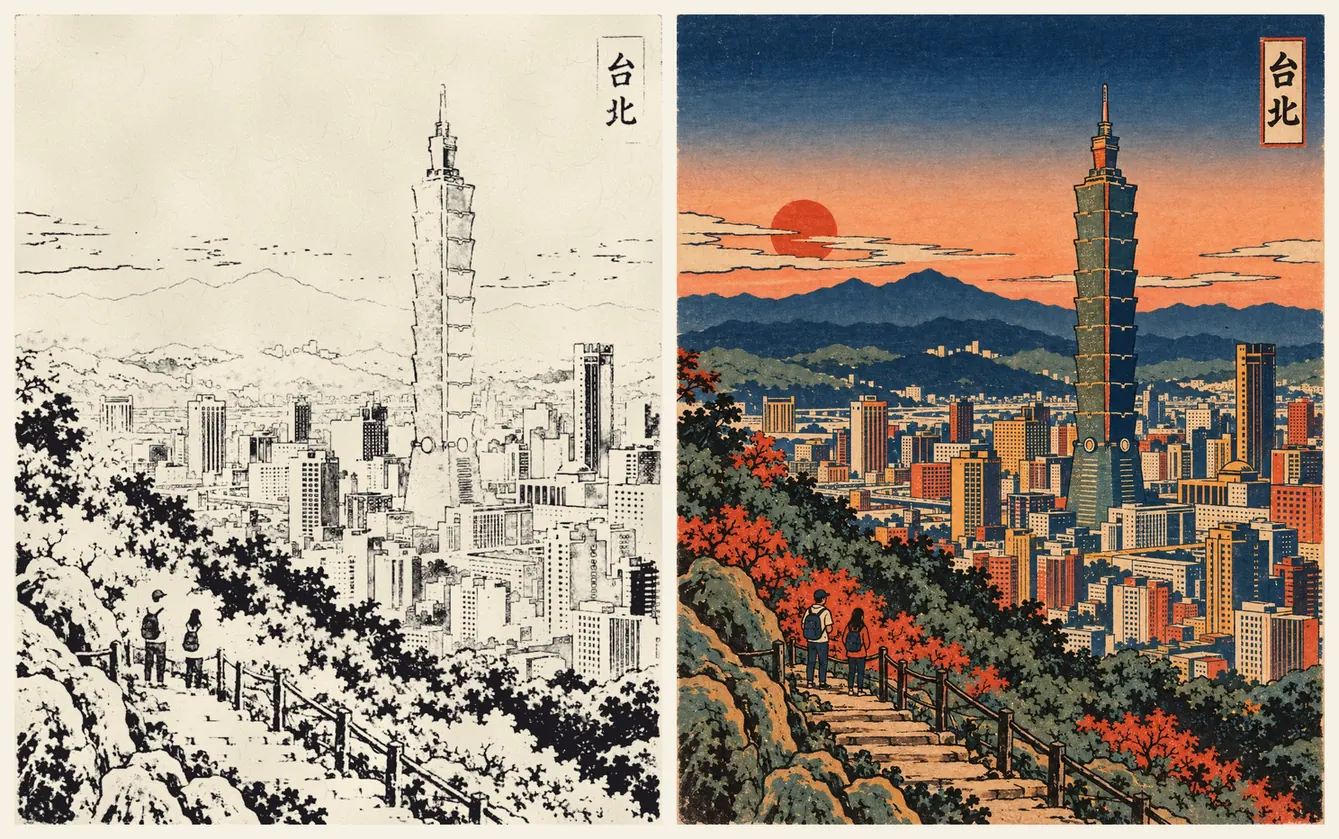
Two more phrases make it look printed: "visible washi paper fibre texture" and "slight colour-registration offsets". In a real print every colour layer is a little out of line. Without these two phrases the image comes out too clean and looks like a vector illustration.
02Step 1: ask Claude to write the prompt for your city
Our split: Claude writes the prompt, ChatGPT draws the image. Claude is good at picking a city's most iconic landmark, time of day and scene, and it keeps the four rules intact. Here is the template; the [ ] parts are what you change:
Create an image, vertical 4:5. A traditional Japanese ukiyo-e woodblock print of [landmark] in [city] at [time of day, e.g. dusk / dawn / night], [what else is in the picture, e.g. the city spread below, mountains behind]. Keyblock style: bold black keyblock outlines of even weight, flat mineral pigment colours only (deep indigo, vermilion, ochre, sage green, off-white), visible washi paper fibre texture and slight colour-registration offsets, a bokashi gradient sky from indigo to soft peach, the landmark large and dominant in the composition, two tiny figures in modern clothing in the foreground. A narrow vertical cartouche in the top right reading 「[city name]」 in Traditional Chinese. No photorealism, no 3D, no gradients except the bokashi sky, no other text.
Open Claude (claude.ai), paste the whole template, and add this line underneath:
Rewrite this prompt for [city]. Pick its most iconic landmark and the best time of day.
03Step 2: paste the first one into ChatGPT (our Taipei)
Open ChatGPT (chatgpt.com), start a new chat and paste the whole prompt Claude wrote. Our first print was Taipei. This is exactly what we pasted, word for word:
Create an image, vertical 4:5. A traditional Japanese ukiyo-e woodblock print of Taipei 101 seen from Elephant Mountain at dusk, the city spread below, mountains behind. Keyblock style: bold black keyblock outlines of even weight, flat mineral pigment colours only (deep indigo, vermilion, ochre, sage green, off-white), visible washi paper fibre texture and slight colour-registration offsets, a bokashi gradient sky from indigo to soft peach, the landmark large and dominant in the composition, two tiny figures in modern Taiwanese clothing on the trail in the foreground. A narrow vertical cartouche in the top right reading 「台北」 in Traditional Chinese. No photorealism, no 3D, no gradients except the bokashi sky, no other text.
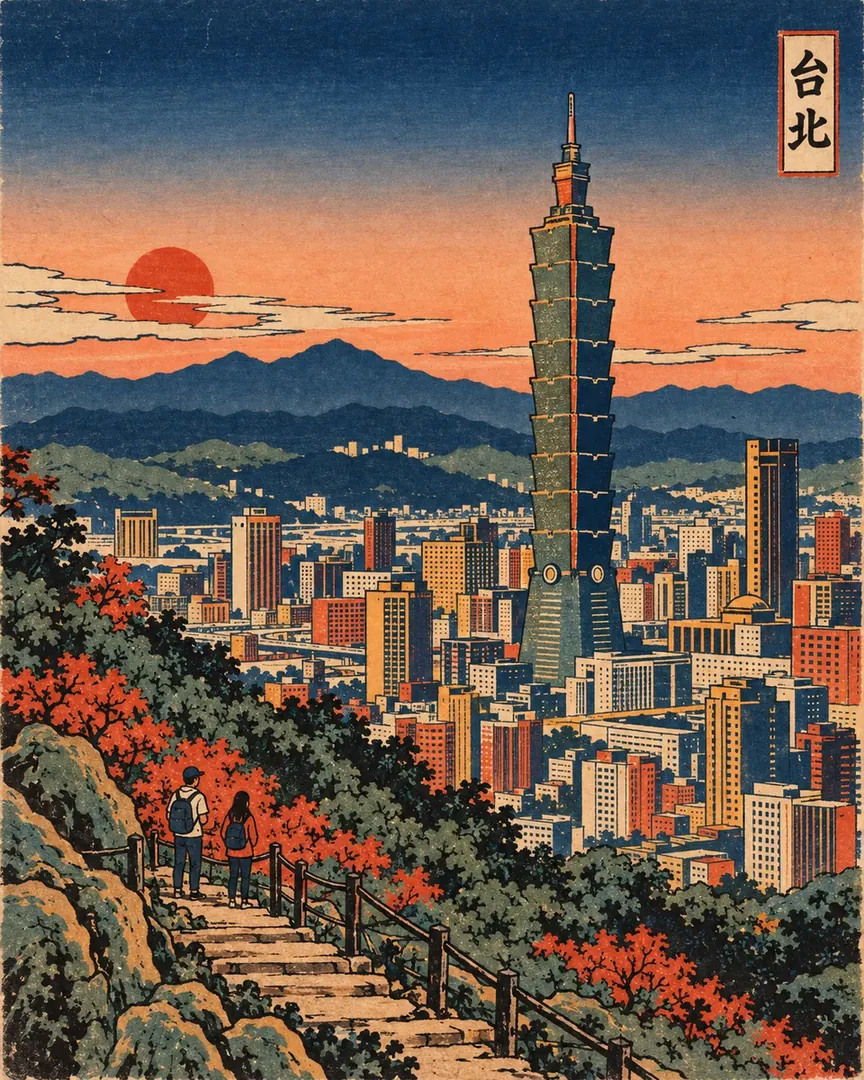
- Check the vertical cartouche top right: is the text right? Ours reads 台北, correct first time.
- Check that the lines are black and of one even weight.
- Check that nothing outside the sky has sneaked in a gradient or 3D shading.
04Step 3: stay in the same chat and make the whole set
From the second image on, you don't paste the whole prompt again. In the same chat, write "Same style and rules, new image:" followed by the new landmark and the cartouche text. ChatGPT keeps the earlier rules, so the lines, colours and paper texture match across all six.
Same style and rules, new image: [next landmark, and what else is in the scene] 「[city name]」
These are the lines we added after "Same style and rules, new image:" for prints 2 to 6, as recorded in our notes:
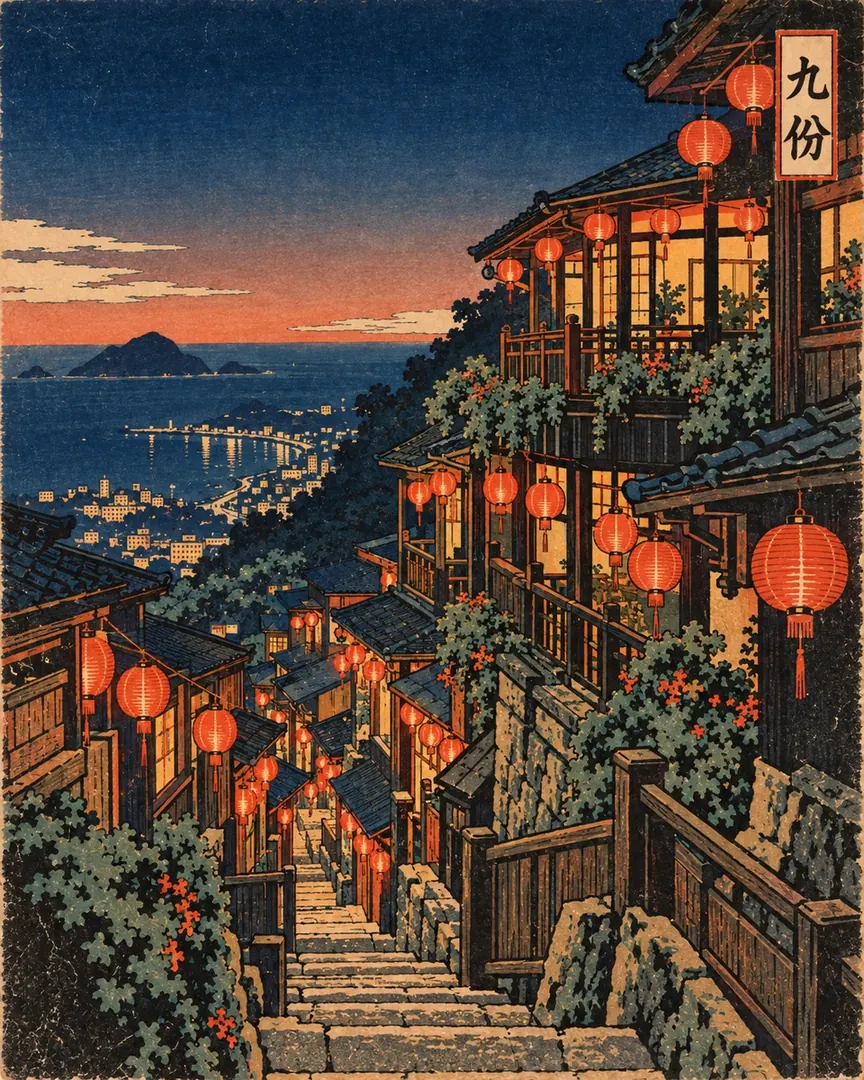
Jiufen old street at night, the stepped lane of red lanterns and teahouse balconies climbing the hillside, the sea and Keelung islet far below. 「九份」
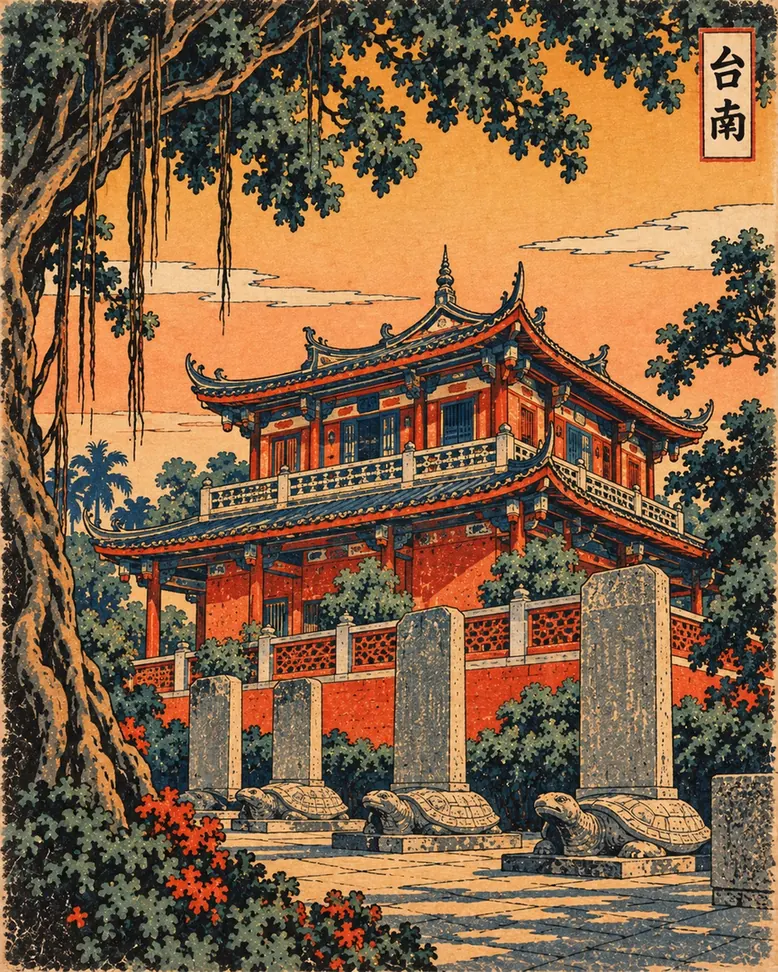
Chihkan Tower in Tainan, red-walled pavilion with curved swallowtail roofs, stone turtle steles, banyan branches framing it, warm afternoon sky. 「台南」
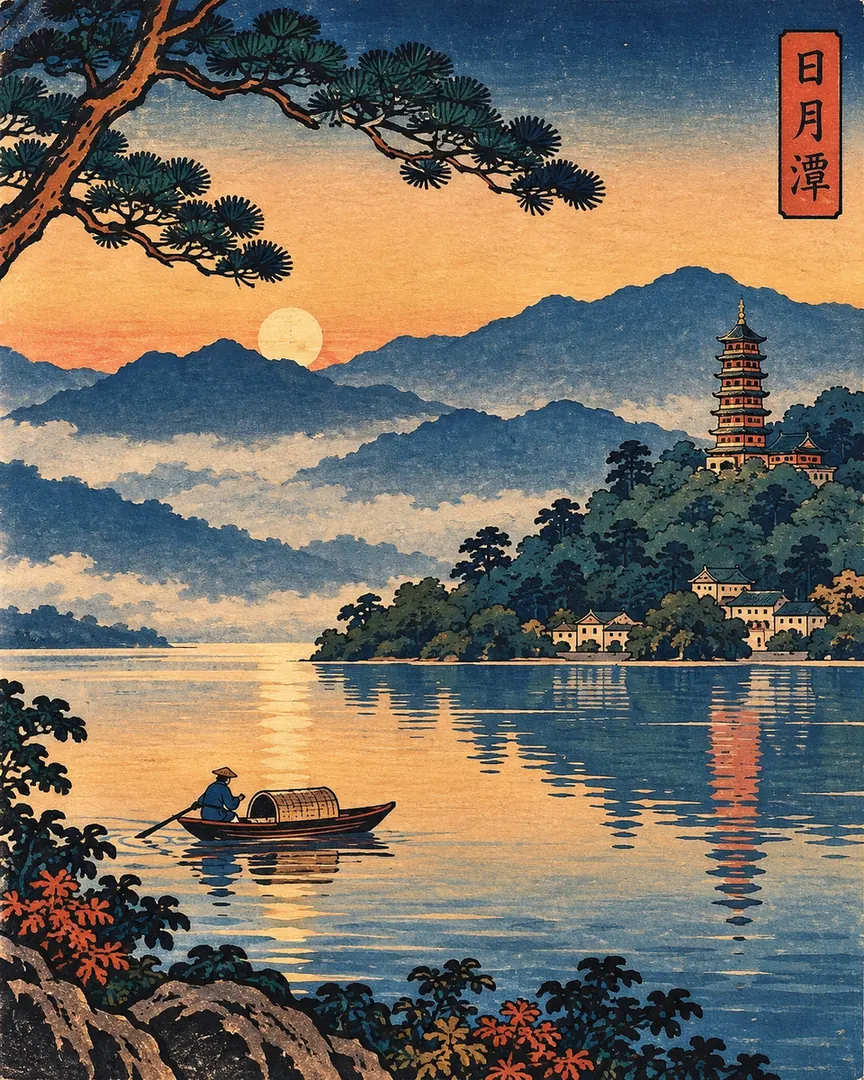
Sun Moon Lake at dawn, small wooden boat with a lone rower, Ci'en Pagoda on the ridge, layered blue mountains in mist. 「日月潭」
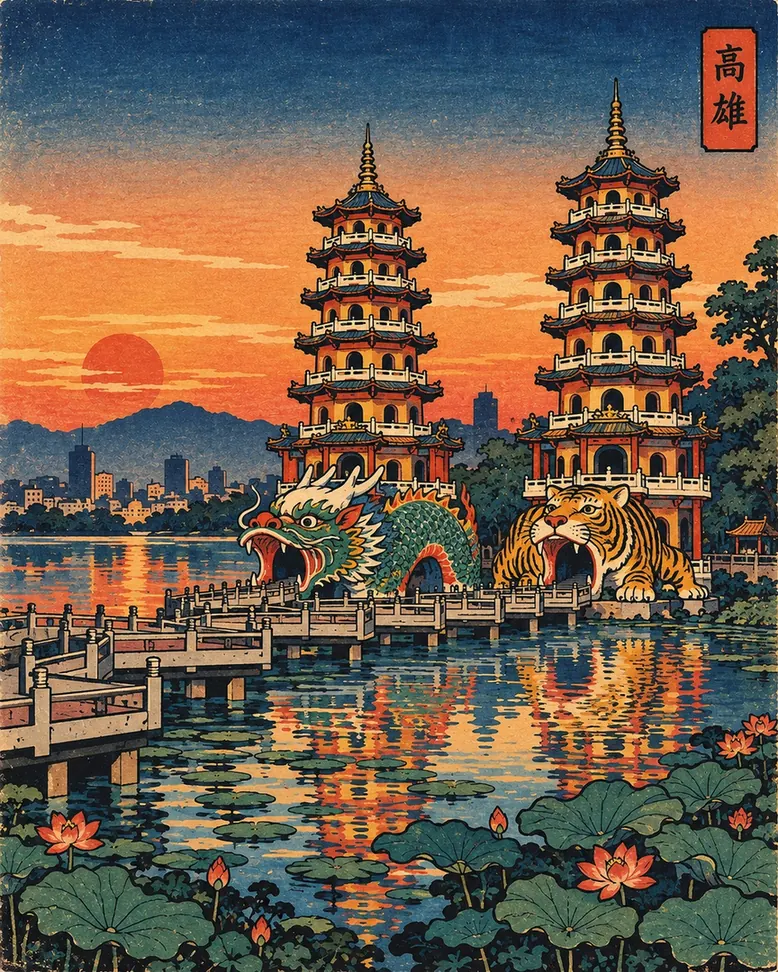
Dragon and Tiger Pagodas on Lotus Pond, Kaohsiung, zigzag bridge, dragon and tiger gate mouths, lotus leaves, sunset. 「高雄」
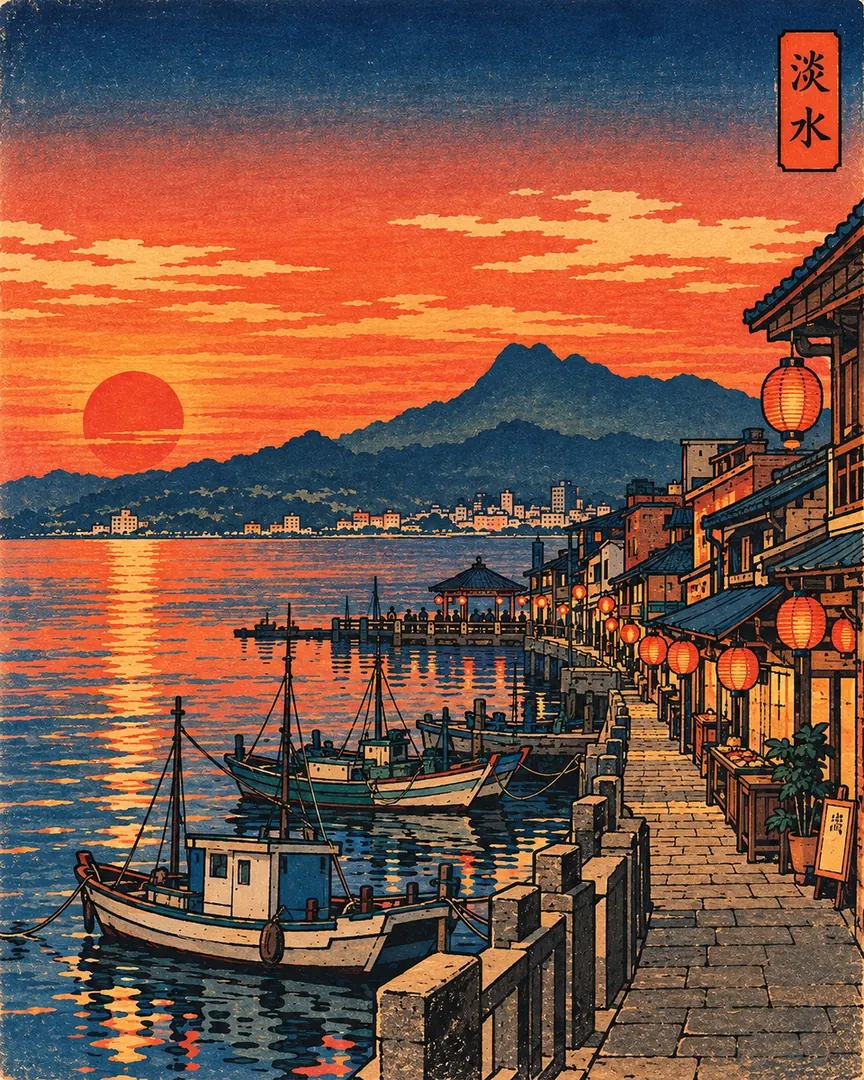
Tamsui at sunset, river mouth with fishing boats, Guanyin Mountain across the water, old riverside street with lanterns. 「淡水」
05When the text comes out wrong
Text is where AI images go wrong most often. All six of our cartouches (台北, 九份, 台南, 日月潭, 高雄, 淡水) were right the first time, but city names with many strokes or rarer characters can come out wrong. You don't need to redo the whole image. Ask it to redraw just the cartouche:
Redraw only the vertical cartouche in the top right, reading 「[city name]」.
The closing "no other text" in the prompt stops the AI from scattering text around the picture. Even so, things slip through: on our Tamsui print, a small shop sign in the bottom right still has a character you can't read. Zoom in and check before you post.
06Good to know
- The six prints were generated in our own ChatGPT on 21 October 2026, with prompts written by Claude. AI results differ every time; the same prompt will not give you identical images.
- These are AI images in the ukiyo-e style, not real woodblock prints and not the work of any ukiyo-e artist. Say they are AI-generated when you share them.
- The black key-line image in this guide was extracted from a finished print with code, as an illustration. ChatGPT did not draw it separately.
- Landmark details may be off (number of floors, roof shapes, where a pagoda sits). Check against real photos before using a print as a travel poster or merchandise.
- ChatGPT's image features, limits and interface follow OpenAI's current help pages and may change.