紙藝世界自己一層層蓋起來:Claude 寫 prompt、Google Flow 一張圖做出分層廣告影片
先請 Claude 寫方向,再用 Nano Banana 2.1 生一張所有圖層都在裡面的紙藝圖,最後在 Omni 1.1 Flash 的影片 prompt 只寫一件事:順序。附我們實際用的 4 段 prompt、額度和換產品、換夜晚的做法。
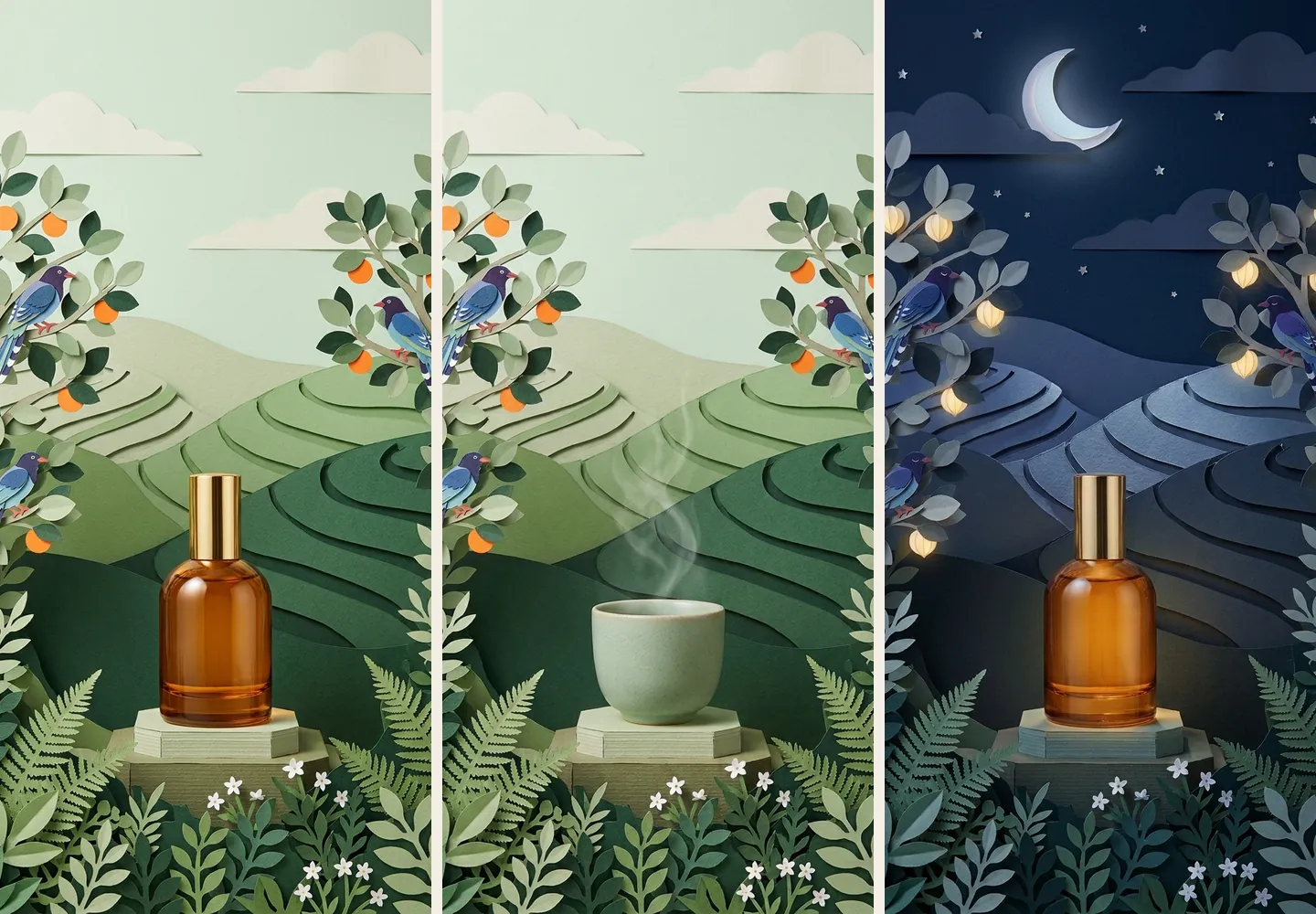
你有沒有看過這種廣告:一張紙藝風景,天空先滑進來,山丘一層層落下,樹、花草、小鳥一個個登場,最後產品出現在正中間?它不是剪紙,也不是逐格動畫。我們用一瓶虛構、沒有品牌的琥珀色香水,在 Google Flow 實際做了一次:一張圖、一次生成、兩支 10 秒影片,花了 30 點。prompt 是 Claude 寫的,圖片和影片是 Flow 裡的 Nano Banana 2.1 和 Omni 1.1 Flash 做的。下面每一張圖都是我們自己做出來的畫面。
01先搞懂分工:Claude 寫 prompt,Google Flow 負責畫和動
這篇會用到兩個工具。Claude 不會生成圖片或影片,它負責把畫面想清楚,寫成英文 prompt。Google Flow 是 Google 的 AI 影片工作台,用 Google 帳號登入,裡面有做圖片的 Nano Banana 2.1 和做影片的 Omni 1.1 Flash。
- 打開 Claude,請它寫方向和兩段 prompt(第 1 步)。
- 打開 flow.google.com,新增一個專案。我們的專案叫「Oct 23 - 11:58」,是 Flow 自動用時間取的名字。
- 確認帳號裡有額度。我們這次生圖顯示 0 點,影片一輪兩支用了 30 點。
- Google Flow — Google 帳號登入,額度依你的方案而定
- Claude — 寫方向和 prompt
02第 1 步:請 Claude 寫方向:從後到前,一層層組起來
這種影片成不成功,在寫 prompt 之前就決定了:畫面要是一層一層的紙,影片要照「從後到前」的順序蓋起來。先把這個方向交代給 Claude,請它一次寫好圖片和影片兩段 prompt。下面是我們整理好的範本,把[]換成你的產品和場景就能用。
我要做一支 9:16 的紙藝分層廣告影片。
產品:[產品,例如一瓶琥珀色玻璃香水,沒有品牌]
場景:[場景,例如台灣的茶園梯田、柑橘樹、台灣藍鵲]
主色:[顏色,例如鼠尾草綠和深綠]
方向:Paper world assembly,整個場景從後到前,一層一層自己組起來,產品最後登場。
請幫我寫兩段英文 prompt:
1. 給 Nano Banana 的圖片 prompt:一張已經完成的紙藝立體場景,正面拍、9:16。從後到前一層一層列出來(天空、山丘、樹、小動物、前景花草),產品放在正中間的小紙台上,是畫面裡唯一不是紙的東西。要看得到紙的厚度和層與層之間的影子。不要文字、不要 logo。
2. 給 Omni 1.1 Flash 的影片 prompt:把這張圖當素材,從空白的米色紙開始,照同一個順序一層一層蓋起來,產品最後出現。每一層落下有小小的彈跳和影子,鏡頭固定不動,最後停在完成圖。不要文字。
我們選的是台灣的茶園梯田、柑橘樹、台灣藍鵲、蕨類和小白花,中間放一瓶虛構的琥珀色香水。Claude 寫出來的圖片 prompt 和影片 prompt,就是第 2 步和第 3 步那兩段。
03第 2 步:用 Nano Banana 2.1 生一張圖,所有圖層全在同一張裡
- 在 Flow 切到圖片模式,模型選 Nano Banana 2.1。
- 比例選 9:16(直式,直接上 Reels)。
- 貼上下面的 prompt,按生成。我們這次顯示 0 點。
A handcrafted layered paper-cut diorama, photographed straight on, 9:16. Lush [sage and deep green] palette. Back to front: [a pale mint paper sky with two soft cut-paper clouds]; [rolling layered paper tea-terrace hills in three greens]; [two citrus trees with round cut-paper leaves and bright orange paper fruit] framing the left and right edges; [Formosan blue magpies] made of cut paper perched in the branches; a foreground of [cut-paper ferns and small white flowers]. In the centre, standing on a small paper plinth, [a real glossy amber glass perfume bottle with a gold cap] — the only non-paper object. Visible paper thickness, soft shadows between every layer, gentle warm studio light, subtle paper fibre texture, high detail, product photography, no text, no logo.
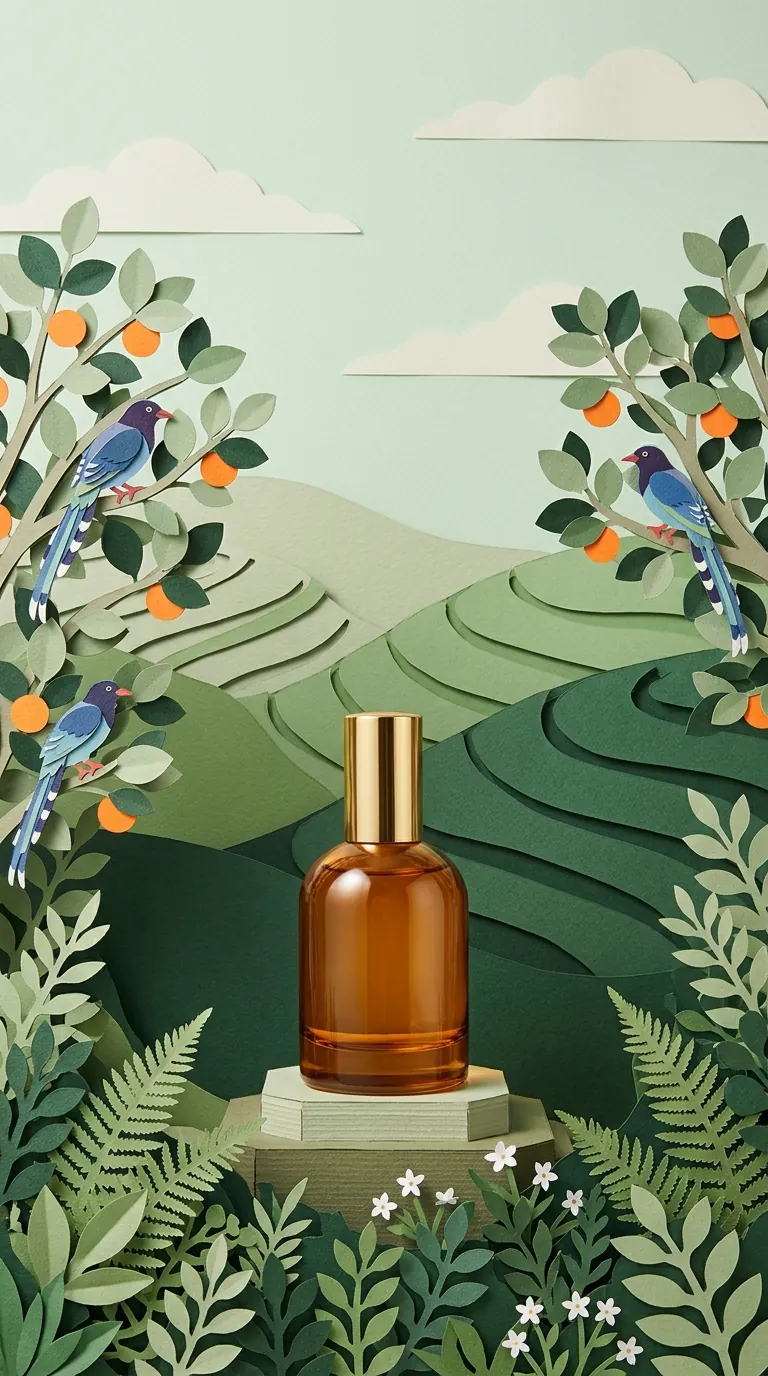
這張圖是整支影片的「完成圖」。影片模型不會幫你想新的東西,它只會把這張圖拆開,再照你寫的順序一層層組回來。所以每一層都要先在這張圖裡畫好。
04第 3 步:影片 prompt 只寫一件事:順序
很多人以為上傳一張圖,按一下「動起來」就好。這種影片的重點不是一鍵動起來,而是順序:哪一層先來、哪一層最後來,都要寫出來。
- prompt 框上方切到 Video,再切到 Ingredients。
- 把第 2 步那張圖加進 prompt,它會變成 @image 1。
- 模型選 Omni 1.1 Flash。
- 比例 9:16、畫質 720p、長度 10 秒。
- 數量 x2,一次生兩支。這一輪用了 30 點。
@image 1 = the finished paper world. Build it layer by layer, back to front, on a plain cream paper background: [the pale mint paper sky] slides in first, then [the terraced paper hills] drop in one by one, then [the two citrus trees with orange paper fruit], then [the ferns and white paper flowers], then [the blue magpies land on the branches], and last [the amber perfume bottle] rises onto the paper plinth. Each layer arrives with a small paper bounce and a soft shadow. Locked camera, straight on, no zoom. End on the exact finished image. No text.
最關鍵的是這幾句:「back to front」(從後到前)、「on a plain cream paper background」(從空白米色紙開始)、每一層用 then 接起來、「Locked camera, straight on, no zoom」(鏡頭不動)、「End on the exact finished image」(最後停在完成圖)。
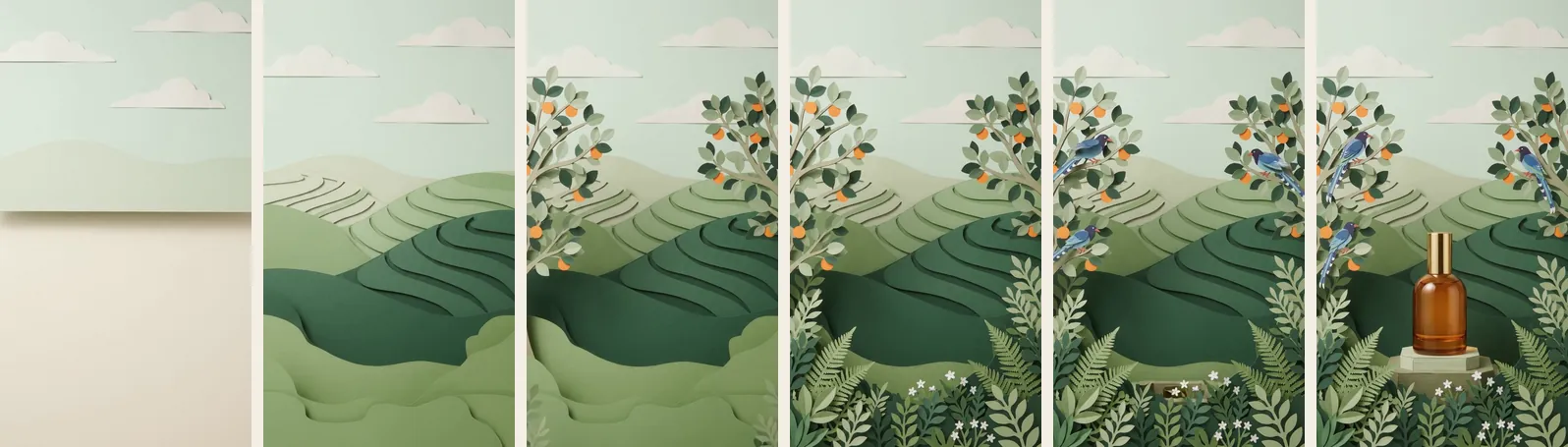
05成果:兩支影片都照順序蓋起來
兩支影片都照 天空 → 山丘 → 樹 → 花草 → 藍鵲 → 香水 的順序長出來。第 2 支的香水是從紙台上慢慢升起來的,我們拿它當 reel 的開頭;第 1 支拿來放每一層的標籤。
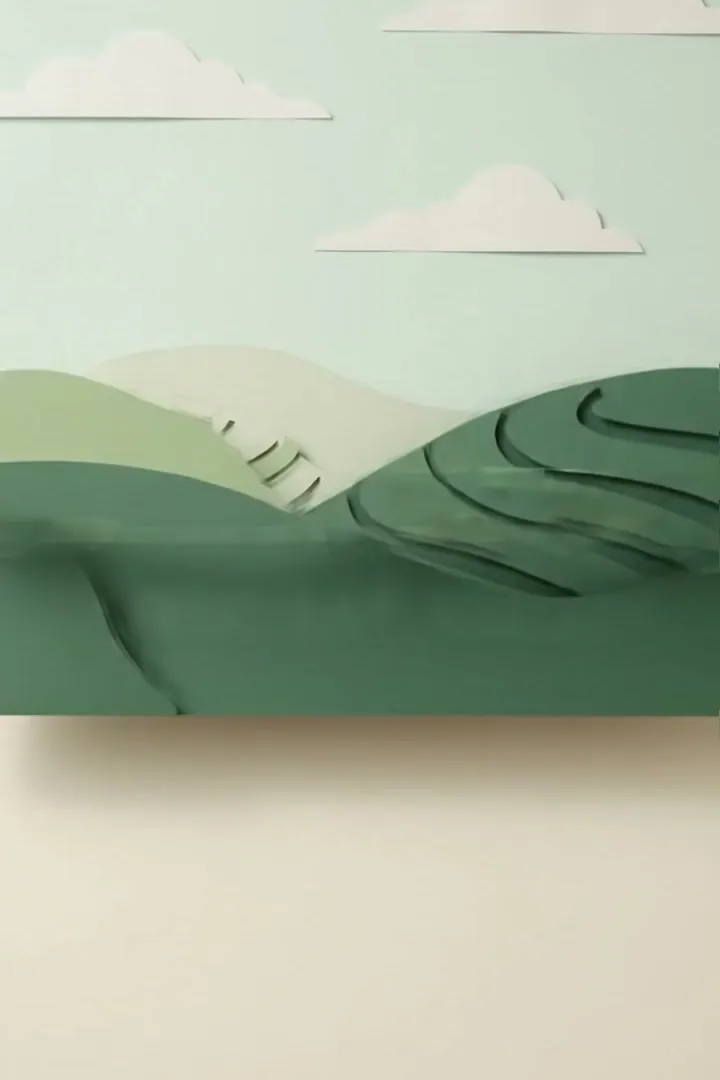
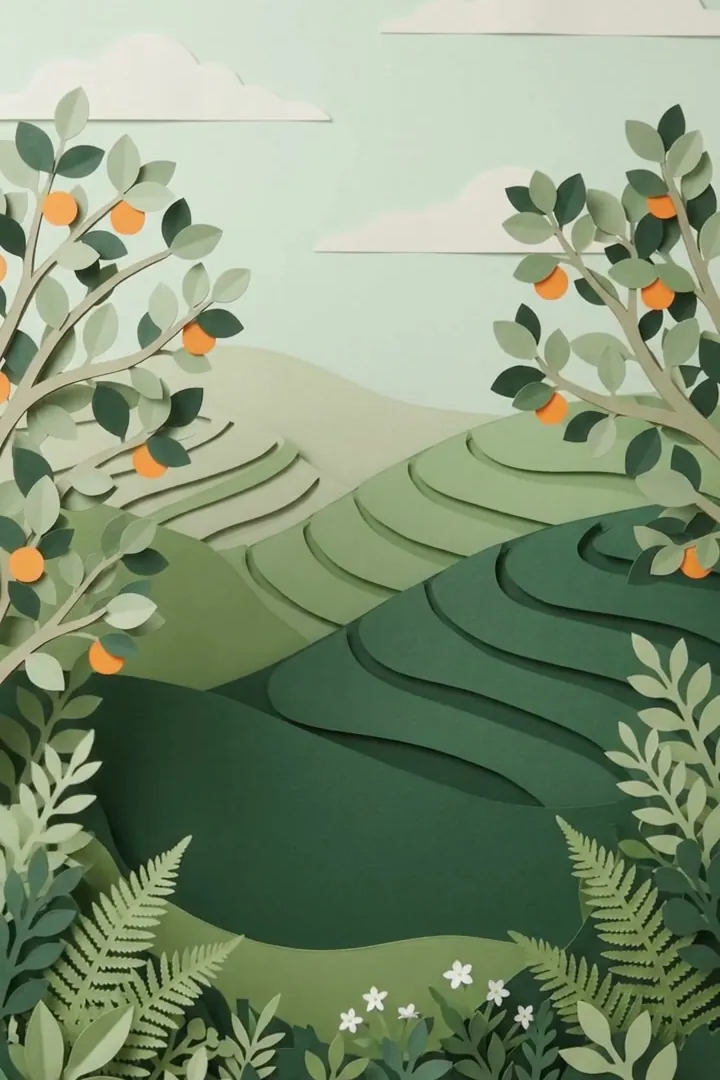
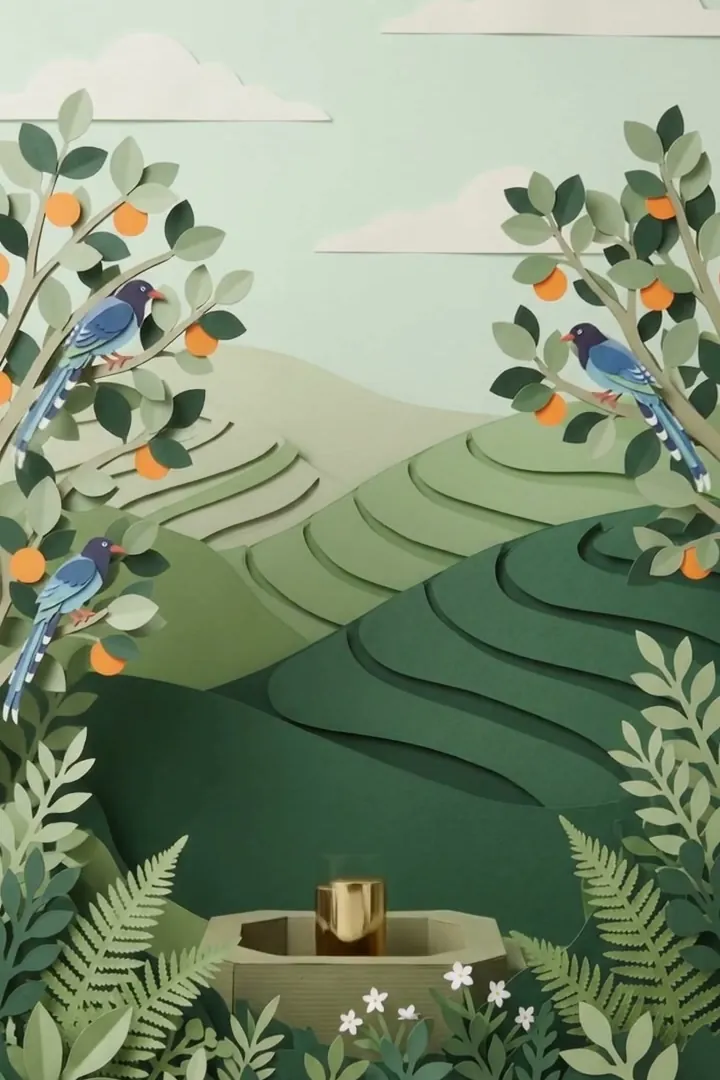
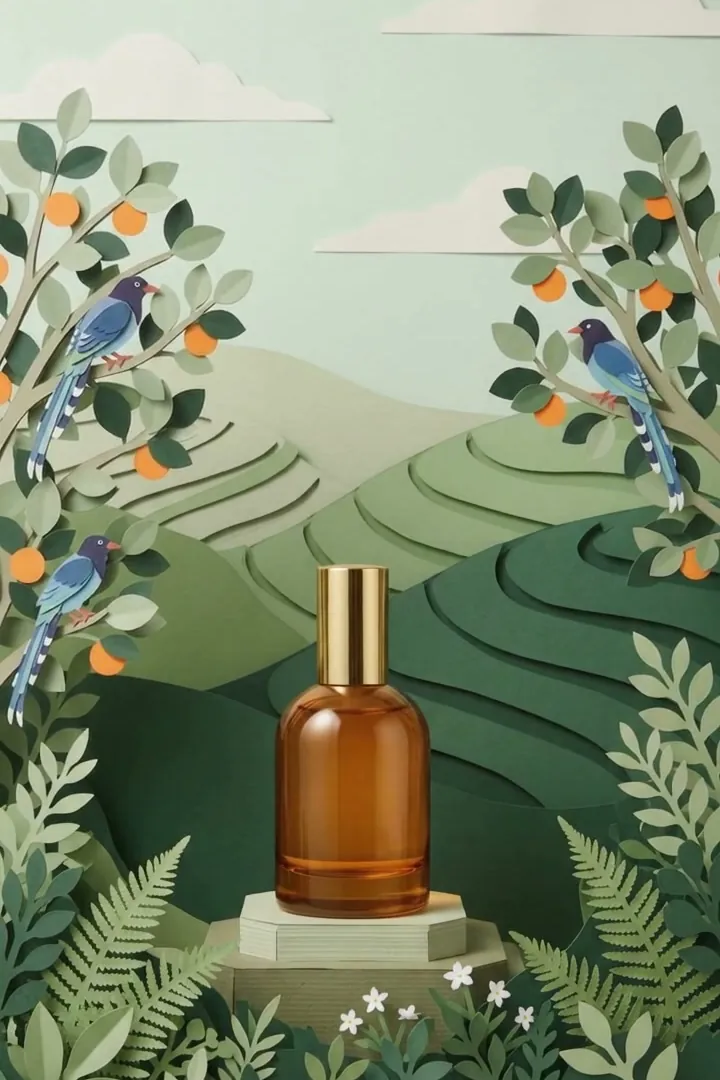
06聲音:不用配樂,只要紙片落下的輕響
紙藝影片的質感,有一半在聲音。我們的 reel 在蓋場景的段落把配樂壓得很低,每一層落下時配一聲紙片的輕響,有一段甚至完全關掉配樂。這些紙片聲是剪片時另外加的,不是 Flow 生成的。
07第 4 步:同一張圖,換產品、換夜晚,又是一支新廣告
場景做好之後,不用從頭來。把第一張圖當參考,只改一件事,就能變出新版本。我們做了兩個:換產品、換成夜晚。
Same layered paper-cut diorama as image 1, identical scene, layers and light, but the product in the centre is [a real ceramic matte green tea cup with steam], on the same paper plinth. No text.
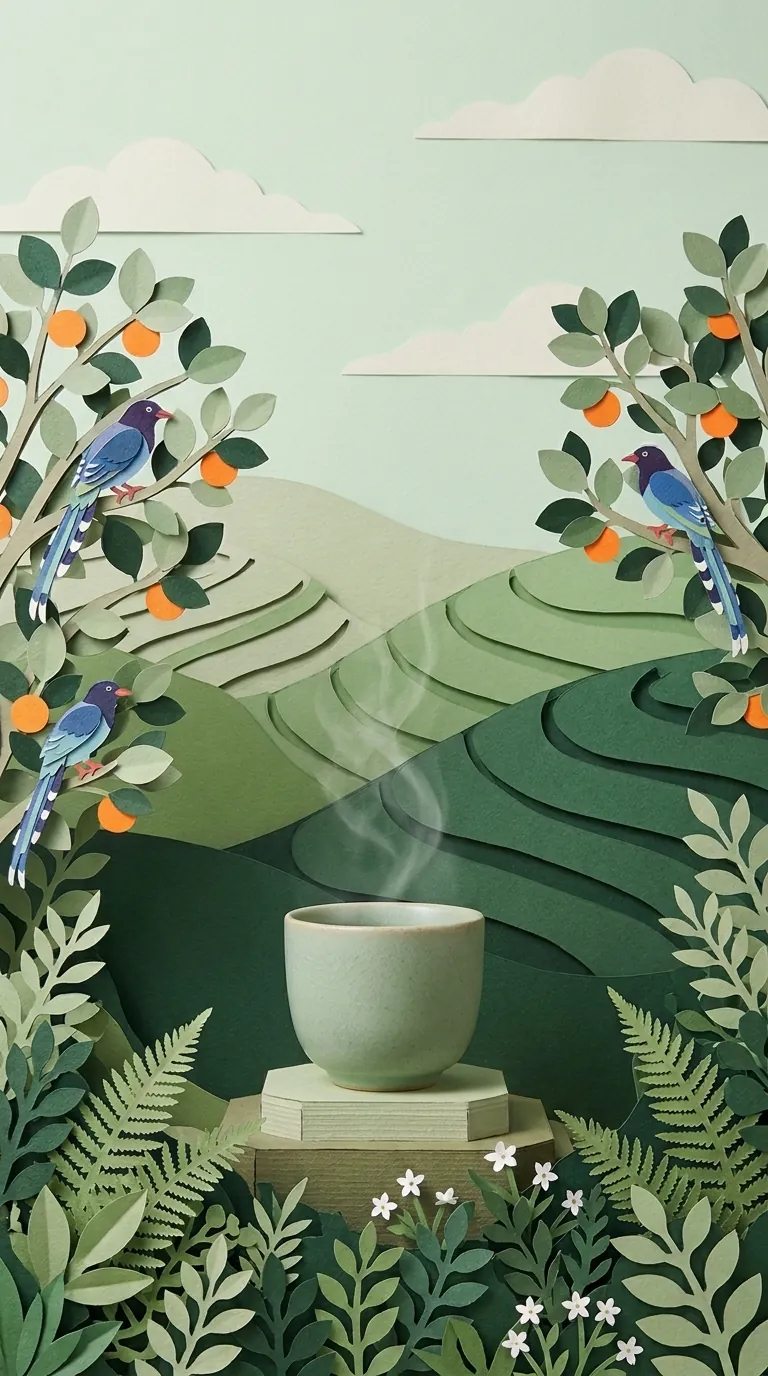
The same layered paper-cut diorama composition, re-coloured for a night mood: [deep navy paper sky with a cut-paper crescent moon and stars, indigo hills, silver-grey trees with pale lantern fruit, the blue magpies asleep], [the amber perfume bottle] glowing softly on the plinth. No text.
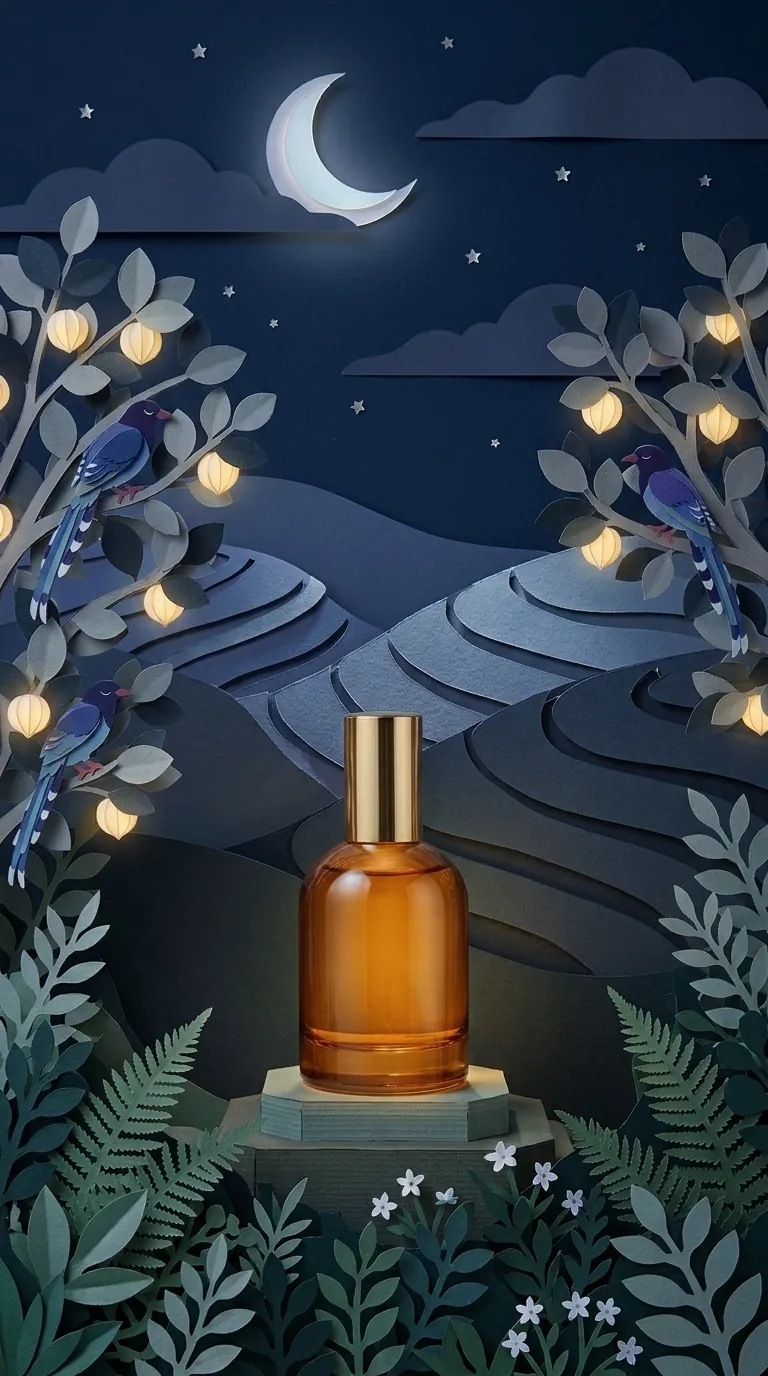
這兩張也是 Nano Banana 2.1 做的,同樣顯示 0 點。我們也試過連整個場景都換掉,那次在 Flow 沒有成功,所以這裡只示範換產品和換氛圍。新的圖一樣可以丟回第 3 步,用同一段影片 prompt 再蓋一次。
08要注意
- 香水和茶杯都是虛構、沒有品牌的商品,場景也是 AI 生成的。
- 圖片和影片由 Google Flow 的 Nano Banana 2.1 和 Omni 1.1 Flash 生成,prompt 由 Claude 撰寫。Claude 沒有生成任何圖片或影片。
- 這篇是 2026 年 10 月 23 日在 Flow 做的。模型名稱、設定和額度(這次圖片 0 點、影片兩支 30 點)以你帳號當下的介面為準,之後可能會變。
- 換成真的產品或品牌時,產品照、logo 和包裝都要有使用權。
- 看起來像手工紙藝,但其實是 AI 生成的。發布時建議標示 AI 生成,不要讓人以為是手作。