No After Effects: Claude writes animated type posters as HTML and exports MP4 frame by frame
Claude writes each animated poster as one HTML file with a seek(t) function, then exports MP4 locally. Full prompt, 4 type motions, plus HeyGen's HyperFrames.
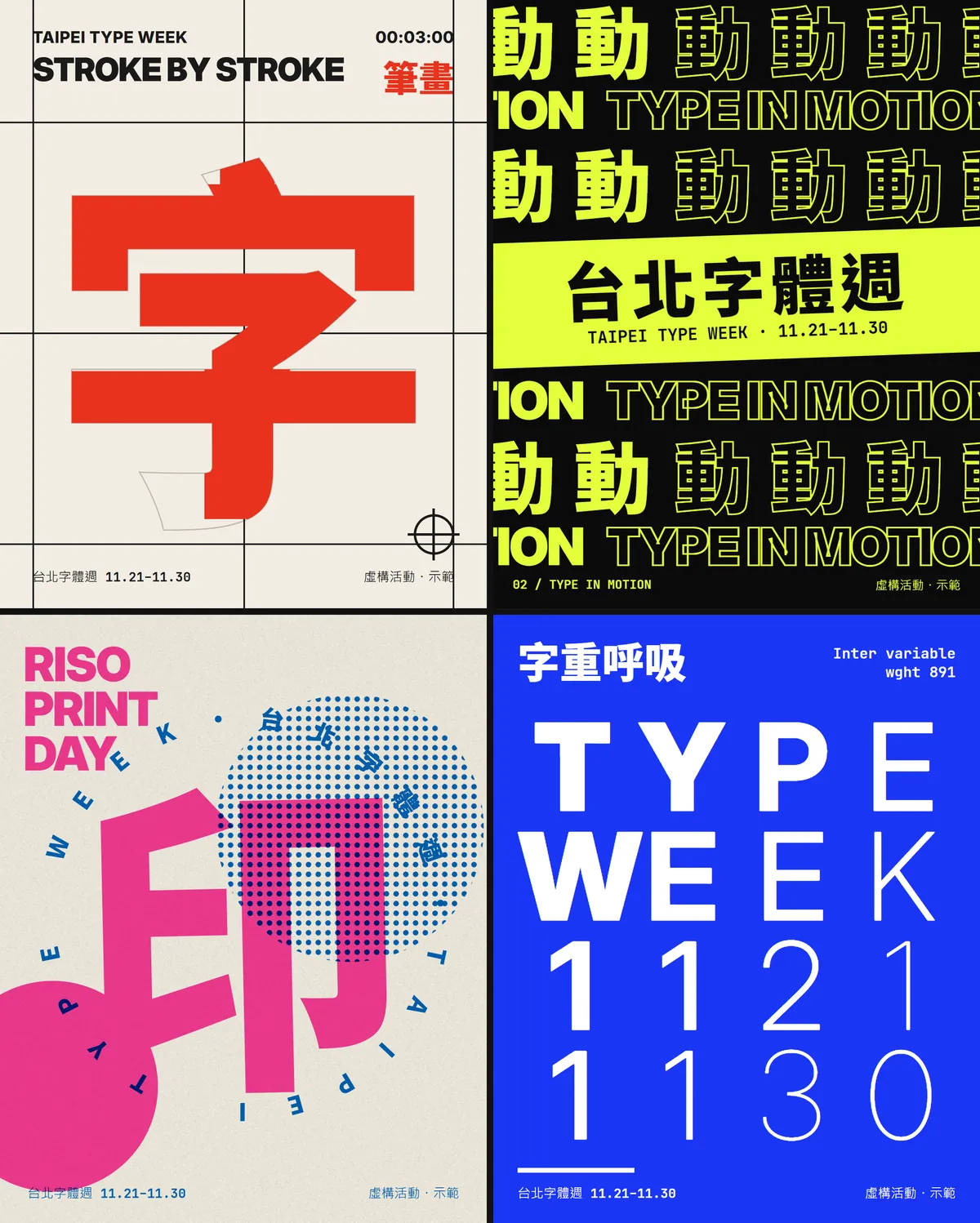
Do you need After Effects to make an animated type poster? No. This guide shows how Claude writes each animated poster as a single HTML file, then exports it to MP4 frame by frame on your own computer: no video AI and no video credits. The demo event, TAIPEI TYPE WEEK (台北字體週), is fictional, and every image below is a frame captured from the poster files Claude actually wrote. You get the full prompt, how to describe 4 kinds of type motion, the seek(t) trick and two ways to export the video.
01The result: 4 animated type posters, 0 images
One prompt, and Claude wrote 4 HTML files, 207 lines in total. Each is 600×750, 6 seconds at 30fps: 180 frames per poster, 720 frames for the set. Everything on screen is text, colour blocks and code-drawn halftone dots. Not a single image file.
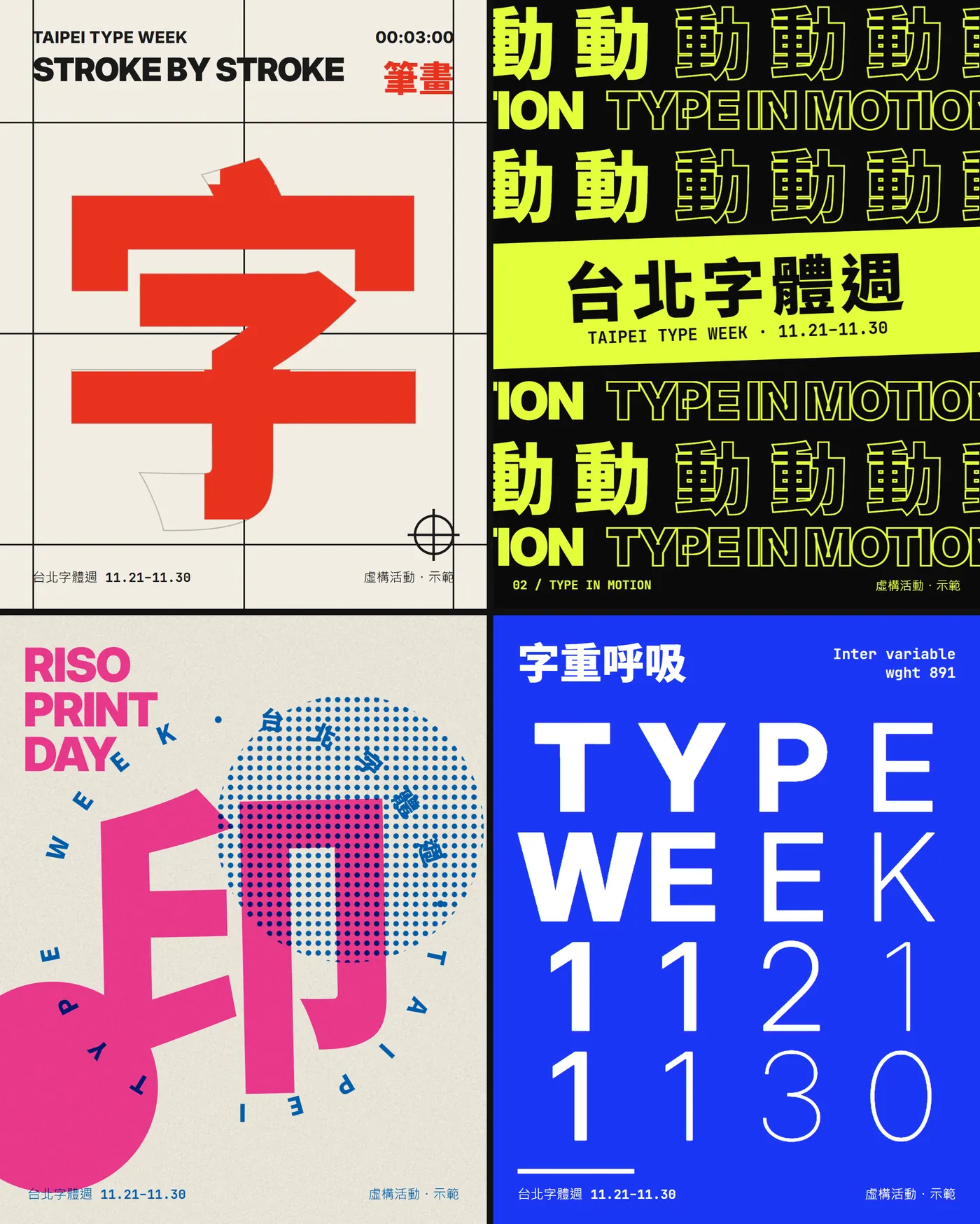
- A prompt you can edit and reuse (next section).
- 4 kinds of type motion and how to describe each one to Claude.
- seek(t): the trick that makes every frame land exactly.
- Two ways to export MP4: HeyGen's open-source HyperFrames, or the headless-Chrome script we used.
02Step 1: turn the idea into a prompt
Keep the specs and the styles separate. The specs are the same for every poster; the styles get one line each. Our real version used Taipei Type Week as the theme, and its 4 style lines became the 4 posters you see here.
Make a set of [number] animated type posters for [event or brand name] ([dates]).

Specs:
- Each poster is its own HTML file, [ratio and size, e.g. 4:5 portrait, 600×750], [length] seconds at 30fps, looping seamlessly.
- Use only HTML / CSS / JavaScript and local font files. No image files, no video AI.
- Every poster exposes a seek(t) function: give it a time in seconds and the frame freezes at exactly that moment, so it can be exported to MP4 frame by frame.
- Nothing on screen is ever completely still.

Styles (one line per poster):
1. [style name]: [which word or character is the hero, how it moves, background and text colour]
2. [style name]: [...]

Put the event name, the dates and a small line "[Fictional event · demo / your note]" on every poster.
03Step 2: how to describe 4 kinds of type motion
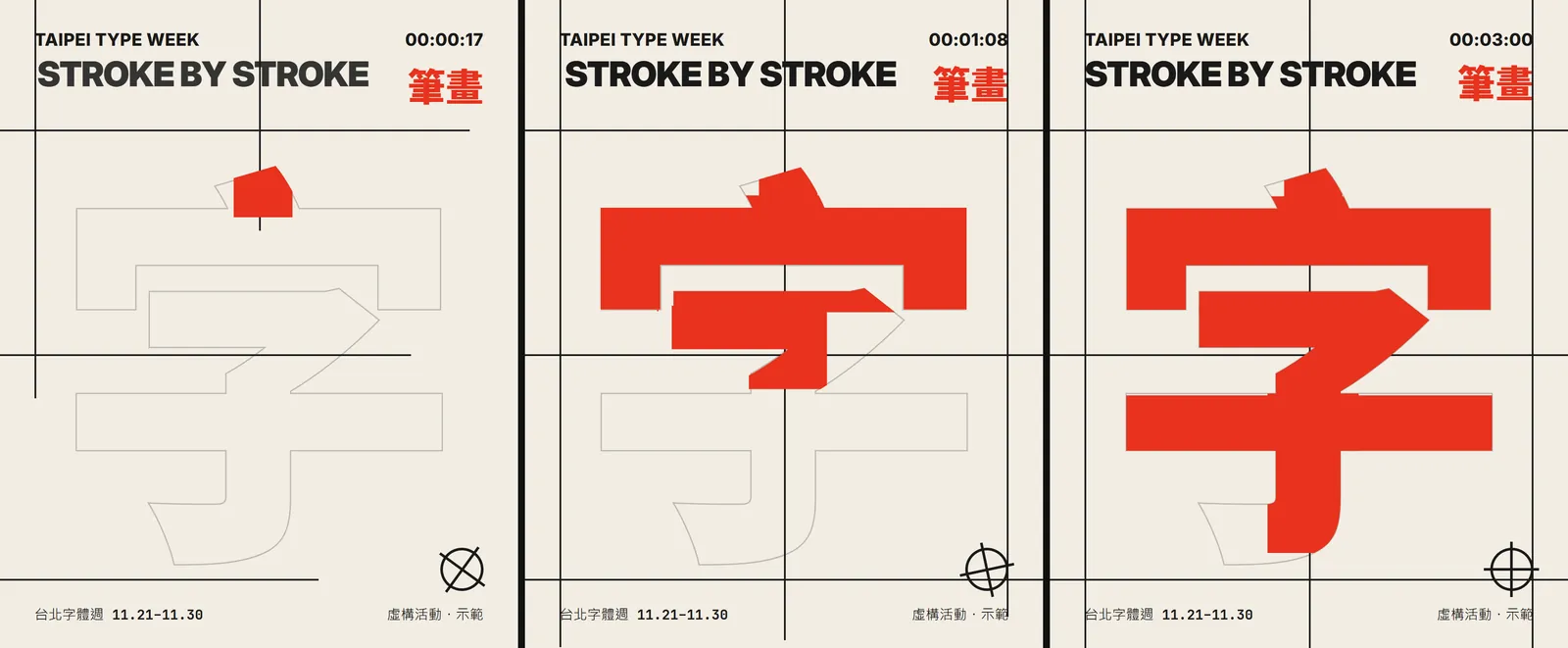
Stroke by stroke: one huge 字. Claude split the character into 5 bands and revealed them one at a time with clip-path, about 0.45 s apart, while a Swiss grid draws itself behind. In the last second it all wipes away, landing back on frame one.
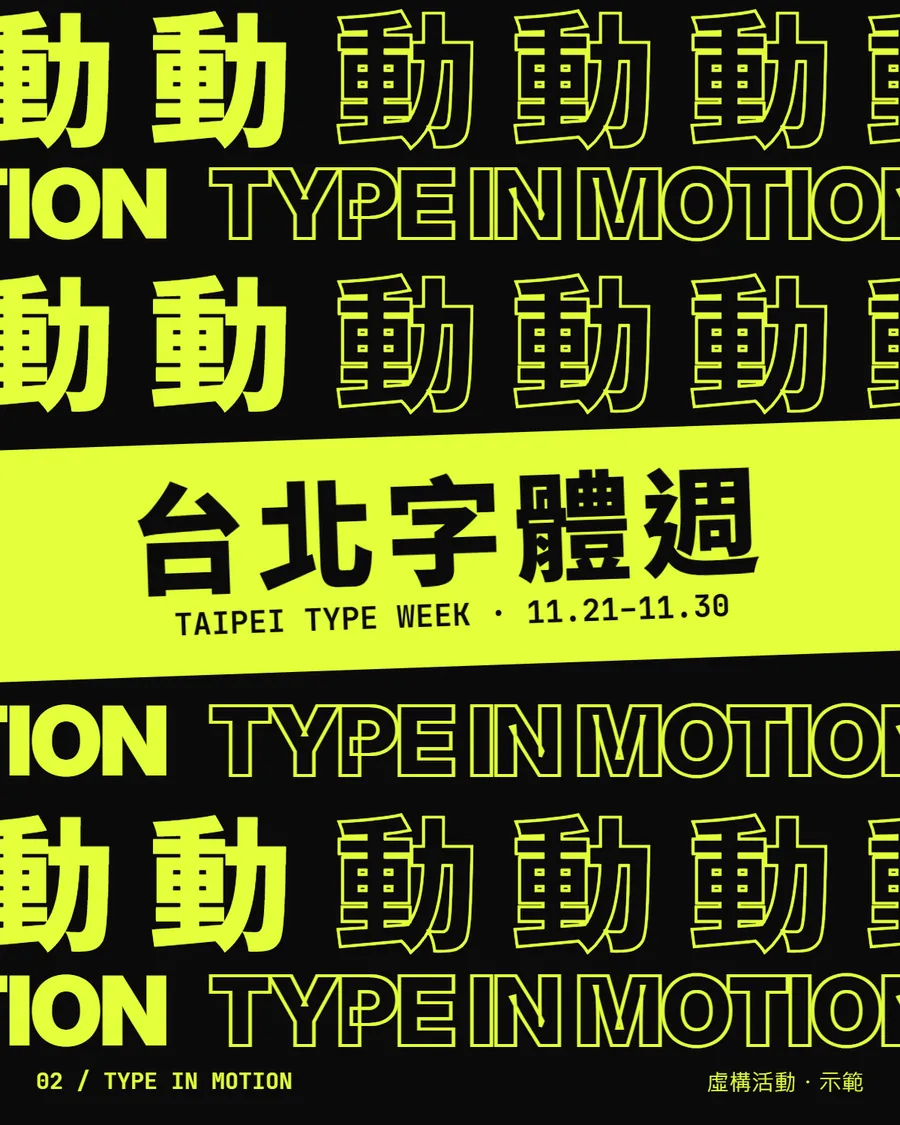
Marquee: neon yellow on black, rows of 動 and TYPE IN MOTION running in opposite directions, solid and outlined letters alternating. The Taipei Type Week band in the middle tilts slightly and its letter-spacing breathes.
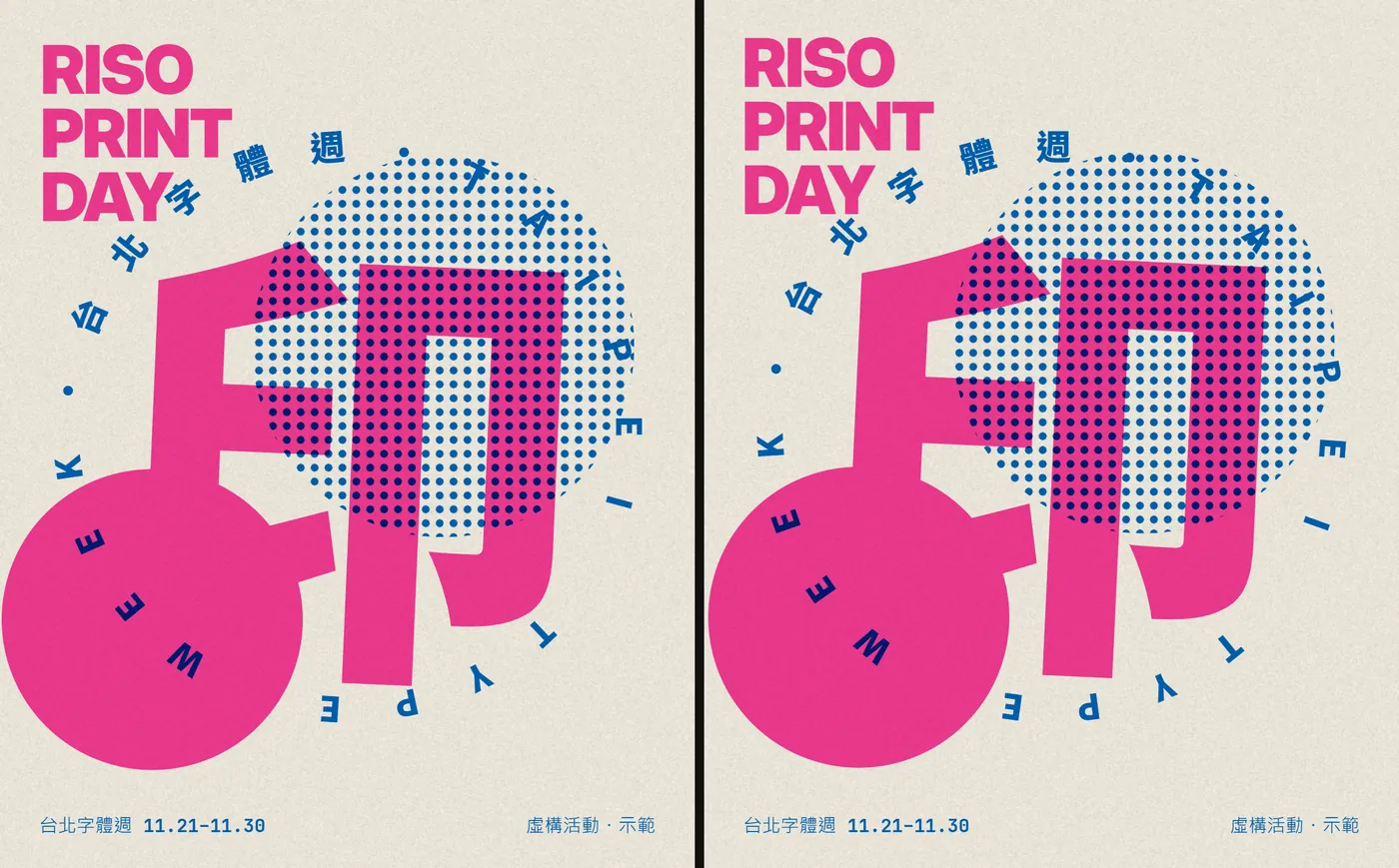
Riso print: a pink layer and a blue layer overprinted with mix-blend-mode: multiply, so overlaps go darker like real riso. The pink layer jumps out of register 8 times a second, and the paper grain is code-generated noise.
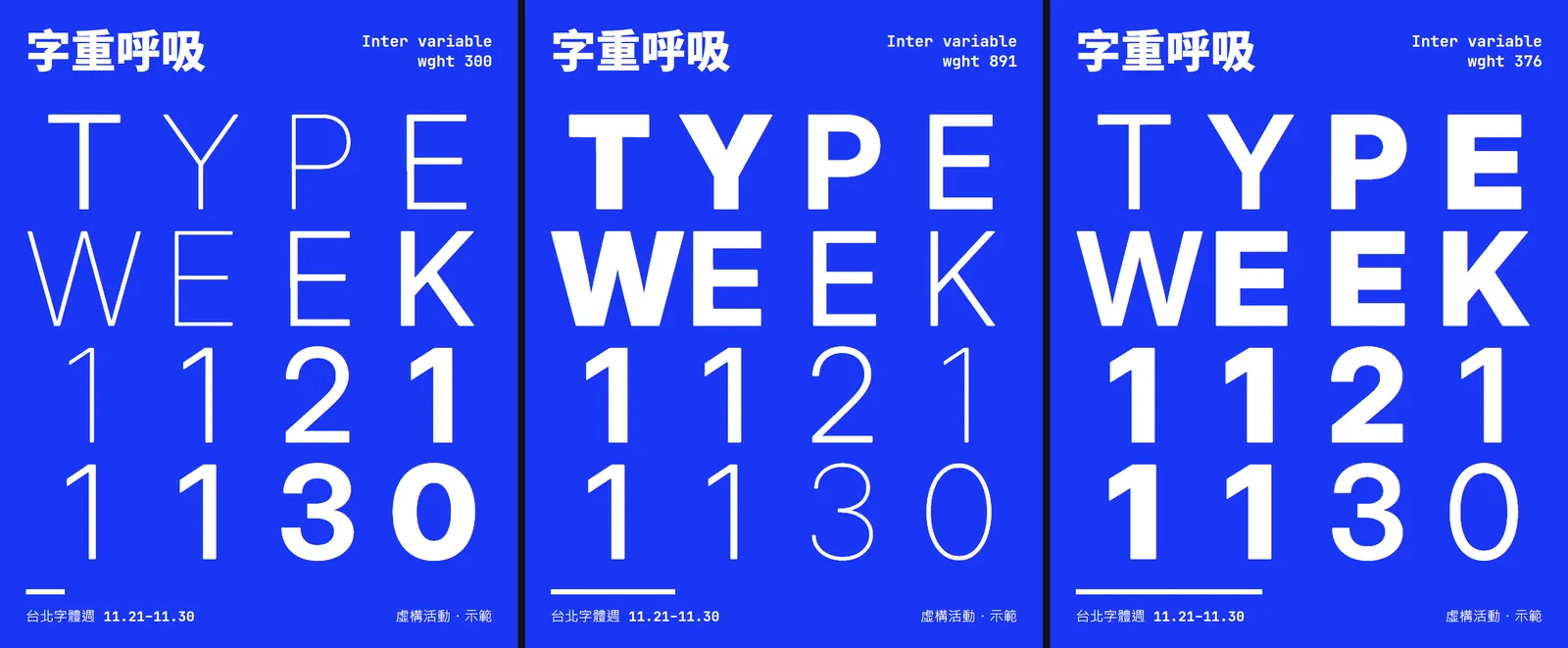
Weight wave: the letters keep getting bolder and lighter, like breathing. The variable font Inter swings between weight 100 and 900. Sixteen letters and numbers sit in a 4×4 grid, each slightly delayed from top left to bottom right, so the weight rolls through like a diagonal wave.
04Step 3: give every poster a seek(t)
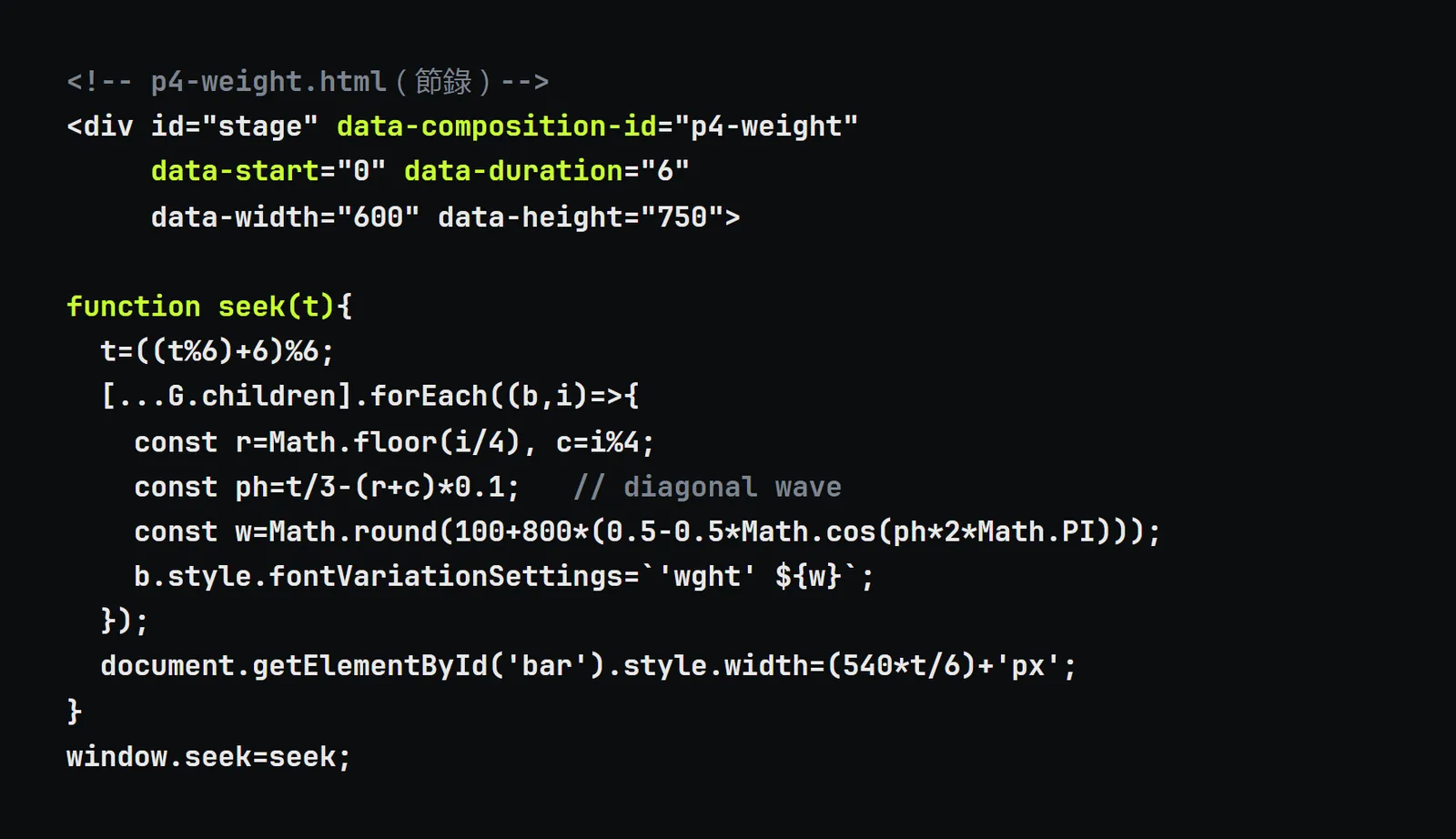
This is the most important trick in the whole guide. Ask Claude to give each poster a seek(t) function: pass a time in seconds and the poster freezes at exactly that frame. Every movement is calculated from t, not left to the browser's own playback.
- No dropped frames: however slow the computer, frame 87 is always frame 87, so the video never stutters.
- Seamless loops: start with t = t % 6 and second 6 equals second 0.
- Any frame can be the cover: seek(3) is the frame at 3 seconds.
- Avoid Math.random(): for randomness (like the riso misregistration), derive fixed pseudo-random values from the time so every export is identical.
05Step 4: export to MP4 frame by frame
With seek(t) in place, exporting is simple: open an invisible browser, jump to frame 1 and screenshot, jump to frame 2 and screenshot… then join the screenshots into a video. Every frame is computed on your own computer: no uploads, no credits.
Option A: use HyperFrames, ready-made. It's HeyGen's open-source framework, summed up as "Write HTML. Render video. Built for agents.", under the Apache 2.0 licence. It needs Node.js 22+ and FFmpeg.
- In your terminal, type: claude plugin marketplace add heygen-com/hyperframes
- Then: claude plugin install hyperframes@hyperframes (other AI tools can use npx skills add heygen-com/hyperframes)
- Create a project: npx hyperframes init my-video, then cd my-video
- Preview: npx hyperframes preview (live reload in the browser)
- Export: npx hyperframes render to get an MP4
- HyperFrames (GitHub) — Open source by HeyGen, Apache 2.0
- HyperFrames docs — English
Option B: what we actually used. To be honest, these 4 posters were not rendered with HyperFrames. Claude wrote them in the HyperFrames style, then wrote a separate headless-Chrome script: puppeteer-core calls seek() for each frame, takes a screenshot and pipes it straight into ffmpeg to make the MP4. All 720 frames ran locally.
Write me a Node.js script that exports every HTML poster in [folder] to MP4:
- Use puppeteer-core to open headless Chrome with the viewport set to [width×height].
- Wait for the fonts to load, then for every frame from 0 call seek(frame ÷ 30) and screenshot #stage.
- Pipe the screenshots straight into ffmpeg at 30fps, H.264, yuv420p.
- Each poster is [length] seconds; save to [out folder].
06Good to know
- TAIPEI TYPE WEEK (11.21–11.30) is a fictional event; all 4 posters are demos and are labelled as such.
- Use fonts licensed for commercial use. Noto Sans TC, Inter and JetBrains Mono, which we used, are all under the SIL OFL.
- Keep font files next to the HTML with relative paths, and wait for fonts to load before capturing, or frame one shows the system fallback font.
- Before posting to Reels, place the 600×750 poster inside a 1080×1920 frame, or ask Claude to build it at 9:16 from the start.
- HyperFrames is HeyGen's open-source project; follow the official GitHub for commands, as they may change between versions.