Turn Claude Code into an animation studio: four 12-second films drawn frame by frame in code, no video model
One prompt in Claude Code (Opus 5.5, effort high): research, a style bible, four films drawn in canvas code, a code-made score, self-checks and MP4 export.
Watch the reel on InstagramComment #逐格 to get this guide
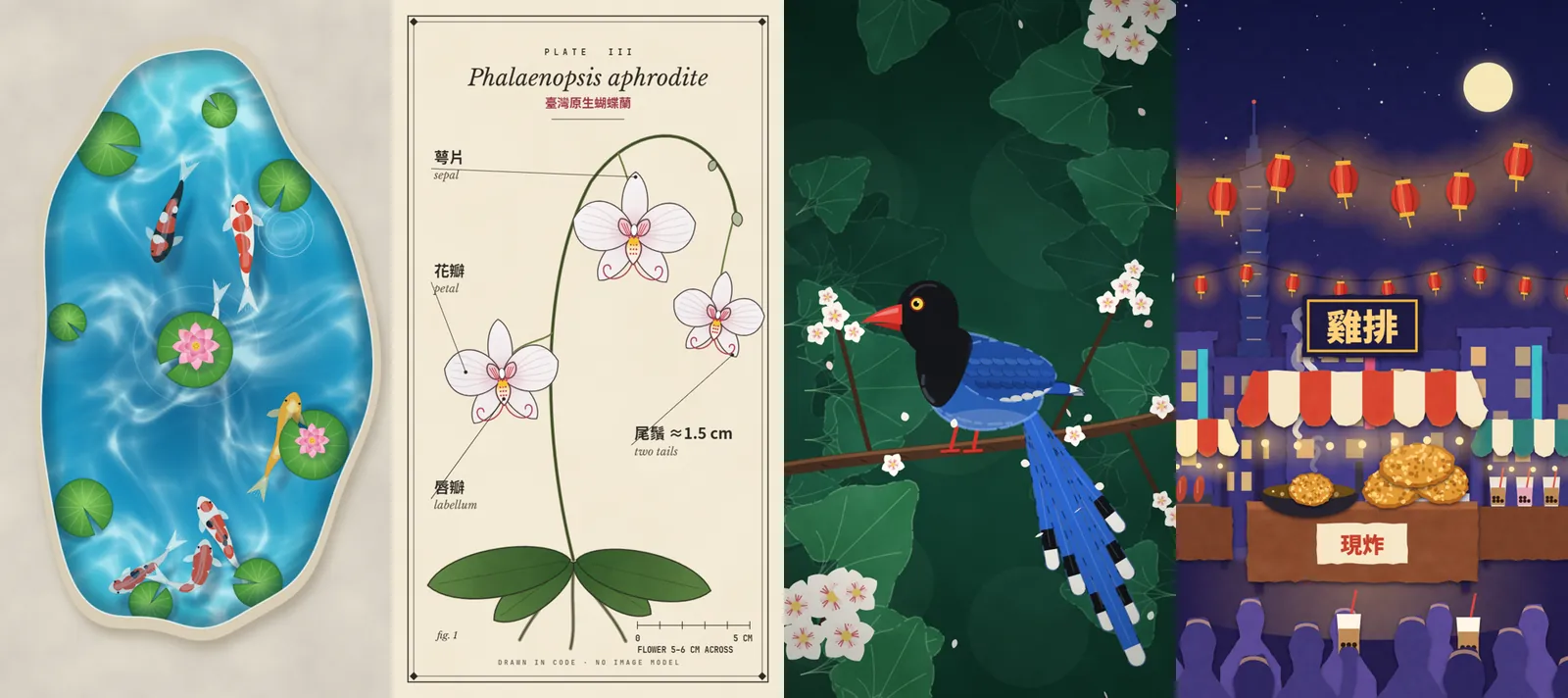
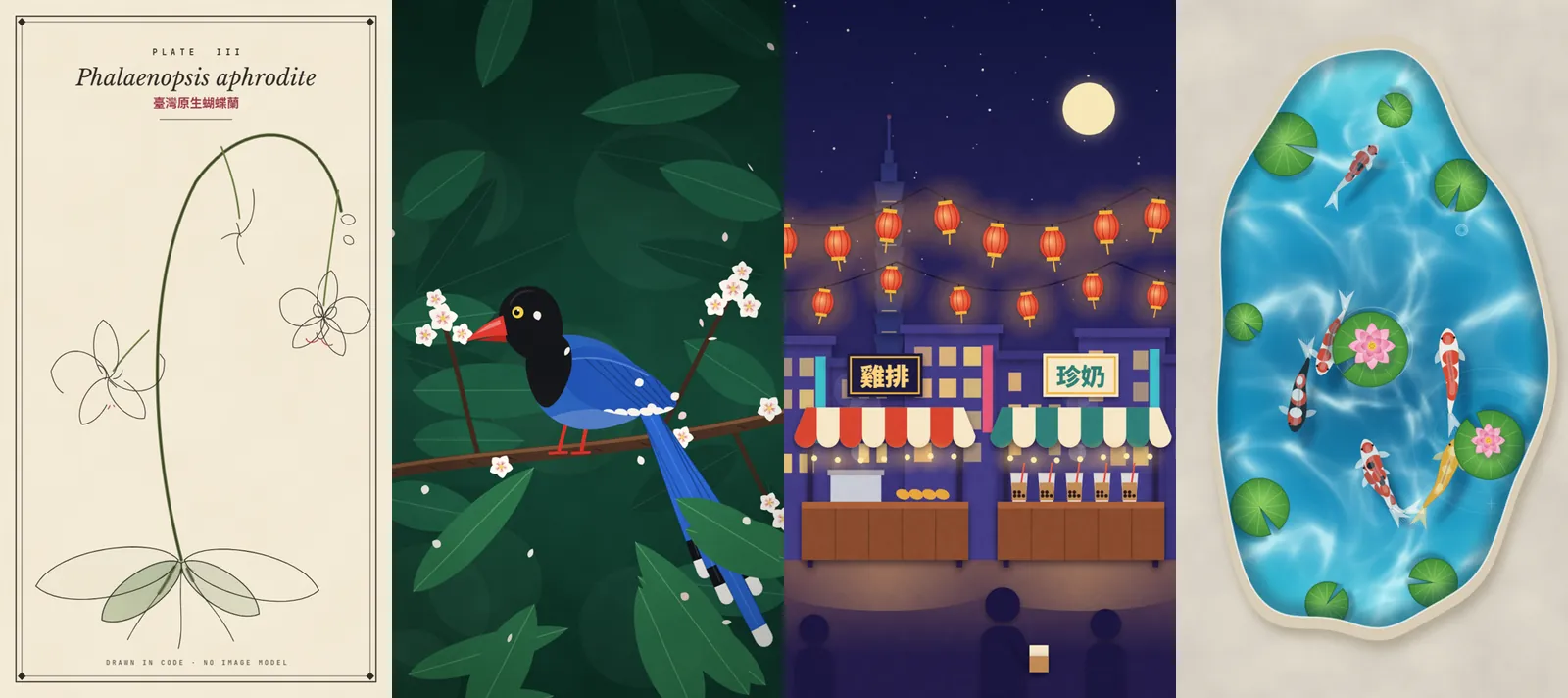
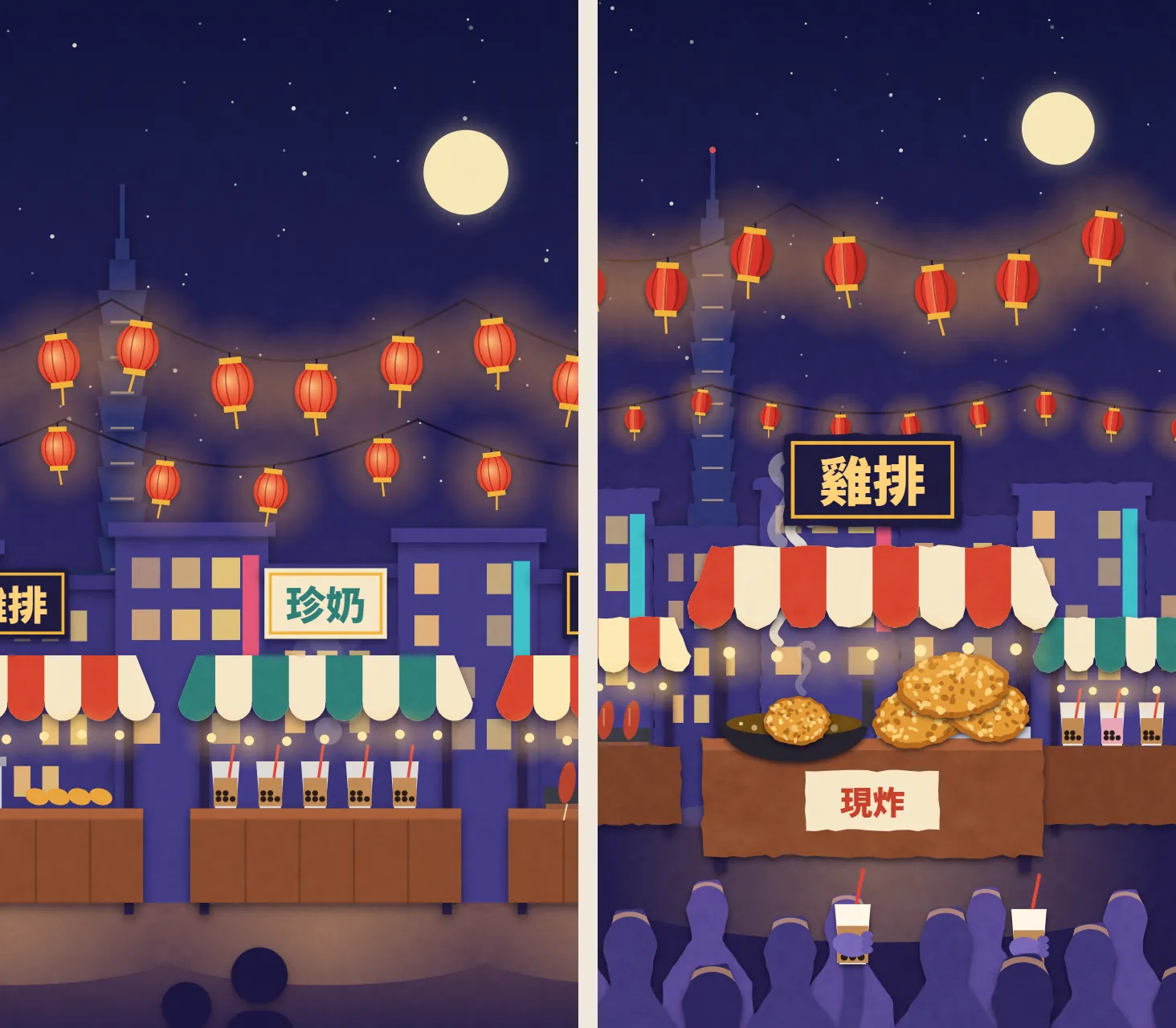
The four films in the reel, a koi pond seen from above, a botanical plate of Taiwan's native moth orchid, a Taiwan blue magpie on a branch of tung blossom and a cut-paper night market, contain no AI-generated images and used no video model. Every frame was drawn by Claude in Claude Code with canvas / JavaScript, and even the background music was computed by code.
We ran the same prompt four times, changing only the subject and the style. This guide gives you the full prompt, the 6 steps Claude actually went through, and the things that tripped us up.
01Why draw in code instead of using an AI video model
Output from a video model is hard to change: if you want the fish to swim slower or the lanterns a different red, you can only roll again, and every roll is different. Code-drawn animation is the opposite.
- Every frame is under your control: the fish's path, how fast petals fall, how far a lantern swings are all numbers in the code.
- Change one thing and the whole film updates: swap the palette and all 360 frames change.
- Characters never drift: the magpie in frame 1 and frame 360 is the same bird, because the same code draws it.
- The result is one .js file plus one .html file, which you can export again and again or play straight on a web page.
- The music can be computed too: no stock library, no licensing worries.
02Before you start: install Claude Code, switch to Opus 5.5 and effort high
This workflow runs in Claude Code (Claude in your terminal), because it has to write files, run programs, take screenshots and fix things itself. The web version of Claude can't do that.
- Install Claude Code following the official docs (a paid Claude plan is needed), then type claude inside your project folder to open it.
- Type /model and pick Opus 5.5. Drawing code has a lot of fine detail, and the strongest model saves many back-and-forths.
- Type /effort high so it thinks a little longer before acting. All four demo films were made with this setting.
- Prepare 2 or 3 style references: your own work, a colour palette, or images you have the rights to use. Drag them straight into the chat.
- Claude Code docs: Overview — Installation and basics
- Claude Code settings reference: /effort — What the effort levels do
03The all-purpose prompt (replace the [ ] parts)
This is the prompt from the reel. The subject matters less than the 7 rules after it: they force Claude through a real animation studio's process instead of dumping code in one go.
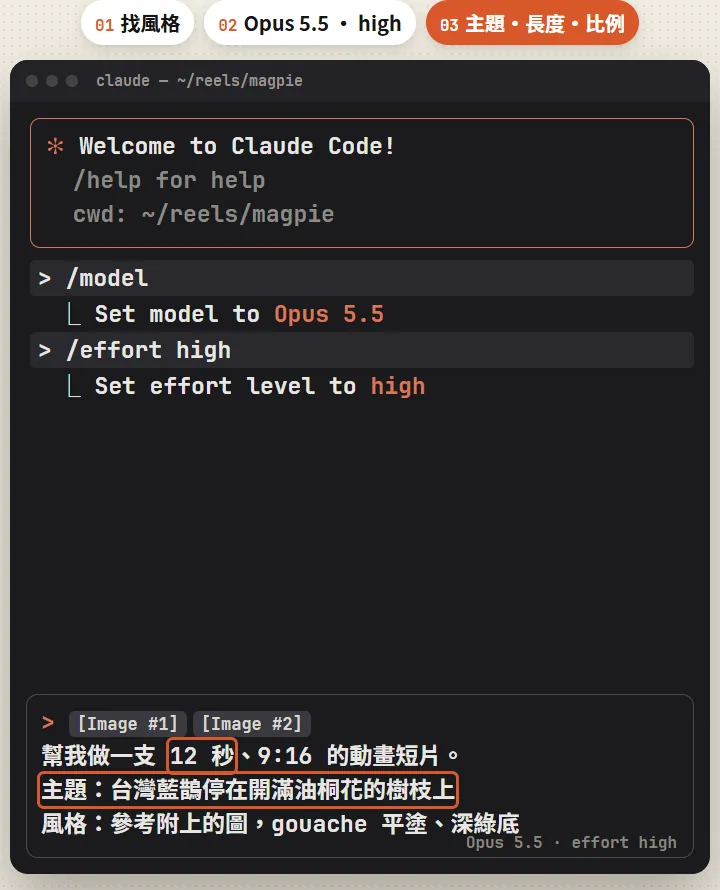
Make me a [12]-second, [9:16] animated short.
Subject: [a Taiwan blue magpie perched on a branch full of tung blossom]
Style: match the images I attached — [flat gouache, dark green background, big leaves, visible paper grain]
Rules:
1. Draw every frame in code (canvas / JavaScript). No image or video models.
2. Research the subject first; shapes and colours must be correct.
3. Write a style bible (palette, line, texture, motion rhythm) and a shot list before you draw.
4. Every shot must really move. No slideshows.
5. Synthesise the music in code too: quiet and gentle.
6. When done, screenshot your own work and check it: does it still look good at phone size? Anything broken, too empty, too crowded? Fix it and check again.
7. Export an MP4 at 30 fps.
04Step 1: research first, so shapes and colours come out right
After you paste the prompt, the first thing Claude does is not write code. It searches the web for the subject and writes a notes file. This step decides whether the drawing looks like the real thing.
- Taiwan blue magpie: head, neck and breast black, the rest mostly blue; bill and legs red, eyes yellow; a very long tail with white tips and a black band before each tip, stacked like a ladder.
- Taiwan's native moth orchid: native to the island's south-east, flowers 5 to 6 cm across, a three-lobed lip with a yellow callus, and two slender tails about 1.5 cm long on the mid-lobe.
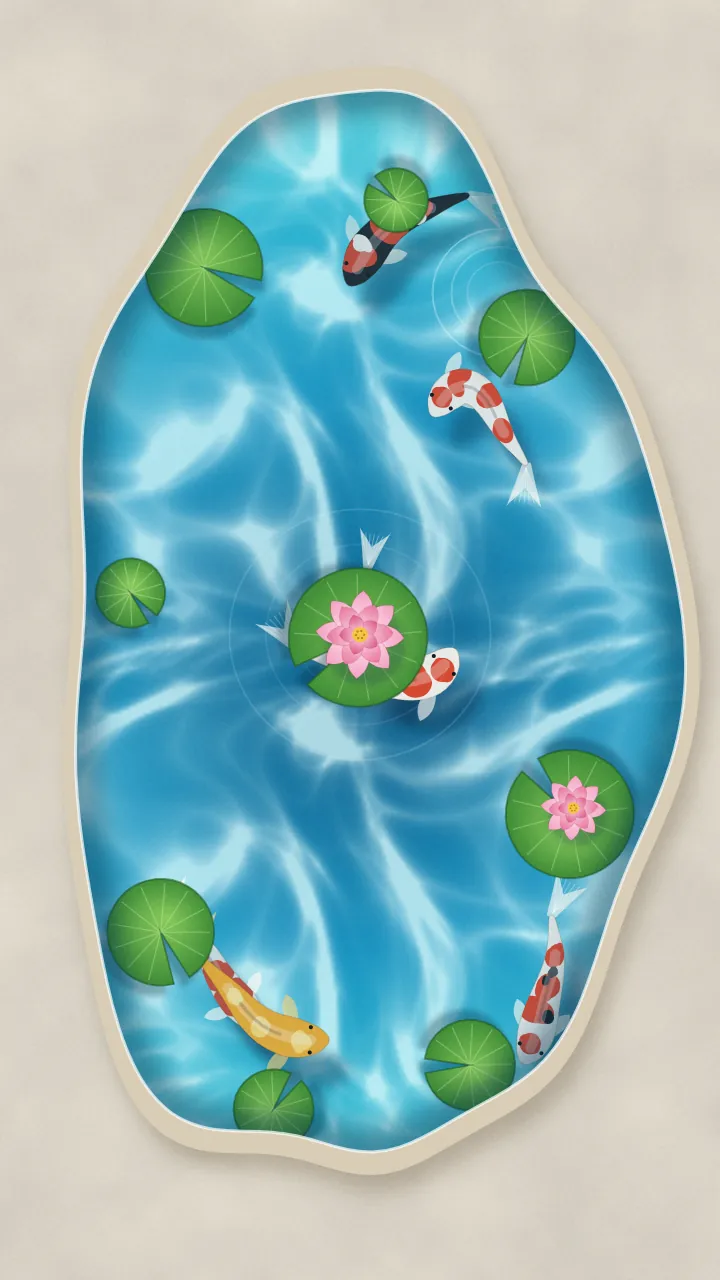
- Koi: seen from above the pectoral fins splay out to the sides and the tail fin is translucent; varieties used were Kohaku, Sanke, Showa and Yamabuki.
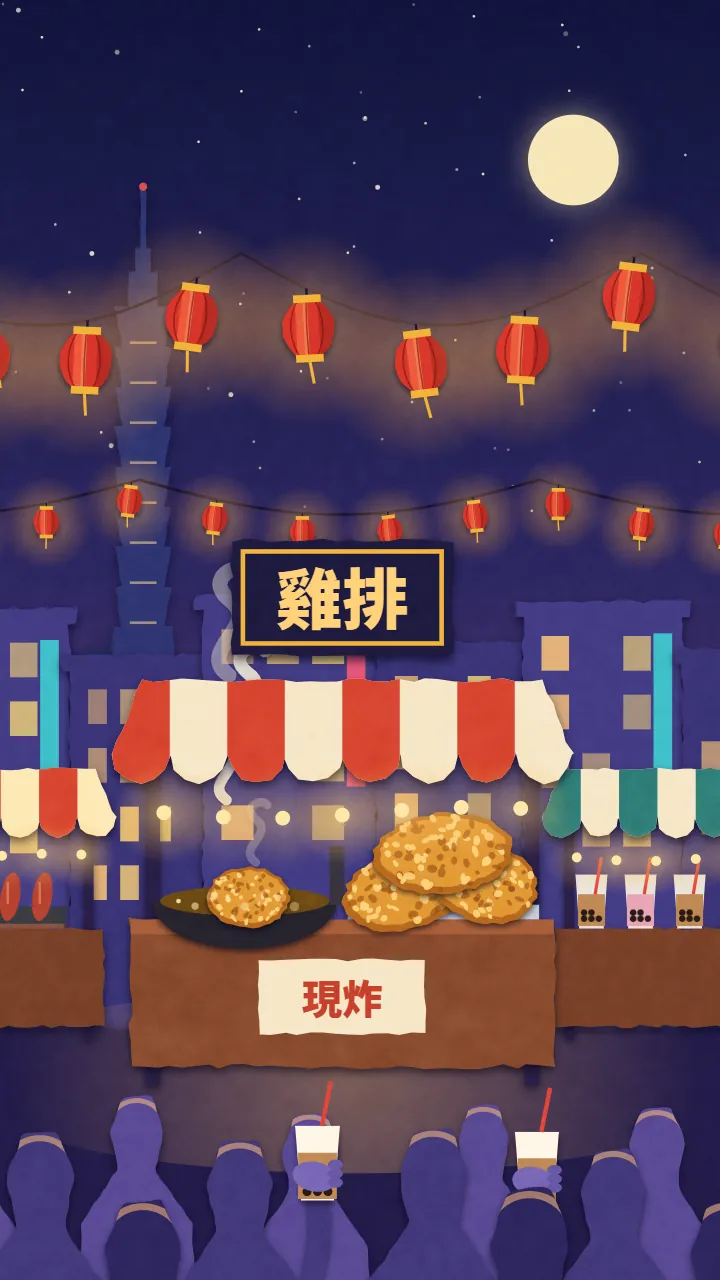
- Night market: red lanterns, striped awnings, vertical signboards (fried chicken, bubble tea, grilled sausage), steam, strings of bulbs, Taipei 101 on the skyline.
05Step 2: a style bible and shot list, one sheet for all four films
Next it writes a style bible: the palette, line and texture, and motion rhythm for each film, all pinned down as HEX codes and seconds. The drawing code then pulls its colours from that sheet, which is what keeps the four films consistent.
- Koi pond: paper #EFE8DA, deep water #0E6F9A to shallow #5AD4E0, no outlines, a light field and soft shadows; body undulation travels head to tail, a ripple ring every 2 seconds.
- Orchid: plate paper #F2EBDA, ink #2E2A24; ink line first, then watercolour washes, then labels; line draw 0 to 3 s, washes 2 to 5 s, labels 4 to 8 s.
- Blue magpie: dark green #0F3A2D to #1C5640, magpie blue #2F6FD6, bill and legs #E0342B; flat shapes with dry-brush highlights; breathing, head turns, tail bob, petals falling throughout.
- Night market: sky #171B45 to #3B2F6E, lanterns #E23A2A with gold #F2B43A; every layer gets a drop shadow and paper grain; slow pan, swinging lanterns, rising steam.
The shot list is short, one paragraph per film: what happens at which second. The magpie turns its head at 2.5 s and 7 s, flicks a wing at 5 s and calls at 9.5 s; after 8 s the orchid only sways in the breeze.
06Step 3: draw every frame in code
Only then does it write the drawing code: one .js file per film, built around a single function that says "give me time t and I draw that frame". The canvas uses 540×960 coordinates and is scaled to 720×1280 on export, so the resolution can change at any time. The four films plus the shared helpers come to 577 lines of code.
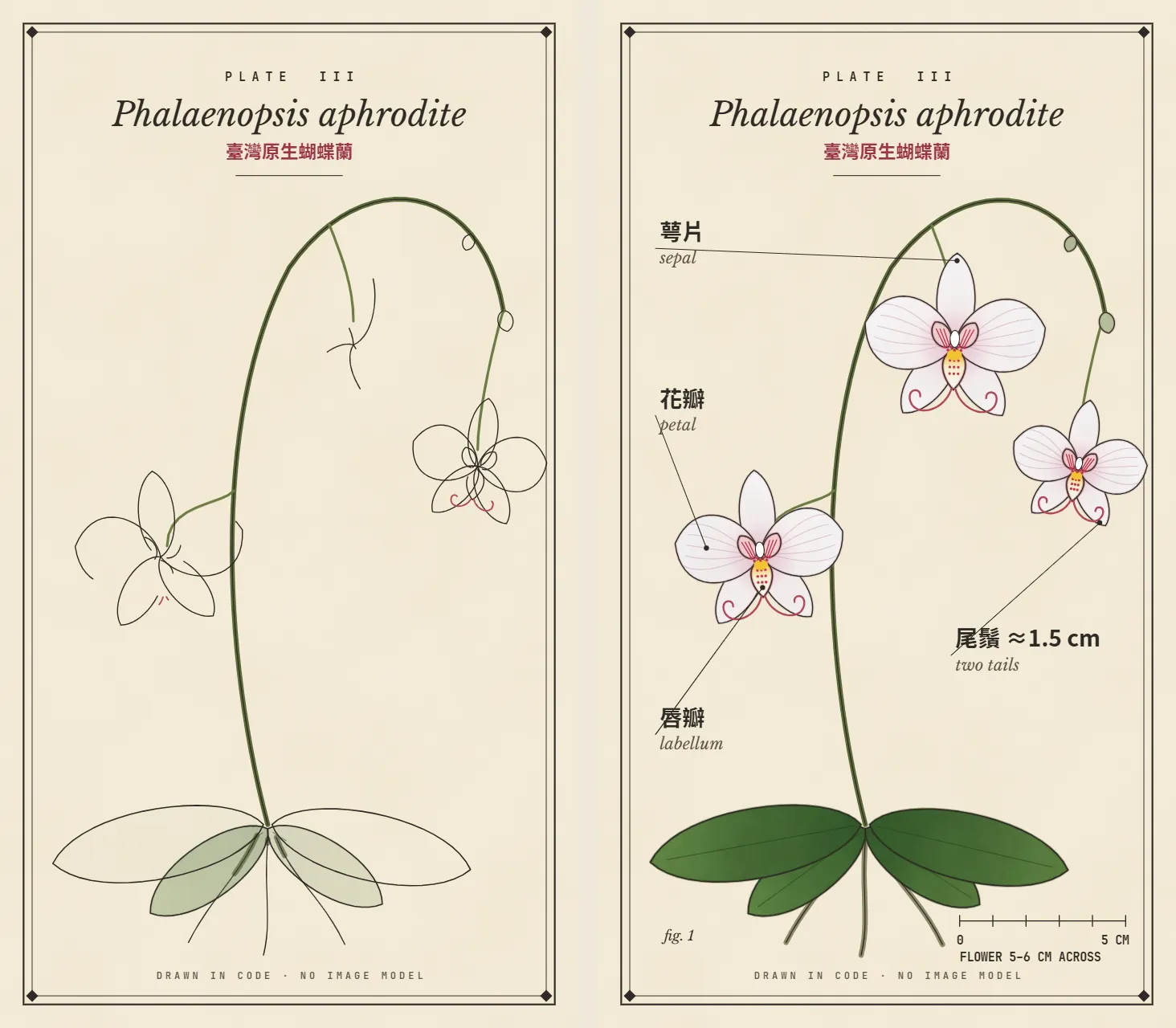
"Draw the line, then colour it in" is the kind of animation code does best. The stroke reveals itself segment by segment over time, and the watercolour is several semi-transparent, uneven-edged washes stacked up, which gives the bleed.
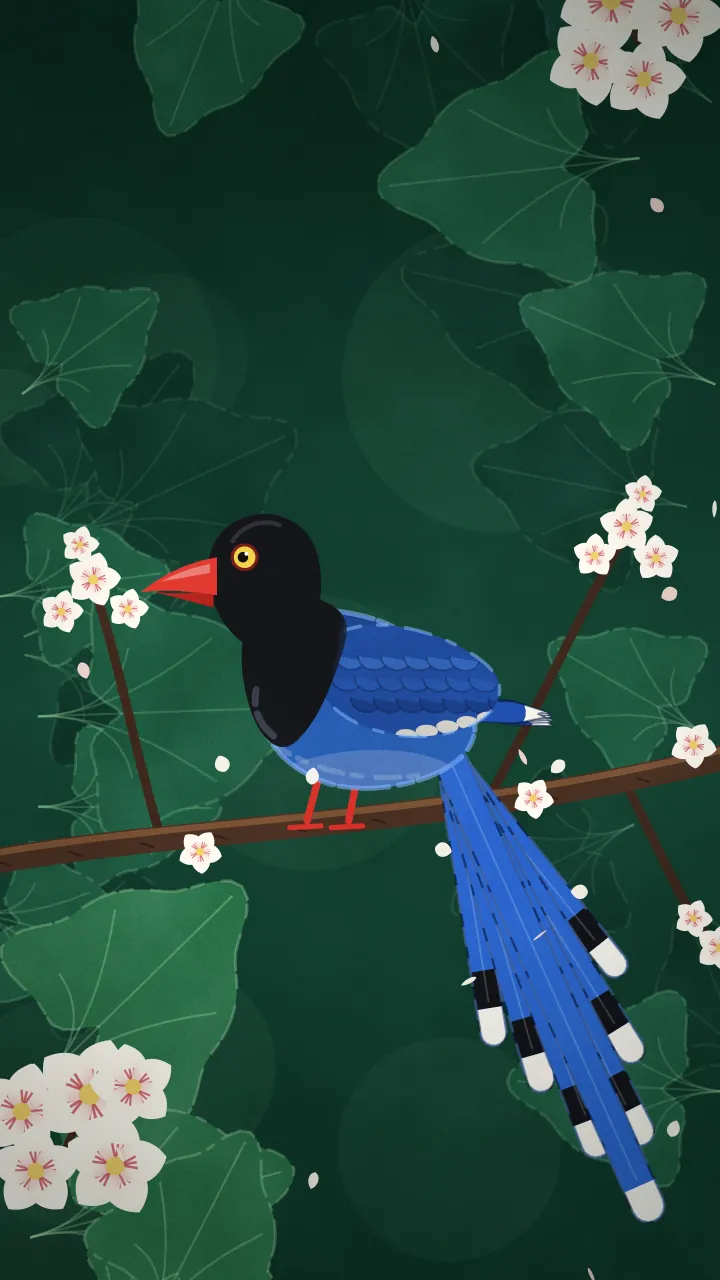
The magpie's body is flat colour built from stacked shapes, with dry-brush strokes on top for highlights. The tail feathers are drawn one by one, each with its black band and white tip, so the tail doesn't turn into a blue slab when the head turns.
07Step 4: compute the music in code too
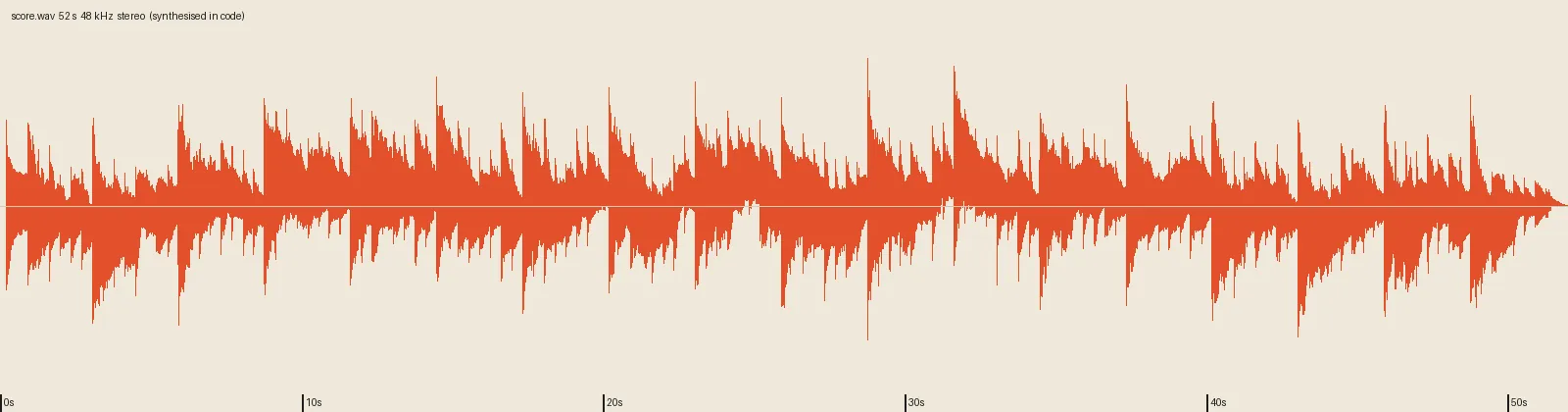
No music library, no music model. Claude wrote a 46-line program that simulates plucked strings with the old Karplus-Strong method (a short burst of noise, filtered over and over, turns into a pluck), adds a very soft sine-wave pad, and runs it through a simple reverb. D major pentatonic, 84 BPM, a chord change every 4 bars, written out as a 48 kHz WAV. That track is the background music of the reel.
08Step 5: screenshot, self-check, fix until it passes
This is the step most worth copying. It screenshots each film at several moments, shrinks them to phone size, then scores them in a separate "design checker" role and lists what to fix. We ran three rounds: 6, then 7, then 8 out of 10 and a pass.
- Round 1, 6/10: the market doesn't read as cut paper, add layer shadows and torn edges; the magpie needs primaries and broad tung leaves; the orchid lip must be three-lobed with a yellow callus; remove the koi "+" marks and stop the fish overlapping.
- Round 2, 7/10: the cutlets look like waffles, the steam like bubbles, the lanterns too glossy for paper; the magpie's hood is two stacked circles with a seam; the orchid's scale bar disagrees with the flower size.
- Round 3, 8/10, pass: only polish left, such as drawing hands on the crowd's drinks and bowing the magpie's head a little deeper.
09Step 6: export the MP4
Finally it wrote an export script: open the player page in a headless browser, screenshot frames 0 to 359 one by one, and pipe them to ffmpeg to encode a 30 fps MP4. Each 12-second film is exactly 360 frames; the four together are 1,440 frames.
- Your computer needs Chrome and ffmpeg. If they're missing, Claude tells you how to install them.
- Grab a few frames with --check before exporting, confirm they look right, then run the full film to save time.
- Re-exporting is fast: change the code and run it again, no "regeneration".
- For Instagram, change 720×1280 to 1080×1920 and export once more.
10Same prompt, new subject: our 4 fills
All four films used exactly the same prompt; only the subject and style lines differed. You can reuse them as they are:
- Koi pond: subject "a koi pond seen from above, light on the water and water lilies"; style "bright aqua, a cream paper rim, no outlines".
- Orchid: subject "a botanical plate of Taiwan's native moth orchid with the parts labelled"; style "old plate paper, ink line first then watercolour, italic Latin plus Chinese labels".
- Blue magpie: subject "a Taiwan blue magpie perched on a branch full of tung blossom"; style "flat gouache, dark green background, big leaves, visible paper grain".
- Night market: subject "a cut-paper night market story with red lanterns, stalls and steam"; style "layered night-time paper cut, a shadow on every layer, Taipei 101 in the distance".
11Good to know
- All four demo films were drawn in code by Claude Opus 5.5 inside Claude Code, with no image or video model; the Claude Code screen in the reel was redrawn for legibility, but the commands and content are as typed.
- Opus 5.5 with effort high uses a lot of your quota. Start with one 12-second film, and only go longer once the process runs smoothly.
- Ask for sources in the research step, and double-check animal and plant colours and sizes yourself; AI occasionally mixes the features of two birds.
- Use commercially licensed fonts for any text drawn in code, for example Noto Sans TC (SIL OFL); our italic Latin is Libre Baskerville and the labels are JetBrains Mono, both open-source fonts.
- Exporting needs Chrome and ffmpeg. Let Claude walk you through installing them the first time instead of grabbing installers from random sites.