A text bead curtain with Claude Code: 40 strings of letters that swing, snap and blow in the wind (prompt + demo)
One prompt, real physics: Claude Code hangs 1,200 Chinese characters on 40 strings. Push through and they swing, click to cut, add wind. Prompt + live demo.
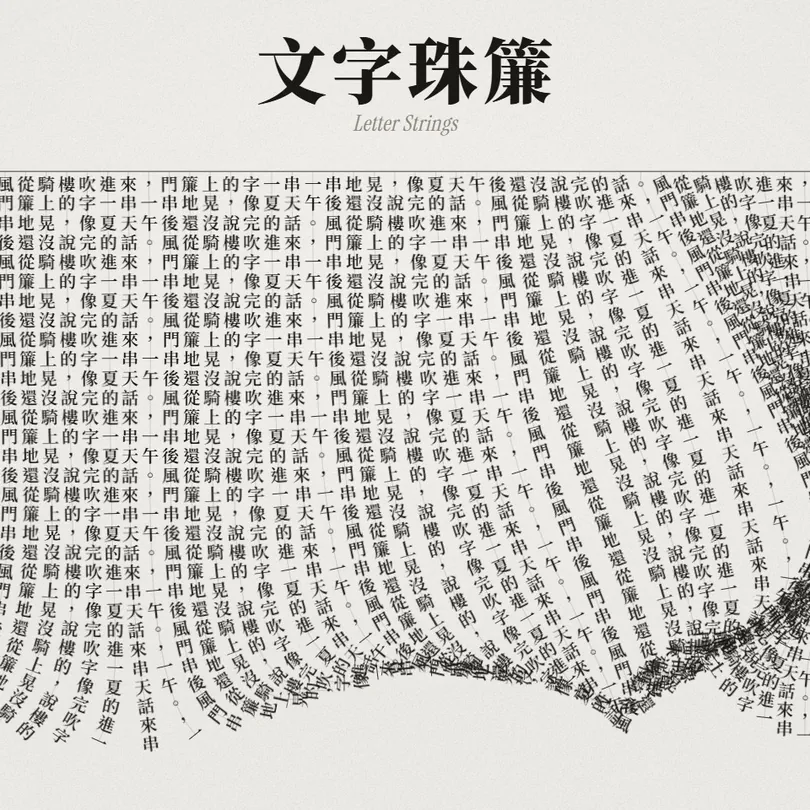
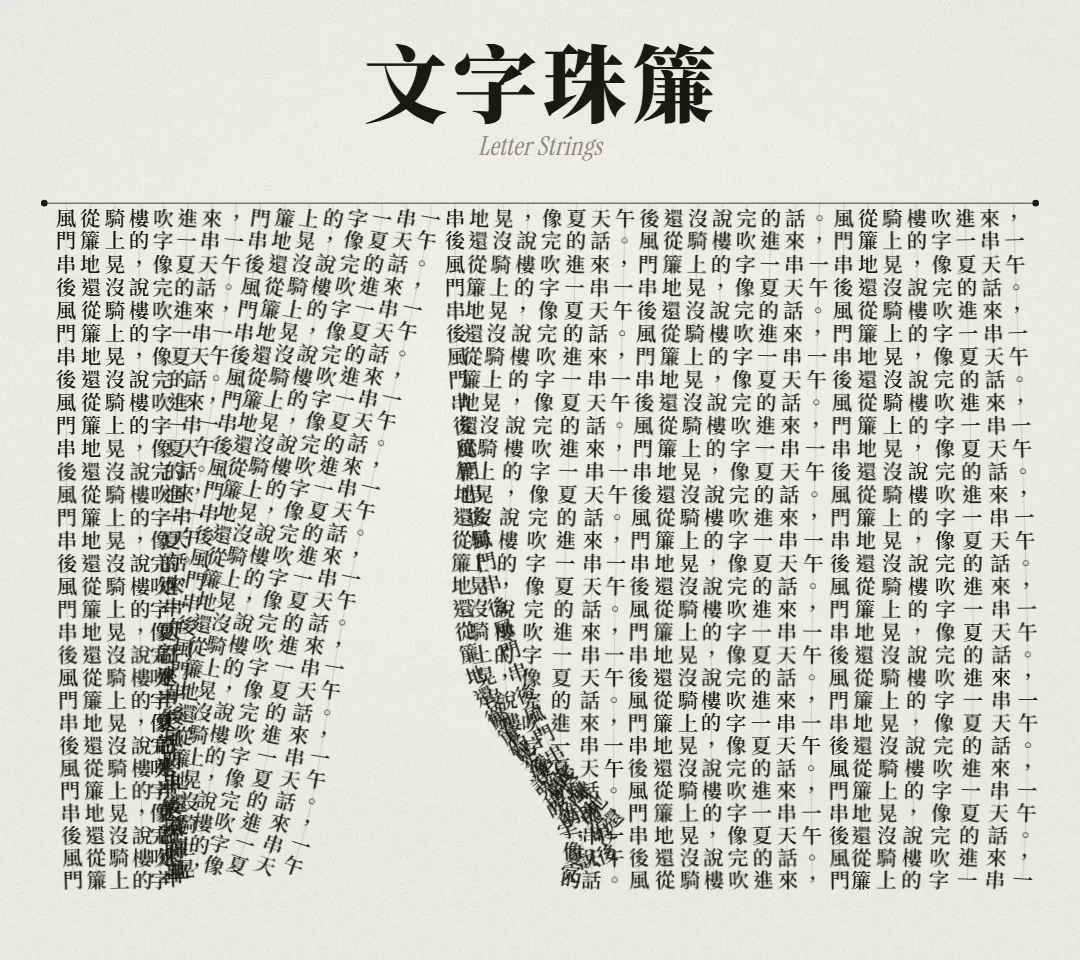
Move the mouse through and a whole wall of Chinese characters parts like a doorway curtain: it swings, bunches up, then slowly swings back into place. Click, and a string snaps and its letters drop to the floor. This is not a video and not a pre-made animation: 40 strings, 1,200 characters, and every character is a point pulled by gravity and pushed by the mouse, so it never moves the same way twice.
The whole page was written by one fresh Claude Code agent from one prompt, in one go, and we didn't change the code. Here you get: the page to play with, the full prompt we used (swap the [] parts for yours), the four physics sentences that make it feel like a real bead curtain, how cutting and wind are written, and the trap to avoid when you put in your own sentence. Every image below is a real recording of that page.
01The result: 1,200 characters hung as a bead curtain
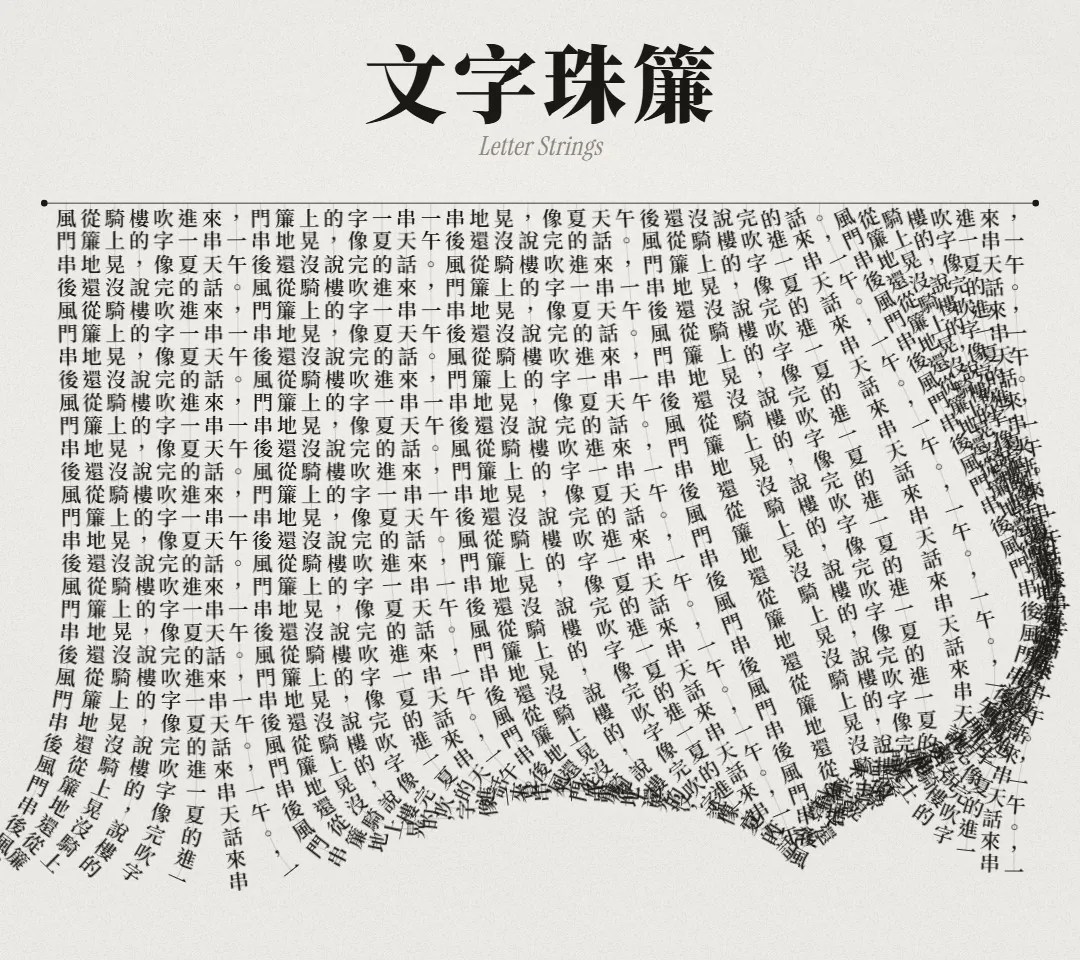
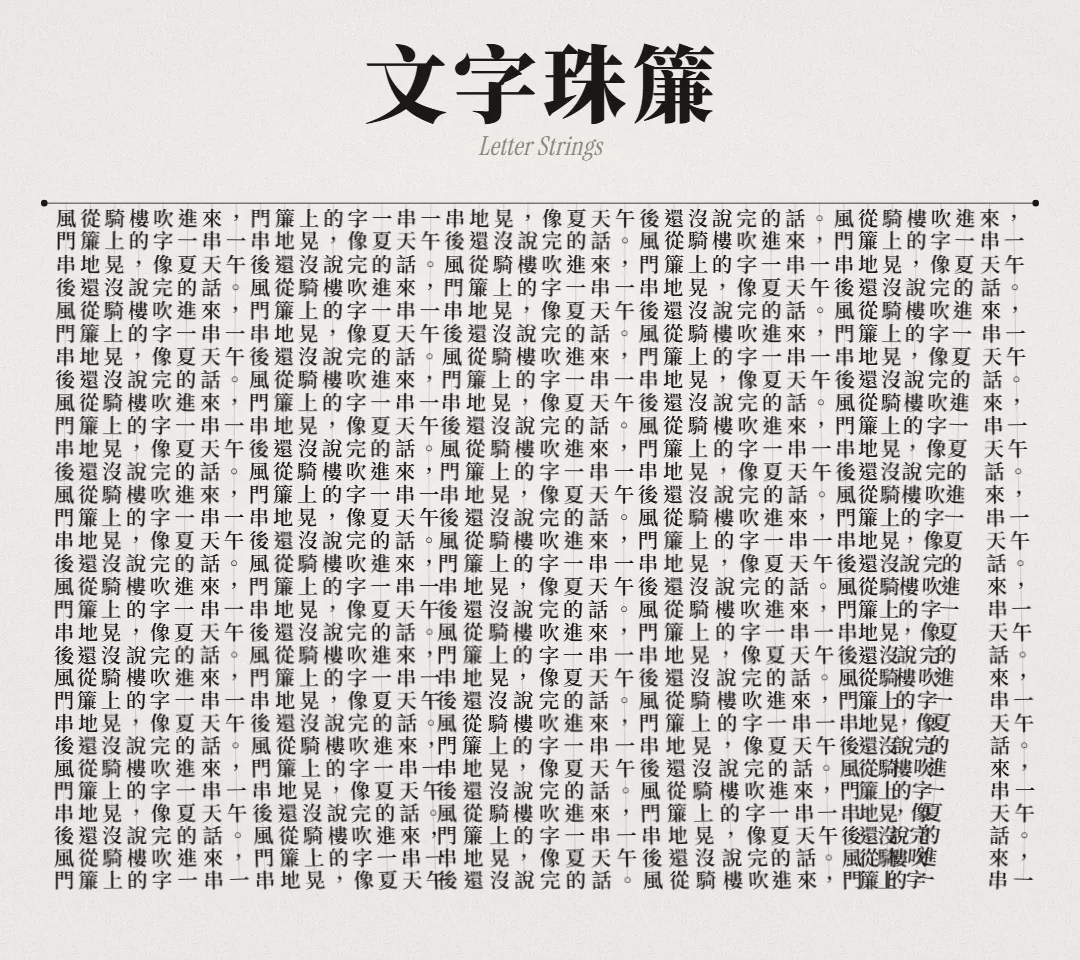
The page is quiet: a warm grey background, a heavy serif title 文字珠簾 (text bead curtain) and an italic line, Letter Strings. Below hangs a thin rod with 40 strings, 30 points per string, one character per point. The text is a line we wrote ourselves, filled from the top left row by row and repeated: 「風從騎樓吹進來,門簾上的字一串一串地晃,像夏天午後還沒說完的話。」 (The wind slips in under the arcade, the letters on the curtain sway string by string, like words left unsaid on a summer afternoon.) At rest it is one perfectly tidy block of text.
Every character turns with the angle of its piece of string: when the string tilts, so does the character. The whole page is one index.html drawn on a 2D canvas, with no libraries and no images. Try it:
- Try it: the text bead curtain (with toolbar) — Mouse on desktop, finger on a phone; the font is about 5 MB, so the first load takes a few seconds
- Try it: the clean version, curtain only — No toolbar; most of the video shows this version
- Move slowly through the middle of the curtain and watch the strings part and slowly swing back.
- Flick through fast: the letters are thrown to one side and bunch up.
- Draw a few circles inside the curtain: the strings tangle, then untangle by themselves when you let go.
- Click: the string closest to the cursor snaps and the piece below drops to the floor.
- Press 起風 (Wind) to make it all lift, and 重新掛好 (Rehang) to put everything back.
- Type your own sentence in the input at the bottom and press Enter.
02One prompt: layout, physics and interactions in one go
- Make an empty folder with a fonts/ folder inside holding three fonts: a Chinese serif (we used the variable Noto Serif TC), an italic Latin serif (Instrument Serif) and a sans-serif. You can skip this; it may then use web fonts or system fonts instead.
- Open Claude Code in that folder.
- Paste the whole prompt below (swap the [] parts for yours) and press Enter.
- When index.html is done, run npx serve (or any local server) in the folder, open the address it prints in your browser, then move and click around.
Build me a single-file interactive web page (HTML, CSS and JS in one file, canvas 2D, no libraries): "[Letter Strings]".

Layout:
- A faint [warm grey] paper-like background (around [#ECEAE5]), very clean and quiet, like a typographic poster.
- Centred at the top, a very large black serif title "[Letter Strings]" (a heavy serif), with one small grey italic line under it: "[a text bead curtain]".
- Under the title is the hero: a curtain made of text. About [40] vertical strings hang side by side, each made of about [30] points, and the top point of each string is pinned. Every point draws one character (black serif, about 14-15 px). At rest the whole thing is one dense, perfectly tidy block of text, like a bead curtain hanging in a doorway. The curtain takes up about 90% of the page width.
- The characters: use this sentence, filled from the top left, row by row to the right and down, repeating as needed:
  "[The wind slips in under the arcade and the letters on the curtain sway, string by string, like words left unsaid on a summer afternoon.]"
- Every character turns with the angle of its piece of string: when the string tilts, the character tilts with it.

Physics (it must be real physics, not a pre-made animation):
- Use Verlet integration: each point remembers its current position and its position one step earlier; gravity pulls down; add a little damping so the swinging slowly dies down.
- Neighbouring points on the same string are held together by a distance constraint (iterate it a few times per step), so a string can stretch a little and spring back, but it never breaks.
- When the mouse (a finger on a phone) moves through, points within a radius are pushed away: harder the closer they are, further the faster the movement. The text should behave like a curtain someone walks through: it swings, bunches up, tangles, and after you let go it slowly swings back into place and goes still.
- Click: cut the string closest to the cursor (at the point you clicked). The piece below falls as one string of letters, bounces a little when it hits the bottom of the page, then lies on the floor.
- "Wind": one click starts gusts of wind blowing in from the left and the whole curtain lifts gently; click again to stop.
- "Rehang": every string goes back to how it was.

A thin toolbar at the bottom (small text, low-key, it must not pull the eye away from the curtain):
- An input with the placeholder "Type your own sentence"; Enter rehangs the whole curtain with the new sentence.
- Two small buttons: "Wind" and "Rehang".
- One tiny grey hint: "Move through to part it · click to cut".

Fonts: the title and the curtain use a serif ([Noto Serif TC]), the italic line uses [Instrument Serif], the toolbar a sans-serif. Colours: only [warm grey background, black text, grey text].
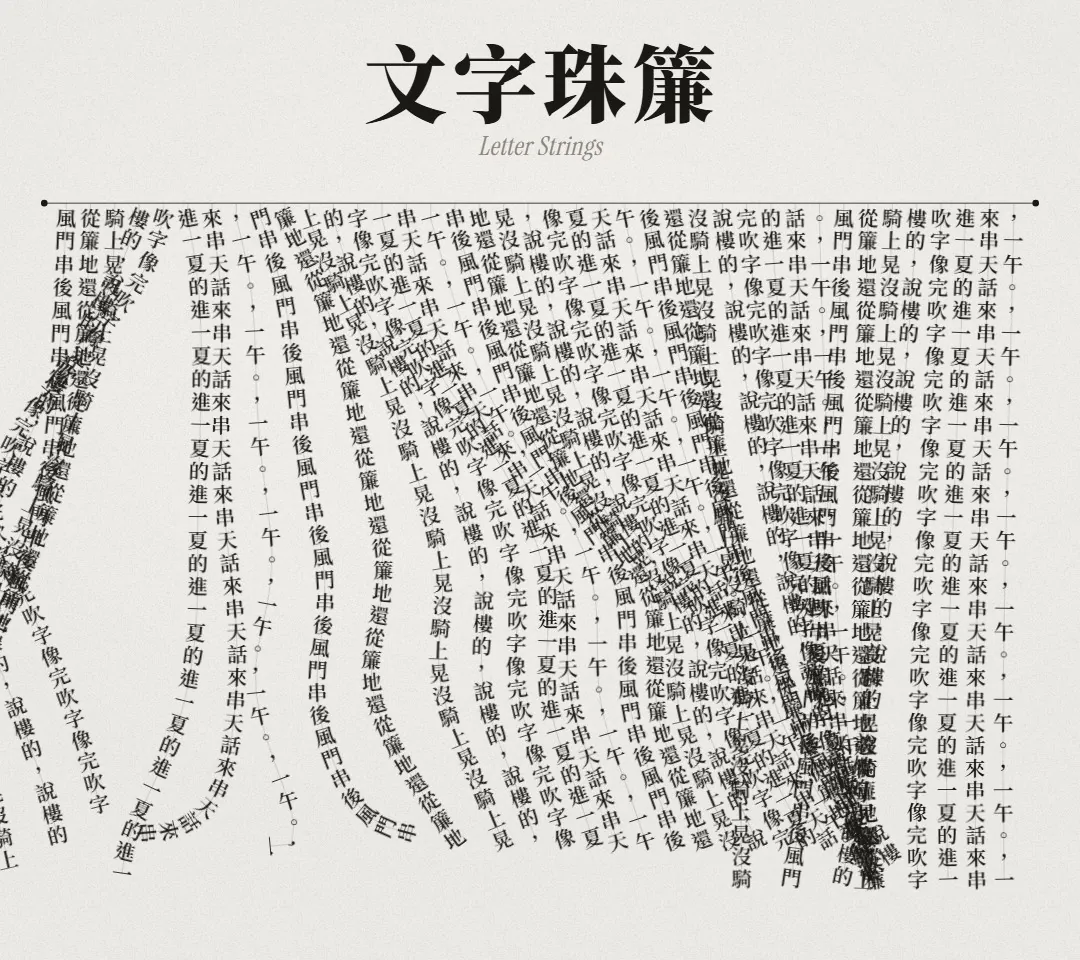
Claude Code wrote one index.html: 40 strings of 30 points, the characters in Noto Serif TC at weight 600, about 14 px. Each character is drawn once and reused as a small cached image, so 1,200 rotating characters draw quickly (its own measurement: a median of 7.4 ms per frame). When the page opens, it first lets the curtain settle under gravity and uses that as the resting pose.
A few things were not in the prompt; it added them itself: a curtain rod with a round knob at each end, very faint threads between the characters, a light paper grain and vignette, and keyboard shortcuts W (wind) and R (rehang). We liked them, so we kept them all.
03The physics is four sentences: points, strings, gravity plus push, damping
The curtain feels real because the prompt spells the physics out in four concrete sentences. Leave one out and the illusion breaks:
- Every character is a point that remembers its current position and its position one step earlier (Verlet integration). The difference between the two is the velocity, so nothing else needs storing, and pulling and pushing are easy to compute.
- Points are tied together by a distance constraint and the top point is pinned: Claude Code solves that rule 12 times per step, alternating top-down and bottom-up, and caps how far a string may stretch at 3.5%, so the strings give a little but never act like rubber bands.
- Gravity pulls down and the mouse pushes: gravity is 1,500 px per second squared; points within about 68 px of the cursor are pushed away and dragged along the movement, harder when closer and further when faster. It uses the whole mouse path since the last frame, so even a very fast flick does not skip the strings in between.
- Damping: each step keeps only 98.8% of the velocity. Without this sentence the curtain never stops swinging.
04Click to cut: the whole string of letters drops
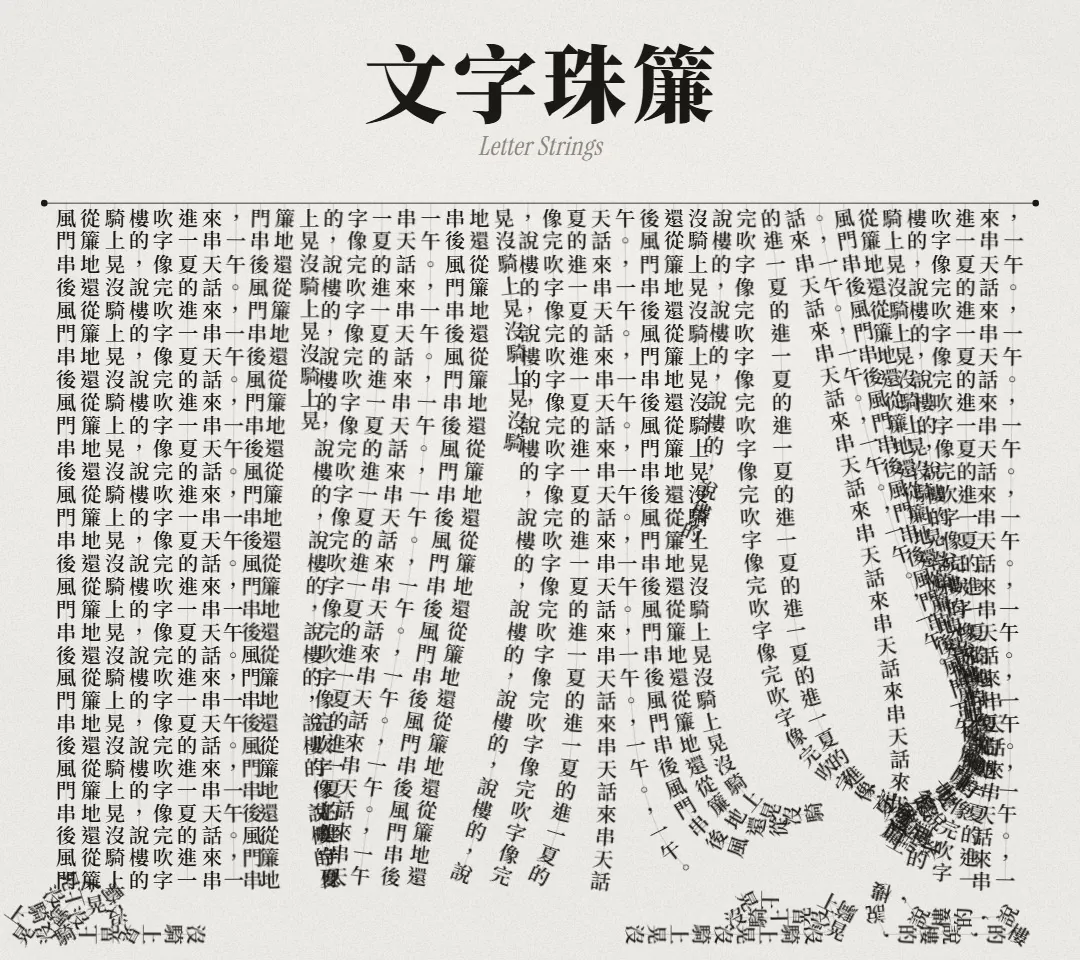
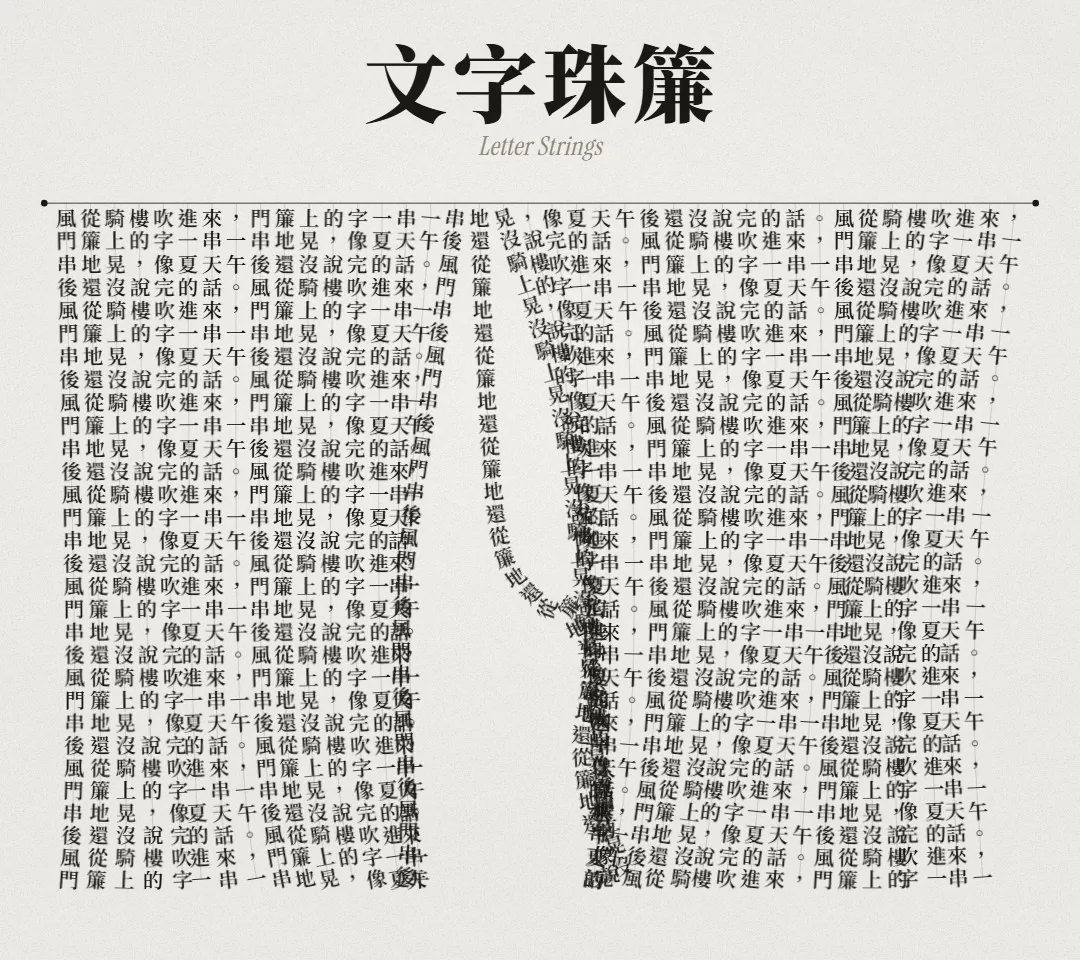
This is the most fun part of the second half of the video. The prompt has just one sentence for it: "Click: cut the string closest to the cursor (at the point you clicked). The piece below falls as one string of letters, bounces a little when it hits the bottom of the page, then lies on the floor."
How Claude Code did it: it finds the attached point closest to the click (within about 65 px) and removes the link above it. The falling piece gets a small nudge to the left or right, so it folds as it lands instead of stacking in a straight column. It bounces once at the bottom, the fallen letters have floor friction, and they push each other apart so they don't pile up in one spot.
05Put in your own sentence, then press Wind


- Type your sentence in the input at the bottom (up to 120 characters) and press Enter; the curtain rehangs with it.
- Press 起風 (Wind) to start the gusts and press it again to stop; once the wind stops, damping brings the curtain to rest.
- Press 重新掛好 (Rehang) and cut strings and tangled letters all go back into place.
- The keyboard works too: W toggles the wind, R rehangs (not while you are typing in the input).
06Make the curtain your own
- The sentence: swap the [] sentence in the prompt. Vivid lines that read smoothly look best; punctuation gets hung too, like a small bead.
- Colours: the prompt's last line says only warm grey background, black text and grey text. For a dark version, change it to something like navy background, off-white text, grey text, and still give it only three colours.
- Strings and points: 40 × 30 = 1,200 characters. You can go denser with 50 strings, but the characters get smaller and the page has more to compute, so check the text is still readable at rest afterwards.
- Fonts: use any serif or sans you like, as long as it can be used commercially, for example Noto Serif TC (SIL Open Font License).
- Already built and only want a small change: in the same chat say "change nothing else, only make [the background dark]".
07Good to know
- The whole page was written by one fresh Claude Code agent from one prompt, in one go, and we didn't change the code; the demo only has a smaller font.
- Every run is different. With the same prompt your strings, character size and toolbar may look different, and extras it added on its own, like the curtain rod and the faint threads, may not appear.
- Open it through a local server (for example npx serve). That is how we always opened it; double-clicking index.html may fail to load the fonts.
- The demo's serif font only holds common characters. If you download the demo files and want rare characters, switch back to the full Noto Serif TC from Google Fonts.
- We only measured speed in headless Chrome on a computer (a median of 7.4 ms per frame), not on phones. If an older phone stutters, use fewer strings or points.
- In the video, the prompt being typed is a re-typeset replay of the real prompt, not a screen capture; the code card shows the real file Claude Code wrote, with its real line numbers. Both sentences are our own.
- Another guide: a text wind-chime website that sways in the breeze — Also hangs text on strings, with roofs drawn by ChatGPT and a wind-chime sound it synthesises itself