Draw a whole kids' cartoon in code with Claude: from one idea to an mp4 in 7 steps (with prompts)
One idea becomes a story, character sheet and scene list, then code-drawn paper-cut, felt and starry scenes, a night switch, narration and music, and an mp4.

Few people know this: Claude can draw a whole kids' cartoon from scratch, in code. Not generated images and not an AI video model, but code that draws every frame, so the characters stay on model and you can change anything. Using our real 30-second cartoon, Mianmian Brings the Star Home, this guide walks through the 7 steps and prompts from one idea to an exported mp4.
01The finished cartoon: Mianmian Brings the Star Home
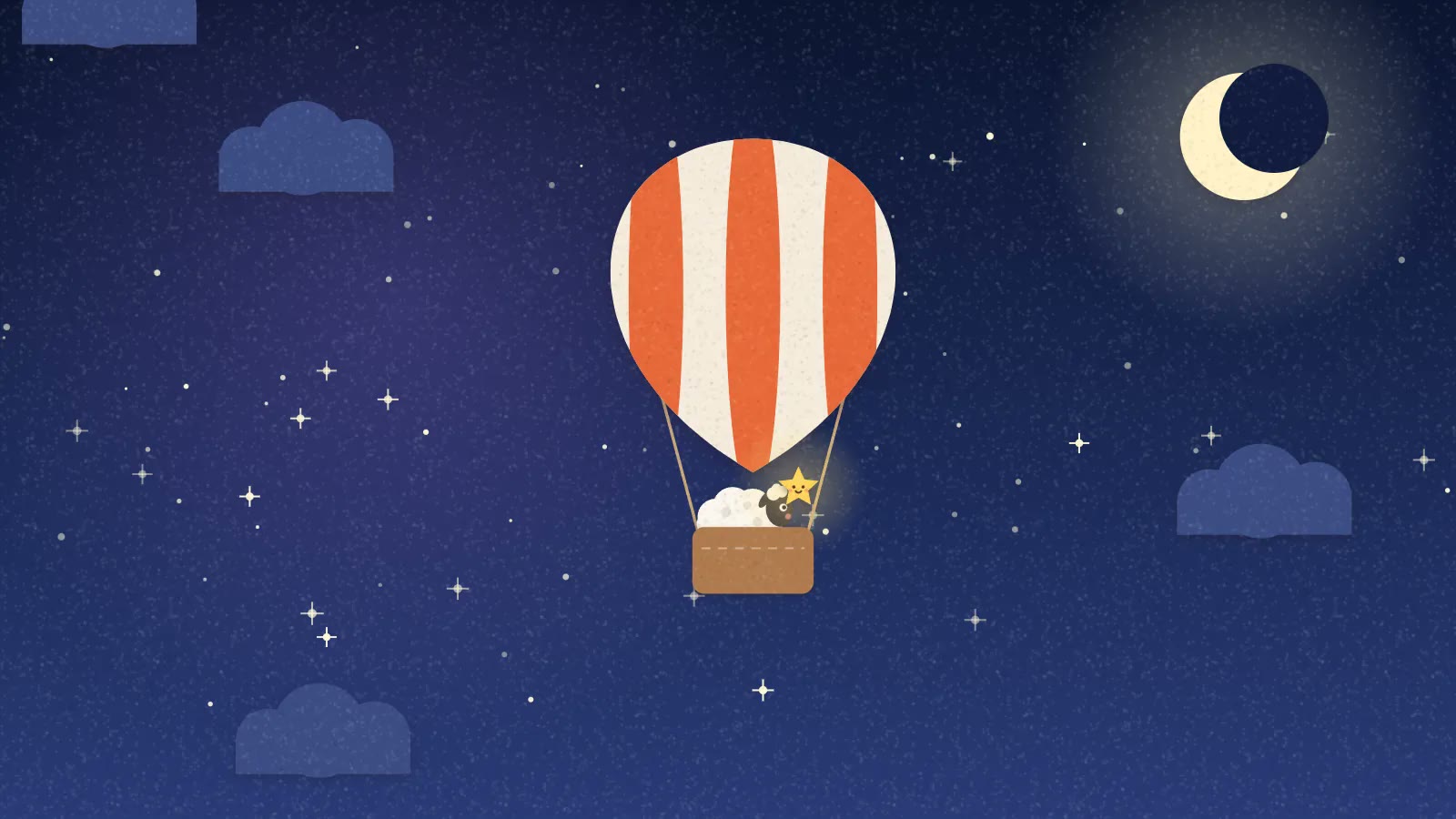
This is the demo cartoon we made for the reel: Mianmian the lamb finds a fallen star and carries it all the way back to the sky. Five scenes, 30 seconds. Everything on screen, from the sky, grass and lamb to the star and the hot-air balloon, is drawn by canvas code Claude wrote. There isn't a single image file in the folder.
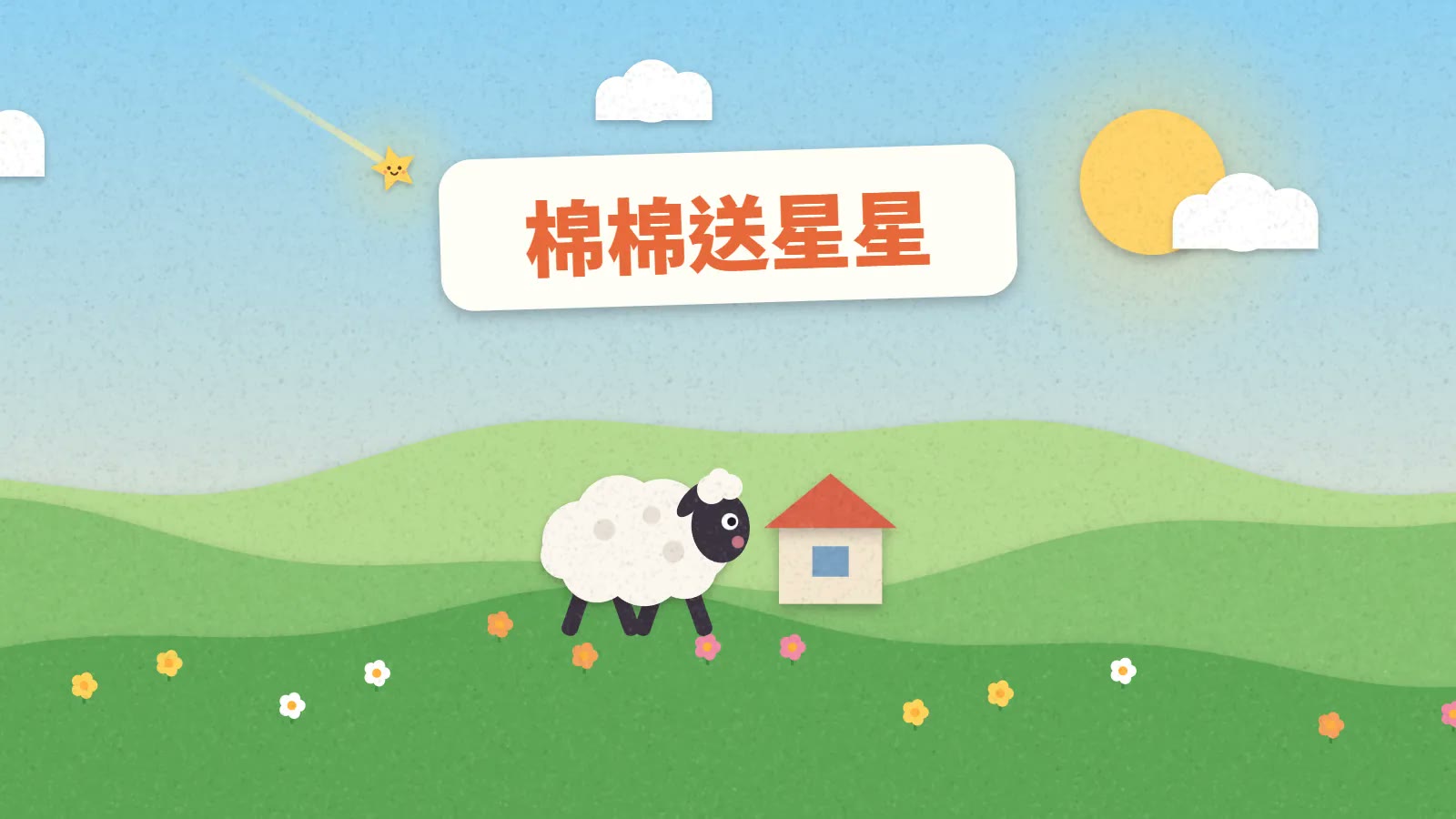
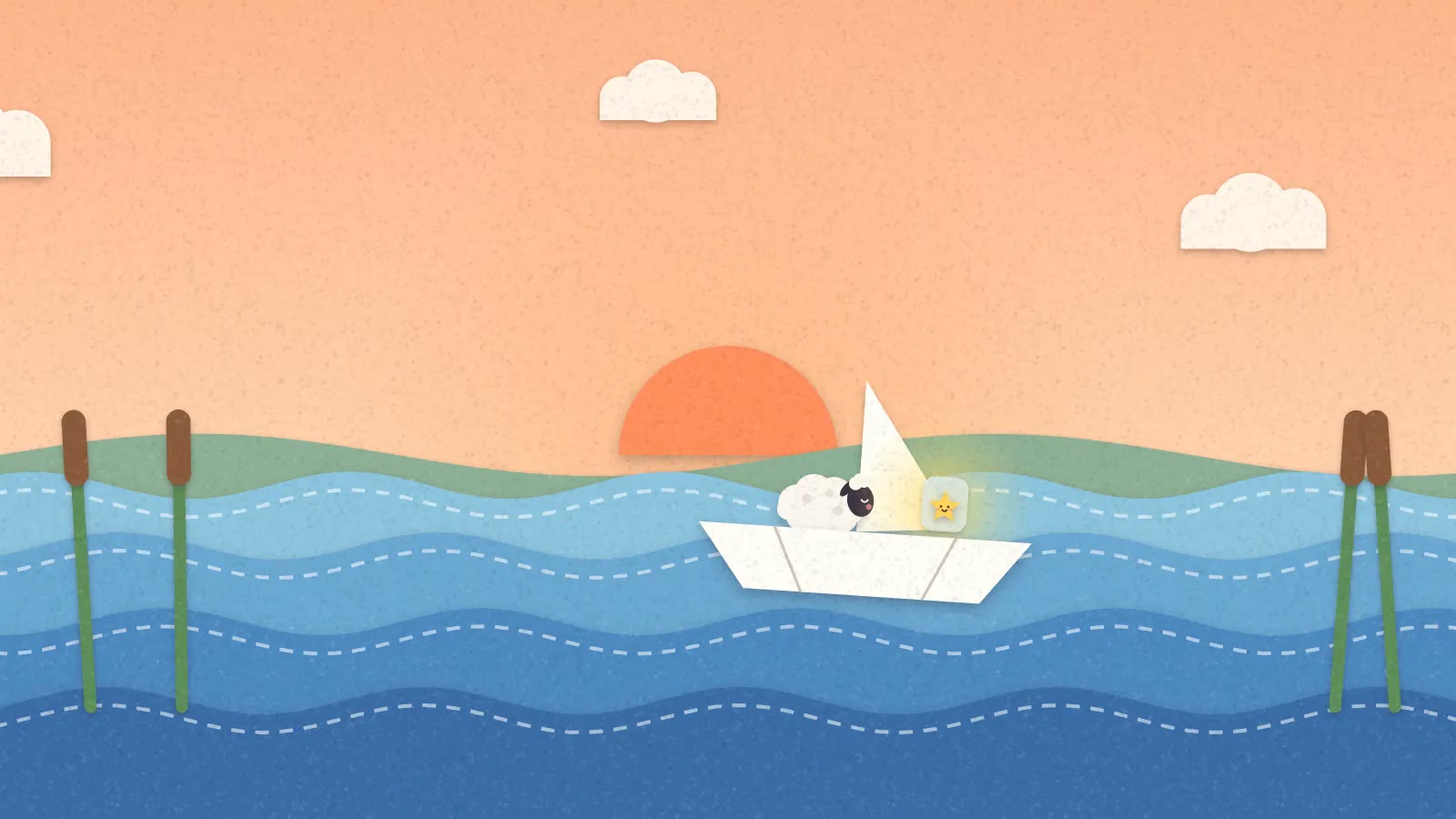
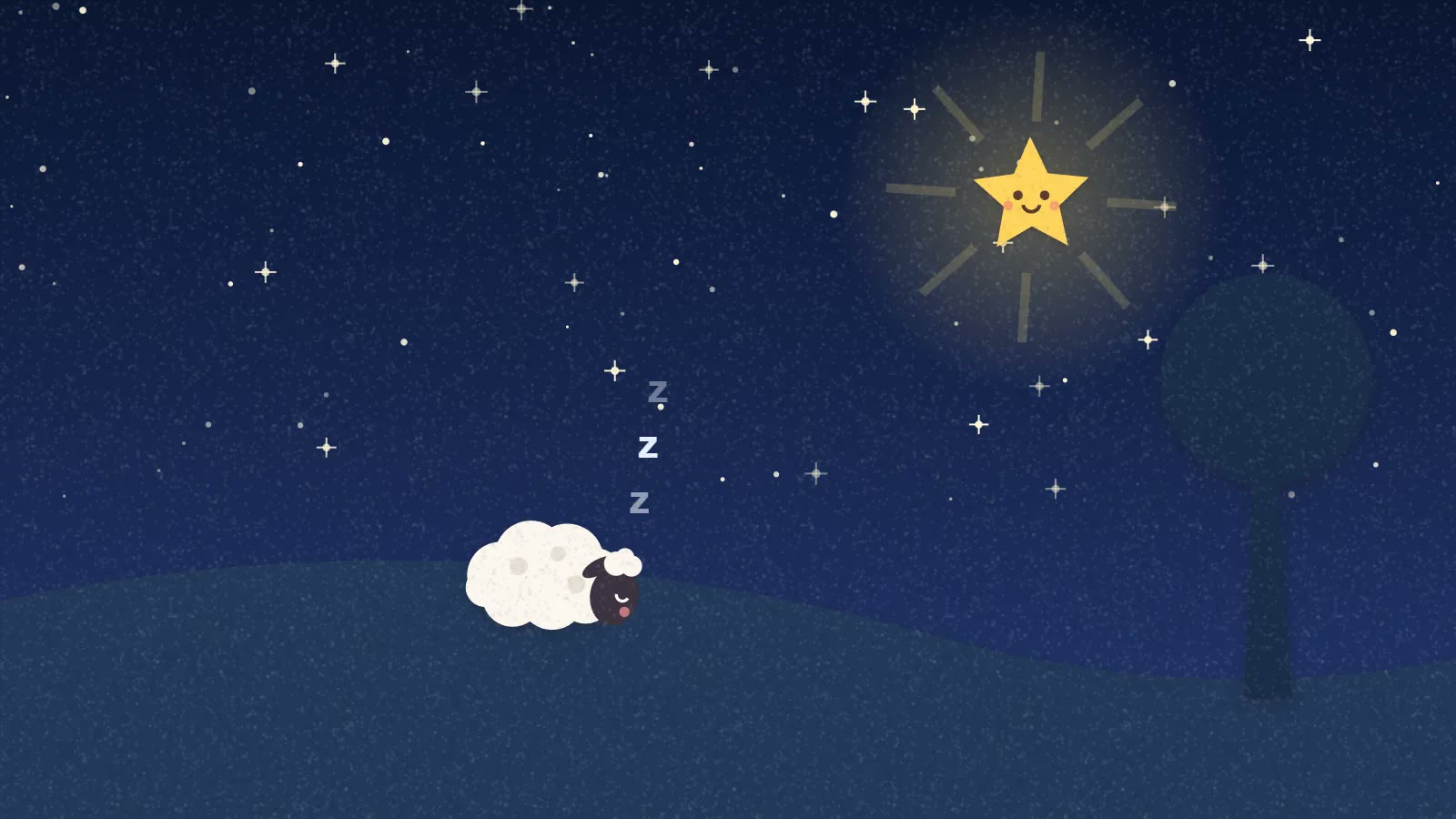
- 5 scenes: meadow (paper-cut), forest (felt), pond (paper boat), night sky (hot-air balloon), goodnight (hillside).
- Each scene is 6 seconds, with a 0.5-second dissolve between scenes and the title over the first 2.6 seconds.
- The whole cartoon is one scenes.js file of about 19 KB, plus one HTML file to play it.
- The output is a 960×540, 30 fps mp4: 900 frames in total.
02Step 1: give Claude a one-line idea
You don't need a long prompt to begin. One line that says who it's for, who the hero is and what happens. This is the line we actually used:
Make a cartoon for [3- to 6-year-olds], [30 seconds] long.
Story: [Mianmian the lamb finds a star that fell from the sky and wants to take it back up].
Mood: [gentle, quiet, good for bedtime].
Don't write any code yet; wait until I approve the story.
03Step 2: story, character sheet and scene list in one go
Next, ask it for three things. Together they are the script of the cartoon, and every scene's code follows them.
Based on this idea, write three things:
1. Story: [5] scenes, one line of narration each, each line under [5] seconds when read aloud.
2. Character sheet: each character's look (shape, colour, size) and personality, specific enough to draw in code.
3. Scene list: each scene's place, time (day or night), style (e.g. [paper-cut, felt]) and what the characters do.
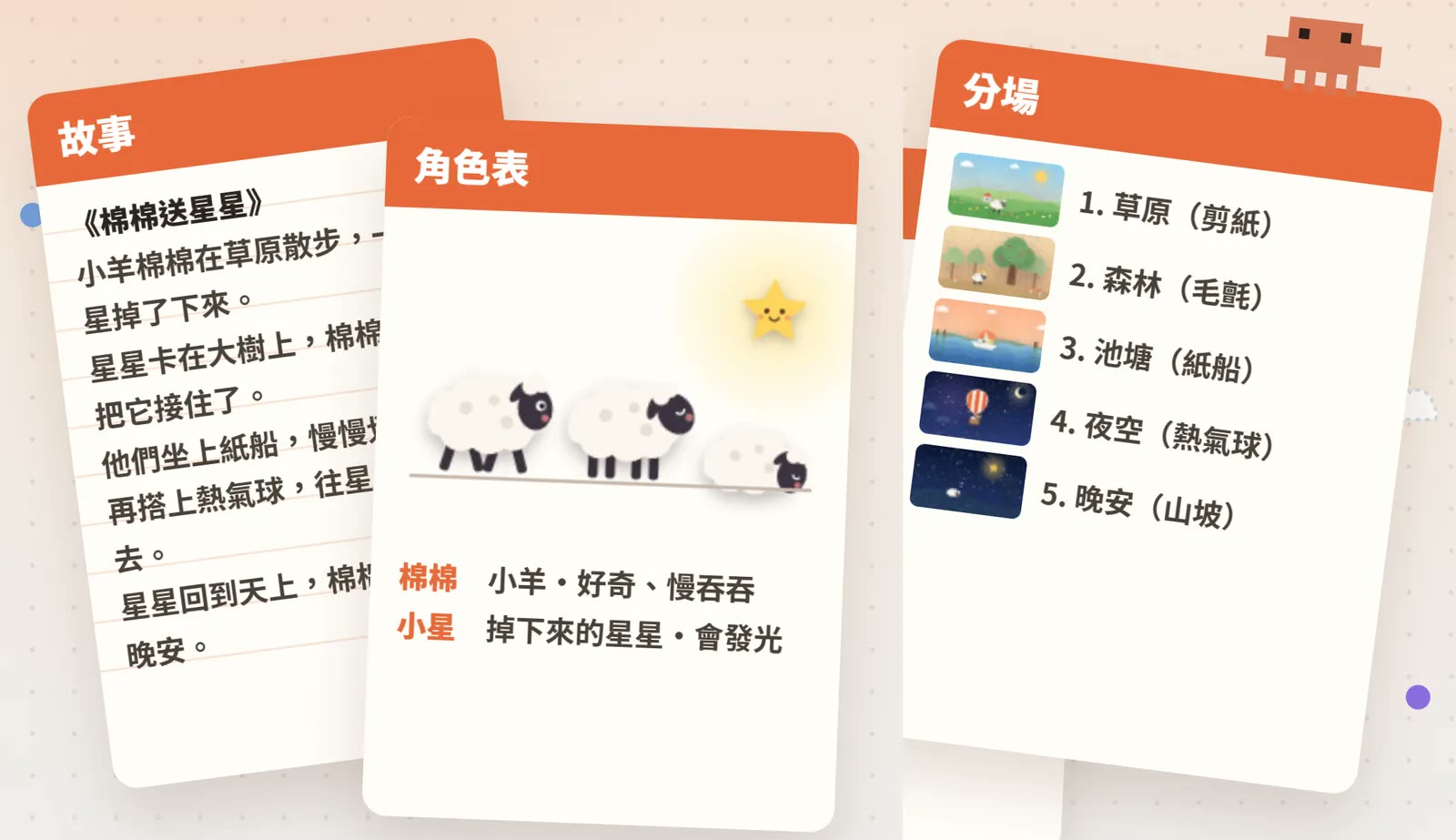
Our five narration lines: Mianmian the lamb is walking in the meadow when a little star falls down / The star gets stuck in a big tree; Mianmian hops and hops and catches it / They climb into a paper boat and drift across the pond / Then they take a hot-air balloon towards the star's home / The star is back in the sky, and Mianmian falls asleep. Good night.
04Step 3: write each scene as a code function
Only after the script is approved do you ask for code. The key is the format: each scene is a function that takes "which second" and draws that frame. That way any second can be viewed and fixed on its own.
Write every scene in the scene list as HTML canvas code, all in one scenes.js:
- Each scene is a function scene(ctx, t), where t is the second within that scene.
- Draw everything in code; don't use any image files.
- Canvas [960×540]. Every scene must really move: [the lamb walks, clouds drift, leaves fall].
- Write the characters as shared functions (e.g. lamb(), star()) and call the same one in every scene instead of redrawing them.
- Finally, write a cartoon.html with a timeline I can drag to preview the whole cartoon.
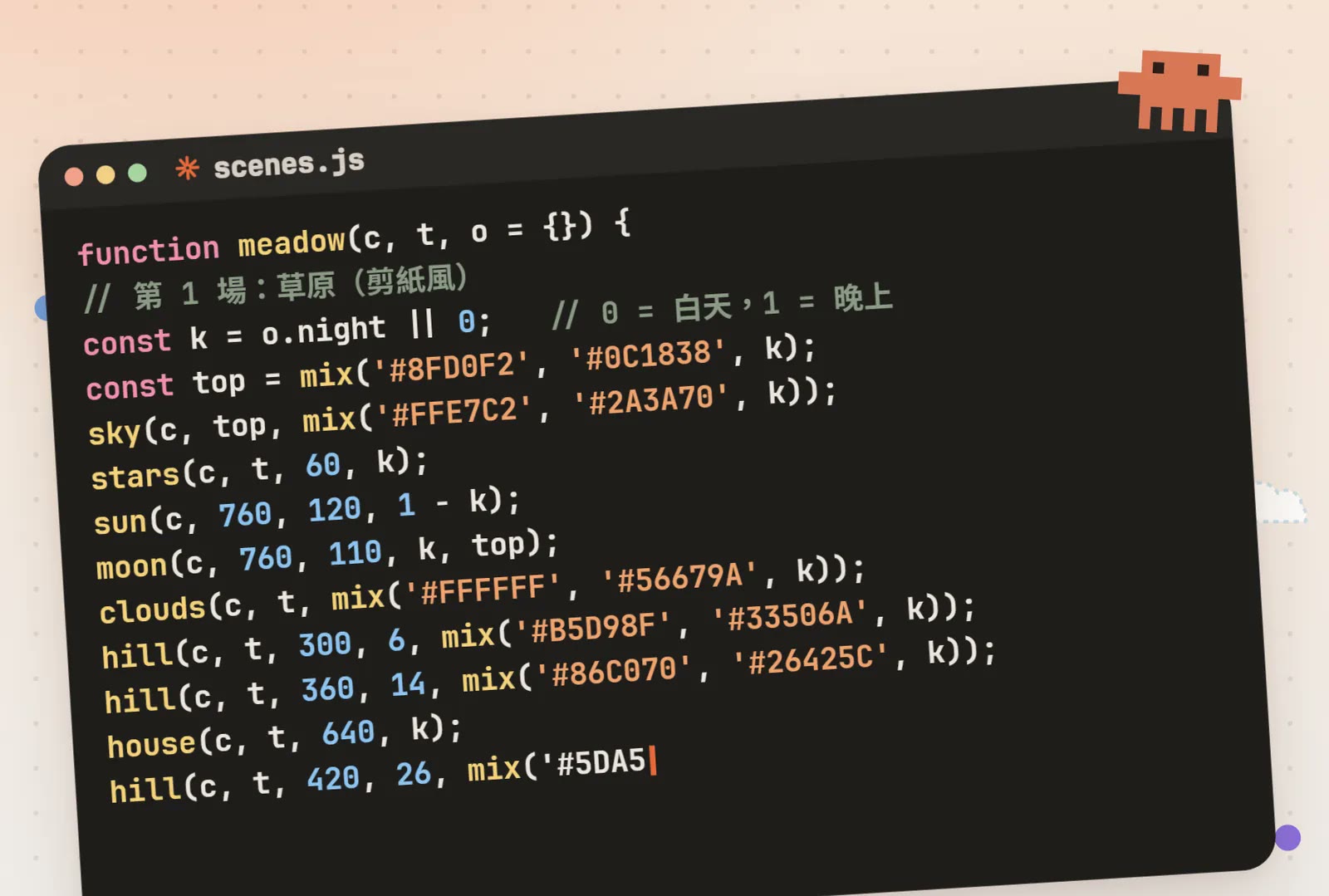
You don't need to understand every line. Just know that the picture is built in layers, and later lines sit closer to the camera. To change something, tell Claude "make the hills in scene 1 a little lighter" and it will find that line.
05Step 4: name the textures: paper-cut, felt, moving stars
Code-drawn pictures easily look too clean. Tell it the texture you want and how to make it:
- Paper-cut: a soft drop shadow under every colour shape, so they look like stacked sheets of paper, then a fine paper grain over the top.
- Felt: a texture made of 2,600 short fibre strokes laid over the whole frame, plus white dashed lines around tree crowns and the ground edge as stitching.
- Moving stars: two layers of stars drifting down at different speeds, near ones fast and far ones slow, so the balloon seems to rise; each star also twinkles on its own.
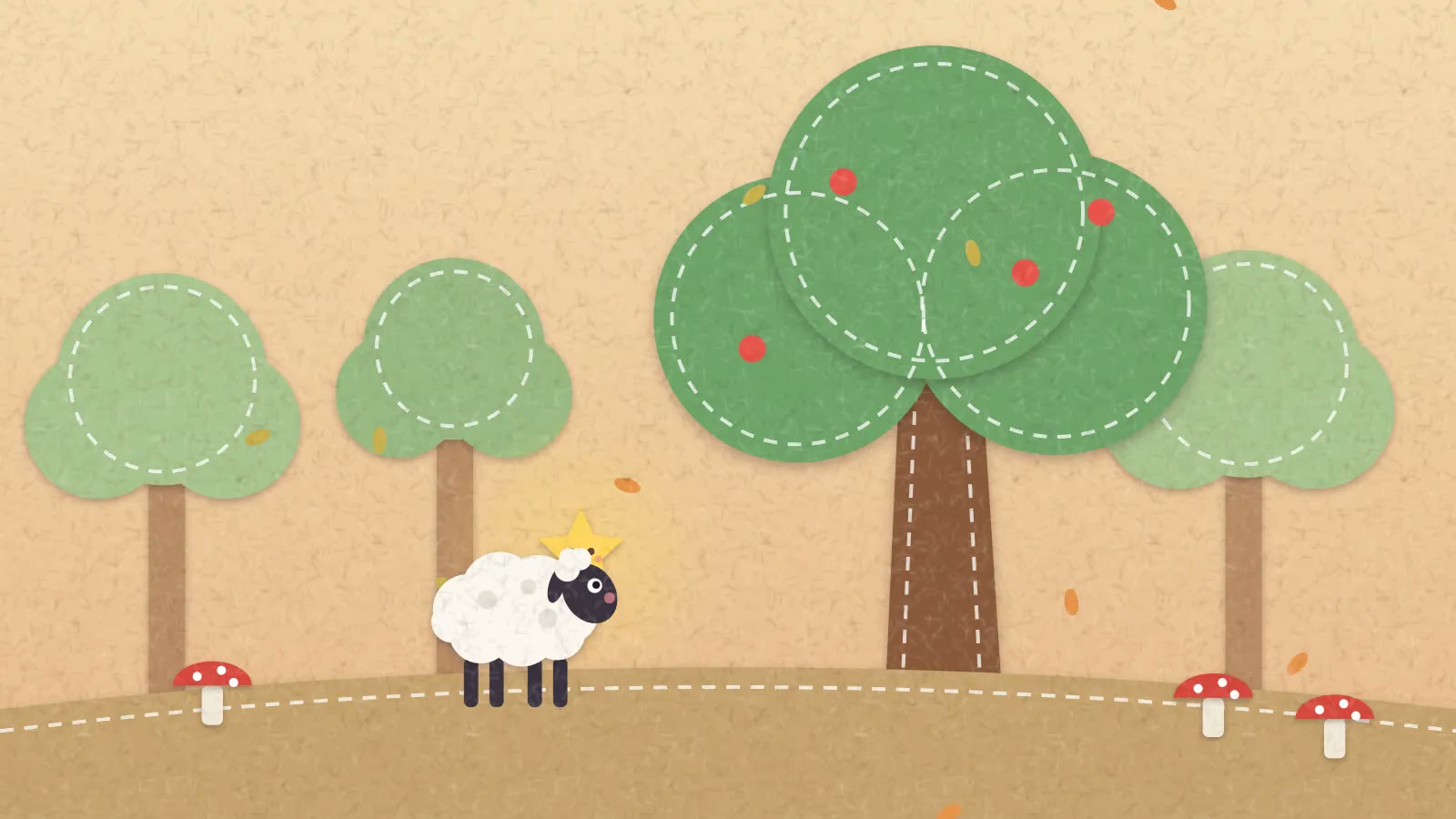
Change scene [2] to a [felt] style:
- Add a fibre texture over the whole frame (short strokes, random directions, semi-transparent).
- Add white dashed lines around the tree crowns and ground edge as stitching.
- Lower the saturation so it looks like real fabric.
Don't touch the other scenes.
06Step 5: want night? Just type "make it night"
This is the fun part. Ask Claude to add a night switch to scene 1: 0 is day, 1 is night. From then on you just type "make it night" and it sets the switch to 1, turning the whole scene into a night scene.
Give scene [1] a night parameter: 0 is day, 1 is night, and values in between are dusk.
- Every colour blends between its day colour and its night colour.
- By day there's a sun and clouds; at night the sun fades out and a moon, stars and [fireflies] appear.
- At night, [the cottage window] lights up.
When I say "make it night", set night to 1.
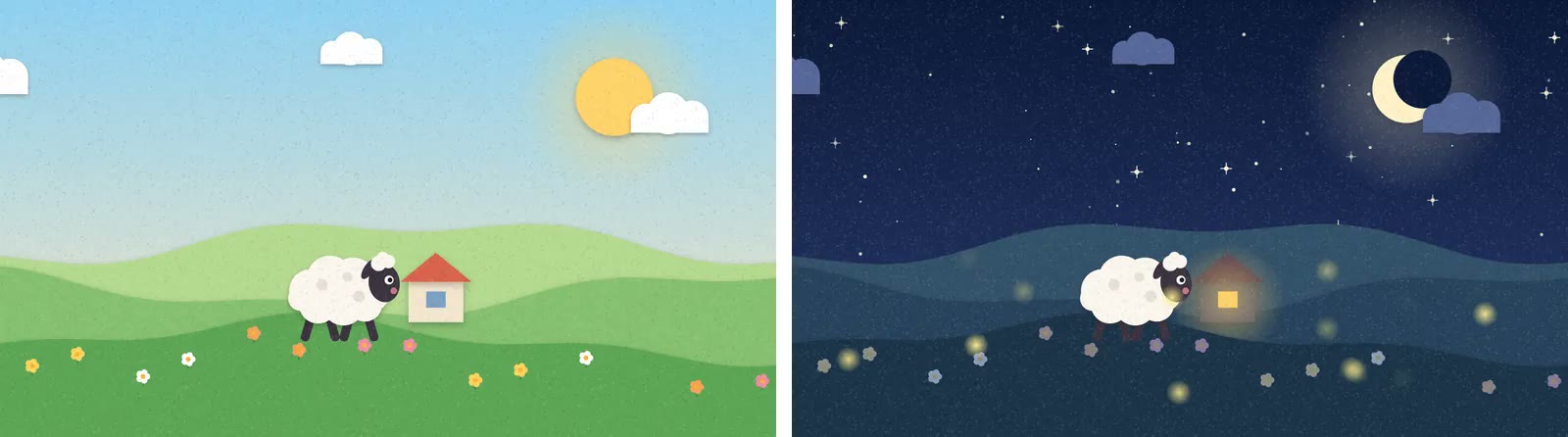
The trick is simple: every colour in the code is written as a mix of a day colour and a night colour, and the mix ratio is night. Nothing is redrawn, yet the same scene has day, dusk and night versions.
07Step 6: join the 5 scenes and add narration and music
Once every scene is drawn, ask it for a function that plays the whole cartoon: scenes in order, 6 seconds each, a 0.5-second dissolve between them and the title over scene 1.
- Narration: the five lines were voiced with ElevenLabs, an AI voice tool. The voice is not made by Claude; Claude wrote the small script that calls the voice tool.
- Timing: each line starts 0.4 seconds into its scene, so every line has to finish within 6 seconds.
- Music: we used a lo-fi track from Pixabay that allows commercial use, kept very quiet with a fade in and out.
- Mixing: ask Claude to mix the narration and music into one track with ffmpeg, normalised to the loudness usual for online video.
08Step 7: export an mp4 and upload to YouTube
Finally, ask Claude for an export script: it opens cartoon.html in Puppeteer (a headless browser), screenshots frames 0 to 899 one by one, hands them to ffmpeg to encode an mp4, and attaches the audio track.
- You need Chrome and ffmpeg on your computer; Claude will tell you how to install them if they're missing.
- For YouTube, ask it to change the output to 1920×1080 and export again. Code-drawn pictures stay sharp at any size.
- In YouTube Studio, click Create → Upload videos and fill in the title, description and thumbnail.
- You must set the Audience. For a cartoon for children, choose "Yes, it's made for kids"; features such as comments are then turned off.
- We only took Mianmian Brings the Star Home as far as the mp4 and didn't actually upload it to YouTube; the upload screen in the reel is an illustration.
- Frame-by-frame animation: exporting MP4 in full — The Puppeteer + ffmpeg steps and how to self-check
09Good to know
- Mianmian Brings the Star Home and its characters are our own demo. Every frame was drawn by Claude in code, with no image files and no AI video model.
- The narration is an ElevenLabs AI voice, not made by Claude. Before using a voice tool, check whether your plan allows commercial use and whether you must credit it.
- Use music cleared for commercial use, such as tracks under the Pixabay licence, not songs grabbed from the internet.
- When you upload a video for children to YouTube, mark it honestly as made for kids; the platform requires it.
- Use a commercially licensed font for any titles drawn in code, such as Noto Sans TC (SIL OFL).
- This guide shows 30 seconds and 5 scenes. Longer films take many more rounds, so add one scene at a time and preview after each.