Which Claude model for design? One prompt, Haiku vs Sonnet vs Opus: three animated Taiwanese breakfast-shop scenes
One prompt, an alley breakfast shop at 6 a.m., given to Claude Haiku, Sonnet and Opus as a 2D animation. Raw results side by side, a scorecard and the prompt.
Watch the reel on InstagramComment #模型 to get this guide
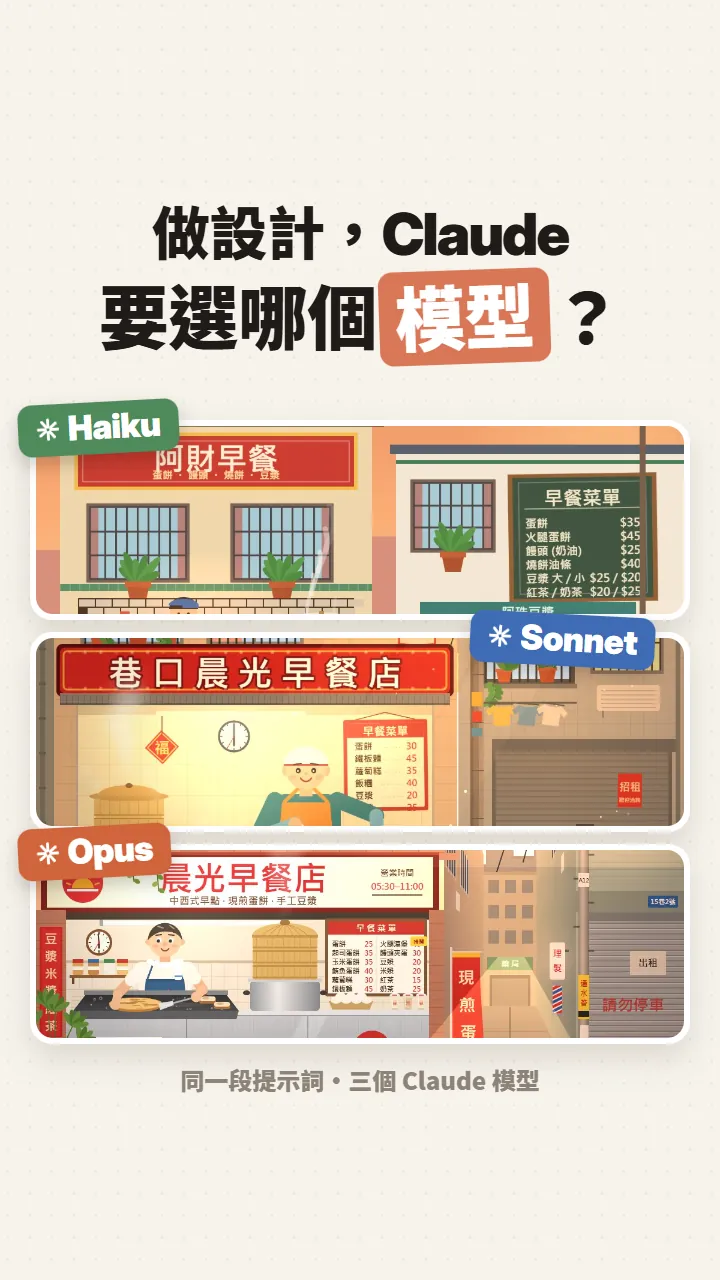
Which Claude model should you pick for design work? Instead of taking someone else's word for it, run the test yourself. I gave the same prompt, "a Taiwanese alley breakfast shop at 6 a.m.", to Claude Haiku, Sonnet and Opus and asked each for an animated 2D illustration.
In this guide: the raw results of all three (not a single line edited), the exact prompt plus a reusable template, a scorecard for colour, light, detail and motion, and when to choose which model. Shop names, door numbers and menu prices were made up by the models; all of them are fictional.
01The results first: one prompt, three models
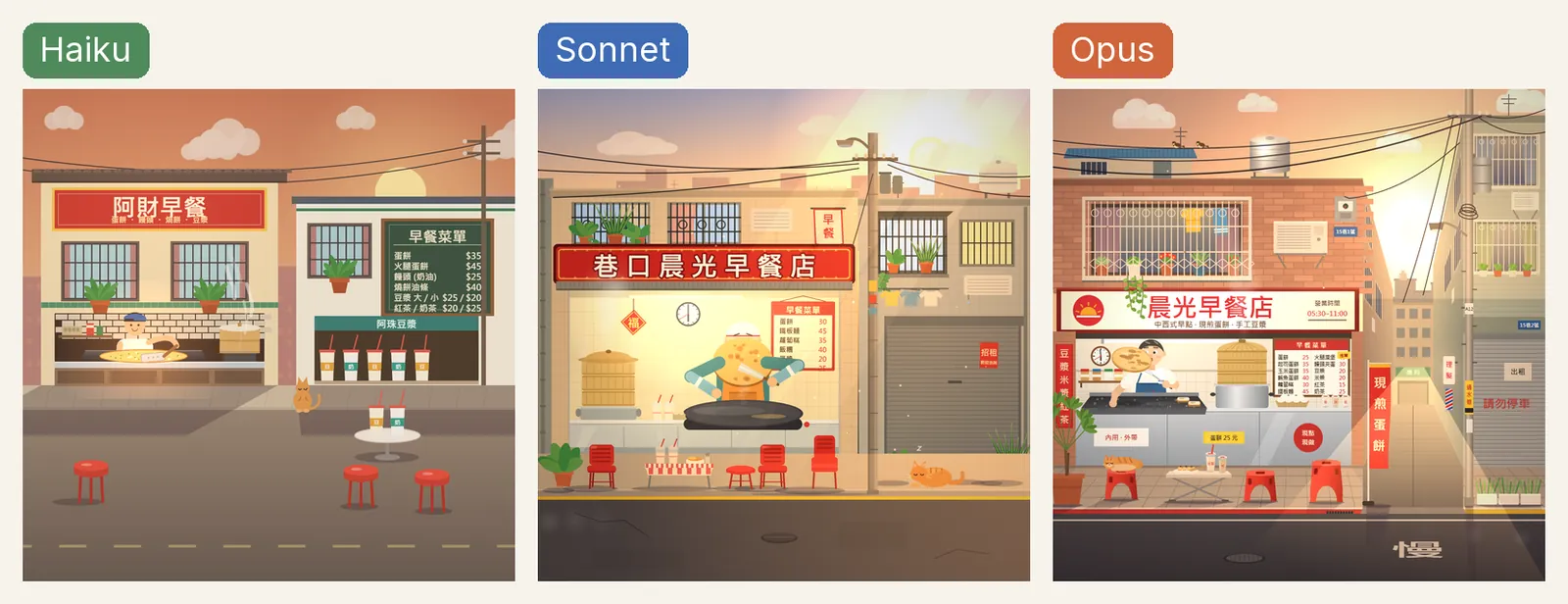
The setup is simple: three brand-new Claude conversations (I used Claude Code subagents with the model set to haiku, sonnet and opus), each given only the same prompt, with no reference images and no follow-up edits. Each one returned a single HTML file that opens straight in the browser and animates by itself.
All three delivered every requirement: sign, griddle, steam, the flipping danbing, the scooter, the changing sky, window grilles and red plastic stools. The difference is how far each one went.
02The prompt (ready to reuse)
The prompt has two halves: the top describes the picture (scene, style, the elements that must be there), the bottom is delivery rules, so the result opens straight in a browser and can be paused on any second for a screenshot. Replace the [ ] parts with your own scene.
Make an animated illustrated scene: "[scene: time + place + shop, e.g. a Taiwanese alley breakfast shop at 6 a.m.]".

Style: flat 2D illustration (drawn with SVG, CSS or canvas), [mood, e.g. warm, cosy, full of detail], no 3D.

The scene must include:
- [the sign and the main props], [something that keeps moving, e.g. steam rising non-stop]
- [one action by a person, e.g. the owner flips a danbing (egg crepe) on the griddle; it really flips up and lands]
- [something passing by, e.g. a scooter riding past the alley]
- The sky slowly changes from [starting light] to [ending light], and the light on the whole scene changes with it ([sign lights, shadows, windows])
- [local details, e.g. window grilles, potted plants, power lines, red plastic stools, soy-milk cups, a breakfast menu]
- One loop is [12] seconds; every element moves

Delivery rules:
- One complete, self-contained HTML file with no network access (no external fonts, images or libraries)
- Fixed canvas of [1080×1080] pixels
- The animation must be reproducible: the frame depends only on time t (seconds). Provide window.renderAt(t), which freezes the scene at second t; when the file is opened directly, autoplay with requestAnimationFrame
- No CSS animation / transition, and no Math.random() without a fixed seed
Make an animated illustrated scene: "A Taiwanese alley breakfast shop at 6 a.m." (清晨六點的台灣巷口早餐店)

Style: flat 2D illustration (drawn with SVG, CSS or canvas), warm, cosy and detailed, no 3D.

The scene must include:
- The breakfast shop's sign (with a Chinese shop name), a griddle and bamboo steamers, with steam rising non-stop
- The owner flips a danbing (egg crepe) on the griddle; it must really flip up and land
- A scooter riding past the alley
- The sky slowly changes from deep pre-dawn blue to warm orange morning light, and the light on the whole scene changes with it (sign lights, shadows, windows)
- Small Taiwanese alley details: window grilles, potted plants, power lines, red plastic chairs, soy-milk cups, a breakfast menu
- One loop is 12 seconds; every element moves

Delivery rules:
- One complete, self-contained HTML file with no network access (no external fonts, images or libraries)
- Fixed canvas of 1080×1080 pixels
- The animation must be reproducible: the frame depends only on time t (seconds). Provide window.renderAt(t), which freezes the scene at second t so a headless browser can record frame by frame; when the file is opened directly, autoplay with requestAnimationFrame
- No CSS animation / transition, and no Math.random() without a fixed seed
03Haiku: fastest and clean, but only the sky changes light
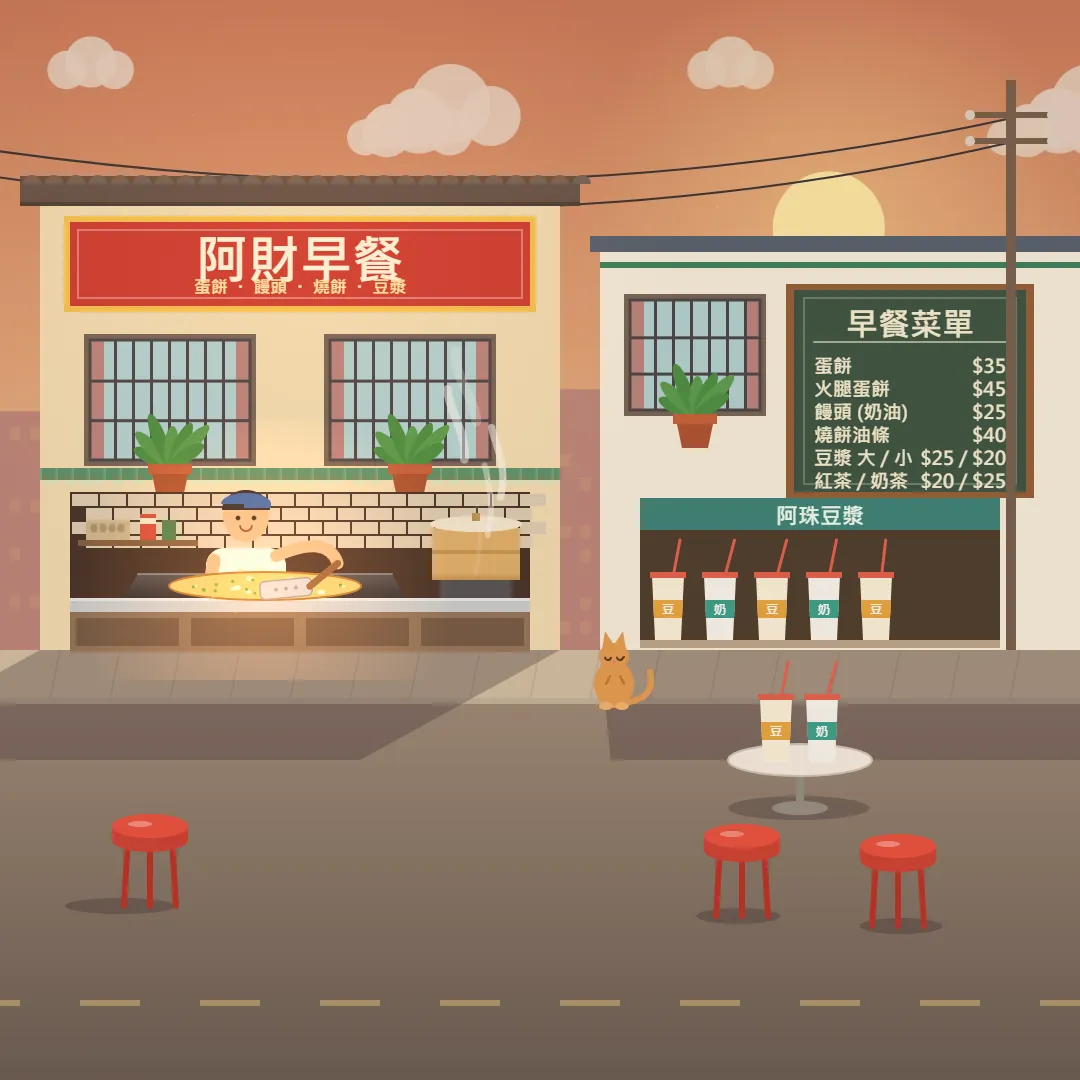
Haiku finished first, in about 7 minutes this time. The picture is flat and easy to read, and nothing is missing: steam, the flipping crepe, the scooter, a cat.
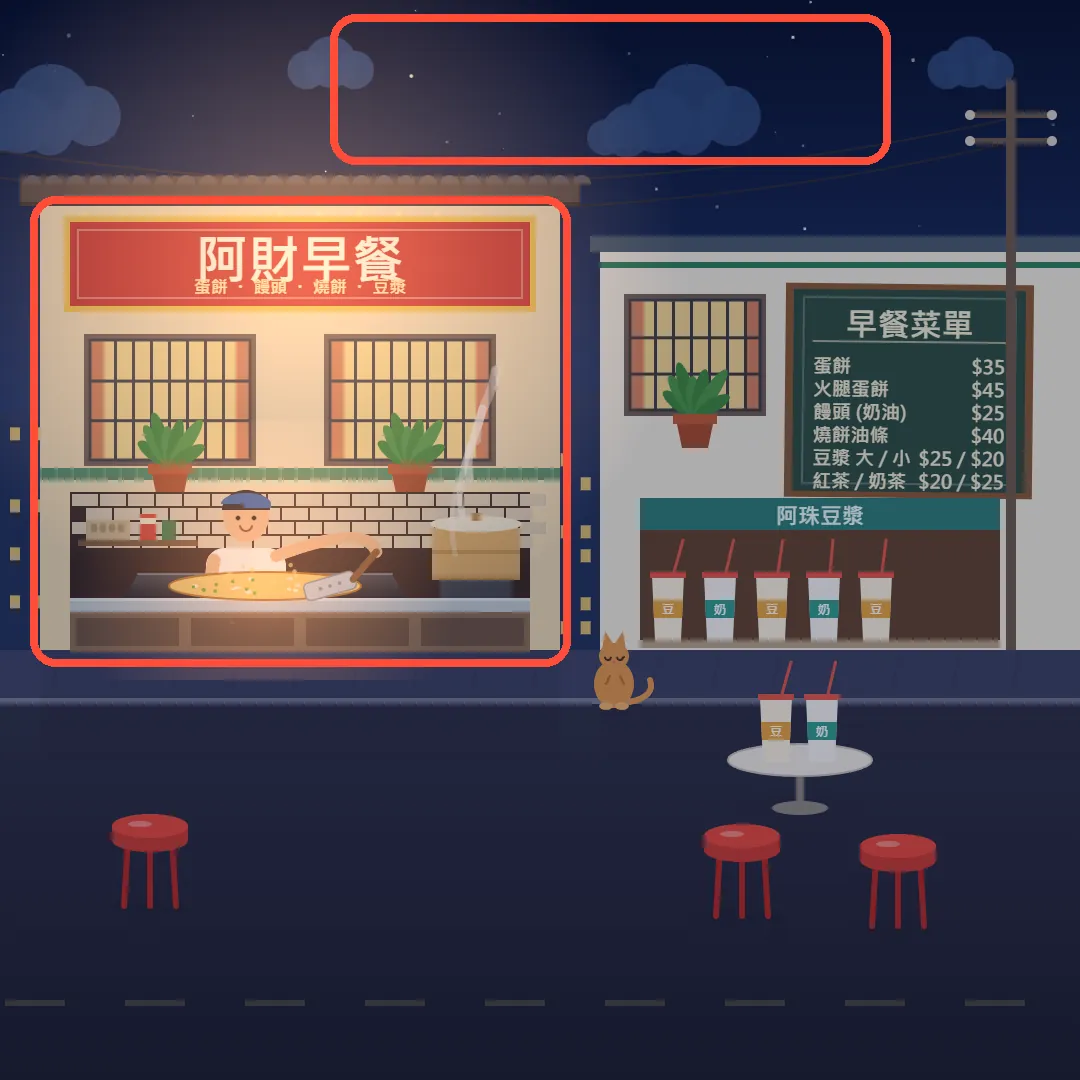
Its clearest weakness is light: the sky goes from deep blue to orange, but the buildings barely darken with it, so it looks like the sky is a swapped backdrop. The flipping crepe is a flat ellipse that slides up and back down.
04Sonnet: the most complete crepe-making motion
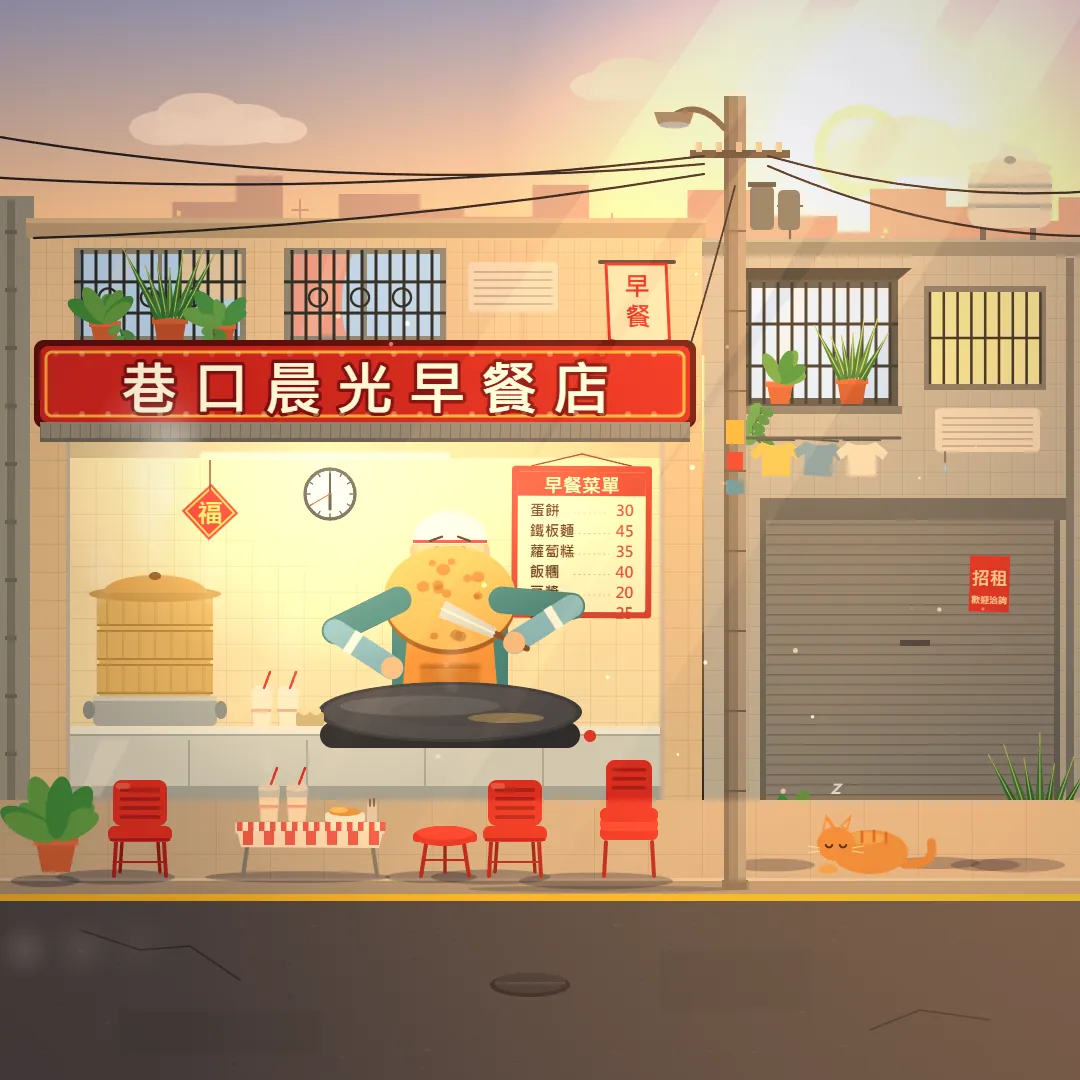
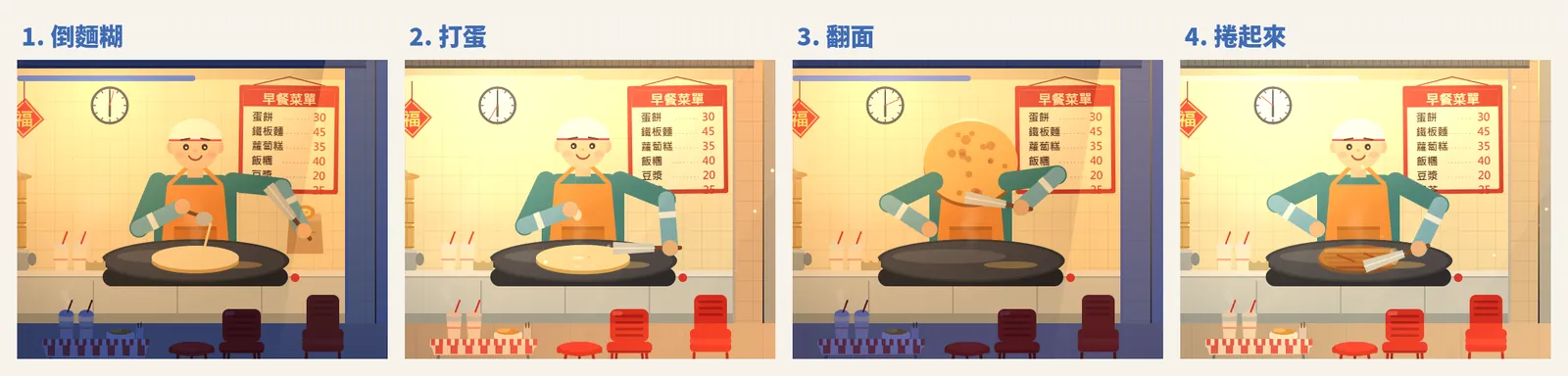
Sonnet took about 16 minutes this time. It turned "flip a danbing" into the whole process: pour the batter, crack the egg, flip, then roll it up and bag it, twice in 12 seconds. It was the only one of the three to animate the full crepe-making process.
The light changes too: at night the walls are dark blue, at sunrise they warm up, with rays of morning light. One small flaw: the bottom lines of the menu are hidden behind the character and the frame.
05Opus: the most detail and the best light
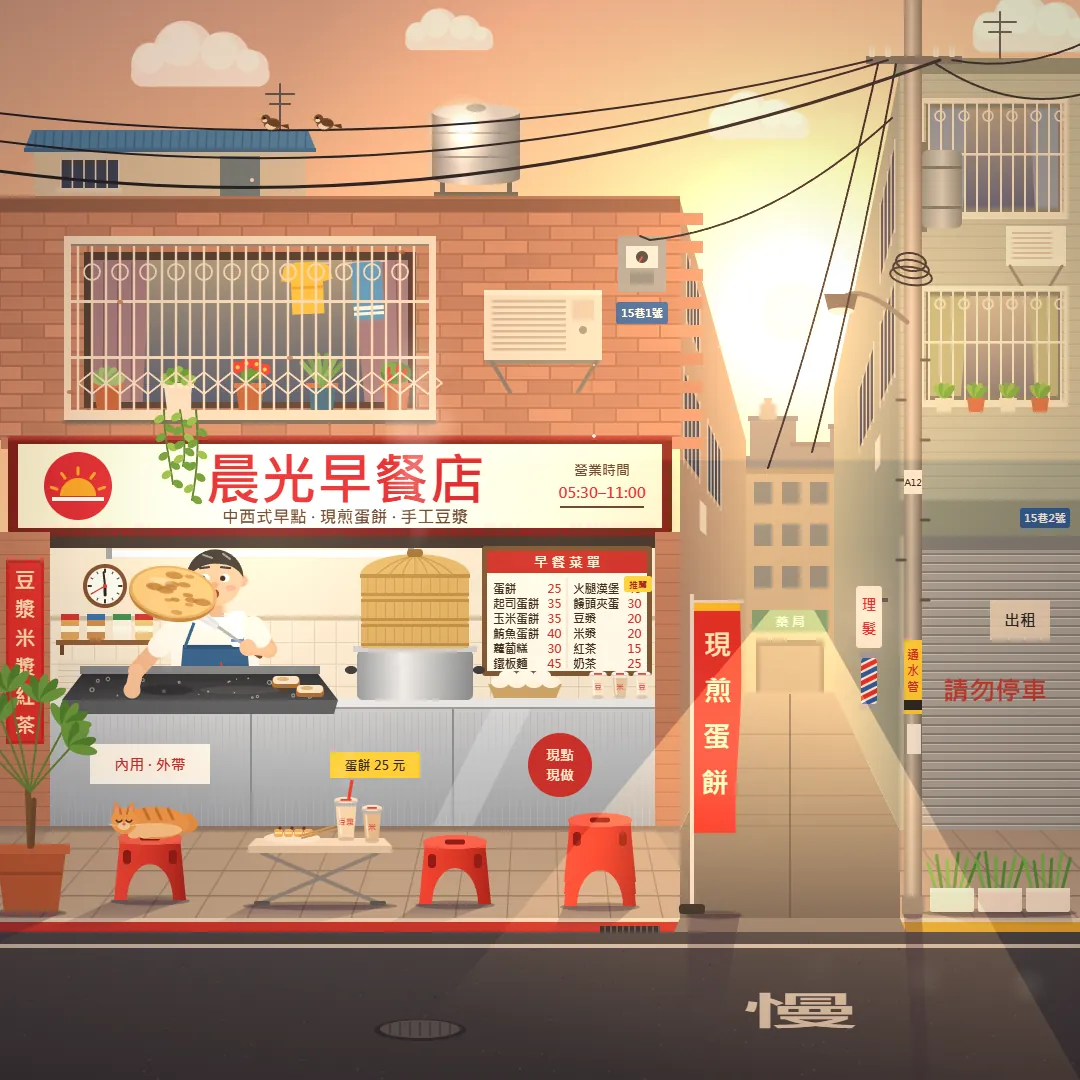
Opus took the longest, about 22 minutes, but has the most detail. Much of it was not in the prompt at all; it added it by itself:
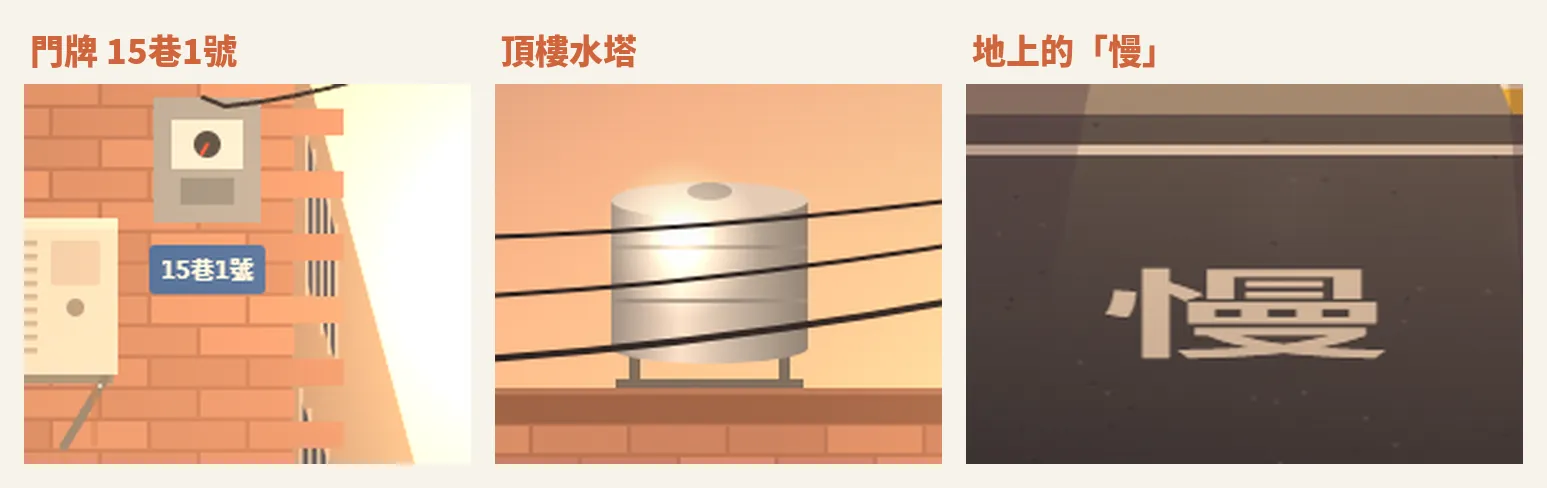
There are also sparrows on the power lines, an air-conditioner unit, potted plants and laundry on the window grilles, and a "no parking" sign. Its light is the most convincing too: the street lamp switches off after sunrise, and morning light slants in from the end of the alley and falls across the ground.
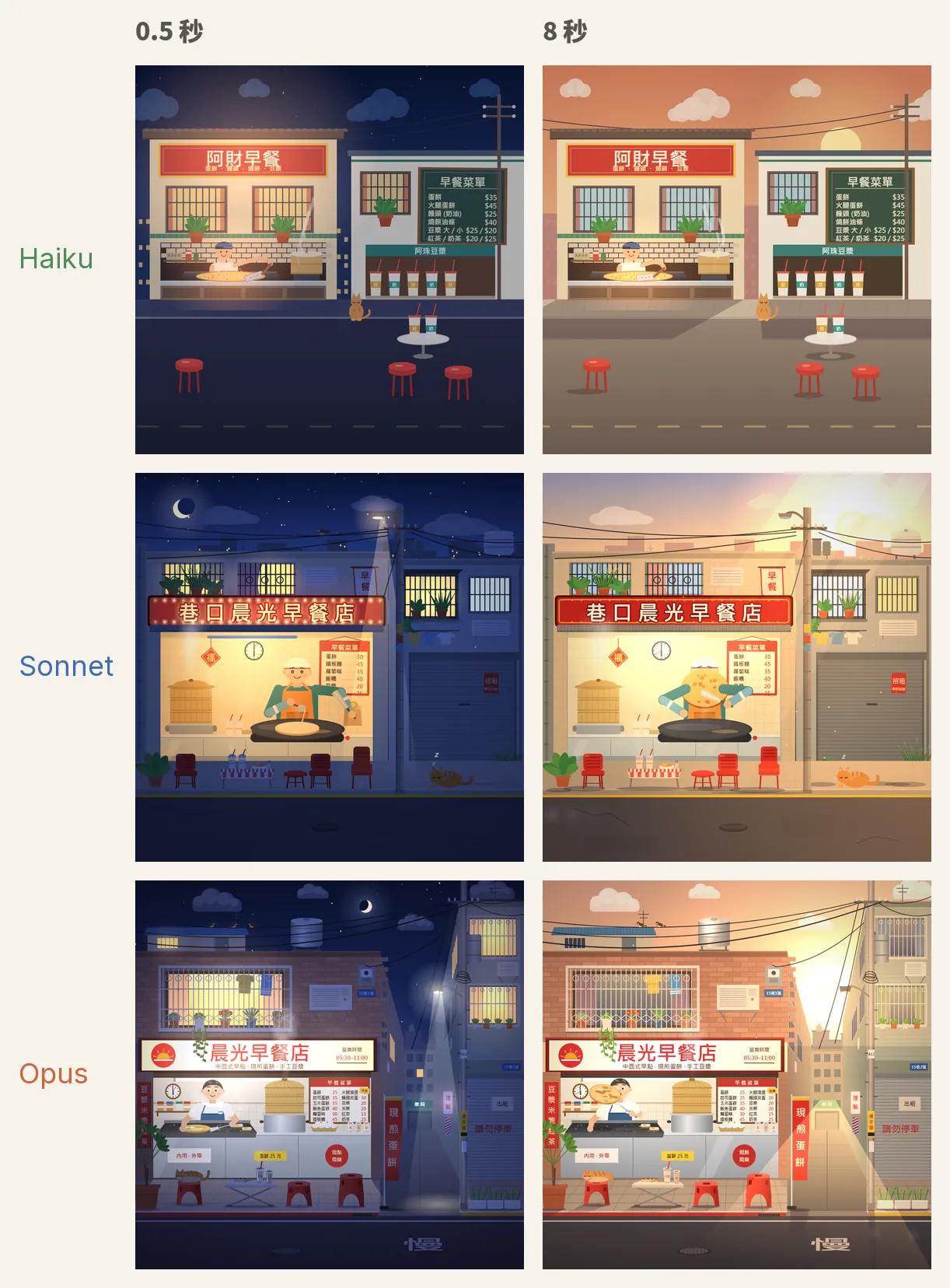
On motion, Opus flips the crepe highest and the owner even opens his mouth, but it only flips; it doesn't show the batter-to-roll process, so I gave motion to Sonnet.
06How to choose: my scorecard
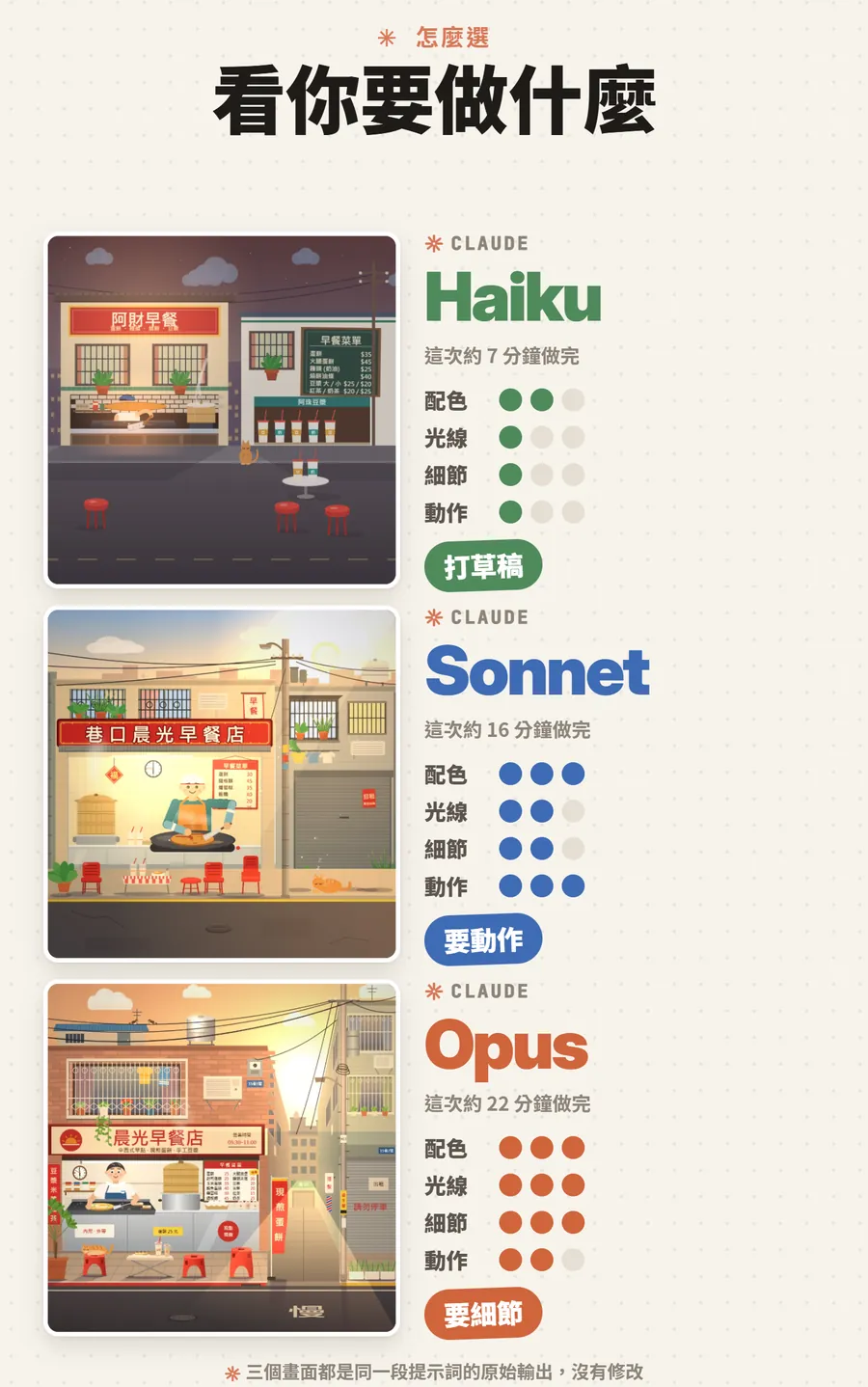
- Sketching: use Haiku. Fast and clean, good for trying composition and colour direction.
- Motion: use Sonnet. In this run it had the most complete animation and the best step-by-step action.
- Detail and light: use Opus. The most local details and light changes; good for the finished piece.
- Not sure: run Haiku first to check the direction; once it's right, give the same prompt to Sonnet or Opus.
07Run the comparison yourself
- Copy the prompt template above and replace the [ ] parts with your scene.
- Open three brand-new conversations and pick Haiku, Sonnet and Opus (which models you can choose depends on what your account shows; in Claude Code you can switch with /model).
- Paste the same prompt into all three, with no follow-up edits and no reference images.
- Open the three HTML files in a browser, type the same second into the Console, e.g. renderAt(8), and screenshot them side by side.
- Score them on one table: colour, light, detail, motion, 1–3 points each.
08Good to know
- Results vary from run to run. The same model with the same prompt can give a different picture and quality next time; this guide is one run on 3 November 2026.
- Models get updated. The labels say only Haiku, Sonnet and Opus, with no version numbers; later versions may behave differently.
- "7 / 16 / 22 minutes" is the time from handing over the prompt to the file being written in this one run, including tool steps. It is not an official speed figure and says nothing about cost.
- The scores are my judgement from looking at the frames. None of the three scenes was edited; only the red boxes, labels and scorecard are ours, and the parts marked "fast-forward" in the reel play the animation faster.
- The shop names (阿財早餐, 巷口晨光早餐店, 晨光早餐店), door numbers and menu prices were made up by the models; all fictional.
- All three files use the computer's built-in Chinese fonts (e.g. Microsoft JhengHei), so they look different on different computers.