One sentence gives you a fake camera: build a 3D machine you can take apart with Claude by giving it real numbers
Teardown, a free Claude Code skill, builds 3D machines you can take apart. Add one line of real Canon AE-1 specs and Claude builds the real camera.
Watch the reel on InstagramComment #引擎 to get this guide
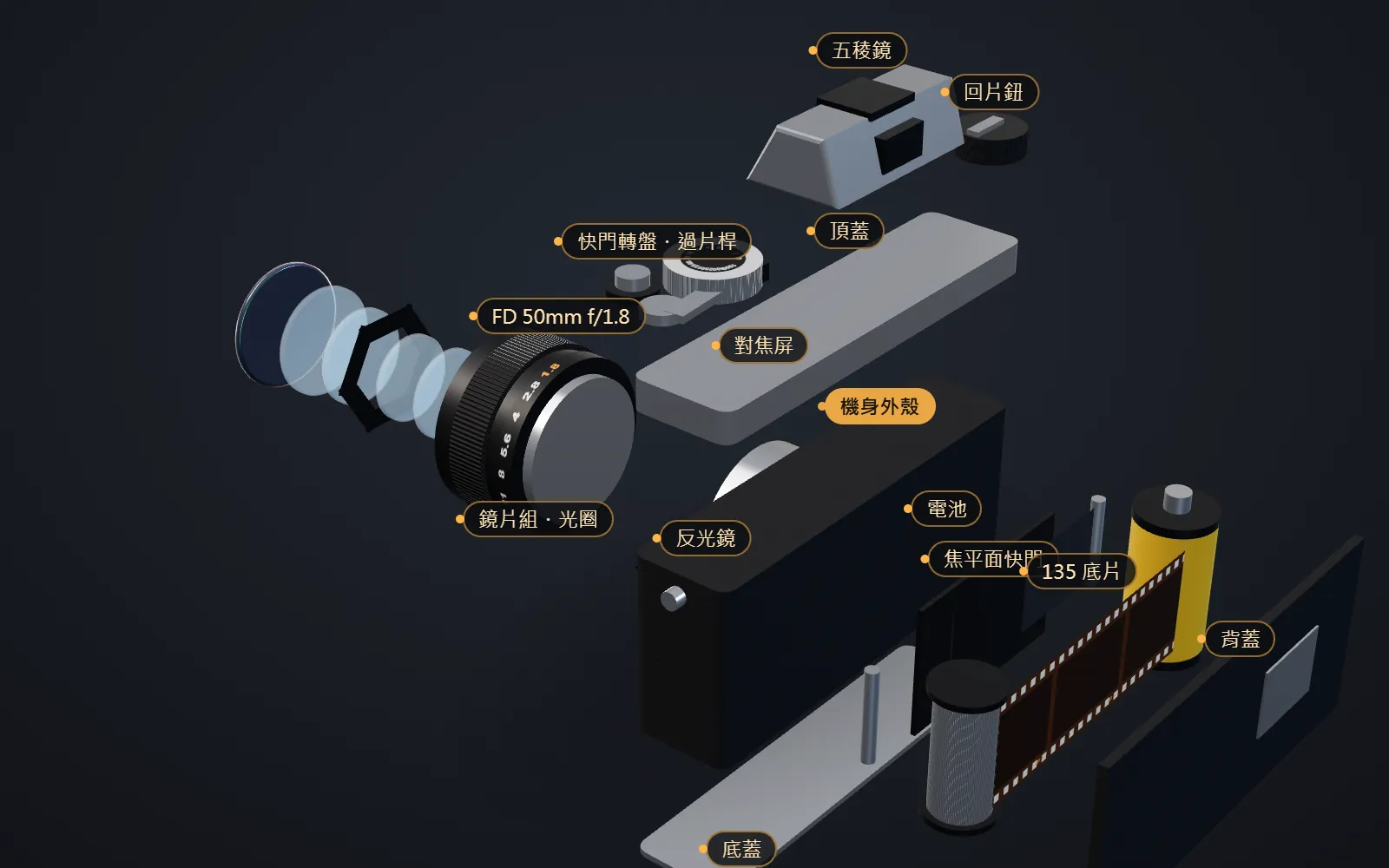
Ask Claude for something in 3D and you often get a thing that looks close but is off everywhere. Teardown, a free open-source Claude Code skill on GitHub, says it plainly in its rules: machines invented from a sentence come out generic every time; give it real numbers and it builds the real thing. We built a camera twice from the same sentence: once with nothing else, once with one extra line of real Canon AE-1 specs. You will see the difference, how to install Teardown, two prompts you can copy, and where to find numbers you can trust. Every image below is a screenshot of a working page Claude built that you can spin and take apart.
01Same sentence, one line of numbers, big difference
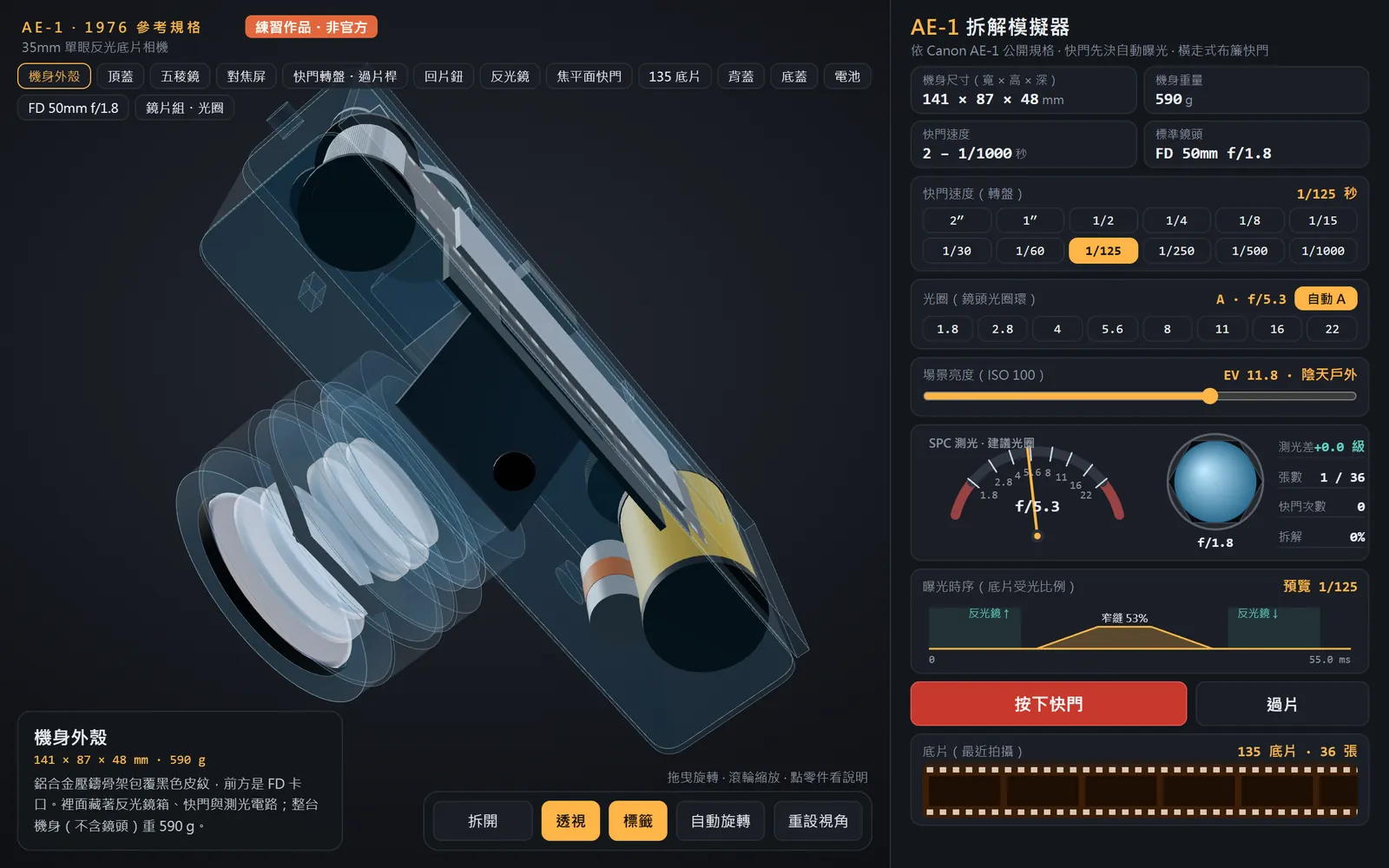
On the left we typed one sentence and Claude built a camera called "FILM-35", a model that does not exist. On the right is the same sentence plus one line with the Canon AE-1's size, weight, shutter and lens. Claude followed the real camera: the body proportions, the top plate and the aperture scale on the FD 50mm f/1.8 all match, and the dashboard reads the same numbers.
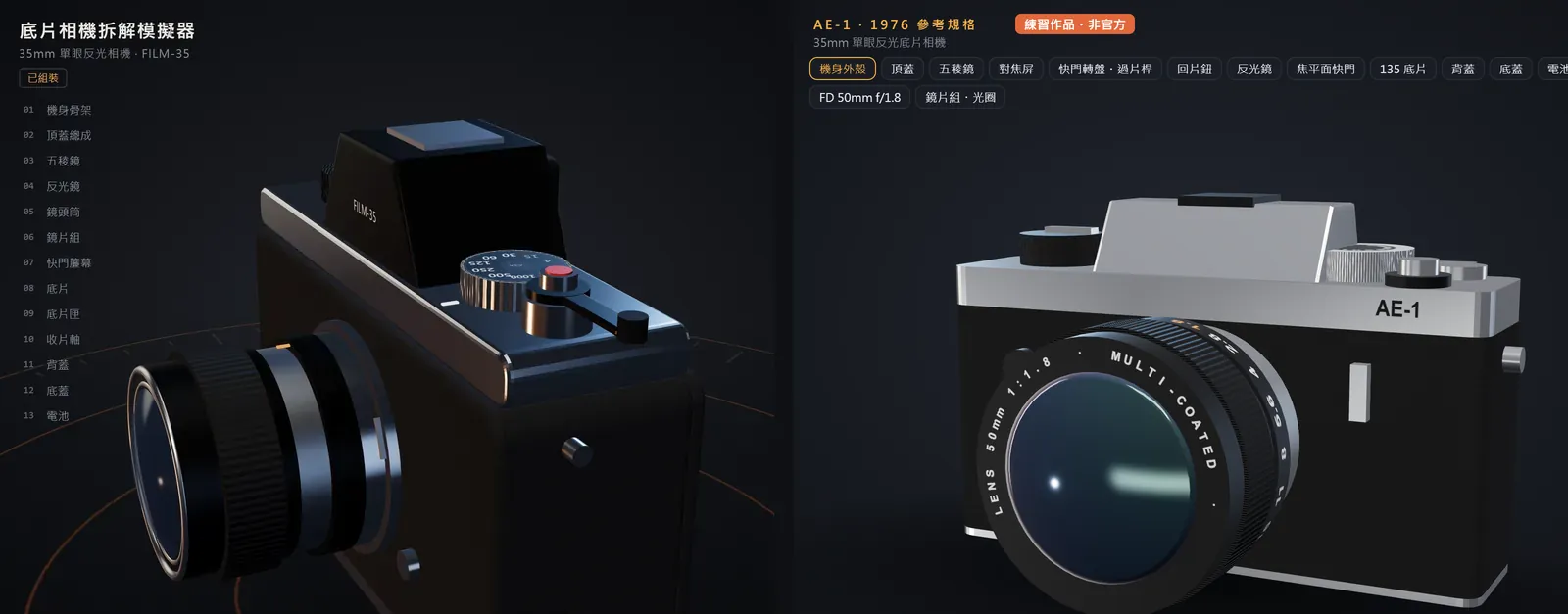
To be clear: we built both cameras by asking Claude Code directly. We did not install or run the Teardown kit. We followed Teardown's rule 2, "real numbers, one source", to see how much that one line changes.
02Meet Teardown, then install it (about 5 minutes)
Teardown is a Claude Code skill by GitHub user elvarofficial, free under the MIT licence. It turns a machine into one offline HTML page: the machine runs in the middle, the panels around it read the real numbers, every part has a button to open it up, and when nobody touches it the page tours itself. It can also record the tour frame by frame to a 60 fps video with procedural sound.
- Make sure you have Node.js 20 or newer.
- In a terminal, run: npx skills add elvarofficial/teardown -g -a claude-code
- As the README says, once, in the installed skill folder, run: npm install && npx playwright install chromium
- For video you also need ffmpeg; for sound, Python 3. You don't need them for the page alone.
- Open Claude Code and say it in plain words: "Build me a simulator of a [machine] I can take apart."
The README has the official demos (a robotic bee, scorpion and octopus), and the kit ships three full examples: a V8 engine, a Cessna landing gear and a Strandbeest. Those are the Teardown author's work; see them on GitHub.
- Teardown (GitHub) — MIT licence, free and open source; install command and official demos
- Teardown SKILL.md — The rules Claude reads, including "start from a reference" and "real numbers"
03Step 1: one sentence only, and see what you get
First we gave it one sentence. This is the exact prompt for the first camera (in Chinese, as we used it):
做一台可以拆開的底片相機 3D 模擬器,旁邊要有會動的儀表板。
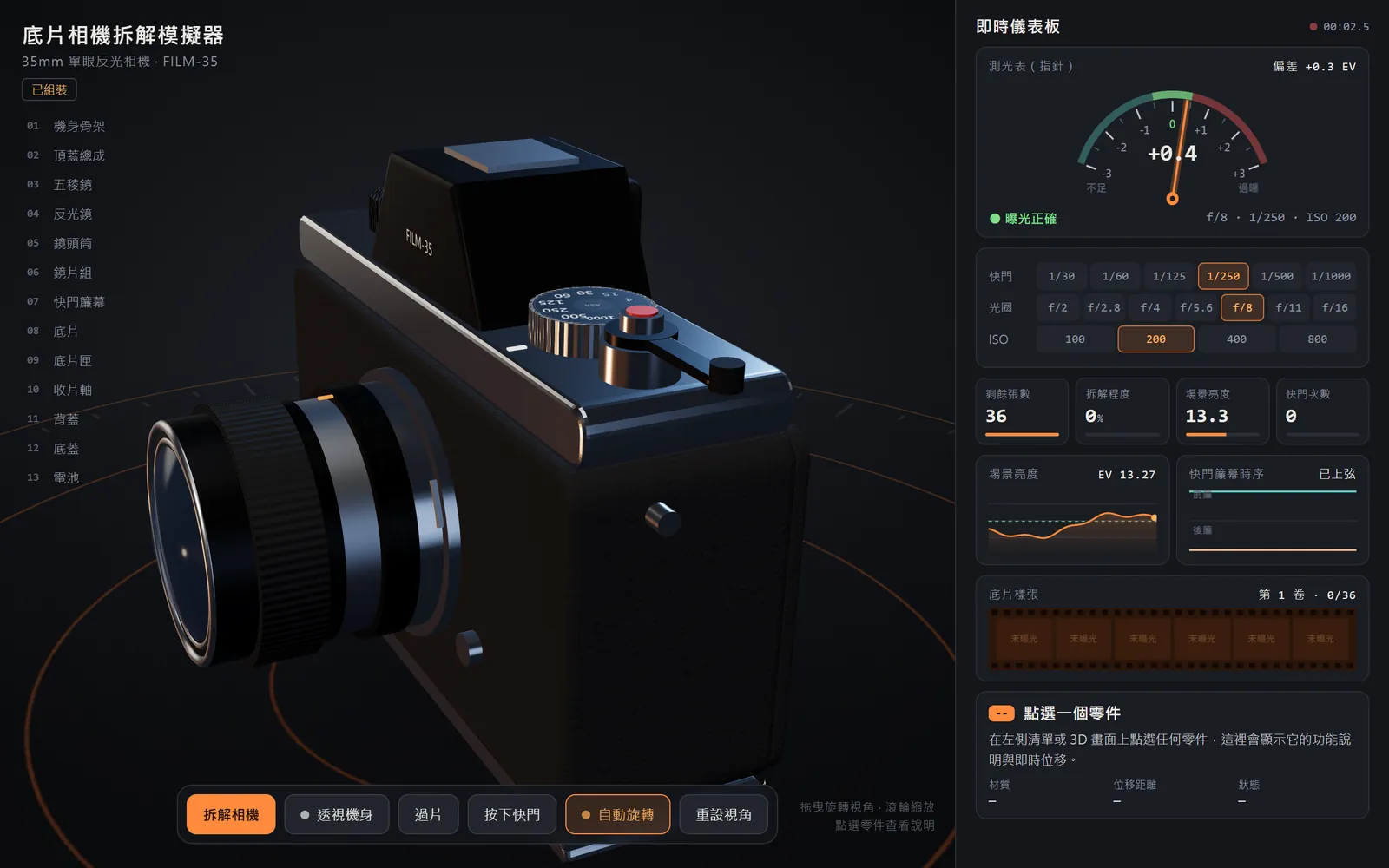
It comes apart too. Press the take-apart button and 13 parts fly out, each numbered and named.
04Step 2: add one line of real numbers
Keep the sentence and add one line of specs: size, weight and one or two key specs. Swap the [ ] for your machine:
Build a 3D simulator of a [machine] I can take apart, with a live dashboard beside it.
Use the real numbers of the [brand and model]: [W × H × D mm], [weight], [key spec 1], [key spec 2].
For the second camera, this is exactly what we pasted (in Chinese, as we used it):
做一台可以拆開的底片相機 3D 模擬器,旁邊要有會動的儀表板。
照 Canon AE-1 的真實數字做:機身 141 × 87 × 48 mm、590 g、快門 2 秒到 1/1000 秒、FD 50mm f/1.8 鏡頭。
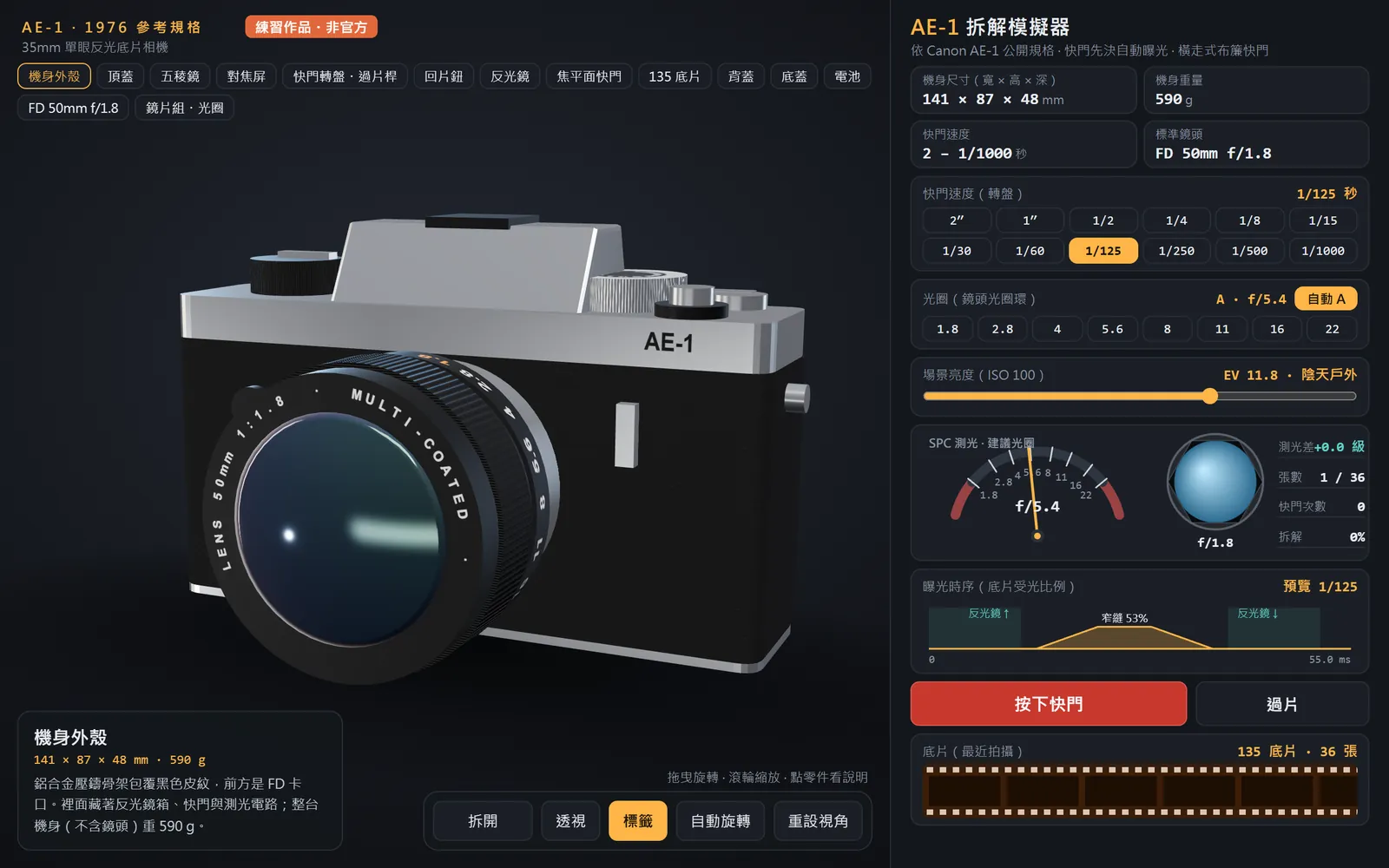
05Step 3: fire the shutter, take it apart, check the numbers
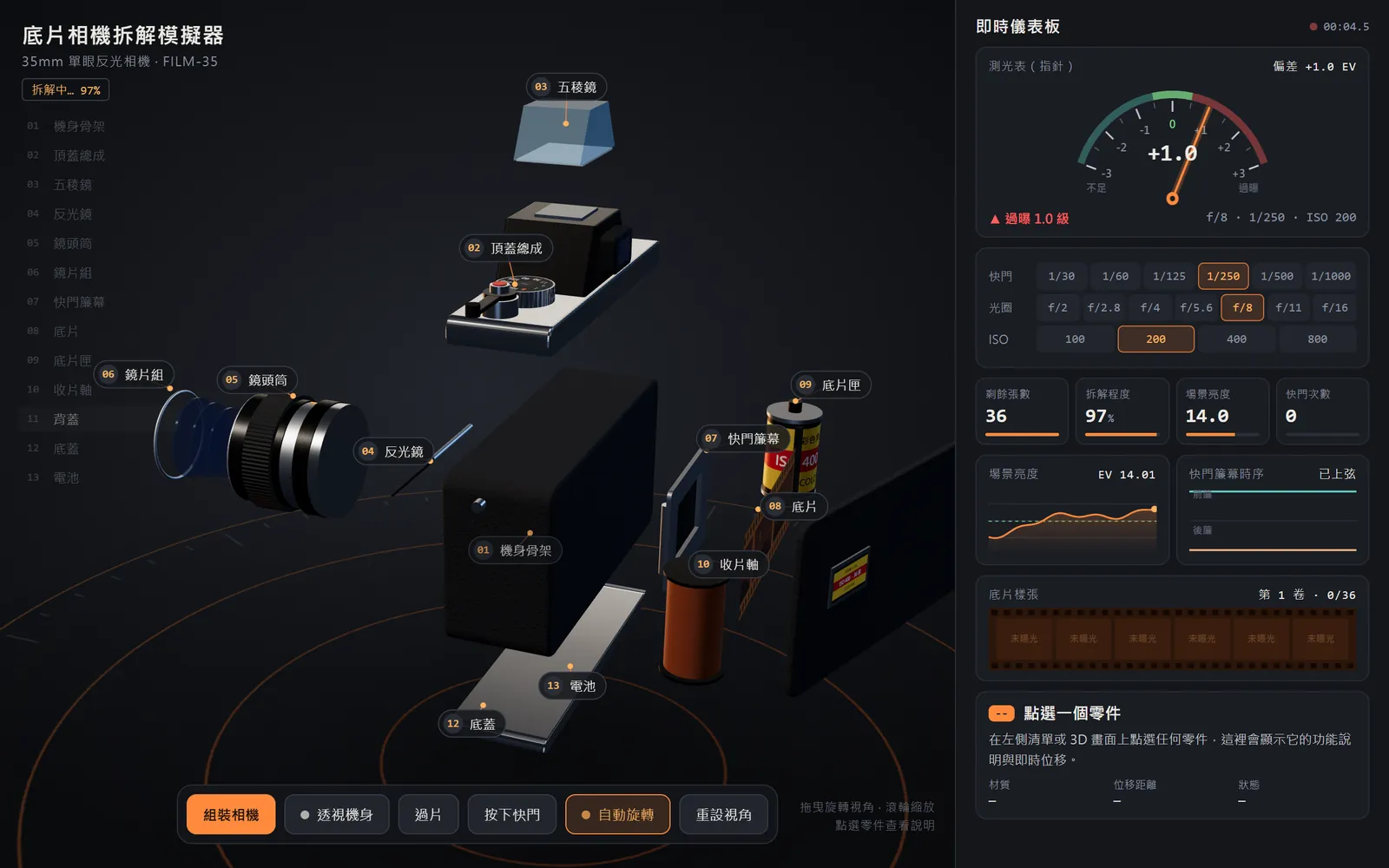
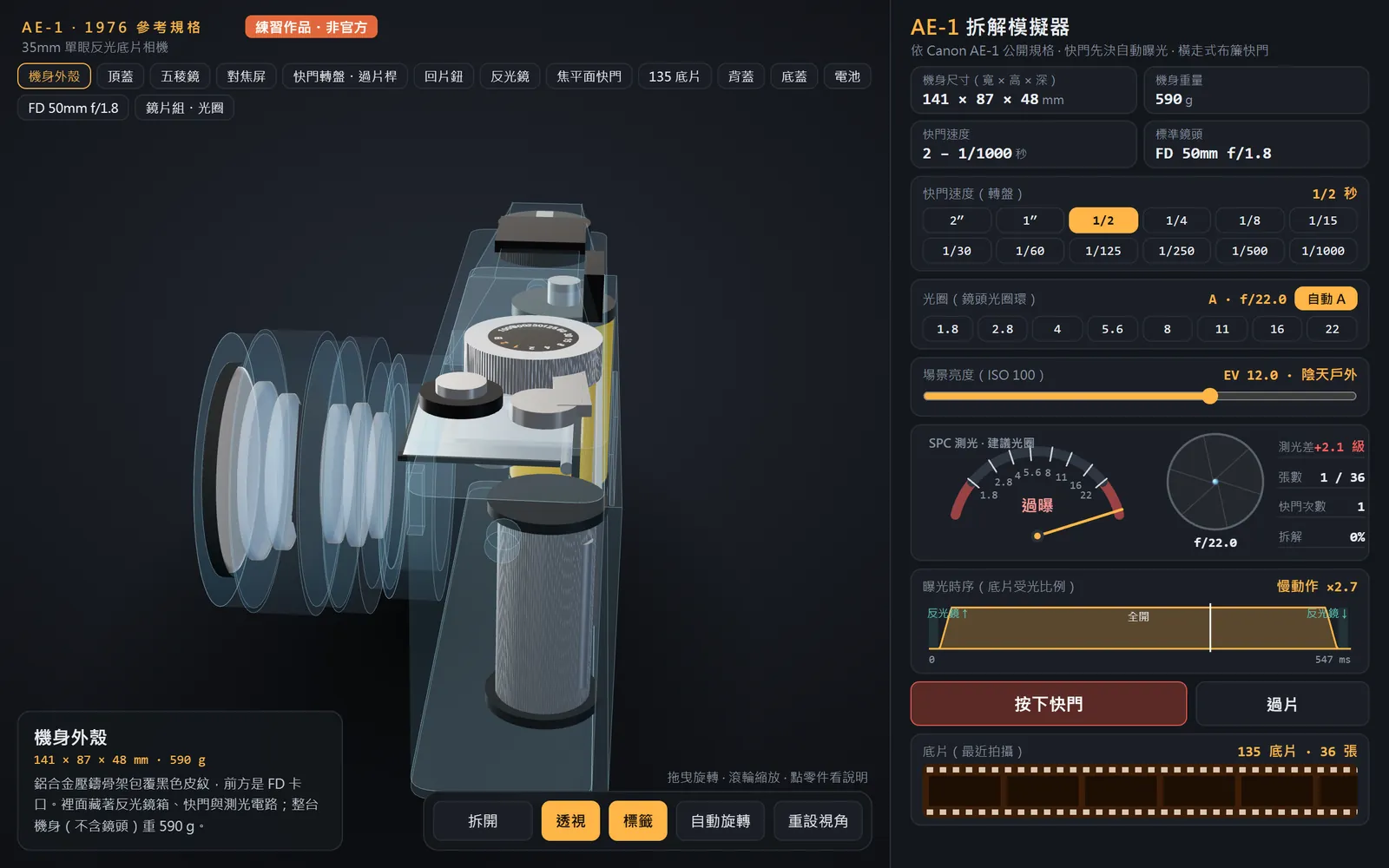
Version B lets you pick shutter speed and aperture. With the aperture on "A", it works out the aperture from the shutter speed. We turned on x-ray, set the shutter to 1/2 s and fired: the exposure chart opened fully and the meter needle swung to overexposed.
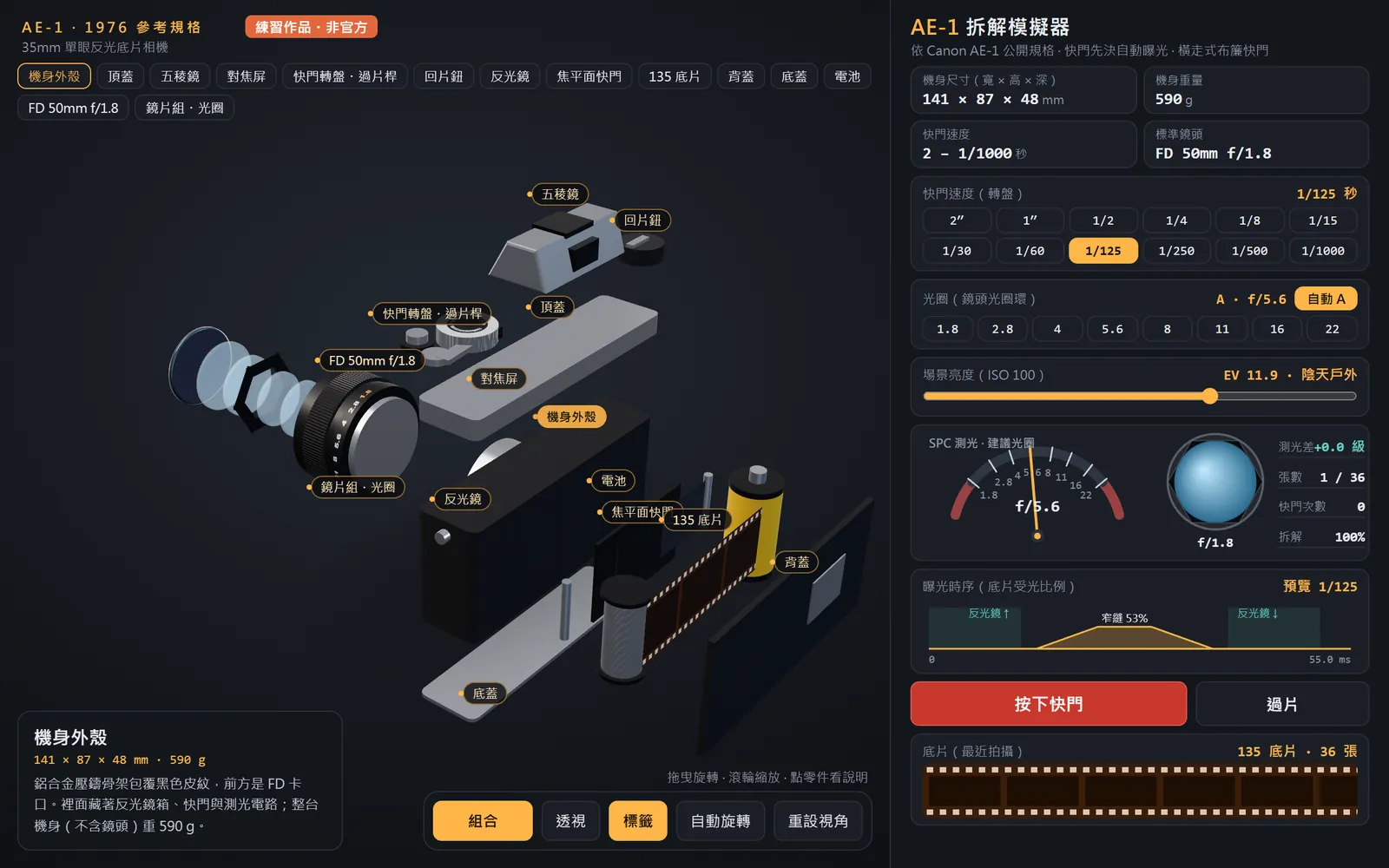
Press take-apart and 14 parts fly out one by one, each labelled: pentaprism, focusing screen, mirror, focal-plane shutter, 135 film, battery, FD 50mm f/1.8 and more.
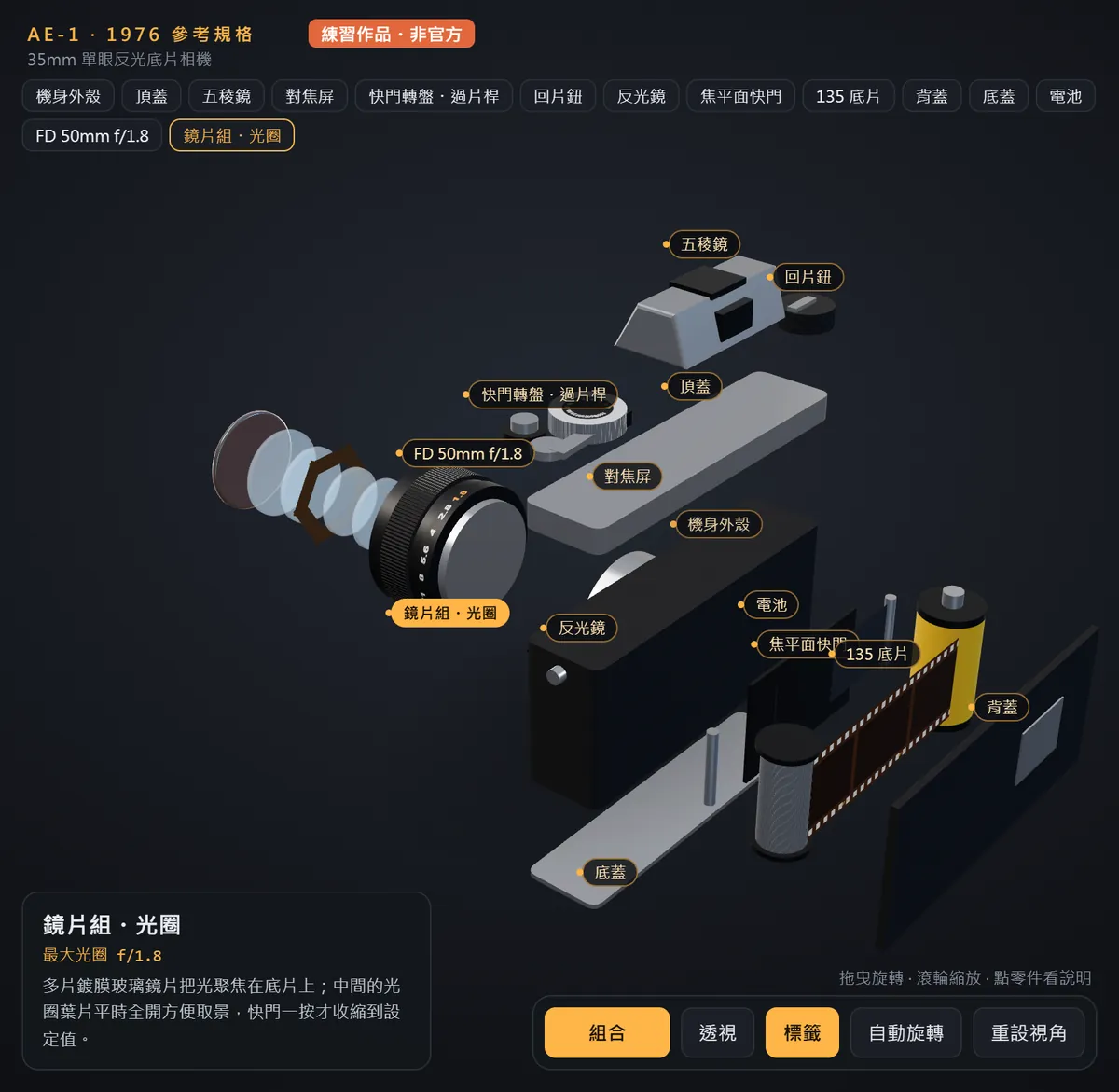
Click any part button at the top and that part lights up while the card at the bottom left explains what it does.
06Step 4: drag to a new angle and screenshot it for your portfolio
Drag on the 3D view to spin it and scroll to zoom. Turn on x-ray and the body goes see-through, so the film and parts inside show.
- Turn off auto-rotate first so the angle stays put.
- Spin to the angle you want and take a normal screenshot.
- For motion, screen-record it coming apart or firing the shutter.
- For Instagram, ask Claude for a light background. Teardown's rules say pale backgrounds read better in a feed.
07Where to find real numbers
- Start with the maker's own page. Our AE-1 numbers come from the Canon Camera Museum: launched April 1976, 141 × 87 × 48 mm, 590 g, shutter 2 s to 1/1000 s.
- Use one source only. Wikipedia, for example, gives the AE-1's depth as 47.5 mm against Canon's 48 mm. Mix them and the dashboard shows two different numbers.
- No official page? Use the manual or a spec sheet, and name the source in your prompt.
- If you have front and side photos, give them to Claude too. Teardown's rule 1 is "start from a reference, never from imagination".
- Canon Camera Museum: AE-1 — Official size, weight, shutter range and standard lenses
08Good to know
- Both cameras here were built by asking Claude Code directly. We did not install or run the Teardown kit; we only borrowed its "real numbers" rule. Besides the prompt, we asked for a single page using a local copy of three.js.
- The robotic bee, scorpion and octopus in the README are the Teardown author's demos, not ours.
- The outer size, weight, shutter and lens follow the official numbers. The inner layout, exposure timing and metering are Claude's simulation: fine for understanding how it works, not as repair data.
- Our model leaves out the Canon name and logo, and the page is labelled as an unofficial practice piece. Before any commercial or client use, keep other brands' marks out or swap in your own product.
- Teardown is a third-party open-source project, not affiliated with Anthropic or Canon. Read its code and README before you install it.