7 free Adobe alternatives written with Claude: editing, photos, vectors, layout and PDF, but still early versions
ArtCraft's 7 open-source apps target Premiere, Photoshop, Illustrator, Lightroom, After Effects, InDesign and Acrobat. Free, with safe-install steps.
Watch the reel on InstagramComment #替代 to get this guide
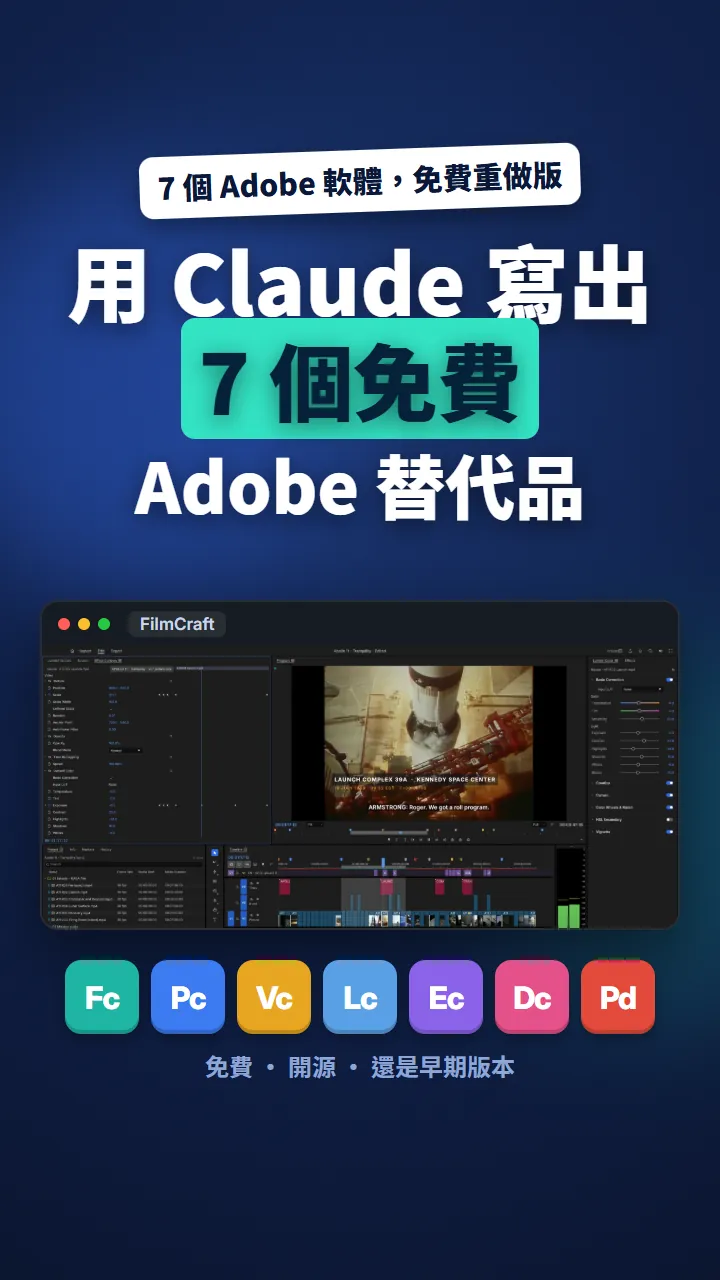
Adobe costs hundreds to thousands of NT dollars a month, and many people only edit a video or retouch a photo now and then. On GitHub, a team called ArtCraft (account storytold) has built a free, open-source counterpart to 7 Adobe apps, writing much of the code together with Claude. This guide walks through all 7: which Adobe app each resembles, how far along it is, how to install it safely, and a prompt that has Claude Code install one and drive it for you. Up front: they are all early versions, so don't move important work over yet.
01Is this Premiere? No, it's FilmCraft
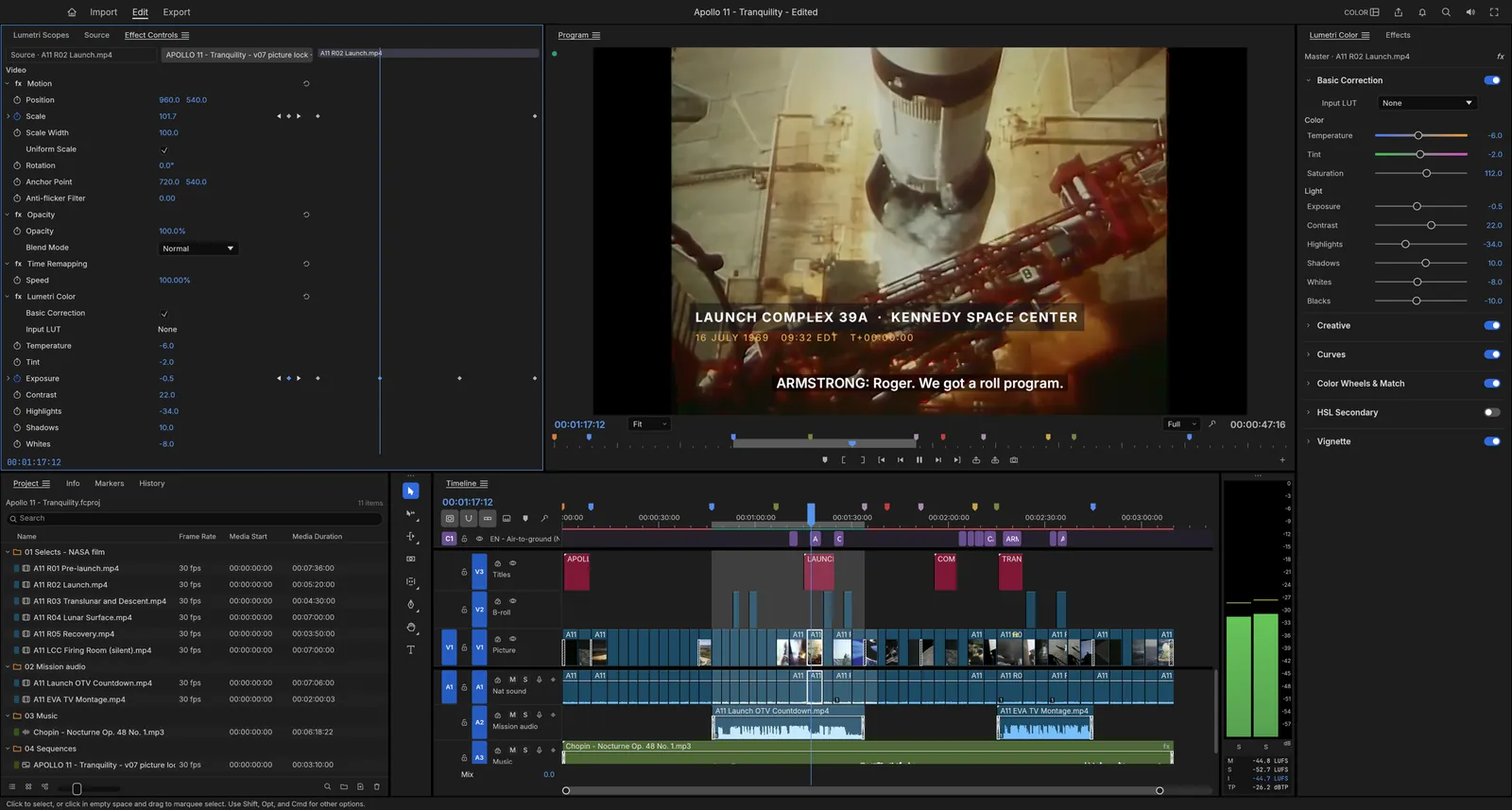
The panel layout, timeline and colour area look a lot like Premiere at first glance. But it's a separate app written from scratch in Rust. It isn't an Adobe product and uses no Adobe code or icons.
All 7 apps live in the same GitHub organisation, storytold (website getartcraft.com), licensed under MIT or Apache-2.0 at your choice. They're free for personal and commercial use, with installers for macOS, Windows and Linux, and some also run on FreeBSD and in the browser.
- ArtCraft on GitHub (storytold) — All 7 apps are here
- ArtCraft website
02What does Adobe cost, and what does FilmCraft cost?
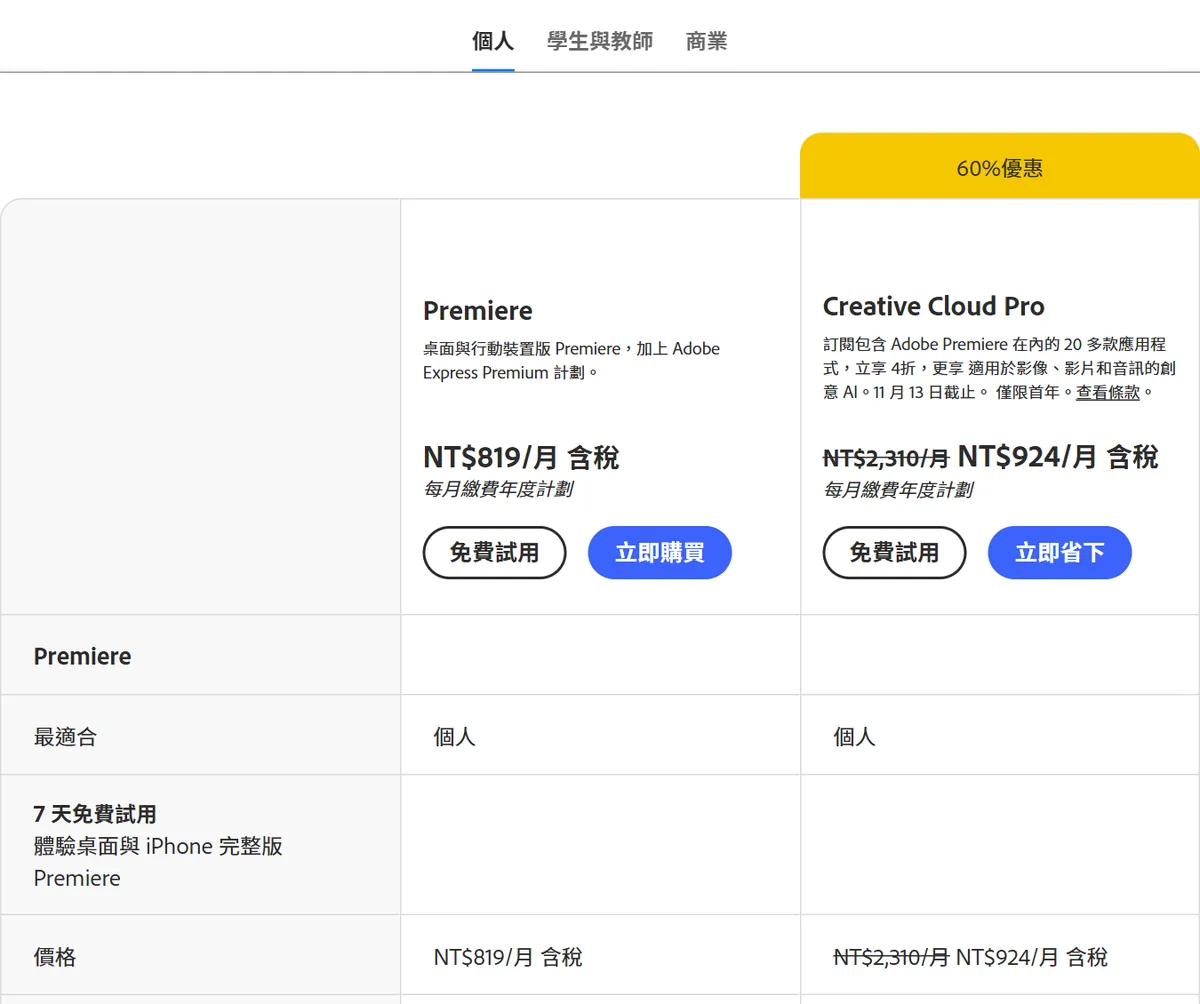
On 6 November 2026, Adobe's Taiwan site listed Premiere on its own at NT$819/month (tax included, annual plan paid monthly). Over a year that's 819 × 12 = NT$9,828. The full Creative Cloud Pro plan was NT$2,310/month, with a first-year offer of NT$924/month until 13 November.
FilmCraft and the other 6 Craft apps: NT$0. No subscription, no account.
03Who made them, and where does Claude come in?
ArtCraft's founder is Brandon Thomas (GitHub: echelon, Atlanta, US), who is also FilmCraft's top committer. But he didn't build all 7 alone: each repo has different lead contributors. PhotoCraft's top committer is davidmann4, for example, and DesignCraft's is aiongg.
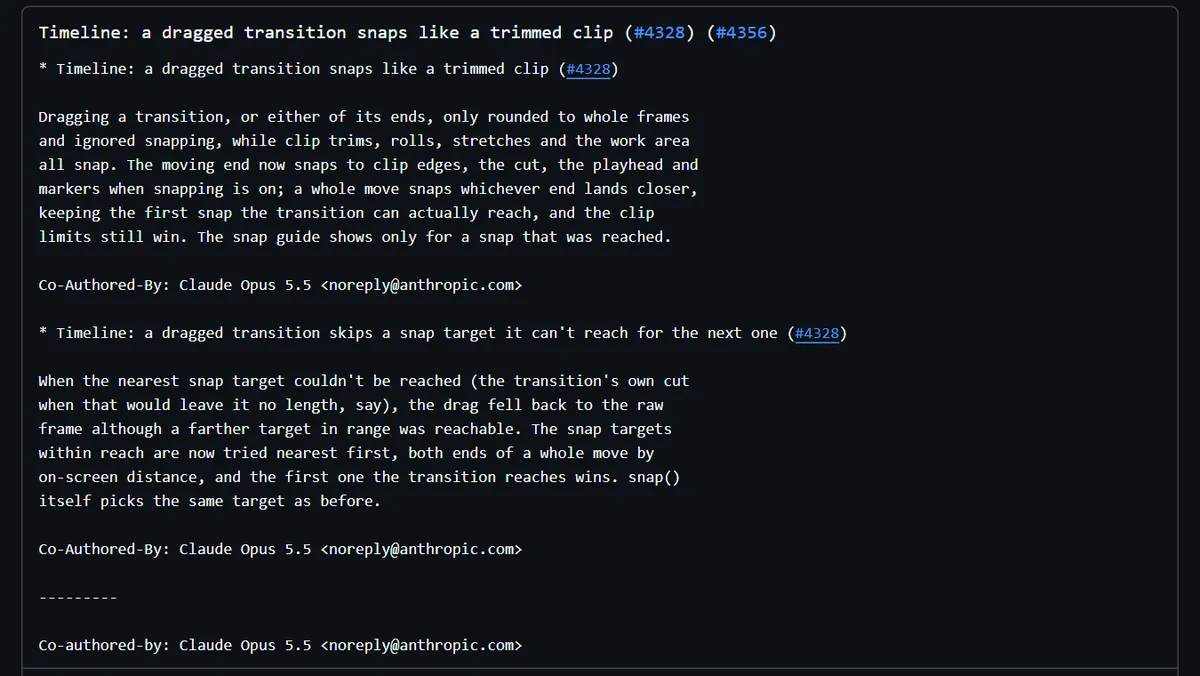
Claude's role is co-writer. FilmCraft and other repos have a CLAUDE.md at the root, a set of instructions for AI agents, whose first line says the goal is parity with Adobe Premiere Pro. Many commits end with Co-Authored-By: Claude Opus 5.5, meaning the change was written by a person together with Claude.
041. FilmCraft: a video editor like Premiere
Non-linear editing with a multitrack timeline, transitions, keyframes, colour grading, a caption track and loudness meters, plus export presets for YouTube, Instagram, TikTok and more. Even the video decoders are its own code; there's no FFmpeg inside.
- Version: v0.17.1 (released 5 Nov 2026), alpha.
- Its own estimate (README, measured 10 Oct 2026): feature breadth ~86%, ready for real work ~56%.
- The README also says Windows and Linux get far less testing than macOS.
052. PhotoCraft: a photo editor like Photoshop
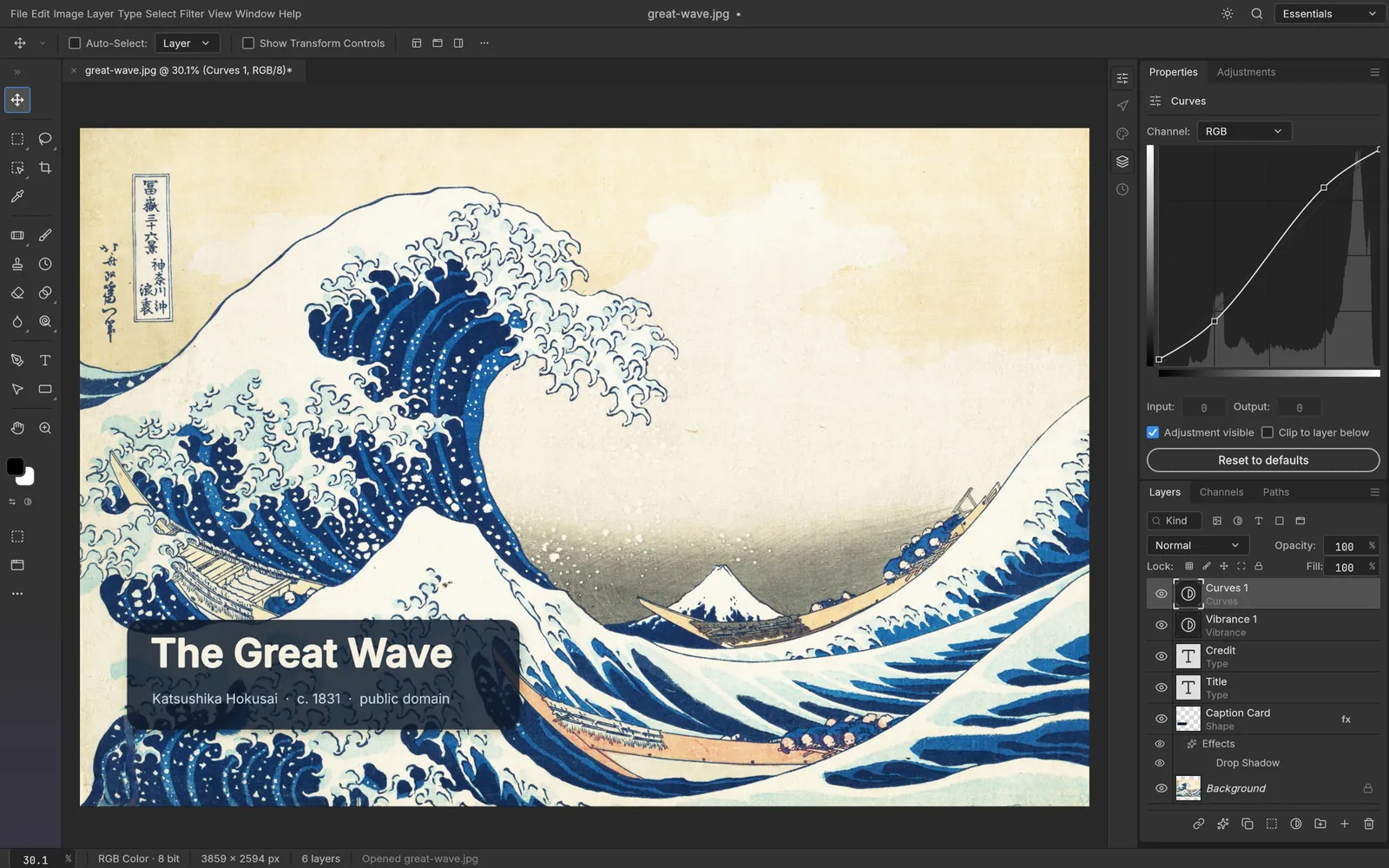
Layers, adjustment layers, layer styles, masks, type and filters are all there, and it opens PSD files. The README says its PSD support is written from Adobe's public specification and tested against a corpus of real files.
- Version: v0.20.2, marked early alpha in the README.
- It says plainly that it is not yet a Photoshop replacement for daily professional work. The biggest gaps: AI/generative features, 15 missing tools, typography depth and plug-in compatibility.
063. VectorCraft: a vector app like Illustrator
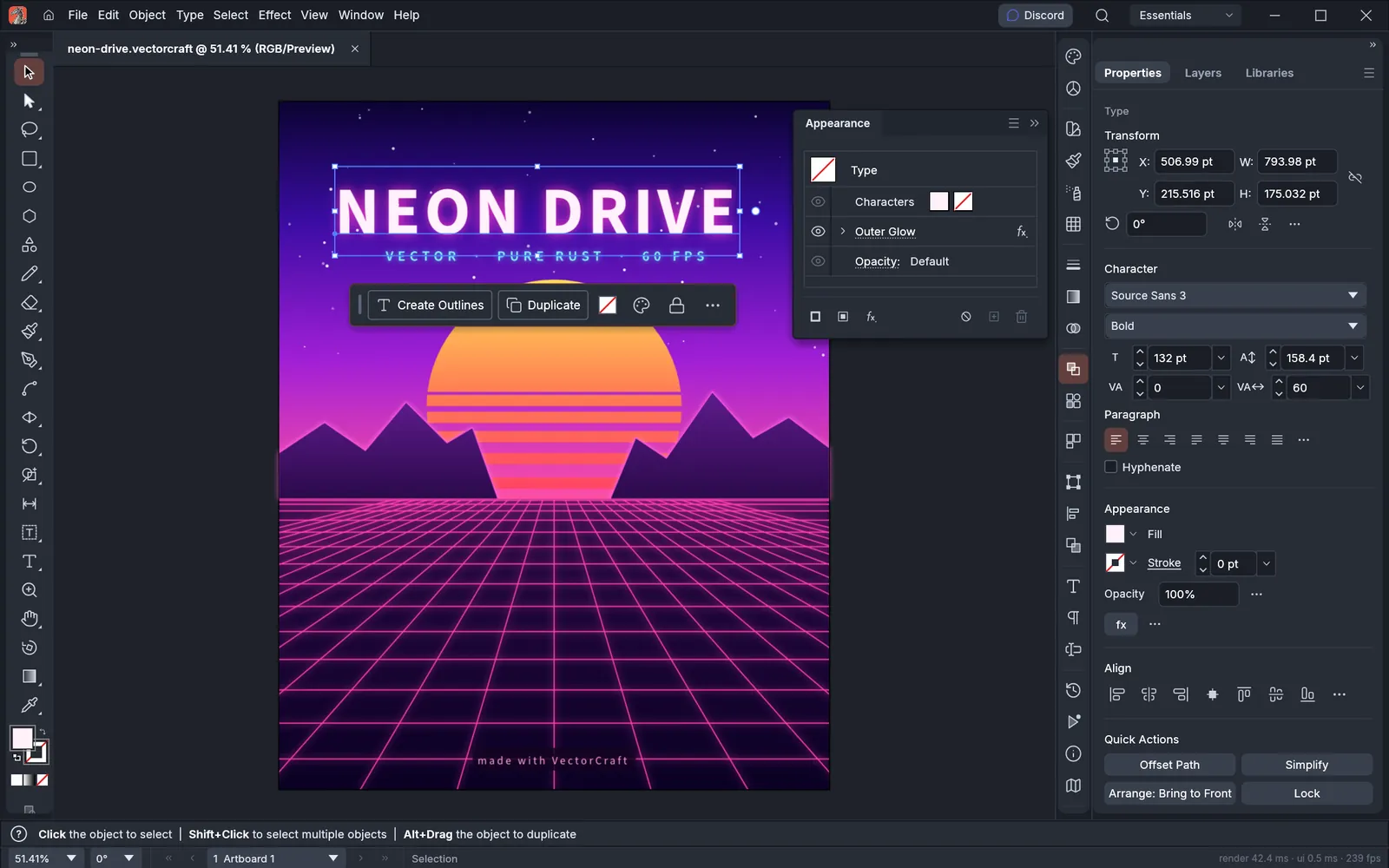
Pen and path tools, Pathfinder, gradient mesh, live blends, 3D revolve and perspective grids are all built. Every sample artwork in the README was made through its command API.
- Version: v0.21.1, alpha.
- Its own estimate (10 Oct 2026): ~88% of core features, ~65% ready for real work for a mainstream illustrator.
074. LightCraft: a photo developer like Lightroom
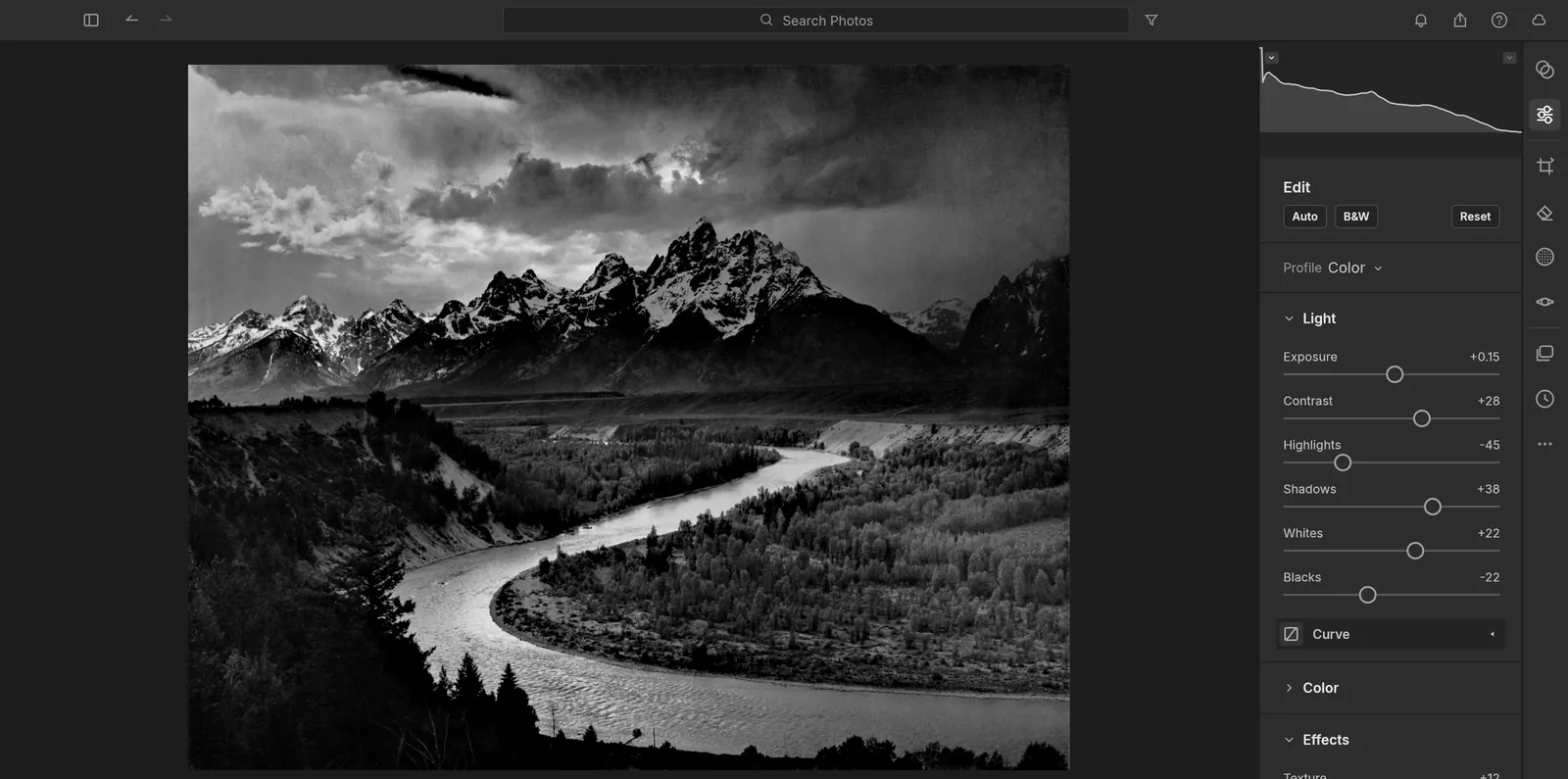
A non-destructive photo editor: exposure, tone curve, colour grading, masks, presets, crop and before/after views. Its README also comes in Traditional Chinese.
- Version: v0.18.1, alpha.
- Its own estimate: ~82% by feature count; as a day-to-day tool ~61% overall and ~51% for a typical working photographer.
085. EffectCraft: motion graphics like After Effects
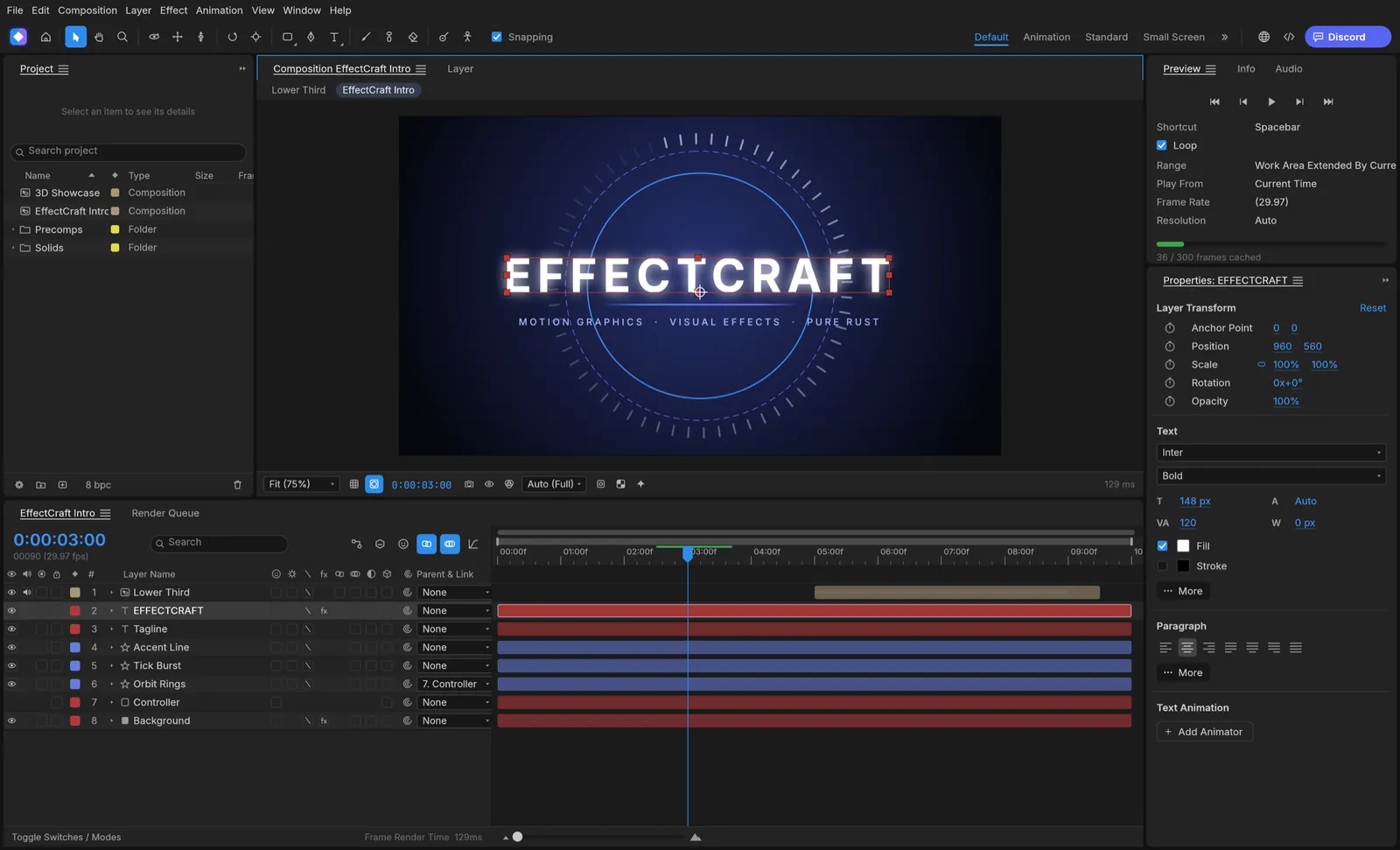
Compositions, layers, keyframes, a graph editor, particle effects, 3D layers and a render queue, with ProRes, HEVC, WebM and PNG-sequence output.
- Version: v0.21.1, alpha.
- Its own estimate: ~91% of tracked features exist, but only ~45% of the way to full professional production work.
- The README says macOS is the most tested platform; Linux and Windows users have hit basic interaction issues.
096. DesignCraft: page layout like InDesign
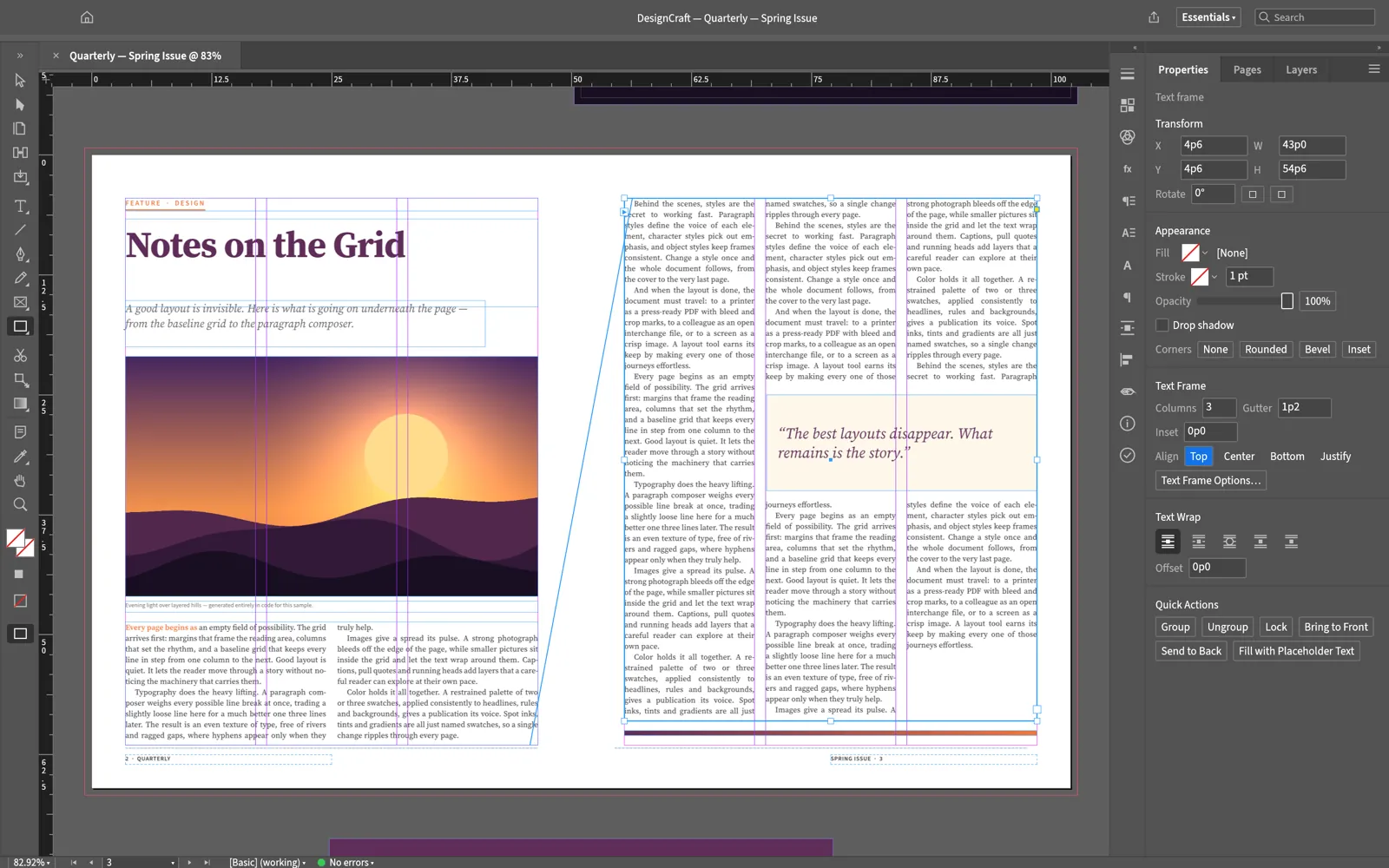
Threaded text frames, columns, text wrap, paragraph and character styles, swatches and parent pages, and it opens .indd and IDML. The font menu groups Chinese, Japanese and Korean fonts and shows their native names.
- Version: v0.17.2. Note: its ROADMAP says pre-alpha (earlier than alpha), the earliest of the 7.
- Its own estimate: ~47% ready for real work.
107. PdfCraft: a PDF app like Acrobat
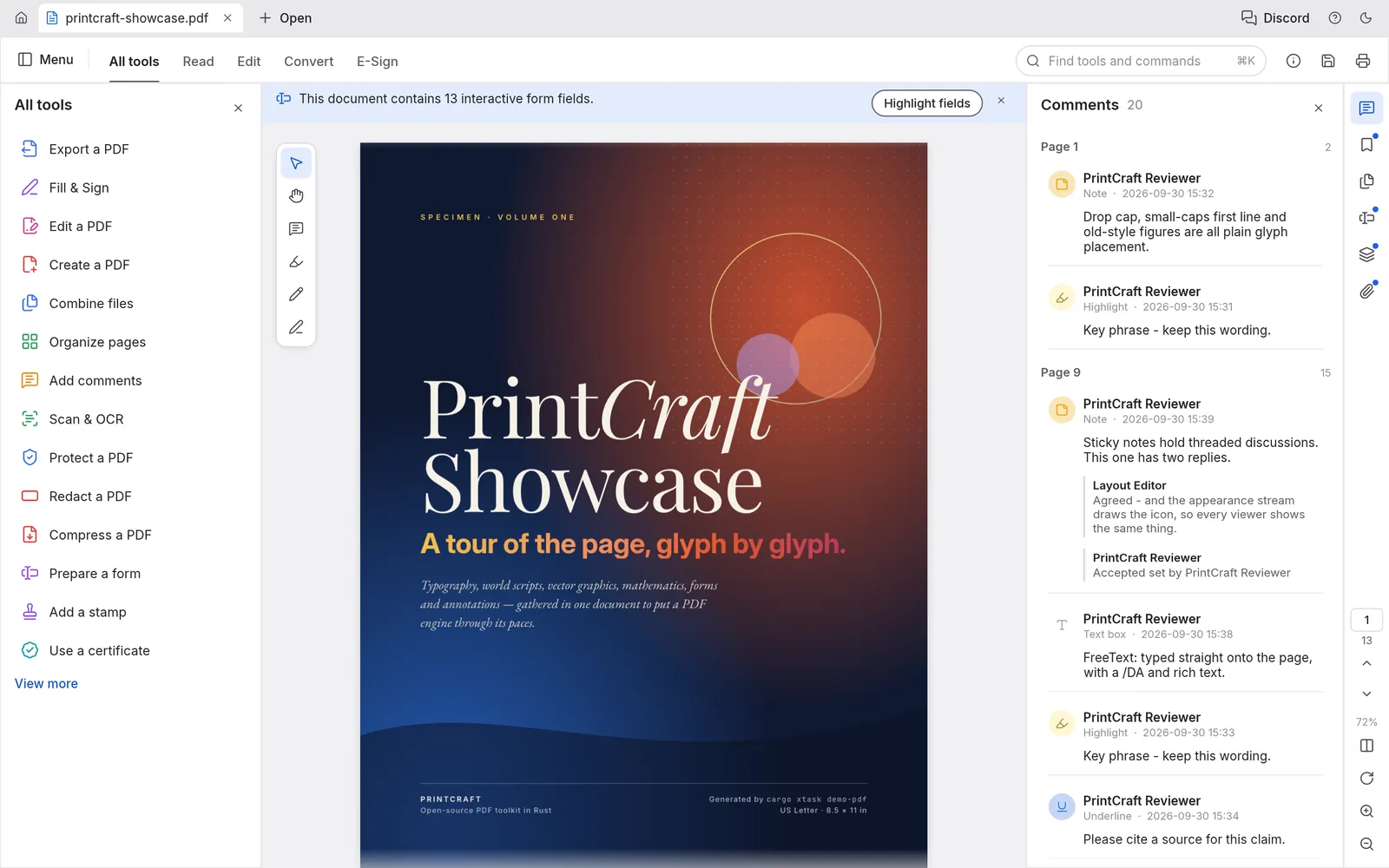
Viewing, commenting, filling and signing forms, combining and splitting, organising pages and OCR. No account needed, and the README states no telemetry.
- Version: v0.18.2, alpha (its own October 2026 assessment).
- About 55% ready for everyday work (reading, commenting, forms, organising pages). Converting is weak: no Office-to-PDF yet, and .docx export loses layout.
11Install safely: download only from Releases
- Open the repo you want, click "Releases" on the right and pick the latest version (Latest). Don't download from other sites or mirrors.
- Pick the right file: on a Mac, macos-universal.dmg (works on Apple silicon and Intel); on a typical Windows PC, windows-x64.msi, or windows-arm64.msi on an ARM laptop; on Linux, the AppImage.
- The same page has SHA256SUMS.txt with a checksum for every file. Compare it after downloading to make sure the file hasn't been tampered with.
- The READMEs say the Mac apps are signed and notarized by Apple and the Windows installers are code-signed. PdfCraft's README names the signer as Learning Machines, so check the publisher shows that name when you install.
- Before opening anything with it for the first time, make a copy of the file.
12Going further: let Claude Code install it and drive it
Every action in these 7 apps is a command, and each ships an MCP server. Once connected to Claude Code, you can ask Claude in one sentence to cut, retouch or lay out for you. The FilmCraft README says the trailer and grades in its screenshots were made by an AI agent driving the app.
This is the prompt people get when they comment the keyword. Open an empty folder on your computer, start Claude Code, replace the [ ] parts with the app you want and paste it in:
Help me install [APP] (an open-source app by ArtCraft, https://github.com/storytold/[APP]) safely on this computer.
1. Open the repo's latest GitHub release page (https://github.com/storytold/[APP]/releases/latest) and tell me which file fits my OS and CPU (macOS universal .dmg / Windows x64 or arm64 .msi / Linux AppImage). Download only from that release page, never from a mirror.
2. Before I run it, show me the file's SHA-256 and compare it with SHA256SUMS.txt on the release. On macOS confirm it is signed and notarized (spctl --assess); on Windows check the signature with Get-AuthenticodeSignature.
3. Remind me this is an alpha: keep a copy of any file I open with it.
4. Then connect its MCP server to Claude Code exactly as the README says (e.g. claude mcp add [APP] -- <path to [APP]-cli> mcp) and run one small test task, like "open this image and export a 1080x1350 JPG".
Explain each step in plain English.
13Good to know
- All 7 are alpha (DesignCraft is pre-alpha), with bugs and missing features. Keep important and client work in Adobe for now; they're great for practice and personal projects.
- Releases move fast (new versions came out on 5 Nov 2026). The version numbers and percentages here are from the READMEs in October-November 2026 and will change.
- They are independent open-source projects with no connection to Adobe; the names are similar only because they target the same features.
- Download only from GitHub Releases, check SHA256SUMS.txt, and avoid re-upload sites.
- Found a bug? Report it in that repo's Issues with your OS, file size and a screenshot.
- Adobe prices are from Adobe's Taiwan site on 6 Nov 2026. Offers and plans change, so check the official site.