No 3D skills needed: Claude builds a 3D tea-tin website in code, with scroll, spin and pour in 4 steps
No bought models, no 3D artist: Claude plans the site, turns the tins in three.js, adds scroll and drag, then one config file makes it your shop. All 4 prompts.
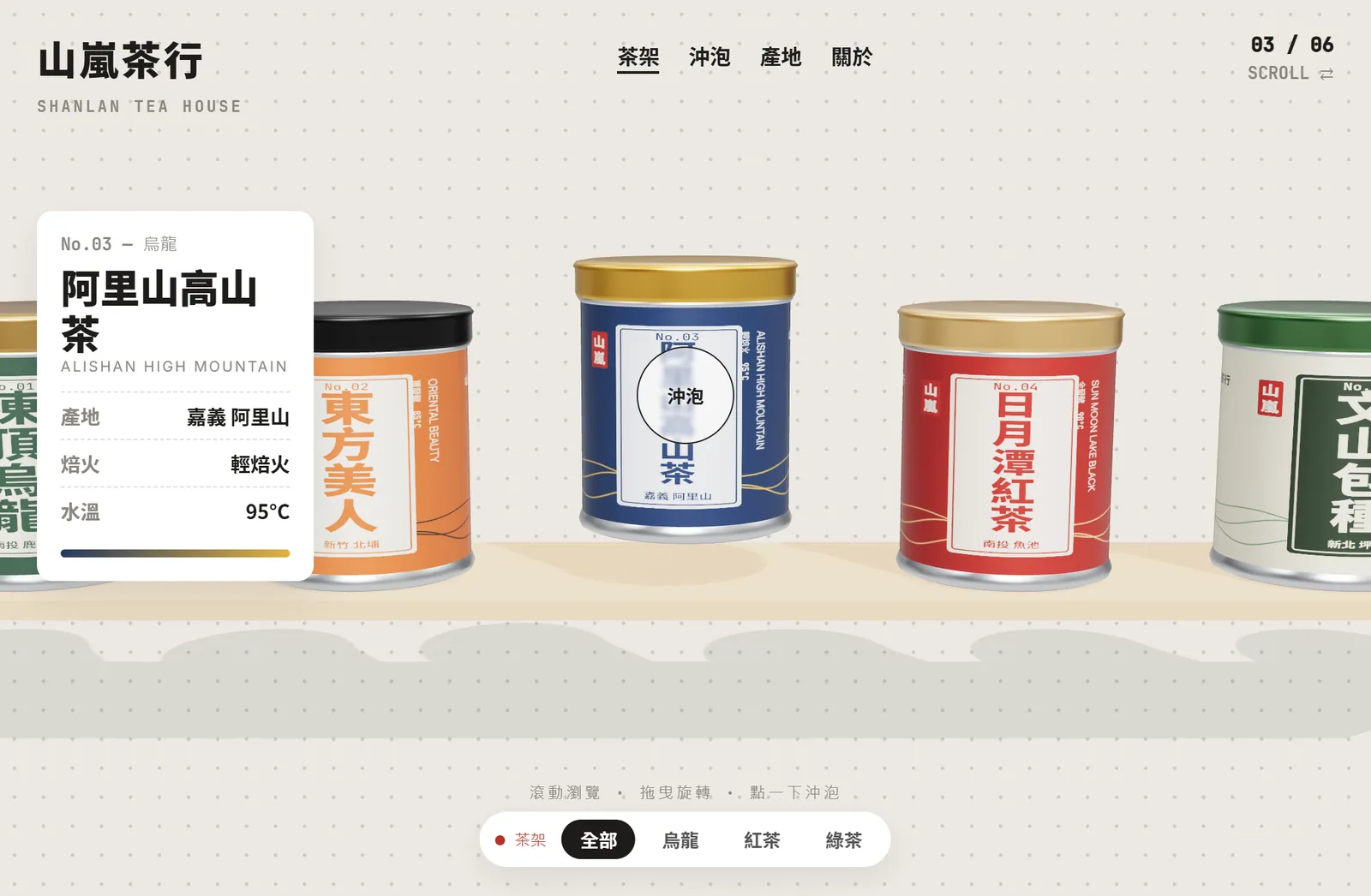
On this 3D tea-shop website you scroll along a shelf of tins, drag one to spin it, and click to pour its leaves into a teapot. The tins aren't bought models and no 3D artist made them: Claude built them in three.js code, line by line.
Shanlan Tea House (山嵐茶行) is a fictional demo shop. Every image below is a screenshot of the site we actually built with these 4 prompts. Paste them into Claude in order to build your own.
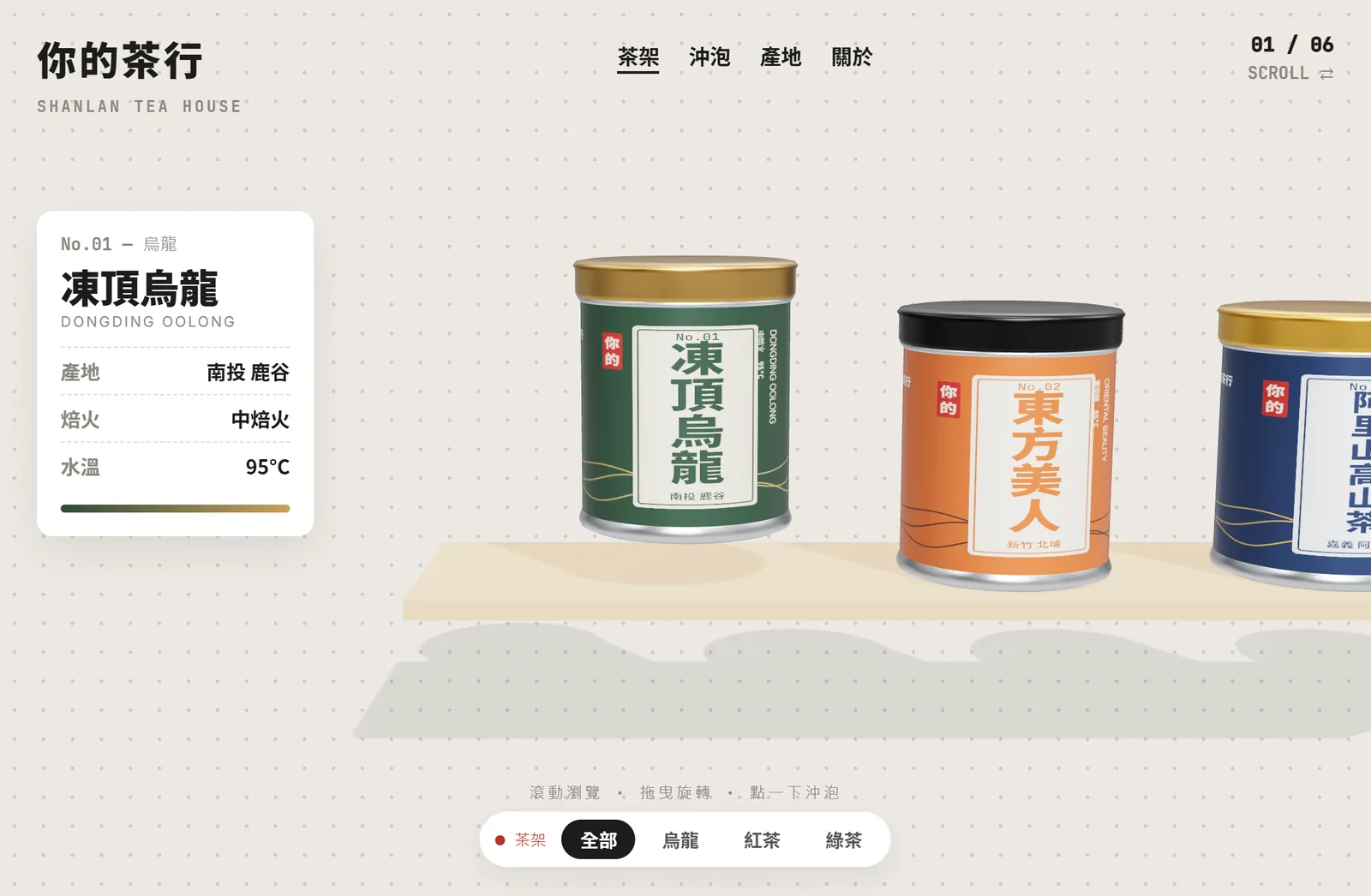
01The result: one shelf, 6 tins, one teapot
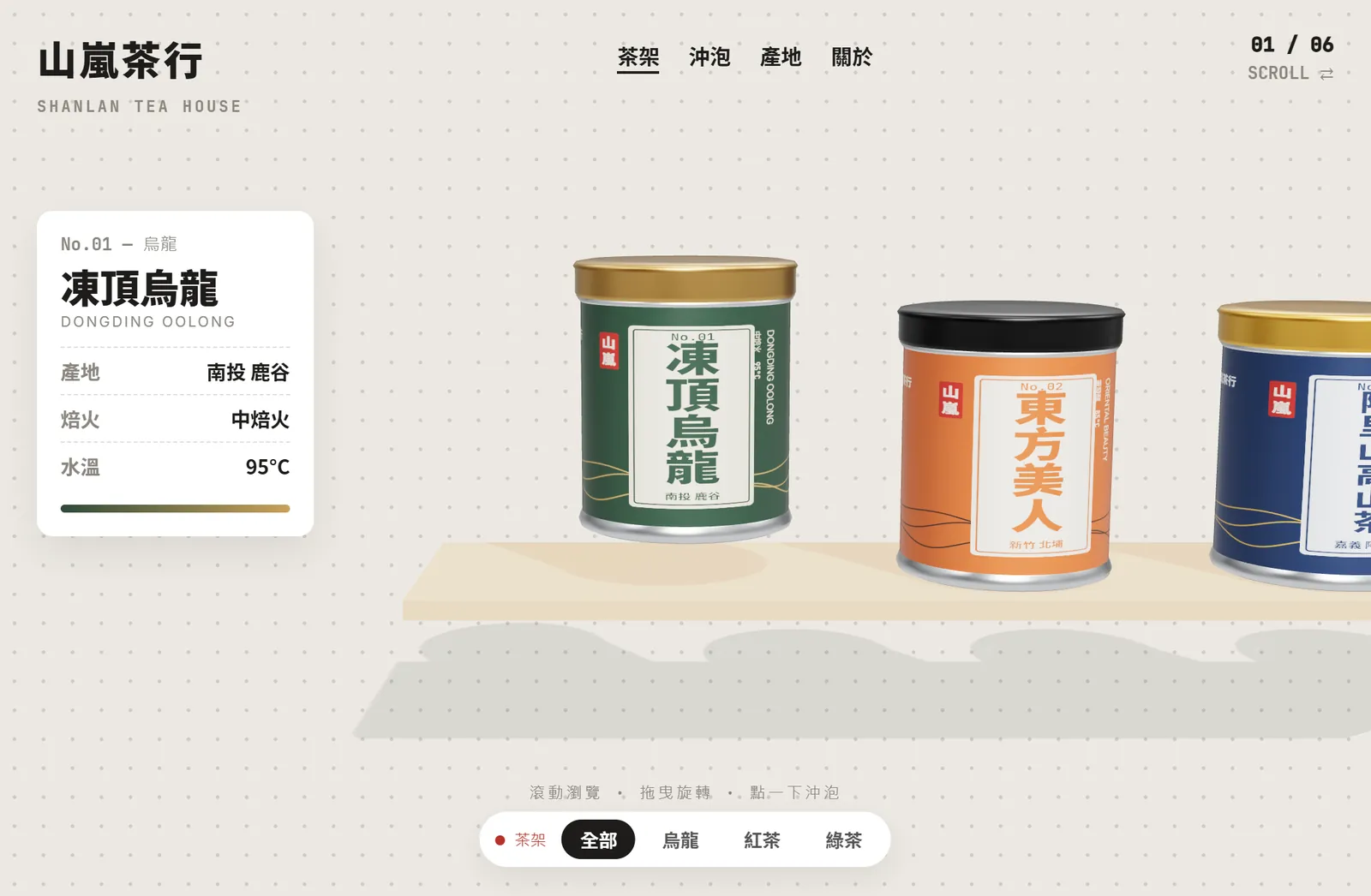
- Scroll wheel: the shelf slides sideways, one tin at a time.
- Drag: the tin spins in place and slows down after you let go.
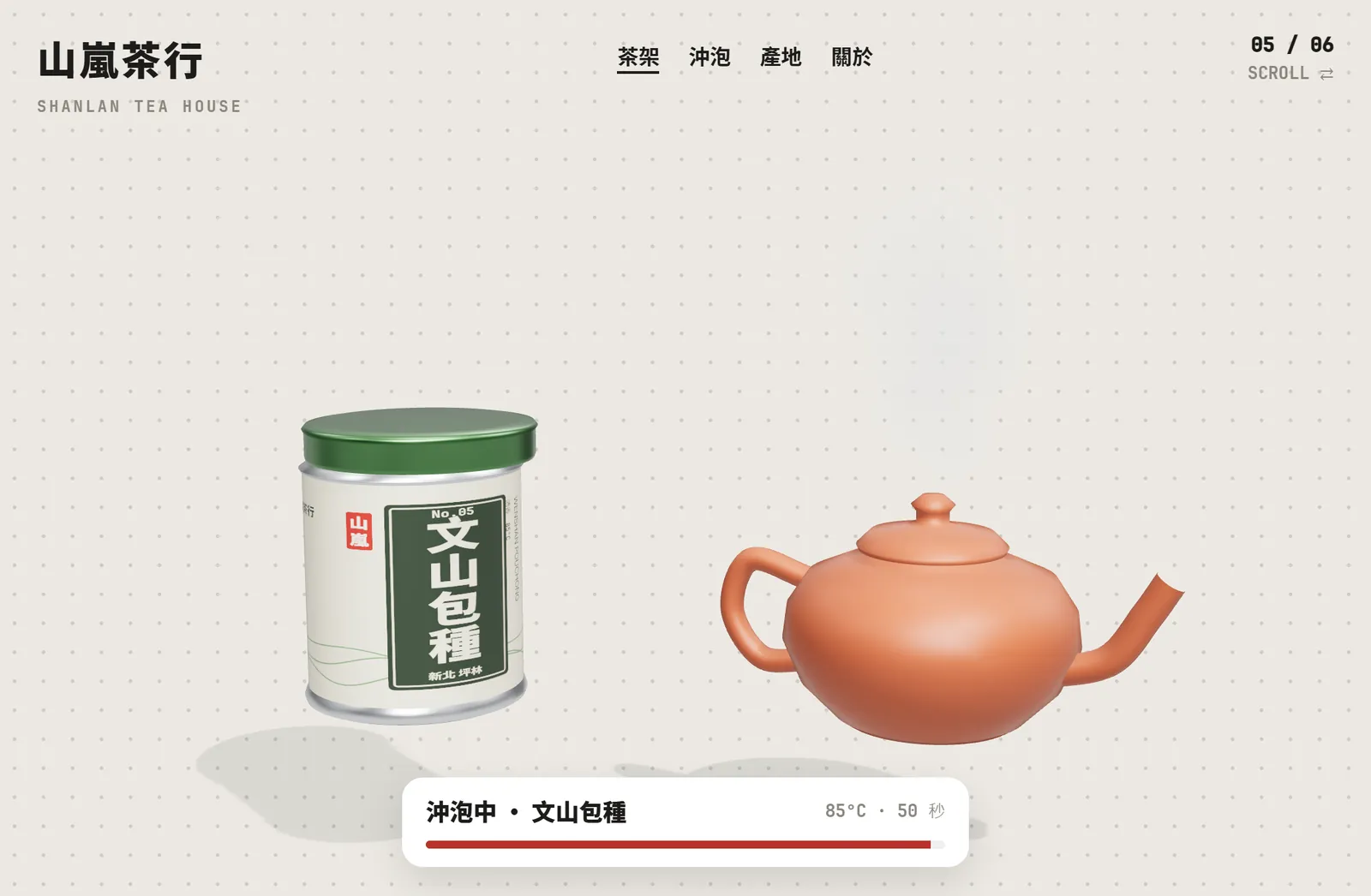
- Click: the tin flies over the teapot, the lid comes off, the leaves pour in, steam rises and a brewing timer appears.
The whole site is 3 main files: index.html (page and interactions), models.js (the 3D tins and teapot) and config.js (shop name and tea data). three.js is a free, open-source 3D library.
02Step 1: tell Claude "no code yet" and get a plan
Ask an AI to "make a 3D website" and it plans while it codes, so the interactions often don't fit together. Have it spell out the structure, sections and how every object moves first, and the code has a blueprint to follow.
Plan a 3D website for me: [a Taiwanese tea shop's shelf of tea tins],
where you can [scroll along the shelf, drag a tin to spin it, and click to pour the leaves into a teapot].
Don't write code yet. First give me: the site structure, the sections, and how every object moves.
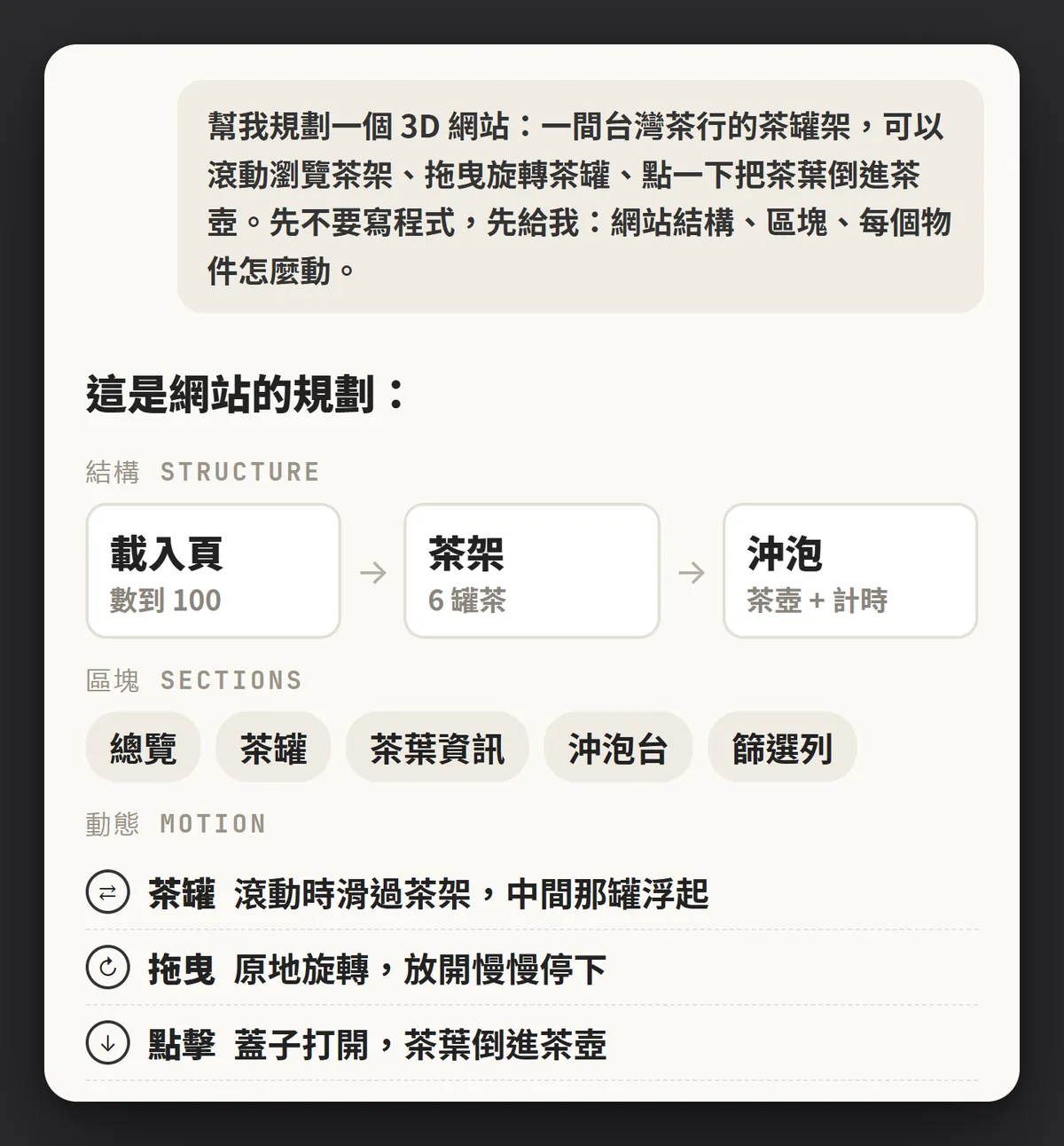
- Structure: loader (counts to 100) → shelf (6 tins) → brew (teapot + timer).
- Sections: overview, tins, tea info, brewing station, filter bar.
- Motion: tins slide along the shelf as you scroll and the centre one lifts; drag spins a tin that slows to a stop; click opens the lid, pours the leaves and brings up steam.
03Step 2: no bought models, Claude makes the 3D tins in code
Many tutorials tell you to buy models or generate 3D files with AI. Round things like tins, cups and bottles don't need that: three.js LatheGeometry works like a potter's wheel, spinning a side profile line all the way round to make the body.
Don't use external model files. Build [the tea tins] in three.js code:
1. Use LatheGeometry to turn [the body and the lid] ([two metal rims at the top and bottom of the body])
2. Use CanvasTexture to draw the label: [vertical tea name, region and a mountain line], one colour per tin
3. Use MeshPhysicalMaterial for the metal parts (metalness 1, roughness 0.3) with RoomEnvironment reflections
Build [a small red-clay teapot] the same way.
Then add a button that exports the models with GLTFExporter / OBJExporter / STLExporter / USDZExporter.
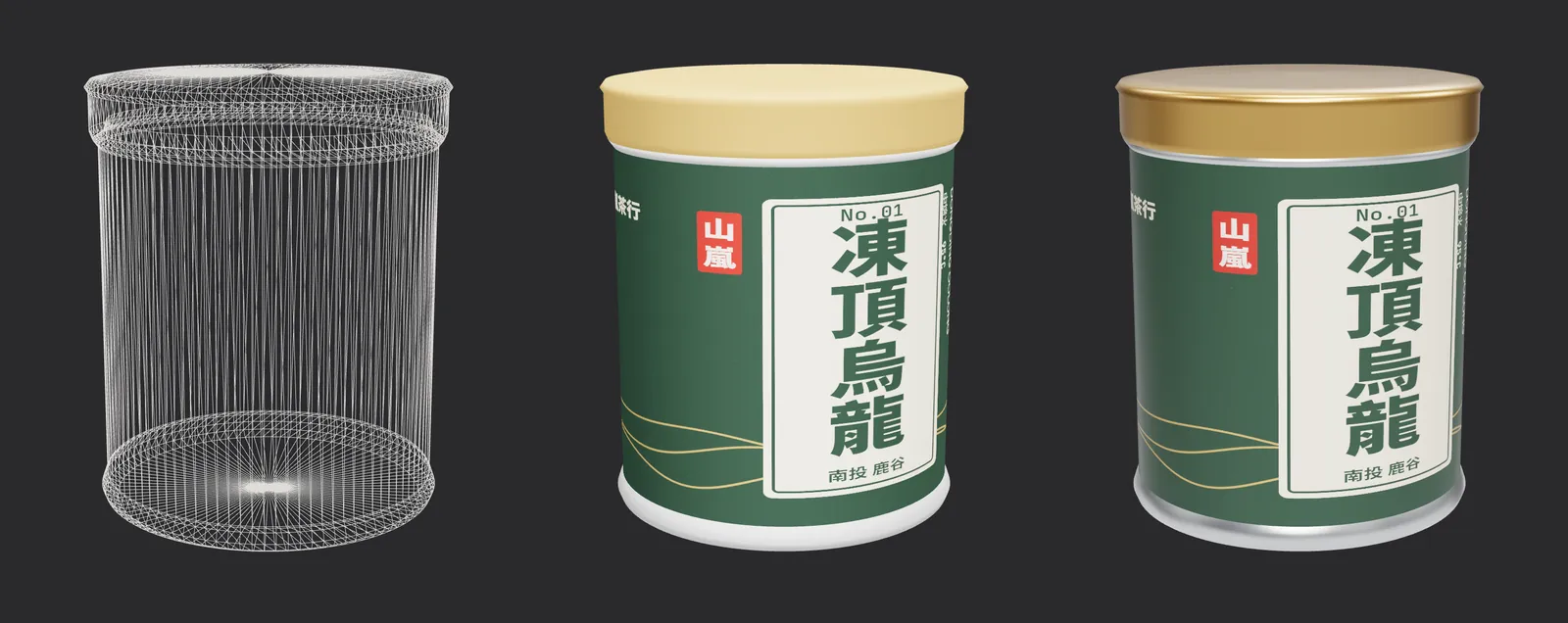
- LatheGeometry: give it a list of points along the side and it spins them round the centre into a solid. Move the points to get a tall tin, a short tin or a bottle.
- CanvasTexture: draw the label on a web canvas first (text, colour, lines), then wrap it round the tin. The text is real text, so a new tea name needs no redrawing.
- MeshPhysicalMaterial: set metalness and roughness, add RoomEnvironment lighting, and the metal rims pick up reflections.
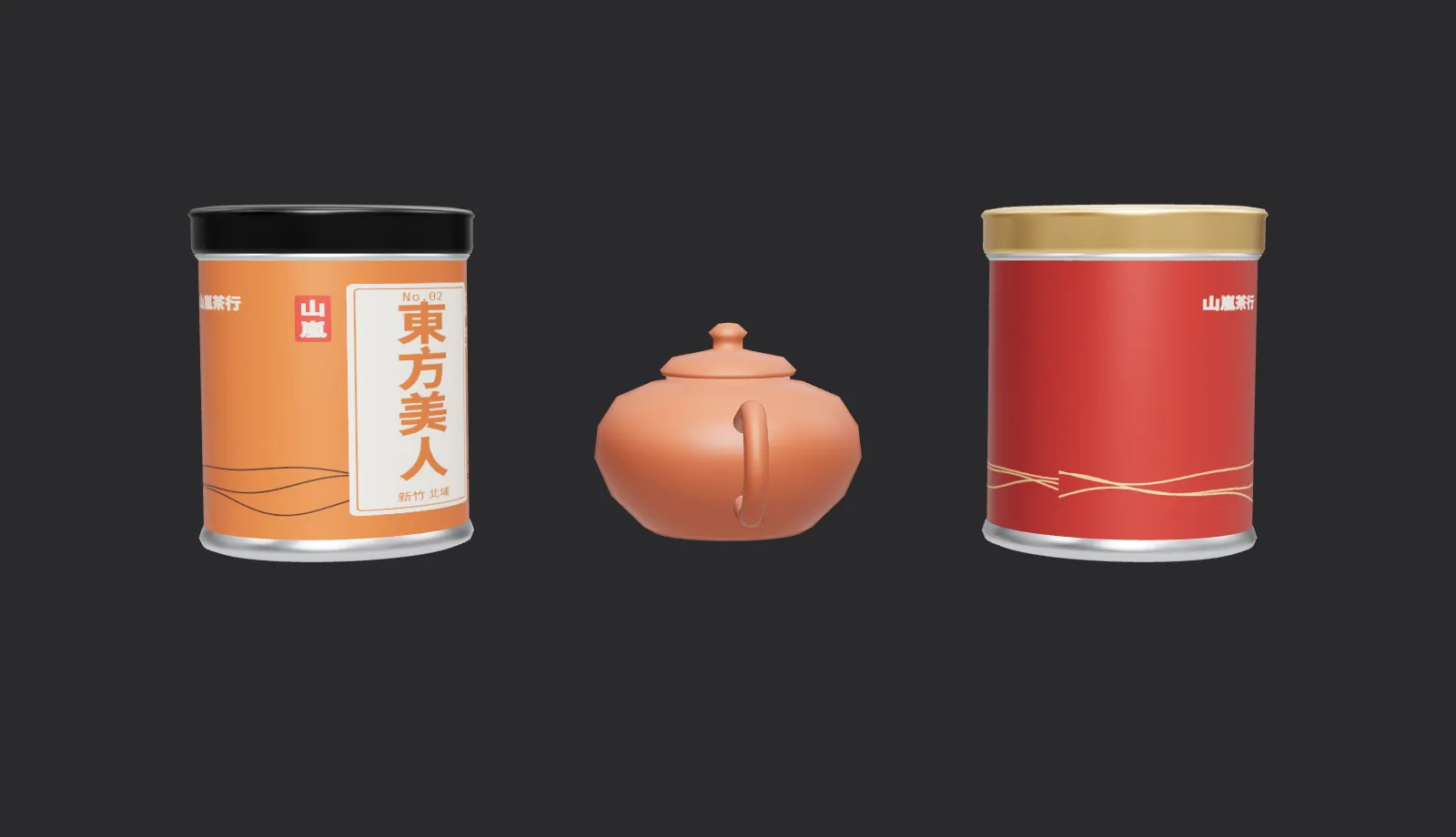
The export button saved one tin plus the teapot in 4 formats: GLB about 607 KB, OBJ about 1.2 MB, STL about 475 KB and USDZ about 875 KB. GLB suits the web and Blender, STL is for 3D printing and USDZ is the format Apple devices use for AR. No paid generator was used and no model file was downloaded.
04Step 3: wire the models into a site with scroll, spin and pour
Turn it into a website with Three.js:
- Scroll wheel: [the shelf] slides sideways, the centre [tin] lifts up, and the left side shows [tea name, region, roast and water temperature]
- Drag: [the tin] spins in place with inertia
- Click: [the tin flies over the teapot, the lid opens, the leaves pour in, steam rises and a brewing timer bar appears below]
- [Light grey background with a dot grid], and a custom round cursor that says "[drag]" or "[brew]"
- A loader that counts to 100 before the site comes in
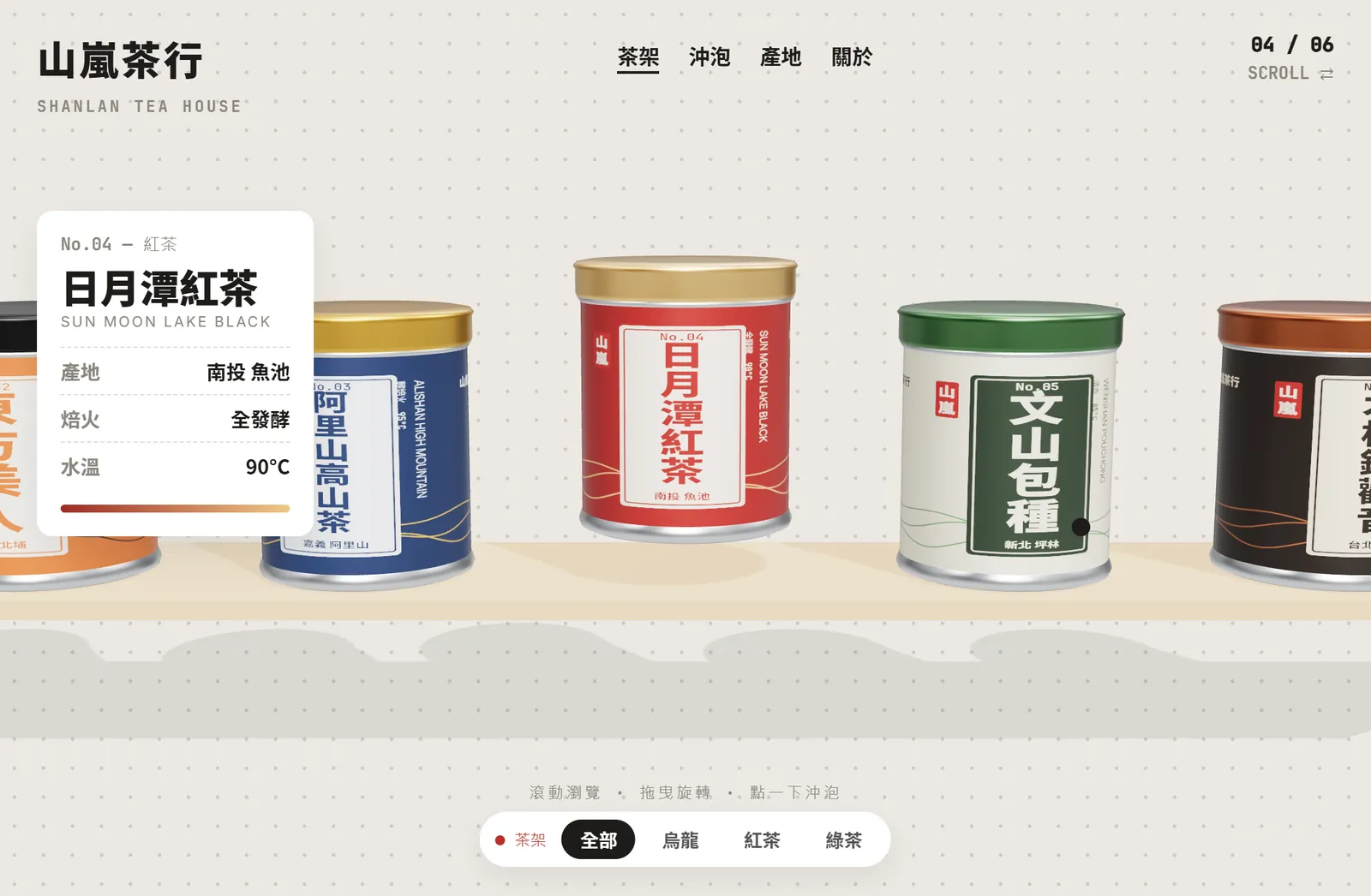
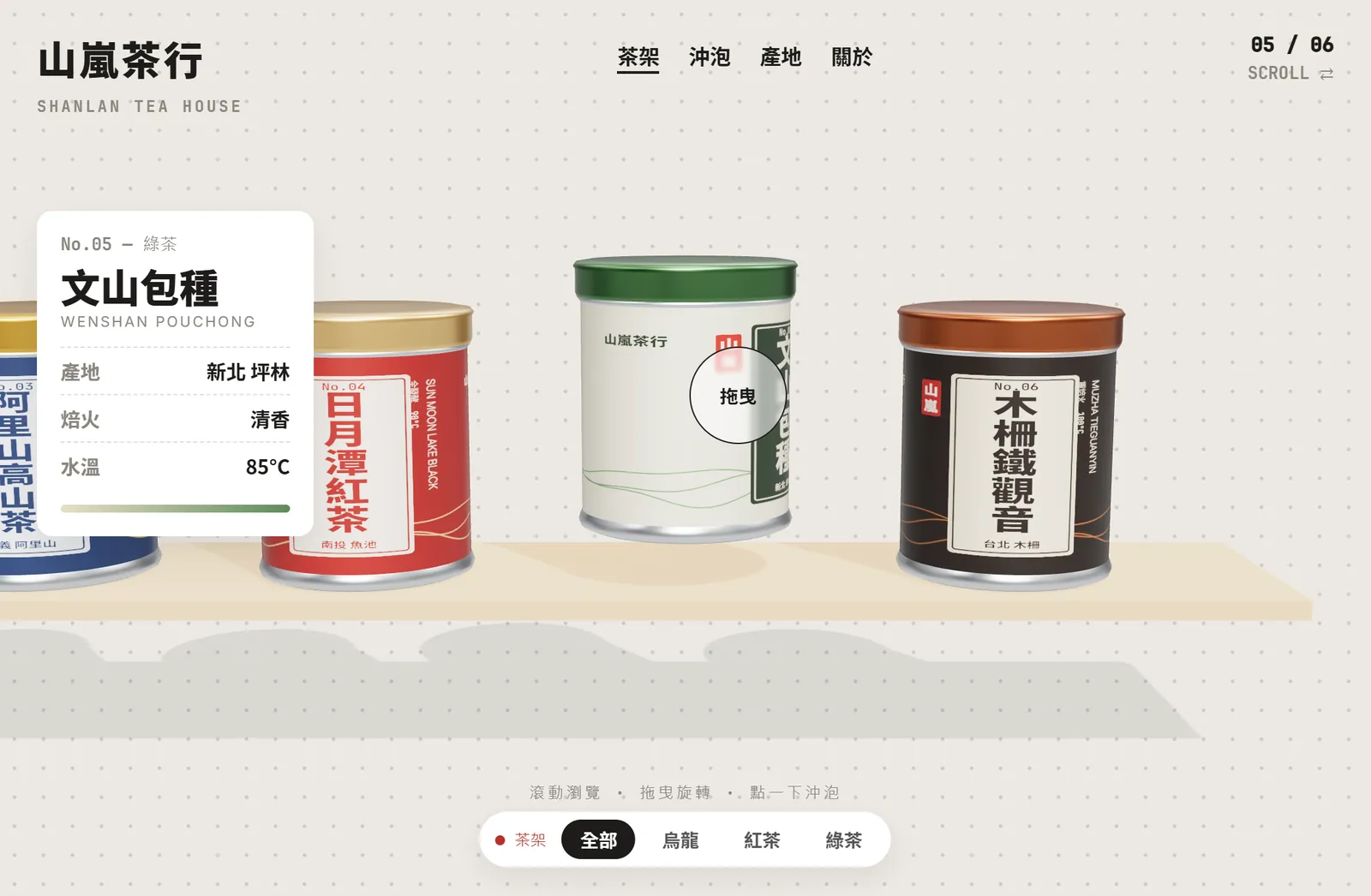
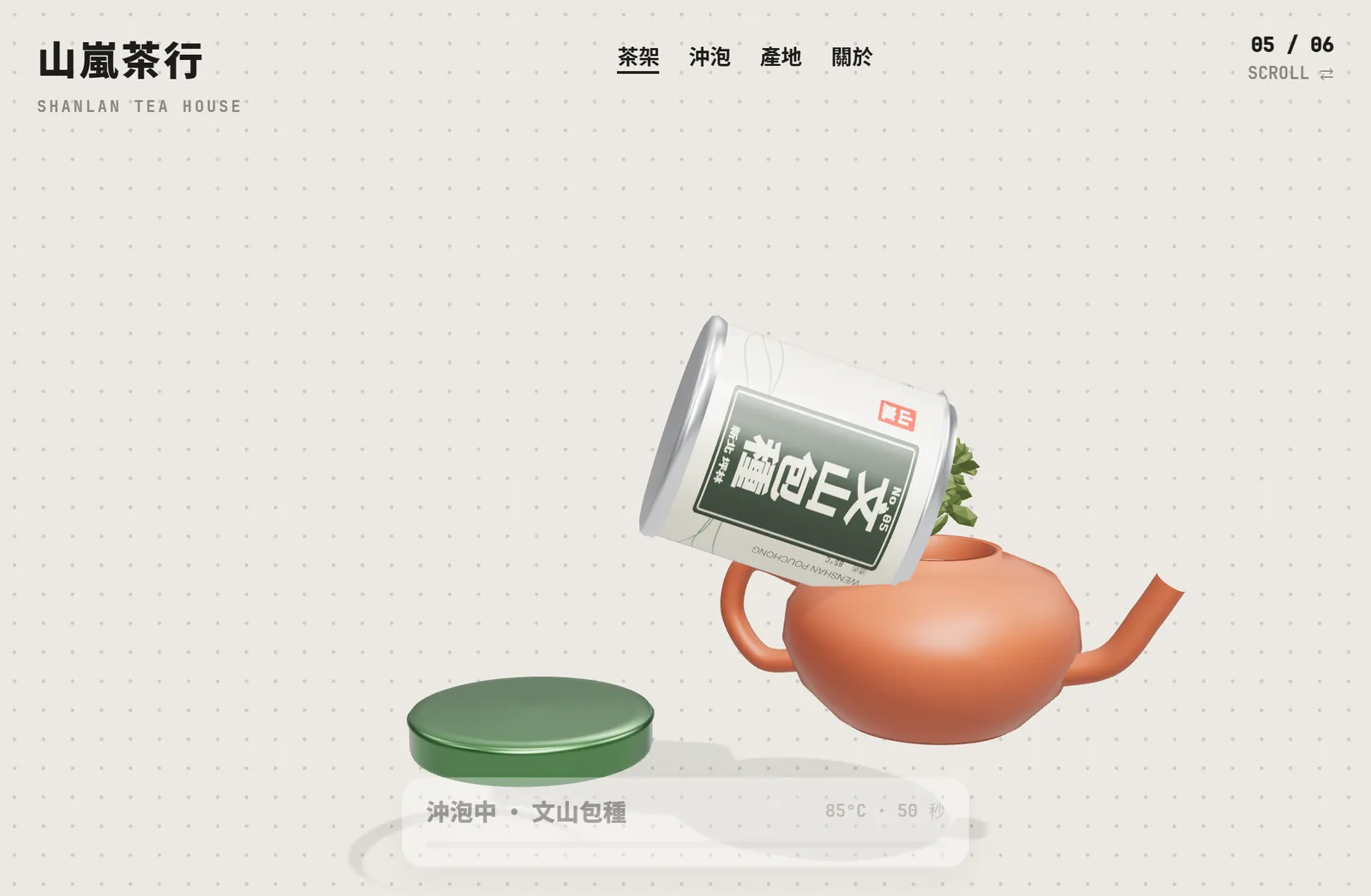
The core code Claude wrote is short: the wheel moves the shelf, dragging changes the tin's angle, and after you let go the spin speed is multiplied by 0.94 every frame, so it slows to a stop. These are the three events in index.html (excerpt):
addEventListener('wheel', e => { target = Math.max(0, Math.min(TEAS.length - 1, target + e.deltaY * 0.004)); });
addEventListener('pointermove', e => { if (drag) { spinV = (e.clientX - drag) * 0.01; S.spin += spinV; drag = e.clientX; } });
addEventListener('pointerup', e => { const click = Math.abs(e.clientX - drag0) < 4; drag = null; if (click) dropT = 0; });
05Step 4: move the data into a config file and launch your own shop
Move [the shop name, the tea data and the label colours] into one config file, so I can swap in my own [teas] and launch.
Claude makes a config.js. To switch shops you only edit this file and never touch the 3D code:
export const SHOP = {
  name: '[your shop name]',
  en: '[YOUR SHOP NAME]',
  tagline: '[a one-line tagline]',
};

export const TEAS = [
  { no: '01', name: '[tea name]', en: '[English name]', region: '[region]', roast: '[roast]', temp: [water temp], secs: [seconds], kind: '[type]', color: '[tin colour hex]', ink: '[label text colour]', accent: '[rim colour]' },
  // one line per tin, as many as your shelf holds
];
- Put index.html, models.js, config.js and the fonts and lib folders in one folder.
- Upload it to any static host, for example GitHub Pages, which hosts a site straight from your GitHub repository.
- Once it's live, open it on a computer and a phone and check the loader, scrolling, dragging and pouring all work.
- Claude — Paste the 4 prompts
- three.js — Free, open-source 3D library for the web
- GitHub Pages — Host a site straight from a GitHub repository
06Good to know
- Shanlan Tea House is a fictional demo shop; the labels, the site and the models were all made by Claude for this demo.
- The site uses ES modules, so double-clicking index.html (file://) shows a blank page. Open it through a local server (for example VS Code's Live Server) or upload it to a host.
- This version browses the shelf with a mouse wheel. Phones have no wheel, so before launch ask Claude to add "swipe left and right on mobile to change tins".
- 3D sites are heavier than normal pages: ask Claude to cap the pixel ratio at 2 and keep the shadow resolution modest so older phones can run it.
- Use fonts licensed for commercial use, such as Noto Sans TC (SIL OFL). three.js is MIT-licensed and fine for commercial use.
- The tea names, regions and temperatures are demo data. When you swap in your own teas, use your shop's real brewing guidance.