11 toggles that open into tiny worlds: bubble tea, a neon sign and a firefly jar from 2 Claude Code prompts (live demo)
Describe each toggle off and on, and Claude Code builds 11 moving tiny worlds; a second prompt gives each one a sliding knob. Both prompts and a live demo.

11 pill-shaped toggles, shown one at a time. Click the bubble tea and a big pearl rolls into the cup while the tea fills up; click the neon sign and 休息中 (closed) turns into 營業中 (open), one character at a time. There are also night-market lanterns, Taiwan's little green man, a rainy car window, a cat waking up, moon phases, a lava lamp, a paper plane, latte art and a firefly jar. Each one keeps moving once it is on, and the backdrop colour changes with it.
The page was written by Claude Code from 2 prompts; we did not change a word of its code, and everything on it is drawn by code, with no images. Below: both prompts in full (replace the [ ] with yours), the way of writing that stops it from making an ordinary switch, and a live version you can play with.
01The result: 11 toggles, each one opens into a tiny world
The whole site is static files: index.html, style.css, 5 JS files in js/ and 4 fonts in fonts/. There is not a single image: all 11 tiny worlds are drawn by code on a canvas, frame by frame. No packages to install, no database.
- Try it live: tiny world toggles (all 11) — Open it on a computer or phone, click a toggle, then press → for the next one
The demo is exactly the page Claude Code had after prompt 2; not one byte of its code was changed. We only cut the Chinese font, Noto Sans TC, down to the characters the page uses (11.9 MB → 152 KB), so the whole demo is about 1.5 MB. There is no sound.
02The whole process: one list, 2 prompts
- Write down 11 tiny worlds: for each one, what it looks like when off and what happens when it switches on (step 1).
- Make a folder, put 4 free fonts in it and open Claude Code in that folder.
- Claude Code prompt 1: 11 toggles, shown one at a time, each a moving tiny world (step 2).
- Claude Code prompt 2: every toggle gets a knob that slides across and is part of its world (step 3).
- Open it with a local server, click around, switch with ← →.
No ChatGPT and no images this time: text only. The part that takes the most thought is step 1, picturing the 11 worlds clearly; the more specific you are, the closer Claude Code gets to what you have in mind.
03Step 1: two sentences per world: when off, when on
Our trick: don't just write "a bubble tea toggle". For each one, say what it looks like when off and what happens when it switches on, and add "once on, the tiny world keeps moving gently". Otherwise Claude gives you an ordinary switch that only slides left and right.
[Name]: off, [one picture]. On, [what the knob does], [what happens in the tiny world]. Once on, [what keeps moving gently].
- Pick 11 things from your own everyday life. Ours are Taiwanese and everyday: bubble tea, night-market lanterns, the little green man, a rainy car window, a cat waking up, moon phases, a lava lamp, a neon sign, a paper plane, latte art, a firefly jar.
- Make "off" and "on" two very different pictures: empty cup → full, CLOSED → OPEN, crescent → full moon. That is what makes the switch feel satisfying.
- Say what keeps moving once it is on: the rain keeps falling, the fireflies keep flying, the lanterns sway.
- Name the materials: glass, metal, paper, neon, ceramic. Give all 11 different colours and textures, or the row gets dull.
04Step 2: Claude Code prompt 1: 11 tiny world toggles
- Make an empty folder with a fonts/ folder inside, and put Noto Sans TC, Inter, Instrument Serif and JetBrains Mono in it (all free fonts).
- Open Claude Code in that folder.
- Paste prompt 1 below (replace the [ ] with your 11 worlds), then paste the technical notes after it and press Enter.
Make me a set of "tiny world toggles": 11 toggle switches, and each one opens into a tiny animated world. All on one web page, shown one at a time.

How they are shown:
- Only one toggle on screen at a time, centred and big (about 85–90% of the width on a portrait phone). Pill-shaped, with depth, light and material, like a refined physical button; the tiny world happens inside the pill.
- Under the toggle, a counter "01 / 11" (small, monospaced) and the toggle's name (large), with a short underline in the theme colour under the name.
- The whole backdrop is a soft colour that goes with this toggle; when it switches on or off, the backdrop colour changes slowly too (day turning into night, for example).
- Left / right arrow keys, swiping, or tapping either side of the screen go to the previous / next toggle; the whole page slides sideways quickly.
- Every one is a real switch: role="switch", aria-checked, works with the mouse and the keyboard (Tab to focus, Space or Enter to toggle). Switching off has its own "off" animation too, it doesn't just snap back.
- Within 1–1.5 seconds of switching on it must be clear what happened; once on, the tiny world keeps moving gently (the rain keeps falling, the fireflies keep flying...), it never freezes into a still picture.

The 11 tiny worlds (in this order):
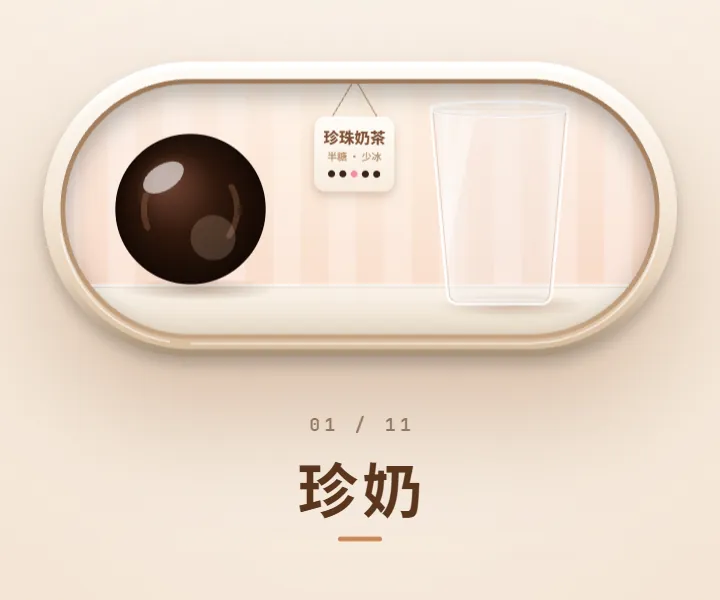
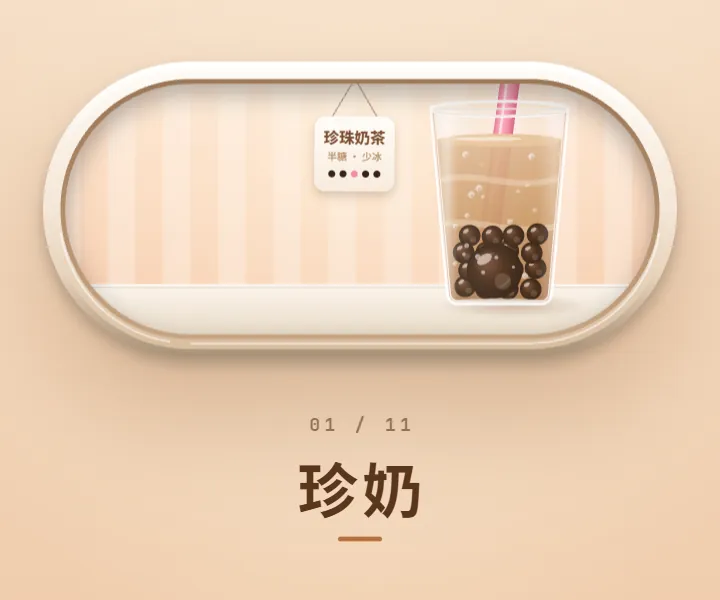
01 [Bubble tea: off, an empty milk-tea cup. On, pearls drop into the cup one by one, the tea fills up and a straw goes in.]
02 [Night-market lanterns: a string of red lanterns above a night market. On, the lanterns light up one by one and sway gently.]
03 [Little green man: a pedestrian signal. Off, a red man standing still; on, he turns into a green man who starts walking, like Taiwan's little green man, faster and faster.]
04 [Rainy car window: off, rain on the glass, you can't see outside. On, the wiper sweeps across and there is a city at night outside.]
05 [Cat waking up: the toggle's knob is a cat curled up asleep (with floating Zzz). On, the cat stretches and opens its eyes.]
06 [Moon phases: off, a night sky with only a thin crescent. On, the moon slowly goes from crescent to full and the stars light up one by one.]
07 [Lava lamp: a lava lamp inside the toggle. On, the wax slowly heats up, rises, splits and merges again.]
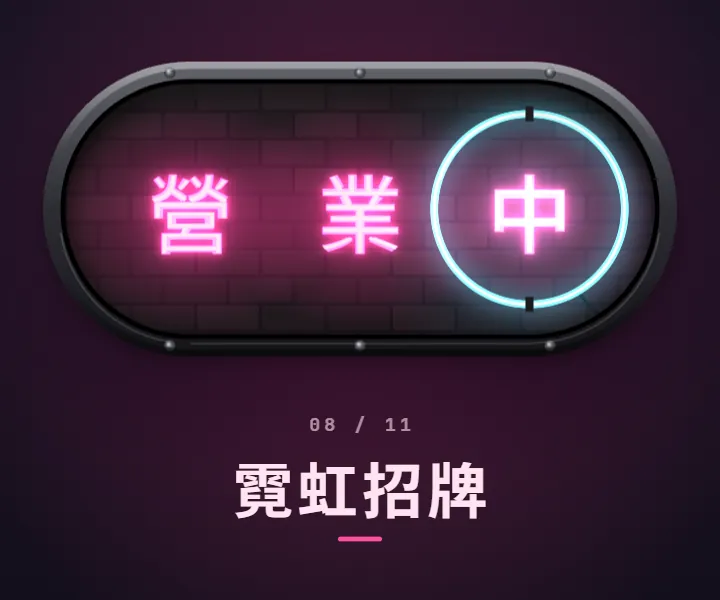
08 [Neon sign: off, an unlit "CLOSED" sign. On, the neon "OPEN" flickers twice before it stays lit, with a glow around it.]
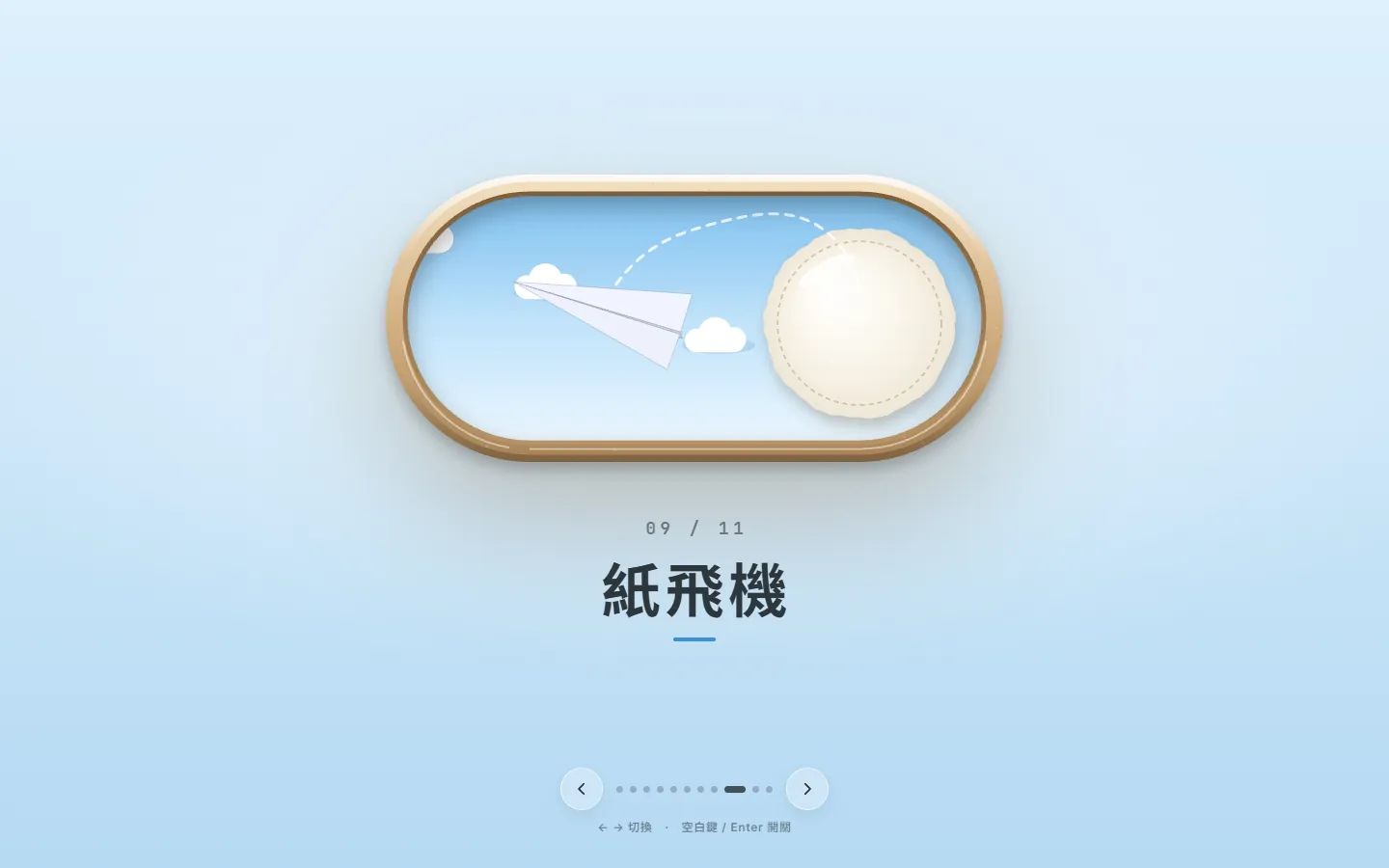
09 [Paper plane: off, a flat sheet of paper. On, the paper folds itself into a paper plane and flies to the other side.]
10 [Latte art: off, a cup of black coffee. On, milk is poured in and draws a heart.]
11 [Firefly jar: a glass jar. On, the fireflies inside light up one by one and fly around while everything around it gets darker.]

Style: every one should look like the most popular micro-interactions on Dribbble, refined, with light and material (glass, metal, paper, neon, ceramic), not flat icons. All 11 have different colours and textures. Names in [English].
Technical notes: plain HTML / CSS / JS (canvas and SVG are fine), no build step, no libraries, nothing loaded from the network, relative paths only. Fonts are in fonts/, load them with @font-face (no Google Fonts): NotoSansTC-VF.ttf, Inter.ttf, InstrumentSerif-Regular.ttf, JetBrainsMono-Bold.ttf. Drive every animation from requestAnimationFrame. It must work on phones and desktops (responsive). ?t=N (1–11) in the URL opens toggle N. When done, open it with a local server, switch every toggle on and off with the mouse and the keyboard, take screenshots of the off state, mid-animation and the on state, and fix whatever doesn't look right.
Claude Code wrote index.html, style.css and js/ (drawing helpers, the sliding and backdrop logic, and 3 files with a few worlds each). Every frame is redrawn on a canvas; each toggle is a real role="switch" that works with the mouse, Tab, Space and Enter; the backdrop fades between an "off" and an "on" palette, and the name switches to whichever text colour reads better. When it was done, it opened a browser by itself, switched all 11 on, off and on again, and fixed what looked wrong in its screenshots.
05Step 3: prompt 2: every toggle gets a knob that slides
Version 1 looked great, but our own check found that a few of them read as small animated cards, not switches. A switch is obvious because a knob travels from left to right. Paste this into the same conversation: it edits the files it already has instead of starting over.
Great! One more change: right now a few of them look more like small animated cards than "switches".

Give all 11 a visible knob: on the left when off, sliding from left to right when switched on (and back to the left when switched off), so you can tell at a glance it's a switch. The knob should belong to that tiny world and be part of it, for example:
- [Bubble tea: the knob is one big pearl that rolls across and drops into the cup]
- [Neon sign: the knob is a neon ring, and "OPEN" lights up as it slides across]
- [Night-market lanterns: the knob is a lantern that lights the other lanterns as it passes]
- Design the others yourself ([the cat and the moon] already have knobs, keep them)

Keep every tiny world's animation; just make the knob one of the stars. The knob slides in about 0.4–0.6 s, with a little bounce.
What it did: one shared knob slide for all 11 (about 0.5 s, with a little bounce, a slight squash at the end of the track, and a smooth turnaround if you click again mid-slide), and a knob of its own for the 9 worlds that had none, keeping every world's animation.
06The 11 tiny worlds it built
Every picture below is a real screenshot of the page (portrait phone view, switched on). Most of the knob ideas and rim materials are Claude Code's own choices.

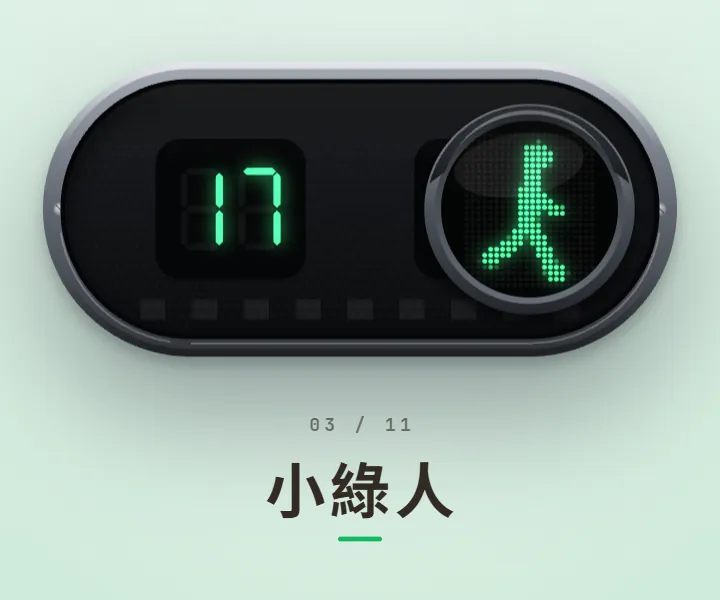

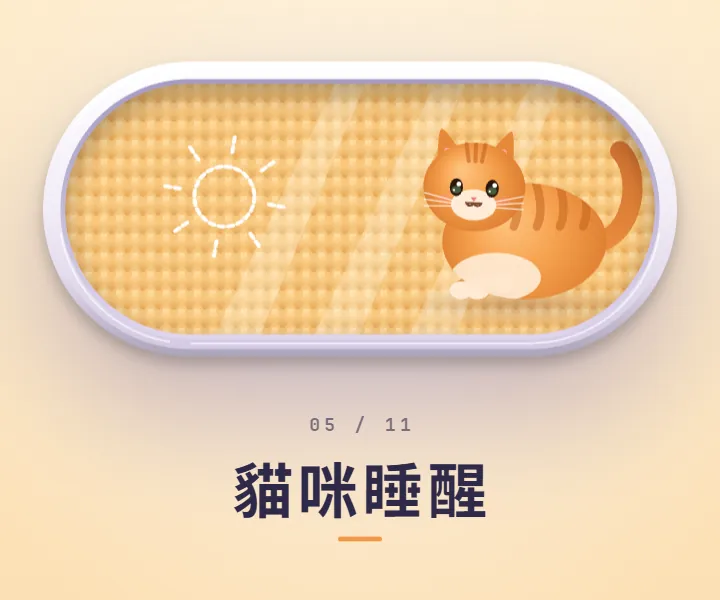
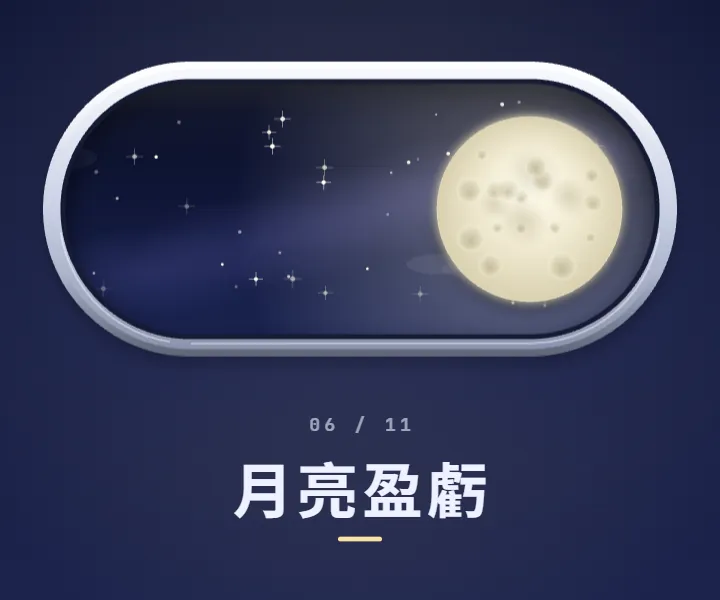
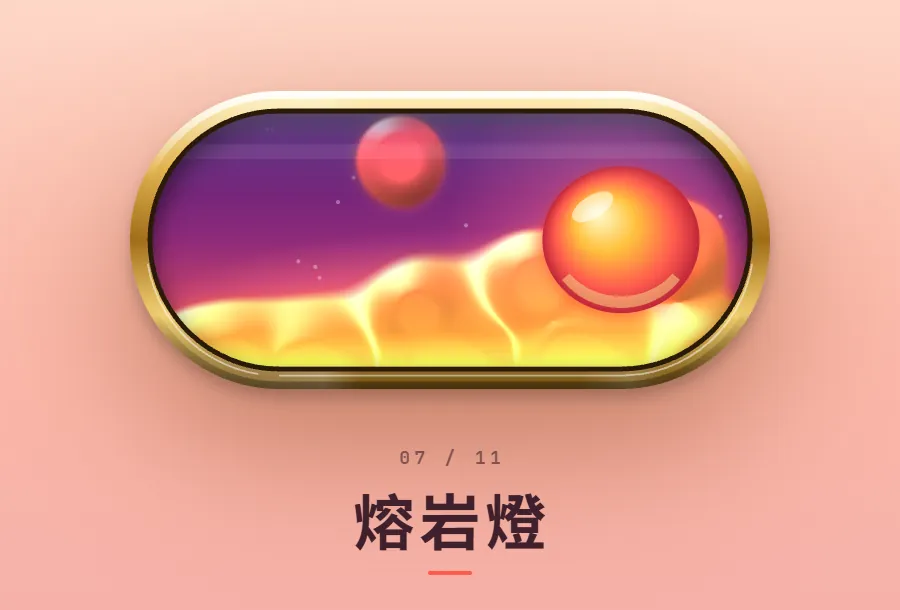
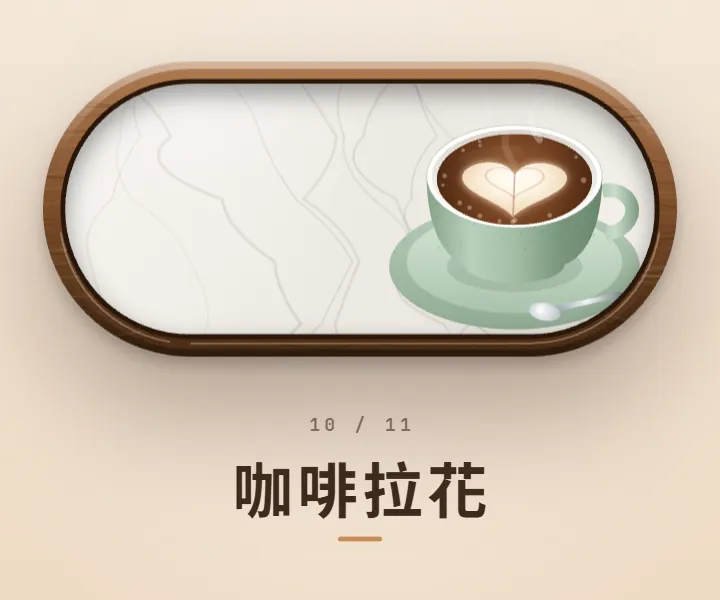
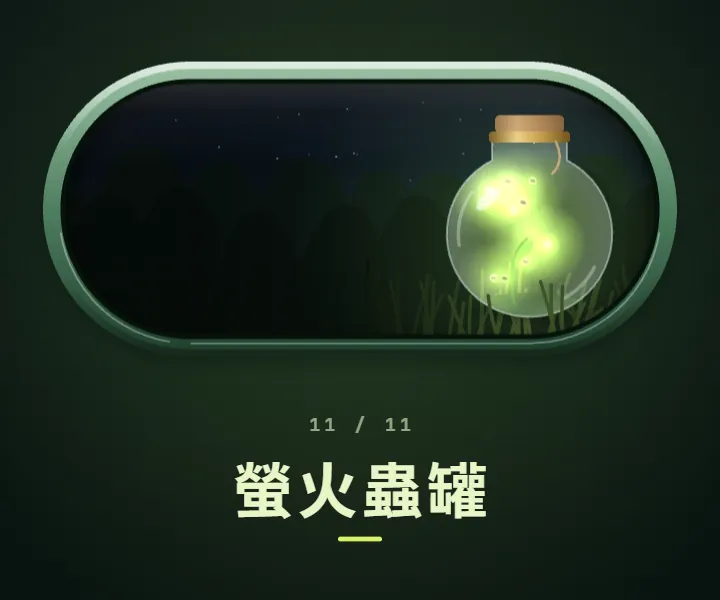
09 Paper plane is the picture at the top: the knob is a round paper launch pad, the sheet folds itself into a plane on it, takes off and circles between the clouds.
07Make it yours
- To open the site: run npx serve in the folder (or any local server) and open the address it prints in your browser.
- New themes: replace the 11 lines in prompt 1, each written as "off, ... On, ...". If the page already exists, just tell Claude Code "replace toggle 07 with [your theme]: off, ... on, ...".
- A different number: change "11" and "01 / 11" in the prompt.
- To use one on your own site, ask "keep only toggle [3] and make it a standalone toggle component I can drop into a page".
08Good to know
- All of the page code was written by Claude Code and we did not change it; for the demo we only made the Chinese font smaller. We gave the 2 prompts, in order, to the same Claude Code conversation.
- We also left Claude Code's small flaws alone: in 03 the round lamp half covers the second display box, and in 02 the 福 lantern hides part of the tofu-pudding sign.
- In the reel, the mouse cursor was drawn in afterwards by us (the clicks are real mouse events), and the neon-sign opening is a separate take; the toggles, backdrops and page slides are the page itself.
- We tested clicks and ← → in a browser at 1440×900 (desktop) and 390×844 (phone size); swiping on a phone is a feature Claude Code built, but we have not tested it on a real phone.
- The fonts Noto Sans TC, Inter, Instrument Serif and JetBrains Mono are all free under the SIL Open Font License.
- Claude Code builds something a little different every time; go by the files you get.