No photos in this architecture site: one Claude prompt draws a 3D site whose camera flies into the house as you scroll
Cliff, mist, waterfall and glass house are all three.js code. The prompt says three things: three chapters, one warm colour, scroll drives the camera.
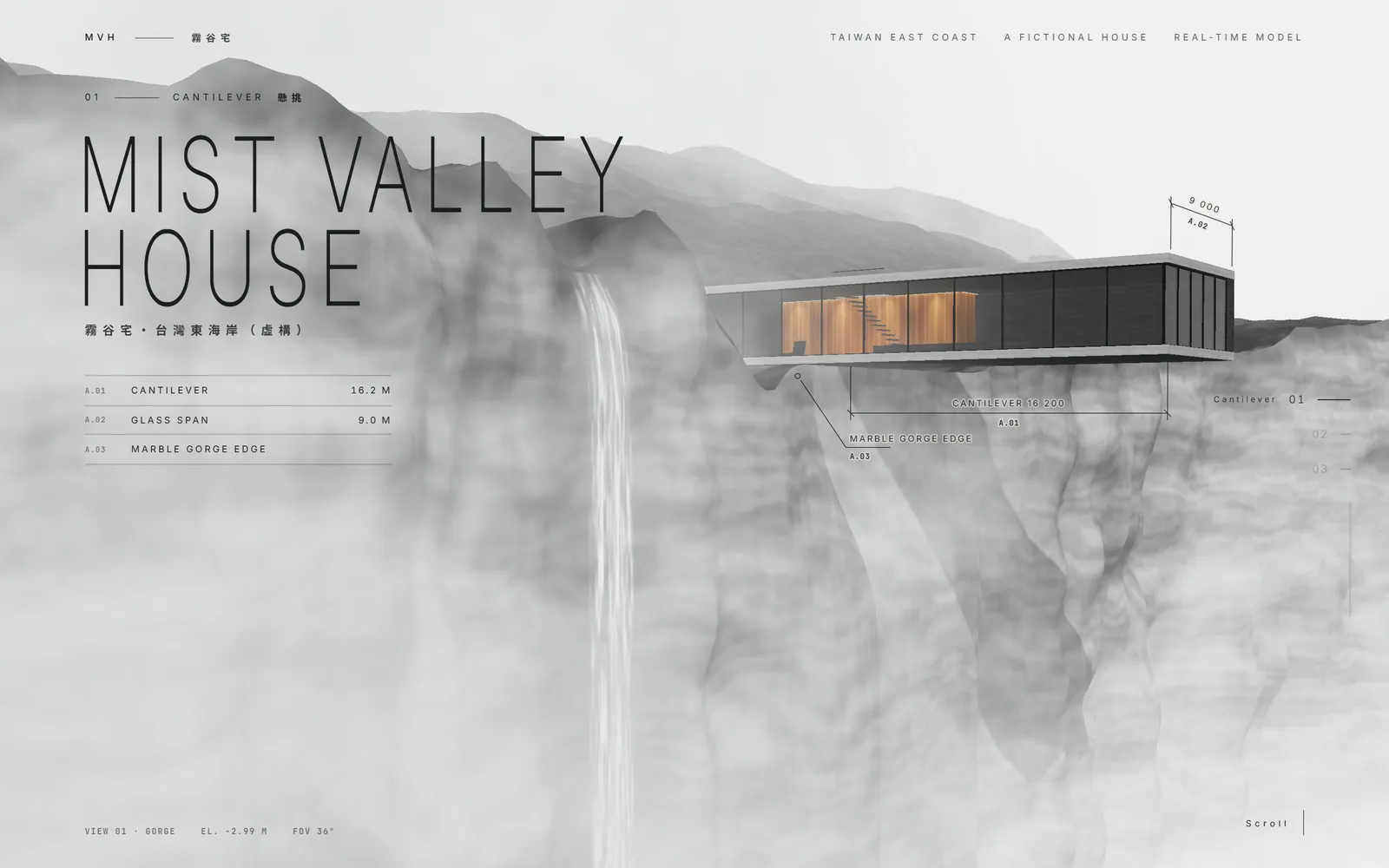
There isn't a single photo on this architecture website. The misty cliff, the waterfall, the glass house cantilevered out of the gorge, the floor-to-ceiling windows inside and the glowing timber wall are all a 3D scene that Claude wrote in three.js from one prompt of ours. Scroll down and the camera flies into the house. The house is a fictional project, 霧谷宅 (Mist Valley House), and every picture below is a real frame drawn by that page. You get the prompt we used (swap the [ ] parts for your own project), the technical requirements that make it easy to check and record, and how to check it chapter by chapter.
01The result: three chapters, scrolling into the house
The whole site is one page, and one scroll plays like a very slow architecture film. Claude followed the three chapters in the prompt:
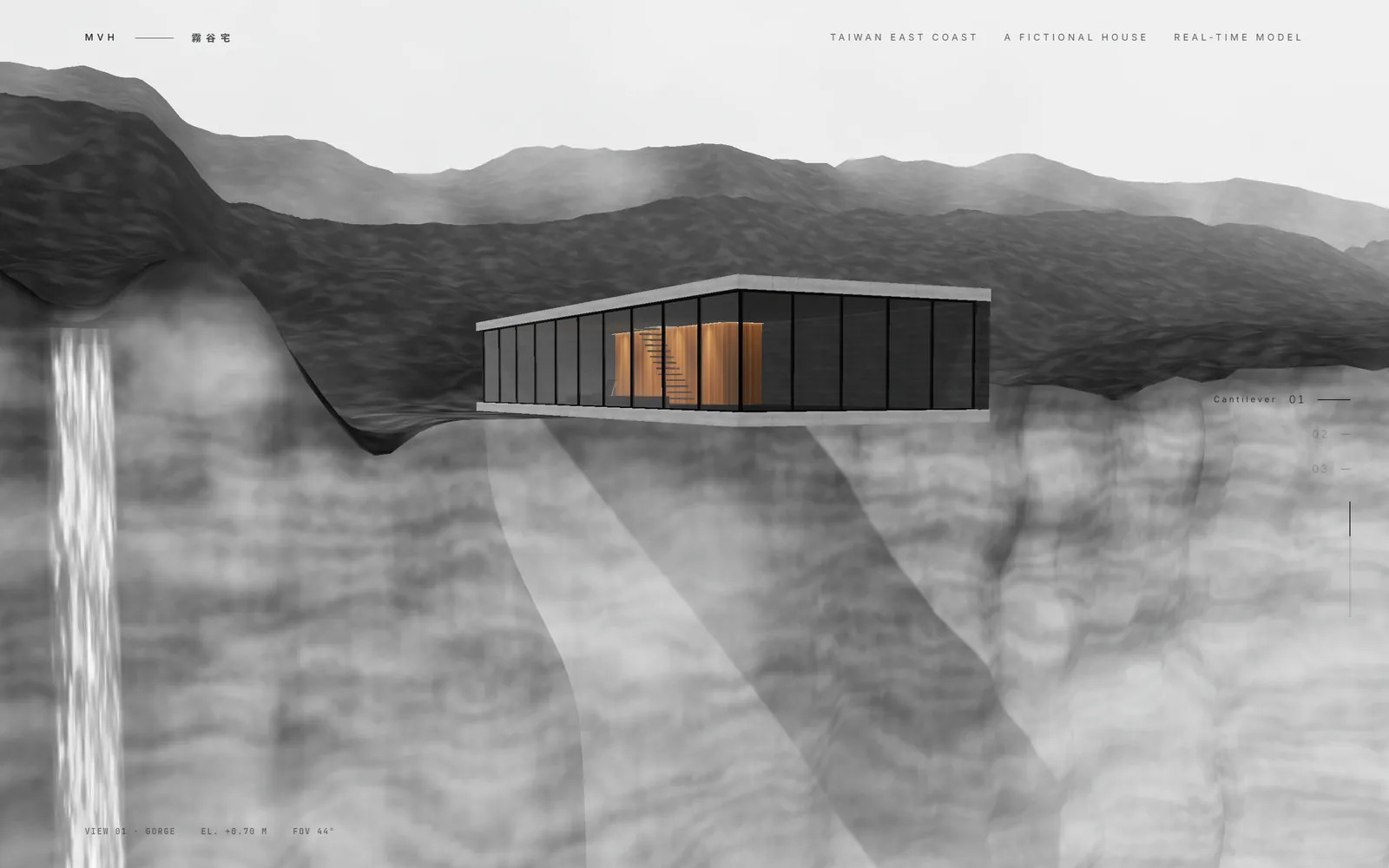
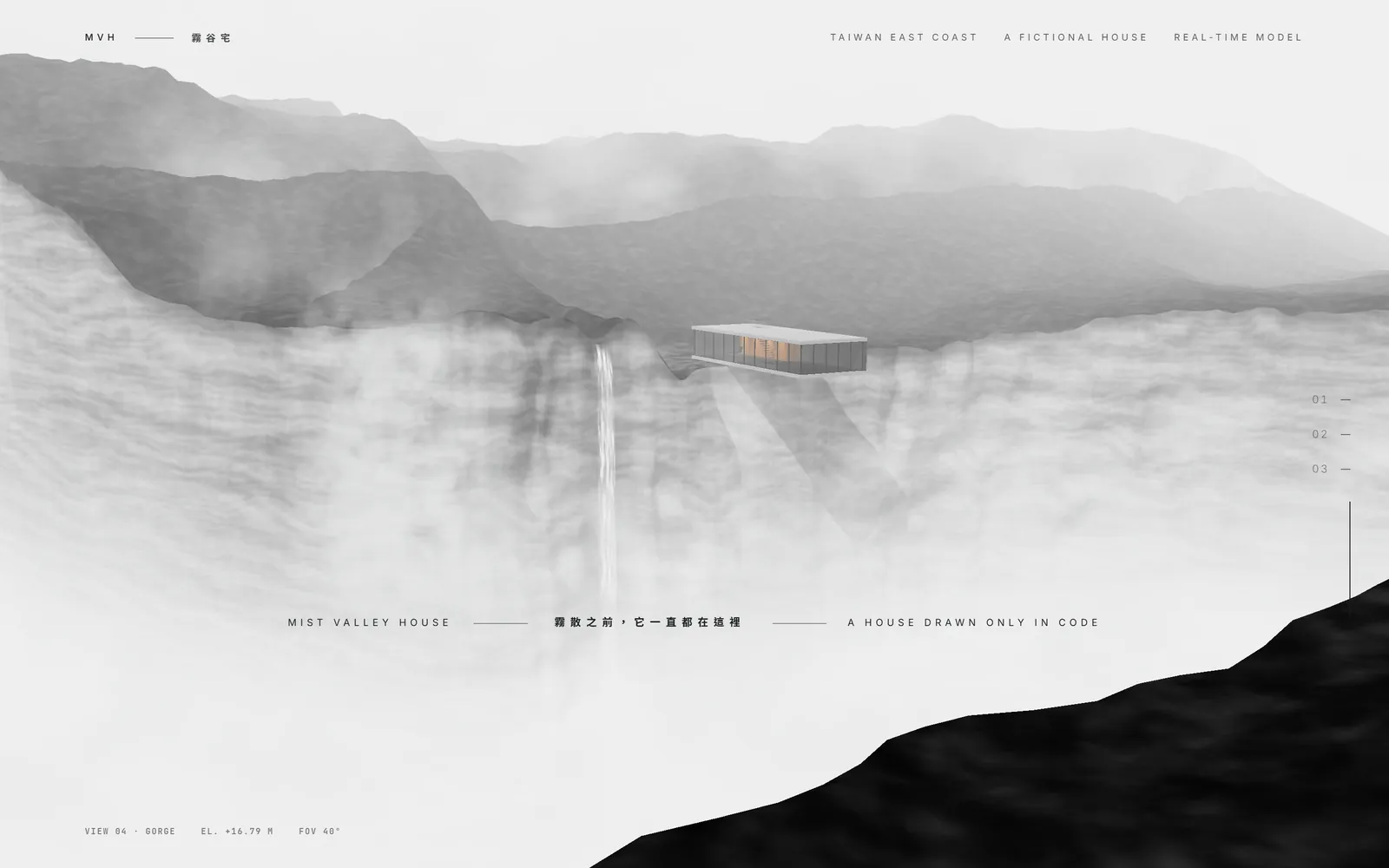
- Opening · CANTILEVER: from across the gorge you see the misty cliff, the waterfall and the glass box sticking out of the cliff, with a strip of warm light inside.
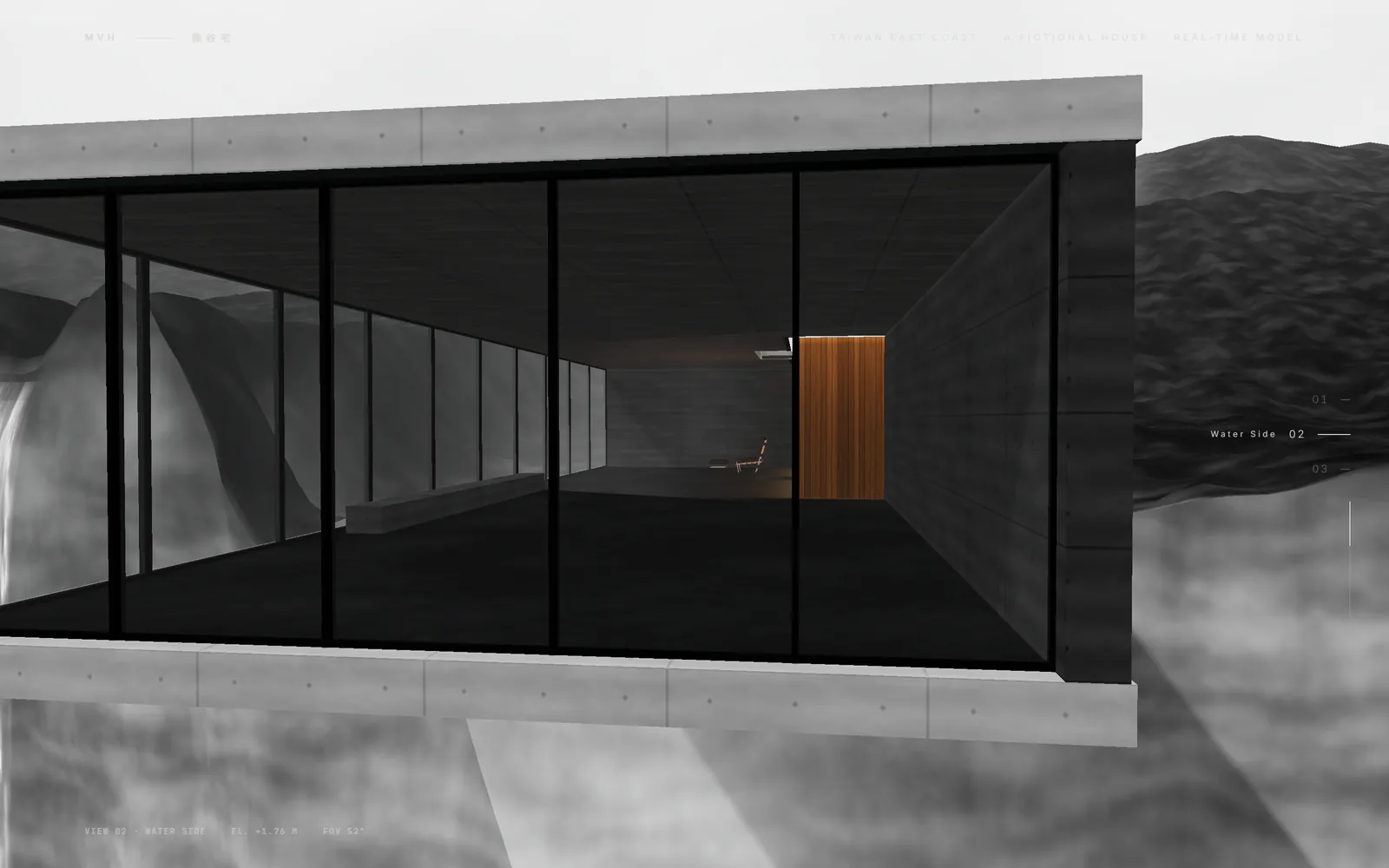
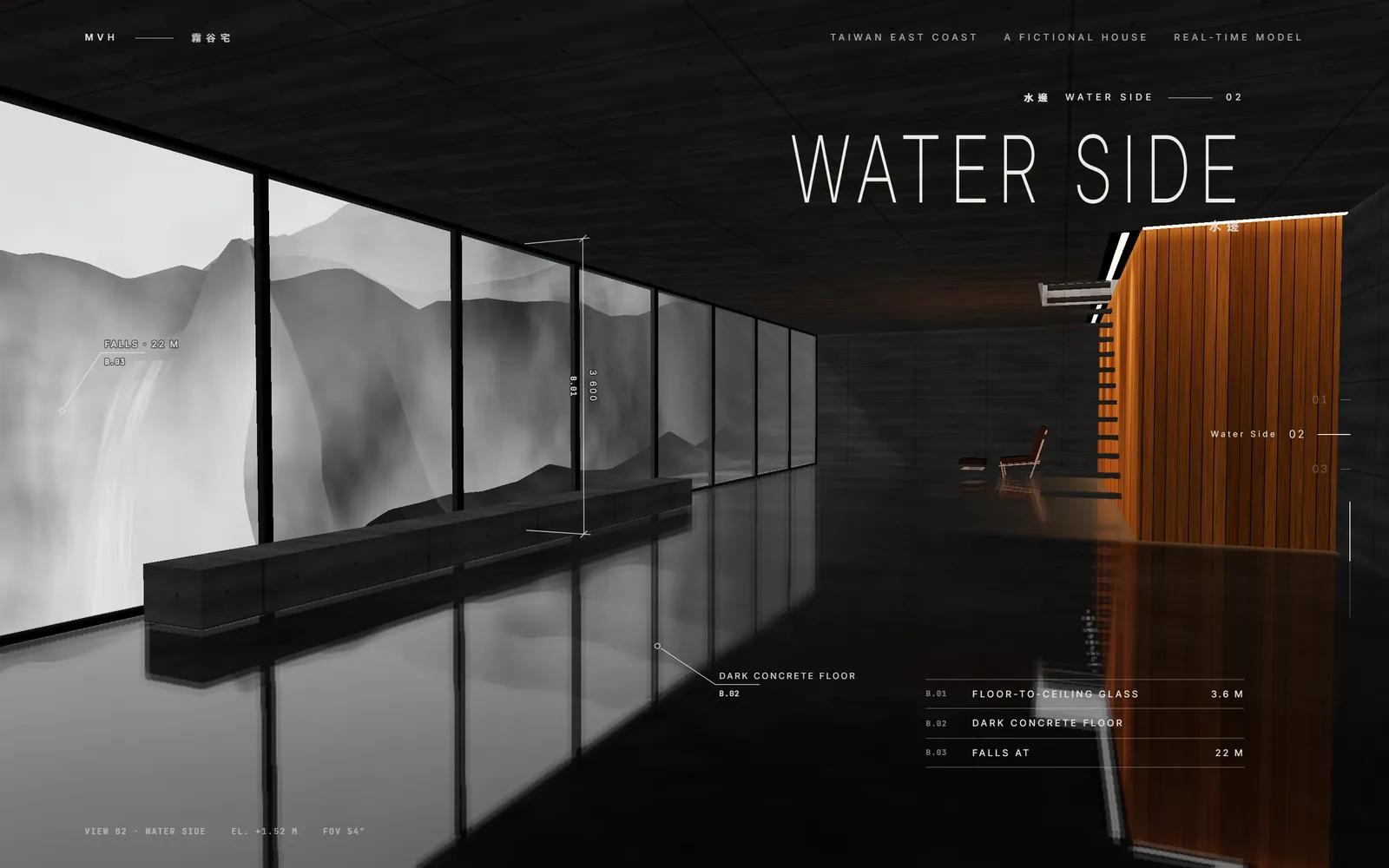
- Scroll down and the camera pushes in through the glass into WATER SIDE: a full-height window wall faces the falls, and the dark concrete floor reflects it.
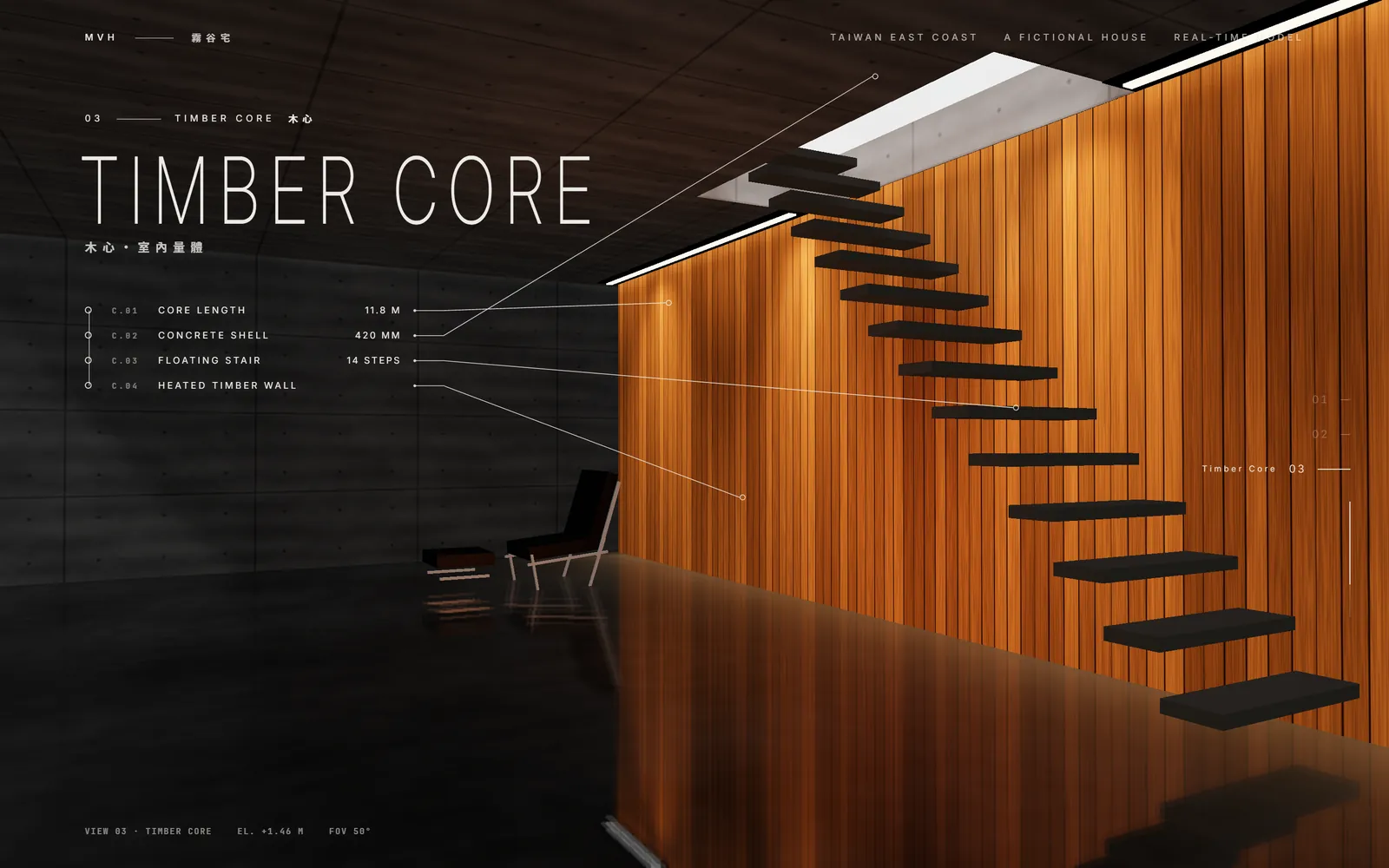
- The camera turns to the wall for TIMBER CORE: a glowing wall of vertical boards, a floating stair and a chair.
- At the bottom the camera pulls back out to the wide gorge view.
02Step 1: write the prompt, and spell out three things
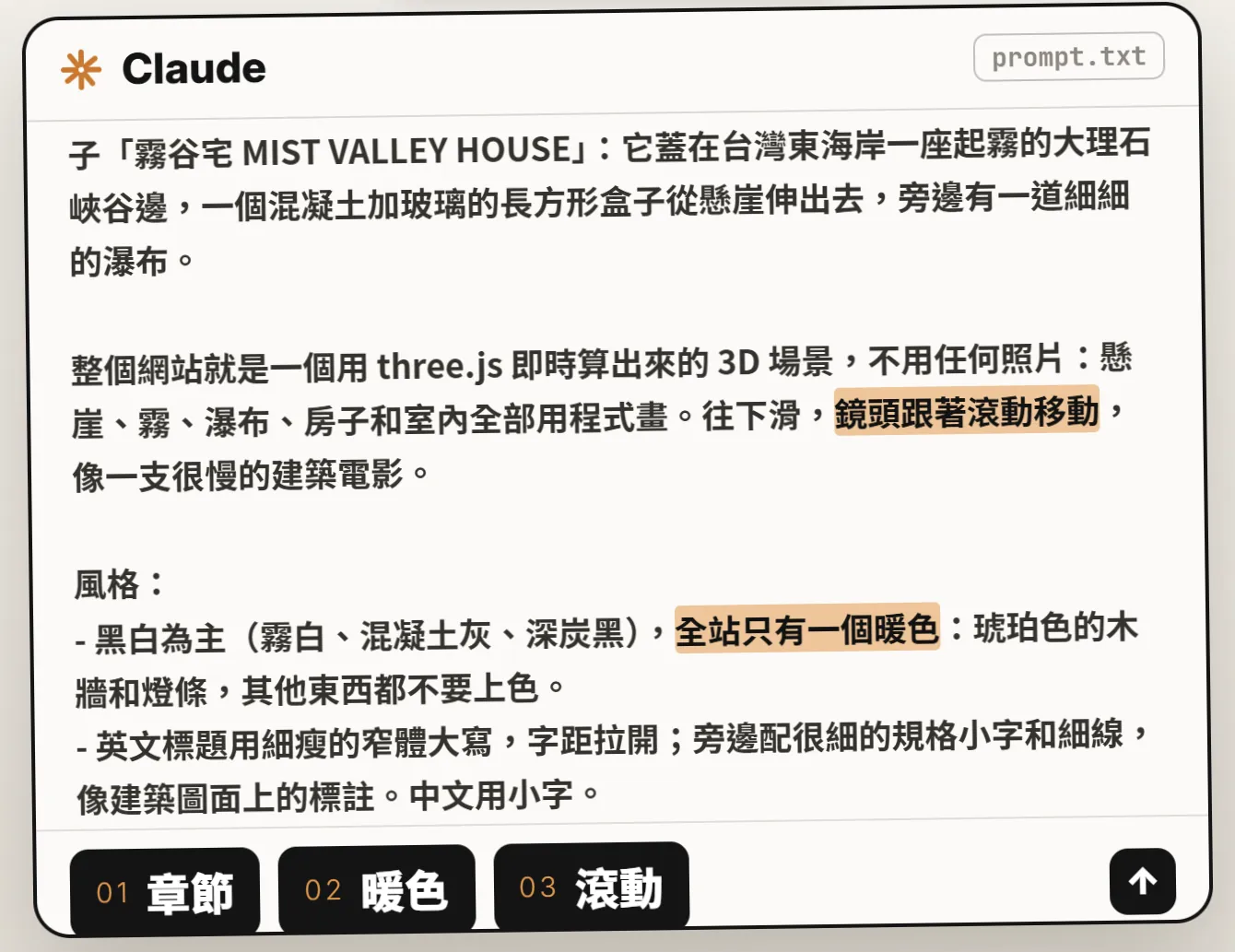
Three things matter: split it into three chapters (for each, say where the camera is, what it sees, and its title and specs), keep only one warm colour on the whole site, and let the scroll drive the camera. The more restrained the colour, the more it looks like an architecture magazine. Swap the [ ] parts for your project:
Build me a single-page website for an architecture project (desktop, 1440×900) presenting a fictional house, "[PROJECT NAME]": it sits [location and terrain], [the main volume, e.g. a long concrete-and-glass box cantilevered out from a cliff], next to [one natural element, e.g. a thin waterfall].

The whole site is one 3D scene rendered live with three.js, with no photos: the [terrain], mist, [natural element], the house and its interior are all drawn in code. As you scroll down, the camera moves with the scroll, like a very slow architecture film.

Style:
- Mostly black and white (mist white, concrete grey, deep charcoal), with only ONE warm colour on the whole site: [the warm thing, e.g. an amber timber wall and light strip]. Nothing else gets colour.
- English titles in thin condensed capitals with wide letter spacing, next to very fine spec text and hairlines, like annotations on an architectural drawing. Chinese in small type.
- Lots of white space, quiet layout, like an architecture magazine.

Three chapters (in scroll order):
1. Opening · [CHAPTER 1]: [camera position and the wide view]. Big title top left "[PROJECT NAME]", small line "[local name · location (fictional)]", and three spec rows below: [spec 1] / [spec 2] / [spec 3].
2. Scroll down: the camera slowly pushes in and flies through the glass into the box · [CHAPTER 2]: [interior materials, the view outside, the warm element in the distance]. Title "[chapter name]", specs: [three spec rows].
3. The camera turns toward [the warm thing] · [CHAPTER 3]: [the hero object of this chapter and the foreground pieces]. Title "[chapter name]", with a thin line threading 4 spec rows: [four spec rows].
At the very bottom, the camera pulls back out to the wide view, ending on one small line of text.

Picture requirements:
- Mist and soft shadows; the [natural element] must visibly move.
- The house must read as architecture: clear volumes, glass mullions, visible slab thickness, not toy blocks.
- A very thin chapter index 01 / 02 / 03 on the right, with the current chapter lit.
03Step 2: add technical requirements so it is easy to check and record
The prompt controls the picture; the technical requirements control how you check it. The key one is renderAt(p, t): give it a scroll progress and it draws that frame, so you can screenshot frame by frame without dropping any. We gave Claude this together with the prompt:
Technical requirements (so it is easy to check and record):
- Build only one index.html. Put three.js in the same folder and load it with an importmap; no network resources at all.
- Put the fonts in ./fonts/ and load them with @font-face.
- Expose window.renderAt(p, t): p is the scroll progress (0 = top, 1 = bottom), t is seconds (for the water and mist). Calling it draws that frame immediately; the same p and t always give the same picture (seeded randomness).
- With ?manual in the URL, don't play by yourself, only draw when renderAt is called; without ?manual, normal mouse-wheel scrolling must work.
- It must run in headless Chrome without a graphics card (swiftshader): shadow map at most 2048, no multi-pass post-processing.
- When done, screenshot p = 0, 0.15, 0.3, 0.45, 0.6, 0.75, 0.9 and 1 yourself, look at each one, and fix whatever doesn't match the prompt.
We used Claude Code: it creates the files on your computer and opens a browser to screenshot and check its own work. This time it fixed several problems by itself (a hilltop rendering white, marble that looked like a contour map, an opening angle where the cantilever didn't read, text overlapping the stair), and we added no further design instructions. In a normal Claude chat you can also ask for the HTML, save it and open it in a browser.
04Step 3: scroll from top to bottom and check each chapter
Open index.html in Chrome and scroll slowly with the mouse wheel. In each chapter check three things: does the house read as architecture, does any text cover the focus of the picture, and has anything besides the one warm colour sneaked in some colour.
05Step 4 (optional): record it as a video
For Instagram you can use your computer's built-in screen recorder and scroll while it records. For every frame sharp and an even camera speed, ask Claude for a small script:
- Open headless Chrome with puppeteer, window 1440×900 at 2x resolution, and load index.html?manual.
- For each frame, move the scroll progress p forward a little and add 1/30 s to t, call renderAt(p, t), then take a screenshot.
- Join the screenshots into a 30 fps video with ffmpeg.
- Put it in your editor and add the frame, titles and voice-over.
06Watch out
- Mist Valley House is a fictional project; its location and every spec number are demo values, not a real building.
- The picture is not a photo and not made in a rendering app; it is simplified real-time 3D, so close-up details (like glass reflections) are simpler than a photo.
- This was made in November 2026 with Claude Code and three.js r160. Claude won't write exactly the same site every time, and the same prompt can give different camera moves and details.
- A 3D site can be slow on old phones or computers without a graphics card; for a real launch, ask Claude for a mobile or lighter version too.
- Don't build a site from a real architect's or studio's work or name and use it commercially.