Make a whole album-cover series with Claude: Anthropic's Canvas Design skill writes a philosophy first
Anthropic's official Canvas Design skill makes Claude write a design philosophy, then draw geometric covers in code: one LP and three singles on one grid.
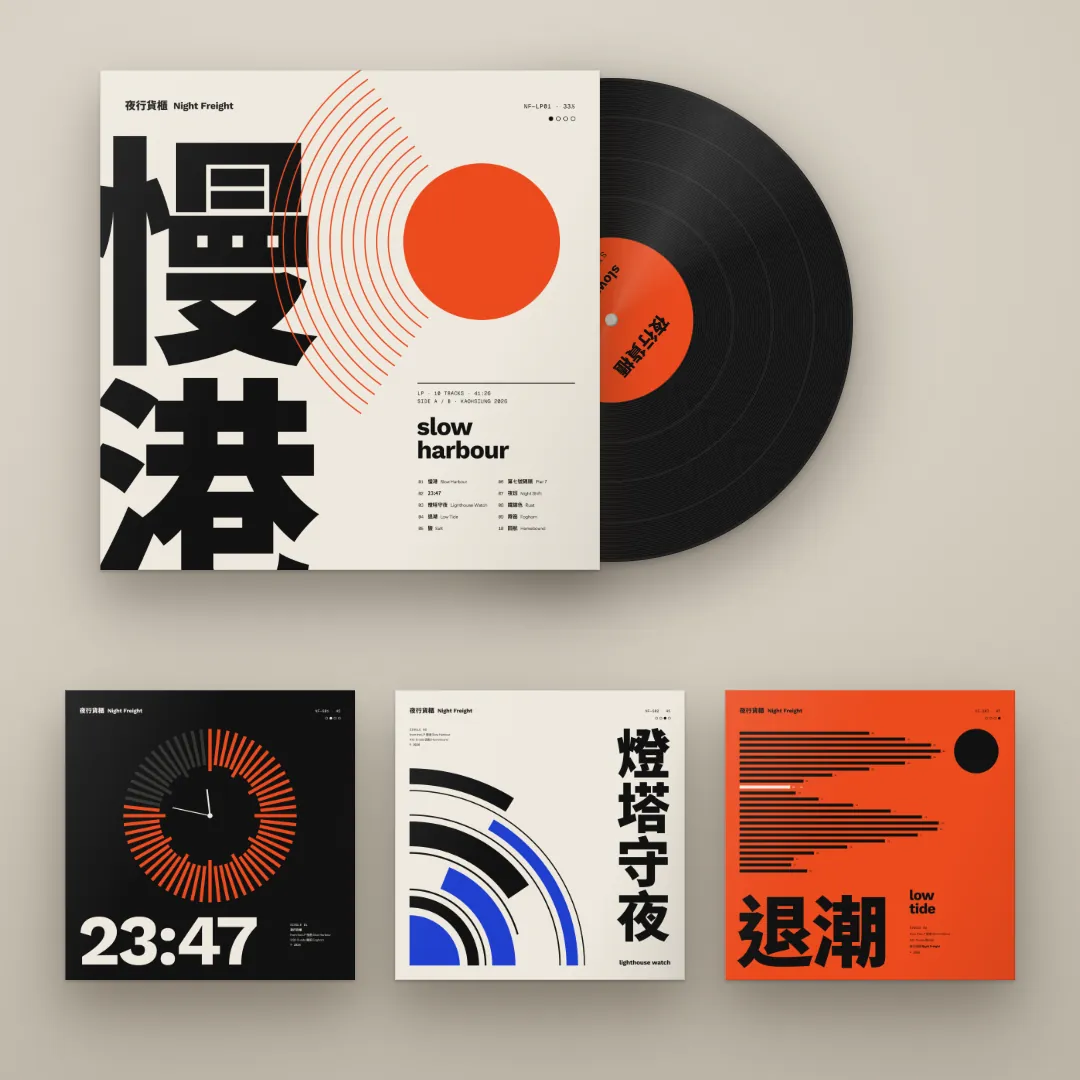
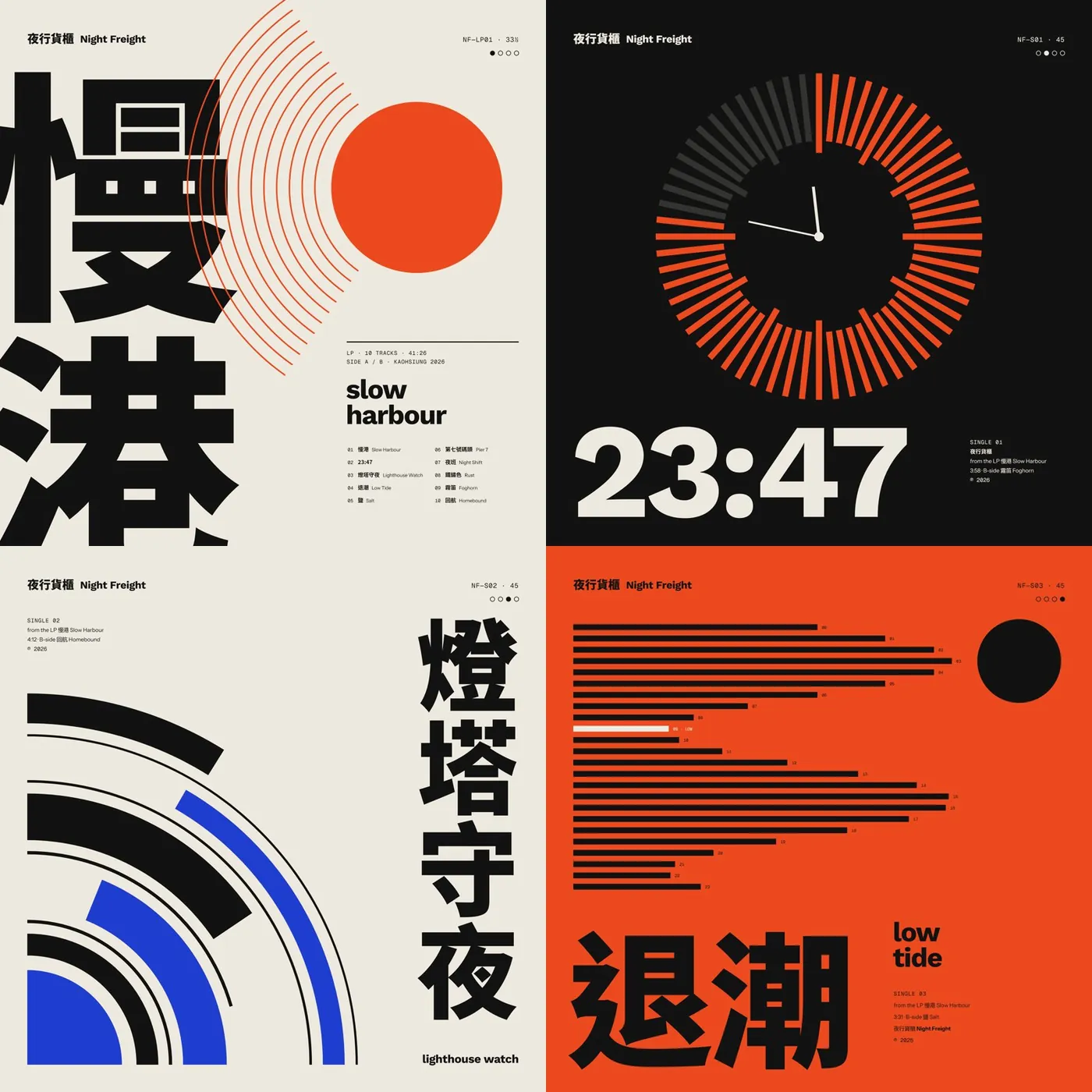
Ask AI for an album cover and you often get a gradient sunset that looks like a slide-deck title. Most people think good covers need stock photos and effects. They only need three things: a design philosophy, pure geometry and huge type. In this guide we used Anthropic's official Canvas Design skill to make one LP and three singles for a fictional band, 夜行貨櫃 Night Freight. Every cover below was drawn by Claude in Claude Code with this skill: no photos, no AI images.
01Install the Canvas Design skill (2 minutes)
- Open Claude Code.
- Type: /plugin marketplace add anthropics/skills
- Then type: /plugin install example-skills@anthropic-agent-skills
- canvas-design is part of the example-skills set, so it installs with it. Say "Use the canvas-design skill to make…" to call it.
On claude.ai, first check that "Code execution and file creation" is on under Settings → Capabilities, then switch on the example skills under Customize → Skills. The help centre says Free, Pro and Max can enable example skills there; the GitHub README says they are already available on paid plans. On Team and Enterprise it depends on your admin's settings.
- Canvas Design SKILL.md (GitHub) — Official Anthropic skill, Apache 2.0
- Claude Help Center: Using Skills in Claude — How to turn it on in claude.ai
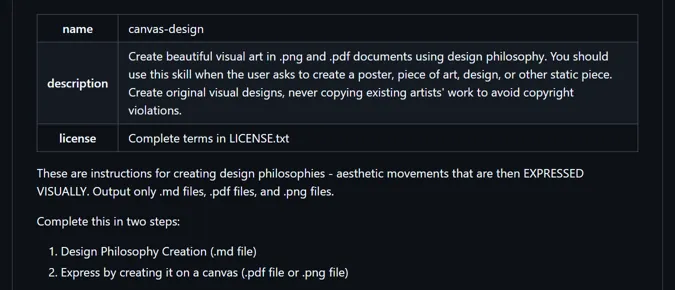
02Step 1: paste the prompt and get a design philosophy first
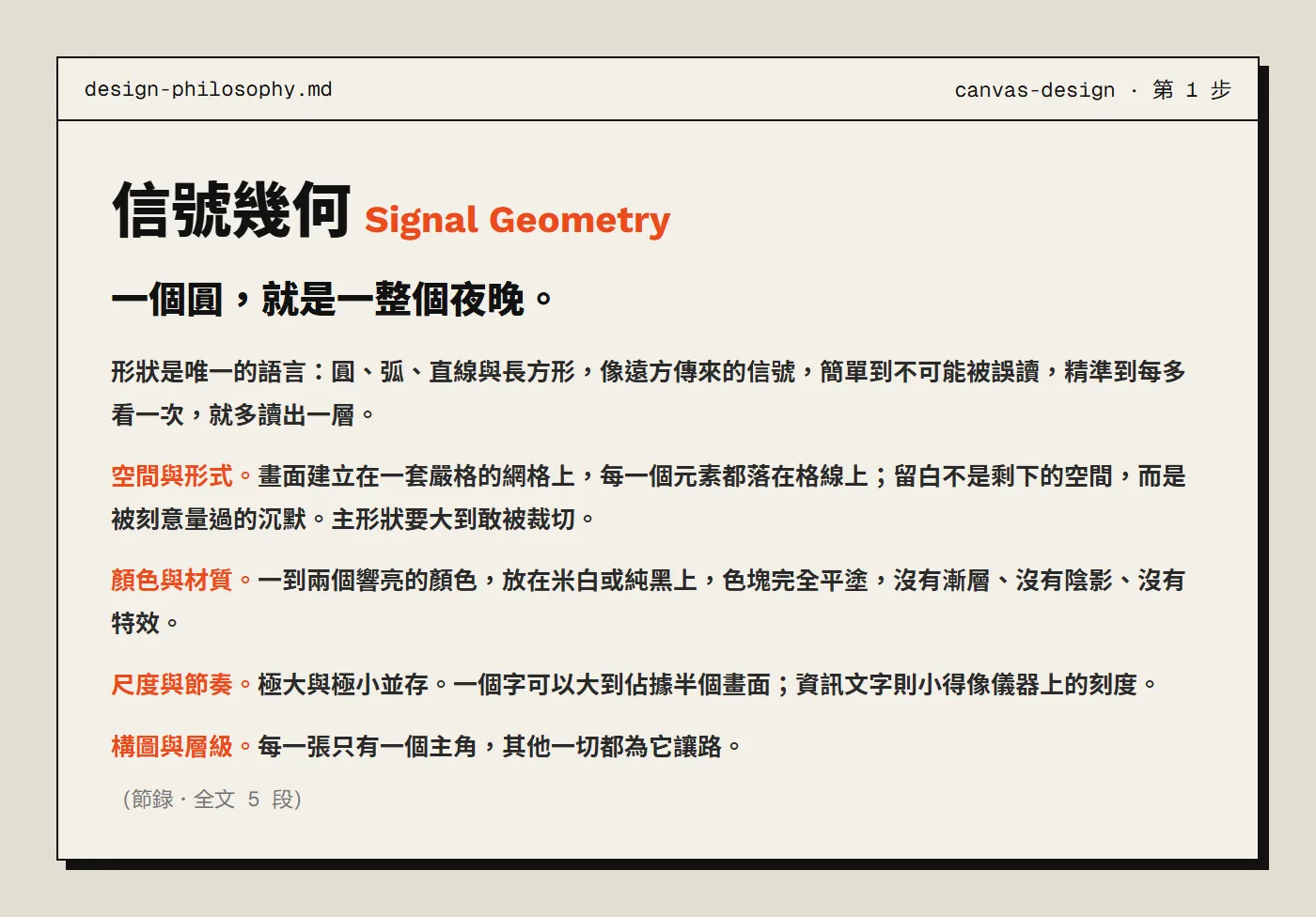
The skill doesn't start drawing straight away. Step one is a 4 to 6 paragraph design philosophy covering shape, colour, space and rhythm. That document becomes the rulebook every cover follows.
Use the canvas-design skill to make a set of album covers. Band: [band name], [genre]. Deliver: one LP "[album title]" plus three singles "[single 1]", "[single 2]", "[single 3]", each a 3000×3000 PNG. Follow the skill: write a design philosophy first, then draw it in code. Direction (Swiss / Bauhaus geometry): one big flat circle or a set of concentric arcs as the hero; one or two loud colours, flat, on off-white or pure black, no gradients, no effects; the title huge, big enough to fill the frame, the info text tiny and precise; a strict grid, with all four sharing the same margins, fonts and info positions so they read as one series. No photos, no 3D effects. It should look like a design-award album cover, not a slide-deck cover.
Our real version also described the band (an indie band from Kaohsiung, city-pop meets post-rock) and listed 5 directions. Claude named its philosophy "信號幾何 Signal Geometry", opening with "One circle is a whole night."
03Step 2: draw the philosophy in code, geometry only
Only in step two does it draw. In Claude Code it wrote the covers as HTML and SVG and exported them through headless Chrome as 3000×3000 PNGs. Latin type uses the fonts bundled with the skill (Work Sans, Instrument Sans, Geist Mono); Chinese uses Noto Sans TC.
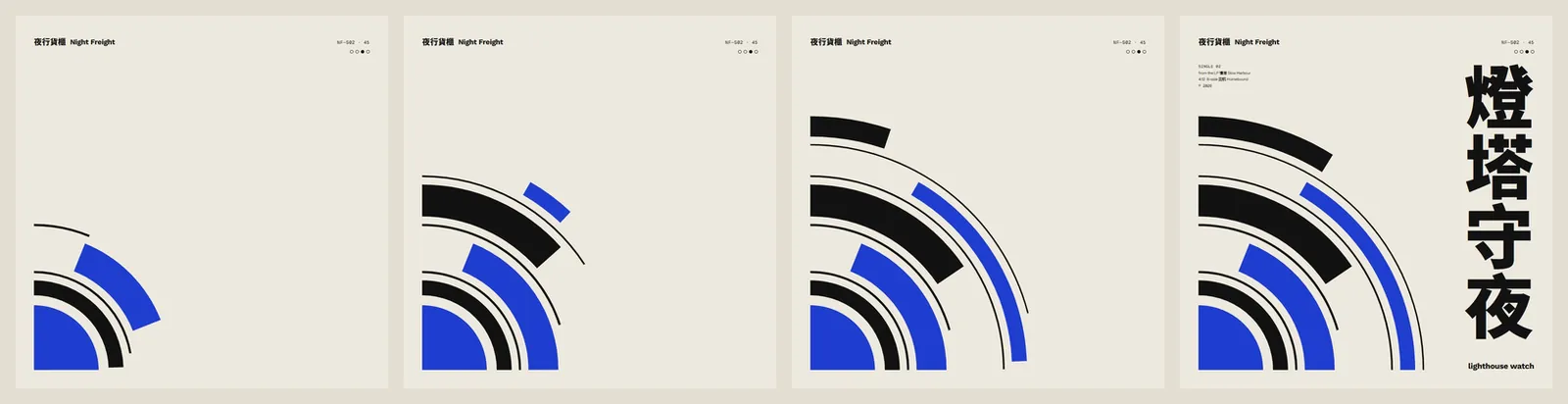
Each cover has exactly one hero, and each hero comes from the song title rather than random decoration.
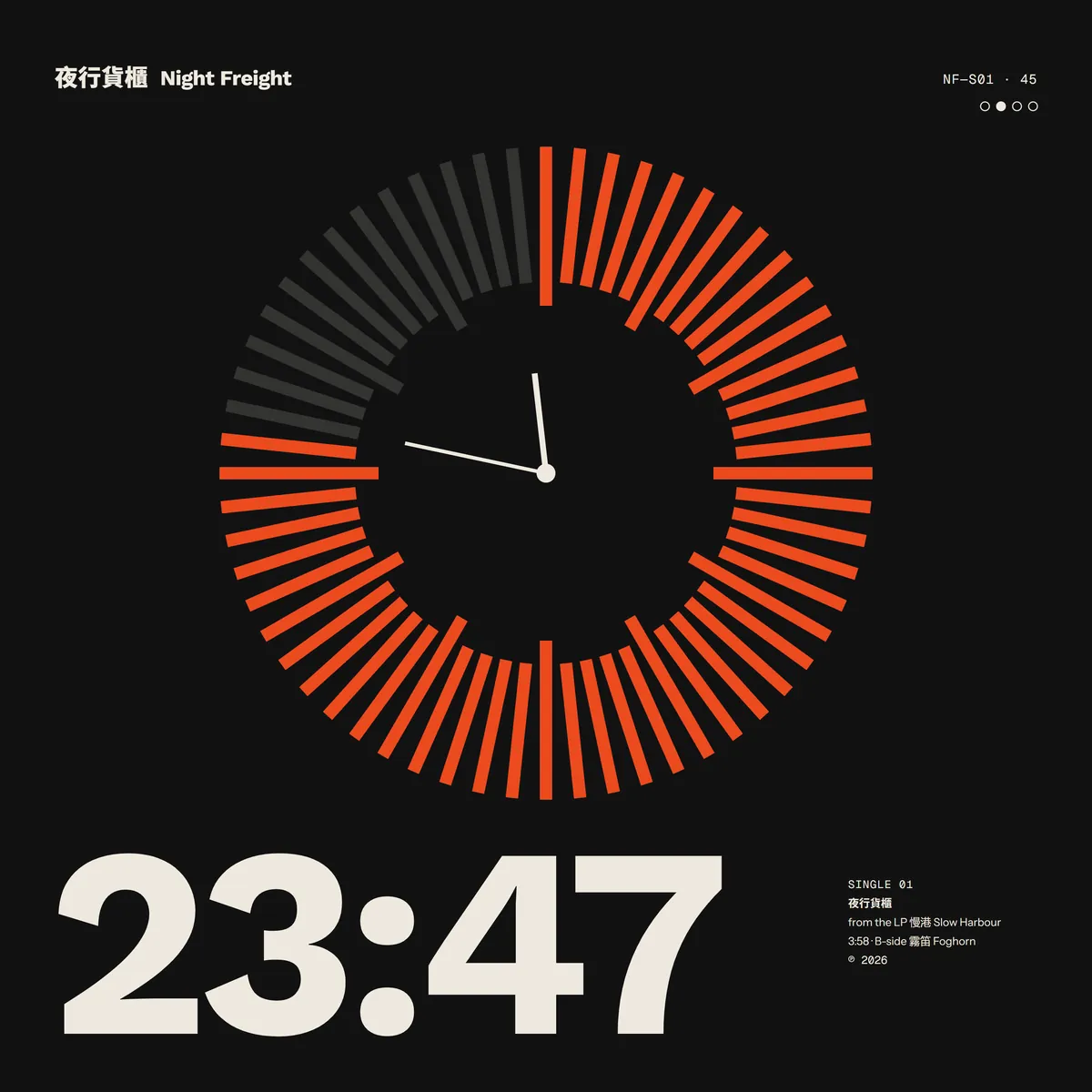
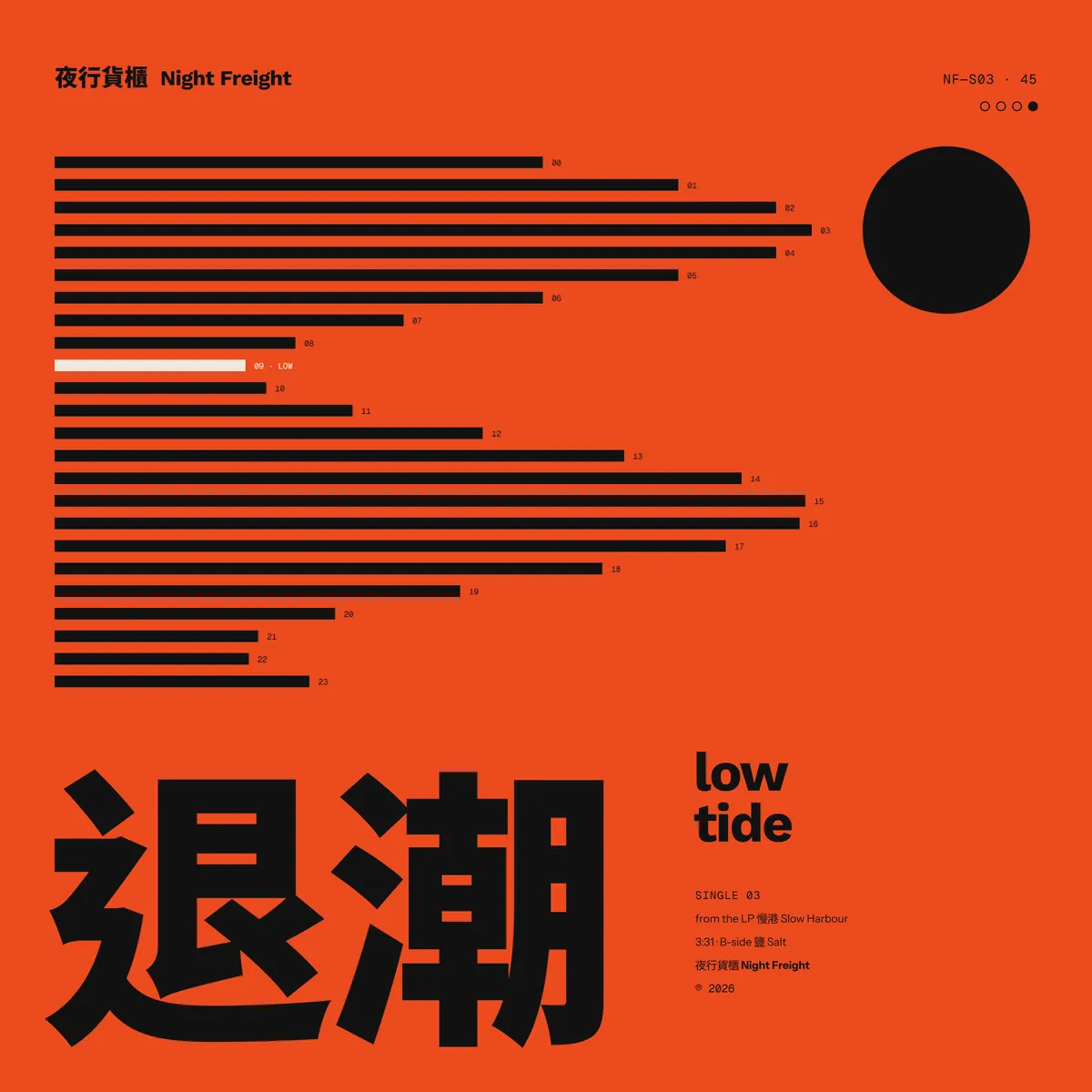
04Step 3: make the type as big as it goes (the key step)
Most AI covers fail on type: one small title line tucked in a corner. The rule here is type big enough to burst the frame, and info text as small as the marks on an instrument.
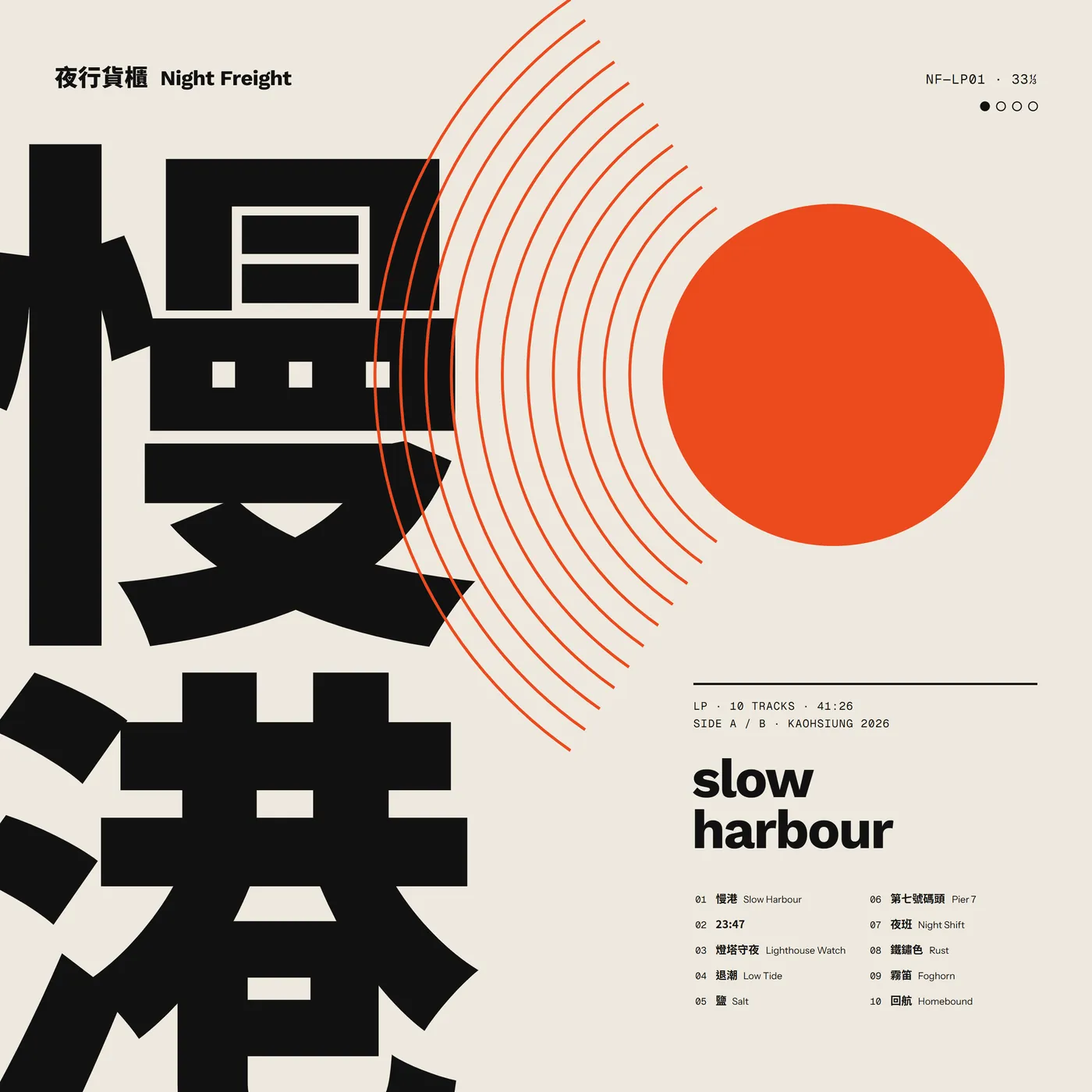
The first LP looked nothing like this. It was a striped sunset with radiating arcs, and our design check rejected it: a synthwave cliché, with the type in only the bottom 28% of the frame. It passed once the title itself became the image.
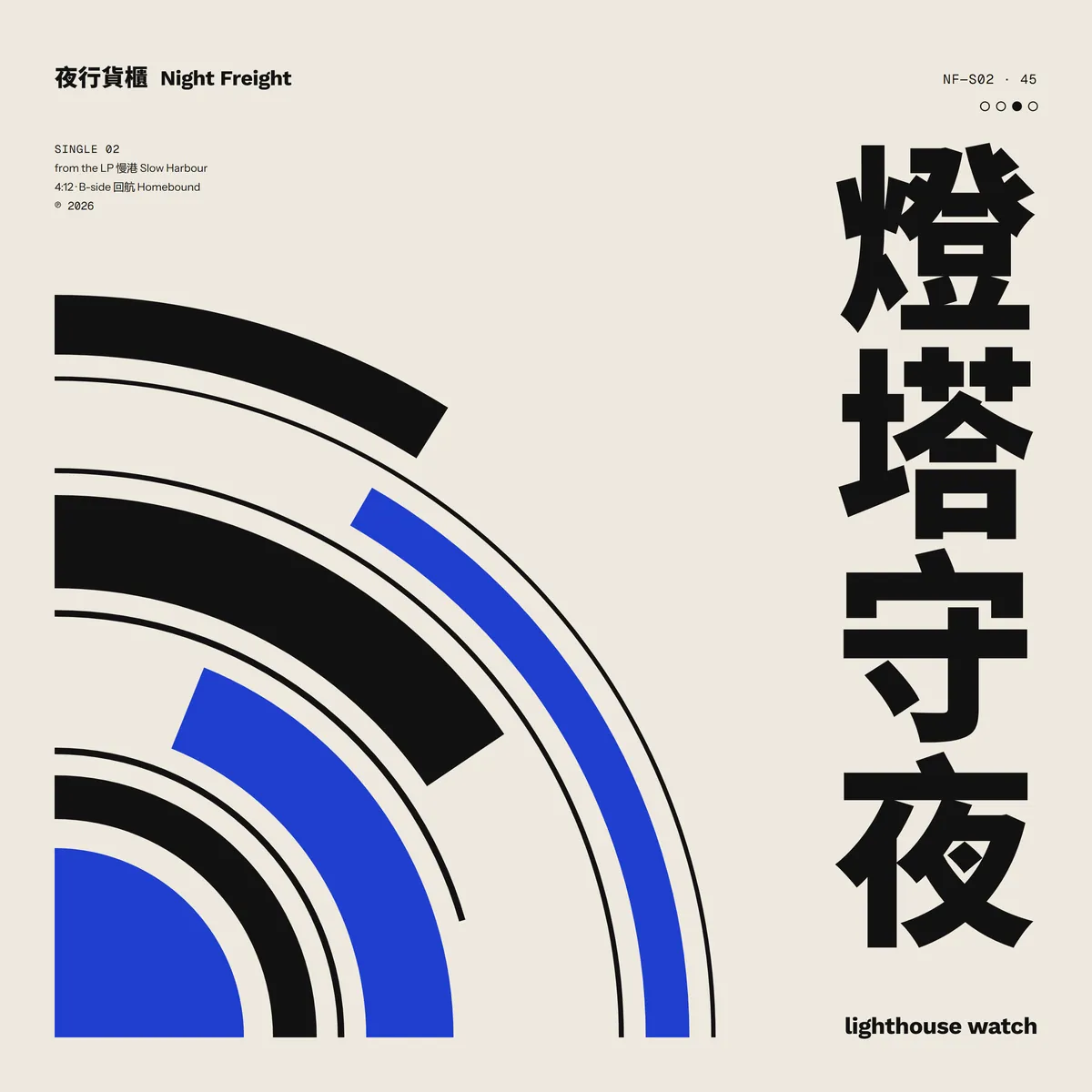
Following the design philosophy, redo the [LP] only: [no sunset. Make the title, set vertically, the hero, big enough to bleed off the left and bottom edges, with one set of thin arcs crossing the type]. Don't touch the other three covers or the grid.
05Step 4: build it as a series, then put it in a record mock-up
All four share the same rules, so together they read as one release:
- The band name, 夜行貨櫃 Night Freight, sits top left on every cover.
- Top right is a catalogue code (NF-LP01, NF-S01…) and four small dots; the filled dot shows which release it is.
- Track lists and years use the same monospace type on the same grid.
- Only vermilion, black and off-white, plus one blue on "Lighthouse Watch" as the night accent.
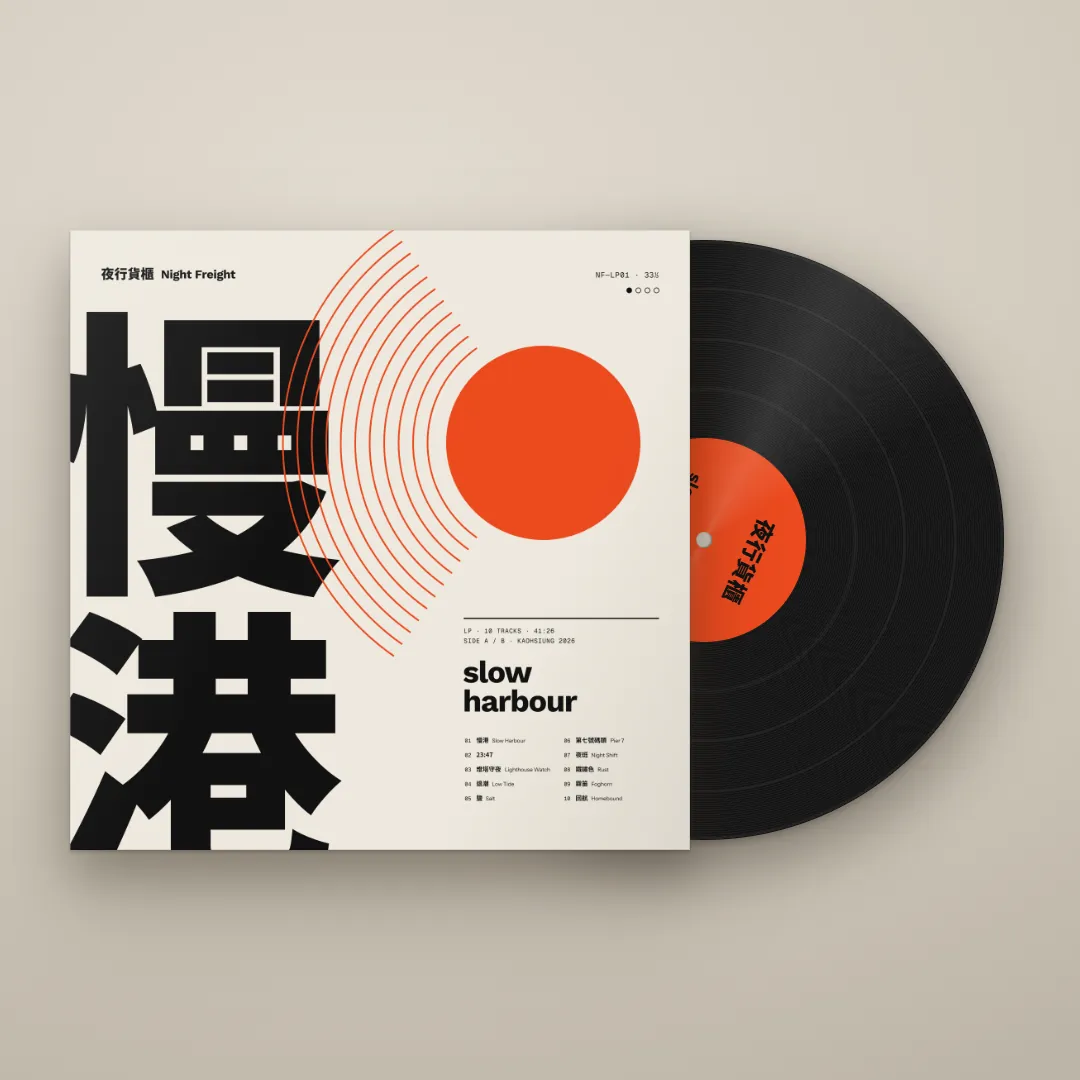
The vinyl and sleeve mock-ups were also drawn by Claude in HTML and CSS, with no photo assets.
06Good to know
- 夜行貨櫃 Night Freight is a fictional band; the album, tracks, times and catalogue codes are for the demo, and all four covers were made by Claude with the Canvas Design skill.
- Canvas Design is an open-source skill under Apache 2.0. It requires original work, so don't ask it to imitate a specific artist or an existing cover.
- Use fonts licensed for commercial use: Noto Sans TC is SIL OFL; check the licence of any other font first.
- How example skills are enabled, and on which plans, may change; the Claude help centre is the reference.
- Before uploading to a music platform or printing, check the platform's cover specs and proof the colours.