Write your product ad as code: a 15-second promo with Claude Code + Remotion, rendered to MP4 in 6 steps
No After Effects. Write a six-shot storyboard, let Claude Code build each shot in Remotion with spring() motion, add product PNGs and render a vertical MP4.
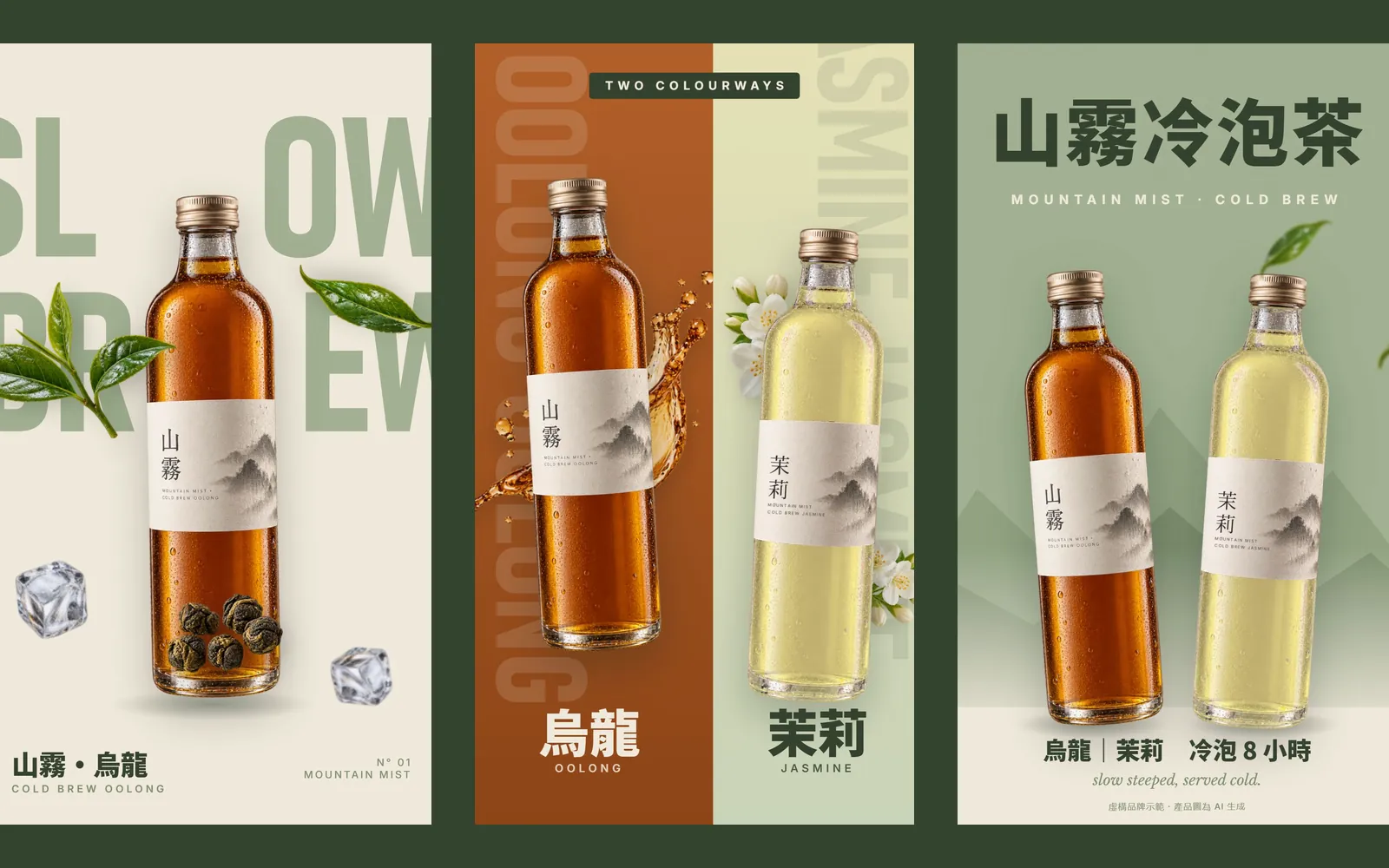
Why do other people's Claude-made ads look like an agency shot them, while yours look like moving slides? Most people think video means learning After Effects and editing for days. In fact, Claude Code can write a video with Remotion. In this guide we made a 15-second vertical ad for a fictional cold-brew tea brand, MOUNTAIN MIST. Every video frame below was grabbed straight from the MP4 that Claude Code actually rendered.
01First: what Remotion is, and why it suits Claude Code
Remotion makes videos out of React code: every frame is calculated by code, and the result is rendered to an MP4 on your own computer. You get a real video file, with the size, frame rate and length you choose. No screen recording needed.
Because the whole video is a code project, Claude Code can write it for you: one component per shot, with the text, colours and product images as settings you can change. To change a line of copy or swap a product later, you edit one line instead of starting over.
- Remotion documentation — Setup and basics
- Remotion's official agent skills (GitHub) — Officially for Claude Code, Codex, Kimi Code and Cursor
02Step 1: create a Remotion project and add the official skills
- Install Node.js and Claude Code.
- Open a new folder and run: npx create-video@latest. The official docs use npx create-video@latest --yes --blank my-video, which creates a blank project straight away; we actually ran npx create-video@latest --yes --blank --no-tailwind.
- Then run: npx skills add remotion-dev/skills to install Remotion's official agent skills.
- Open Claude Code inside the project folder.
The official skills are Remotion instructions written for AI agents: creating a project, writing animation, opening the Studio preview, rendering and more. The official example for /remotion-create is "Make a promo video for a record store".
03Step 2: write the storyboard first, then ask for code
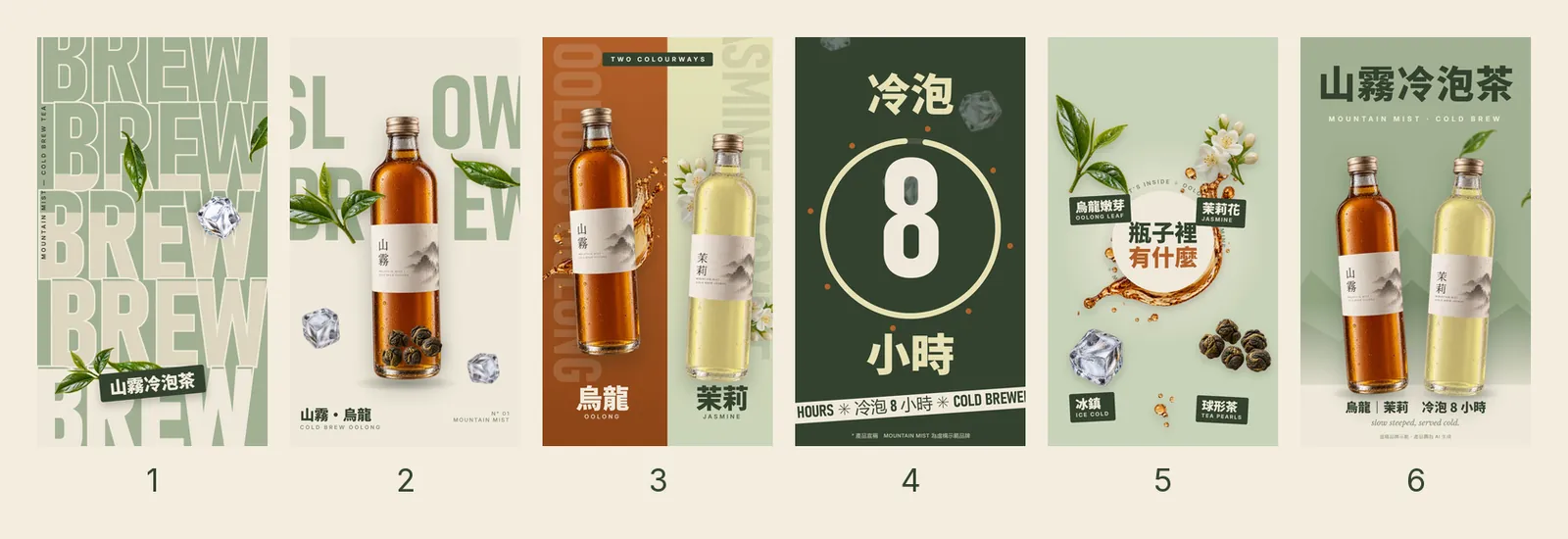
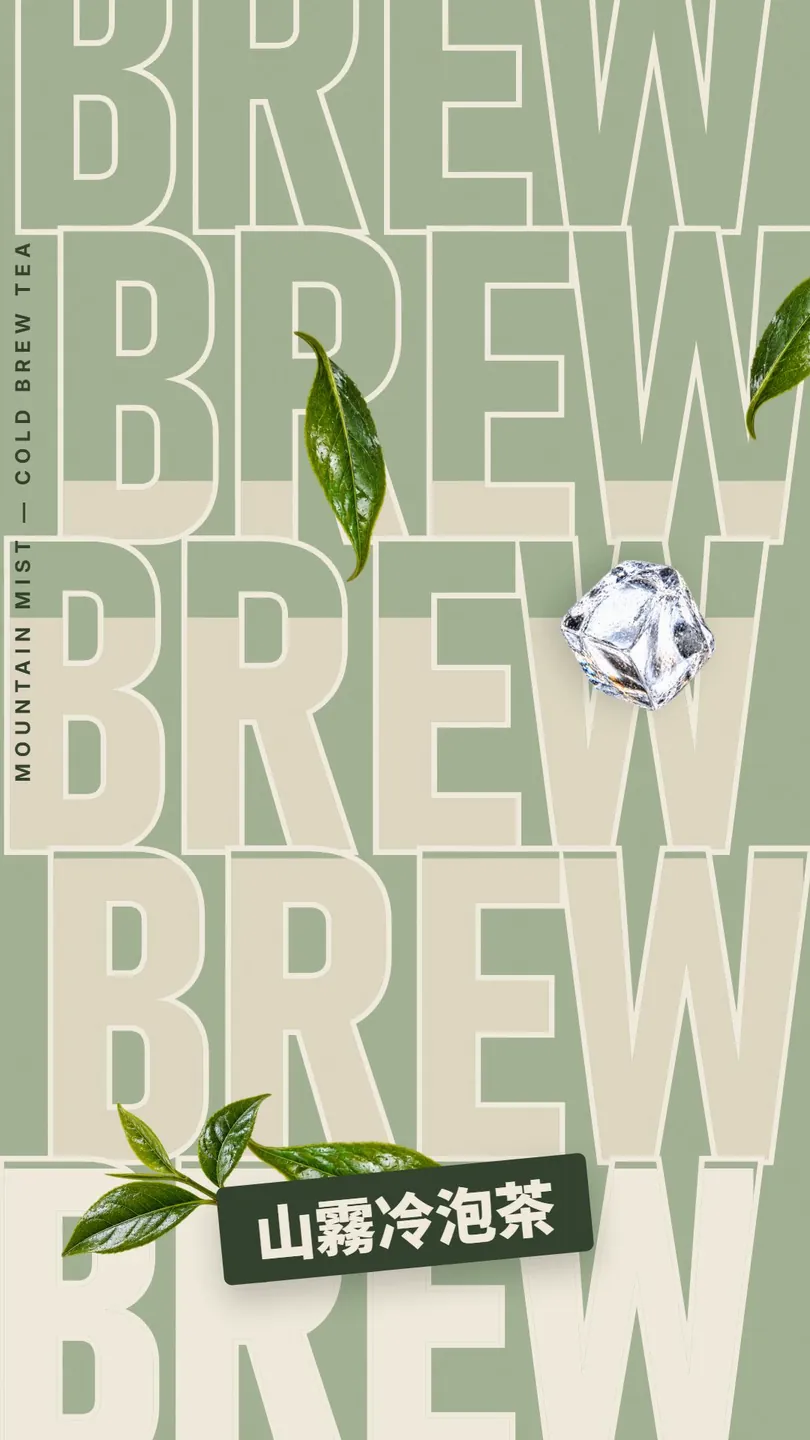
Before you ask for anything, write the storyboard: total length, number of shots and what happens on screen in each one. We wrote six shots: stacked-type opener, bottle drop, two-colour split, 8-hour cold brew, ingredient burst and end card.
Use Remotion to make a [15]-second product ad, vertical 1080×1920, 30fps. Brand: [brand name]. Product images are in public/: [file names].
Direction: [flat colour blocks + huge condensed type / one word stacked over several lines / product floating with leaves orbiting it].
[Six] shots of about [2.5] s each: 1. [stacked-type opener] 2. [product drops in from the top, bounces and settles, ingredients orbit it] 3. [two flavours on a two-colour split] 4. [animated selling-point text] 5. [ingredients burst out from the centre, each with a small label] 6. [end card: product + brand name].
Use spring() animation for everything, stagger the elements, and never let any moment on screen be still. Colours: [3–4 colours]; load fonts from local files. Make every shot its own component and lay them out on a timeline with <Sequence>. It should look like an agency brand film, not slides moving.
Claude Code turned this into six shot components (S1Stack to S6End) and laid them out on one timeline with <Sequence>: 450 frames in total, which is 15 seconds at 30fps.
04Step 3: add your product images (transparent PNGs)
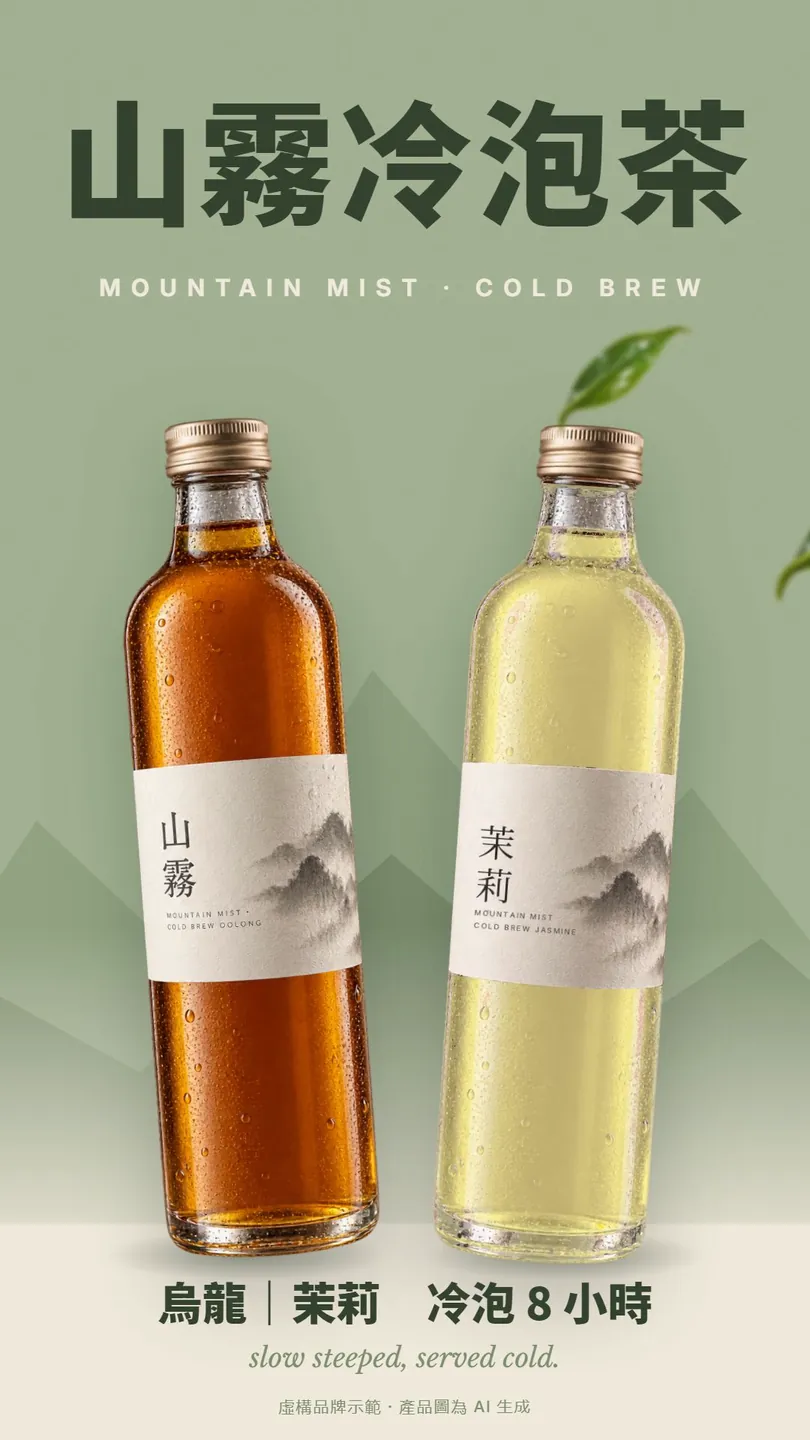
Put transparent PNGs in the project's public folder and name the files in your prompt; Claude loads them with Remotion's staticFile(). We used two bottles and seven elements: a tea sprig, a single leaf, jasmine flowers, an ice cube, oolong tea pearls, a tea splash and small droplets.
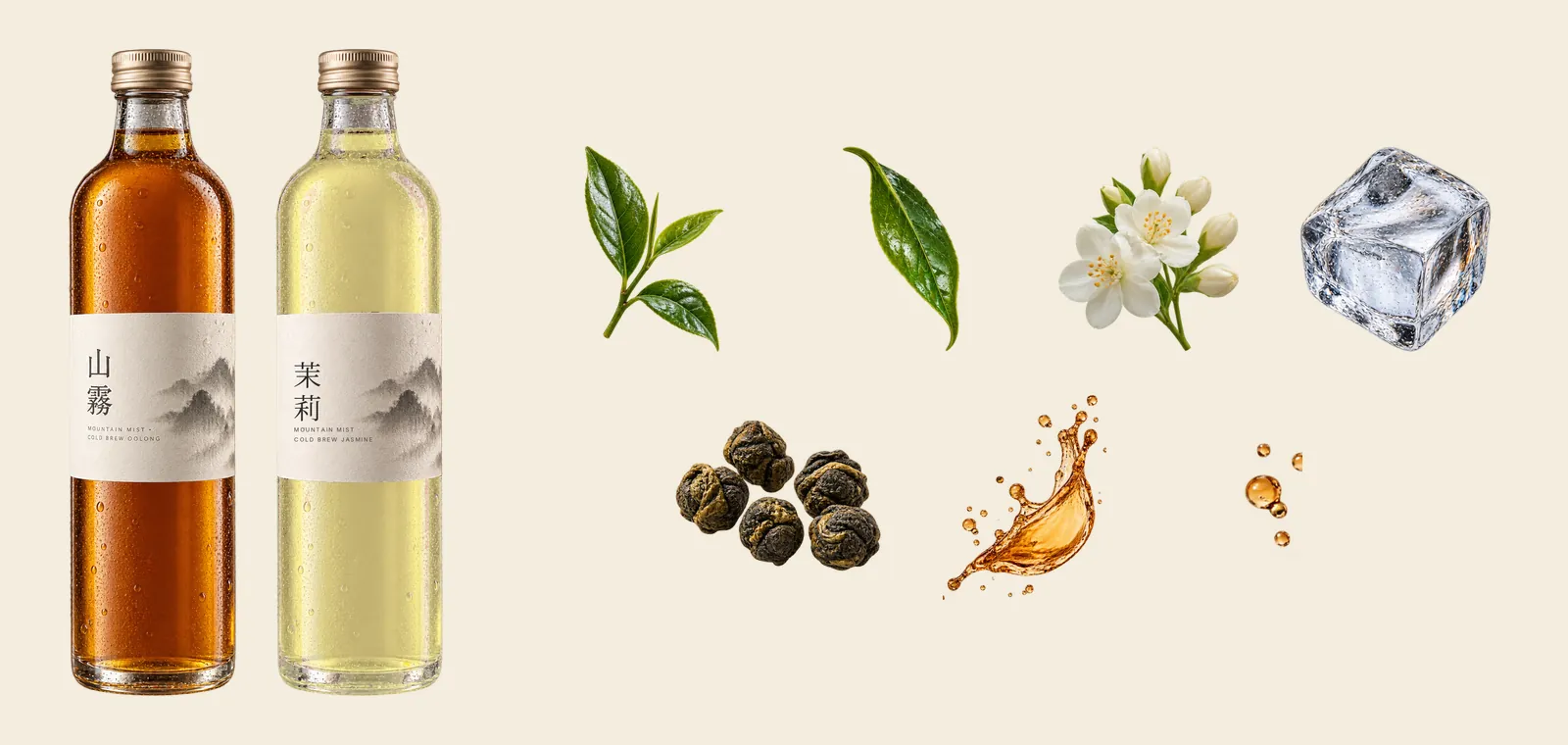
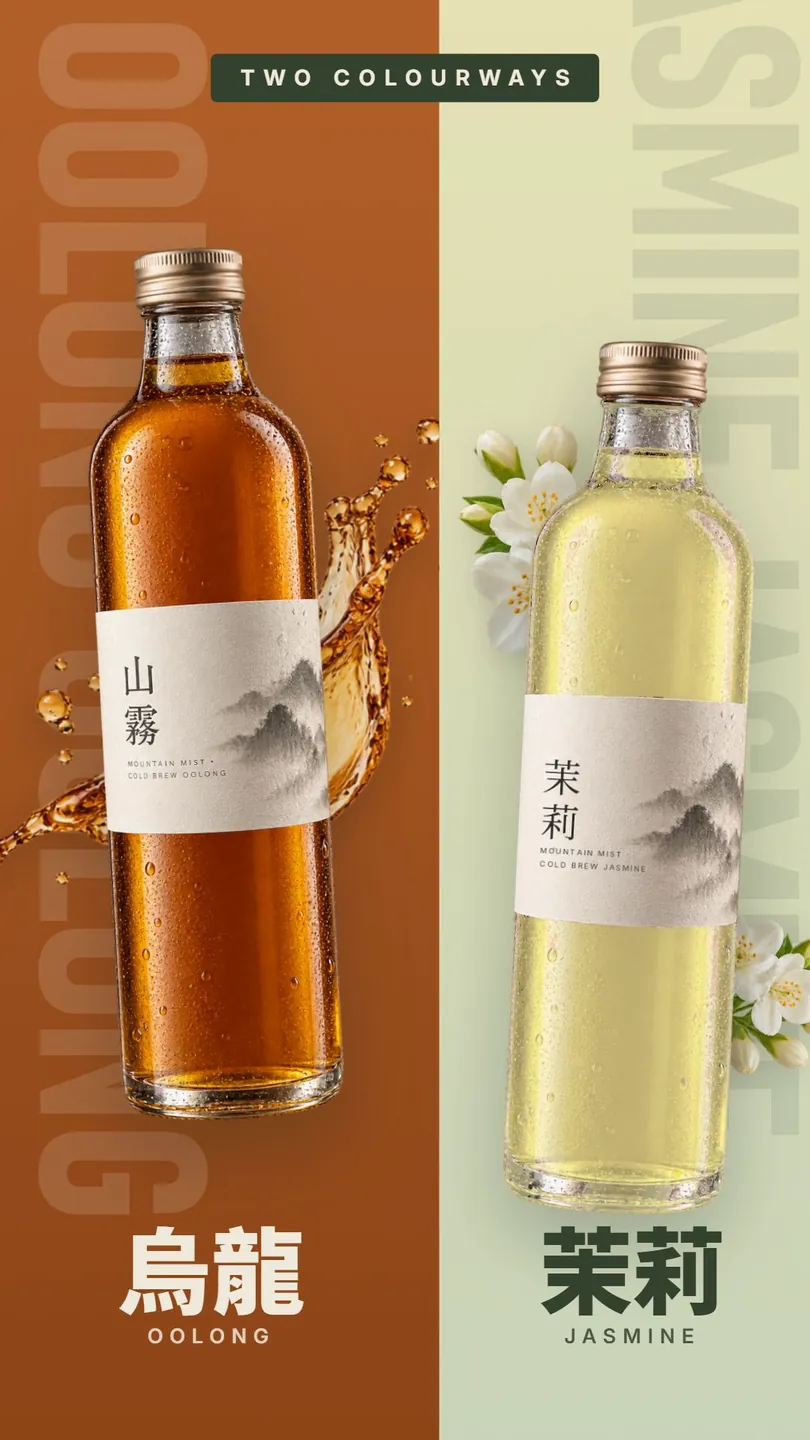
At first the two bottles were generated separately, and the glass, cap and neck didn't match, so they looked like two brands. In the end the jasmine flavour was built in code from the oolong image: the tea recoloured to pale yellow-green, the old lettering removed and 茉莉 (jasmine) written on.
05Step 4: animate everything with spring()
spring() is Remotion's built-in physics-based spring animation. The official defaults are mass 1, damping 10 and stiffness 100. Lower the damping and things bounce more.
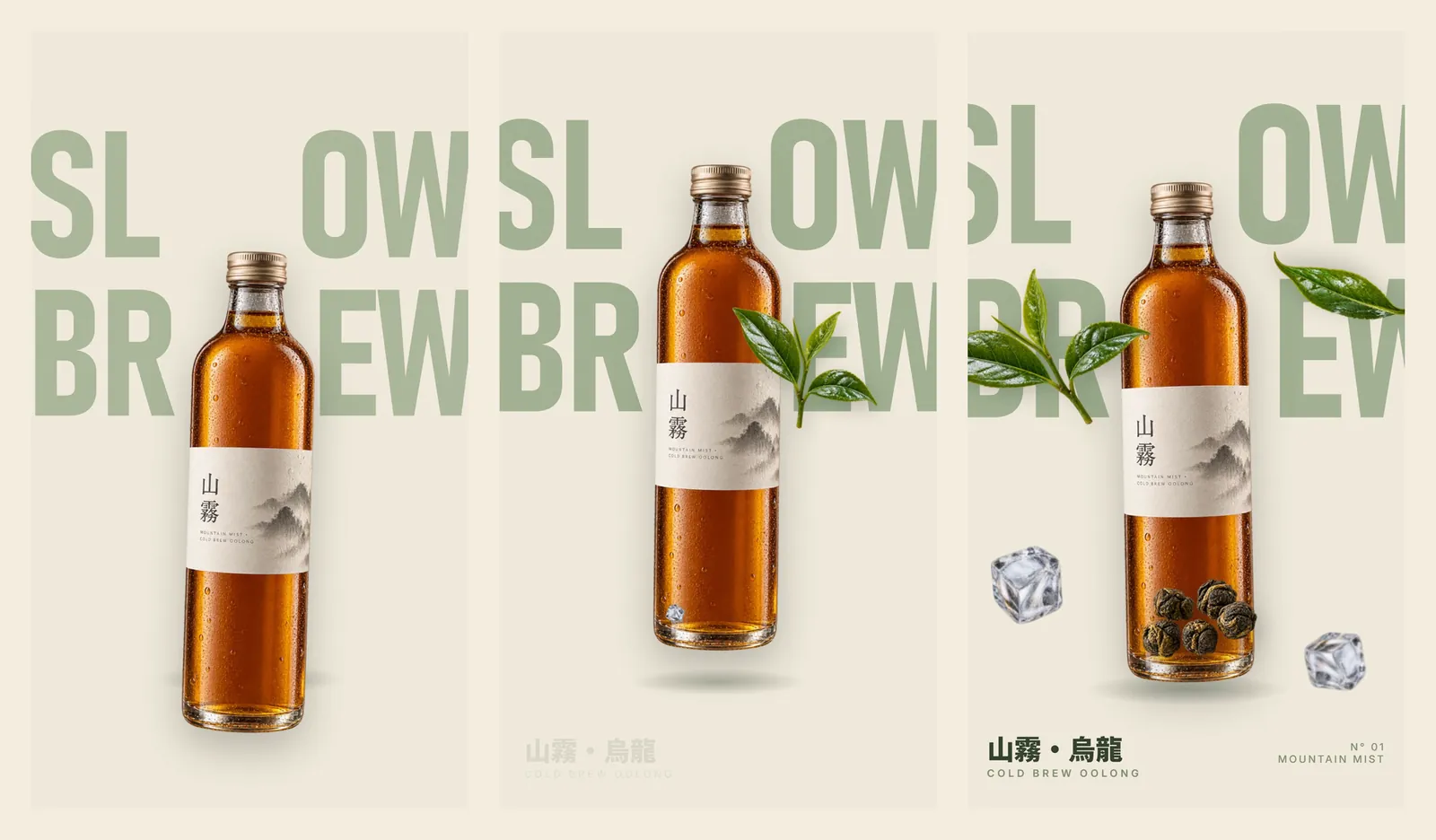
This shot uses damping 9 and stiffness 110, a little bouncier than the default. Each element enters 3 frames after the last; the ones passing in front stay sharp and the ones behind get a slight blur, which gives the shot depth.
In shot [2], make the [bottle] bounce [once or twice] more when it lands by lowering the spring damping. Don't touch the other shots.
06Step 5: preview with npx remotion studio and fix one shot at a time
Run npx remotion studio (npm run dev also works in our project) and Remotion Studio opens in your browser: the frame in the middle, and a timeline below you can scrub frame by frame.
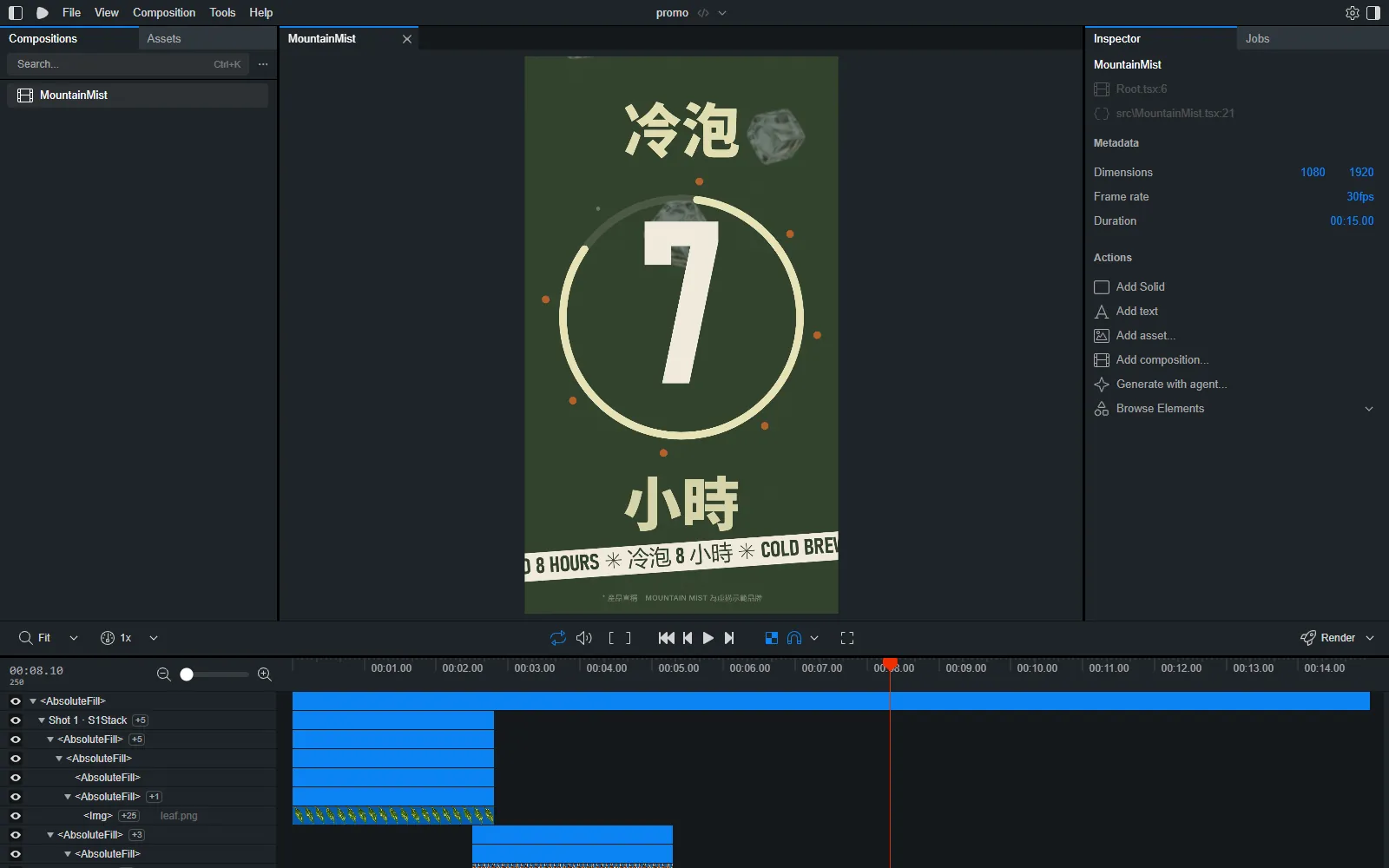
We went through three rounds before signing off, with the design review going from 7 to 8 to a pass. Things we actually fixed:
- Shot 2: the bottle hid the middle letters of the big word, so it didn't read on a phone. We split SLOW and BREW in the middle and stood the bottle in the gap.
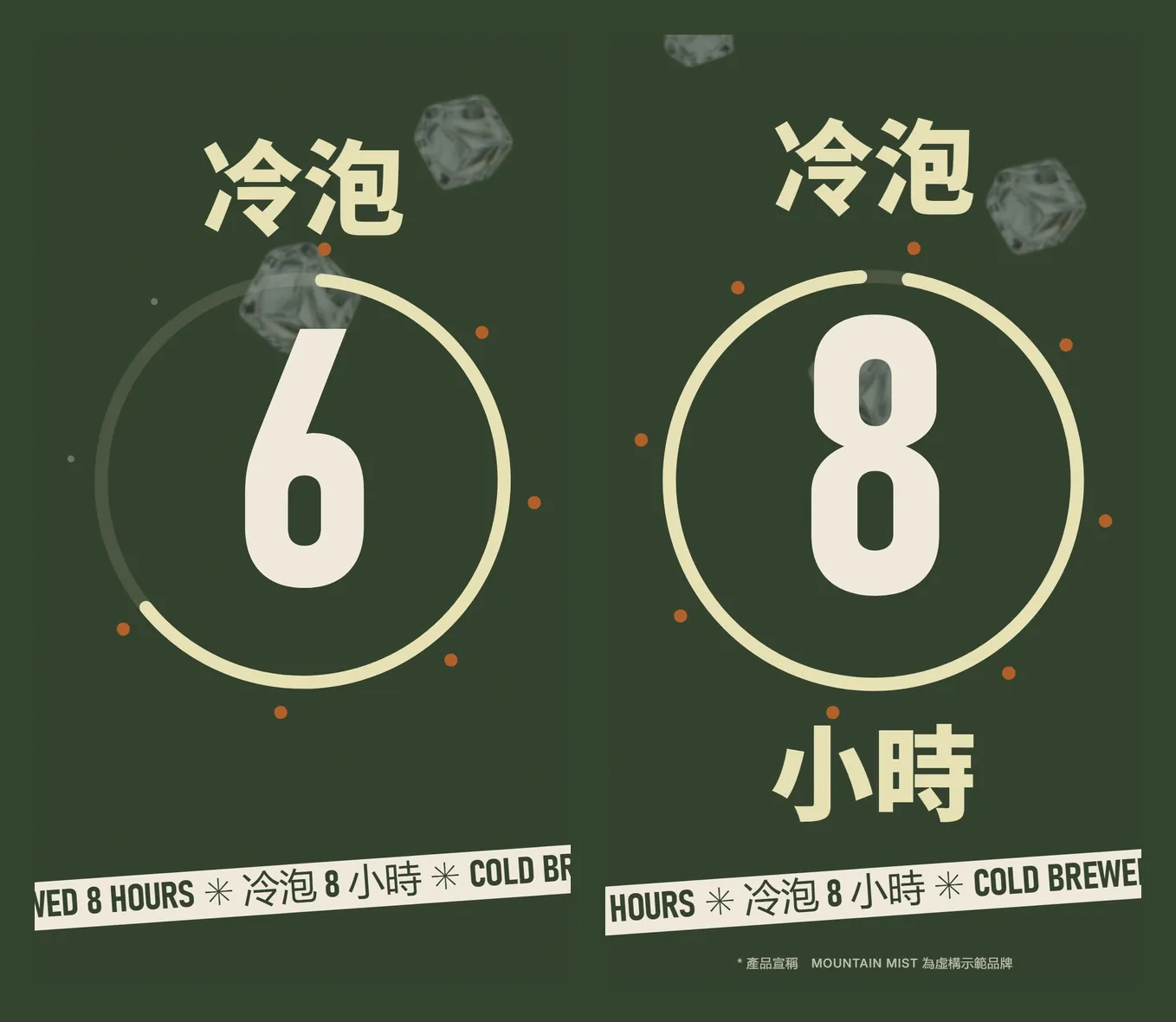
- Shot 4: a big empty band between the ring and the text strip. Now 小時 (hours) pops in together with the 8.
- End card: the faint background type was cropped down to the letters "AI S". We replaced it with mountain silhouettes.
- The two bottles didn't look like one range. We built the jasmine bottle from the oolong one (step 3).
07Step 6: render the MP4 with npx remotion render
When you're happy, run npx remotion render followed by the video's name (the composition ID) and an output path. We ran: npx remotion render MountainMist out/mountain-mist-promo.mp4. The official docs say that if you leave out the name, it lets you pick from a list.
The result was a 1080×1920, 30fps, 450-frame, 15-second MP4 of 27.3 MB. On the first render, Remotion set up its own rendering browser; we didn't have to configure anything.
08Good to know
- MOUNTAIN MIST is a fictional brand; the video was written by Claude Code with Remotion as a demo.
- The product images and elements are AI-generated in ChatGPT, and the jasmine bottle was recoloured in code from the oolong one. For a product you actually sell, use real product photos.
- "Cold-brewed 8 hours" is this fictional product's claim and is labelled as such on screen. A real product's claims must be accurate and backed up.
- Remotion licensing: individuals, for-profit companies with up to 3 employees, non-profits, and anyone still evaluating it without commercial use can use it for free; other companies need a Company License. The official licence terms are what count.
- When you load fonts from local files, use fonts licensed for commercial use, such as Noto Sans TC (SIL OFL).
- Remotion licence terms — Free-use conditions and the Company License