One command, and Claude Code clones a whole website: an open-source template in 27 minutes, restyled in one sentence
Type /clone-website and a URL in Claude Code: it screenshots, grabs real images and fonts, builds Next.js and compares. We cloned our own site and restyled it.
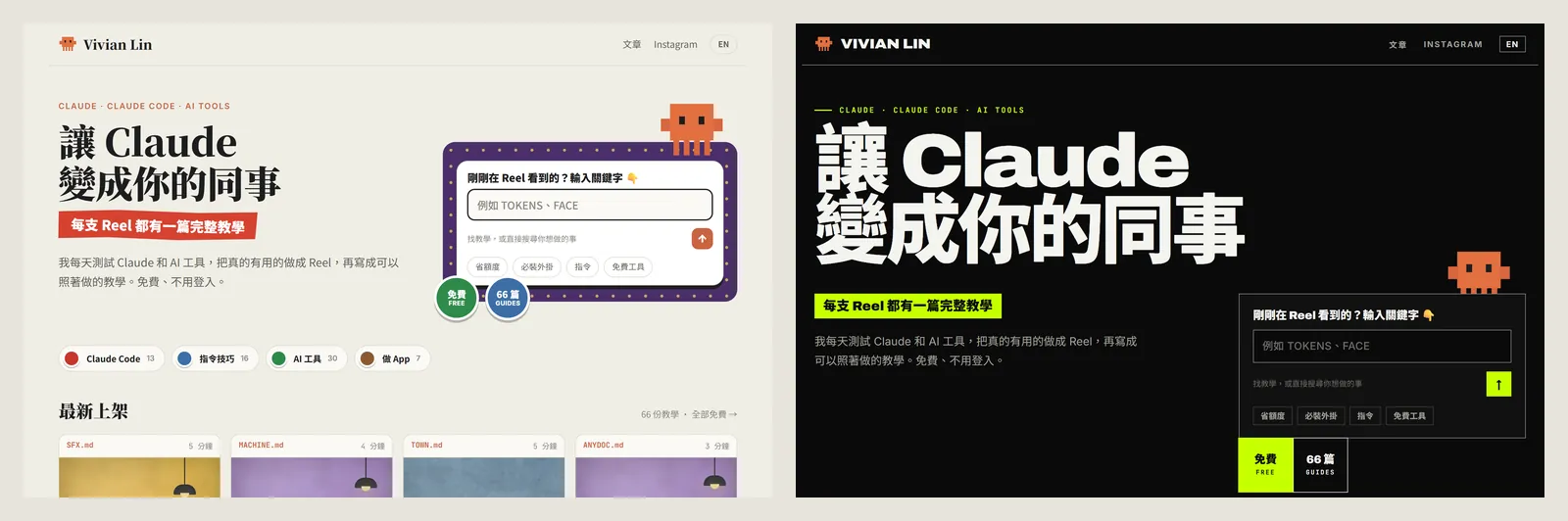
Hand AI a single screenshot and ask for "the exact same website", and you usually get a layout that looks close with every detail wrong. AI Website Cloner Template is an open-source template on GitHub: type /clone-website and a URL in Claude Code, and it studies the whole site, downloads the real images and fonts, writes editable code, then compares its build with the original screen by screen. We tried it on our own site, vivian.hobbyland-group.com: it finished in about 27 minutes, with under 0.01% difference from the original. Then one more sentence turned the same site into a black-and-lime magazine style. Every image below is a real result from this run.
01The result first: original on the left, clone on the right

The headline, the search box, the pixel mascot, the category buttons and the article cards, down to the pictures on the cards, all match. It is not a pasted screenshot but a real Next.js site: you can edit the text, click the buttons, and typing in the search box and pressing Enter goes to the original site's search results.
02Why a screenshot is not enough
For comparison we opened a brand-new Claude Code, gave it only a 1280px-wide screenshot of the site, and typed one line: "Make a website exactly like this screenshot." It had no access to the live site, only the picture.
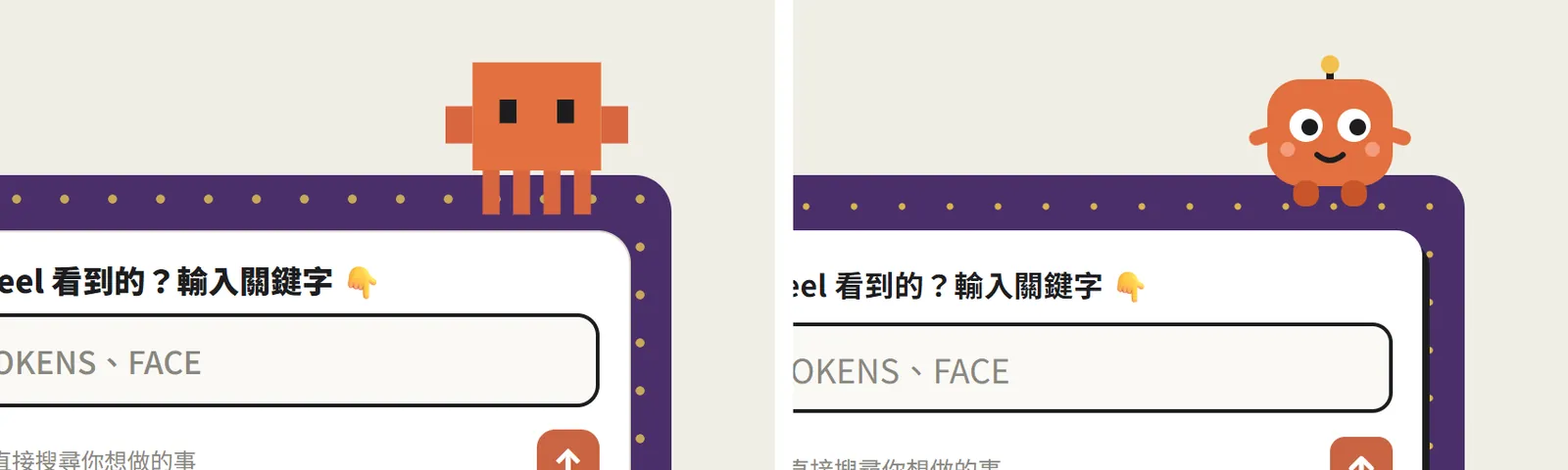
- Layout: broadly similar.
- Images: cut out of the screenshot rather than the original files, so they blur when enlarged.
- Mascot: redrawn as a completely different character.
- Search box and buttons: they only look right; clicking does nothing.
A screenshot only holds pixels: no fonts, colour codes, spacing or image files. What the AI cannot see, it has to guess. The cloner template reads the website itself instead.
03The tool: AI Website Cloner Template (open source, free)
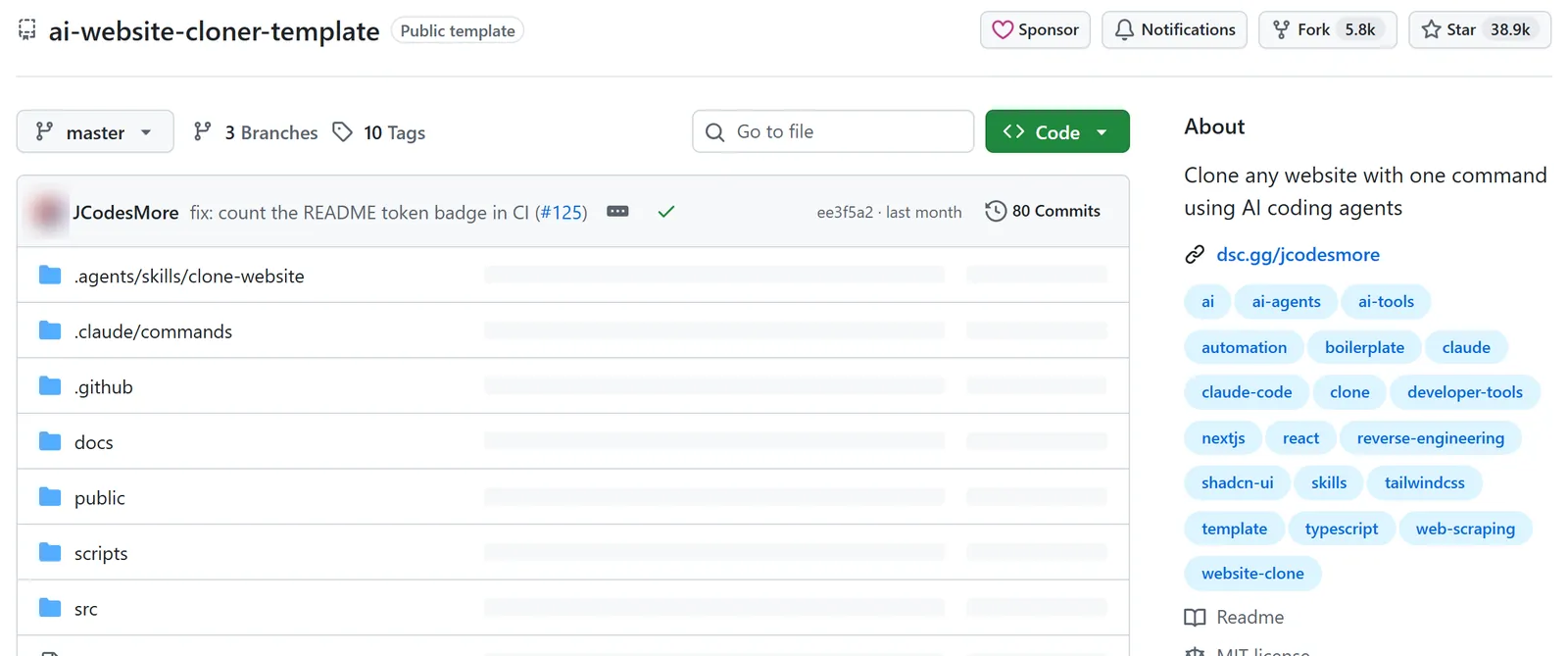
This is a public template by JCodesMore on GitHub, MIT licensed, with 38,872 stars when we checked on 9 Nov 2026. It is an empty Next.js project that ships with a cloning workflow written for AI (a skill) and the /clone-website command. The README recommends Claude Code first and also supports Codex, Cursor and OpenCode.
- AI Website Cloner Template (GitHub) — MIT licence, about 39k stars on 9 Nov 2026
04Setup: install Node.js and Claude Code (about 10 minutes)
- Install Node.js 24 or newer (the minimum in the README).
- Install Claude Code following the official guide. It needs a paid Claude plan (Pro, Max, Team or Enterprise) or a Claude Console account.
- Download the template in your terminal: git clone https://github.com/JCodesMore/ai-website-cloner-template
- Go into the folder and run npm install.
- Then run npm run check. When lint, type checks and the build all pass, you are ready.
If you would rather not type commands, follow the README's suggestion and ask Claude Code to set it up for you:
Set up https://github.com/JCodesMore/ai-website-cloner-template as a standalone new project on my computer, in [folder location].
Clone the repo, remove its origin remote, install the dependencies, and run npm run check.
Leave it ready for me to clone a website.
05Step 1: type one command in Claude Code
Open Claude Code inside the template folder and type the line below, with your own site's address.
/clone-website https://[your own website]
The command tells Claude to read the template's SKILL.md from start to finish and then follow it. We typed /clone-website https://vivian.hobbyland-group.com and also told it to clone the homepage only.
06Step 2: watch it do 4 things on its own
You do not need to type anything else. It works through the 4 steps in the README (Map, Observe, Build, Compare) on its own. This is what our run recorded:
- Study the site (Map / Observe): it mapped each part of the site to the pages to build, took screenshots at 7 widths from 390 to 1920px, and read the real CSS, fonts and hover effects.
- Collect the assets: it downloaded the 14 real WebP images from the site and loaded the same 4 font families (Noto Serif TC, Noto Sans TC, Inter, JetBrains Mono).
- Build the page (Build): it wrote 9 Next.js components, from the header, hero, categories, guide shelf and Reels wall down to the footer.
- Compare (Compare): it compared its build with the original at the same 7 widths, fixed the differences, and finally ran npm run check to confirm a production build works.
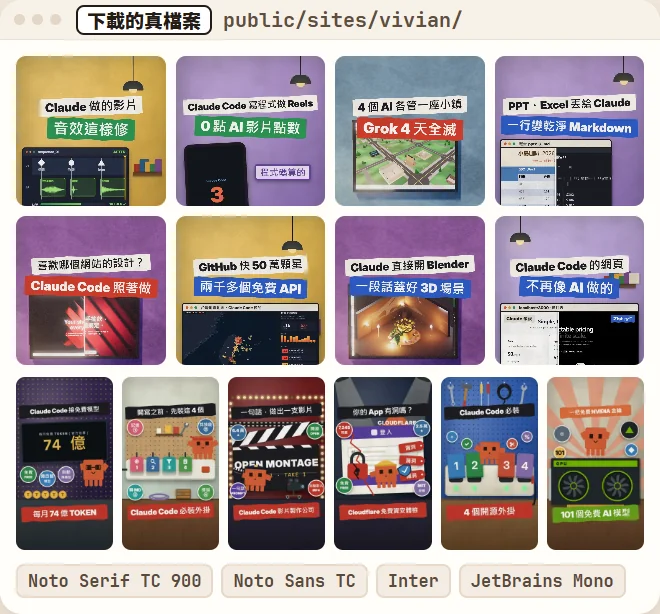

The result: about 27 minutes and 3 commits. Across the 7 widths, under 0.01% of pixels differed from the original by more than 40/255, and the page heights matched exactly (2473px on desktop). The page was small, so it decided to do everything itself rather than hand parts to sub-agents.
07Step 3: open it in your browser
- In the same folder, run npm run dev.
- Open the localhost address it gives you (ours was http://localhost:3100).
- Keep the original site in the next tab and switch back and forth to compare.
When it finishes, Claude also leaves comparison screenshots (docs/design-references/) and a log that lists what it did not cover. In our run that was the other pages, which it did not clone, so their links point back to the original site.
08Step 4: one sentence turns it into your style
Cloning is only the start. The fun part: once you have the site's structure, you change only the design. We opened a new Claude Code in a copy of the clone and gave it just one sentence:
把這個網站改成我自己的風格:深色潮流雜誌感。黑底、超大的白色粗體標題、螢光萊姆綠當唯一的重點色,卡片改成直角細框,字體換成粗的無襯線字。內容、文字和圖片都不要動,只改設計。


It rewrote the stylesheet, switched the fonts to Archivo and Noto Sans TC Black, removed the coloured dots before the categories, and npm run check still passed. It left the orange pixel mascot alone on purpose, because it is the brand character.
Change this website into my own style: [a style, e.g. a dark streetwear magazine]. [background colour], [how big the headline is and how it feels], with [one accent colour] as the only accent colour; make the cards [square / rounded, thick / hairline frames] and switch the fonts to [a font feel, e.g. a heavy sans-serif]. Do not touch the content, text or images; change only the design.
09Watch out
- Clone only your own website, or sites you have the right to use. The README lists the intended uses: moving your own site to a new platform, recovering lost source code, and learning how layouts are built.
- The README also says it must not be used for phishing or impersonation, for passing off someone else's design as your own (logos, brand assets and copy belong to their owners), or to break a site's terms of service. Some sites explicitly forbid scraping or copying, so check first.
- The demo site, vivian.hobbyland-group.com, is a site we built ourselves. The restyled version was only tested on our computer and is not live.
- We cloned the homepage only. The other pages were not cloned and their links point back to the original site; a full site takes more time and needs checking page by page.
- The 27 minutes and the under-0.01% difference are from this one run; other sites and sizes will differ.
- The star count is from 9 Nov 2026 and will change.