One sentence, one magazine-quality diagram: the free Diagram Design skill for Claude Code (4 prompts + live demo)
The free, open-source Diagram Design skill makes Claude Code draw flat, one-accent architecture, flow, Gantt and state diagrams from one sentence.
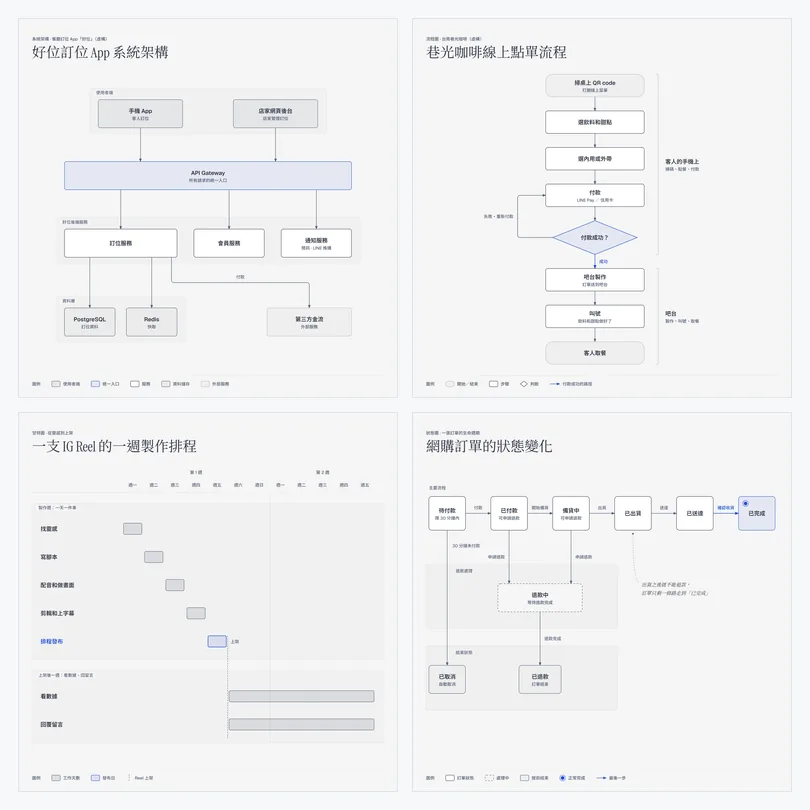
Want a good-looking architecture diagram? Are you still dragging boxes around draw.io one by one, or writing Mermaid and getting tangled lines and amateur colours? This guide covers a free, open-source Claude Code skill called Diagram Design: describe the diagram you want in one sentence (Chinese works too), and it picks the diagram type itself and draws a flat, one-accent-colour diagram that looks like a magazine illustration.
In this guide: the same content drawn with Mermaid and with Diagram Design, 3 ways to install it, the question it asks on first use, the 4 prompts we actually used (with a template), and the 4 diagrams you can open right away. All 4 diagrams below were really drawn by Claude Code with this skill. "Lane Light Café" and "Haowei" are fictional.
01The comparison: one architecture diagram, Mermaid vs Diagram Design
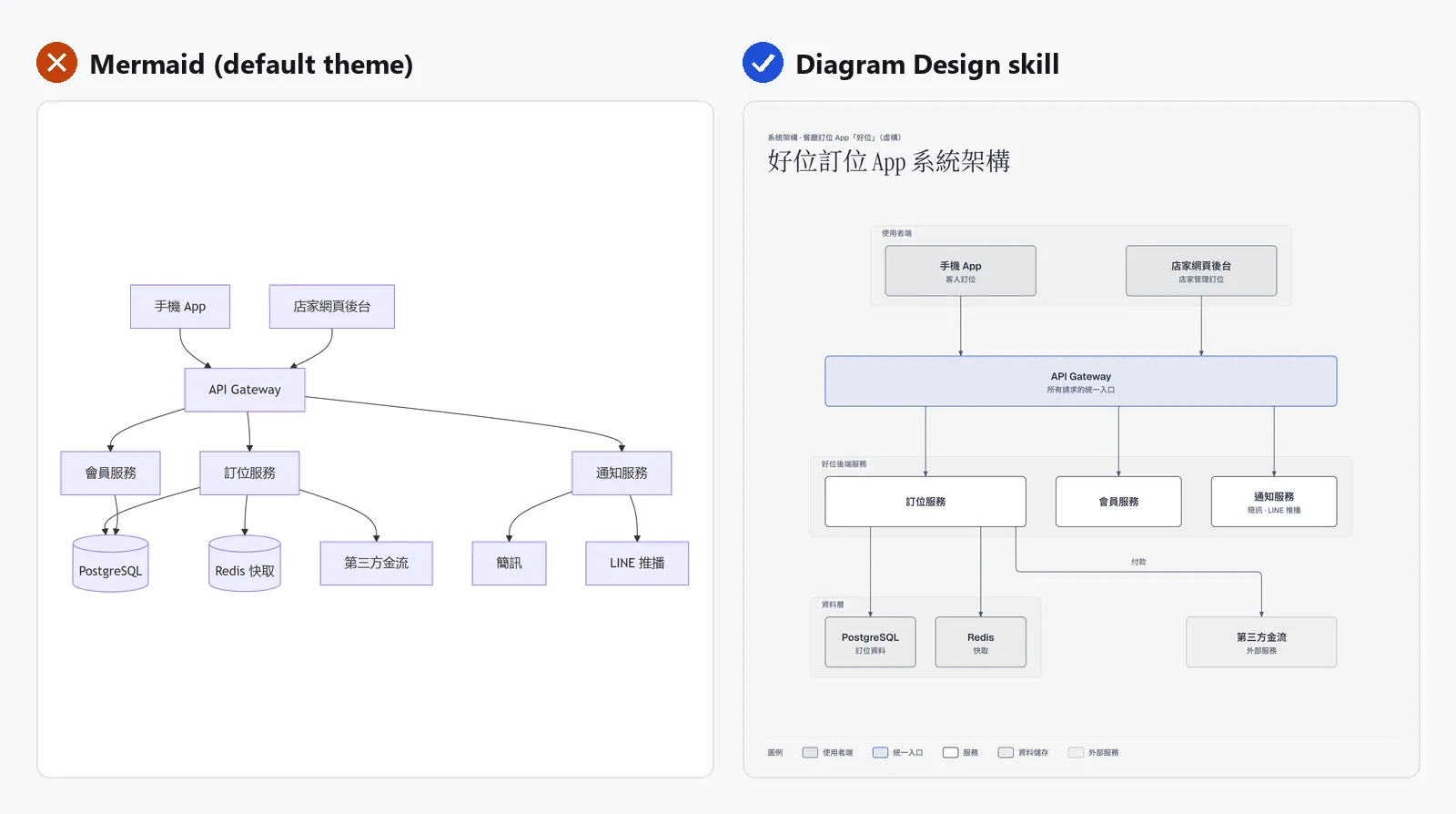
On the left is Mermaid code we wrote ourselves, rendered with Mermaid's default theme: every box is the same purple, the lines curve all over, and nothing tells you where to look.
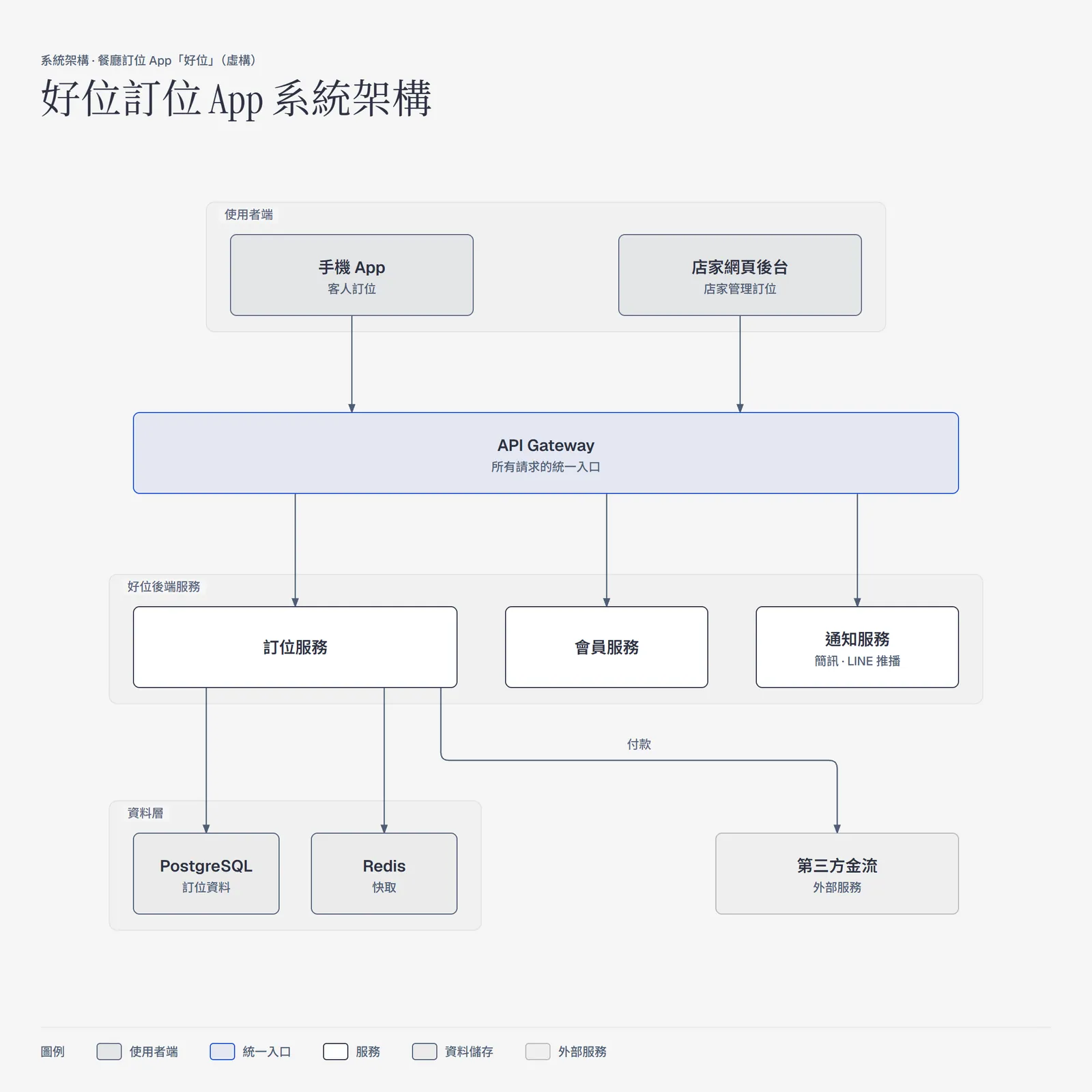
On the right is the same content, drawn by Claude Code with Diagram Design: clients, backend services and the data layer each get their own zone, every line runs at right angles, and only the API Gateway gets the accent colour, because every request passes through it.
02What Diagram Design is
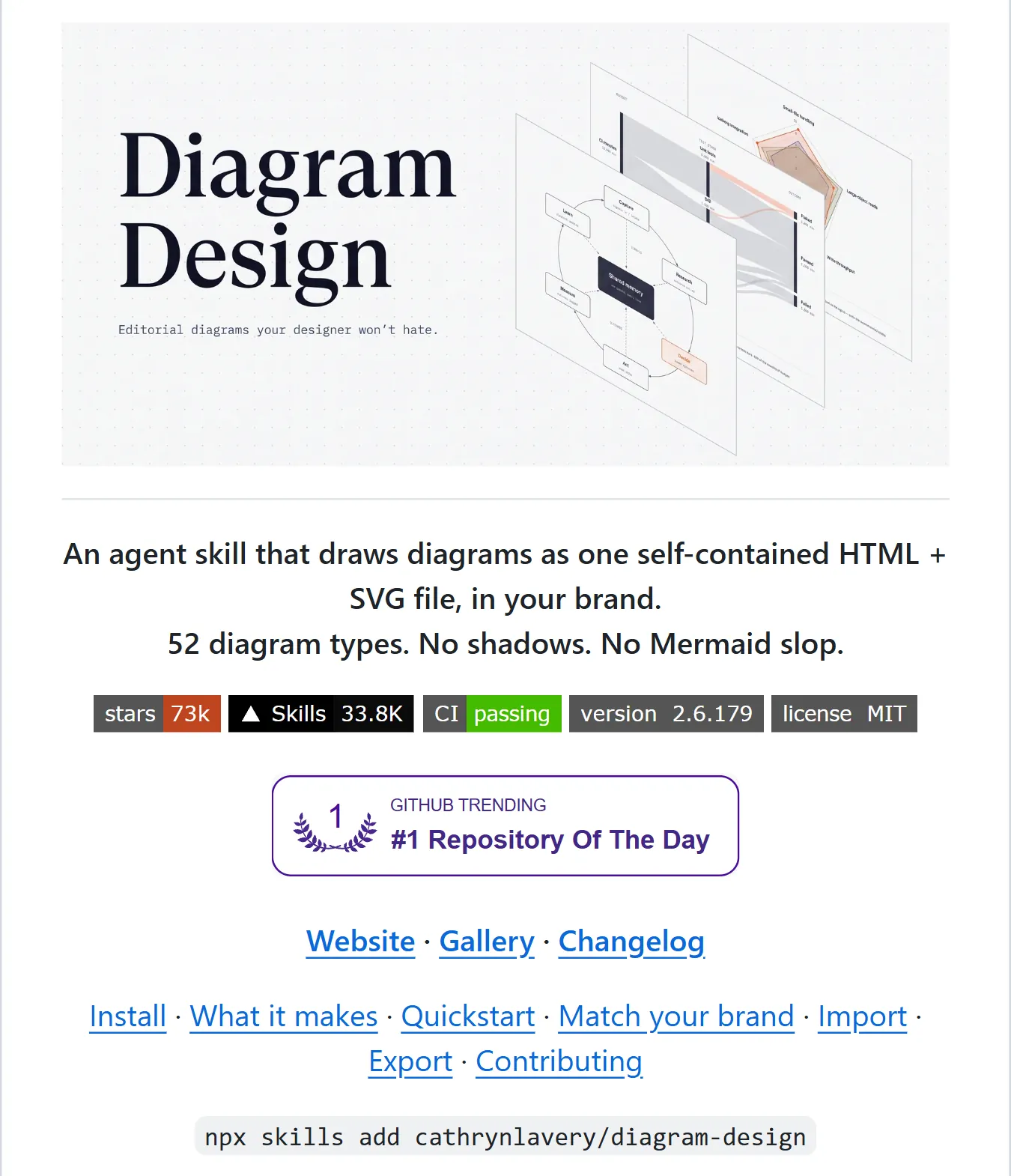
Diagram Design is an open-source agent skill by Cathryn Lavery, free under the MIT licence. It has over 70,000 stars on GitHub (November 2026). It draws each diagram as one self-contained HTML file with an SVG inside: double-click it and it opens in your browser, nothing else to install.
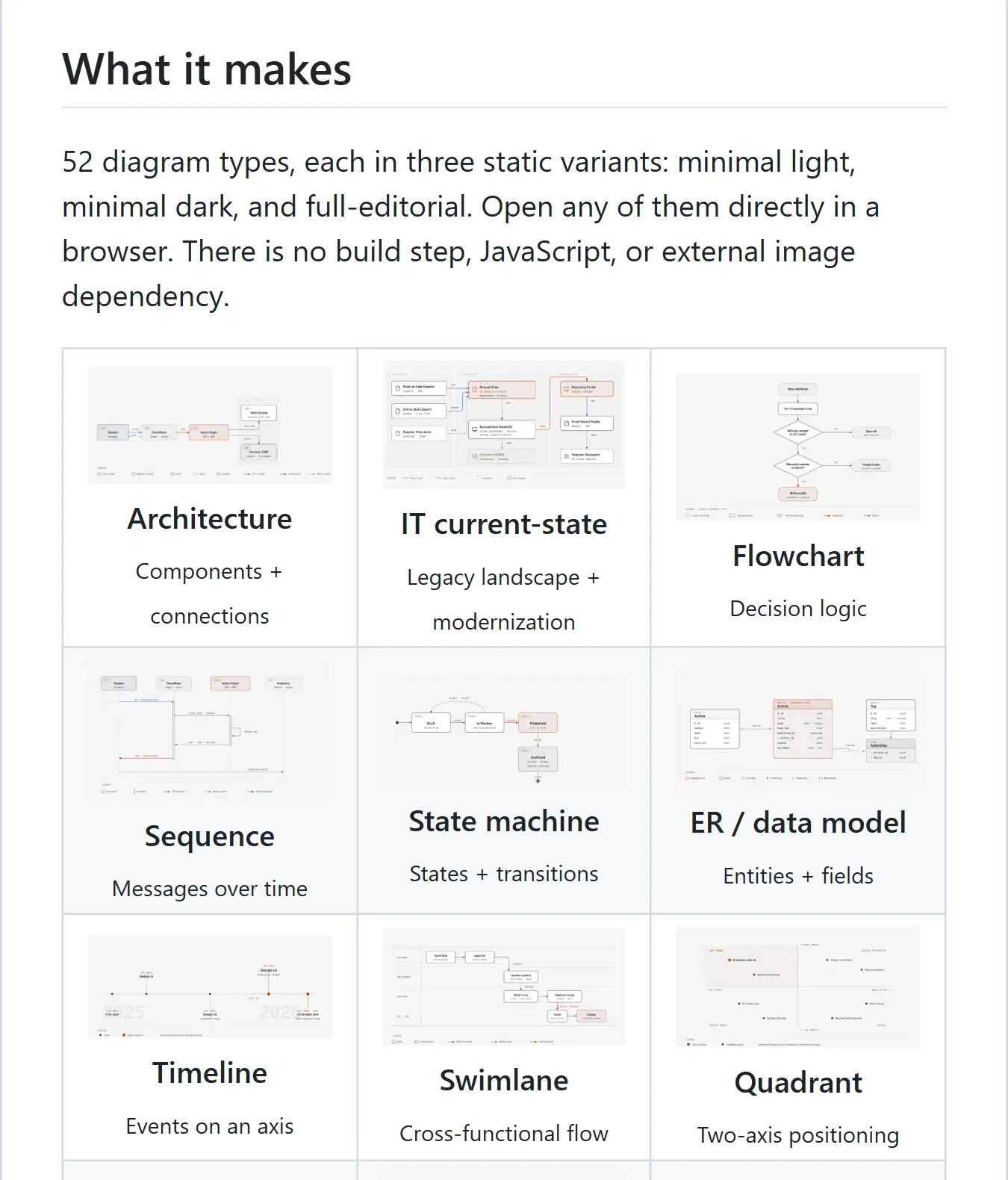
It draws 52 diagram types: architecture, flowchart, sequence, state machine, ER data model, Gantt, timeline, swimlane, quadrant, radar, Sankey, fishbone, kanban, user journey… Besides Claude Code, it works in any tool that reads Agent Skills, such as Codex, Cursor, GitHub Copilot and Gemini CLI.
- Diagram Design (GitHub) — MIT licence, free and open source
- Diagram Design online gallery — Examples of all 52 types, in light and dark
03Install the Diagram Design skill (3 minutes)
Pick one of the three. The commands are exactly as the README gives them.
- Option 1 (any tool that supports Agent Skills): with Node.js installed, open a terminal, type npx skills add cathrynlavery/diagram-design, then tick the AI tool you use (for example Claude Code).
- Option 2 (Claude Code plugin marketplace): in Claude Code, type /plugin marketplace add cathrynlavery/diagram-design, then /plugin install diagram-design@diagram-design. This way you also get slash commands for exporting and importing Mermaid.
- Option 3 (manual): download the repo and copy (or symlink) the skills/diagram-design/ folder to ~/.claude/skills/diagram-design so every project can use it.
- Restart Claude Code, then just say "Draw me a diagram: …" and it kicks in.
On Claude Desktop, an uploaded skill ZIP can hold at most 200 files, so download the repo, build the ZIP with its scripts/build-claude-skill-zip.py, then upload it under Customize → Skills → Upload a skill.
- Diagram Design install guide (README) — Install commands for every tool
- Claude Code — Anthropic's official page
04Your first diagram: it asks whether to switch to your brand style
The first time you draw in a new project, it does not start drawing straight away. It asks what to do about the style, with 6 options:
- (a) Paste your website URL: it pulls your site's colours and fonts and applies them to every diagram after that.
- (b) Use a brand skill you already have installed.
- (c) Point it at a design-system folder on your computer.
- (d) Paste colour tokens.
- (e) Keep the default: light grey paper, dark text and one orange accent.
- (f) Load a brand profile you saved earlier.
We chose (d): everything default, only the accent switched to cobalt. When the colour changes, it runs the repo's built-in contrast check: the default dark text on the cobalt fill was not readable enough, so it changed that colour to white by itself.
(d) paste tokens: keep everything else default, only change the accent to [your brand colour HEX, e.g. #1f4fd8]. These diagrams go [in Instagram posts (square) / in slides (16:9) / in blog posts].
05Describe the diagram in one sentence
You don't name a diagram type or plan a layout. Say it the way you would say it out loud, covering three things: who, does what, and which step branches or fails. It decides whether this is a flowchart, an architecture diagram or a state machine, then tells you its plan in one line (type, size, anything it will leave out) so you can redirect it before it draws.
Draw me a diagram: [topic, e.g. the online ordering flow of a café]. [Who] first [does what], then [does what], then [does what]. If [which step] fails, [what happens]; if it succeeds, [what happens next]. This diagram goes [in an Instagram post (square) / in slides (16:9)].
06Our 4 prompts and 4 diagrams
The 4 diagrams below were drawn by a fresh Claude Code agent that read only this skill plus one request from us, written in Chinese (translated here so you can paste it). We didn't name diagram types or give layout directions: it chose every type itself, and all 4 pass the skill's own check scripts (connectors that cut through boxes, content outside the frame).
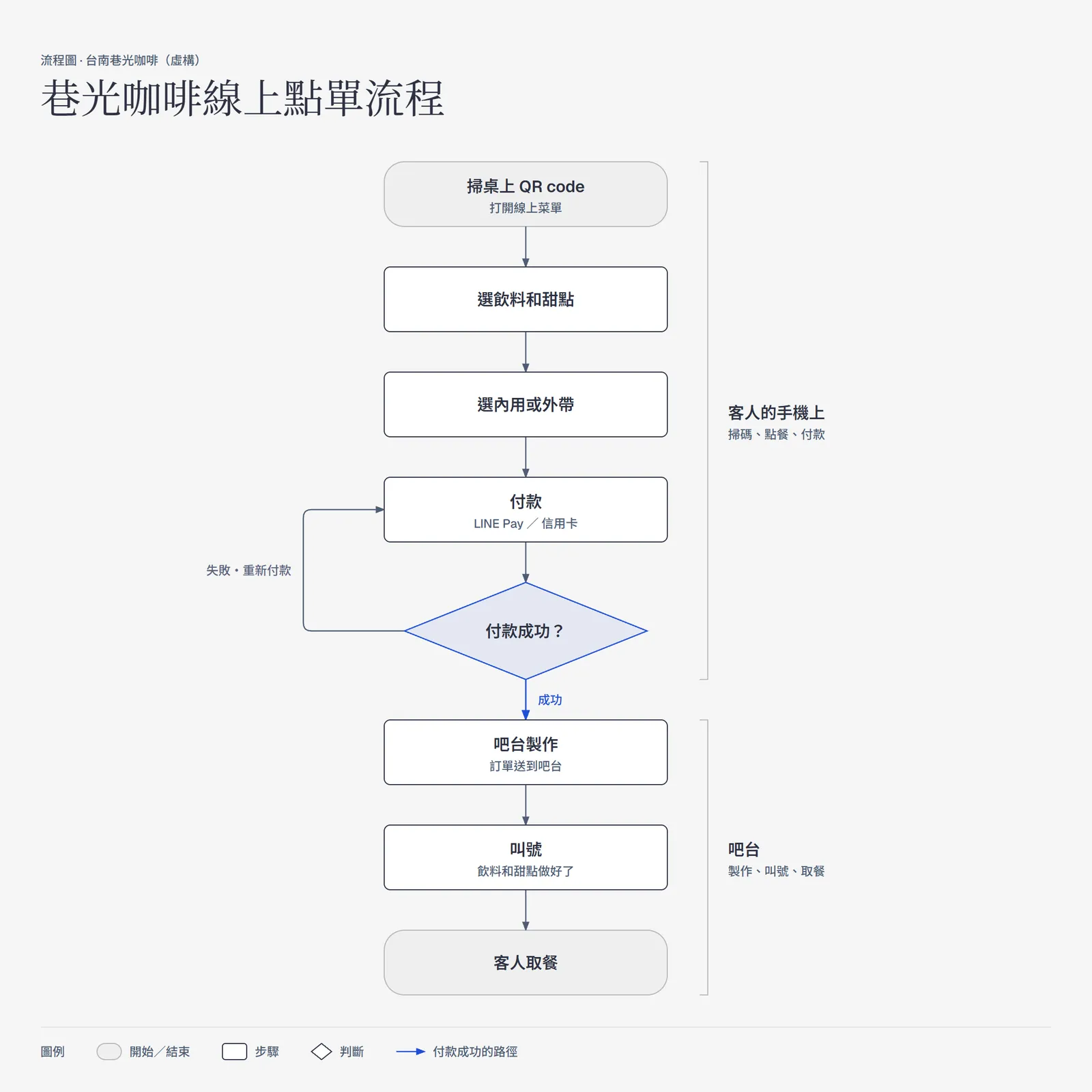
Draw me a diagram: the online ordering flow of a café in Tainan (fictional, called "Lane Light Café"). Customers scan the QR code on the table to see the menu, pick drinks and desserts, choose dine-in or takeaway, then pay (LINE Pay or credit card). If payment fails, they go back and pay again; if it succeeds, the order goes to the bar, and when it is ready the number is called and the customer picks it up.
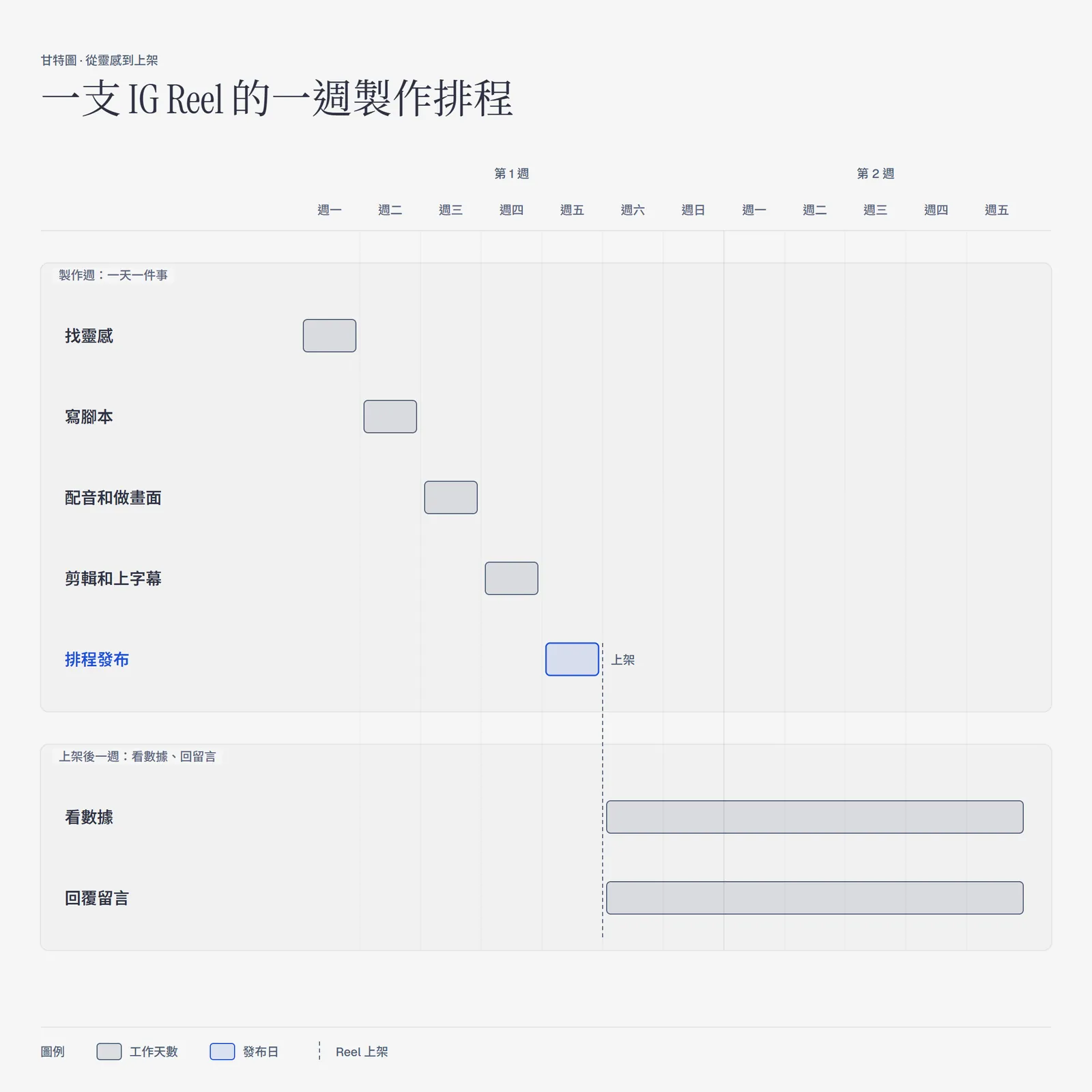
Draw me a diagram: one Instagram Reel from idea to posting, done in one week: Monday find ideas, Tuesday write the script, Wednesday voiceover and visuals, Thursday edit and add subtitles, Friday schedule and post, then a week of checking the numbers and replying to comments.
Draw me a diagram: the system architecture of a restaurant booking app (fictional, called "Haowei"). The mobile app and the restaurant's web dashboard both go through an API Gateway; behind it are a booking service, a member service and a notification service (SMS and LINE push); booking data lives in PostgreSQL with Redis as a cache; payments go through a third-party payment provider.
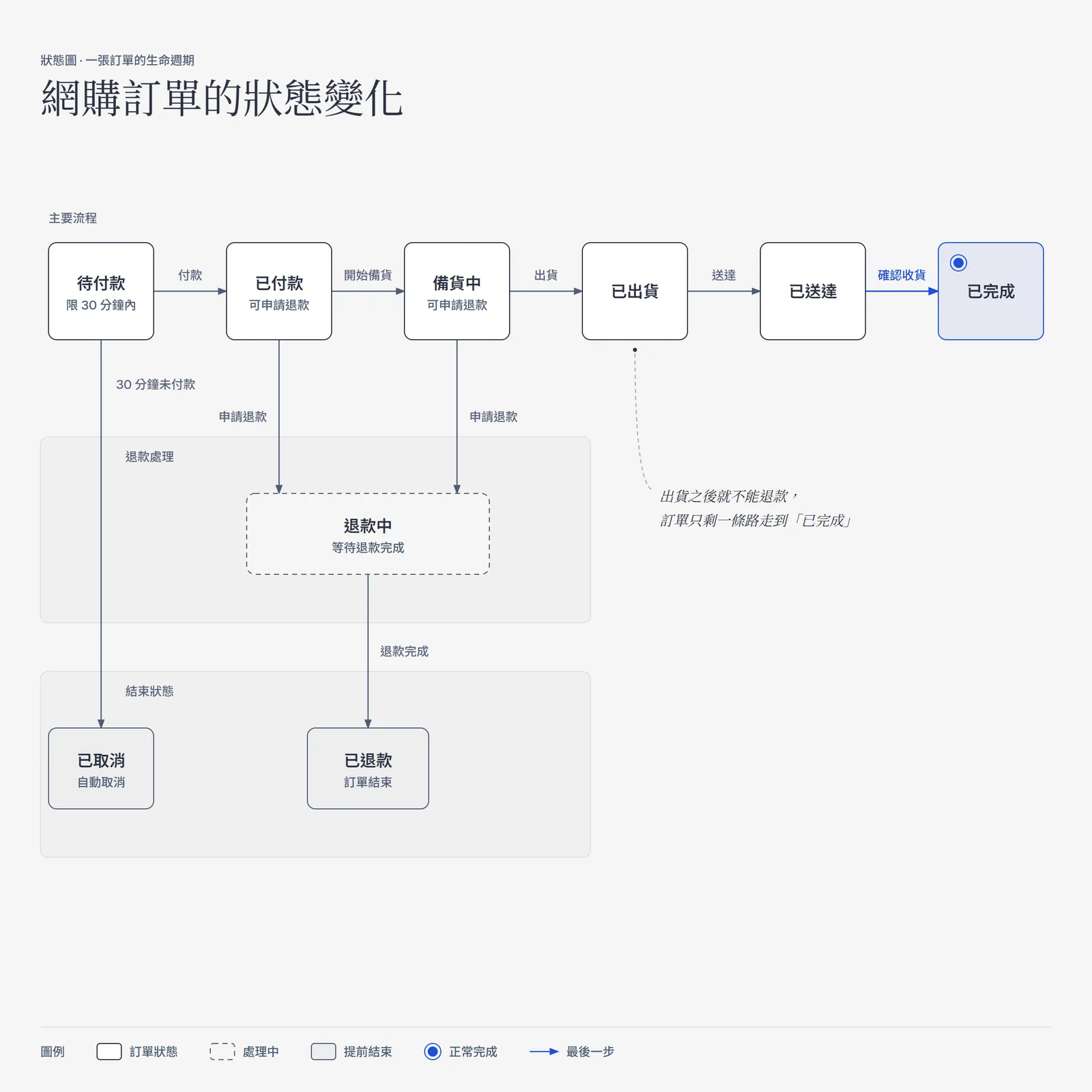
Draw me a diagram: the states of an online order: awaiting payment → paid → preparing → shipped → delivered → completed. If it stays unpaid for more than 30 minutes it is cancelled automatically; from paid until shipping the customer can request a refund, and once the refund is done the order ends.
07Open, try and export
A finished diagram is one .html file: double-click it to open it in your browser, or screenshot it straight into a slide. We put the 4 diagrams above into a small gallery so you can open the original files:
- Open it: 4 editorial diagrams — Click 打開 HTML (open HTML) for a full-size diagram
- Need PNG or SVG: say "Export this diagram as PNG" or "as SVG". The SVG can go into Figma or Illustrator for more editing.
- PNG export uses Playwright, so install it once first: pip install playwright, then playwright install chromium.
- Different size: say "for an Instagram post (square)" or "for slides (16:9)". It has square, 16:9, 4:3, A4 landscape and other presets.
- Already have Mermaid or draw.io diagrams: with the marketplace install, type /diagram-design:import-mermaid yourfile.mmd and it redraws it in the same style. Or just say "make this Mermaid block look good".
08Good to know
- "Lane Light Café" and "Haowei" are fictional; the 4 diagrams are demos, not a real shop or app.
- The same sentence can lay out differently twice, and the quality depends on the model you run it with.
- It outputs HTML and SVG, not a file you can drag boxes around in like draw.io. For docs a team keeps changing and tracks in Git, the README itself suggests a text format like Mermaid.
- Official builds come only from the cathrynlavery/diagram-design repo. Plugin listings under any other name are unofficial copies; don't install them.
- It is MIT-licensed, so it is free for commercial use too. The diagrams are yours, but check the numbers and steps before you publish.