Those cool website effects live on GitHub: hand 4 repos to Claude Code and turn them into your brand's home page
A 3D tea tin, liquid glass, flowing gradients, a liquid-metal logo: all from public GitHub repos. Check the licence, then let Claude Code take just the effect.
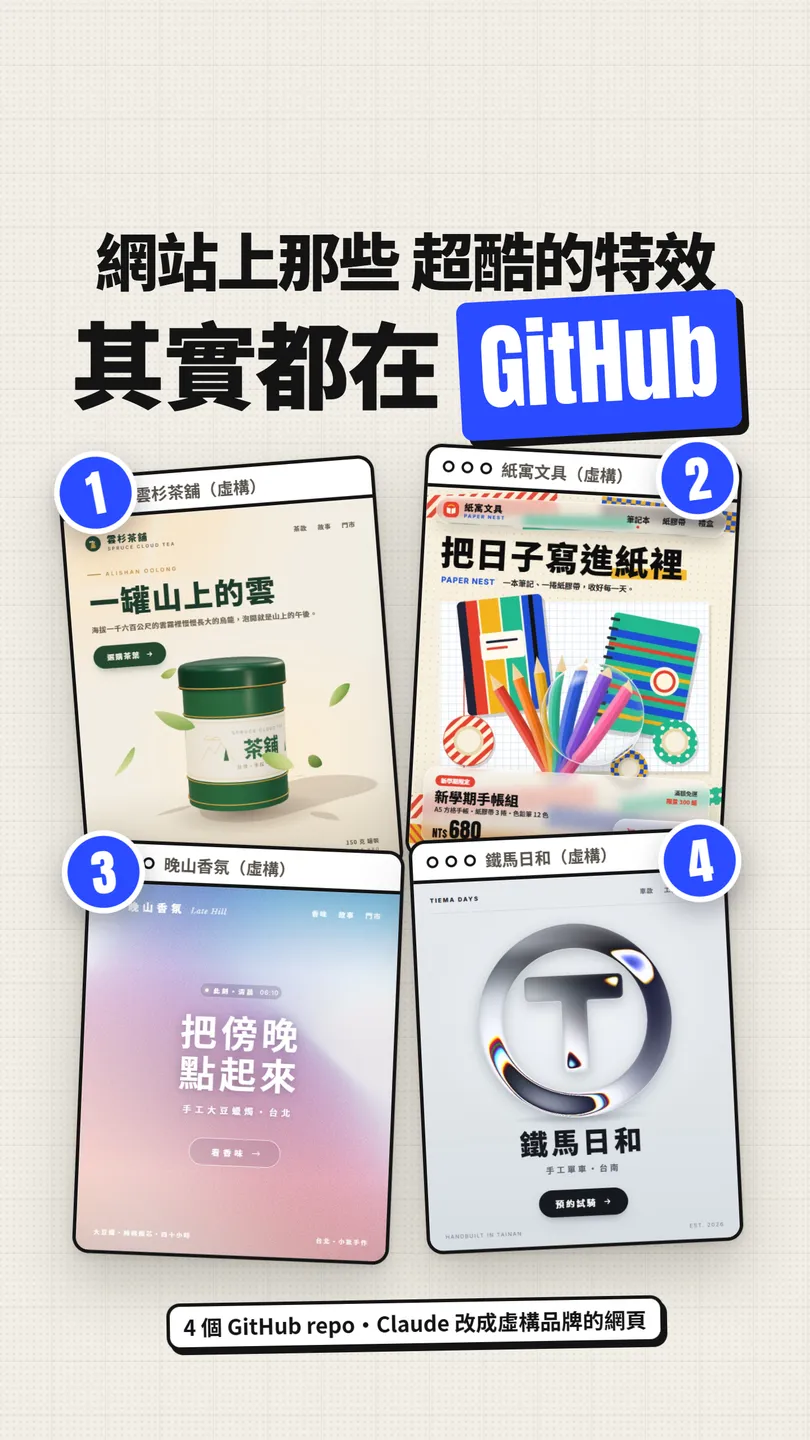
Many of the effects you see on websites, a 3D object turning on the page, Apple-style liquid glass, flowing gradients, a logo melting into liquid metal, come from public code on GitHub. Designers could see them but not build them, because it was engineers' code. Now you can hand the repo to Claude Code and ask it to take only the small piece you need and adapt it to your own brand. We did that with 4 repos and 4 fictional brands. Every picture here is a real result Claude built, and you get the prompt we used plus the 3 checks to make before you start.
01The results first: 4 repos, 4 fictional brands
The method was the same each time: download the repo, open a brand-new conversation in Claude Code, and give it only a prompt and the repo's files. It first reports on the licence, maintenance and framework, then takes the smallest effect out of the repo and builds a single-HTML first screen. We did not edit its design by hand.
- ① React Three Fiber: 3D on the web page (a turning tea tin)
- ② liquid-glass-js: Apple-style liquid glass (a lens gliding over stationery)
- ③ ShaderGradient: flowing gradients (a fragrance brand, dusk turning into dawn)
- ④ liquid-logo: a logo turned into liquid metal (a bike workshop)
02Before you start, check 3 things: licence, maintenance, framework
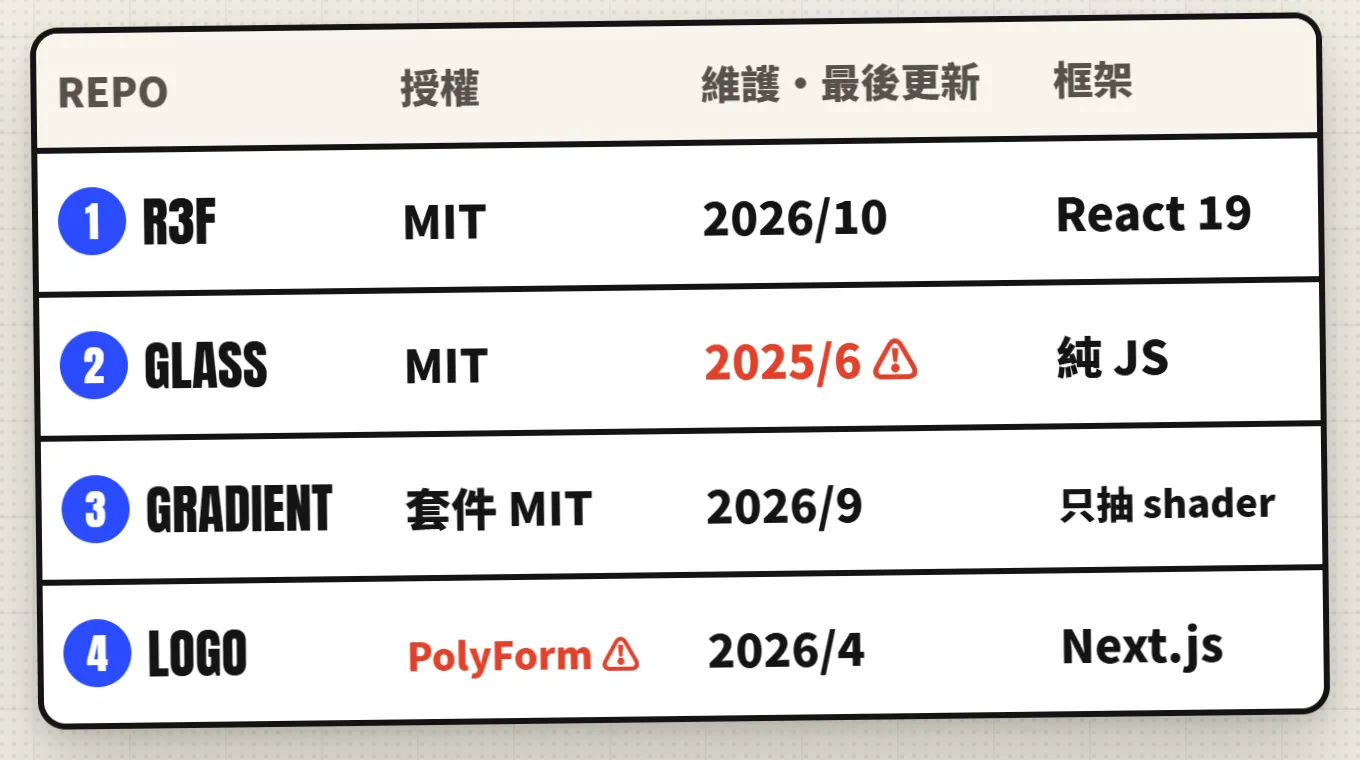
- Licence: open License under About on the right of the repo, or the LICENSE file at the root. MIT allows commercial use as long as you keep the copyright notice; for any other licence, read its limits.
- Maintenance: look at the date on the top row of the file list, the last update. A repo that has not changed in a long time means you maintain that code yourself.
- Framework: read the README and package.json. A package that needs React is awkward on a non-React site; then ask Claude to extract only the effect itself (for example one shader).
03① React Three Fiber: 3D on the web page
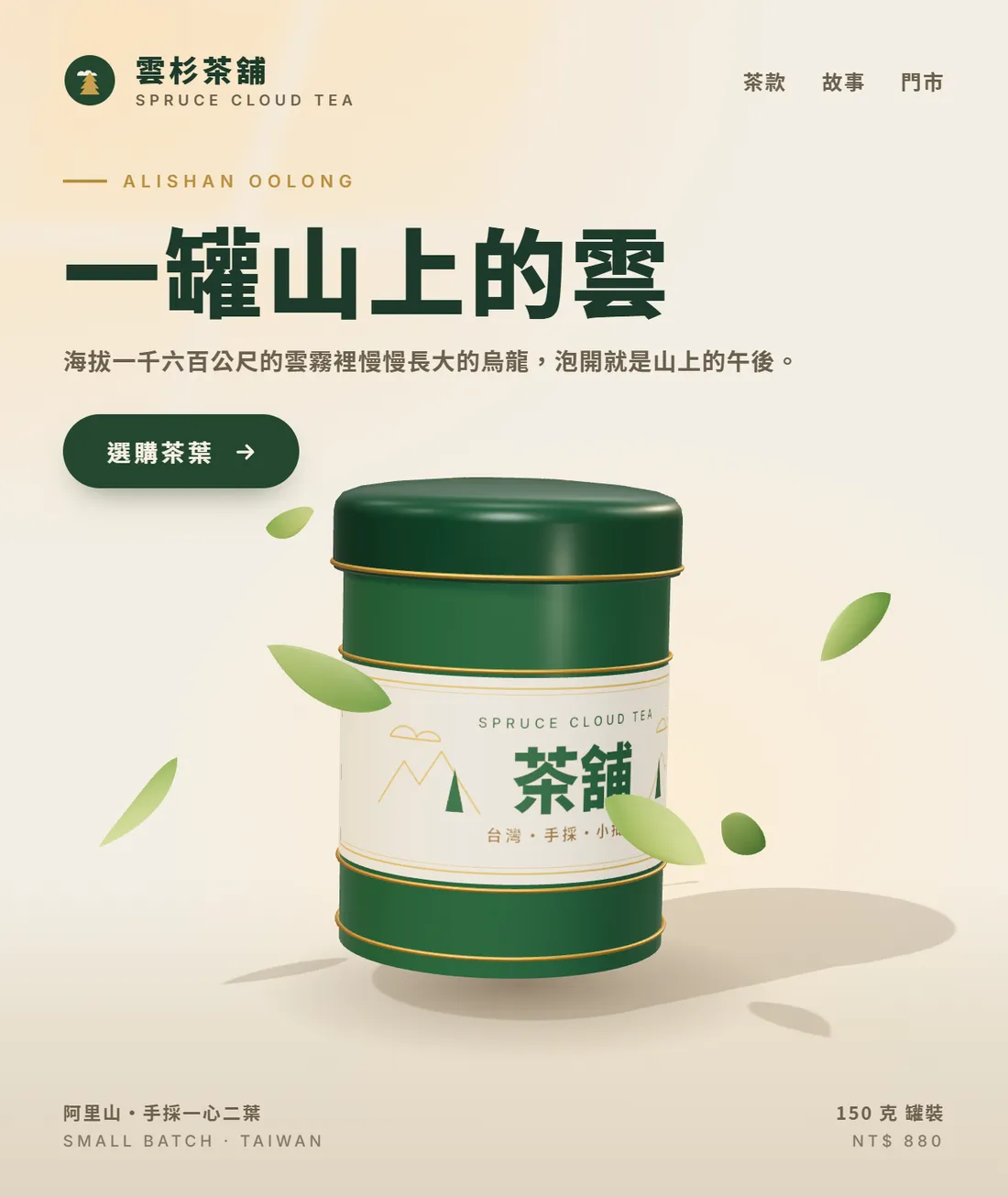
React Three Fiber, by pmndrs, is three.js for React: you write a 3D scene the way you write web components. MIT licence, over 33,000 stars on GitHub, updated 3 weeks ago. Note that v9 needs React 19; on a React 18 site use v8 or upgrade first.
We asked Claude for a turning tea tin: a deep green body, an off-white label band, thin gold lines, tea leaves floating around it, and an opening where the tin rises from below and the lid bounces. Claude bundled React, React Three Fiber and three.js into one HTML file.
04② liquid-glass-js: Apple-style liquid glass
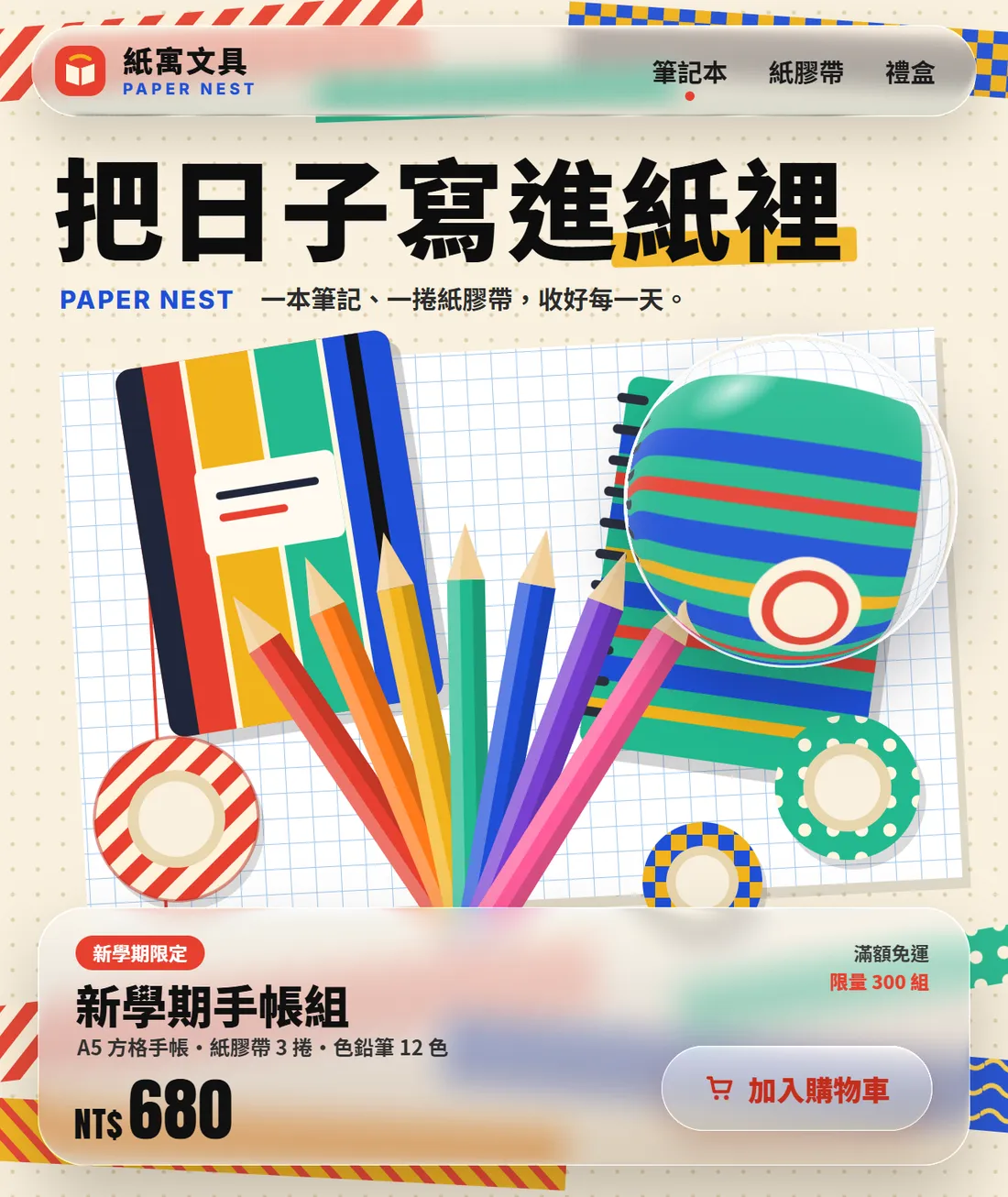
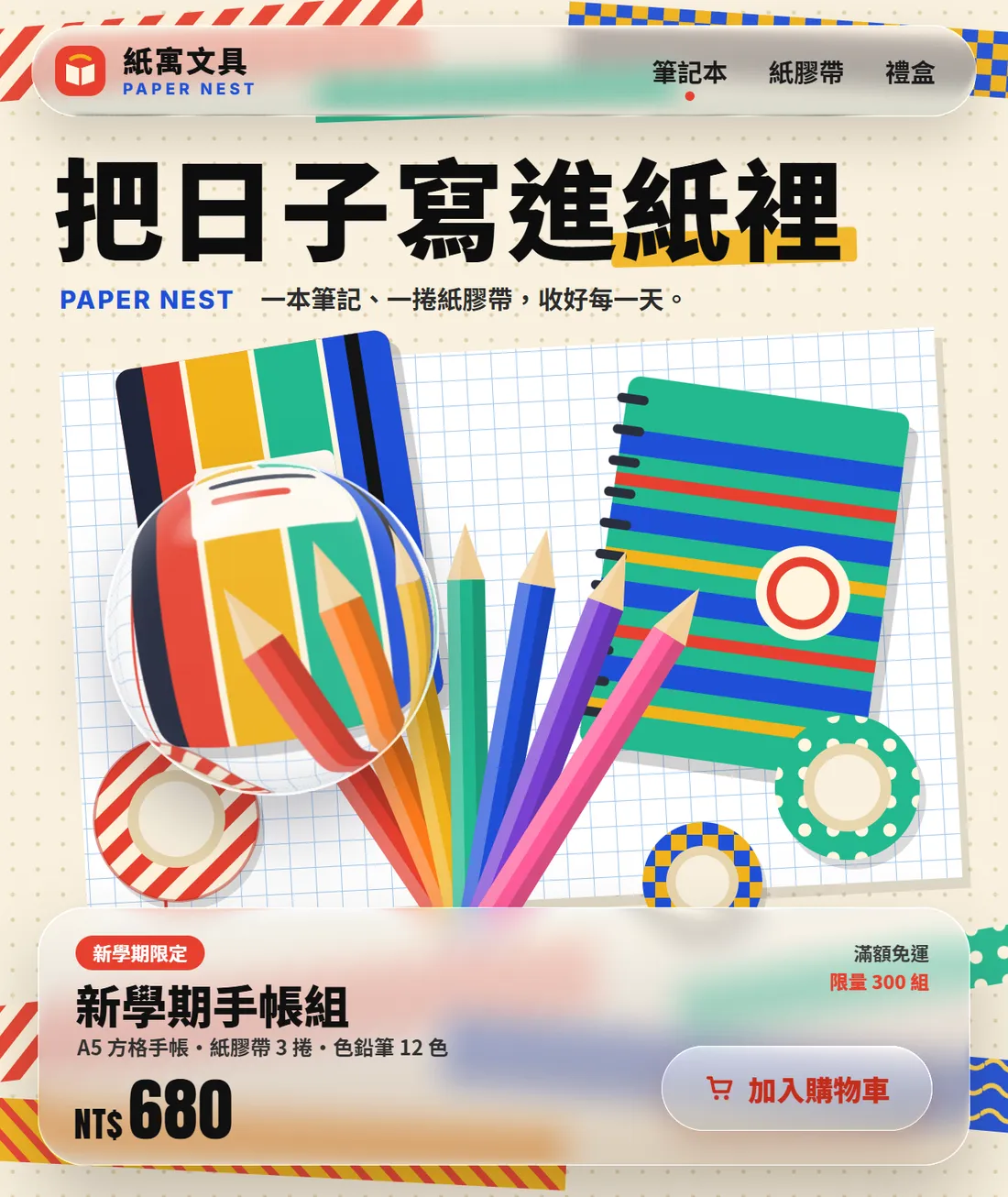
liquid-glass-js, by dashersw, is a liquid glass effect under the MIT licence. It needs no framework; it only uses html2canvas to capture the page as a texture for the glass. But its last update was on 12 June 2025, and the roadmap in its README is still open. Know this before you use it: once you copy it into your project, you are the one maintaining it.
05③ ShaderGradient: take the shader, not the whole package
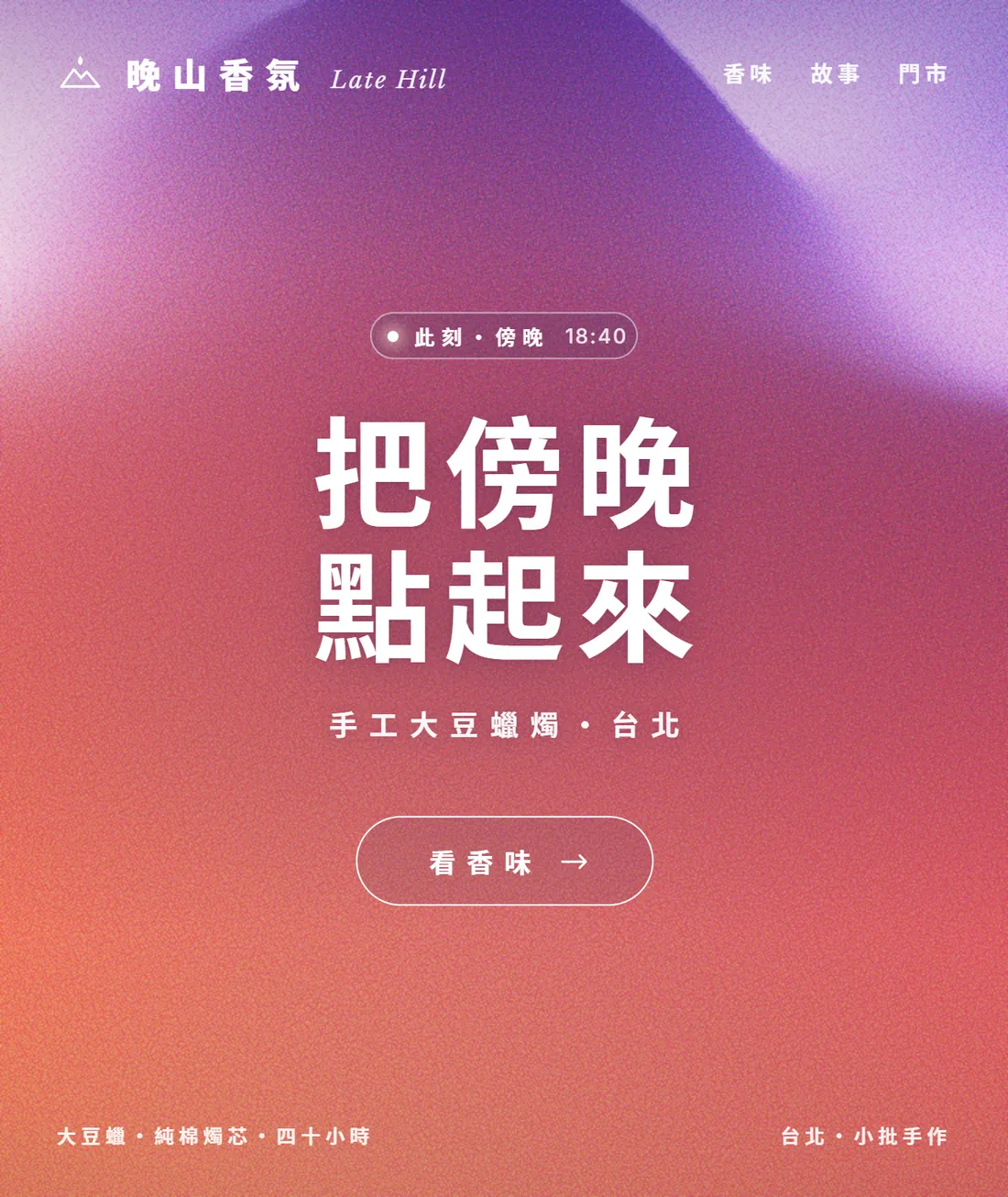
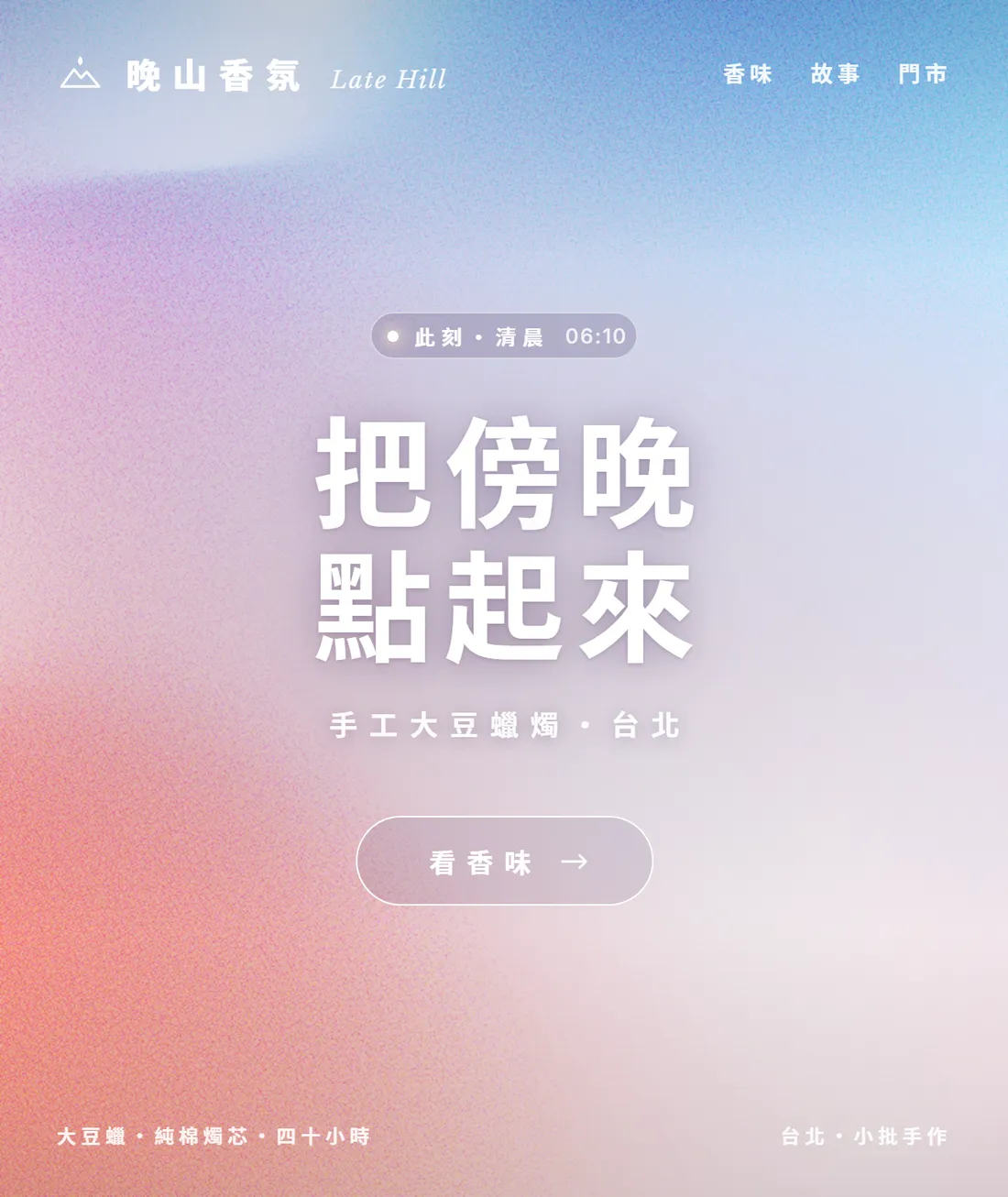
ShaderGradient, by ruucm, makes flowing gradients and comes in Framer, Figma and React versions. The official package needs React and React Three Fiber, but the gradient itself is one shader. So we asked Claude to find the waterPlane shader in the repo and move it, unchanged, into plain three.js, without installing the package.
06④ liquid-logo: turn a logo into liquid metal
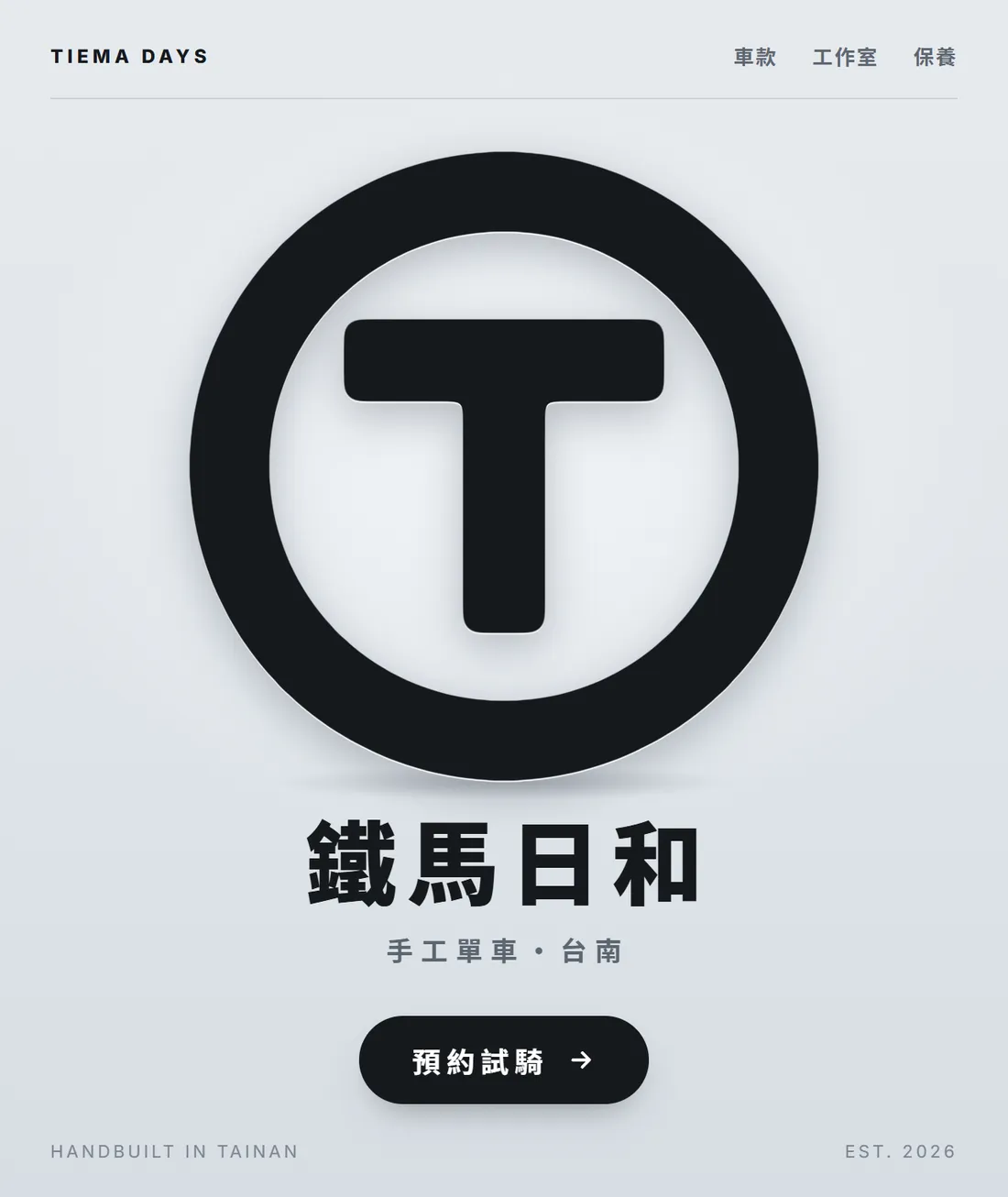
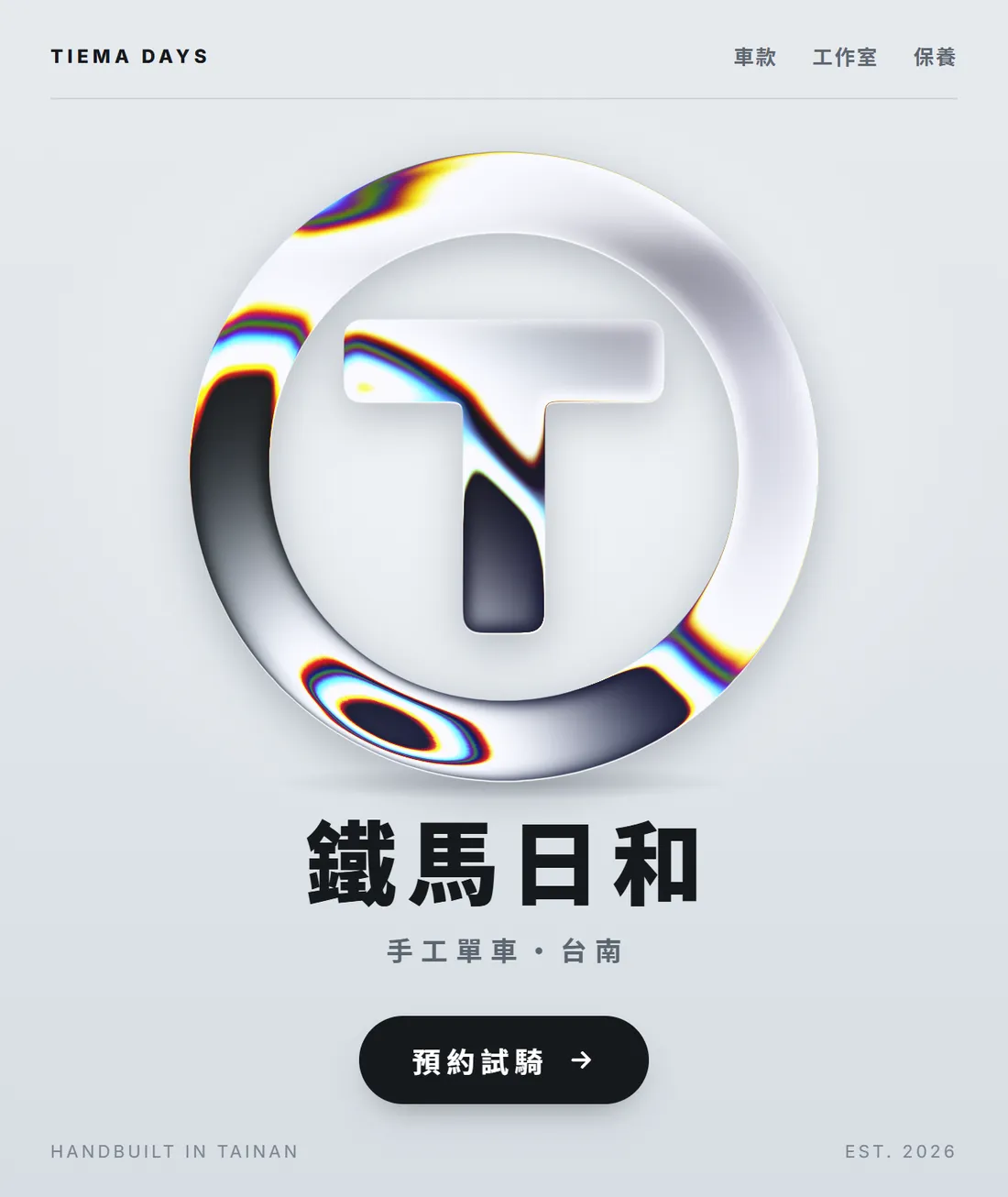
liquid-logo is a site by paper-design that turns any logo into liquid metal. The effect is one WebGL2 shader and needs no three.js. Its licence is not MIT but PolyForm Shield 1.0.0: you may use and change it, but not to make a product that competes with it. Showing your own logo on your brand's home page is one thing; building an "upload your logo, get metal" tool is another.
07Hand the repo to Claude Code: the prompt
- Download the repo into your project folder (GitHub's green Code button → Download ZIP, or git clone).
- Open a test branch in the project, for example git switch -c try-effect; if it breaks, just delete it.
- Open Claude Code, paste the prompt below and replace the [ ] parts with yours.
- It reports the licence, maintenance and framework first, then builds. Merge into your main branch only after the result checks out.
I want to use the [effect name] from [repo name] on GitHub (repo: [owner/repo], downloaded to [folder]) on my brand website.

Before you build anything, check three things: the licence (can I use it commercially, what are the limits), whether it is still maintained, and which framework or outside packages it needs.

Then take only the smallest part I need and build the first screen of the home page for [brand name]:
- Effect: [which effect, where it sits, how big, how it moves]
- Layout: [brand name, headline, one line of copy, button text]
- Colours: [2-3 hex codes, or a description like "off-white ground, deep green, thin gold lines"]
- Opening: [what happens in the first second after the page loads]

Do not use any real brand's logo. When you are done, tell me which files you took from the repo and what you changed.
I want to use the liquid glass effect from liquid-glass-js on GitHub (repo: dashersw/liquid-glass-js, downloaded to ref/repos/liquid-glass-js) on a brand website.

Before you build anything, check three things: the licence (can I use it commercially), whether it is still maintained, and which framework or outside packages it needs.

Then take only the smallest part I need and build the first screen of the home page for a fictional Taiwanese stationery brand, 紙寓文具 PAPER NEST:
- The background has to be rich enough for the glass refraction to show: colourful striped notebooks, coloured pencils, washi tape and grid paper, drawn in CSS / SVG, saturated colours (tomato red, mustard yellow, mint green, cobalt blue).
- At the top, a liquid-glass pill navigation bar (brand name + Notebooks / Washi tape / Gift sets).
- A large round liquid-glass magnifier that slowly glides over the products, so you can see the refraction at the edge of the glass.
- Below, a liquid-glass card: "New-term planner set NT$680" + an "Add to cart" button.
- The headline 把日子寫進紙裡 ("Write your days into paper") in heavy black type, readable even behind the glass.

All text in Traditional Chinese. The brand is fictional; do not use any real brand's logo.
- React Three Fiber (pmndrs) — MIT, 33.5k stars, v9 needs React 19
- liquid-glass-js (dashersw) — MIT, 1.7k stars, last update 12 Jun 2025, plain JavaScript
- ShaderGradient (ruucm) — MIT in the README and package, 3.1k stars, official package needs React
- liquid-logo (paper-design) — PolyForm Shield 1.0.0 (not MIT), 1.4k stars, a Next.js project
08Things to know
- 雲杉茶舖, 紙寓文具, 晚山香氛 and 鐵馬日和 are fictional brands; prices and places on the pages are demo content.
- The licence details were read from GitHub and the repos' files on 3 Nov 2026 and may change. This is not legal advice; check again before commercial use.
- liquid-glass-js has not been updated since June 2025; liquid-logo is PolyForm Shield and may not be used for a competing product.
- Our 4 screens are single-HTML demos, not full websites. Before putting one on a real site, think about phone performance, load time and accessibility.
- Star counts are from 3 Nov 2026. The authors of the 4 repos are not affiliated with us or with Anthropic.