Build a koi website with Claude Code: fish that follow the mouse and scatter on click, in 3 prompts (live demo)
Koi bend along their spines, swim through the title and follow your cursor. ChatGPT draws the fish, Claude Code builds the page. 3 prompts and a live demo.
Watch the reel on InstagramComment #錦鯉 to get this guide
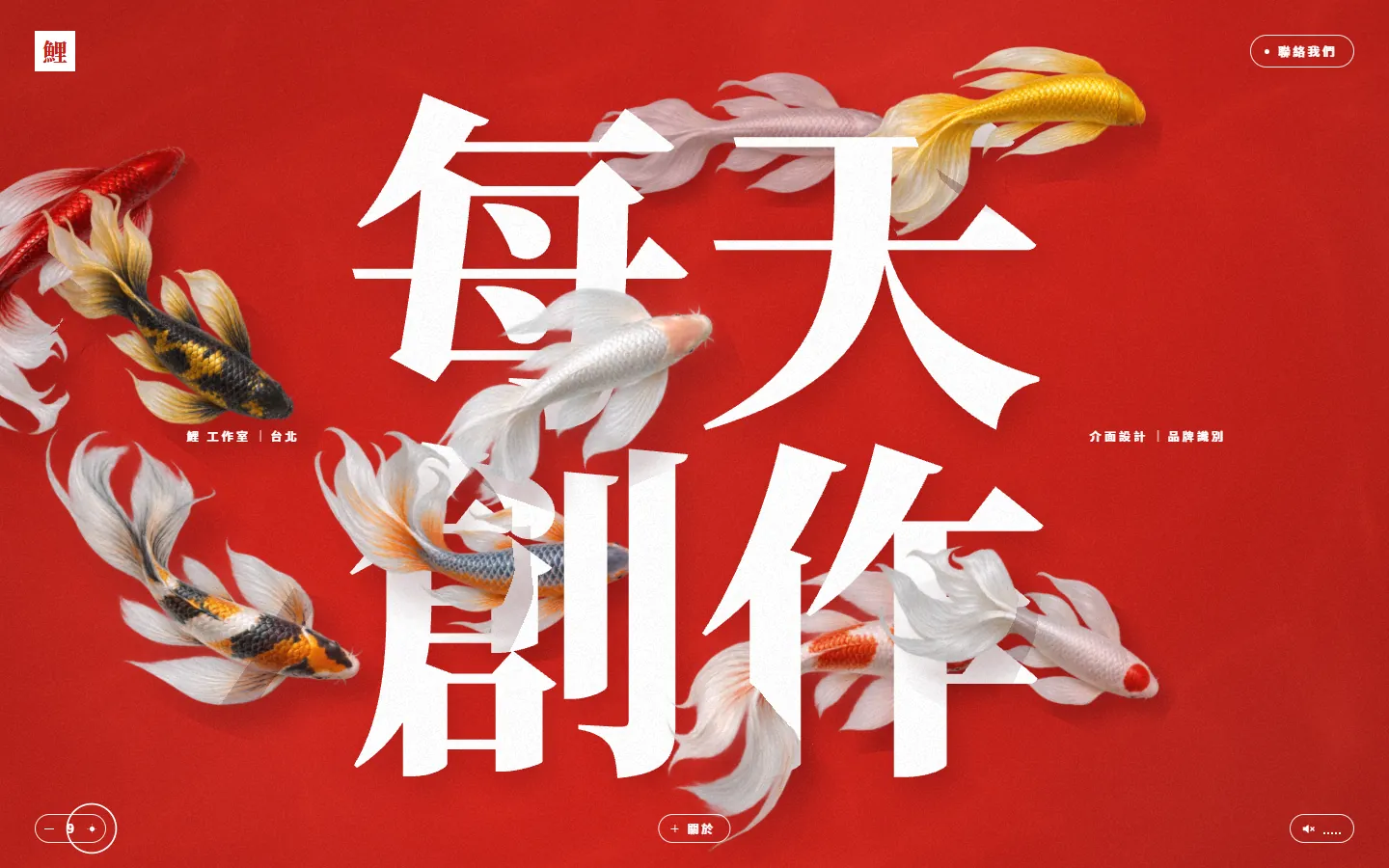
Move the mouse and the koi slowly swim over; click and a ring of ripples spreads while every fish darts away. They aren't flat pictures sliding around: each body waves along its spine, and they swim in front of the title 每天創作 ("create every day") and then pass behind it.
Claude Code wrote this homepage over 3 messages, and ChatGPT drew the koi. The studio, LI STUDIO, is fictional, and we didn't change a single line of the code. Below are the 3 full prompts (replace the [] parts), what each one produced, and a live version you can play with.
01The result: koi that swim in front of and behind the letters
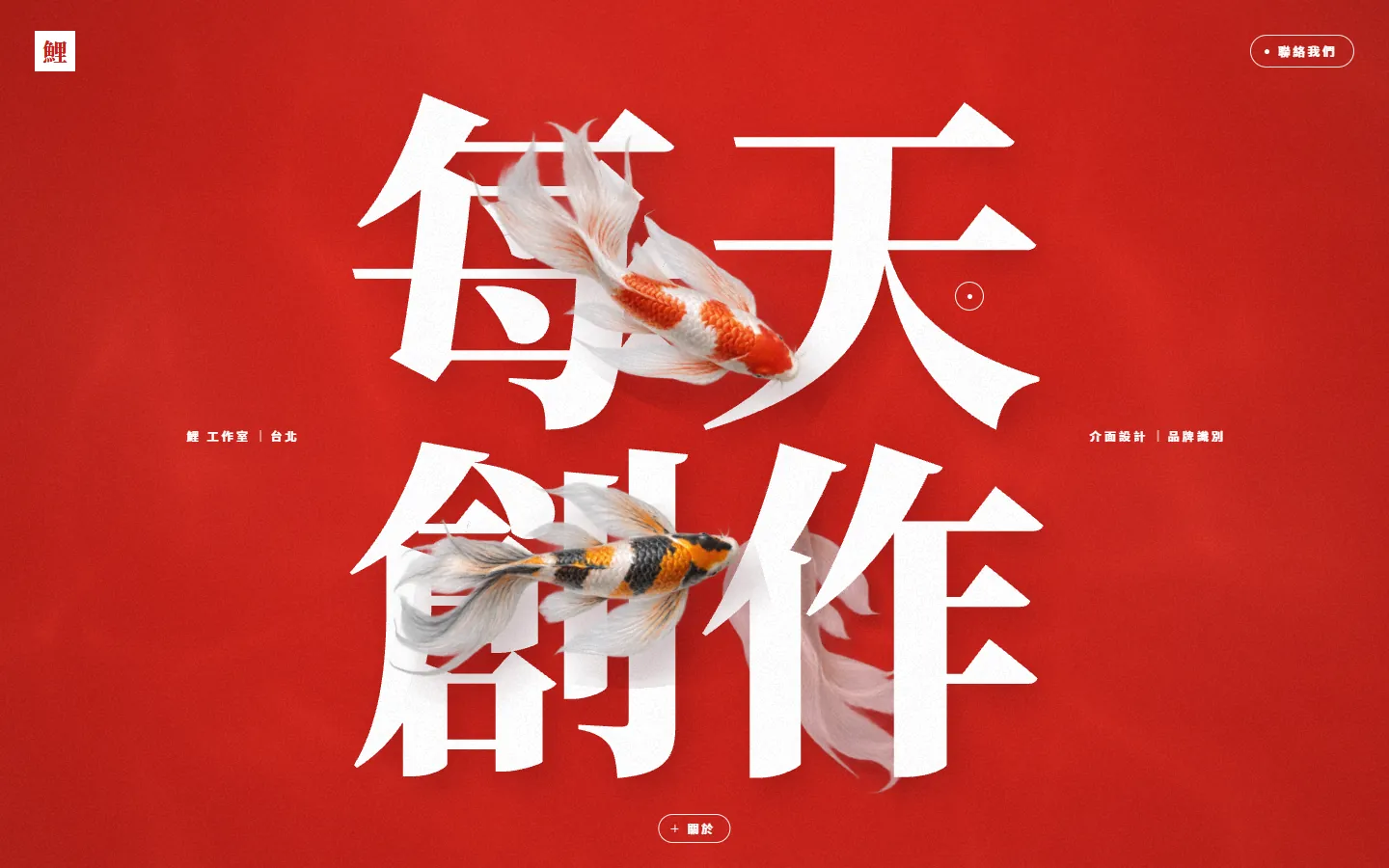
The whole site is static files: index.html, style.css and main.js, plus the koi images in img/, three.js, the fonts and one sound file. Nothing to install and no database; put it on any static host and it is live.
- Live demo: the LI STUDIO koi homepage — Open it on a computer, move the mouse and click
The demo is the site exactly as Claude Code left it after prompt 3. To make it load faster we only compressed the assets: the koi images became WebP, the fonts keep only the characters the page uses, and the sound is resampled to 22 kHz, about 3.8 MB in all. The only code change is the image extension, .png to .webp.
02Assets: top-down, transparent koi from ChatGPT
- Open ChatGPT, paste the prompt below and ask for 3 koi on a transparent background.
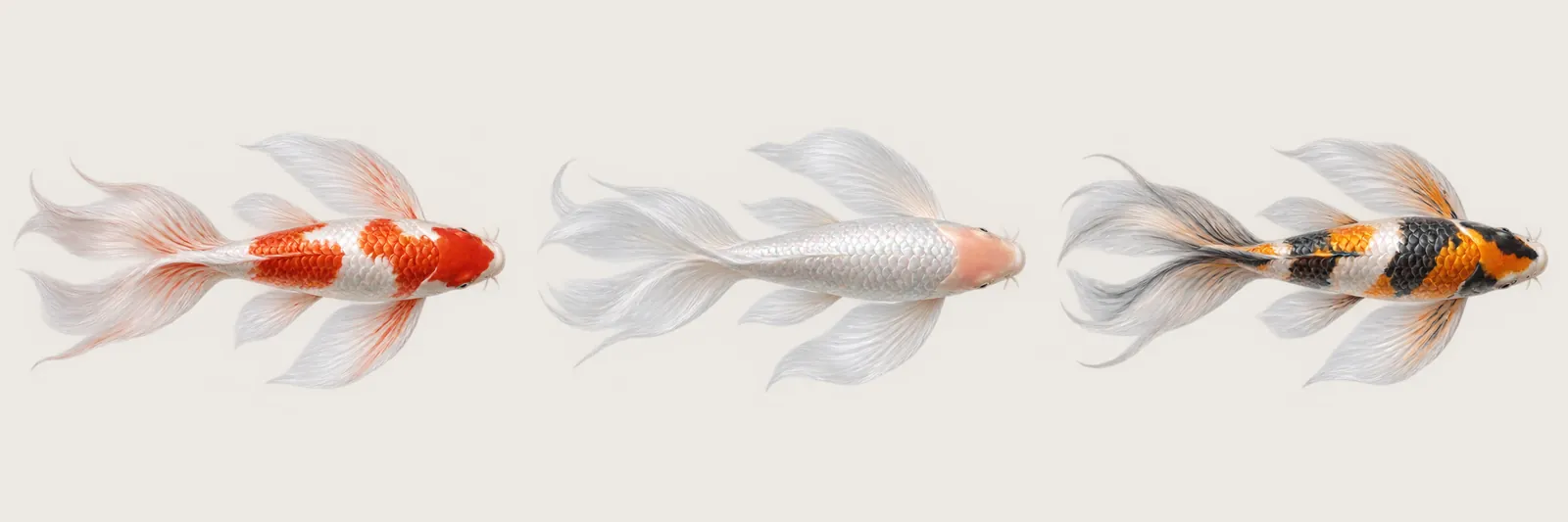
- Download the PNG and cut it into one image per fish (koi-1.png, koi-2.png…) in the img/ folder of a new project folder. We cut them with a small script that follows the transparency; you can also ask Claude Code to do it.
- For more colours, ask for a 2×3 sprite sheet in the same chat (you need it for prompt 3).
I'm building an interactive website where koi fish swim across the screen. Please draw [3] koi fish as sprites for it, seen exactly from directly above (top-down), each one lying straight and horizontal, head pointing RIGHT, body not bent, with long flowing translucent butterfly fins and a long silky tail. Glossy, realistic, painterly style like a luxury art print, soft natural lighting, very detailed scales. Fish 1: [classic kohaku, white with large orange-red patches]. Fish 2: [almost pure pearly white with a soft peach blush on the head]. Fish 3: [showa, black, white and golden-orange]. Arrange them in one horizontal row of 3 equal cells, each fish centred in its cell with space around it, nothing overlapping. Transparent background (PNG with alpha). No text, no water, no shadows, no ripples.
03Prompt 1: build the swimming homepage
- Open Claude Code in the folder that holds img/.
- Paste the prompt below (replace the [] parts) and press Enter.
- When it is done, run npx http-server in the folder and open the address it prints. If you just double-click index.html, the browser may block local modules and images.
Build an interactive brand homepage (a single page) for a design studio in [Taipei] called "[LI STUDIO]" (fictional). The koi images are in img/; use them as they are.

Layout:
- A full-bleed [vermilion] background (the red of a [paper lantern]) with a huge white serif title "[每天創作]" in the middle, split over two lines "[每天]" and "[創作]", filling most of the screen. One line of very small text on each side of the title: left "[LI studio | Taipei]", right "[UI design | Brand identity]".
- A small square logo top left, a small "Contact us" button top right, and a small "About" button at the bottom centre.
- A very faint water ripple and a little grain in the background, like looking into a pond.

The koi (the important part):
- [3] koi swim over the title; some swim in front of the letters and some pass behind them, so there is depth.
- Realistic swimming: the body waves along the spine, the tail and fins trail behind, and the whole body bends when it turns. Not a flat image sliding or rotating. Use WebGL (three.js is fine) and map each fish image onto a mesh that bends.
- Each fish has its own speed: a slow cruise with an occasional tail flick and burst; at the edge of the screen they turn back by themselves.
- Interaction: when the mouse moves, the fish slowly swim towards the cursor; on click they get scared and scatter, and a ring of ripples spreads from the click.
- A soft shadow under each fish, so it looks like it floats in water.

Overall it should feel like an award-winning design studio site: clean and bold, with only [red, white] and the colours of the fish.
Claude Code wrote three files: index.html, style.css and main.js. Each koi image is mapped onto a 40×14 mesh laid along a "spine". As the fish swims, the spine bends segment by segment and the mesh follows, so the head turns first and the body and tail catch up.
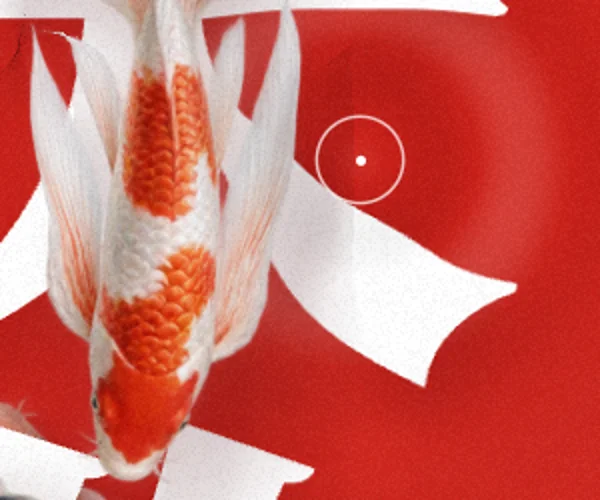
Passing behind the letters works like this: the title sits on one plane, and each fish is drawn twice, once only the part below the title and once only the part above it. As a fish slowly rises or sinks, it really passes through the letters. The shadows are split the same way, so you see fish shadows on the letters.
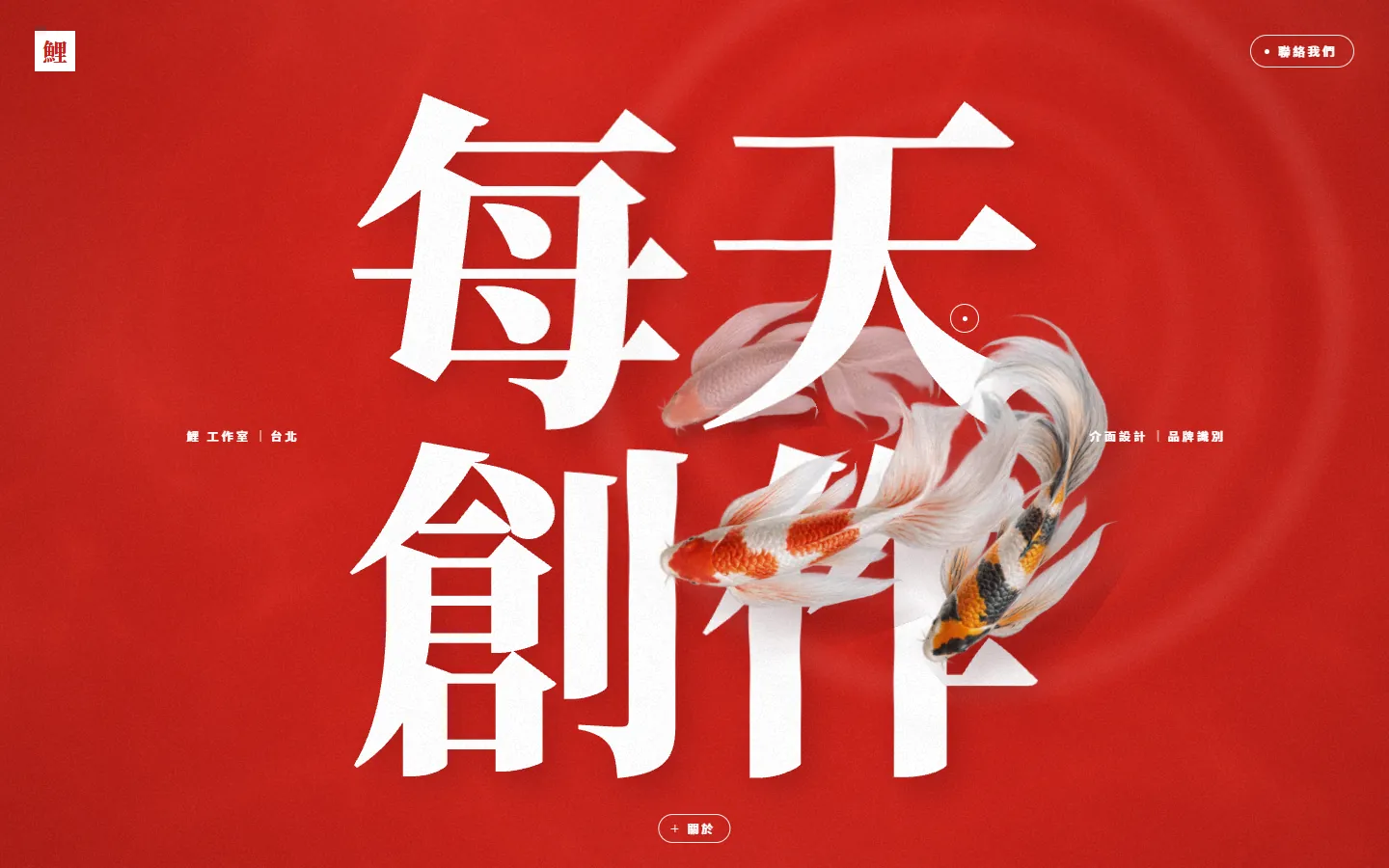
We also gave it a few technical conditions: three.js (r160) and the font files were already in the folder, everything had to use local files, and it had to check its own work with headless Chrome screenshots. If you don't have three.js ready, add "load three.js from a CDN" to the prompt, and you can add "screenshot your result and fix what looks wrong".
04Prompt 2: let it synthesise the background sound
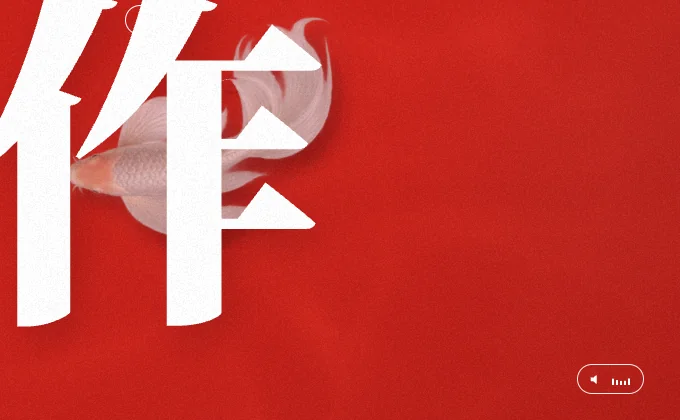
Add background music: synthesise a quiet ambient loop in code that repeats seamlessly ([flowing water plus slow pentatonic plucks, like a guzheng]), save it as audio/ambient.wav (about [20] seconds), and put a small sound toggle bottom right (a speaker icon with little level bars that move). Off by default; click to play, click again to stop.
It didn't look for music. It wrote a small Python script, make_ambient.py, that computes 20 seconds of sound from a fixed random seed: flowing water, droplets and 14 guzheng-style plucks in the D major pentatonic scale. Every layer is computed so its end joins its start, so second 20 flows straight into second 0 and the loop has no audible seam.
05Prompt 3: ask for a plan first, then go up to 9 koi
Back in ChatGPT, in the same chat, ask for 6 more colourways as a 2×3 sprite sheet, again top-down, heads right, transparent. Cut them into koi-4.png to koi-9.png and put them in img/.
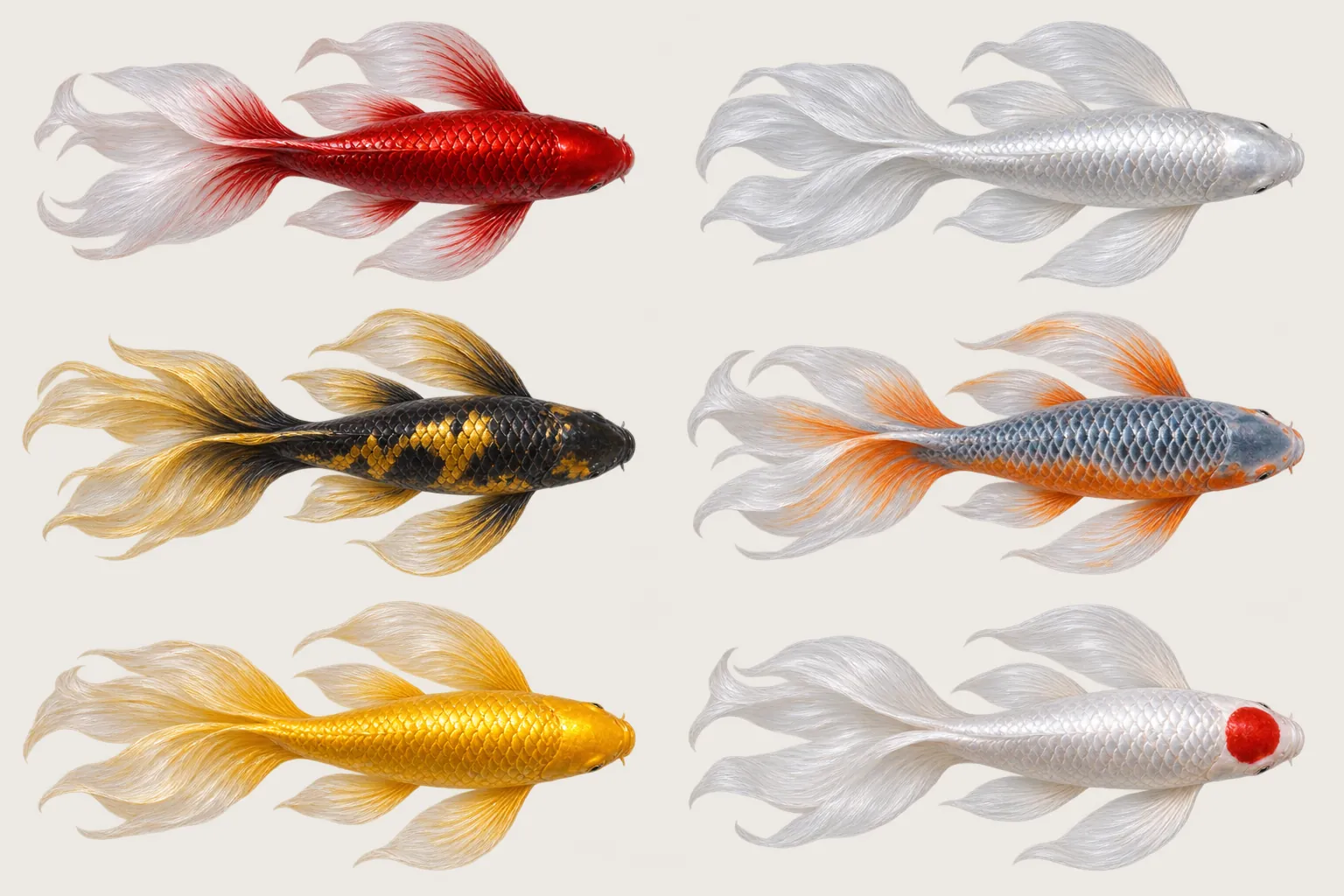
Plan mode: I want a fish counter bottom left ([1] to [9] fish, with "-" and "+" buttons and the number in between). There are [6] new koi colourways in img/ ([koi-4.png to koi-9.png], also top-down, head pointing right, transparent background). Added fish should swim in from the edge of the screen and removed fish should swim out; nothing should suddenly appear or vanish. Give me the plan first and don't change any files.
It replied with a plan only and changed no files. The plan had 5 points:
- Put "- 3 +" bottom left, with the buttons dimmed at 1 and 9.
- Load all 9 images at startup.
- Give each fish a life cycle: gone → entering → swimming → leaving → gone, hidden only once it is fully off screen.
- Fixes so 1 to 9 fish all behave: a depth bug when only 1 fish is left, group rules that count only the fish on screen, golden-angle spacing around the cursor, and less crowding at 7 to 9.
- Files to change: index.html, style.css and main.js.
Finally it asked 3 questions (how many to start with? shrink the fish at 8 or 9? in what order do new fish appear?), each with a default answer.
The plan is OK, go ahead. [Use your defaults for all three questions.]
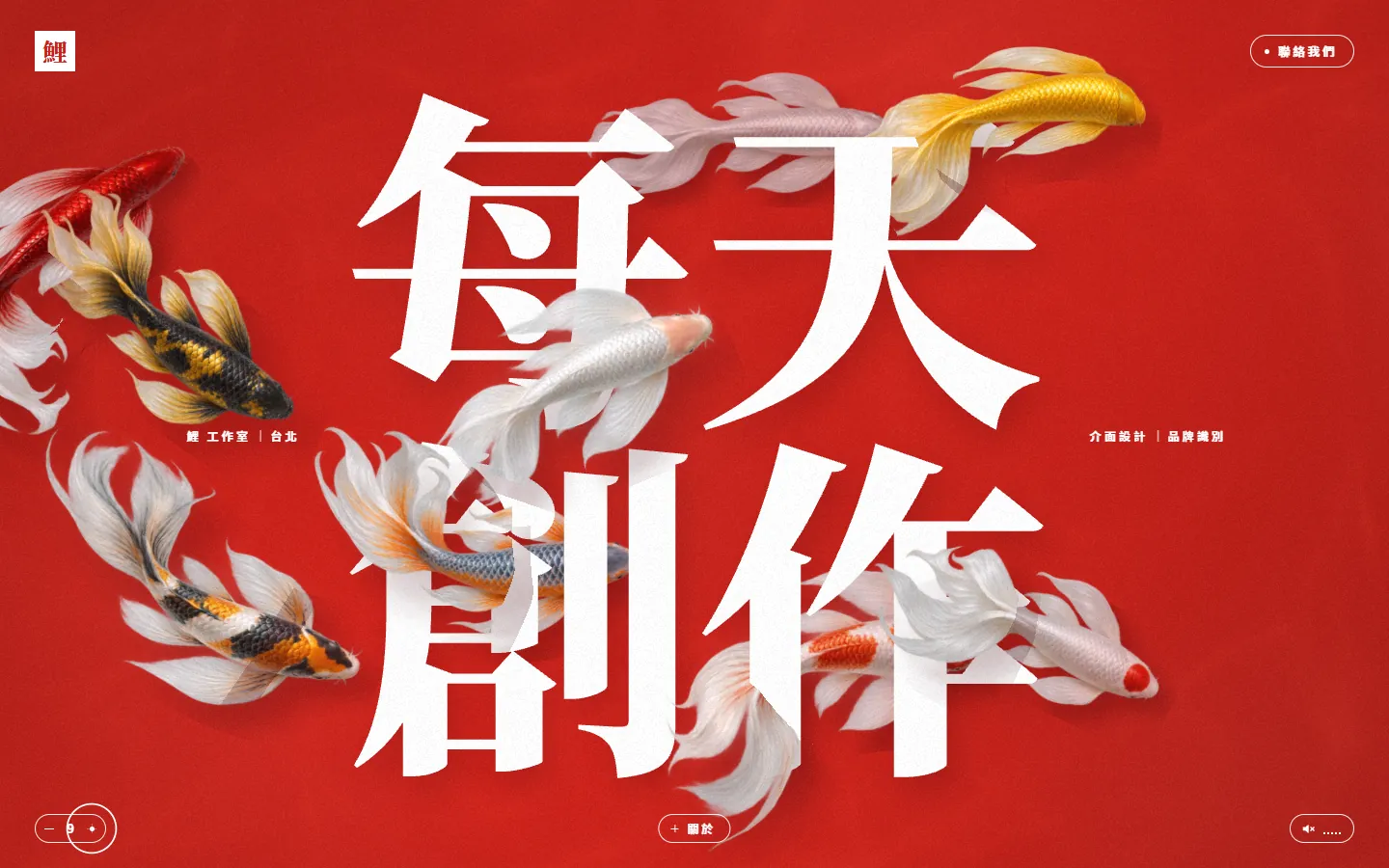
This time we simply wrote "give me the plan first and don't change any files" in the message. Claude Code also has a built-in plan mode: press Shift+Tab during a session until the status bar shows "⏸ plan mode on". It reads files and proposes a plan, and makes no edits until you approve.
06Make it your own brand
- Brand name, city, title, the two small lines and the colours: just replace the [] parts in prompt 1.
- Fish colours: change the descriptions of Fish 1 to Fish 3 in the ChatGPT prompt, but keep the four conditions (top-down, straight, head right, transparent).
- The bigger the title, the better: the fish need letters to pass through.
- Already built and only want new words and colours: tell Claude Code "keep the koi and all the interaction, only change the title to [new title] and the background to [new colour]".
07Good to know
- LI STUDIO is a fictional studio. The koi images were generated by ChatGPT; the page code and the background sound were written by Claude Code, and we didn't change the code.
- The site was only built and checked for a 1440×900 desktop screen. In headless Chrome at phone width (390 px), the title gets very small and the two small side lines are cut off. For phones, add "it must also look good on a phone in portrait" to the prompt.
- On a phone a tap also makes ripples, but there is no cursor to follow. We didn't test smoothness on a real phone.
- The page hides the system cursor and draws its own ring cursor; that was Claude's own design choice. If you don't like it, ask it to "keep the system cursor".
- The fonts are Noto Serif TC and Noto Sans TC (SIL OFL, fine for commercial use).
- Before you use AI-generated images commercially, check the terms of the tool you used.
- Claude Code gives a slightly different result every time, so go by the files you get.