A monthly digest website: 2 Claude Code prompts, draggable objects and a text-capsule cursor (live demo)
Give Claude Code your month's objects, finds, lessons, books and links for a cream zine page with draggable objects; one more prompt adds a capsule cursor.
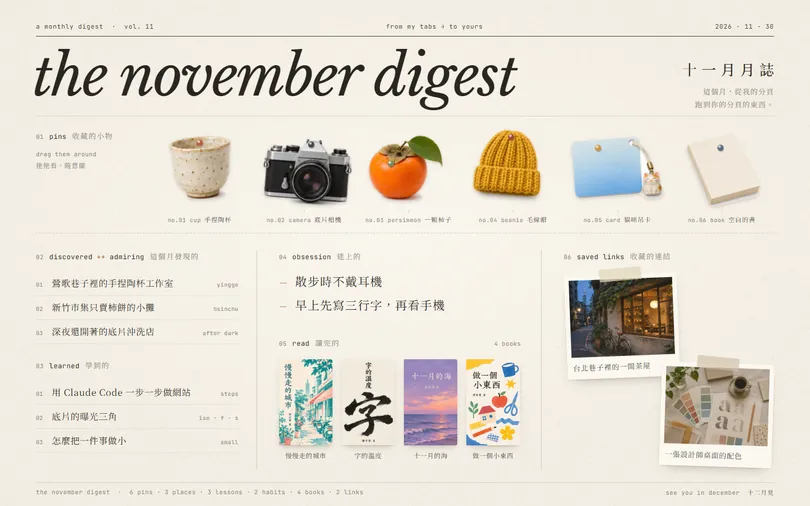
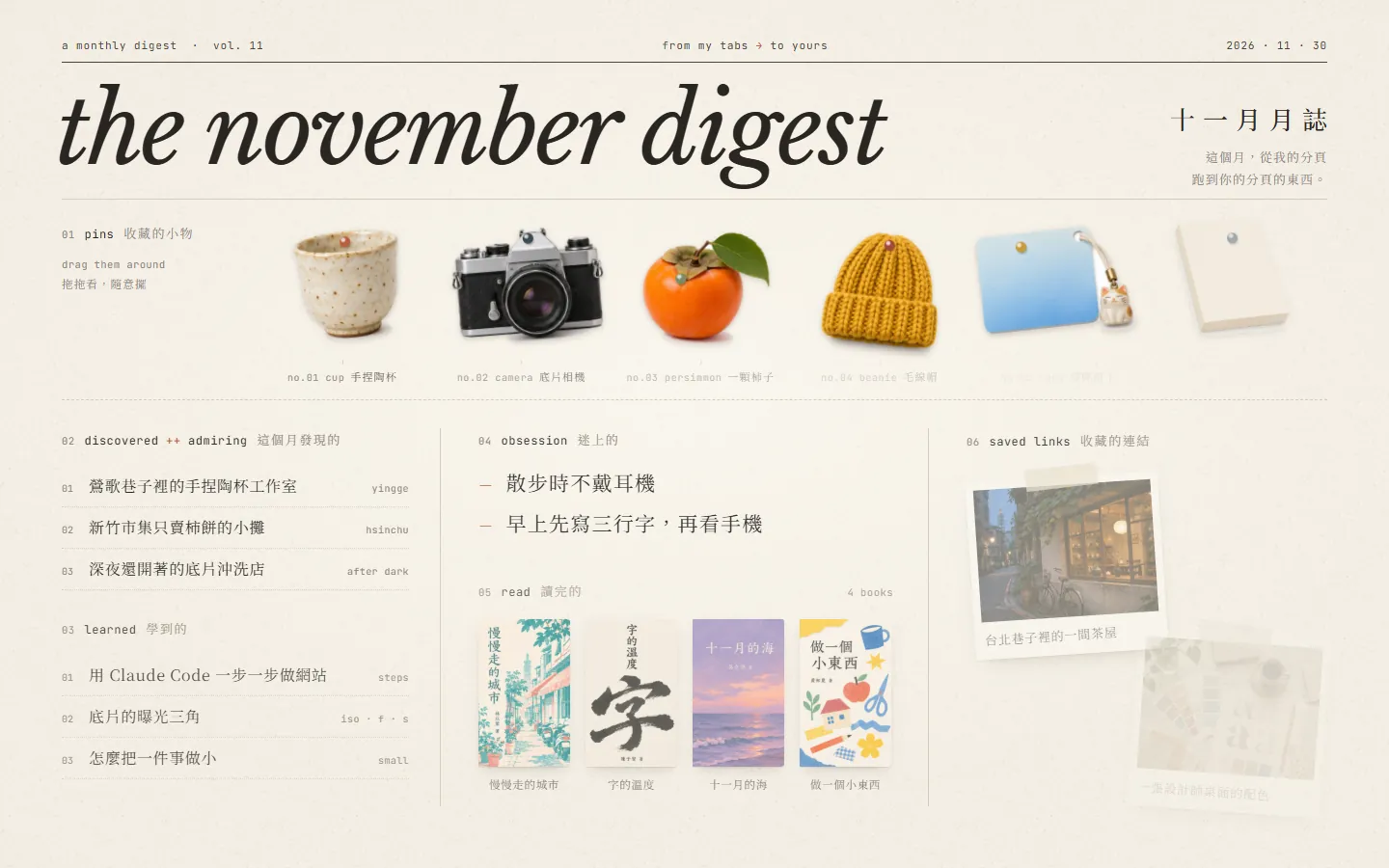
A one-page website on cream paper, "the november digest" (十一月月誌): a huge italic serif title at the top, then a row of cut-out objects (a ceramic cup, a film camera, a persimmon, a knitted beanie, a transit card with a cat charm, a blank book), then what I discovered, learned and got obsessed with this month, the 4 books I finished, and 2 saved links taped to the wall like photos. You can drag the objects around with the mouse; hover anything and it floats up a little while the cursor grows from a small black dot into a black text capsule that says "收藏 →" (collect), "讀 →" (read) or "看看 →" (take a look).
Claude Code wrote the site from 2 prompts and we didn't change a single line of its code; the objects, book covers and thumbnails were generated in ChatGPT, and the books are fictional. Below are both prompts in full (replace the [] parts), the 3 ChatGPT image prompts, the one sentence that turns the cursor into a capsule, and a live version you can play with.
01The result: the whole of November on one page
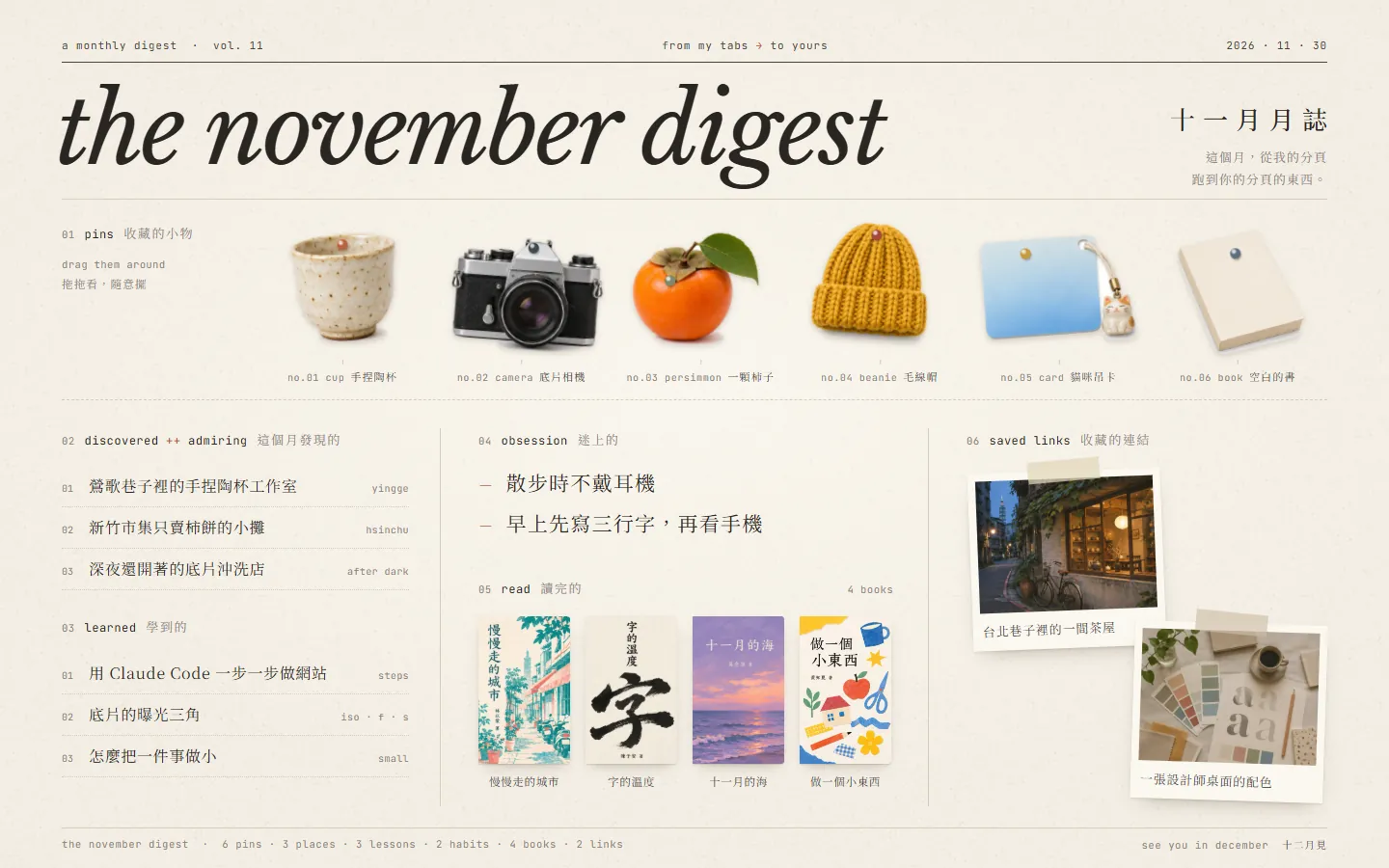
The whole site is static files: index.html, style.css and main.js, plus 12 images in img/ and 7 font files in fonts/. Nothing to install, no database.
- Live demo: the november digest — Open it on a computer, drag the objects somewhere else, then move your mouse over the objects, books and photos
The demo is exactly the site Claude Code made after prompt 2. The two Chinese fonts were about 29 MB together, so we cut each font down to the characters the page uses (the whole demo is about 2.5 MB); the code and images are untouched, bit for bit.
02The whole process: one list, 3 ChatGPT images, 2 prompts
- List this month's things: collected objects, discoveries, lessons, obsessions, books read, saved links (step 1).
- Make the objects, book covers and link thumbnails in ChatGPT, and cut out the objects (step 2).
- Claude Code prompt 1: lay out a cream zine page with draggable objects (step 3).
- Open the page and drag the objects one by one to where you like them (step 4).
- Claude Code prompt 2: things float on hover and the cursor becomes a text capsule (step 5).
The slowest part is actually step 1: deciding what goes on this month's page. Once the content is set, the Claude Code part is just 2 prompts.
03Step 1: list this month's things first
Open a notes app and sort the month into 6 sections. 2–3 lines per section is enough, and the shorter the lines, the better, so the whole page fits in one screen.
- pins: 6 small things that made you happy this month (bought, received, eaten, anything).
- discovered ++ admiring: 3 places or shops.
- learned: 3 things you learned.
- obsession: 2 habits.
- read: 4 books.
- saved links: 2 web pages, one line of summary each.
04Step 2: make the objects, covers and thumbnails in ChatGPT
We generated the objects and book covers in ChatGPT, one new chat per prompt, starting with "Create an image." followed by the prompt below (replace the [] parts with your things). If you have your own photos of the objects and real book covers, skip this step.
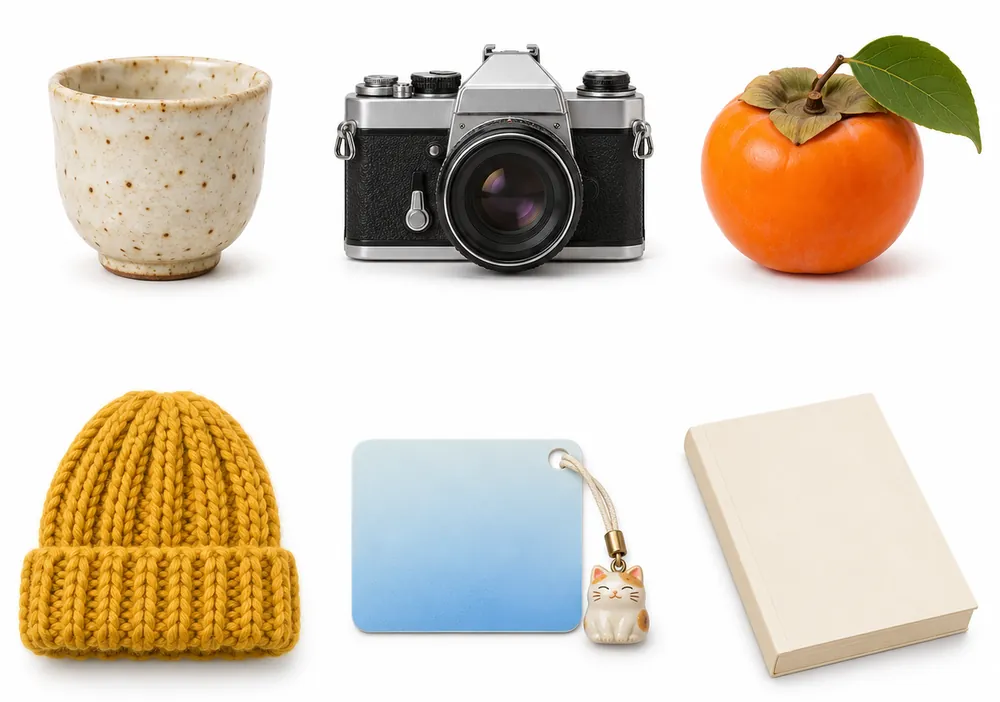
Create an image. Six small everyday objects photographed as separate product cut-outs on a pure white background (#FFFFFF), arranged in a neat 3 by 2 grid with plenty of white space between them so none of them touch or overlap: 1) [a small handmade speckled ceramic cup in cream glaze], 2) [a vintage silver-and-black film camera], 3) [a ripe orange persimmon with its green leaf], 4) [a chunky knitted wool beanie in mustard yellow], 5) [a plain transit card in a soft blue gradient with a little ceramic cat charm on a short strap (no logo, no text on the card)], 6) [a small paperback book lying slightly angled with a plain cream cover and no text]. Soft even studio light, only very gentle contact shadows, crisp clean edges, editorial e-commerce style. Square 1:1. No text, no logos, no props, no background other than pure white.
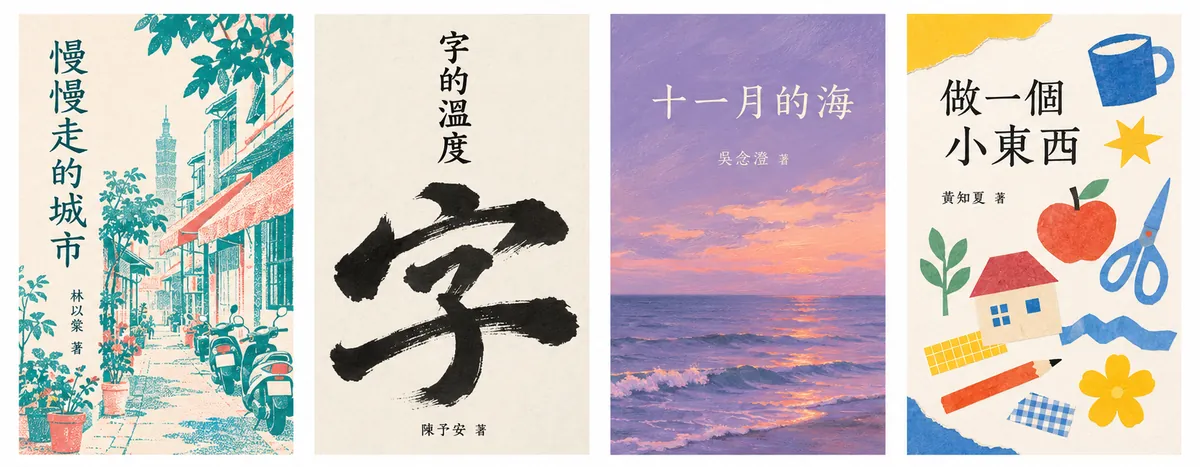
Create an image. Four fictional Traditional Chinese book covers laid flat side by side in one row on a pure white background (#FFFFFF), all the same size (portrait 2:3), straight on, no perspective, no shadows, with clear white space between them: 1) 《[慢慢走的城市]》 [a calm risograph illustration of a quiet Taipei alley with scooters and potted plants, teal and coral]; 2) 《[字的溫度]》 [a bold black-and-cream typographic cover with one big hand-brushed Chinese character 字]; 3) 《[十一月的海]》 [a soft painted sea at dusk in lilac and peach]; 4) 《[做一個小東西]》 [a playful cut-paper collage of little objects in primary colours]. Each cover shows only its title in Traditional Chinese and a short fictional author name, beautiful contemporary Taiwanese book design. Wide 16:9 horizontal. No logos, no barcodes, no other text.
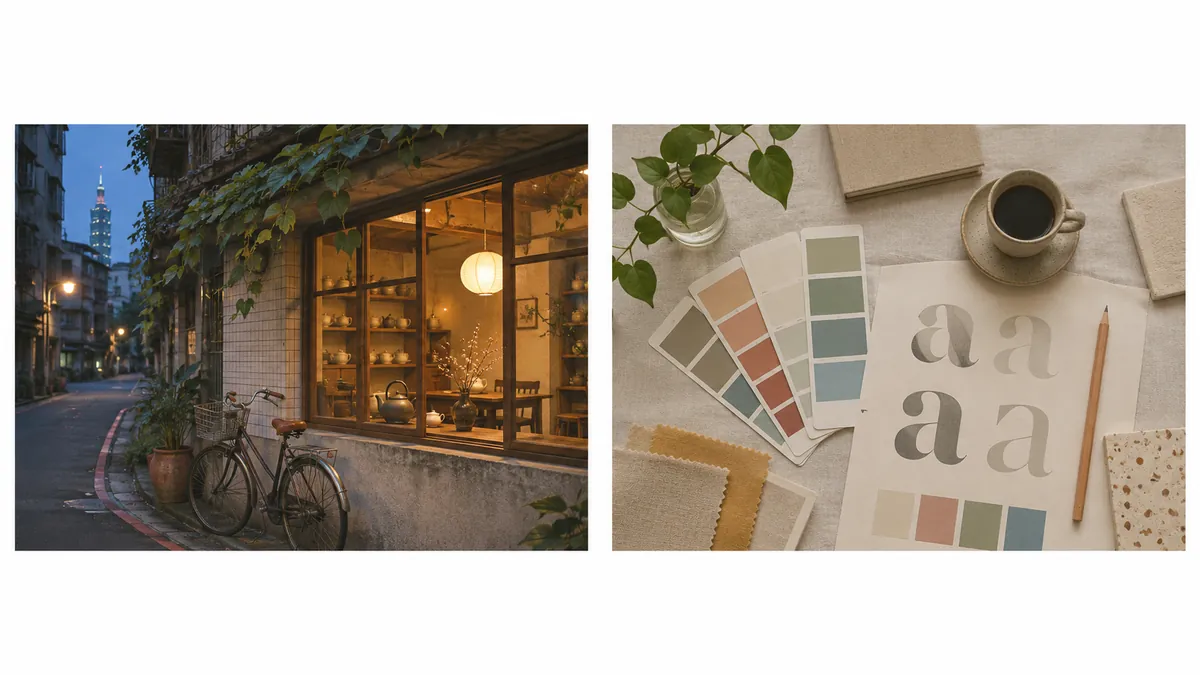
Create an image. Two editorial photo thumbnails side by side on a pure white background with a clear white gap between them, each one a 4:3 landscape photo with square corners: on the left, [a quiet tea shop window on a Taipei side street at dusk, warm light inside, a bicycle leaning outside, blue-hour sky]; on the right, [a designer's desk seen from directly above, paper colour swatches, a pencil, a small ceramic cup of coffee and a printed type specimen with no readable text, soft daylight, flat lay]. Film photography look, muted warm colours. Wide 16:9 overall. No text, no logos, no people.
- Objects: remove the white background and save each one as a transparent PNG (we cut and cleaned them with a small script; any background remover works, or ask Claude Code to do it).
- Covers and thumbnails: just crop them into separate rectangular JPGs, no cut-out needed.
- Use the file names from the prompt: pin-cup.png…pin-book.png, book-1.jpg…book-4.jpg, link-1.jpg, link-2.jpg, all in img/ inside a new folder.
- Put the fonts in fonts/: we used Libre Baskerville Italic (the big title), Instrument Serif, JetBrains Mono (the small monospace labels), Inter, Noto Serif TC and Noto Sans TC (Chinese), all free fonts.
05Step 3: Claude Code prompt 1: lay out a cream zine page
- Open Claude Code in that folder.
- Paste prompt 1 below (replace the [] parts with your list), then paste the technical notes after it, and press Enter.
Make me a one-page "[November] digest" website: the [november] digest. At the end of every month I want to make one page that collects the things that went from my tabs to yours this month.

Style: an editorial one-pager on cream paper, like a small zine and also like a scrapbook wall. At the top, one big italic serif title "the [november] digest"; section headings in small lowercase monospace English with the Chinese next to them. Lots of white space, quiet, room to breathe, and the whole page fits in one 1440×900 screen.

Content:
- pins (my collected objects): img/pin-cup.png, pin-camera.png, pin-persimmon.png, pin-beanie.png, pin-card.png, pin-book.png (objects already cut out), in a row, like little things pinned to a wall.
- discovered ++ admiring: [a hand-built ceramic cup studio in a Yingge alley / a Hsinchu market stall that only sells dried persimmons / a film lab still open late at night]
- learned: [building a website step by step with Claude Code / the film exposure triangle / how to make a thing smaller]
- obsession: [walking without headphones / writing three lines in the morning before looking at my phone]
- read: four books img/book-1.jpg, book-2.jpg, book-3.jpg, book-4.jpg ([The City You Walk Slowly], [The Warmth of Words], [November Sea], [Make a Small Thing])
- saved links: two thumbnails img/link-1.jpg ([a tea house in a Taipei alley]) and img/link-2.jpg ([the colour palette of a designer's desk]), each with one short line of summary under it.

The objects can be dragged with the mouse and placed freely, like arranging little things on a table.
Technical notes: plain HTML/CSS/JS, no build step, no frameworks, nothing loaded from a CDN or the internet, relative paths only. Use the images and fonts in the folder (load the files in fonts/ with @font-face, no Google Fonts) and don't change the images. Drive all animation with requestAnimationFrame. When you're done, open it on a local server and take screenshots to check: does the whole page fit in 1440×900, and can the objects be dragged?
Claude Code wrote index.html, style.css and main.js: cream paper with a faint grain, a small monospace line at the top (a monthly digest · vol. 11 / from my tabs → to yours / 2026 · 11 · 30), and 十一月月誌 with a subtitle to the right of the huge italic title. Below are six sections, 01 to 06: discoveries and lessons as numbered lists with a small English tag after each line, and the link thumbnails as photo prints with tape.
06Step 4: drag the objects where you like them (the most soothing step)
Open the page, press on an object and drag it where you want it. It's the most soothing step of the whole thing, like moving little things around on a table. The prompt only had one line for it, "the objects can be dragged with the mouse and placed freely"; all of this feel came from Claude Code:
- You can only pick an object up by its visible part or its pushpin; transparent corners don't count.
- A picked-up object grows a little and lifts, and tilts more the faster you drag; let go and it wobbles a little and settles.
- The last one you touched sits on top.
07Step 5: Claude Code prompt 2: float on hover, the cursor becomes a text capsule
Version 1 already looks good, but this one extra prompt makes the page come alive. Paste it in the same conversation; it adds to the existing files instead of starting over.
Next step, add interaction: things float up gently on hover, and the cursor becomes a text capsule.
- Hovering anything (objects, books, link thumbnails) makes it float up a little, with a soft shadow and a bit of spring, then slowly settle back when you leave.
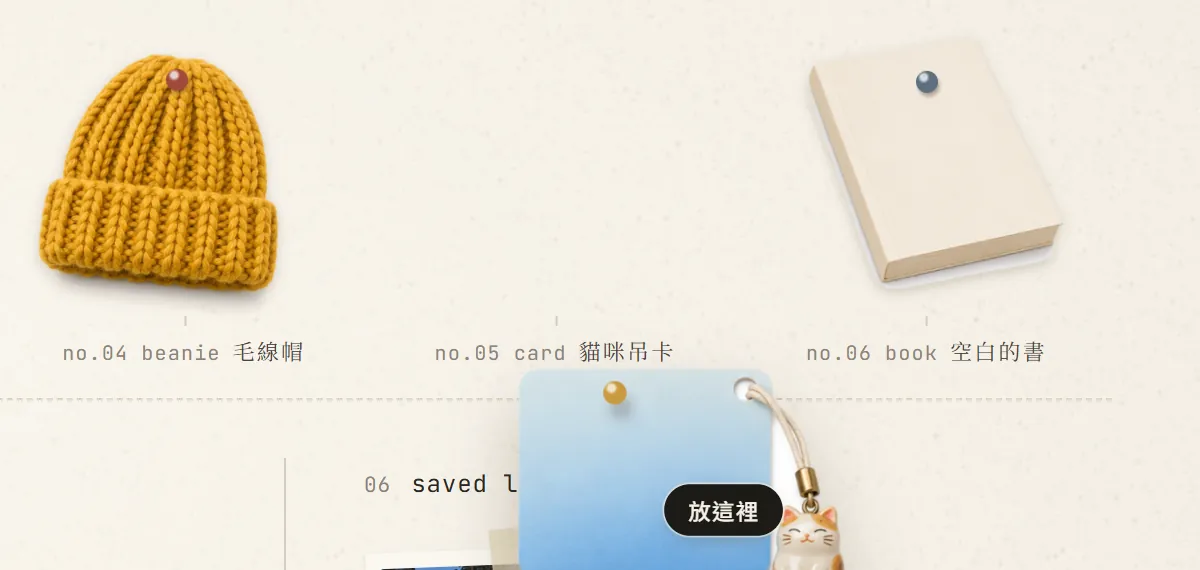
- Replace the cursor with my own: normally a small black dot; over an item, the dot grows into a black text capsule that says what you can do with it: objects say "[收藏 →]" (collect), books "[讀 →]" (read), links "[看看 →]" (take a look), and the words appear one character at a time, as if typed. While dragging an object the capsule says "[放這裡]" (drop here).
This is the key sentence. "Make the cursor a text capsule" alone doesn't tell it what that looks like; spell out what it normally is, what it turns into over an item and what it says, and it can build it:
Replace the cursor with my own: normally a small black dot; over an item, the dot grows into a black text capsule that says what you can do with it.
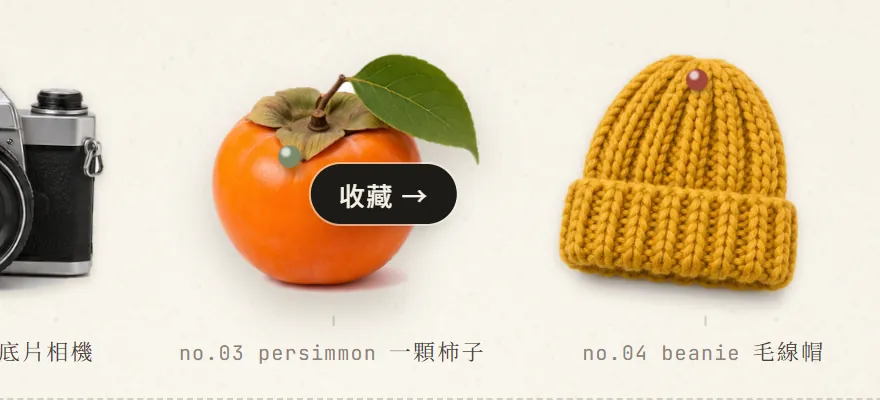
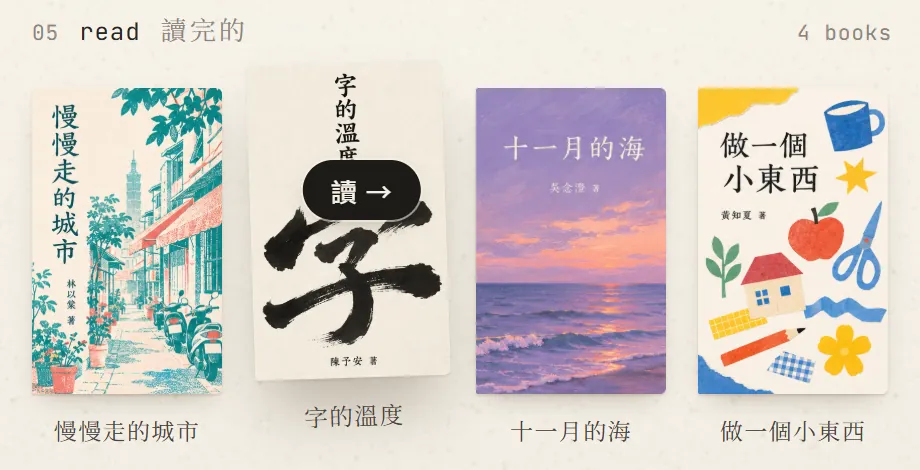
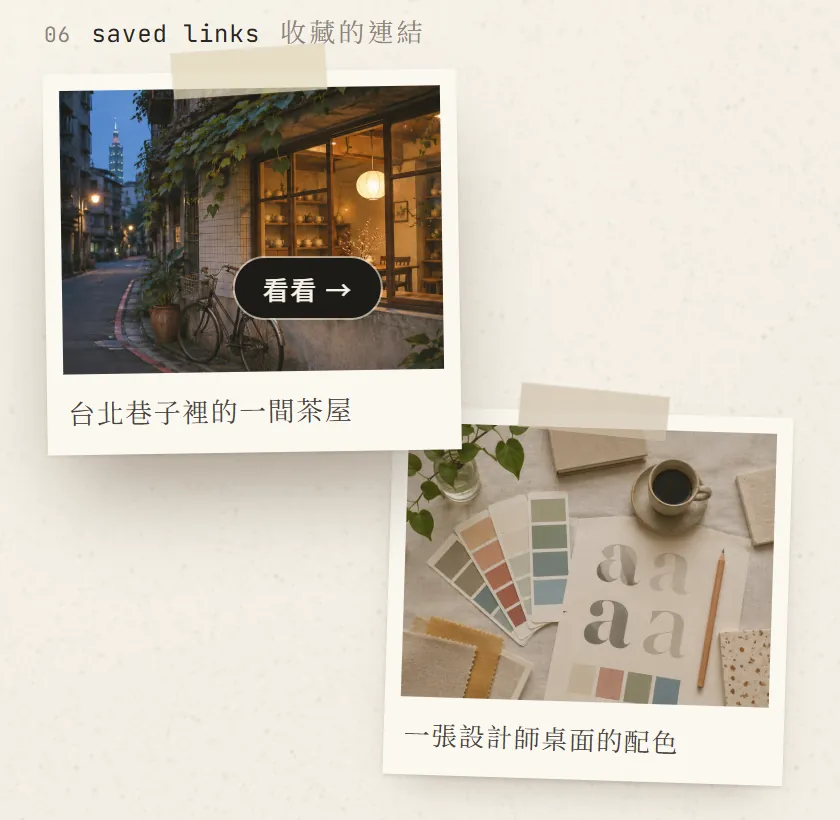
What it built: the system cursor is hidden and replaced by a small black dot; over an item the dot grows to the right into a black capsule, the words type out one character at a time with a blinking caret after them; moving to another item erases the words before typing the new ones; holding the mouse button squeezes the capsule a little. Hovered things lift with a bit of spring and a bigger, softer shadow, then slowly settle back when you leave.
08Make it yours, one page a month
- Every month, copy the folder, replace the images in img/ (same file names) and the text in index.html, and that's the new issue. Or change the [] parts of prompt 1 to the new month and ask Claude Code to update last month's files.
- The capsule words: change [收藏 →] [讀 →] [看看 →] in prompt 2, for example "buy →" or "listen →".
- The saved links are only pictures right now; clicking them opens nothing. To make them real links, tell Claude Code "clicking a link thumbnail opens [URL] in a new tab".
- After 12 pages in a year, ask it for an index page that lays out all 12 months together.
09Good to know
- The objects, book covers and thumbnails were generated in ChatGPT; the 4 books and their authors are fictional. Claude Code wrote the page code and we didn't change it; we only replaced the shadows on 4 object PNGs, and the demo has smaller fonts.
- The prompt screens in the Reel are re-typeset, not terminal recordings, and the text there is shortened; this article has the exact prompts. The website footage was really recorded; the laptop and the wall were generated in ChatGPT.
- The site was only built and checked for a 1440×900 desktop screen; at other sizes the whole page scales proportionally. The code uses pointer events, so dragging may work on a phone, but we haven't tested it on a real phone, and phones have no hover, so you won't see the floating or the capsule.
- Libre Baskerville, Instrument Serif, JetBrains Mono, Inter, Noto Serif TC and Noto Sans TC are all free fonts under the SIL OFL.
- Before using AI-generated images commercially, check the terms of the tool you used.
- Every Claude Code run comes out a little different; go by the files you get.