Claude Code portfolio homepage where the letters ride a roller coaster: cars tilt with the slope, 3 prompts (live demo)
Nine cars spell PORTFOLIO on a green coaster, slow uphill and fast downhill. Claude Code built it in 3 prompts: page, tunnel, night mode. Prompts + demo.
Watch the reel on InstagramComment #火車 to get this guide
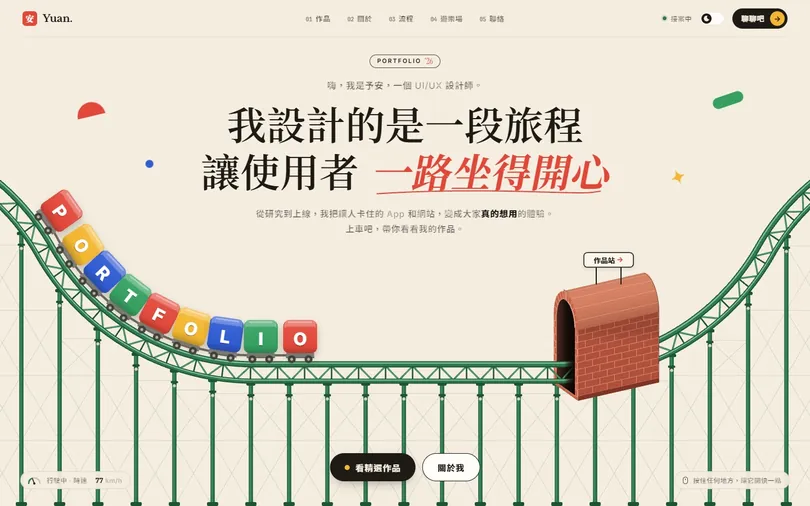
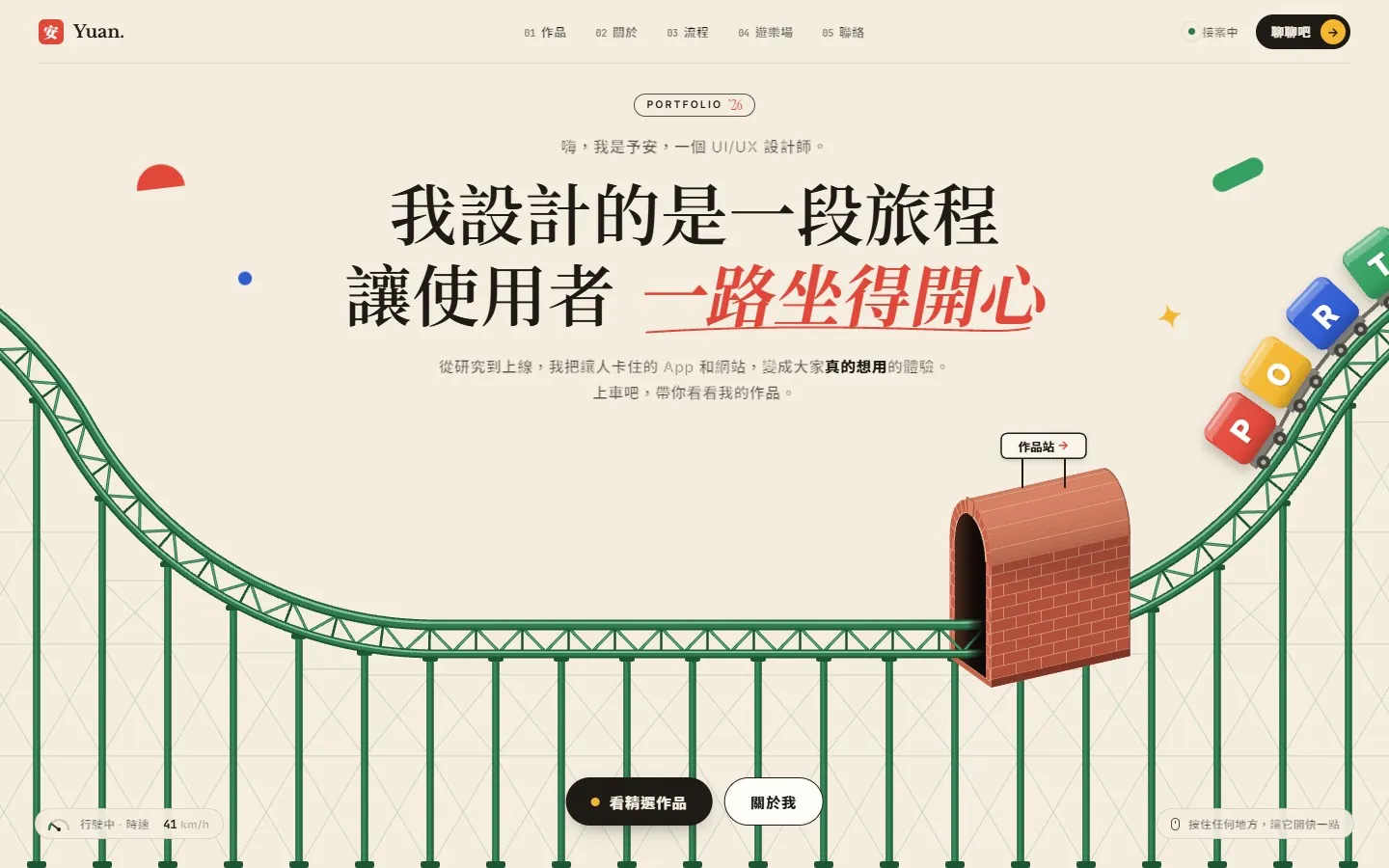
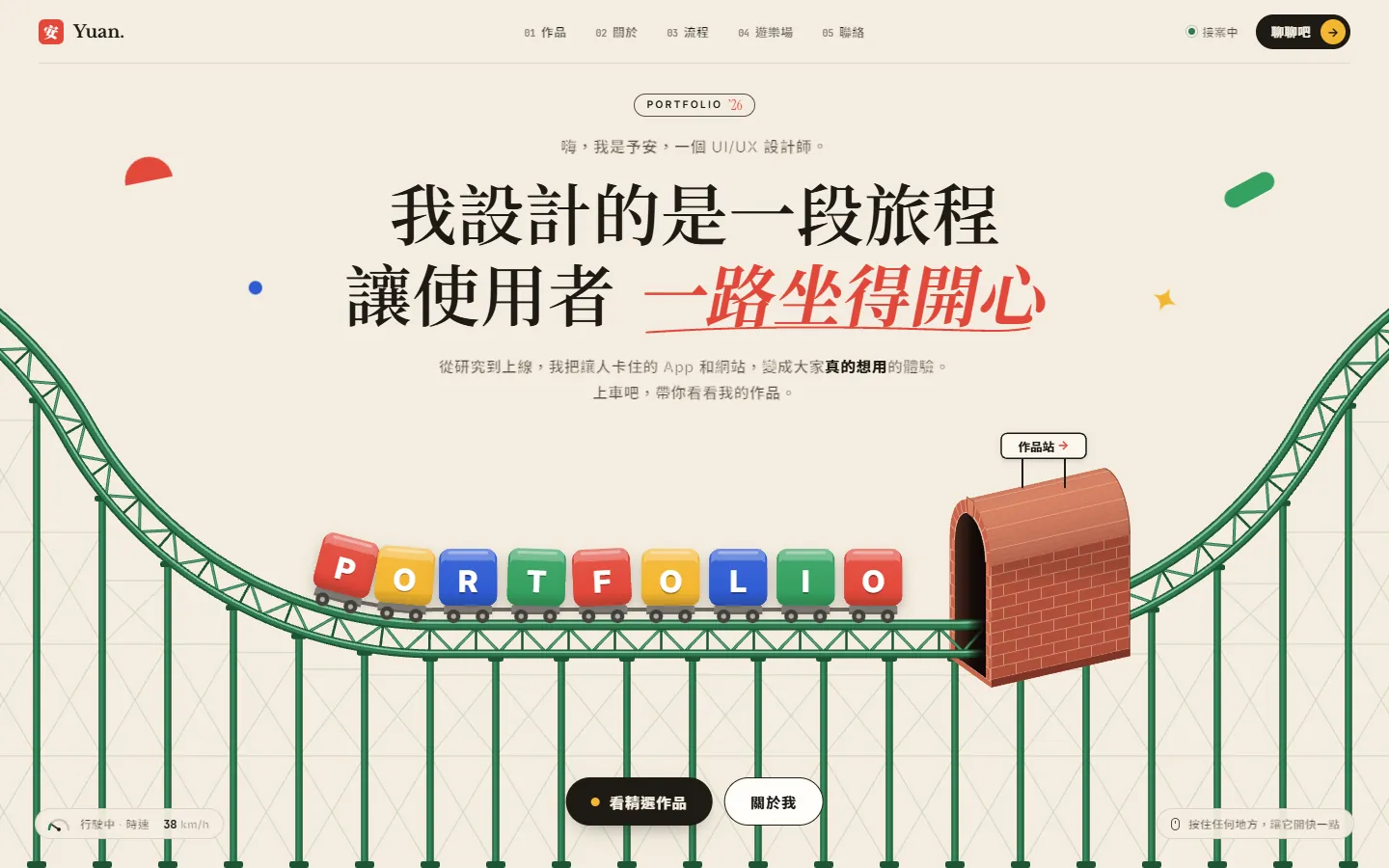
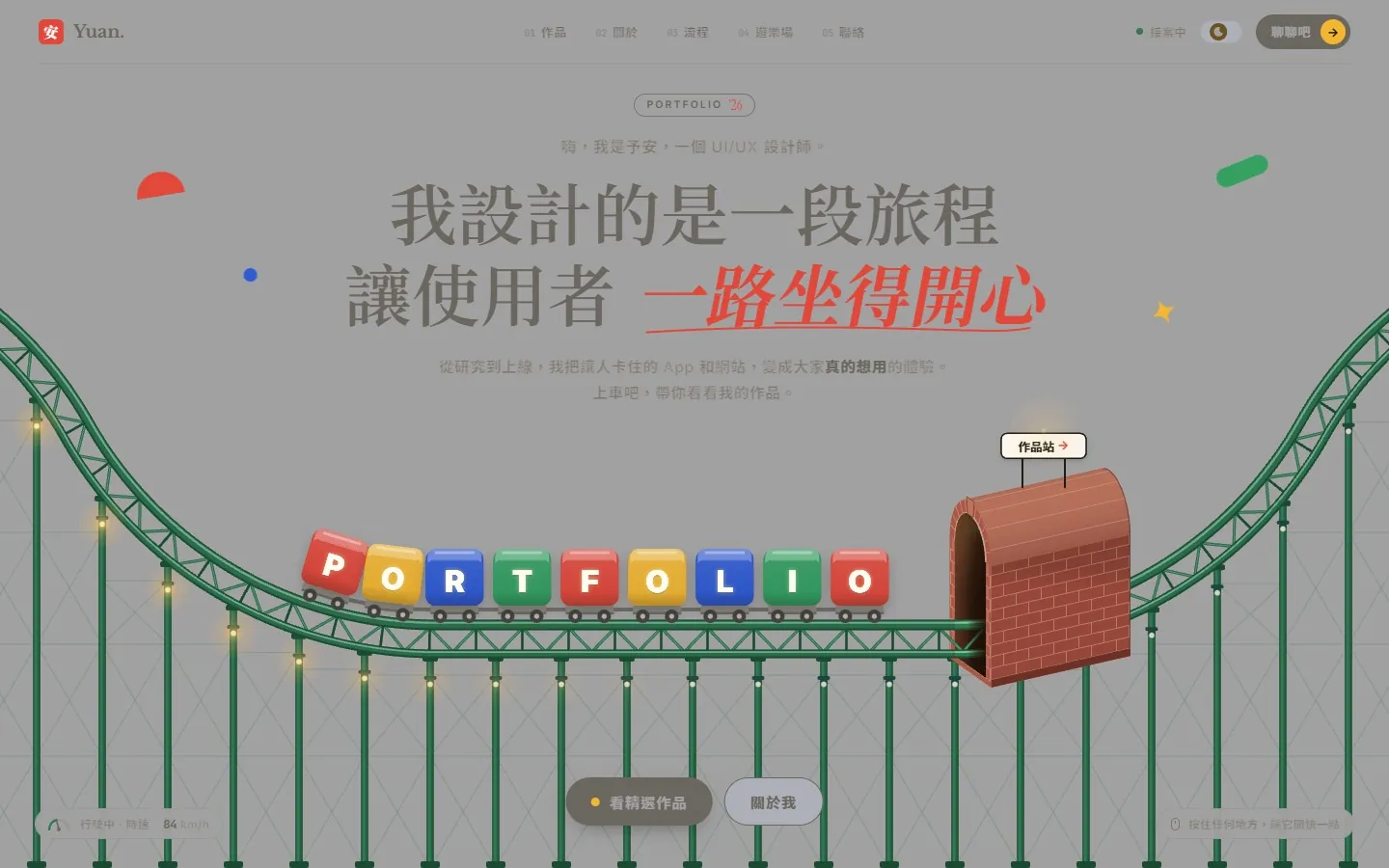
Nine colourful little cars spell P-O-R-T-F-O-L-I-O and ride a green roller-coaster track: they dive from the high left, pick up speed, hit 85 km/h in the valley, disappear into a brick-red tunnel and slowly climb out on the right. Every car tilts with the slope, and the speed gauge bottom left follows the real speed.
Claude Code wrote this portfolio homepage over 3 messages. The designer, Yuan Chen (陳予安), is fictional, and we didn't change a single line of the code. Below are the 3 full prompts (replace the [] parts), what each one produced, the two sentences that make the cars feel like a real ride, and a live version you can play with.
01The result: letters riding a roller coaster
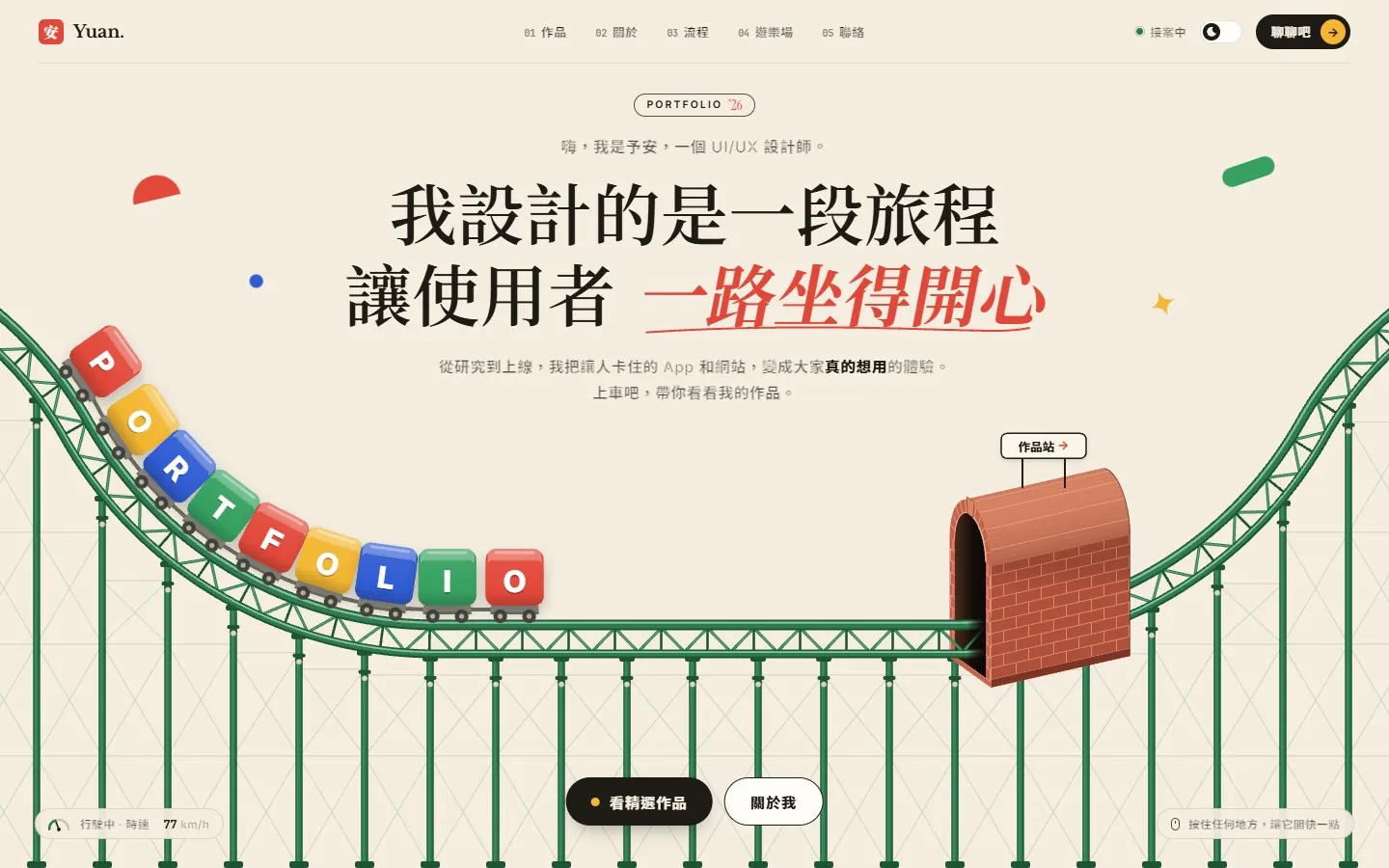
The whole site is static files: index.html, style.css and main.js, plus the fonts in fonts/. The track, cars and tunnel are all drawn in code on a canvas; there are no images, and nothing to install and no database.
- Live demo: Yuan Chen's roller-coaster homepage — Open it on a computer, hover a car, hold the mouse down, click the moon top right
The demo is the site exactly as Claude Code left it after prompt 3. The original font files were over 40 MB, so we cut the fonts down to the characters the page uses, about 0.7 MB in all; the code is untouched. The page text is in Traditional Chinese.
02Prompt 1: describe the track, the cars and the speed in one go
- Decide two things first: a one-line headline for the homepage (ours reads "I design a journey / that users enjoy all the way"), and the word that rides the train (we used PORTFOLIO: 9 letters = 9 cars).
- Make an empty folder and open Claude Code in it. If you want specific fonts, put the font files in fonts/ first (we used one serif and one sans-serif).
- Paste the prompt below (replace the [] parts) and press Enter.
- When it is done, run npx http-server in the folder and open the address it prints.
Build the homepage of a portfolio website (a single hero screen, 1440×900, no scrolling) with a "train / roller coaster" theme. It is the portfolio of [Yuan Chen], a fictional [UI/UX designer] in [Taipei].

Layout:
- A cream background (warm, buttery off-white, not pure white); clean overall, lots of white space, like an award-winning designer portfolio.
- A thin nav bar at the very top: on the left a small red square logo "[Y]" and the name "[Yuan.]"; in the middle five very small links with small numbers in front: [01 Work · 02 About · 03 Process · 04 Playground · 05 Contact]; on the right a very small "● Available for work" and a black pill button "[Let's talk] →" (the arrow sits in a small yellow circle).
- Top centre: a very small pill tag "[PORTFOLIO ’26]", under it one small line "[Hi, I'm Yuan, a UI/UX designer.]", and under that a very large serif headline, two centred lines:
  line 1 "[I design a journey]", line 2 "[that users] [enjoy all the way]", where "[enjoy all the way]" is red and italic (a hand-written-feeling accent) and the other words are dark ink.
  Under the headline, two small lines of description: "[From research to launch, I turn apps and websites that get people stuck into experiences people actually want to use. Hop on, let me show you my work.]", with "[actually want to use]" in bold.
- The key part: across the lower half of the screen runs a green roller-coaster track. It enters high at the top left, dives down into a long flat valley and climbs out high on the right (like a wide U). The track must feel real: two tubular steel rails joined by a triangular truss, green support columns one after another down to the bottom of the screen, and a very faint cross-braced grid behind.
- [Nine] small cars ride the track. Each car is a rounded 3D cube (you see its top and front face, with a little shadow) in a different colour (red, yellow, blue and green in turn), with one big white capital letter on the front; the [nine] cars spell [P-O-R-T-F-O-L-I-O]. Under each car a small grey chassis with wheels sits on the rail.
- The cars must follow the curve of the track and tilt with the slope (nose up when climbing, nose down when descending), keeping a fixed gap between cars like a real train. The speed must feel physical: slower and slower uphill, faster and faster downhill, fastest in the valley (use energy conservation or simple gravity). After leaving on the right, the train comes back in from the left, looping forever.
- When the mouse is over a car, the whole train slows down and that car rocks gently; holding the mouse down (anywhere) speeds the train up, and on release it slowly returns to normal speed.
- A few very small geometric shapes float slowly: on the left a red half-circle and a small blue dot, on the right a green pill and a small yellow sparkle.
- Bottom centre, two buttons: a black "[See selected work]" (with a small yellow dot in front) and a white one with a black outline, "[About me]". Bottom left a very small gauge: "Running · 55 km/h", whose number follows the train's real speed; bottom right one line of very small text: "Hold anywhere to make it go faster".
- Fonts: a serif for the headline, a clean sans-serif for the description and nav. The only colours are cream, ink black, the track's green and the cars' red, yellow, blue and green.
We also gave it some technical conditions, not design direction: use the fonts in the folder, drive all motion with requestAnimationFrame, and check its own work with headless Chrome screenshots. Here is a tidied version you can paste after the prompt:
Technical conditions: plain HTML/CSS/JS, no build tools. Drive every animation with requestAnimationFrame, no CSS transitions or @keyframes. The whole page is exactly 1440×900 with no scrolling. When you are done, open it in a browser and take a few screenshots to check: do the cars sit on the rails, and do they turn with the curve?
Claude Code wrote three files: index.html, style.css and main.js. The first version already ran, tilted and sped up; the headline still ended in a comma and a full stop, and there was no tunnel yet.
03The two key sentences: tilt with the slope, speed from energy conservation
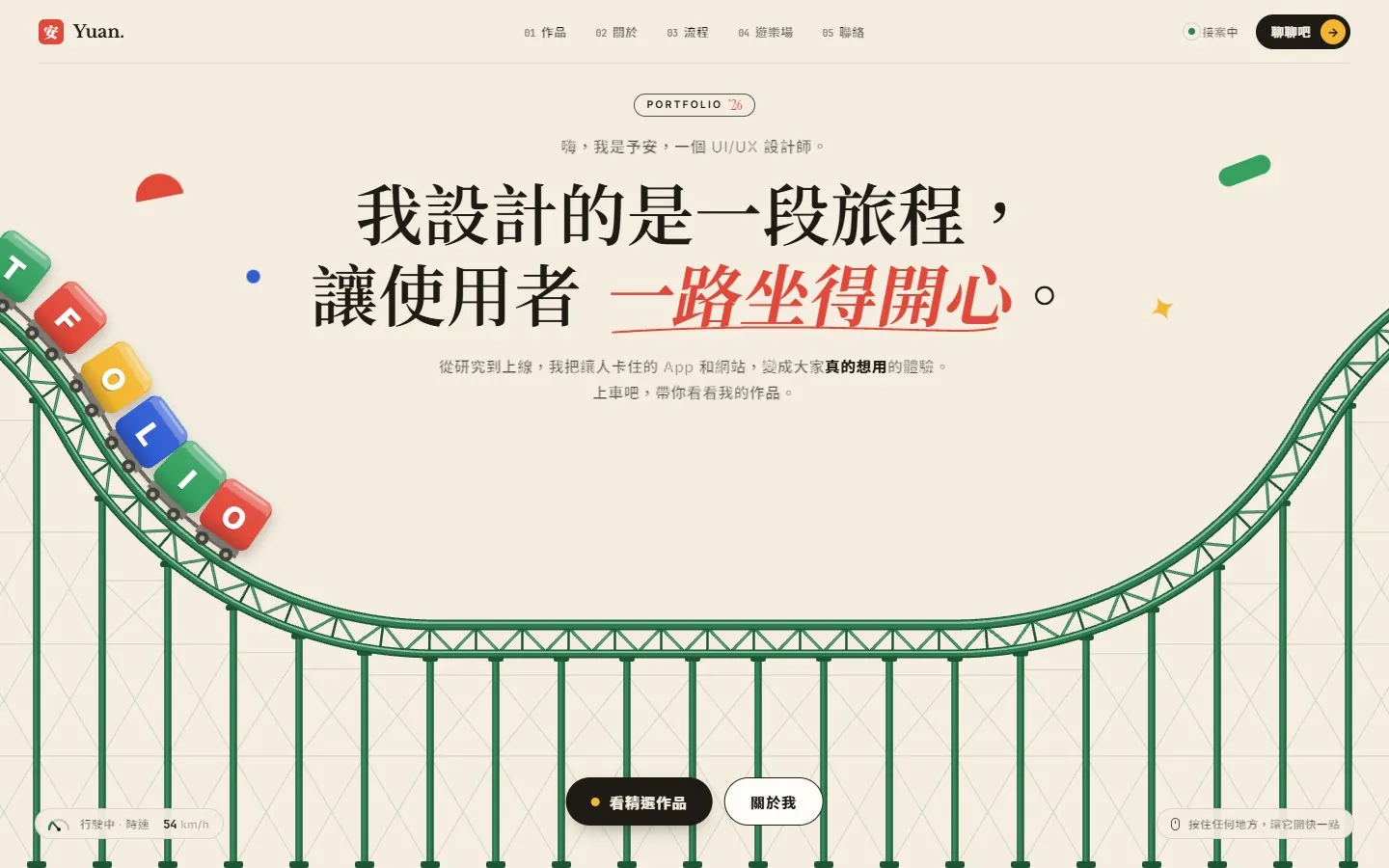
The two most important sentences in the prompt are "the cars must follow the curve of the track and tilt with the slope" and "the speed must feel physical: slower uphill, faster downhill, fastest in the valley (use energy conservation)". Leave them out and many AI tools slide the cars along flat at one speed, like a row of stickers.
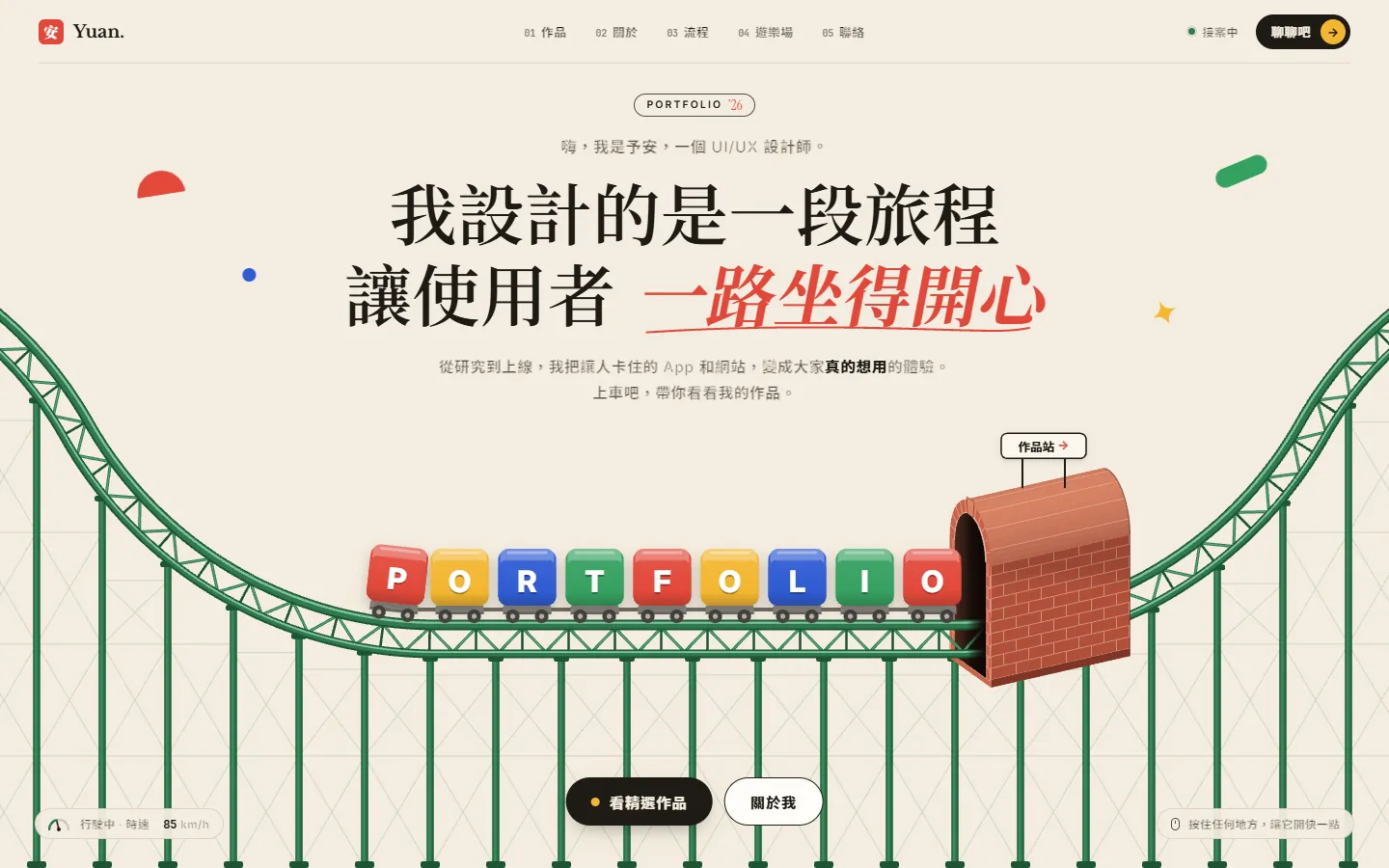
This is how it did it: each car sits on the rail at two wheel points, front and back, and the line between them sets the car's angle, so the nose points up on a climb and down on a drop. The speed comes from the energy of the whole train's height: the lower it is, the faster it goes, about 22 km/h on the crests and about 85 km/h in the valley.
04Interaction: hover a car to slow down, hold to speed up
Hover any car and the whole train slows to 0.3× its normal speed while that car rocks gently; hold the mouse anywhere and it speeds up to 2.3×, then eases back after you let go. Cars inside the tunnel can't be hovered, because the wall covers them.
05Prompt 2: just add a tunnel
The first version was already fun, but one more sentence makes it feel real. We continued in the same conversation:
Great, it's fun. Round two:

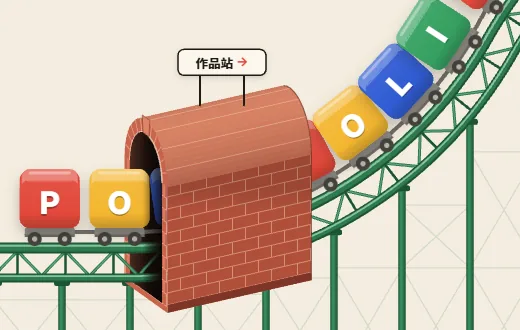
1. Add a tunnel on the right half of the track (where the valley meets the climb on the right): a [brick-red] arched tunnel mouth with a little 3D depth. Cars drive in, get covered by the tunnel and come out the other end, so it really looks like they pass through (draw the tunnel's front wall in front of the cars; the inside is dark). Put a very small station sign "[Work station] →" on top of the tunnel. The tunnel must not cover the headline, the description or the buttons at the bottom.
2. Remove the comma at the end of the first headline line and the full stop at the end of the second; the headline is words only.
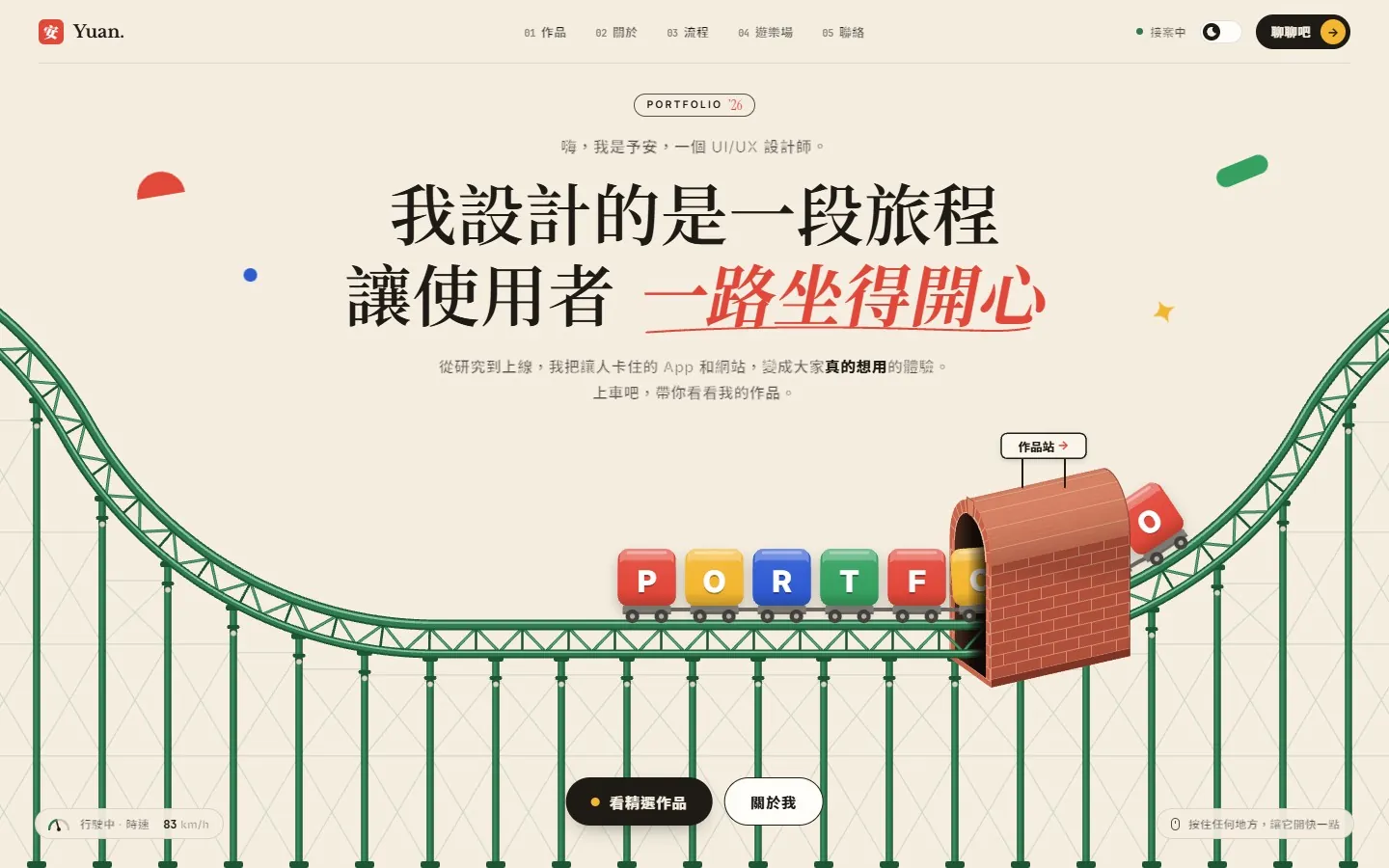
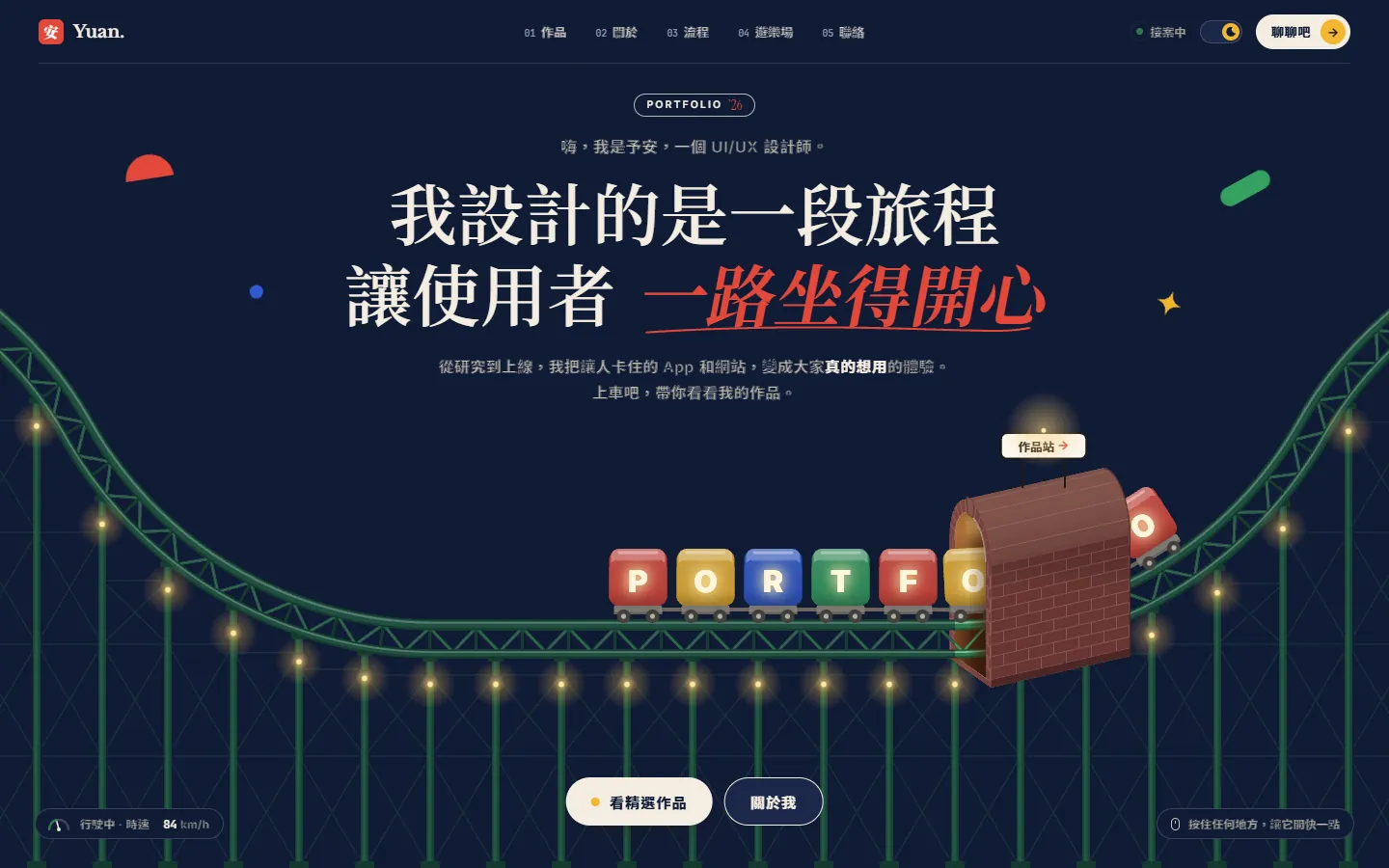
It split the tunnel into two layers: the back half of the arch and the dark opening are drawn behind the cars, and the front wall is drawn in front of them. So the cars get covered by the wall and come out the other end, and it really looks like they pass through.
06Prompt 3: night mode, with lamps along the columns
Last round: add a night mode. Put a small moon toggle next to "Available for work" at the top right. One click switches it: the background turns [midnight blue], the headline and text turn cream (keep the red accent), small [warm yellow] lamps light up along the track's columns, the tunnel gets a little light inside, and the letters on the cars glow softly. Click again to go back to day. The colours must change smoothly (also computed with requestAnimationFrame, no CSS transitions).
A moon toggle appears top right. One click and the page fades to midnight blue over about 1.15 seconds, the lamps on the columns light up one by one from left to right, an amber lamp lights inside the tunnel, the sign is lit, and the letters on the cars glow softly. Click again for day.
07Make it your own portfolio
- Name, city, job title, headline, description and buttons: just replace the [] parts in prompt 1.
- The word on the cars: use your name or another word (HELLO, DESIGN…) and change "nine" to the number of letters. With more than 10 letters the track gets crowded.
- It doesn't have to be a roller coaster: swap "cars follow the track and tilt with the slope" for your own thing, such as a paper plane flying along a curve. The two physics rules still work.
- Already built and only want new words and colours: tell Claude Code "keep the track, the cars and all the interaction, only change the headline to [new headline] and the letters on the cars to [new word]".
08Good to know
- Yuan Chen (陳予安) is a fictional designer, and the portfolio content is fictional too. Claude Code wrote the page code and we didn't change it; the demo only has smaller fonts.
- The site was only built for a 1440×900 desktop screen. On a phone the whole page shrinks to fit, and the code only listens to the mouse, so hold-to-speed-up may not work on touch; we didn't test it on a real phone. For phones, add "it must also look good on a phone in portrait, and touch-and-hold must speed it up too" to the prompt.
- The links and buttons on the page (Work, About, Let's talk) are for show and don't lead to real pages.
- The fonts we used, Noto Serif TC, Noto Sans TC, Inter, Libre Baskerville, Instrument Serif and JetBrains Mono, are all open source under the SIL OFL.
- In the reel, the photo of the laptop on the desk was generated by ChatGPT; the page on its screen is a real recording. Every screenshot in this article is the page itself.
- Claude Code gives a slightly different result every time, so go by the files you get.