Build a to-do list that grows a sculpture with Claude Code: tick a task, a 3D shape drops, in 2 prompts (live demo)
Each ticked task drops a soft black shape that melts into one sculpture. 2 full Claude Code prompts, a shape library, a live demo and ChatGPT product ideas.
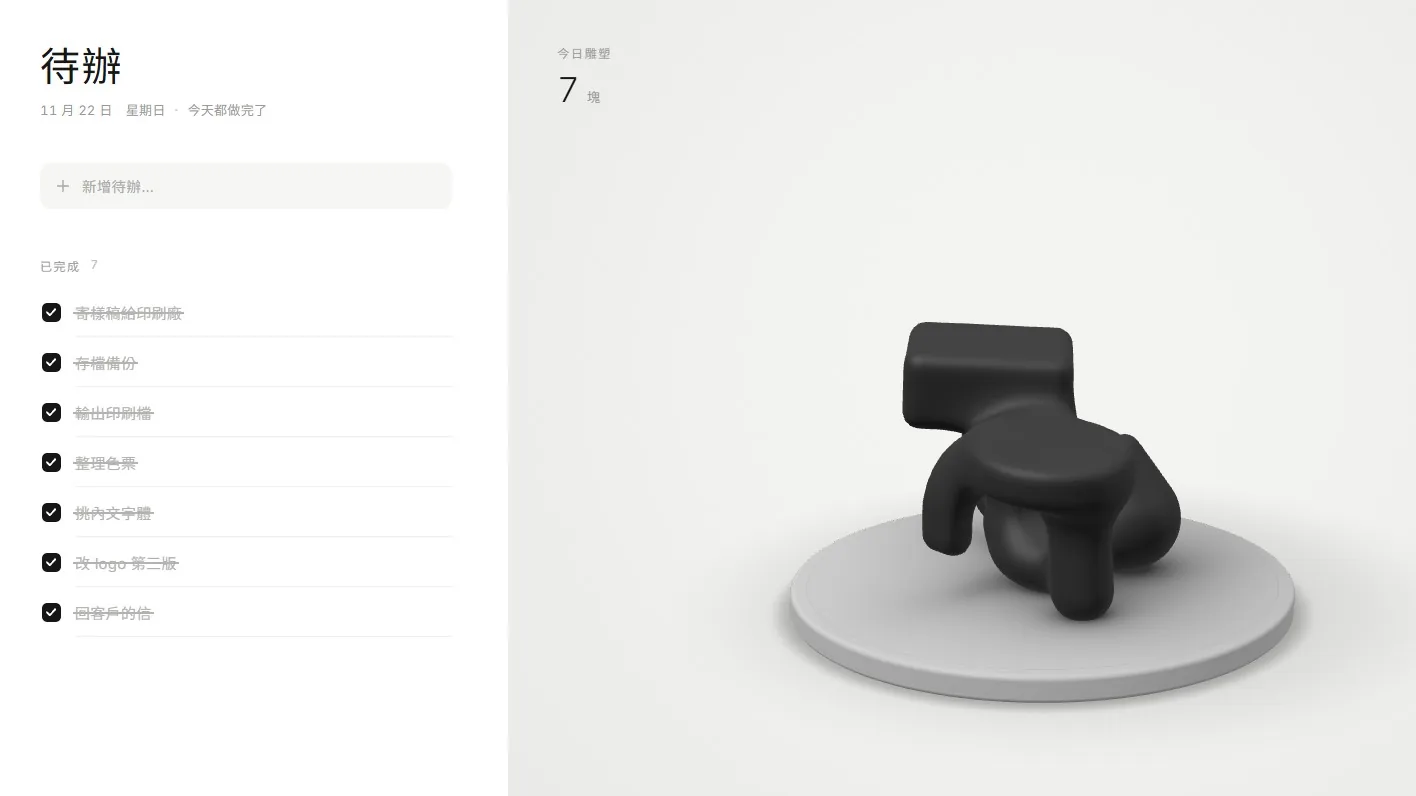
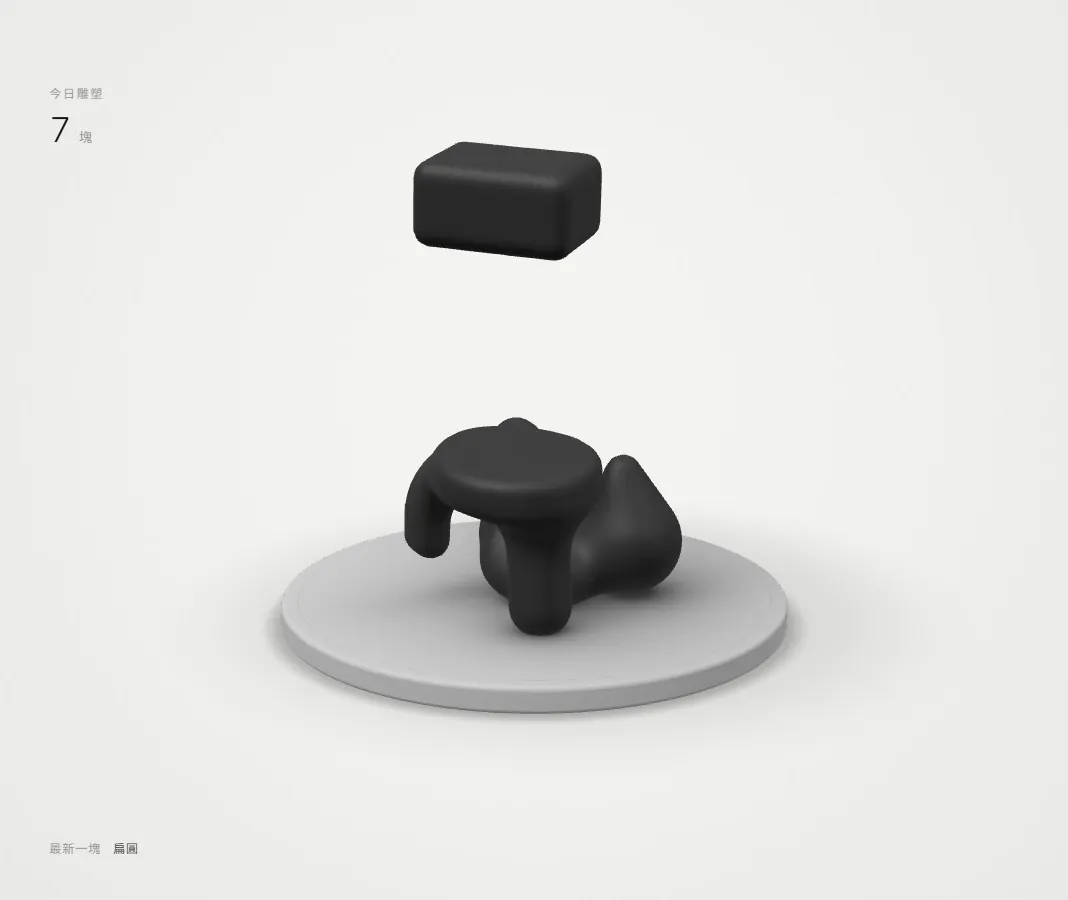
Tick "reply to the client" and a soft, matte-black shape drops from above onto a light grey disc, bounces once, settles and slowly melts into the pieces before it. Finish 7 tasks in a day and you have a sculpture grown from 7 pieces.
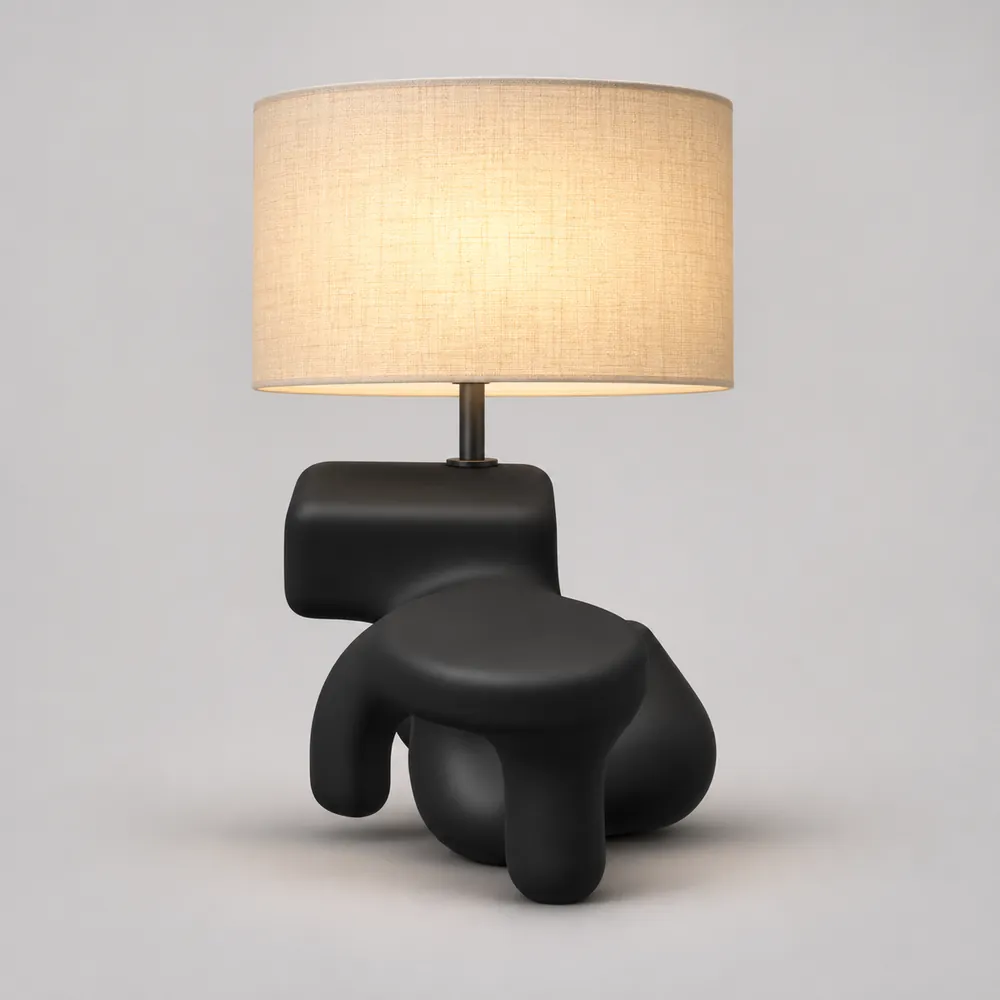
Claude Code wrote this to-do list from 2 prompts: the first builds the list and the 3D stage, the second adds a "Shape library" that keeps every day's sculpture. We did not change a line of its code. Below are both prompts in full (swap the [] parts for yours), what each one produced, a live version you can play with and a bonus: we gave the final sculpture to ChatGPT and asked it to turn it into a lamp, a handle and wall hooks.
01The result: tick a task, a shape drops
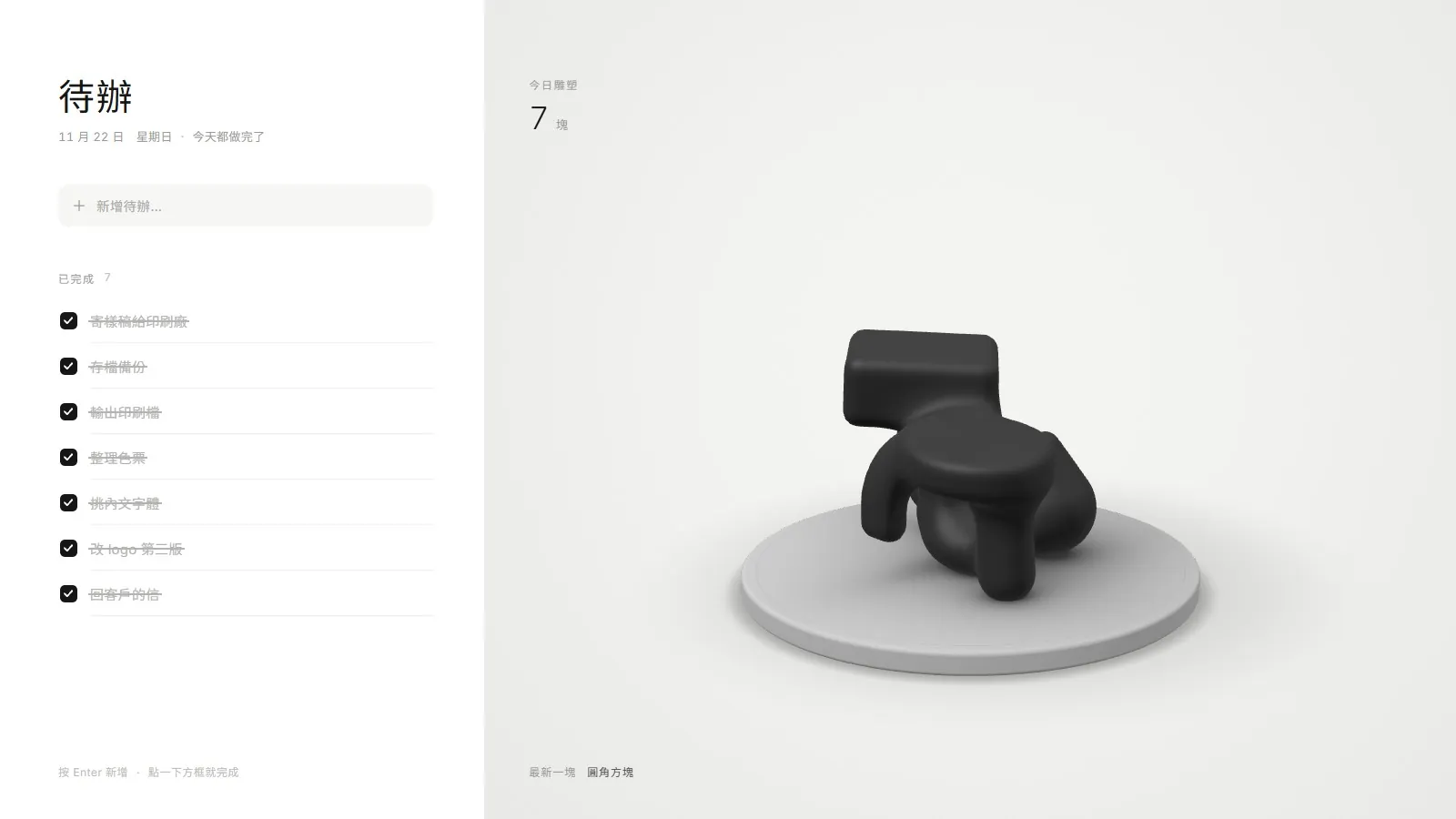
The whole site is static files: index.html, style.css, app.js, stage.js and library.js, plus three.js in lib/ and the fonts. Nothing to install and no database: put it on any static host and it works.
- Live demo: the to-do list that grows a sculpture — Open it on a computer and tick a task
The demo is the site exactly as Claude Code finished it after prompt 2; not a line of code was changed. To make it load faster we only did two things: removed the folder Claude used for its own tests, and cut the fonts down to the characters on the page. The folder went from 24 MB to about 1.8 MB.
02Set up: an empty folder with Claude Code open in it
- Make a new, empty folder, for example todo-sculpture.
- Open Claude Code in that folder.
- If you want the same fonts as ours, put Noto Sans TC and Inter in fonts/ first; you can skip this and it will use your computer's fonts.
- You don't need to download three.js yourself: add "load three.js from a CDN" at the end of prompt 1, or ask Claude Code to download it into lib/.
We also gave it a few technical conditions this time: three.js (r160) and the fonts were already in the folder, everything had to use local files, the page was a fixed 1600×900 with no scrolling, and it had to check its own work with screenshots in headless Chrome. None of that is design direction; you can just add the last one: "When you are done, take screenshots, check them and fix any problems."
03Prompt 1: the list plus a 3D stage that grows a sculpture
- Paste the prompt below (swap the [] parts for yours) and press Enter.
- When it is done, run npx serve in the folder (Node.js needed) and open the address it gives you in your browser. If you double-click index.html instead, the browser blocks local JavaScript modules and the page stays blank.
- Tick a task and watch the shape drop on the right.
Build me a single-page "to-do list that grows a sculpture". It does one thing: every time a task is completed, a new 3D shape drops in.

Layout:
- The left third is the to-do list: white, minimal, very quiet, like a well-made desktop app. At the top the title "[To-do]", below it one small line with today's date and how many tasks are left. Then a "New task…" input; Enter adds it to the list. Each row is a rounded-square checkbox plus the text; when ticked, the text fades, gets a strike-through line and moves down under "Done".
- Start with [6] things a [designer] does in a day: [reply to the client, logo revision 3, pick the body font, tidy the colour swatches, export the print files, back up the files].
- The right two thirds is a 3D stage (use three.js): a very light [off-white grey] background with a light grey disc in the middle, like a turntable in a photo studio, soft light and soft shadows.
- Each ticked task drops a new shape from above: [matte black], rounded edges, soft (rounded block, capsule, flat round, arch… different every time). The fall should feel physical: it hits, bounces once and settles, then slowly melts into the earlier shapes as one sculpture, with smooth curved joins (like metaballs or an SDF smooth union), not a few blocks stacked on each other.
- The sculpture turns very slowly on the disc. Unticking a task removes the last shape that dropped.

It should feel like an award-winning design tool: lots of white space, thin type, only [black, white and grey], and the sculpture is the heaviest thing on the screen. All text in [English].
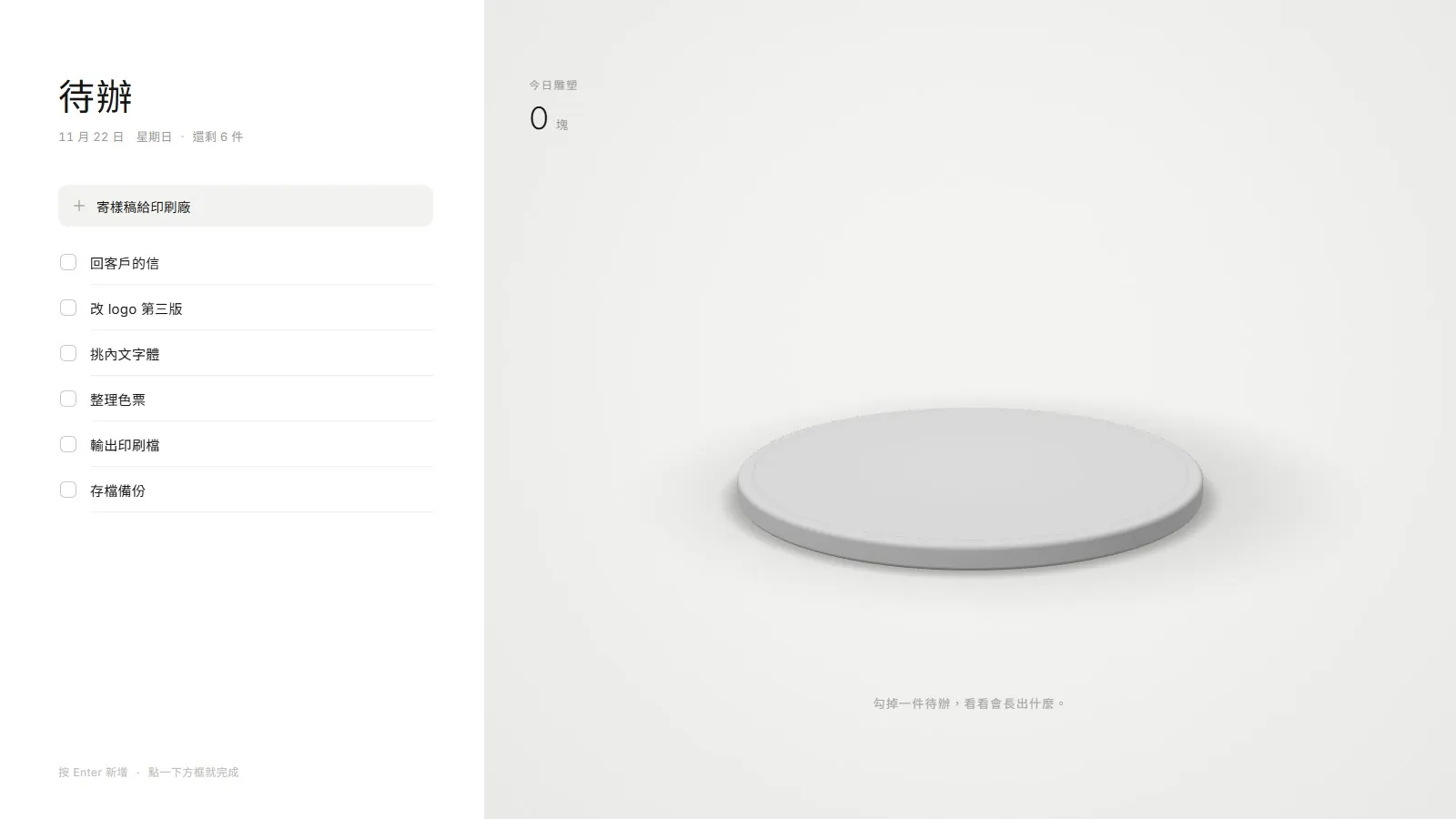
Claude Code wrote index.html, style.css, app.js and stage.js. There are 7 kinds of shape: rounded block, capsule, flat round, arch, pebble, ring and cone, and the first piece is always a wider, steadier base. Each one squashes a little as it lands, bounces, settles and melts into the sculpture over about 2 seconds. The bottom left says which kind the latest piece was.
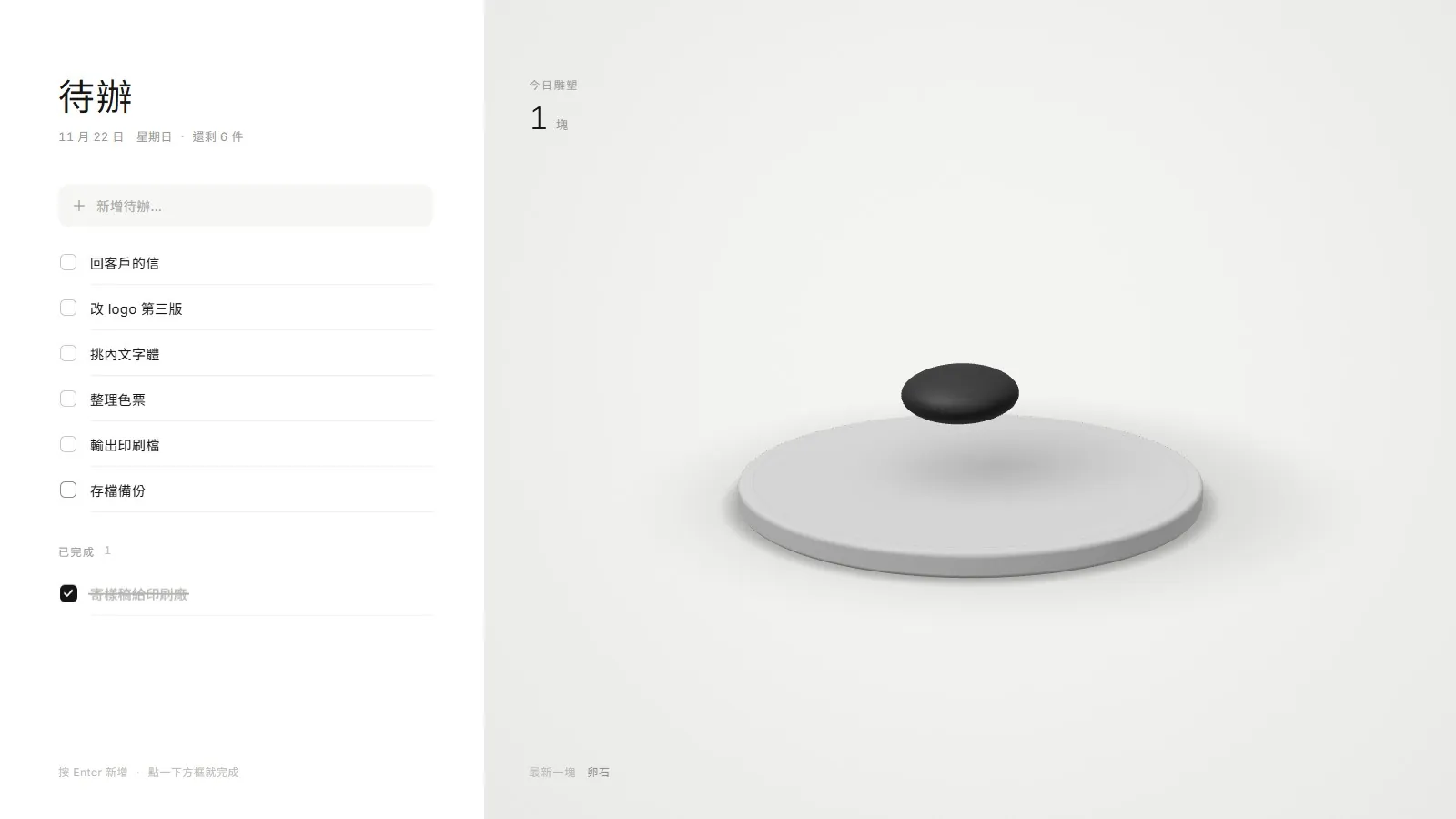
Here is how the melting works: the whole sculpture is one distance field (SDF). Each shape is added with a smooth union, so the joins grow soft curved surfaces by themselves, and JavaScript turns the field into a 3D mesh to draw. It first computed everything live in a shader, measured 0.45 to 0.9 seconds per frame in our test setup, found that too slow and switched to the mesh on its own.
04Prompt 2: add a "Shape library"
Paste prompt 2 in the same conversation. It adds the feature to the existing files instead of starting over.
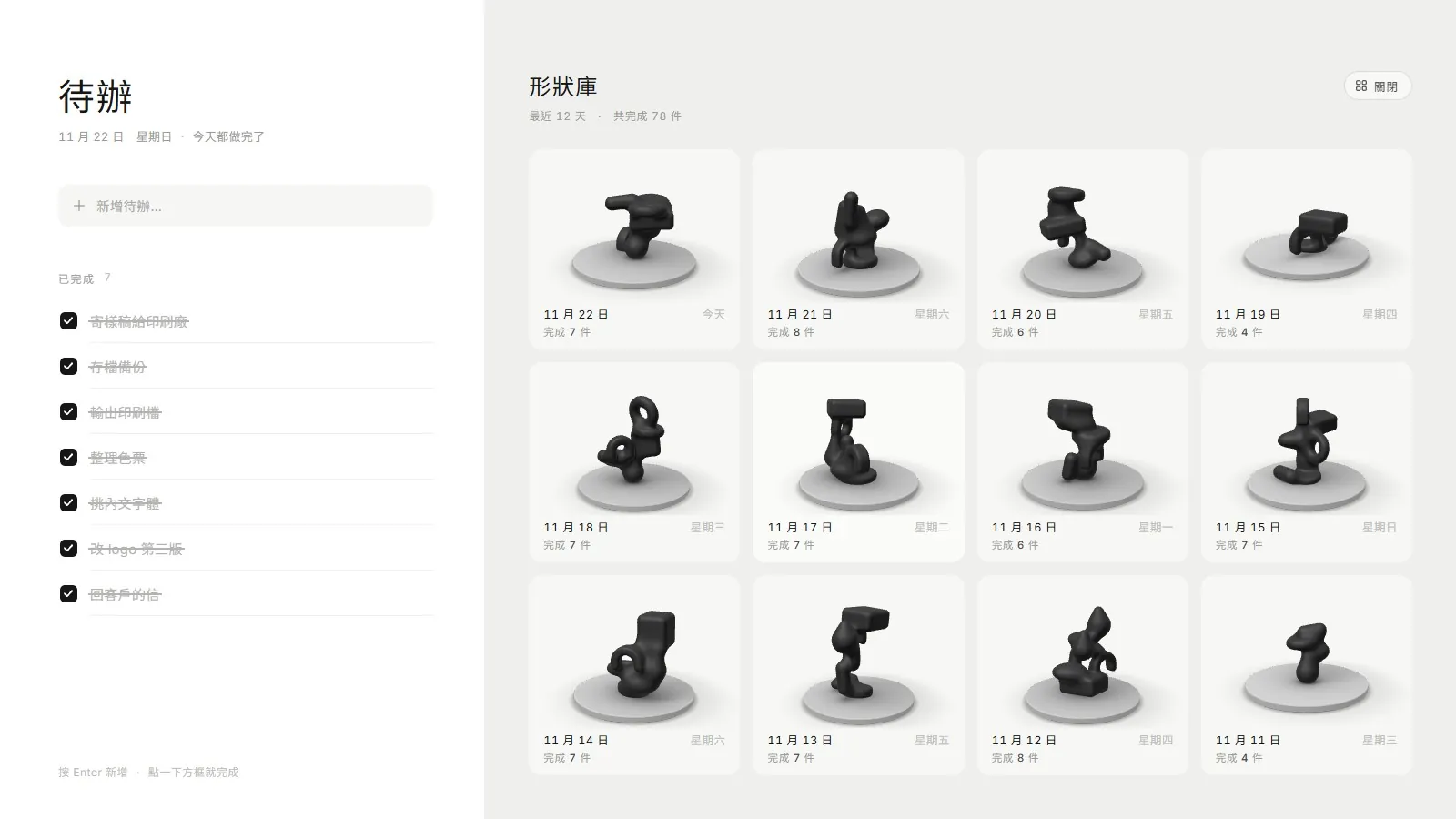
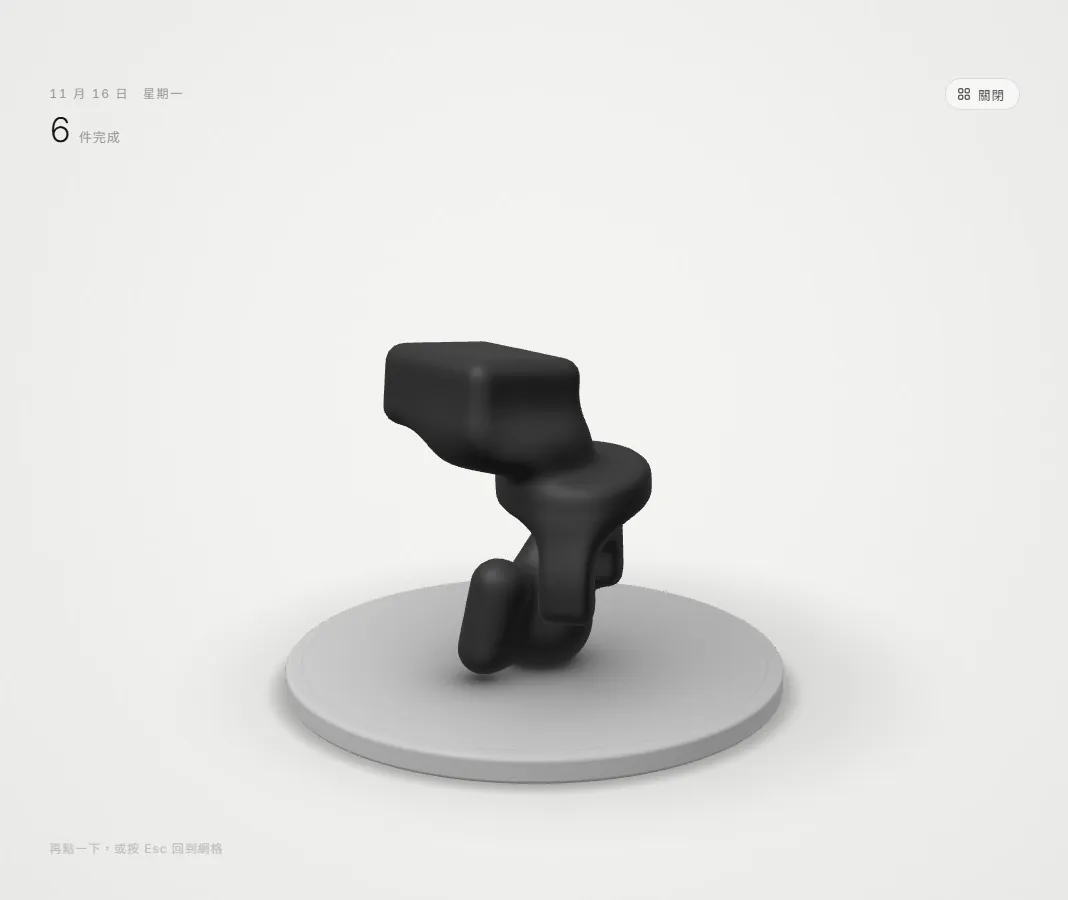
Add a "Shape library": save every day's finished sculpture (in localStorage). Put a small "Shape library" button in the top-right corner of the stage. It opens a full grid where each cell is one day's sculpture: a small 3D thumbnail, the date and how many tasks were done that day. Clicking any cell opens it large, slowly turning on the disc; click again or press Esc to go back to the grid. For the demo, start with [11] days of sample sculptures (grown at random the same way as today's, [4 to 9] tasks each), with today's sculpture in the first cell.
It wrote a new library.js and changed the other 4 files. A "Shape library" button appears at the top right of the stage. It opens a 4×3 grid; each cell is a small turning sculpture with the date, the weekday and "N done".
05Bonus: ask ChatGPT to turn the final sculpture into products
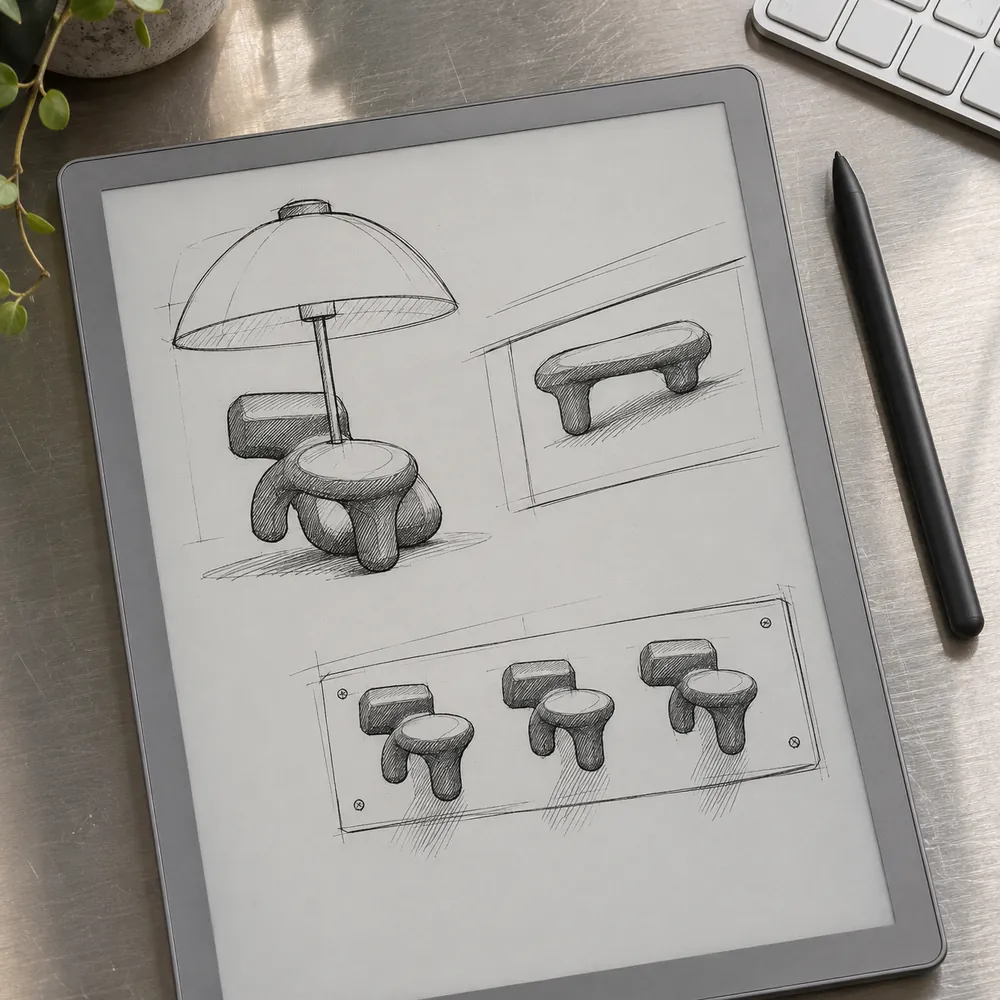
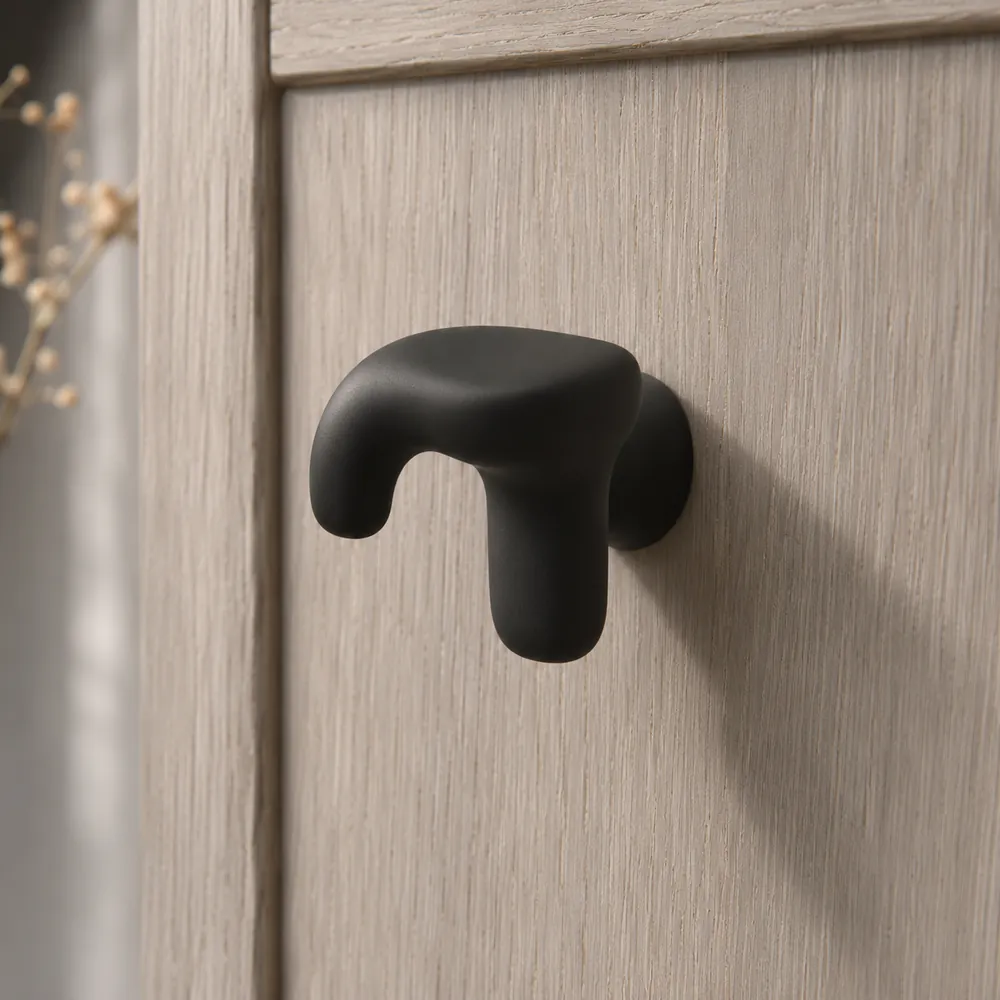
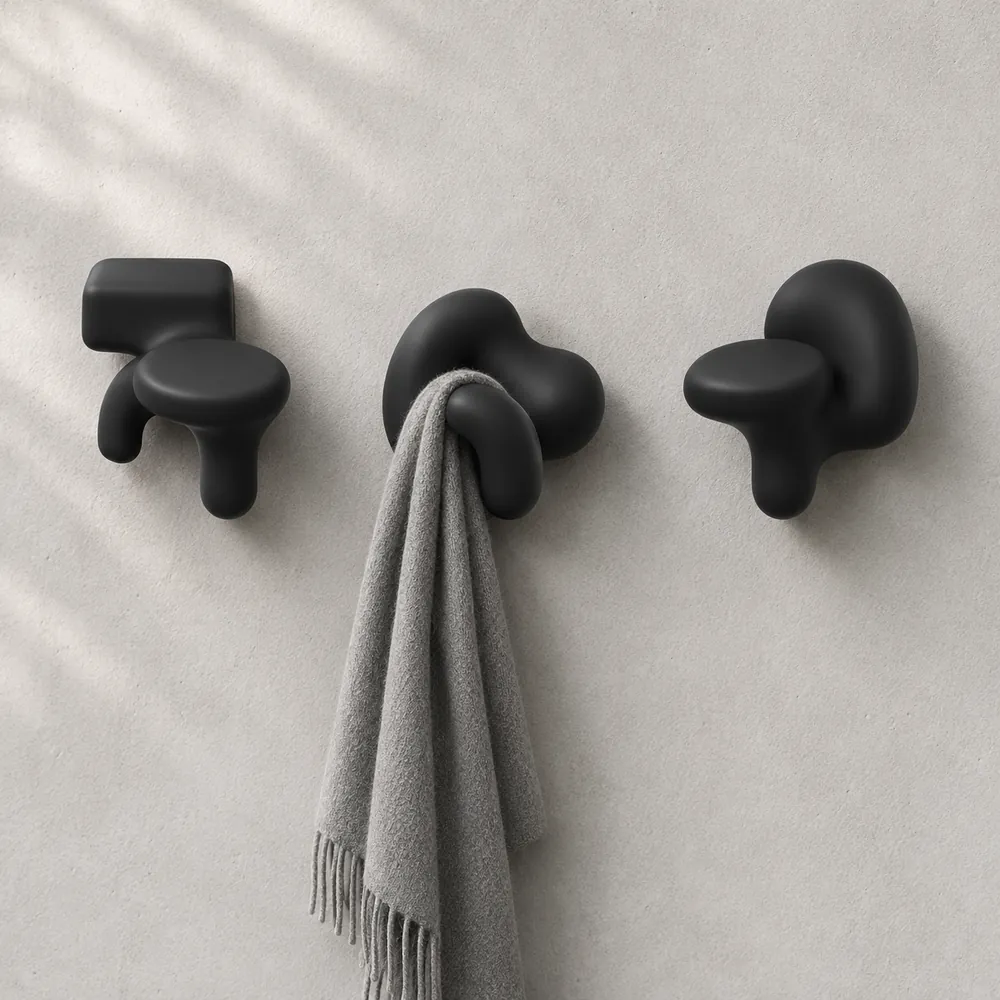
The final shape can be a starting point for design. We took a screenshot of the 7-piece sculpture this page grew, gave it to ChatGPT and asked for product ideas. The 4 images below are concept images generated by ChatGPT, not real products.
- Take a screenshot of the sculpture on the page, keeping only the sculpture and the disc.
- Open ChatGPT, attach the screenshot and paste the first prompt (swap the [] part for the products you want).
- In the same conversation, ask for the lamp, the handle and the hooks, one image at a time.
This black sculpture was grown by my to-do list app: every finished task dropped one soft matte-black shape and they melted together. Treat it as a starting point for product design. Make a square photo, seen from above at a slight angle, of a grey e-ink drawing tablet lying on a brushed stainless-steel desk, with a black stylus beside it and the corner of a white keyboard. On the tablet screen: quick, confident black ink line sketches that turn this exact silhouette into three product ideas: [a table lamp whose base is this form, a cabinet handle, and a set of wall hooks]. Loose designer sketch style, a few construction lines. No text or labels, no hands, no people, no logos.
Now a product render: [a table lamp] whose base is exactly this sculpture (same silhouette, matte black, soft rounded joins), with [a simple warm-white linen drum shade, switched on with a soft glow]. On a light grey seamless studio background with a soft contact shadow. Minimal, premium, like a design-award product photo. Square. No text, no logos.
The attached black sculpture was grown by my to-do list app (every finished task dropped one soft matte-black shape and they melted together). Treat it as a starting point for product design: [a cabinet handle] made from one part of this sculpture's form (same soft rounded joins), matte black, mounted on [a pale grey-oak cabinet door], close-up product photo with soft side light. Square. No text, no logos.
Last: [a set of three wall hooks], each one a different soft piece of this sculpture, matte black, mounted in a row on [a light concrete wall, one holding a grey wool scarf]. Soft daylight product photo. Square. No text, no logos.
06Make it your own list
- Your work: swap the 6 tasks in prompt 1, for example a student's "hand in the report, learn vocabulary" or a shop's "restock, reconcile the till".
- Colour: the sculpture doesn't have to be black. Change [matte black] and [black, white and grey], for example to "matte terracotta" with "off-white and taupe".
- Shapes: write the shapes you want in the brackets, for example "stars, drops, petals".
- Already built and only want small changes: tell Claude Code "keep every feature, only [turn the shapes into coloured glass]".
07Good to know
- The page was only built and checked for a 1600×900 desktop. When we shrank it to phone width (390 px) in headless Chrome, the 3D stage on the right was squeezed out of view. For phones, add "it must also work well on a phone in portrait" to the prompt.
- The list and the shape library live in the browser's localStorage: a different browser or computer, or clearing the site's data, and they are gone.
- The 11 days in the shape library are samples the code grows at random, not anyone's real tasks. The page does not label them; for your own use you can ask it to "remove the samples".
- The demo's fonts only keep the characters already on the page, so new tasks you type may show in your computer's own font. Your own build is not affected.
- We gave both prompts, word for word, to a fresh Claude Code agent; it was not filmed in a terminal. The terminal screen in the reel is a re-typeset illustration.
- The lamp, handle and hook images are ChatGPT concept images, not existing products. Check your tool's terms of use before using AI images commercially.
- The fonts are Noto Sans TC and Inter (SIL OFL, free for commercial use).
- Claude Code gives a slightly different result every time; go by the files you get.