Claude Code built a tactile UI component library: spinning cassette, hold to delete, printed receipt (prompt + demo)
One prompt, 7 web components that feel like real objects: cassette, hold-to-delete, checkout receipt, drop zone. Full prompt, code and live demo.
Watch the reel on InstagramComment #元件 to get this guide
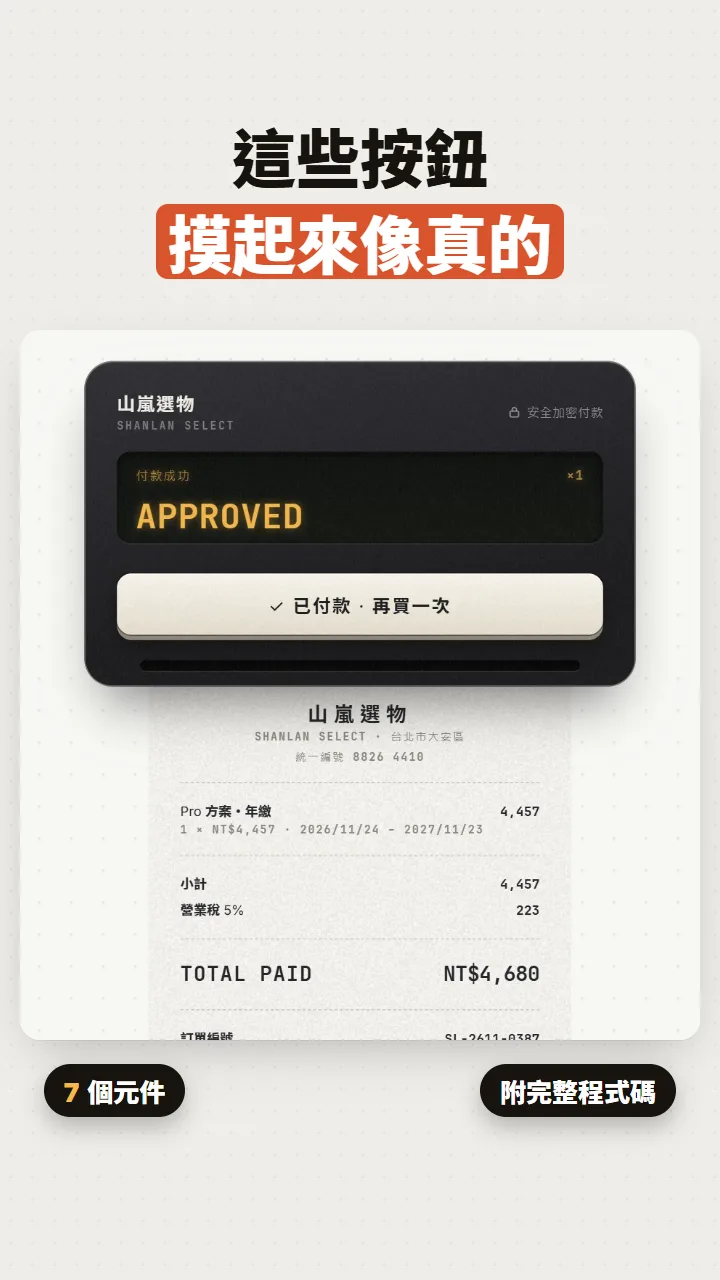
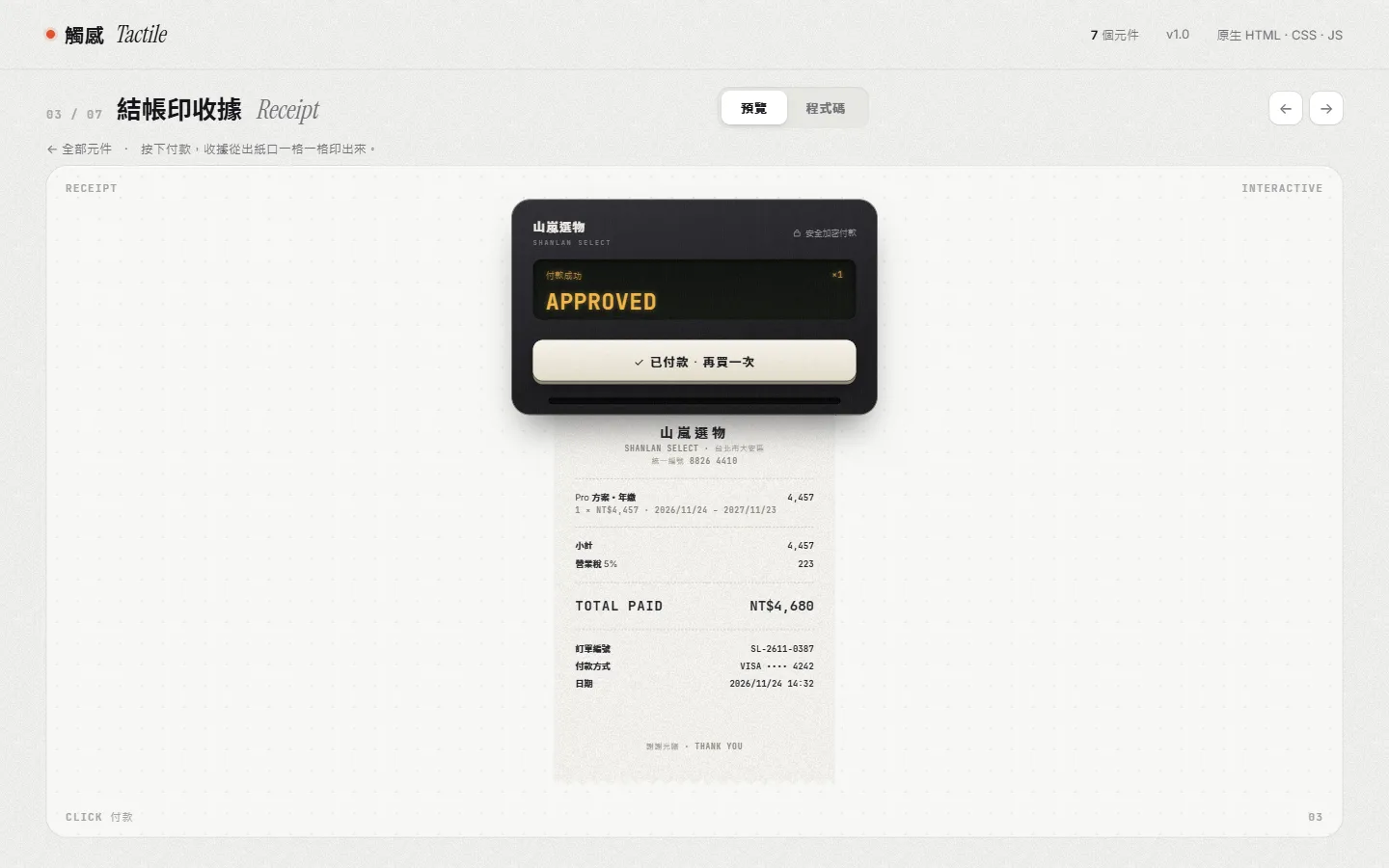
These 7 buttons and widgets feel real: the cassette reels turn, the delete button only works if you hold it, and pressing Pay prints a receipt out of a paper slot line by line. Claude Code built all of it from one prompt, and we did not change a single line of its code.
In this guide: the full prompt (swap the [] parts for yours), what each component looks like, why writing the prompt this way gives you far more detail, and the live library you can play with on a computer. "Shanlan Select" (山嵐選物) is a fictional shop.
01The result: a whole library of tactile components
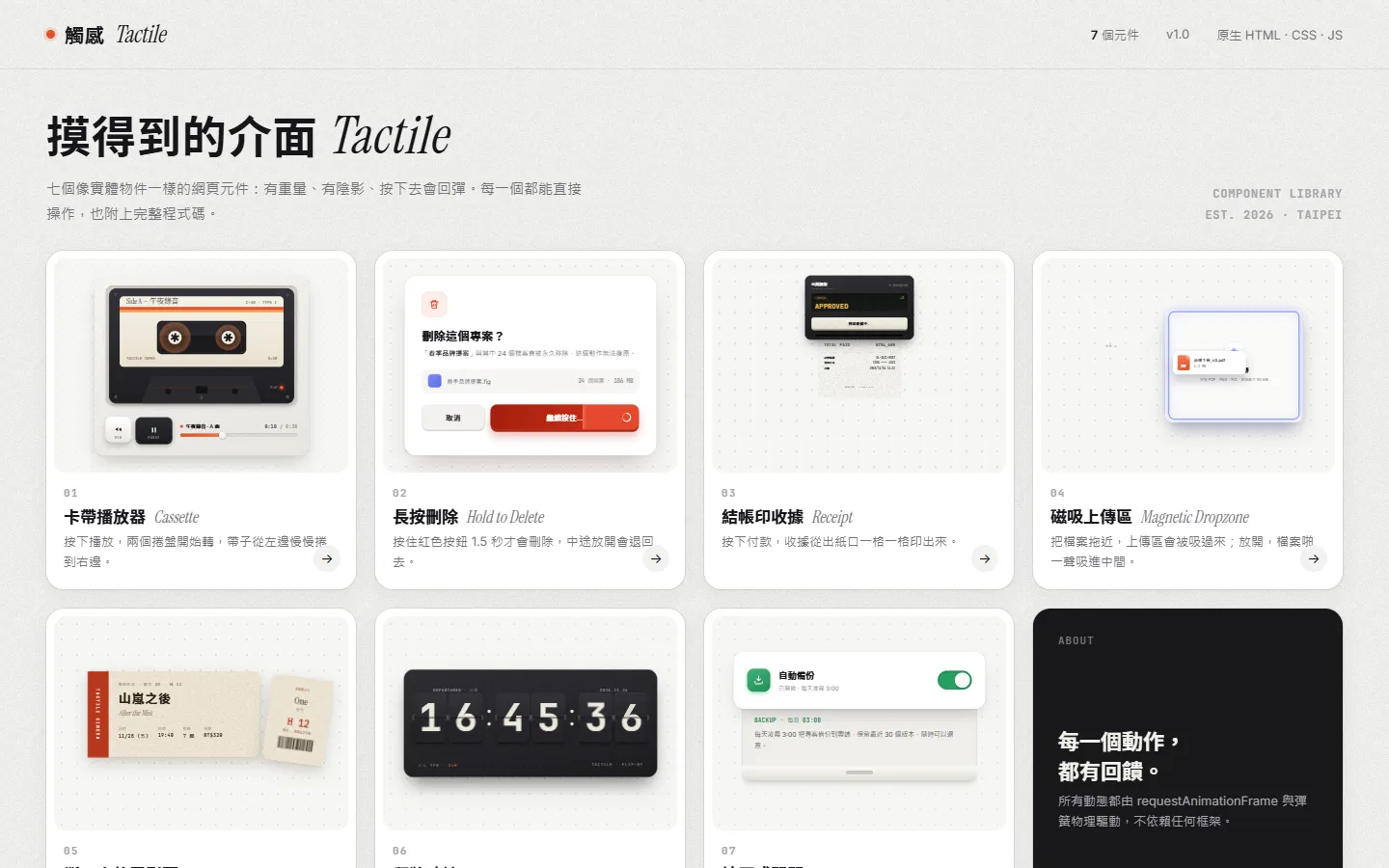
The library is called "Tactile" (觸感) and is just static files: index.html, styles.css, core.js, app.js and one .js per component in components/. No install, no database; put it on any static host. Each component page has Preview / Code tabs, and the code copies in one click.
- Live demo: the Tactile component library — Open on a computer, click a card, then hold and drag to play
02Paste this prompt
- Make an empty folder and open Claude Code in it.
- Put your font files in fonts/ (we used Inter, Noto Sans TC, JetBrains Mono and Instrument Serif, all free fonts).
- Paste the prompt below, swapping the [] parts for your shop, plan and number of components.
- Let it write and test everything, then open it with a local server.
Build me a "tactile" web component library called "[Tactile]". Every component should feel like a physical object you can touch: weight, shadows, a spring-back when pressed, and so many details that people want to keep playing with it.

Make [7] components, each one fully working:
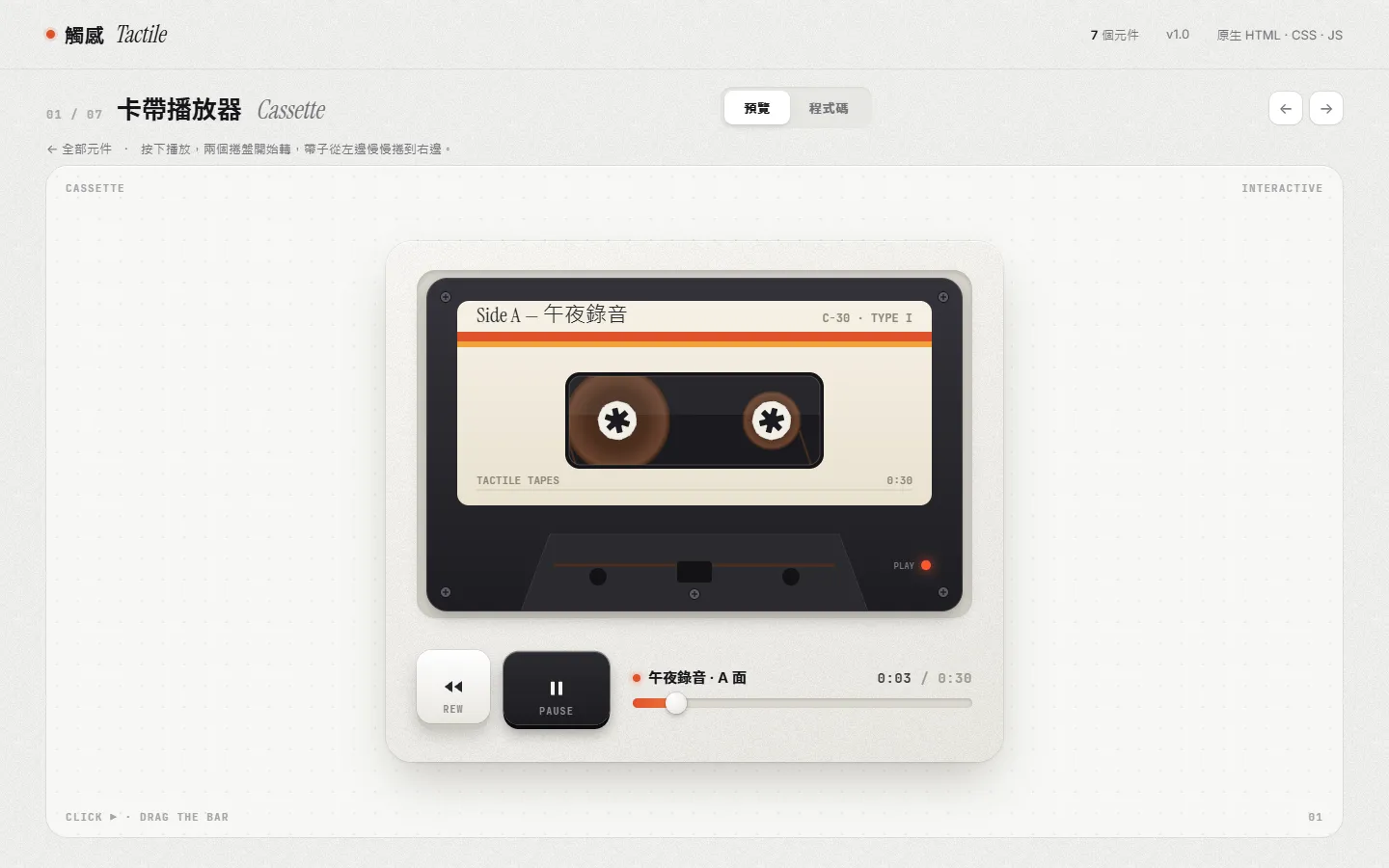
1. Cassette player: a cassette; press play and both reels turn, the tape on the left shrinks while the right grows, with a progress bar and time (0:00 / 0:30), and it can pause.
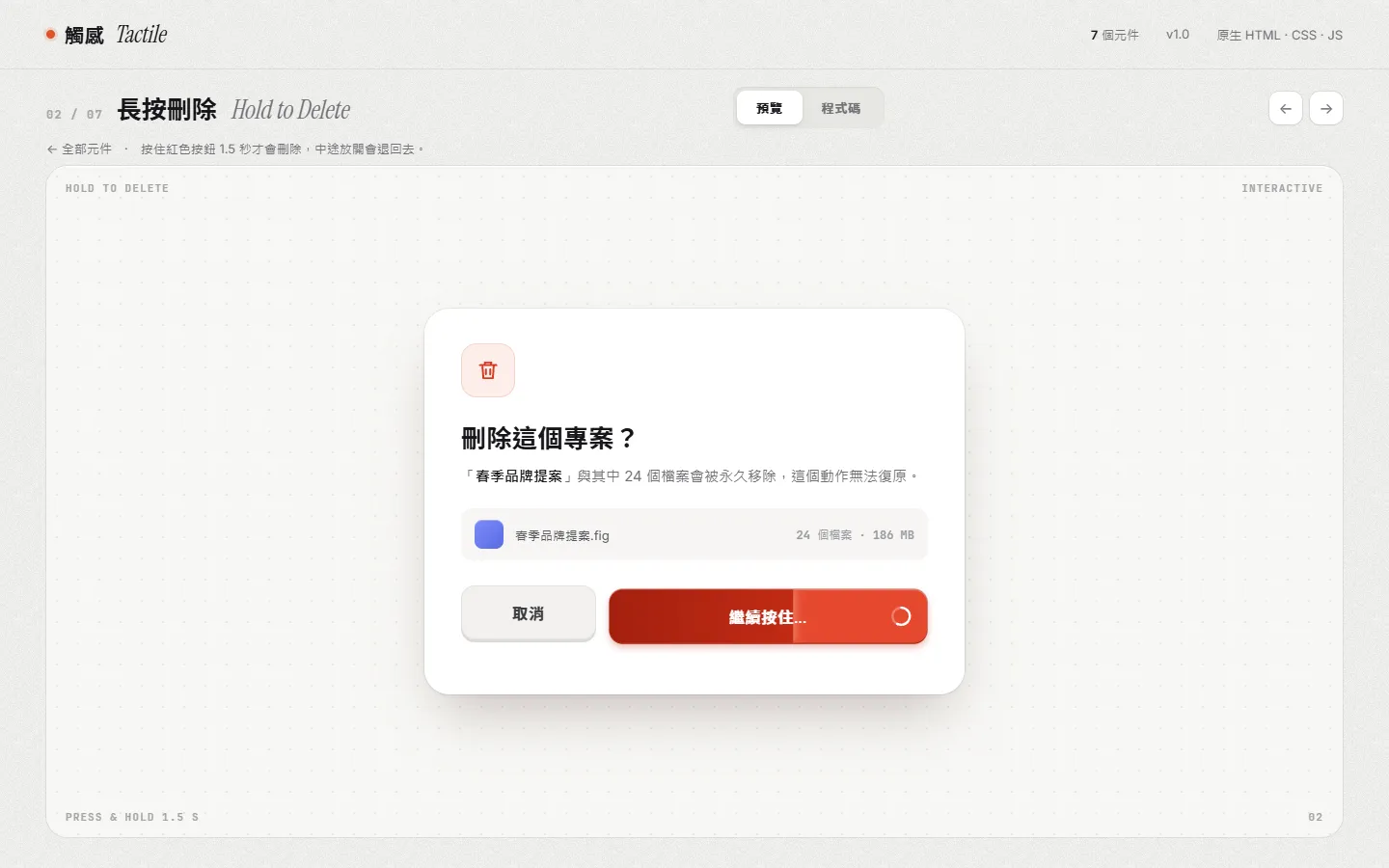
2. Hold to delete: a "Delete this project?" confirm card; the red button must be held for about 1.5 s to delete. While held, colour fills from left to right; let go halfway and it slides back; when full it turns into a "Deleted" check.
3. Checkout receipt: a dark checkout card like a cash register ("[Pro plan, yearly NT$4,680]", fictional shop name "[Shanlan Select]"). Press "Pay", show processing, then a white receipt slowly prints out of the card's paper slot and slides down: item, subtotal, tax, TOTAL PAID, order number, payment method, date and a barcode at the bottom.
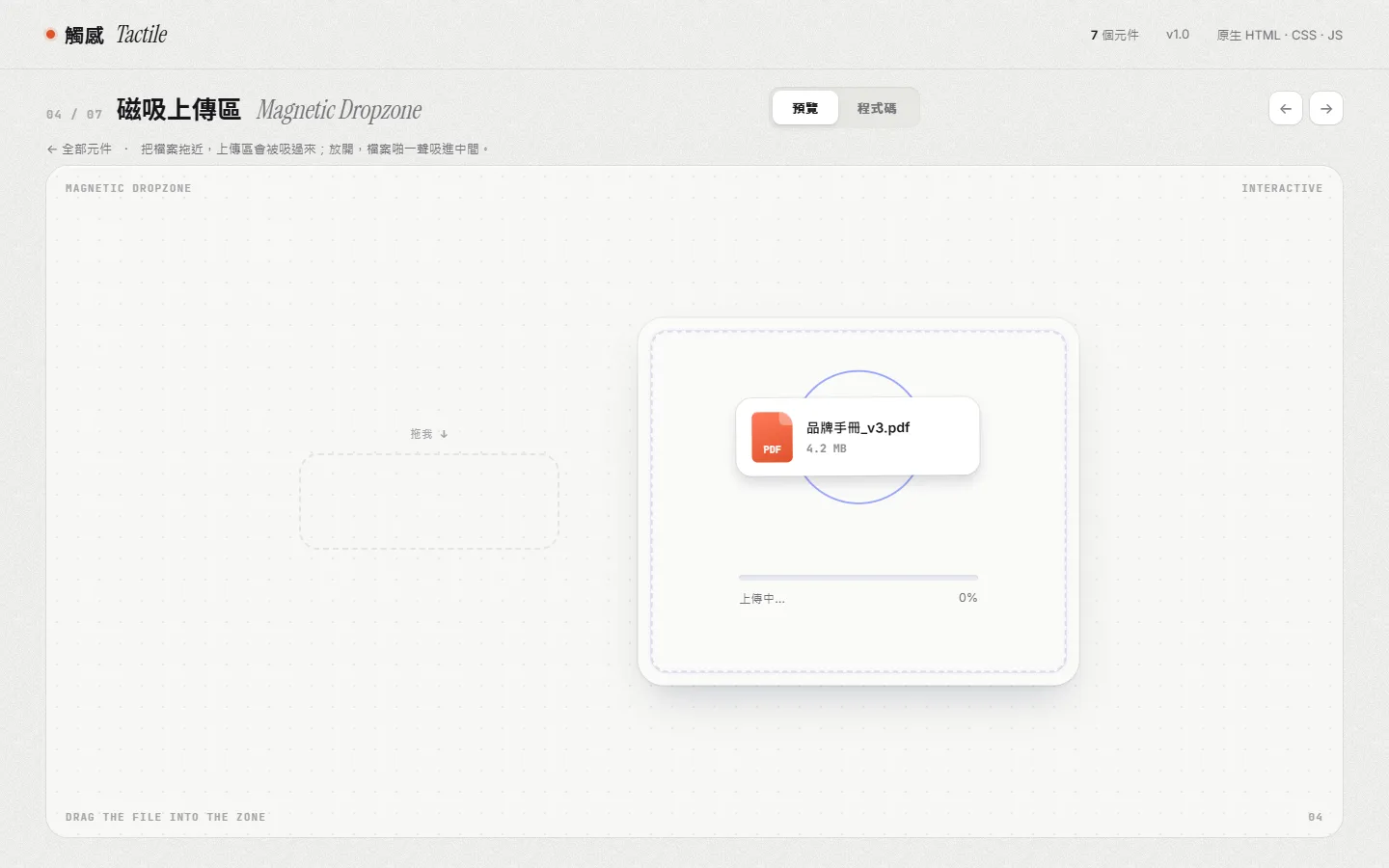
4. Magnetic drop zone: when a file is dragged close, the zone leans toward it and its border lights up; on release the file card snaps into the middle and shows the file name and size.
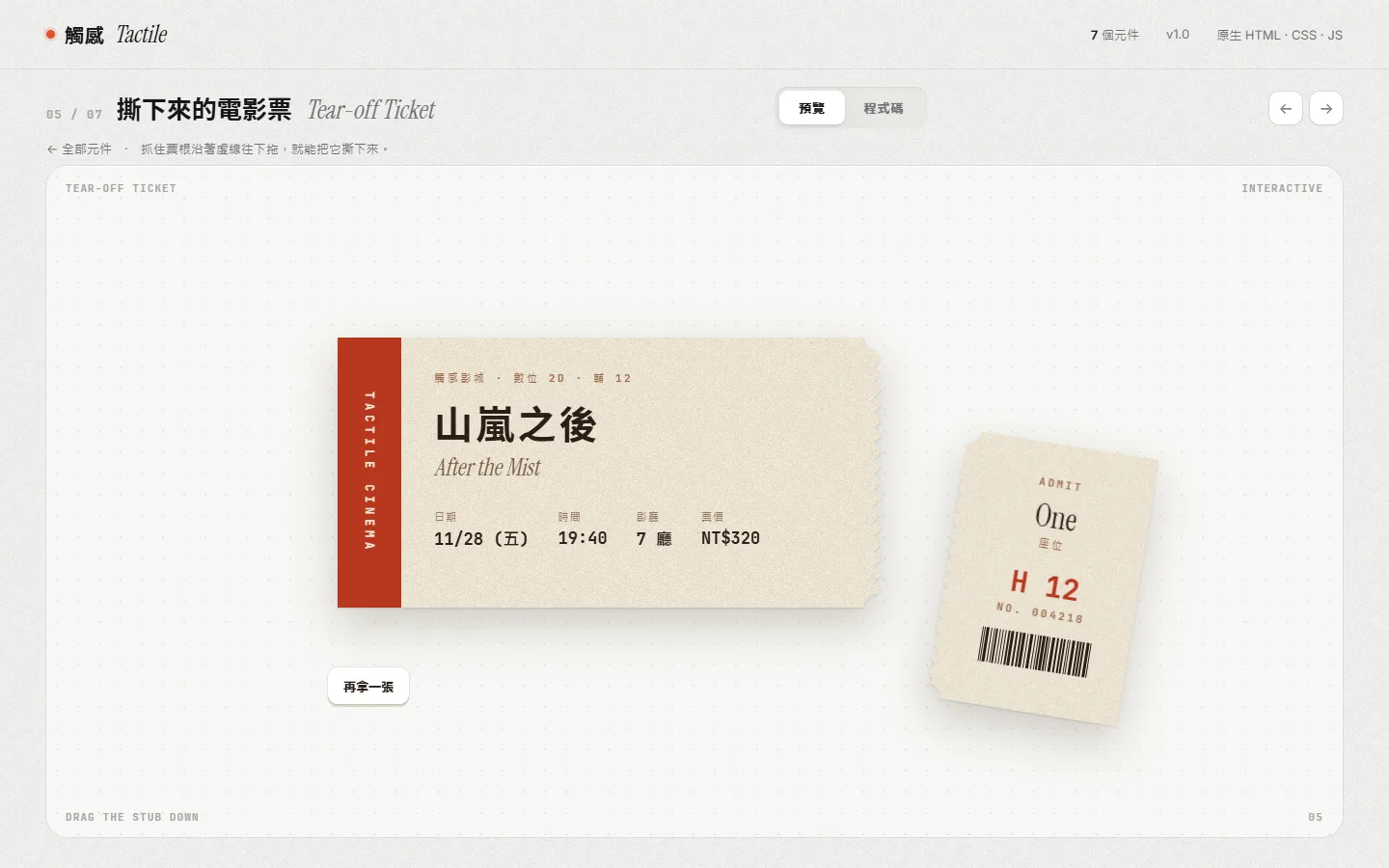
5. Tear-off movie ticket: drag down along the dotted line to tear off the stub; the torn edge is jagged.
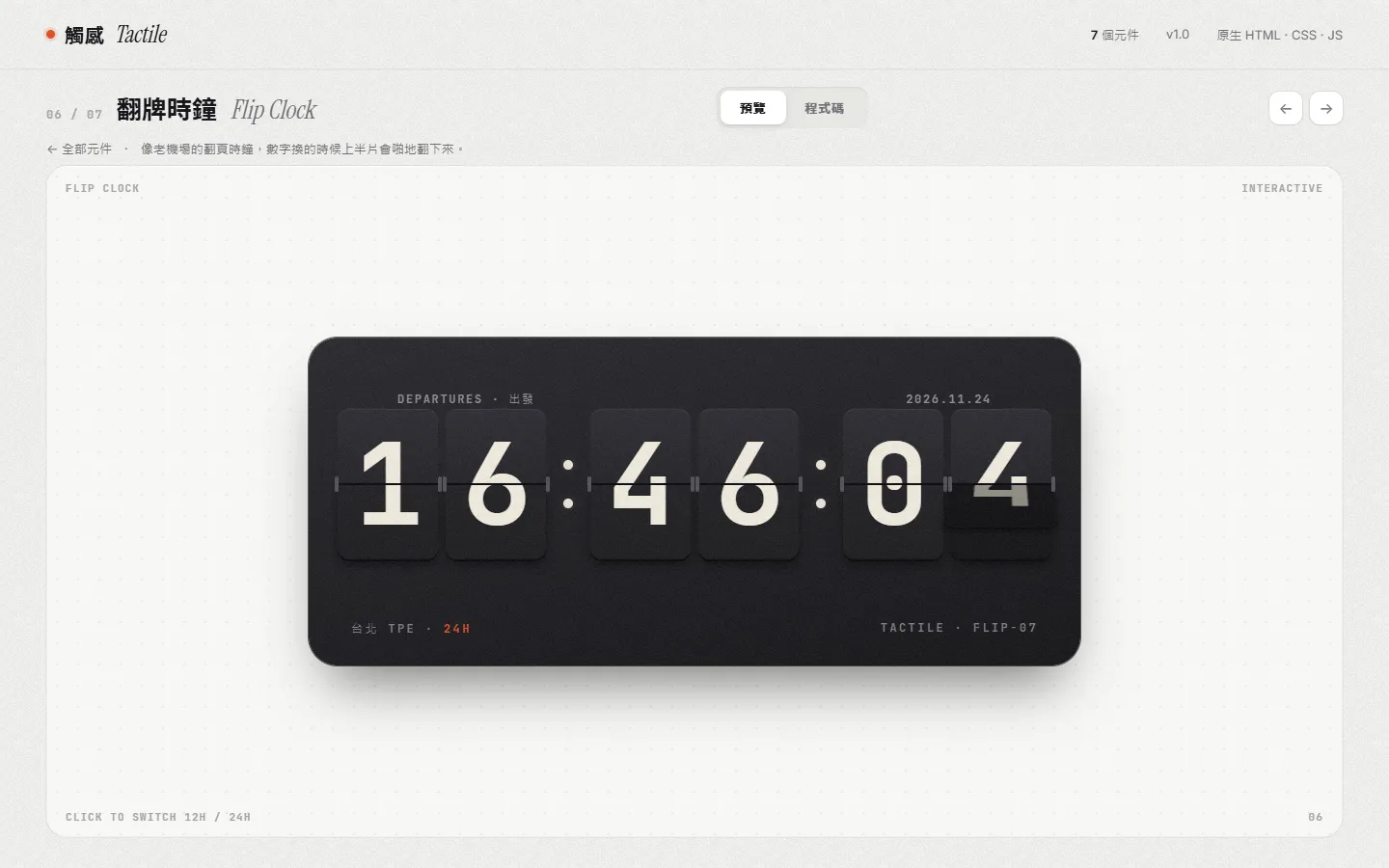
6. Flip clock: like an old airport split-flap clock; when a digit changes, the top half flips down.
7. Drawer switch: a toggle that, when turned on, slides open like a small drawer showing one line of setting description.

Pages:
- Home is the component overview: light off-white canvas background, a grid of cards, each with a small live preview of the component + name + one-line description.
- Clicking a card opens the component page: the component big and centred, with "Preview / Code" tabs on top; the Code tab shows the component's real full code (syntax highlighted), with a "Copy" button top right that changes to "Copied".
- All UI text in [Traditional Chinese (Taiwan)]. Clean, premium, like a luxury design-system site; the components themselves feel crafted (fine shadows, subtle texture, precise type).
- Plain HTML / CSS / JS, no build step, no CDN; fonts in a fonts/ folder.
03What the 7 components look like
04The trick: say what physical object it is, and how each step feels
Write "make a delete button" and Claude gives you a plain red button. This prompt opens by asking every component to feel "like a physical object: weight, shadows, a spring-back", then spells out each interaction step by step.
- Name the real object: a cash register, a cassette, an airport flip board, a drawer.
- Give timing and direction: hold 1.5 s, fill left to right, slide down out of the slot.
- Say what happens if you let go halfway: slide back, spring back. These small details make it feel tactile.
- Describe the end state: which lines the receipt has, showing file name and size after upload.
05Copy the code into your project
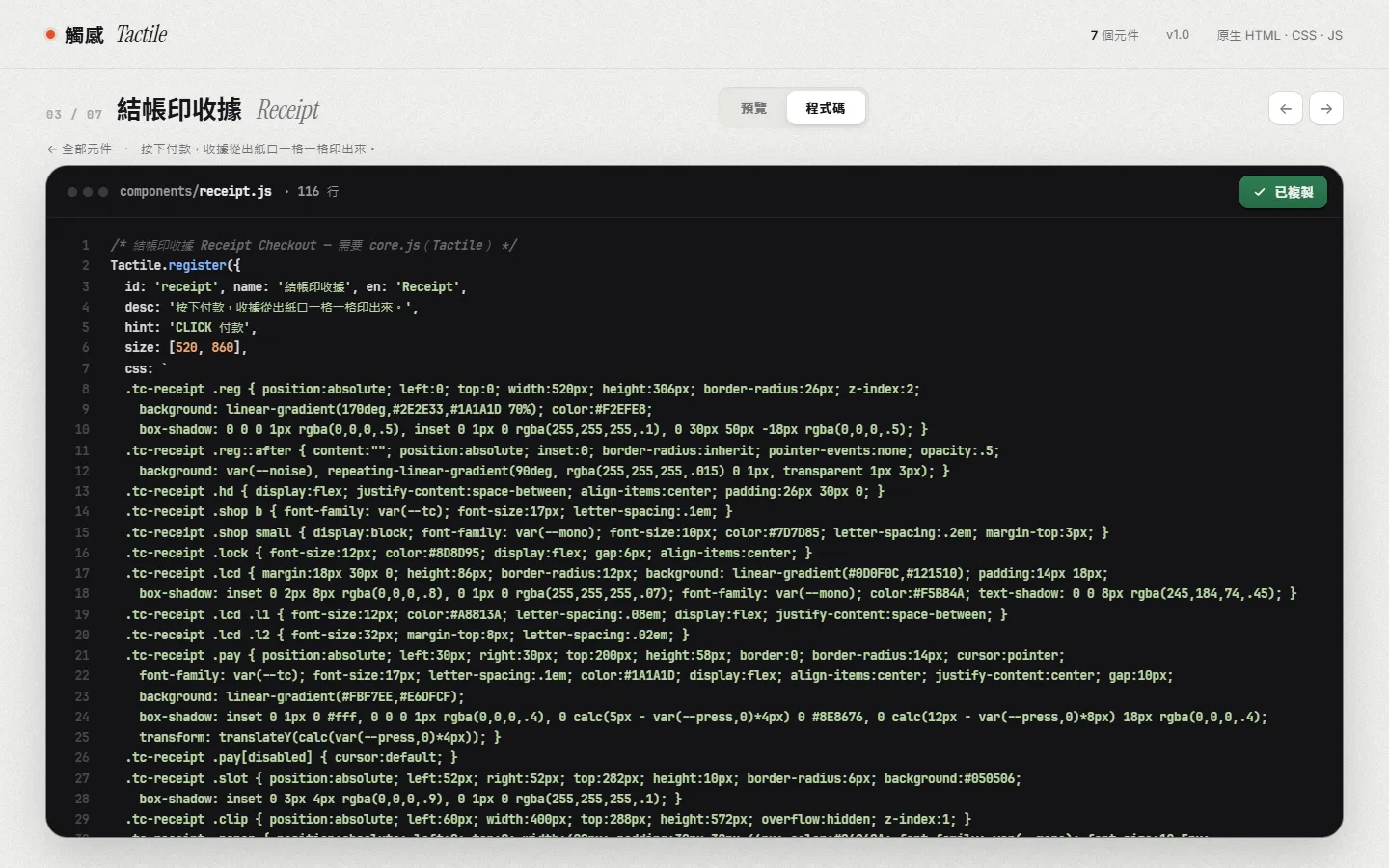
- In a terminal, go to the folder, run npx serve (or any local server) and open index.html in the browser.
- Click a card to play, switch to Code, press Copy and paste into your project.
- Want more? In the same chat say: "Add one more [___], just as tactile."
06Good to know
- Use a local server: if you double-click index.html, the Code tab can't load the component files.
- The components use mouse events, so play on a computer; not every one is smooth on a phone.
- The receipt's shop, amounts and card number are practice data; replace them, and don't use it as a real payment flow.
- Every Claude Code run comes out a bit different; if something doesn't feel right, tell it exactly which step to change.