Write a Vox-style collage animation with Claude: ChatGPT cut-outs, one sentence edits the whole thing
ChatGPT draws engraving-style cut-outs on magenta; Claude codes the torn-paper, halftone, parallax animation. Put it all in a config and one sentence edits it.
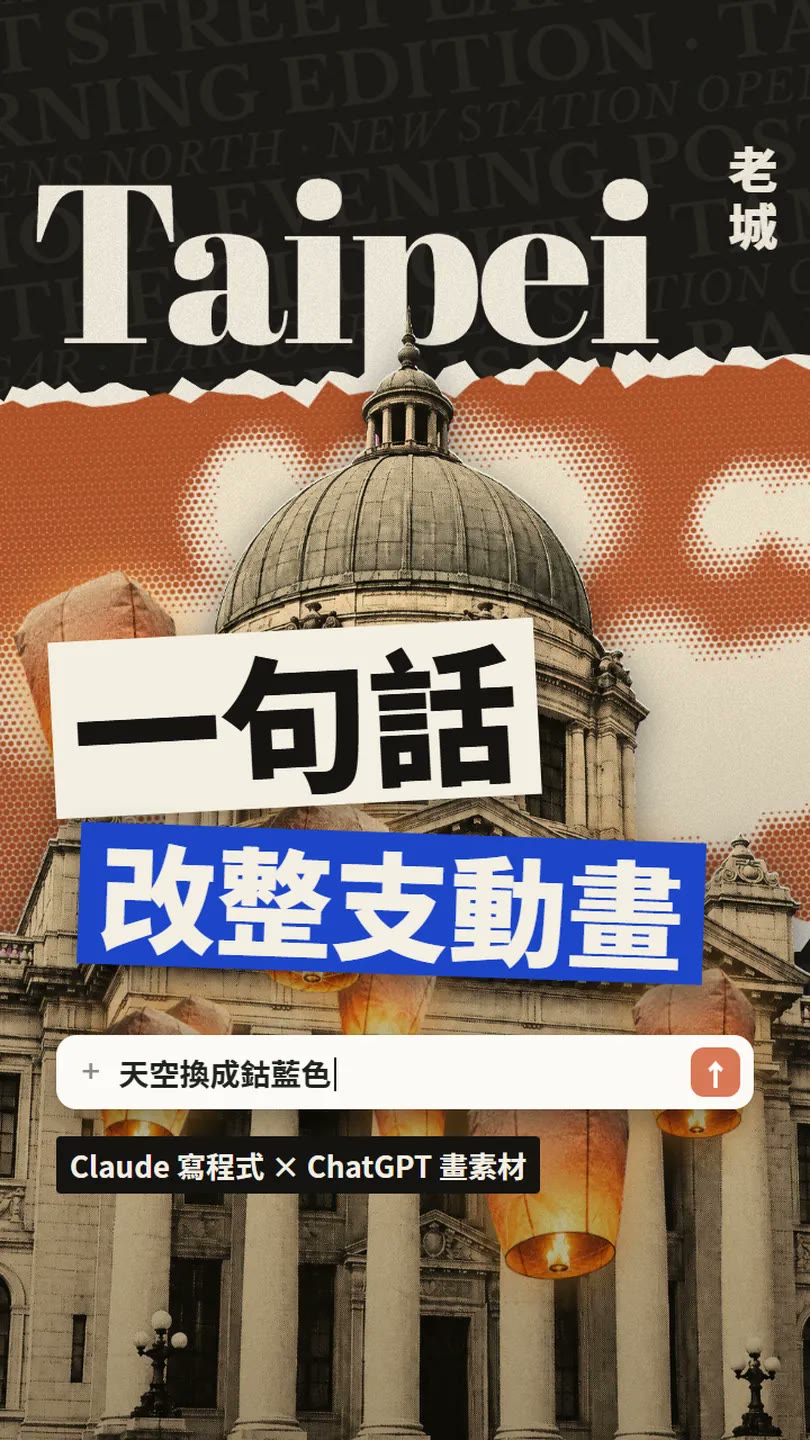
A Vox-style animation (the collage explainer-video look): torn paper, halftone skies, black-and-white engraved cut-outs and slowly drifting layers used to mean hours of keyframing in After Effects. Using our demo "Taipei 老城", this guide breaks it into 3 steps: ChatGPT draws the cut-outs, Claude writes the HTML collage animation, then one sentence edits the whole thing. No AI video model was used at any point. Every image below was re-exported from the same code.
01The result: "Taipei 老城"
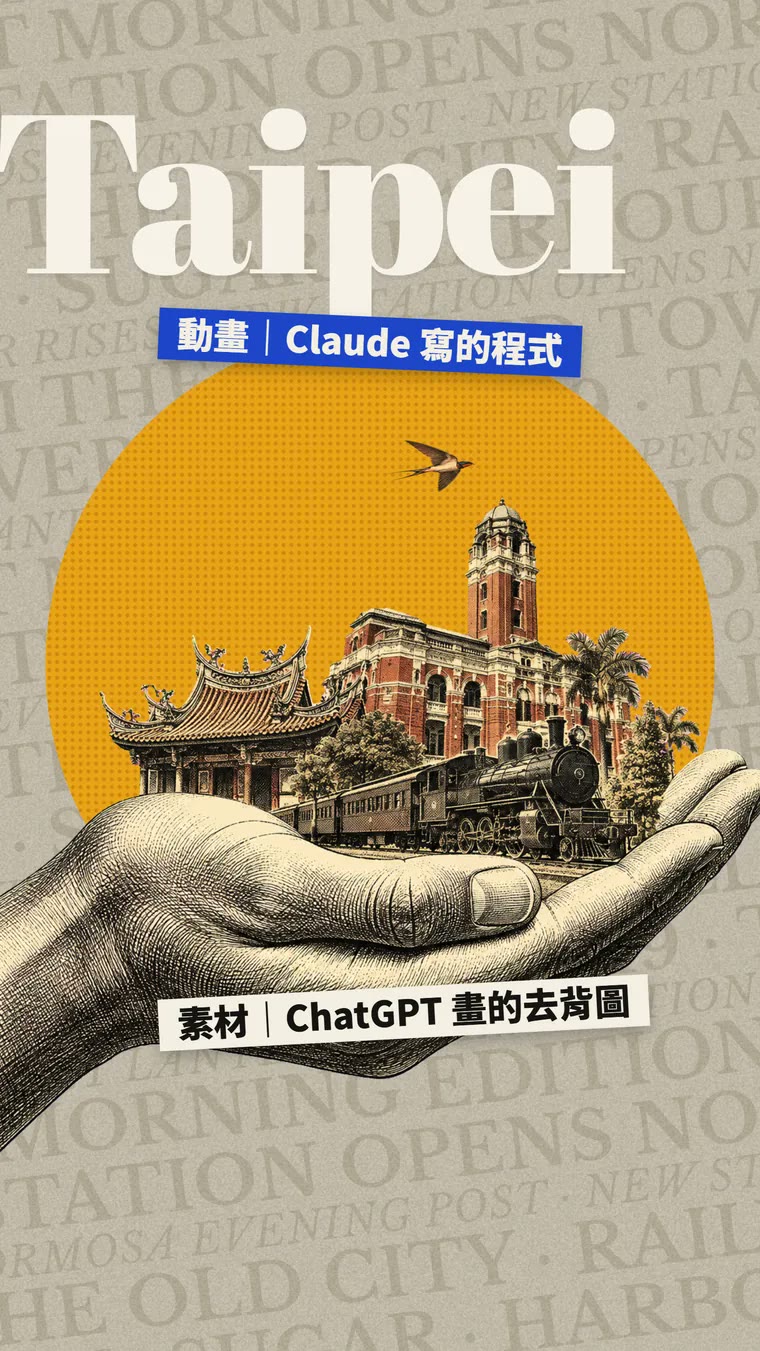
This is the demo we made for Reels: a dark old-newspaper background, a huge "Taipei 老城" wordmark, a torn strip of halftone sky, an engraving-style domed building rising from below, and an egret and swallows drifting past.
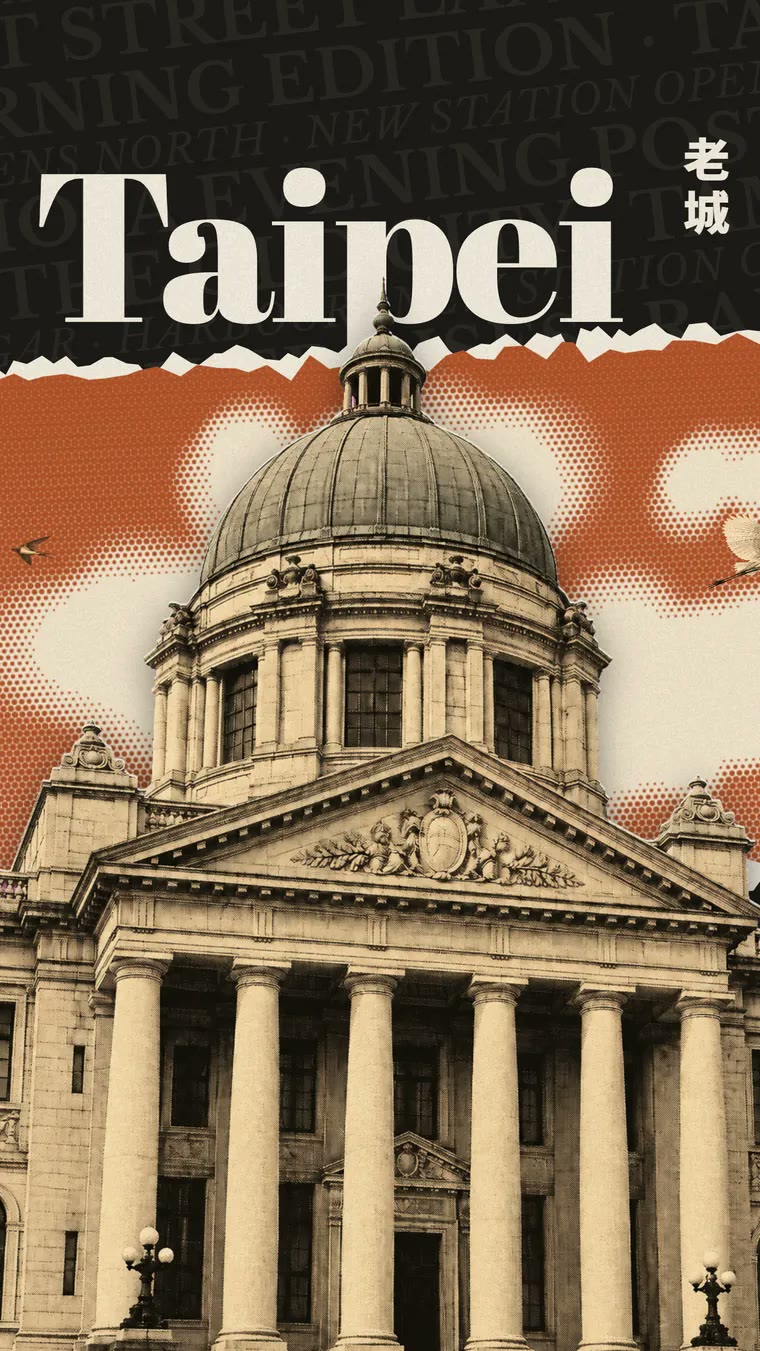
- Assets: the buildings, hand, train, lanterns, birds and smoke were all drawn by ChatGPT, then keyed out.
- Everything that moves (torn paper, halftone, parallax, transitions, wordmark) is HTML code written by Claude.
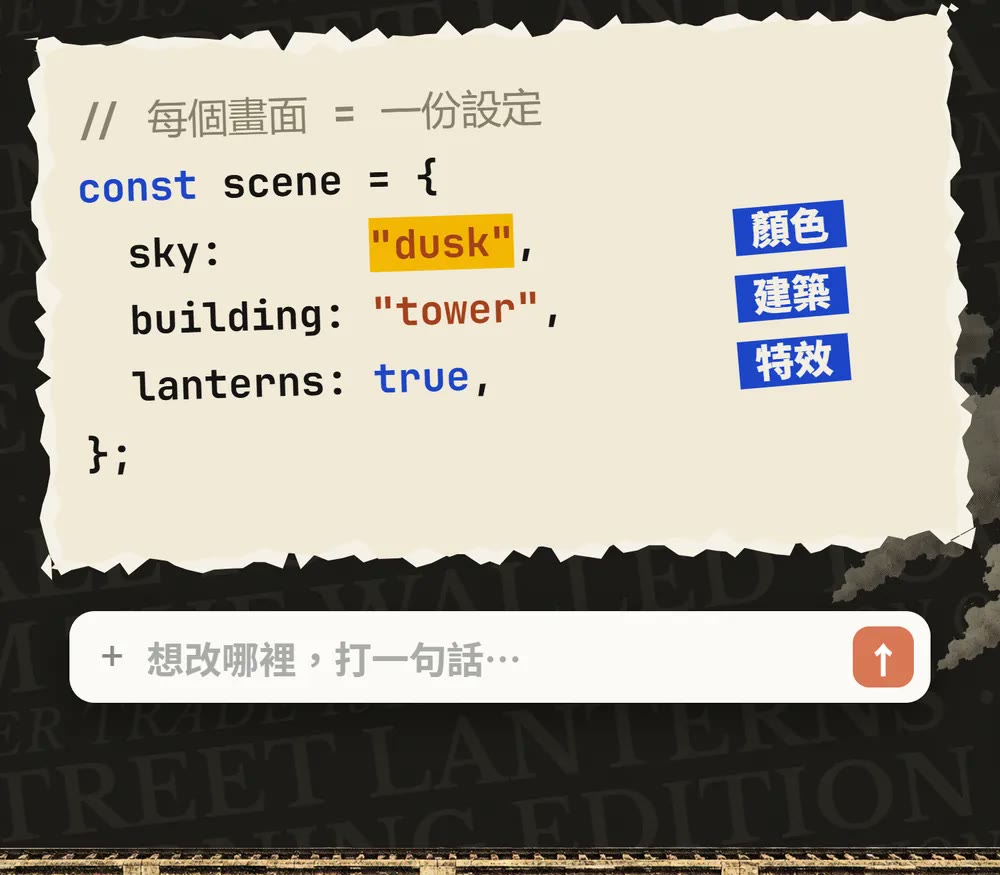
- The whole animation is drawn from one config object: sky, building and lanterns are each one setting.
- Output: a 720×1280, 30 fps vertical video, made for Reels.
02Step 1: draw the assets in ChatGPT on a flat magenta background
A collage lives on its cut-outs. Ask ChatGPT for one subject per image, all in the same black-and-white halftone old-magazine print style, on a flat pure magenta (#FF00FF) background. Magenta almost never appears in buildings or hands, so it keys out cleanly.
Generate an image: a vertical 2:3 cut-out for a Vox-explainer-style collage animation.
Subject: [a grand neoclassical building with a big central dome, white columns and a pediment, seen from the front, cropped at the bottom edge].
Style: vintage black-and-white halftone newspaper photo print with visible coarse halftone dots and a slight warm sepia tint, high contrast, like a cut-out from a [1930s] magazine.
Background: perfectly flat solid pure magenta (#FF00FF), no shadow, no gradient, no text, no logo, no border.
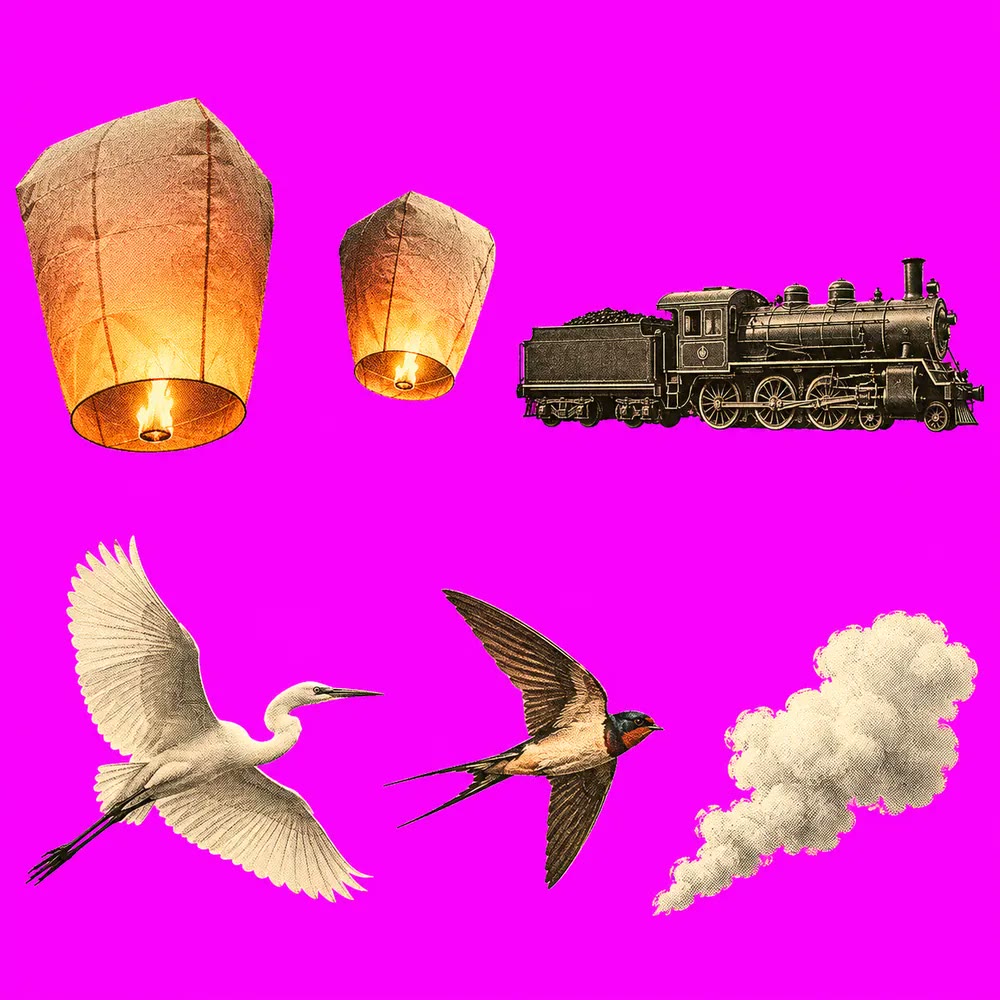
Small objects don't need one image each. We drew the lanterns, train, egret, swallow and smoke in one image by adding "6 separate isolated objects in a 3x2 grid with lots of empty space" to the prompt, so they are easy to cut apart.
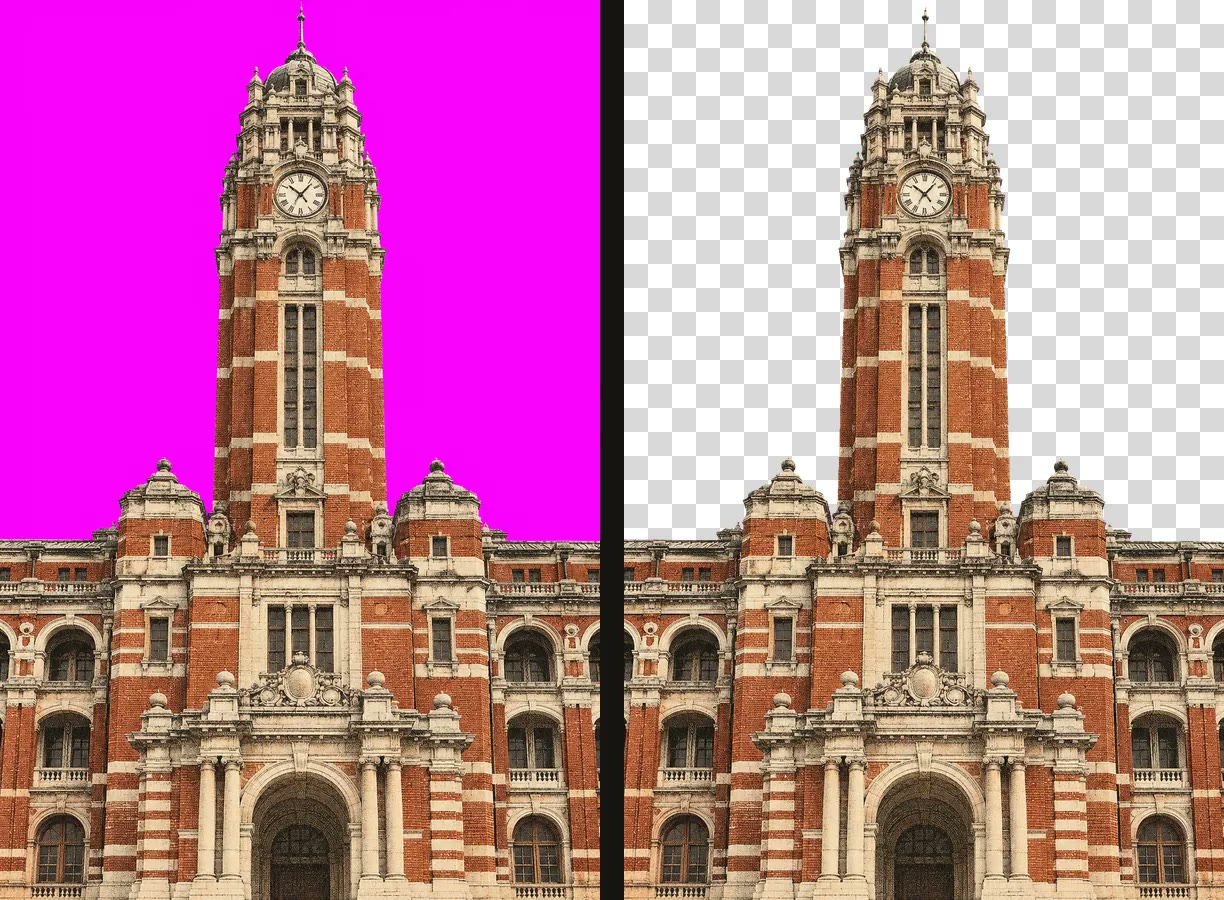
Claude can do the keying too. Give it the prompt below and it writes a Python script that turns magenta transparent:
Write a Python script (using Pillow) that turns the magenta background (#FF00FF) of every PNG in the folder [cutouts/] transparent:
- Make every pixel close to magenta transparent, with soft edges and no pink fringe.
- If one image holds several objects, save each object as its own file, named [lantern1.png, train.png…].
- Save them as transparent PNGs in [img/].
03Step 2: ask Claude for the collage animation, with everything as a setting
With the assets ready, give Claude the prompt below together with the keyed images. In a claude.ai chat it can build this as an HTML artifact you preview on the spot.
Write a Vox-style collage animation in HTML/CSS/JS, [720×1280], [30] fps. The picture must be a pure function of time t (window.seek(t)) so it can be exported frame by frame.
Style: [dark old-newspaper background], torn-paper edges (an irregular jagged clip-path plus a cream paper-fibre rim), a halftone sky (clouds drawn on canvas, then turned into one-colour halftone dots), a huge high-contrast serif wordmark "[Taipei 老城]", keyed-out engraving-style buildings rising from below, [birds] drifting across, and slow parallax on every layer. No frame may be completely still.
Most important: put everything that can change into one config object, e.g. const scene = { sky: "[dusk]", building: "[dome]", lanterns: [false] }, and draw the whole picture from it. When the config changes, transition (the sky colour wipes from top to bottom, the building drops out and springs back up, lanterns float up from below).
Assets: [dome.png, tower.png, lantern.png, egret.png, swallow.png] (already keyed out).
The prompt does two things. First, "the picture is a pure function of time t": give it any second and it draws the same frame, so you can export it frame by frame with no dropped frames. Second, and most important: everything that can change lives in one config object.
04Step 3: type one sentence for each change
Once the config exists, editing feels like ordering. These 4 sentences are the ones used in the video, and each changed exactly one value in the config:
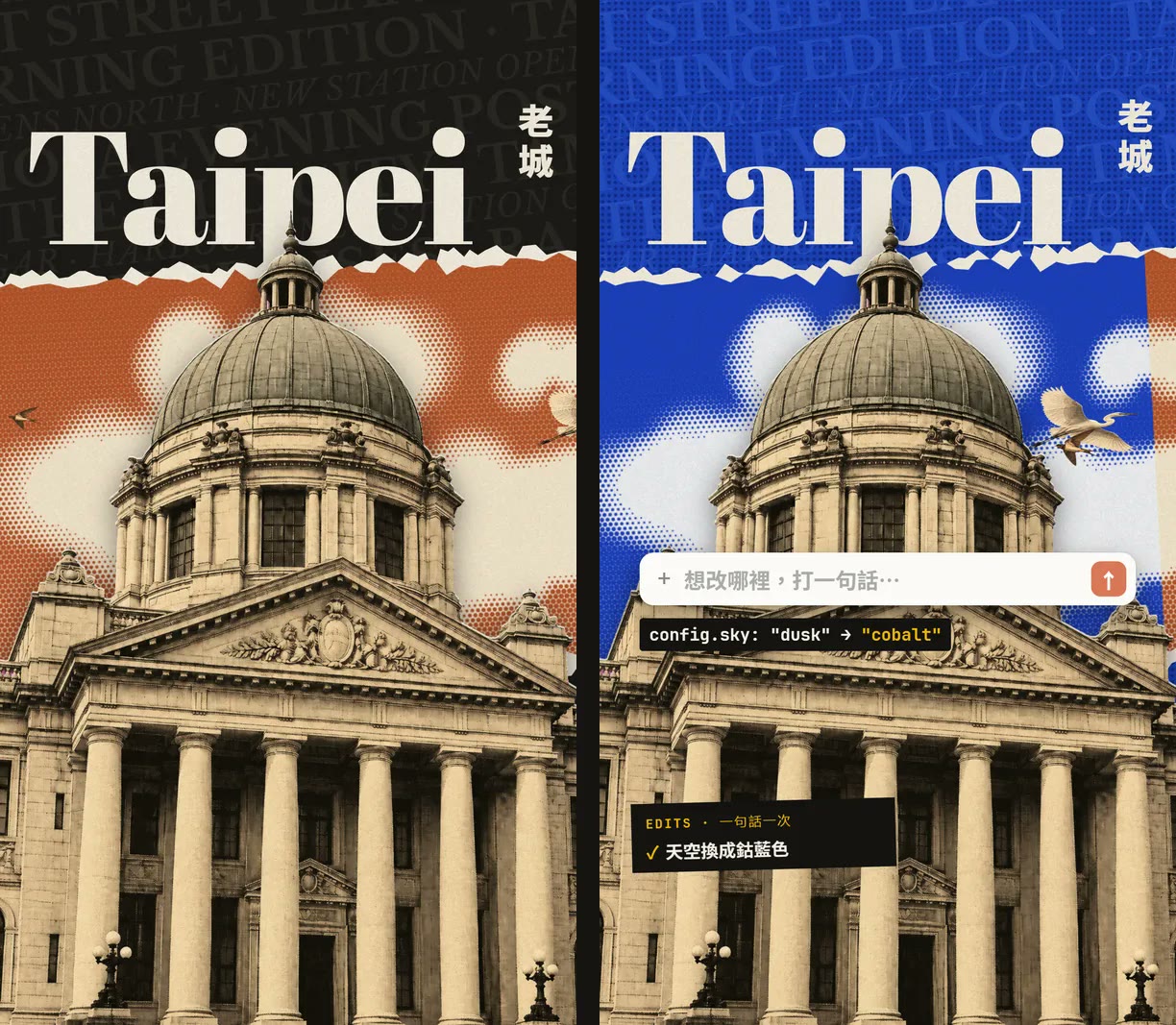
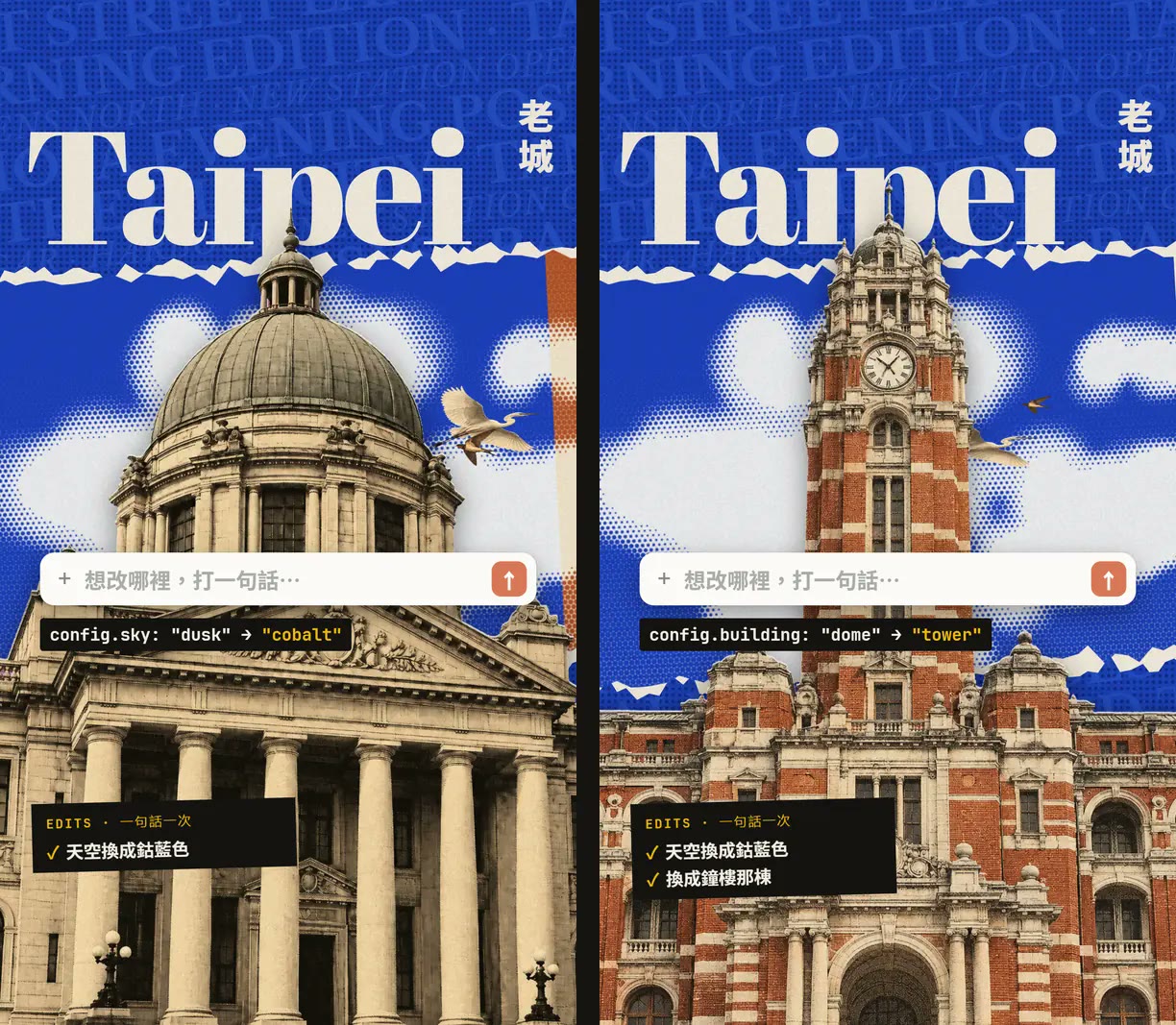
- "Make the sky cobalt blue" → sky: "dusk" becomes "cobalt" and the sky wipes to blue from the top.
- "Switch to the clock-tower one" → building: "dome" becomes "tower"; the dome drops out and the clock tower springs up.
- "Add lanterns floating up" → lanterns: false becomes true and lanterns rise from below, one by one.
- "Remove the sky" → sky becomes "none"; the sky tears away, only the paper texture is left and the wordmark turns black.
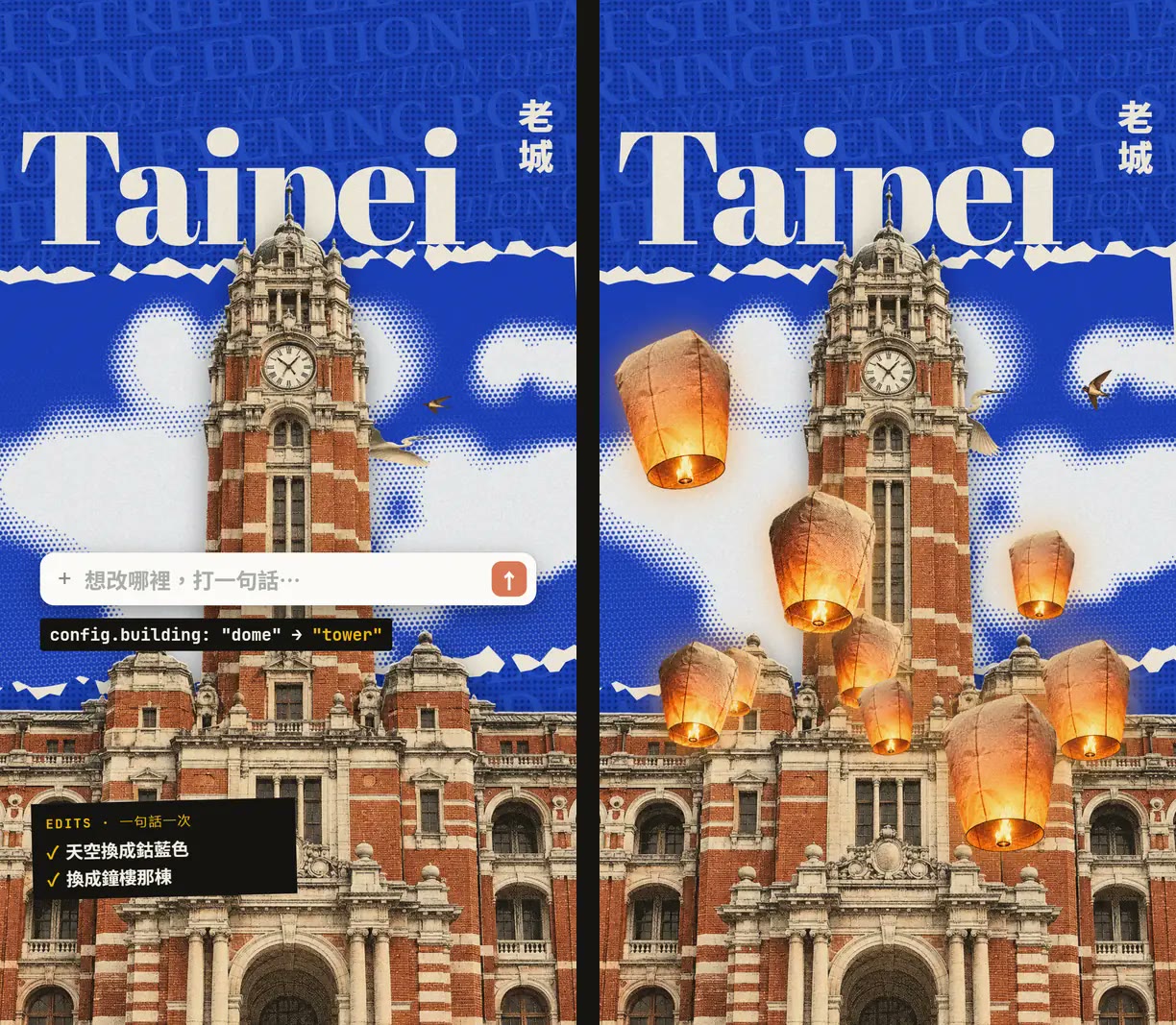
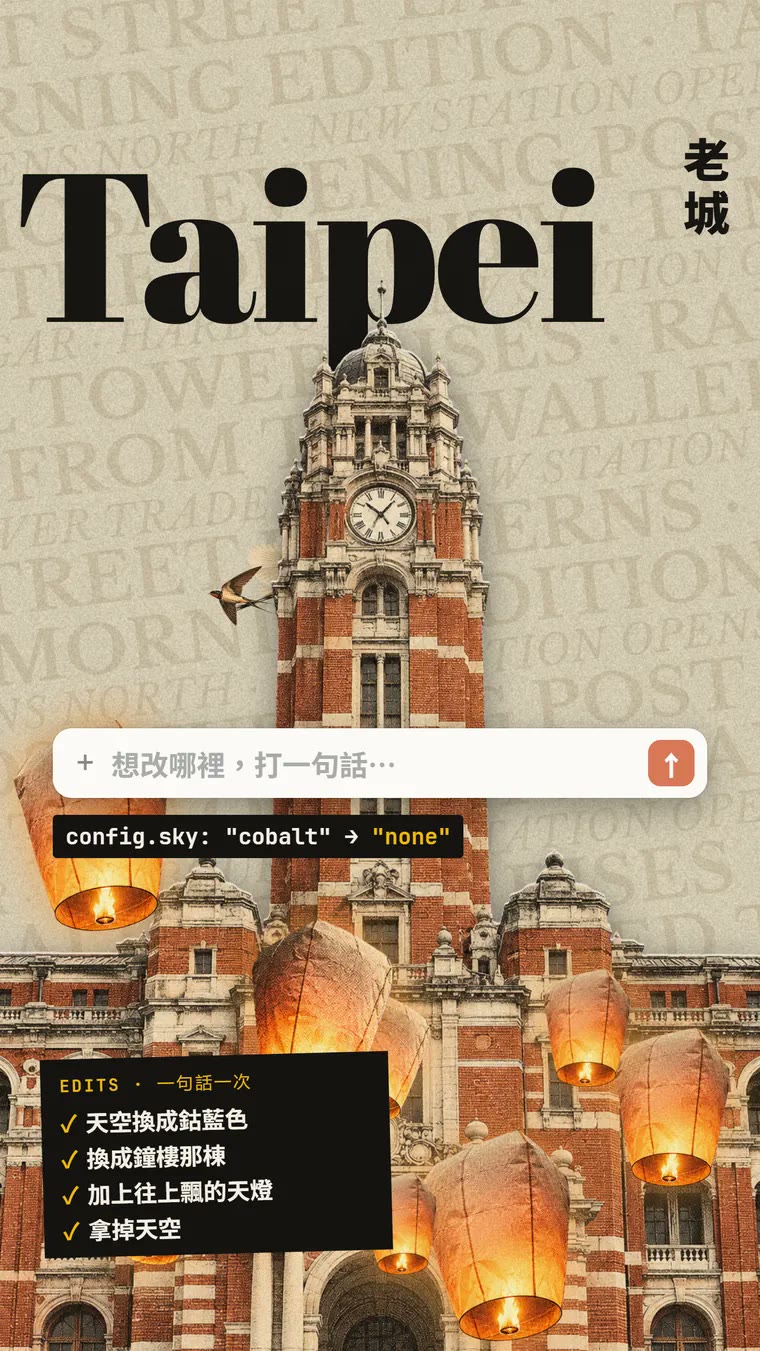
[Make the sky cobalt blue].
Only change the scene config, don't touch any other code, and tell me which line you changed.
05Finally: export it as a video
The animation is a web page, and there are two ways to turn it into a video: a screen recording for the quick route, or, for a clean result with no dropped frames, ask Claude for a Puppeteer script that screenshots every frame with window.seek(t) and hands them to ffmpeg as a 720×1280, 30 fps mp4.
- Frame-by-frame animation: exporting to MP4 — Puppeteer plus ffmpeg, step by step
06Good to know
- Every demo image is AI-generated. The buildings are AI images inspired by old Taipei architecture, not photos and not exact replicas of real buildings.
- "Vox-style" means the collage explainer-video look. This is not an official Vox product or template. The wordmark is our own "Taipei 老城"; don't use anyone else's logo.
- No AI video model was used: the assets are still images from ChatGPT, and everything that moves is code Claude wrote.
- Don't key out other people's photos or illustrations from the web. Generate your own assets or use licensed ones.
- Use fonts licensed for commercial use. Abril Fatface, Libre Baskerville, JetBrains Mono and Noto Sans TC, which we used, are all SIL OFL.
- The more moving parts the animation has, the more likely Claude breaks something else. Change one sentence at a time and preview before the next.