Make Claude build a colour palette with a story: one photo, 5 place names, 5 one-line stories
Study Pinterest refs, make a photo in ChatGPT, then let Claude Design pull colours from it: a place name and a story per colour, fonts, a poster and a tote.
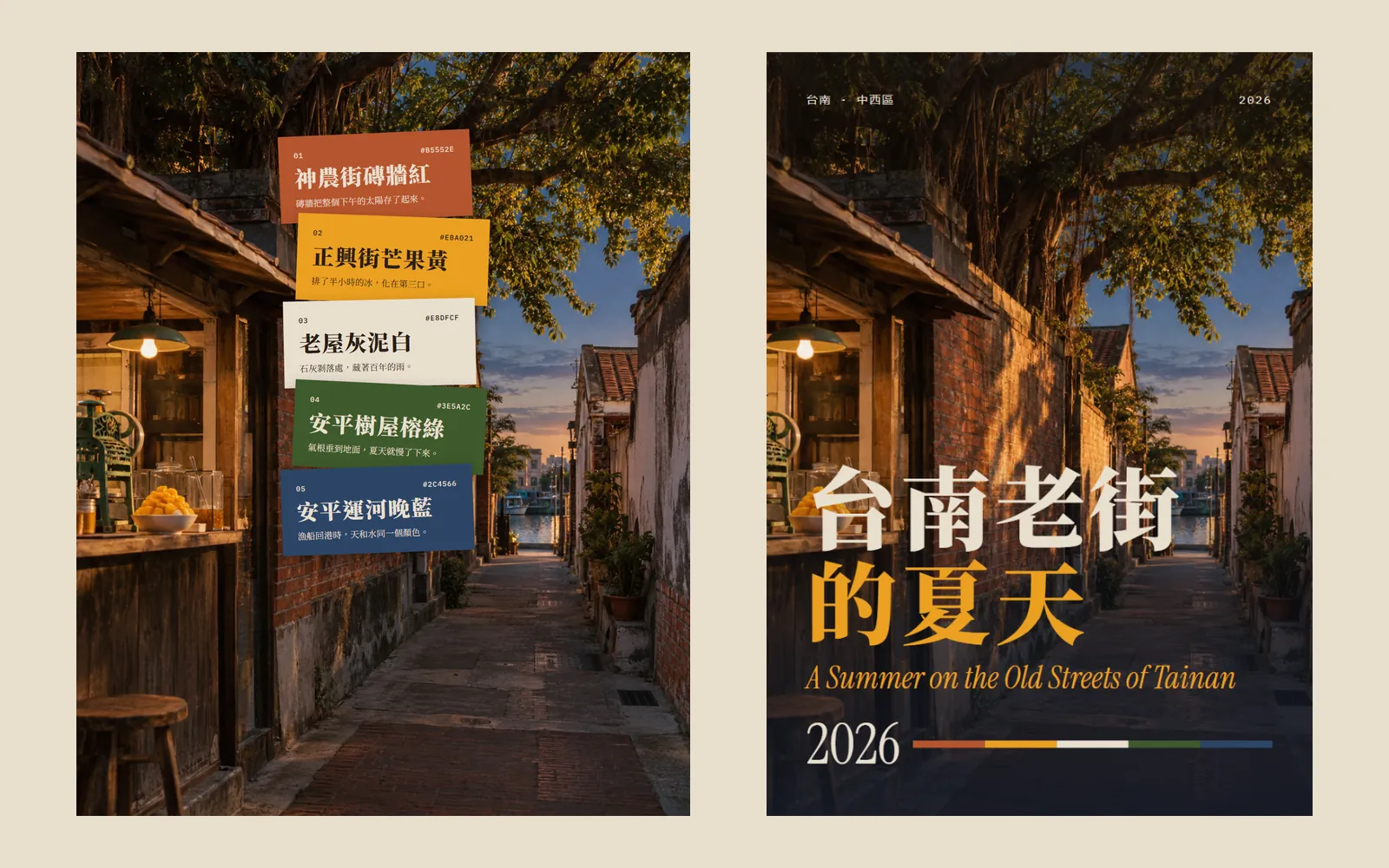
When you ask AI for a colour palette, does it just hand you five hex codes? The colours aren't wrong, but you forget them straight away. The problem isn't the AI: you gave it nothing to look at. In this guide we used Claude Design to build a palette called "A Summer on the Old Streets of Tainan": every colour is pulled from a photo, gets a Tainan place name and a one-line story, and then the palette gets fonts, a poster and a tote bag. Every image below is our real output: the photo was made with ChatGPT; the swatches, type page, poster and tote were made by Claude Design.
01Open Claude Design (1 minute)
- Go to claude.ai/design and sign in with your Claude account. Anthropic says Claude Design is included on every plan, including Free.
- You can also use Claude Design right inside a normal Claude chat. The standalone claude.ai/design site stays open until 14 December 2026.
- Start a new project. We picked the "Color + type pairing" template.
- Claude Design — Works on the Free plan too
02Step 1: browse Pinterest and write down what makes a palette good
Don't ask Claude for colours the moment you open it. Spend 5 minutes looking at how others do it first. Search Pinterest for "color palette from photo" and save 3 to 5 you like.
After looking, we found 4 things the good ones share:
- The swatches sit right on top of the photo, so you can see where each colour came from.
- 4 to 6 colours is plenty. Each one has a big name and a small code.
- The names come from the place, not the colour. Not "orange", but a street or a corner.
- Names in a serif or display face, codes in a monospace font, nothing else on the page.
03Step 2: make a photo in ChatGPT first
Claude makes colours up when it has nothing to look at. So first make a photo in ChatGPT that already contains the colours you want. Our theme was summer on Tainan's old streets: the photo has a red-brick wall, a bowl of mango shaved ice, a white old house, a banyan tree and a canal at dusk.
Make a vertical street photo of [place + season + time, e.g. an old street in Tainan on a summer evening].
In the scene: [3 to 5 colourful things, e.g. a red-brick wall, a bowl of mango shaved ice, a white old house, a banyan tree, a canal in the distance].
Warm light, looks like a real photo. No text, no people.
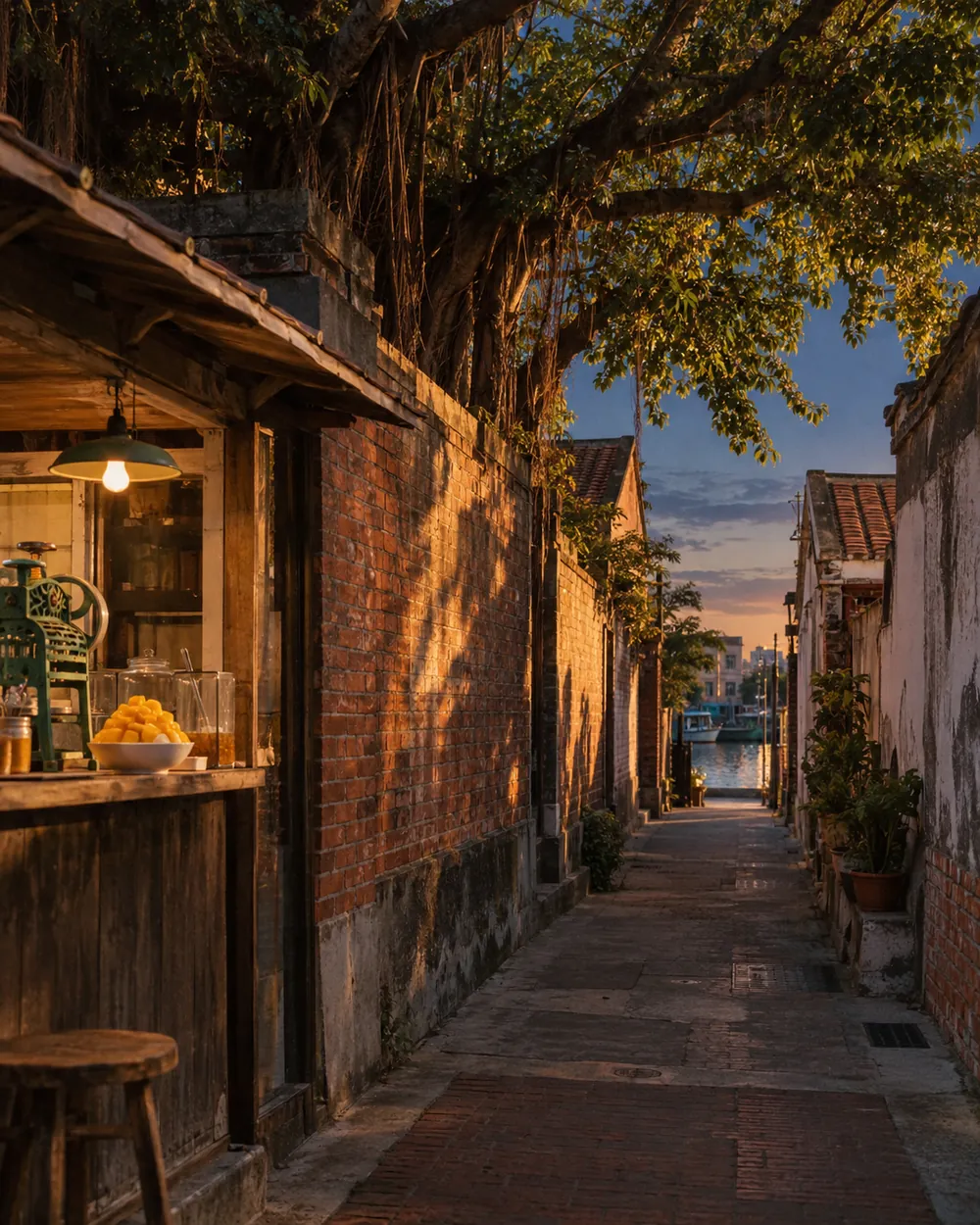
04Step 3: attach the photo and ask Claude to pick colours from it
- Attach the photo to your Claude Design project.
- Paste the prompt below and replace the [ ] parts.
- Send it and wait for the whole project to finish.
Use the attached photo to make a palette called "[theme]". Direction: lay the swatches right on the photo and pull every colour from the photo itself; name each colour after a local place, with its HEX and a one-line story; then pair a Chinese and an English font and make a poster and a tote bag. Everything in Traditional Chinese.
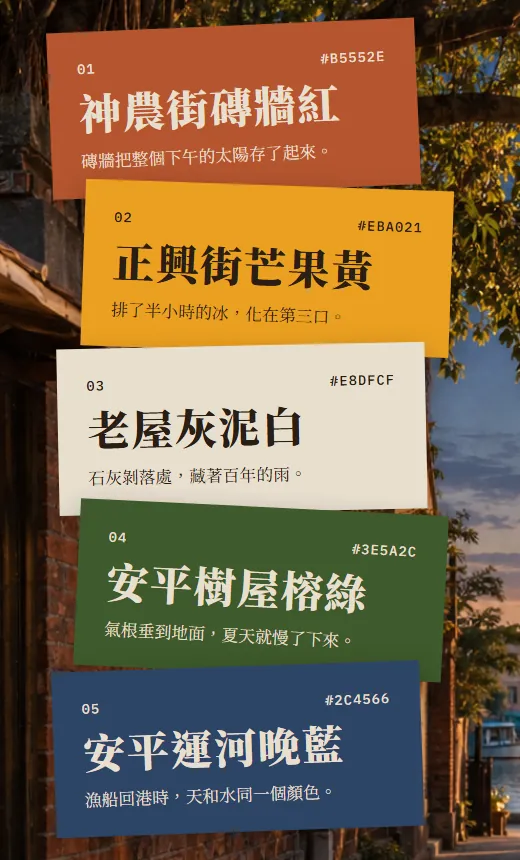
The first page we got back was this one: 5 swatches laid right over the original photo.
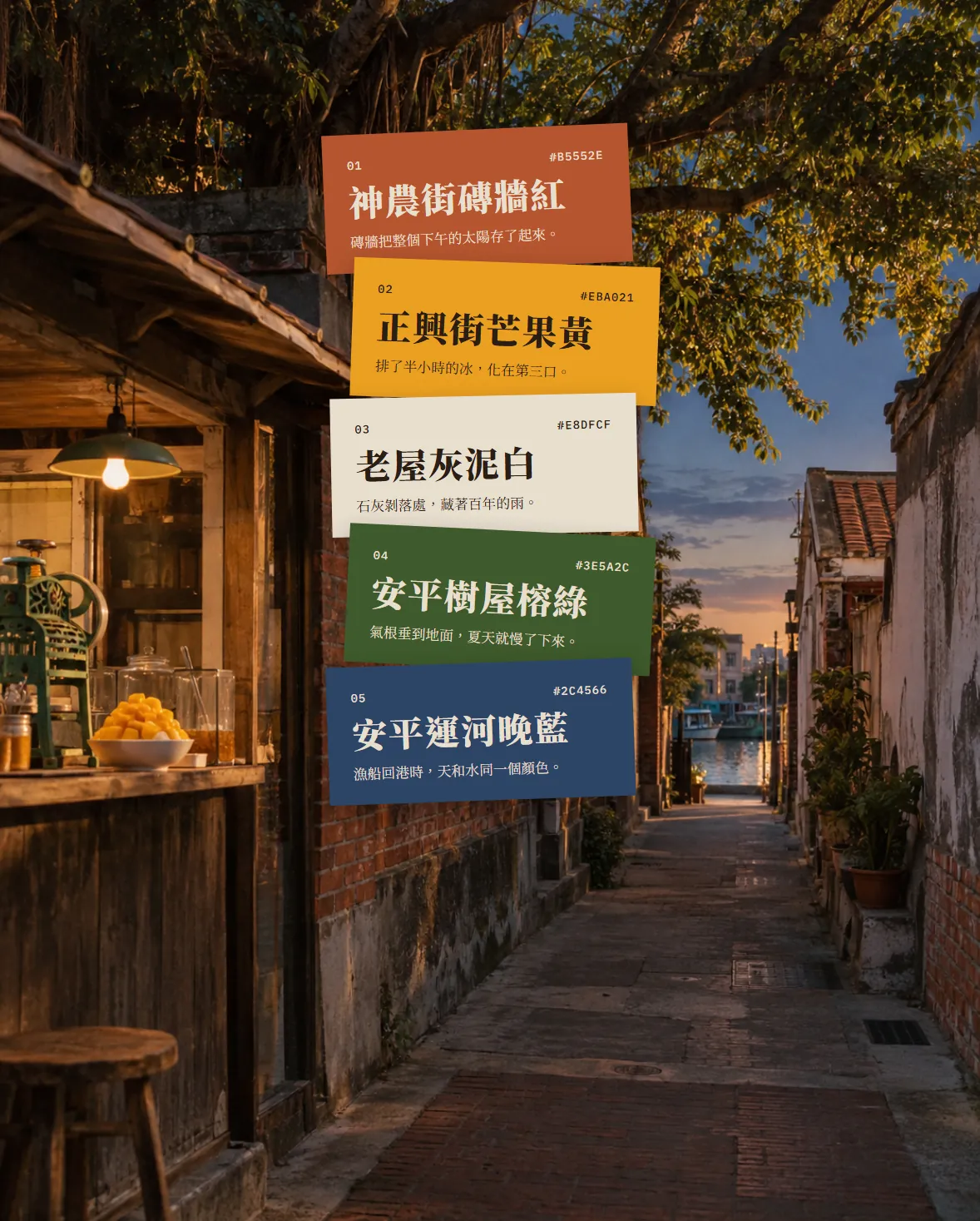
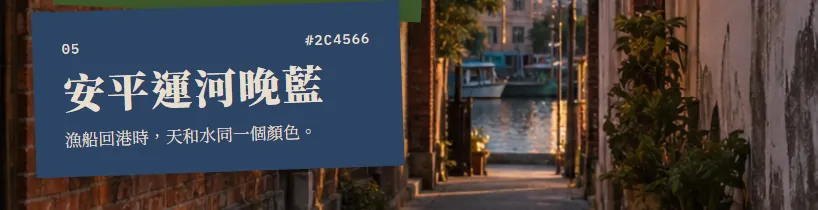
With the swatches on the photo you can check them at a glance: right next to Anping Canal Dusk Blue is the canal at the end of the lane.
05Step 4: one place name and one story per colour
This step is the difference between a palette with a story and a list of codes. Claude gave each colour a Tainan name and a line that sounds like something a local would say (our translations):
- 01 Shennong Street Brick Red #B5552E: the brick wall stored up a whole afternoon of sun.
- 02 Zhengxing Street Mango Yellow #EBA021: half an hour in the queue for ice, melted by the third bite.
- 03 Old House Lime-Plaster White #E8DFCF: where the lime has flaked off, a hundred years of rain are hiding.
- 04 Anping Tree House Banyan Green #3E5A2C: the aerial roots reach the ground, and summer slows down.
- 05 Anping Canal Dusk Blue #2C4566: when the fishing boats come home, sky and water are the same colour.
Always check the names yourself. Claude first named colour 3 "Confucius Temple Lime-Plaster White". But Tainan's Confucius Temple is known for its red walls, and there's no temple in the photo, so locals would find it odd. One sentence was enough to rename it; the story stayed the same, and the place name on the tote changed with it.
Rename colour [3] to "[new name]" and keep its story. Update the place names on the poster and tote bag too.
06Step 5: pair fonts and put the palette on a poster and a tote
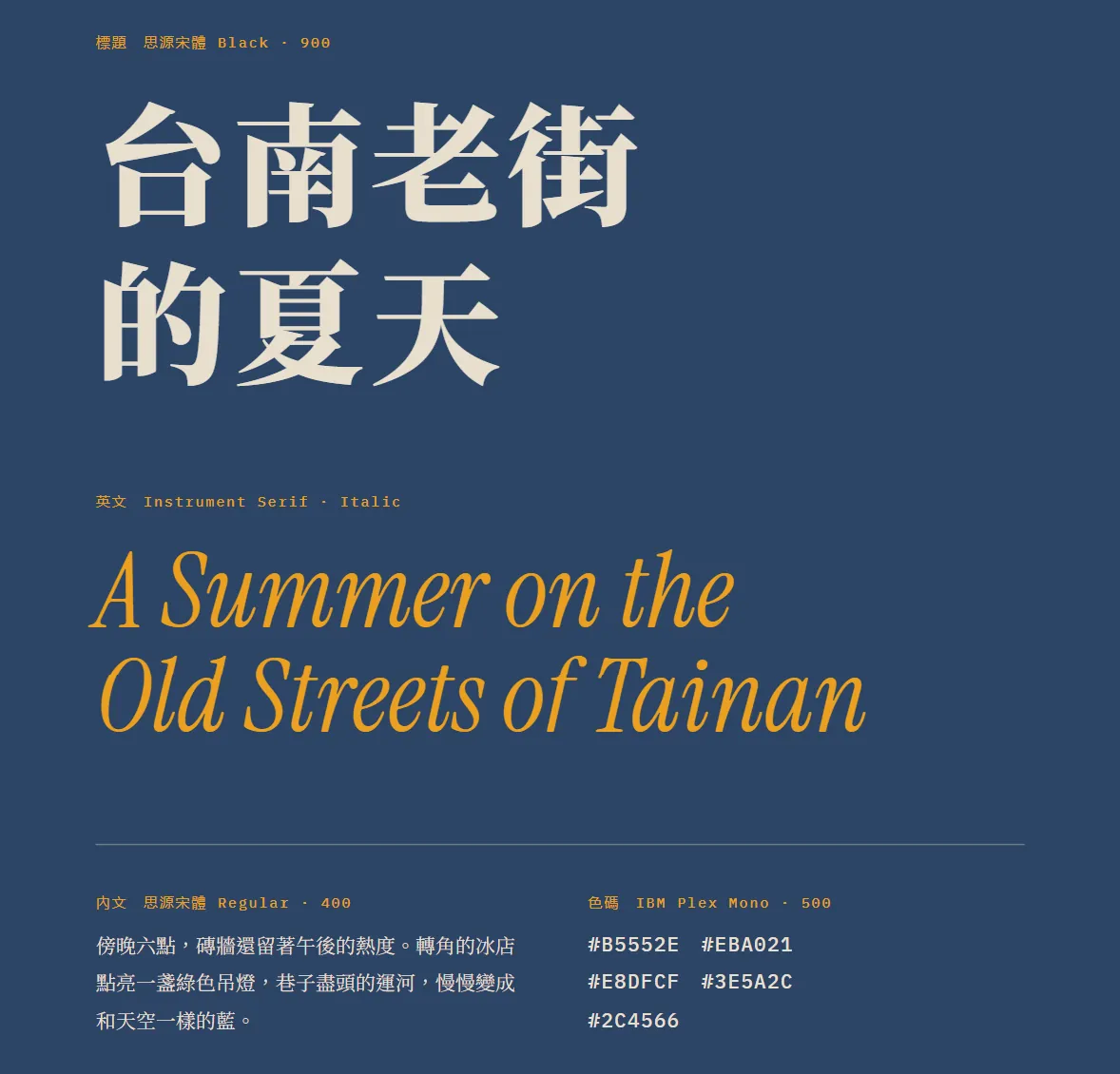
In the same project Claude also laid out a type page: Noto Serif TC (Source Han Serif) Black for Chinese headlines, Instrument Serif Italic for English, Noto Serif TC Regular for body text and IBM Plex Mono for the colour codes.
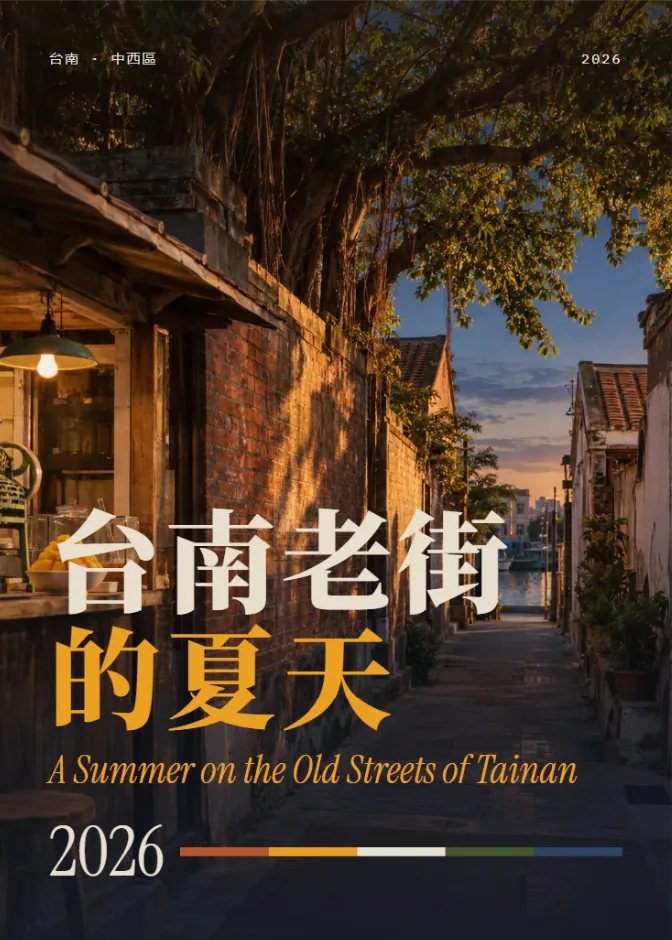
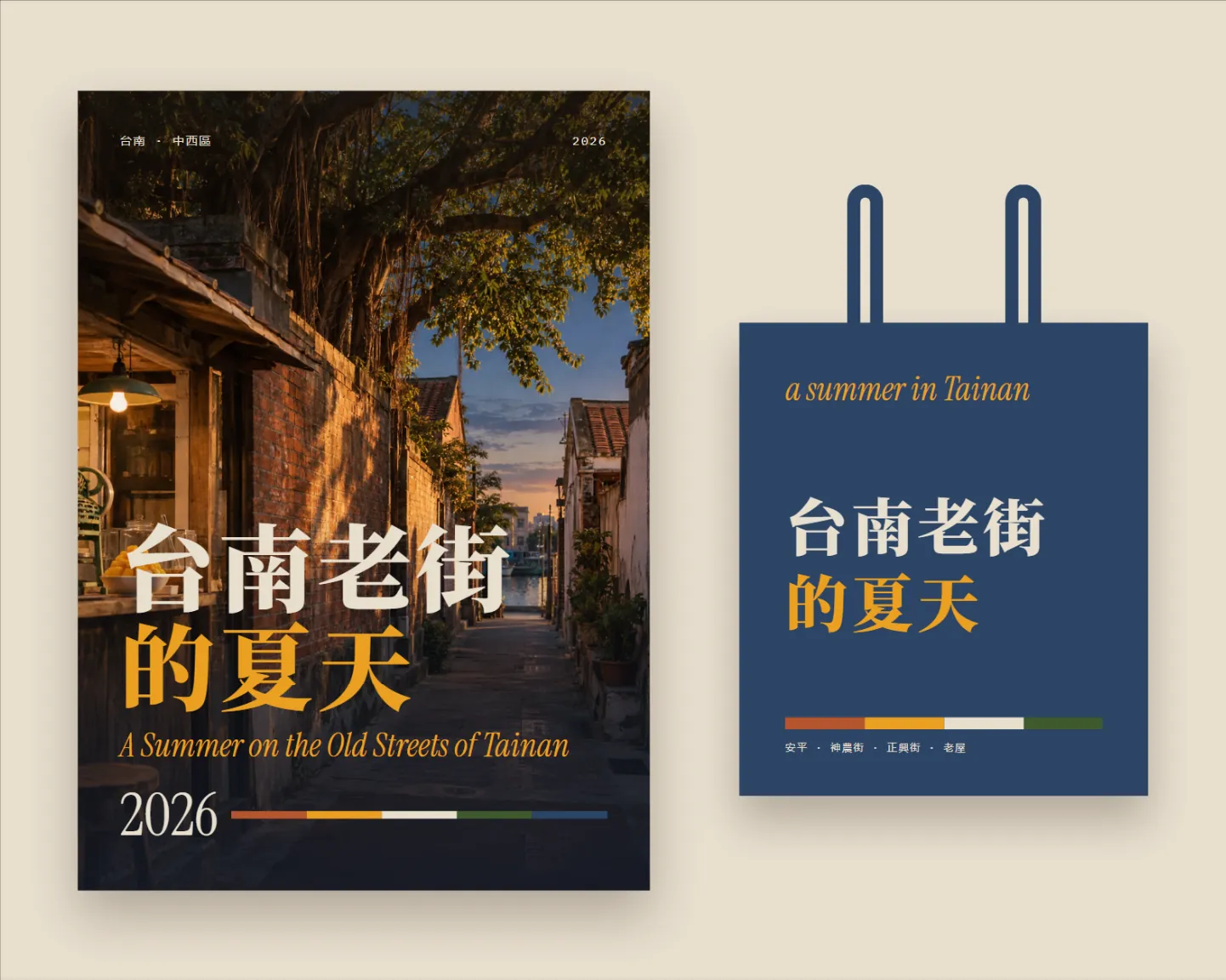
Then the poster. The first half of the Chinese title is in Old House Lime-Plaster White, the second half in Zhengxing Street Mango Yellow. The thin line next to 2026 is the 5 colours in order.
07When it's done: edit and export
- If something's off, say in one sentence which page and what to change, and tell it to leave the other pages alone.
- The official export options are PDF, PPTX and standalone HTML, and you can send it to Canva to keep editing.
- For Instagram, send it to Canva and download it as an image, or just take a screenshot.
Only change the "[poster]" page: [make the English subtitle a little bigger]. Leave the palette and every other page as they are.
08Good to know
- "A Summer on the Old Streets of Tainan" is our demo theme. The photo was generated with ChatGPT and is not a real street; the swatches, stories, type page, poster and tote were generated by Claude Design.
- Check contrast before you put text on a colour. In this palette, white on blue is 7.39:1 and white on green 5.88:1, fine even for small text; white on 01 Brick Red is only 3.69:1, better kept for big headlines; mango yellow on blue is 4.46:1, just under the 4.5:1 recommended for small text. WebAIM's Contrast Checker calculates it for free.
- HEX values are screen colours. For a printed poster or tote, ask the printer for a CMYK or spot-colour proof and check a physical swatch first; very bright colours like mango yellow can print darker than they look on screen.
- On a tote, the fabric's base colour and the printing method also change the colour, so make one sample before a full run.
- Make sure the fonts allow commercial use. Noto Serif TC, Instrument Serif and IBM Plex Mono are all free fonts under the SIL Open Font License.
- The standalone claude.ai/design site stays open until 14 December 2026, so export any project you want to keep.