Build a whole brand in Claude Design: set the system first, then grow the post, homepage and ad banner
Don't start with a logo. Have Claude Design set colours, type, buttons, spacing and Do/Don'ts, then build a post, homepage and banner from that one system.
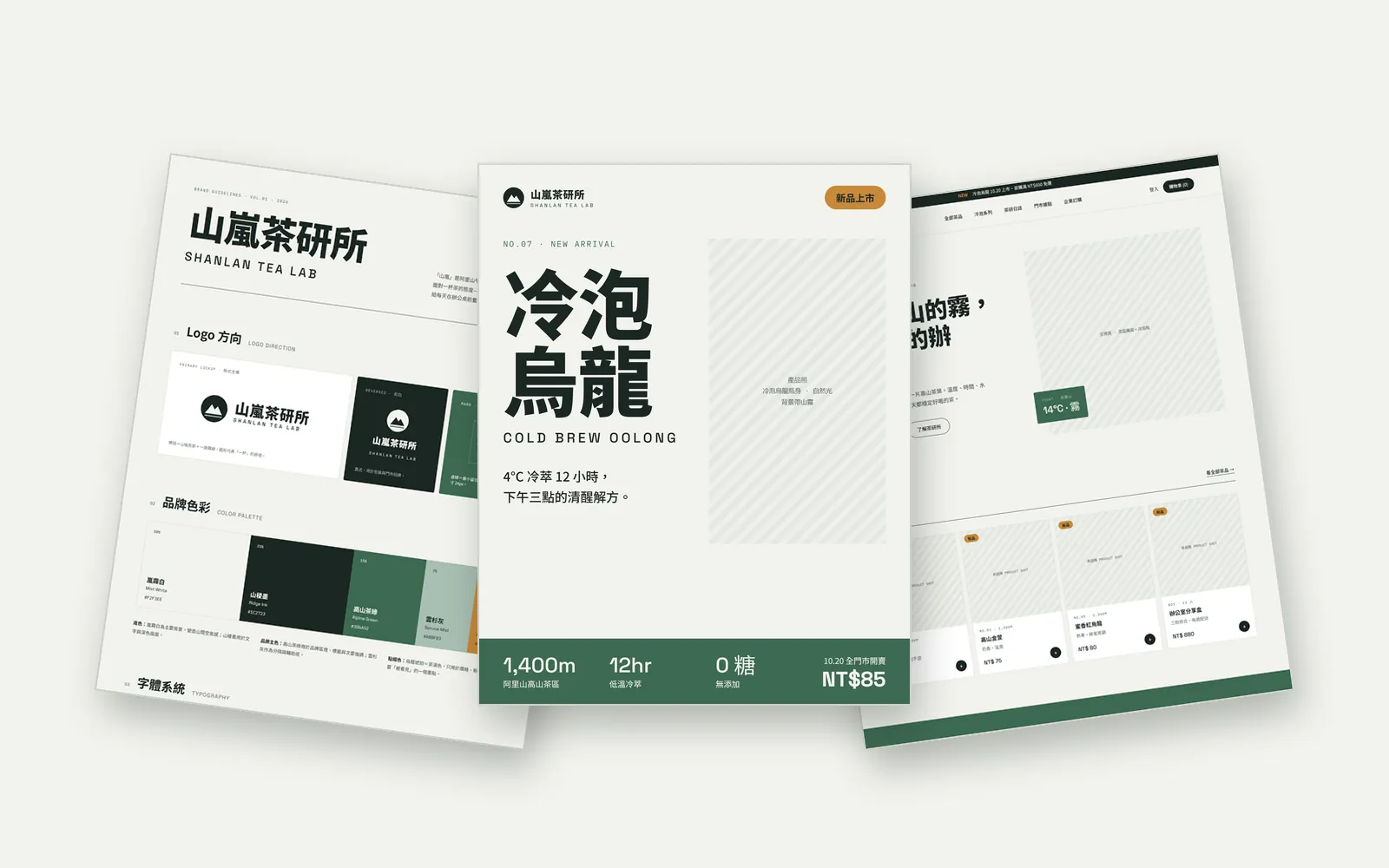
When you build a brand with AI, do you get one logo, and then every new graphic uses slightly different colours and fonts? The AI isn't the problem. The order is. Set a brand system first, then let everything grow from it. In this guide we used Claude Design to build one project with four pages for a fictional mountain-tea brand, SHANLAN TEA LAB (山嵐茶研所). Every image below was made by Claude Design.
01Open Claude Design
- Go to claude.ai/design and sign in with your Claude account.
- Claude's official article from 8 October 2026 says Design is out of beta and available on every plan, including Free.
- Since 16 September you can also use Design inside a normal Claude conversation.
- Start a new project and get ready to paste the prompt below.
- Claude Design — The standalone site stays open until 14 December, then folds into Claude
02Step 1: paste the prompt and ask for the system, not the logo
Most people open with "make me a logo". That gets you one graphic, and your posts, website and ads still drift apart. Ask for a whole system first, then the outputs, and keep everything in one project.
Create a brand system for "[brand name]": logo direction, 5 named brand colours (with HEX codes and usage ratios), a type system, buttons, cards, spacing and Do/Don't rules. Then use this system to make a new-product Instagram post, a website homepage and an ad banner, with all four pages in the same project. Write everything in English.
03Step 2: check the brand system it sets
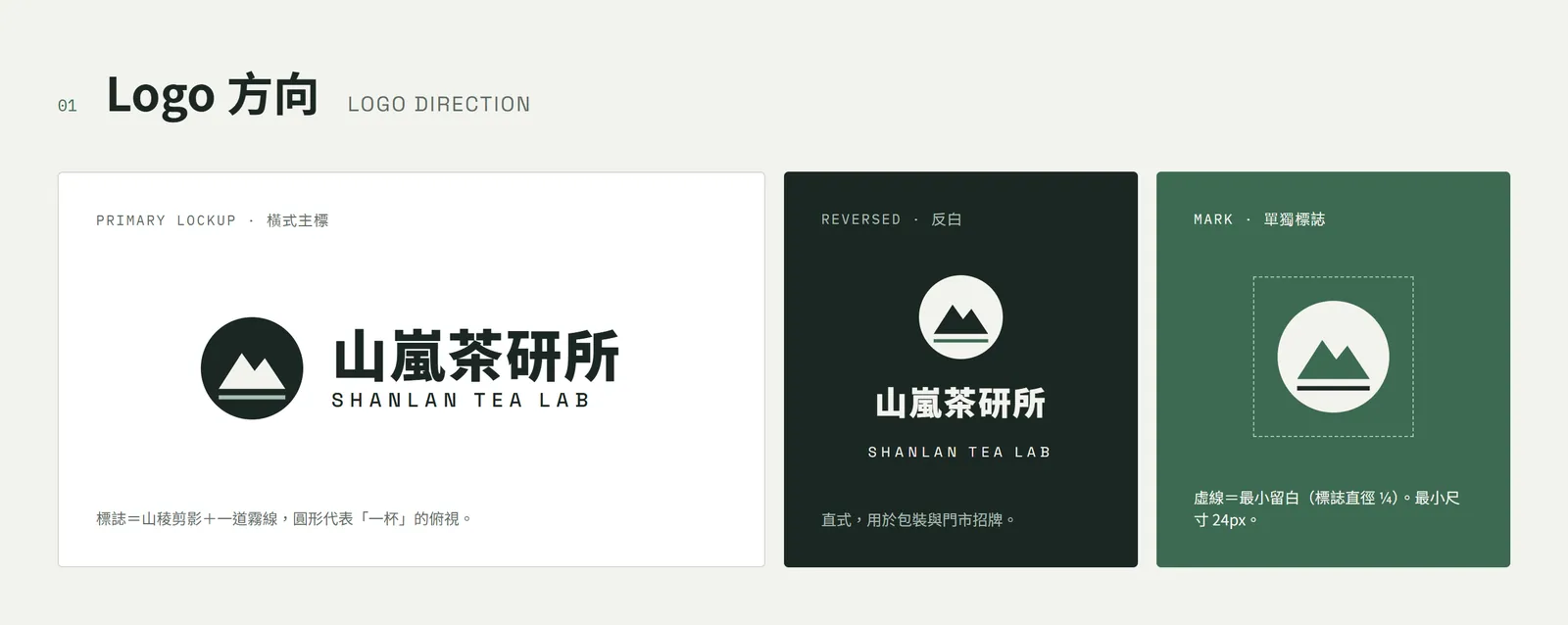
Page one is the brand system. It starts with the logo direction: a horizontal primary lock-up, a stacked reversed version and the mark on its own, with minimum clear space and minimum size written down.
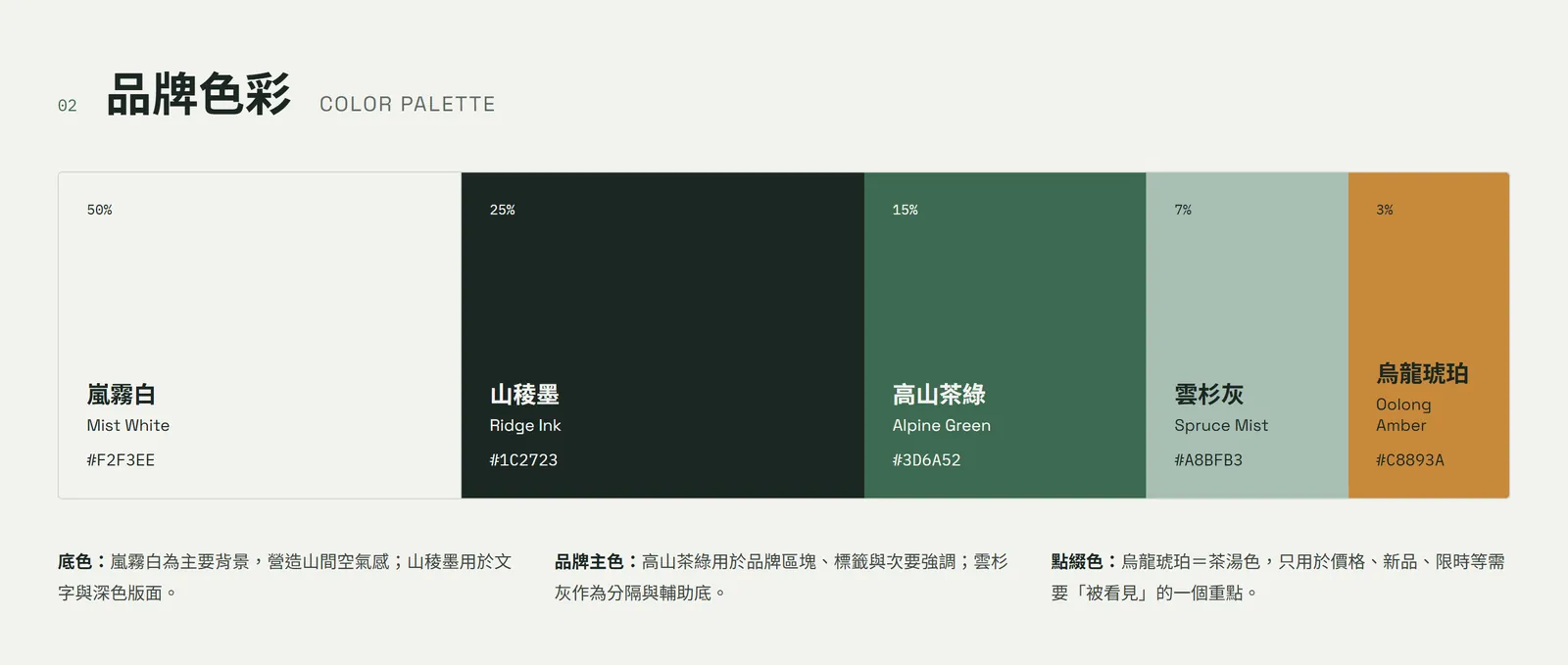
All 5 brand colours have a Chinese name, an English name, a HEX code and a share: Mist White #F2F3EE (50%), Ridge Ink #1C2723 (25%), Alpine Green #3D6A52 (15%), Spruce Mist #A8BFB3 (7%) and Oolong Amber #C8893A (3%).
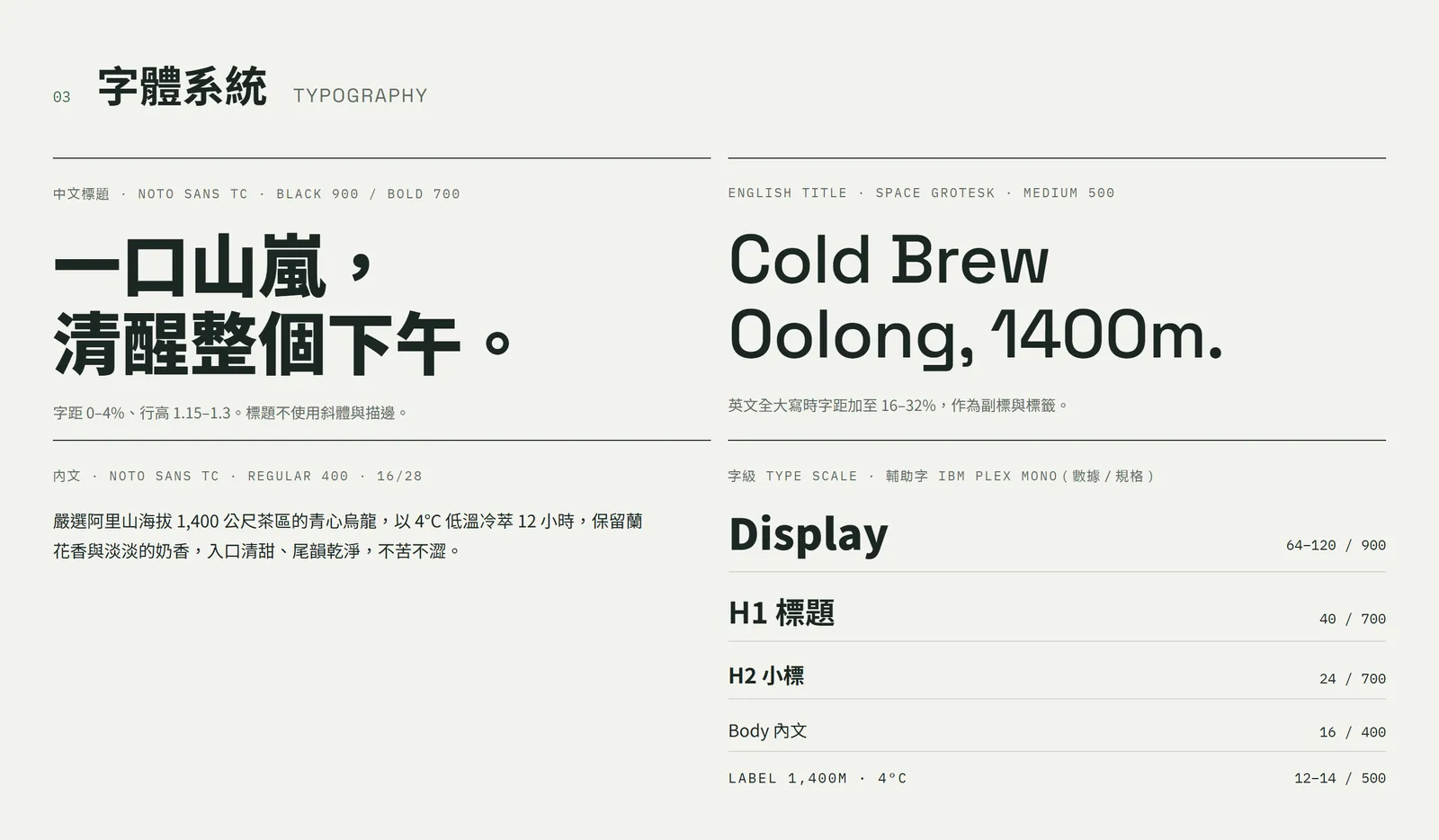
The type is set at the same time: Noto Sans TC in bold for Chinese headings, Space Grotesk for English headings and IBM Plex Mono for numbers and specs. Every level from Display, H1 and H2 down to body text has its size and weight written as numbers.
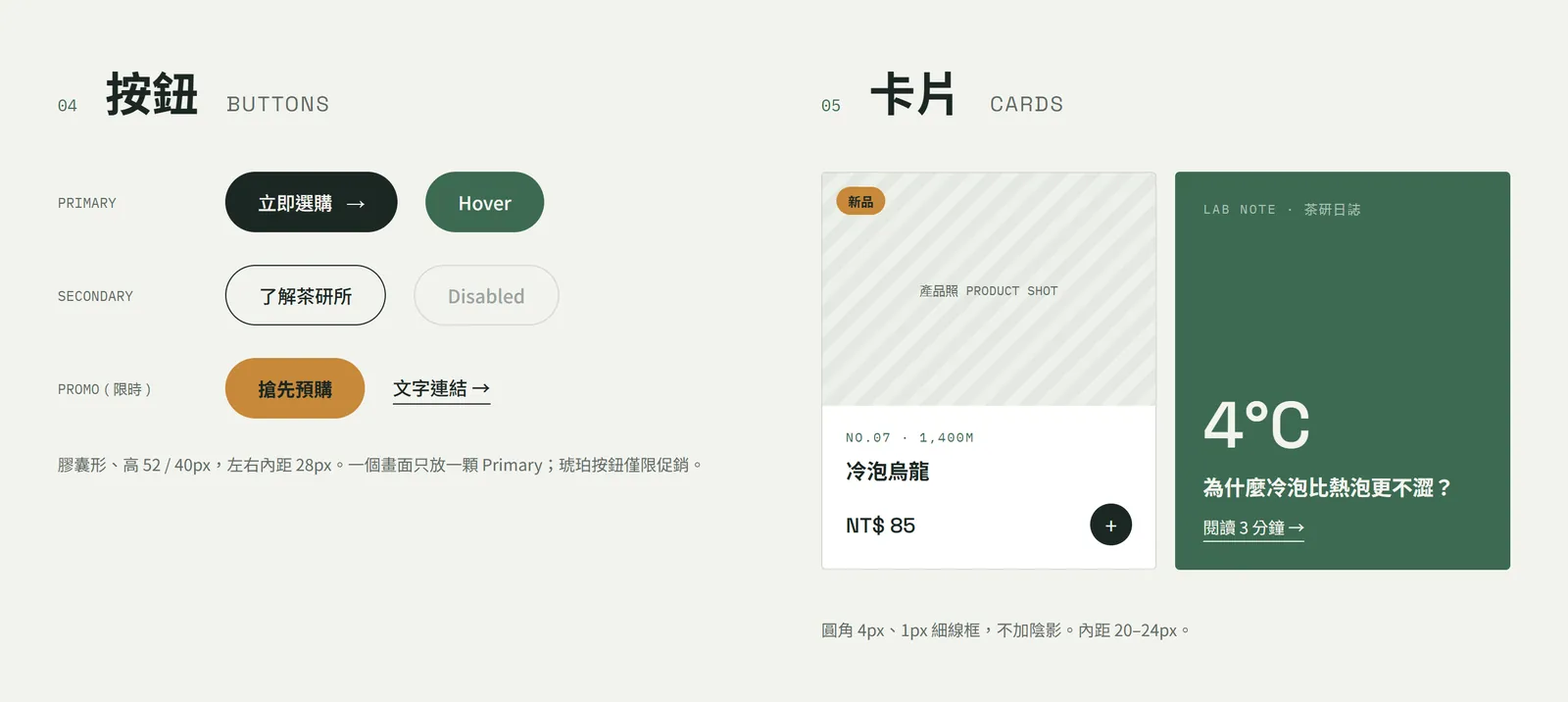
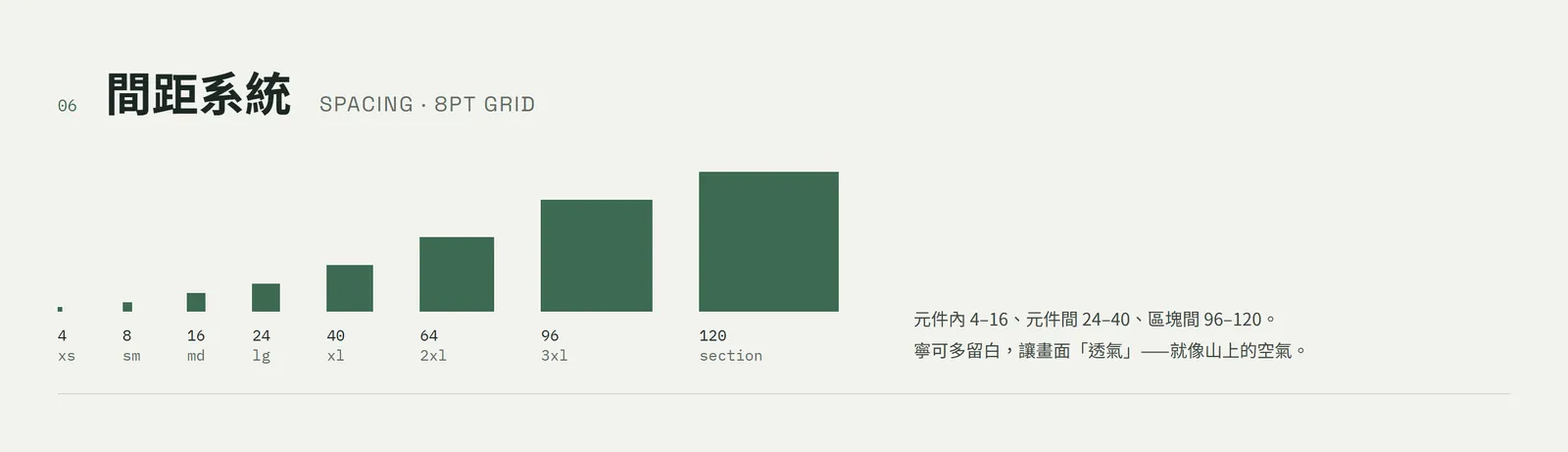
04Step 3: one system grows the Instagram post, homepage and banner
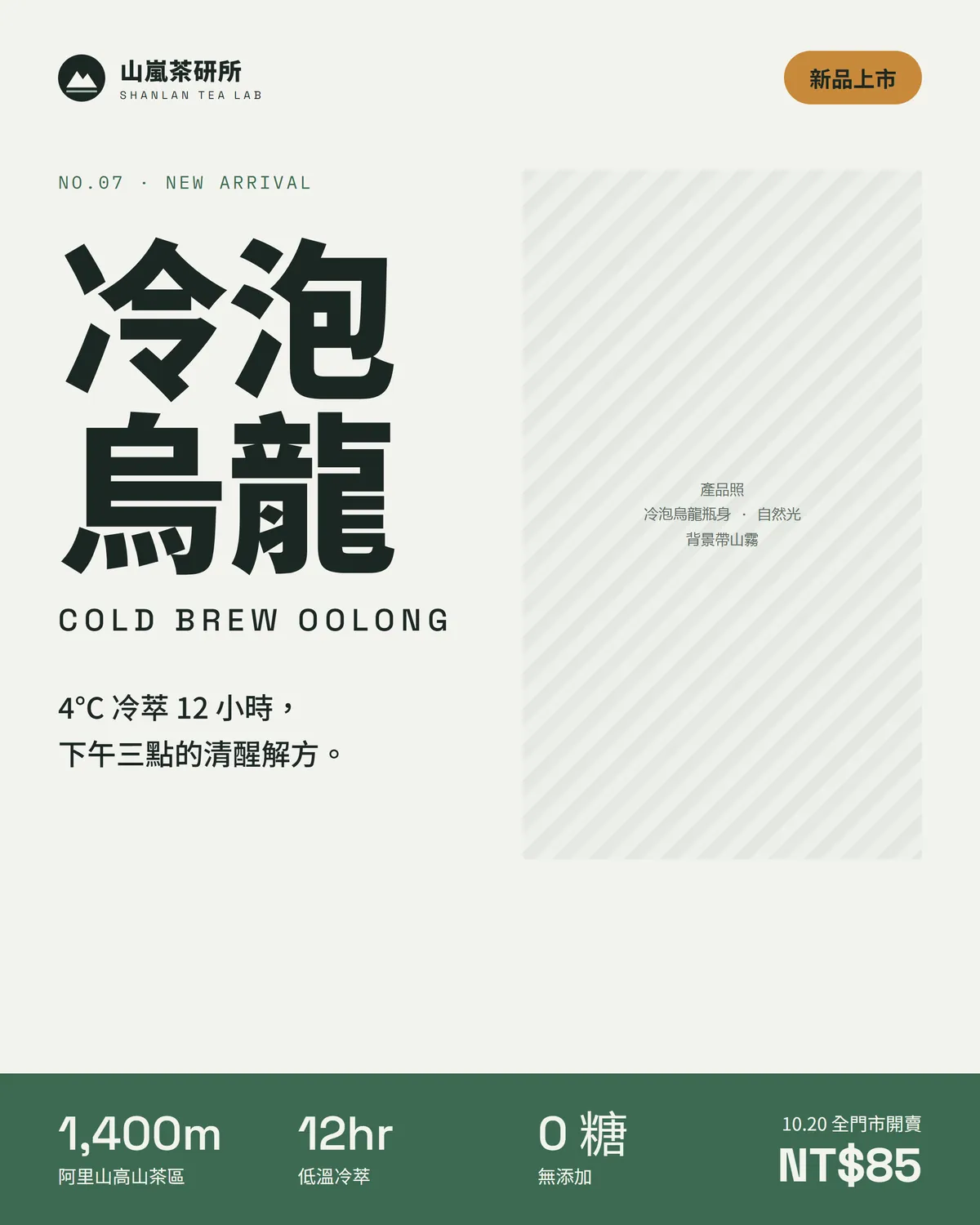
Page two is the new-product Instagram post. The big Cold Brew Oolong heading is in bold Chinese type, the band at the bottom is Alpine Green, and the "New" badge is the only touch of Oolong Amber. Numbers like 1,400m, 12hr and 0 sugar use the number font the system chose.
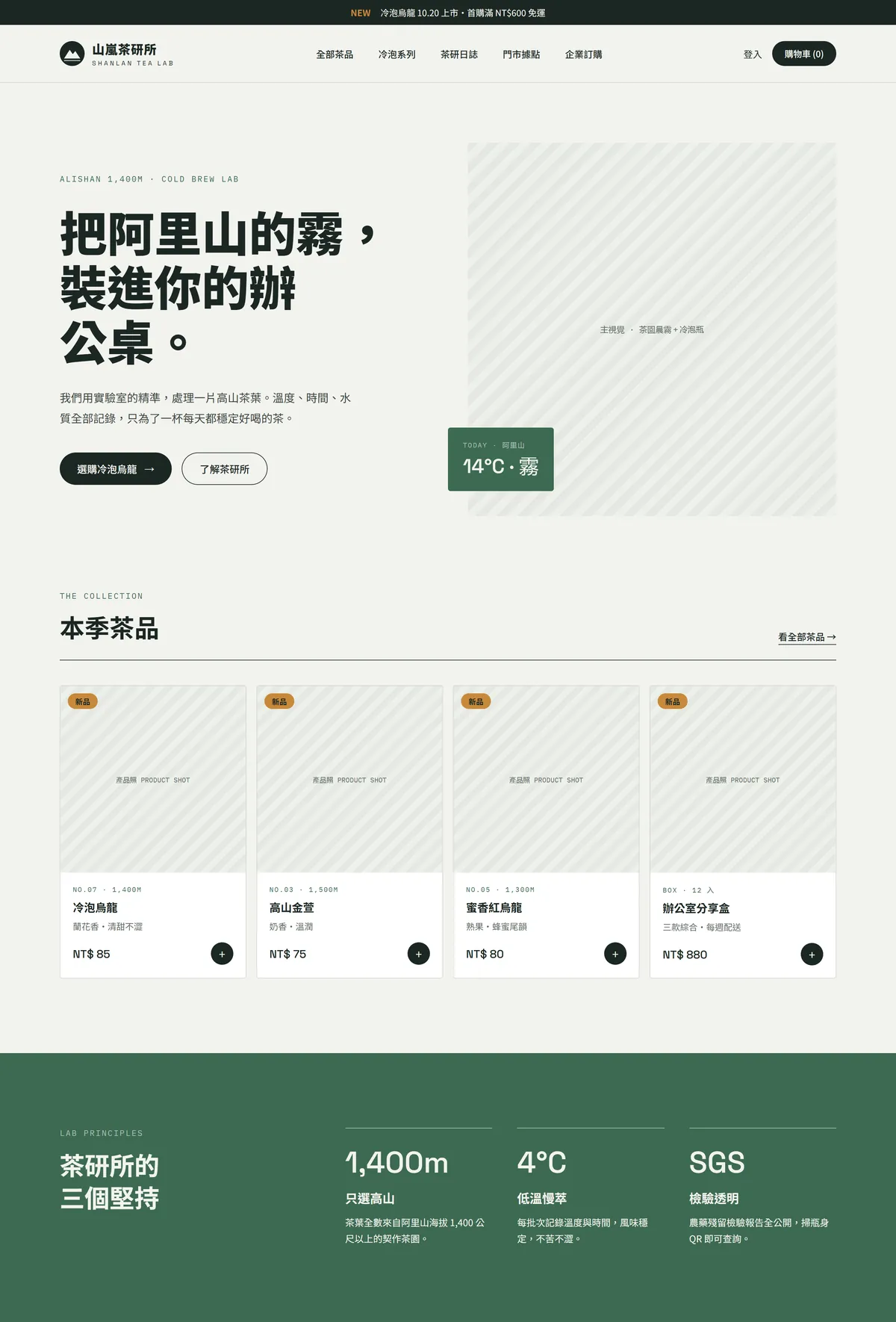
Page three is the homepage. The navigation, hero, seasonal product cards and the three brand promises all use the same green, the same type and the same buttons, so you can tell at a glance it's the same brand.
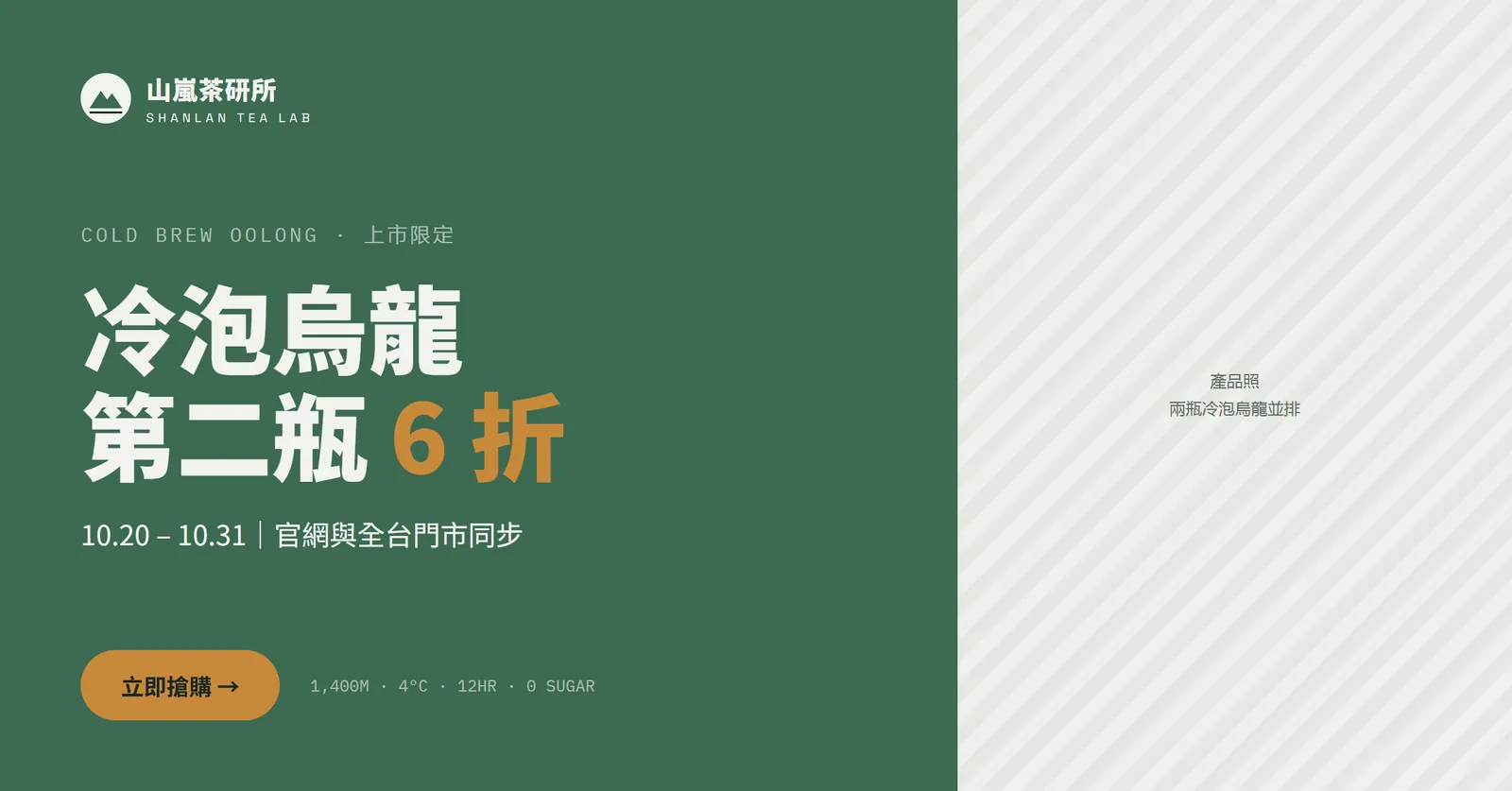
Page four is the ad banner: Cold Brew Oolong, second bottle 40% off (6 折), 20–31 October. The background switches to Alpine Green and the discount and button use Oolong Amber, following the same rules.
05Step 4: protect the brand with Do/Don'ts, then fix one page at a time
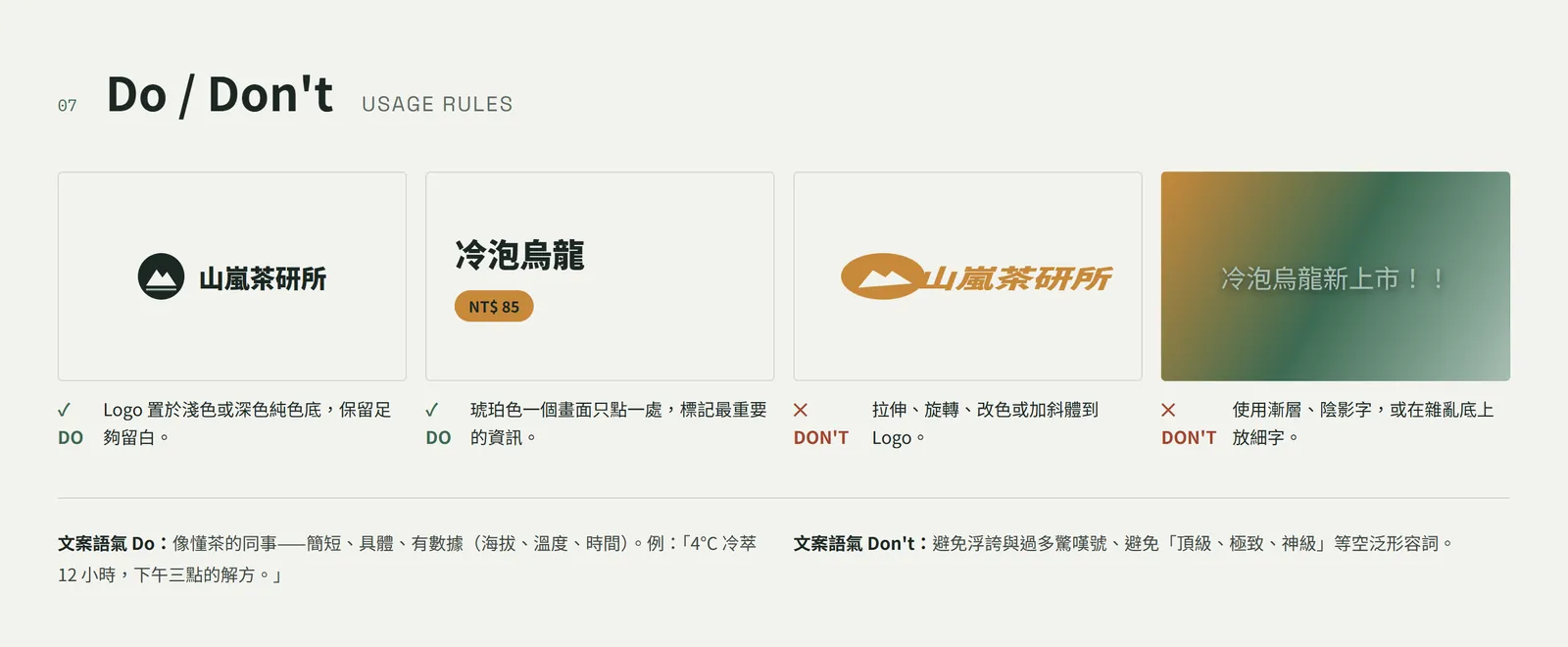
The system page ends with Do/Don't rules, even for the tone of the copy: write like a colleague who knows tea, short, concrete and with numbers; no hype, no pile of exclamation marks, and no empty words like "premium", "ultimate" or "legendary".
- If one page is off, ask it to change only that page, and say clearly that the other pages and the brand system stay as they are.
- For small fixes, leave a comment on a specific element on the canvas, or edit the text directly.
- When you're done, export to PDF, PPTX or standalone HTML, or send it to Canva.
- To turn it into a real website, package it as a handoff bundle for Claude Code.
Change only the "[Instagram post]" page: [make the price bigger and move the product name up]. Don't touch the brand system or the other pages.
06Good to know
- SHANLAN TEA LAB is a fictional brand; all four pages were generated by Claude Design as a demo.
- The altitude, SGS testing, prices and offer dates are copy the AI wrote for a fictional brand. Replace them with your brand's real details before you publish.
- The standalone claude.ai/design site stays open until 14 December. Claude says chats and comments in the standalone version won't be available after it closes and public links will stop working, so export important projects first.
- Before you use a logo for real, run a trademark search to make sure nobody else owns something similar.
- Check colours against a physical swatch before printing; screen colour and print colour differ.