Make an infographic people get at a glance with Claude Design: real data, one key sentence, bars drawn to scale
It isn’t colours or illustrations. We turned Wikipedia’s Taipei Metro data into a Claude Design poster: real data, one takeaway, colour coding, bars to scale.
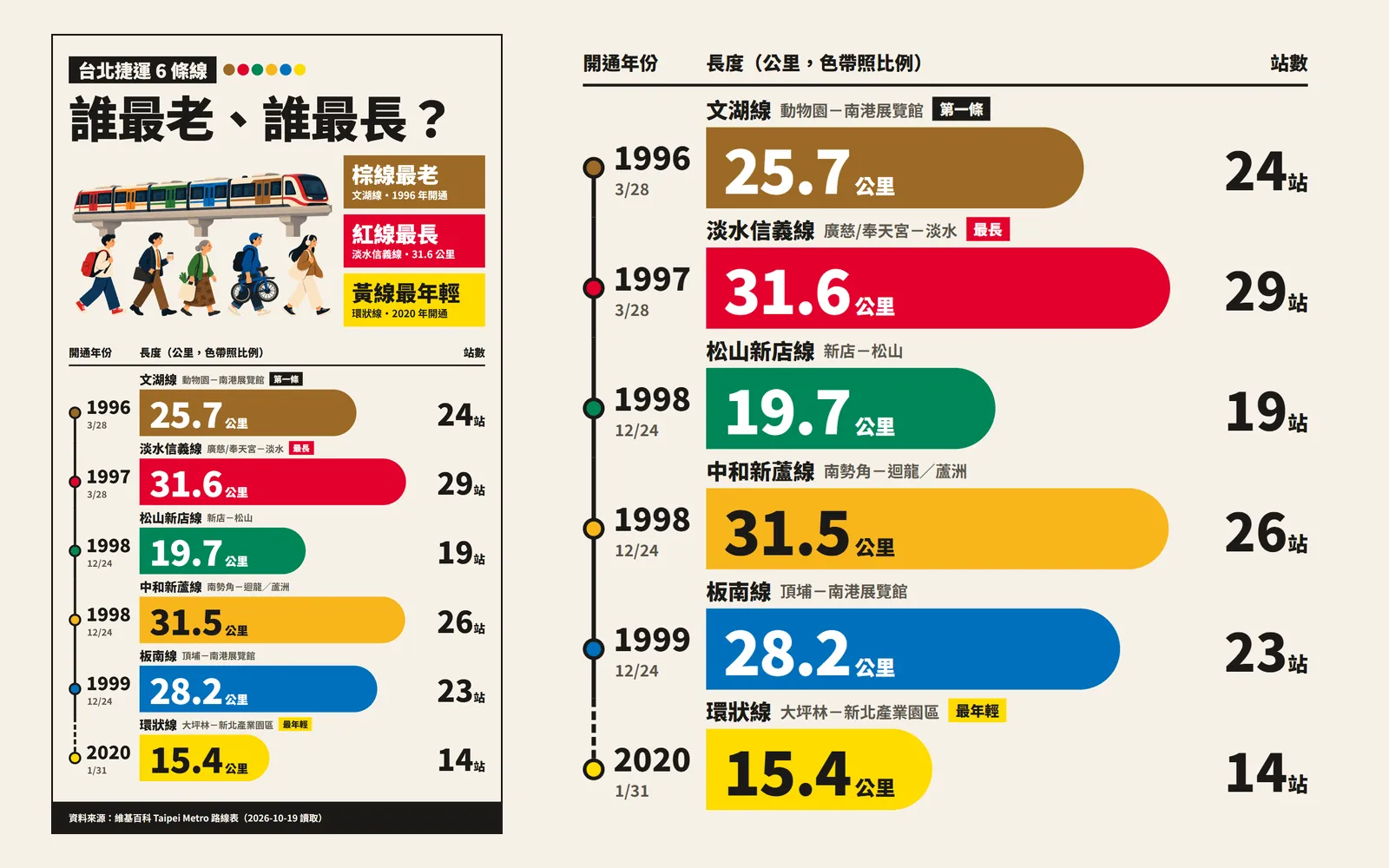
Why do other people's Claude infographics make sense at a glance while yours look like an Excel sheet? Most people think it comes down to colours and illustrations. It really comes down to one decision you make first: which sentence should viewers remember? In this guide we used Claude Design to turn the lines table on Wikipedia's Taipei Metro page into a vertical poster asking “Taipei Metro's 6 lines: which is the oldest, which is the longest?” The data comes from Wikipedia and is shown only as an example. Every image below is the real result Claude Design made; we did not edit it.
01Open Claude Design and pick a diagram template (1 minute)
- Sign in at claude.ai/design, or call up Claude Design inside a normal Claude chat. It is on every plan, including Free.
- Start a new project and pick a template for diagrams. We picked “Diagram”. Template names are not listed on official pages and may change; if you can't find it, look for one about diagrams or charts.
- Don't start typing yet. Follow the steps below and get your data and your one-sentence takeaway ready first.
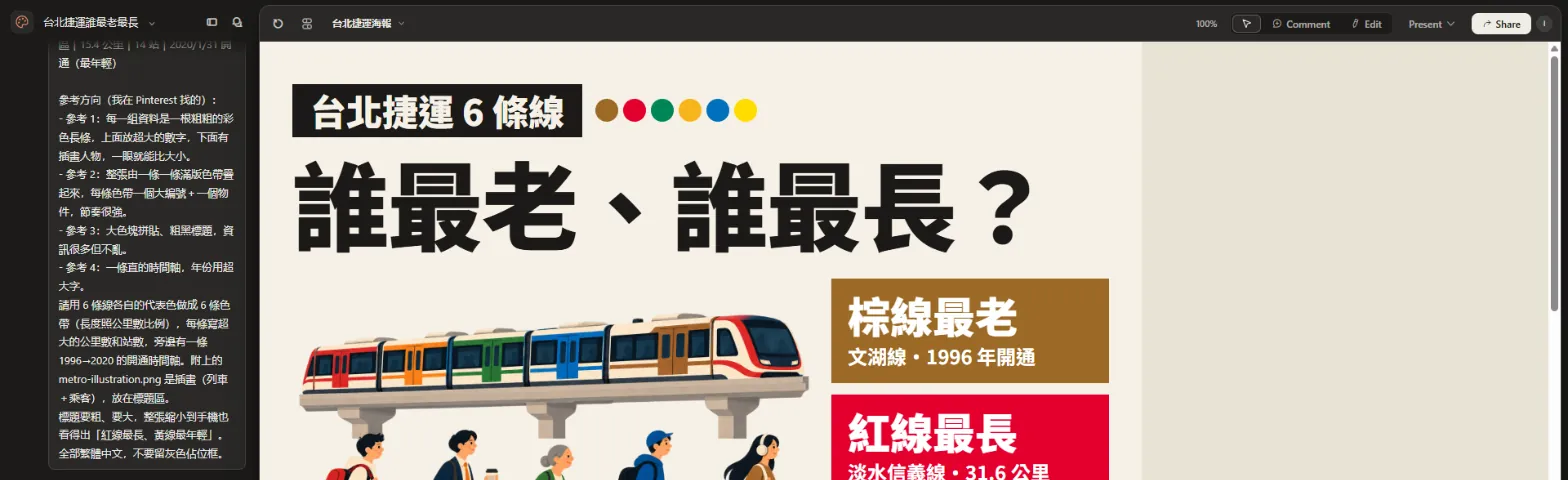
- Claude Design official page — Plans; the standalone site stays open until 14 Dec 2026
02Step 1: Find real data, one item per line
The biggest risk with an infographic is Claude making up numbers. It won't look the data up for you; if you don't give it a number, it fills in one that looks plausible. So step one is not opening a design tool. It's finding and tidying the data.
We used the lines table on the English Wikipedia “Taipei Metro” page, read on 19 October 2026. For each line we copied four things: length, number of stations, opening date, plus its line colour.
- Write one item per line, with fields split by “|”, e.g. name (colour) | number 1 | number 2 | date.
- Give every number a unit: km, stations, year.
- Add the source and the date you read it. Claude puts it on the poster, and you can check it later.
- End with “don't add any numbers of your own”.
- 文湖線(棕)動物園-南港展覽館|25.7 公里|24 站|1996/3/28 開通(第一條)
- 淡水信義線(紅)廣慈/奉天宮-淡水|31.6 公里|29 站|1997/3/28 開通
- 松山新店線(綠)新店-松山|19.7 公里|19 站|1998/12/24 開通
- 中和新蘆線(橘)南勢角-迴龍/蘆洲|31.5 公里|26 站|1998/12/24 開通
- 板南線(藍)頂埔-南港展覽館|28.2 公里|23 站|1999/12/24 開通
- 環狀線(黃)大坪林-新北產業園區|15.4 公里|14 站|2020/1/31 開通(最年輕)
- Wikipedia: Taipei Metro (lines table) — Our data source, read 19 Oct 2026
03Step 2: Decide the one sentence viewers must remember
This is the step people skip. Six lines with four numbers each makes 24 numbers. Viewers scroll past in a second or two and can't remember them all. So ask yourself first: after seeing this chart, what one sentence should they remember?
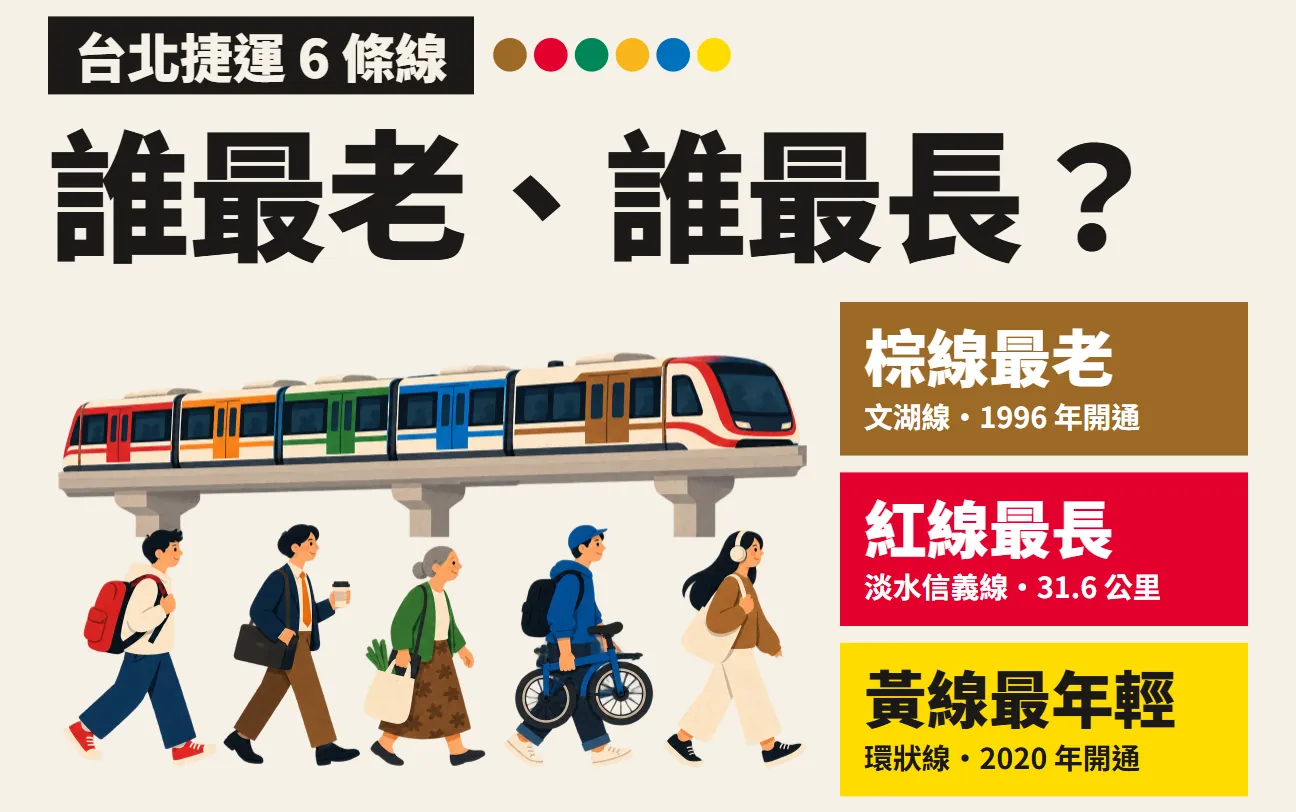
Ours was “the red line is the longest, the yellow line is the youngest”, with the question “which is the oldest, which is the longest?” as the title. Claude turned the answer into the three loudest colour blocks next to the title. The third block, “brown line is the oldest”, it added on its own from the “first line” note in our data.
04Step 3: Attach the illustration and paste the prompt
The header illustration (a train and commuters) is a transparent PNG we made in ChatGPT first, then attached in Claude Design. Without an illustration, Claude often leaves a grey placeholder box. Attach the illustration, then paste this prompt:
Make a vertical infographic poster (1080×1920, readable at a glance while scrolling on a phone). Topic: “[topic]”.
Use only this data (source: [source + date read]); don't add any numbers of your own:
[data: one item per line, e.g. name (colour) | number 1 | number 2 | date]
Reference direction:
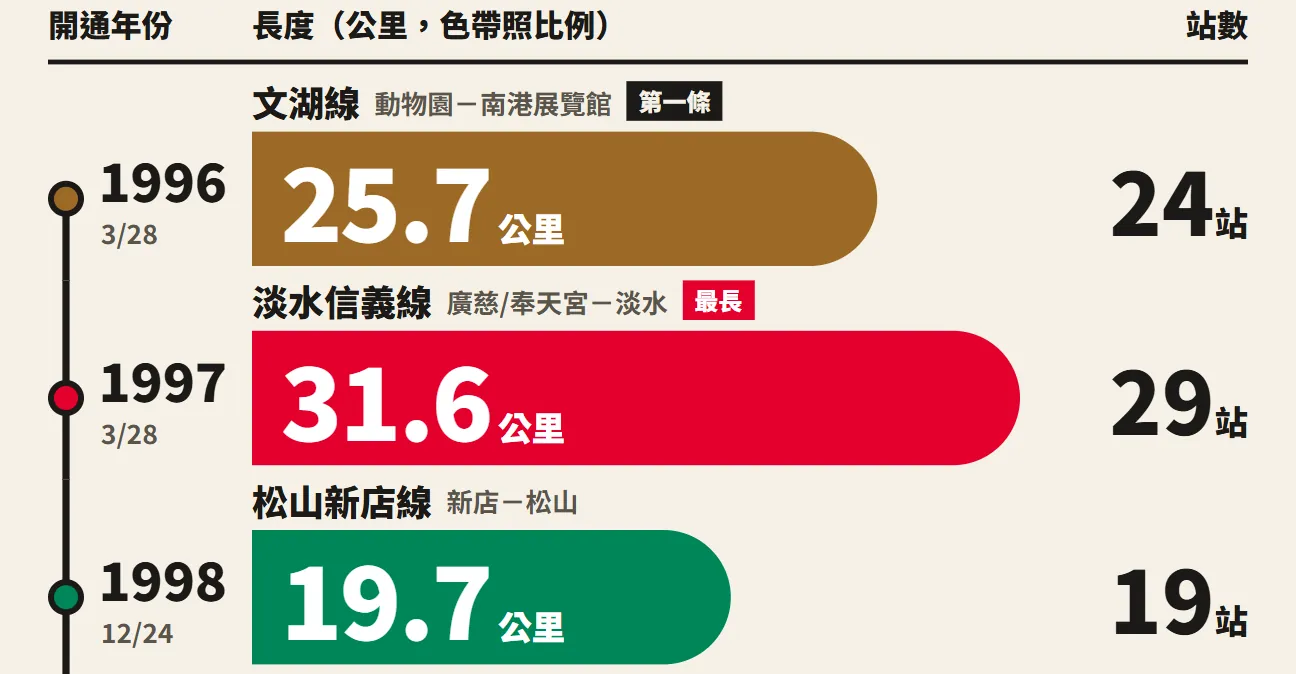
- Each data item is a thick colour bar with an oversized number on it, so sizes compare at a glance.
- The poster is a stack of full-width colour bands, each with a big index number and one object, for a strong rhythm.
- Big colour-block collage and a heavy black title: lots of information, but not messy.
- Data with dates gets a vertical timeline with oversized years.
Give each item its own colour as a band (length proportional to [number]) and write a huge number on each. Put the attached illustration in the title area.
Make the title bold and big; even shrunk to phone size the whole poster must still show “[your one sentence]”. All text in Traditional Chinese, and leave no grey placeholder boxes.
05Step 4: Colour-code so nobody needs a legend
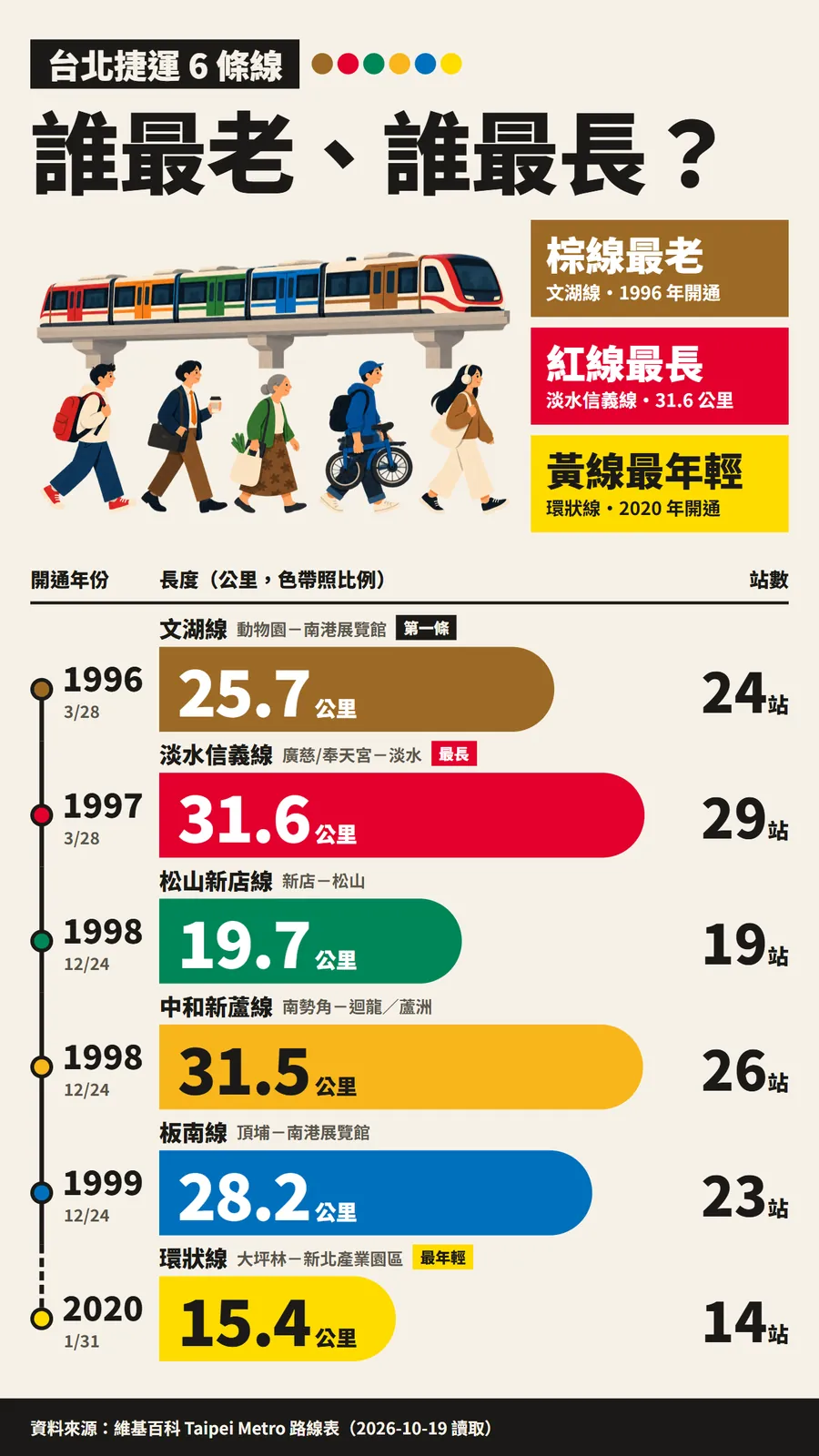
Each item gets its own colour: Wenhu brown, Tamsui–Xinyi red, Songshan–Xindian green, Zhonghe–Xinlu orange, Bannan blue, Circular yellow. People in Taiwan already know the metro line colours, so they see a red bar and know which line it is without looking for a legend.
06Step 5: Draw bars to scale and make the numbers huge
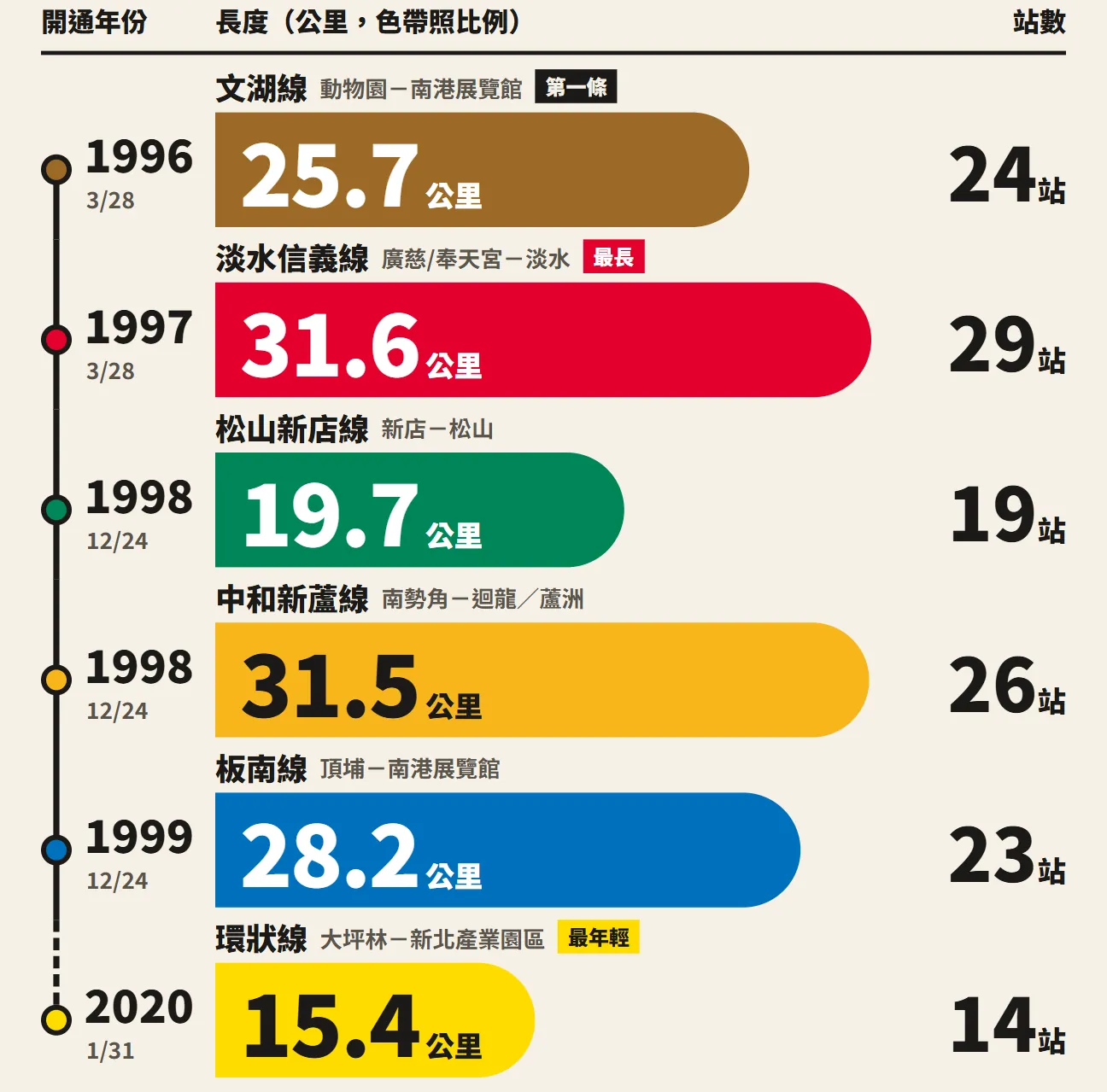
Bar length has to be proportional to the number so viewers can compare at a glance. The red line is 31.6 km and the Circular line 15.4 km; 31.6 ÷ 15.4 ≈ 2.05, so the red band is almost twice as long as the yellow one.
We measured all six bands Claude made: every one works out to about 21.1 pixels per km. They are all to scale, not stretched by eye.
07Step 6: Timeline and source, then a final check
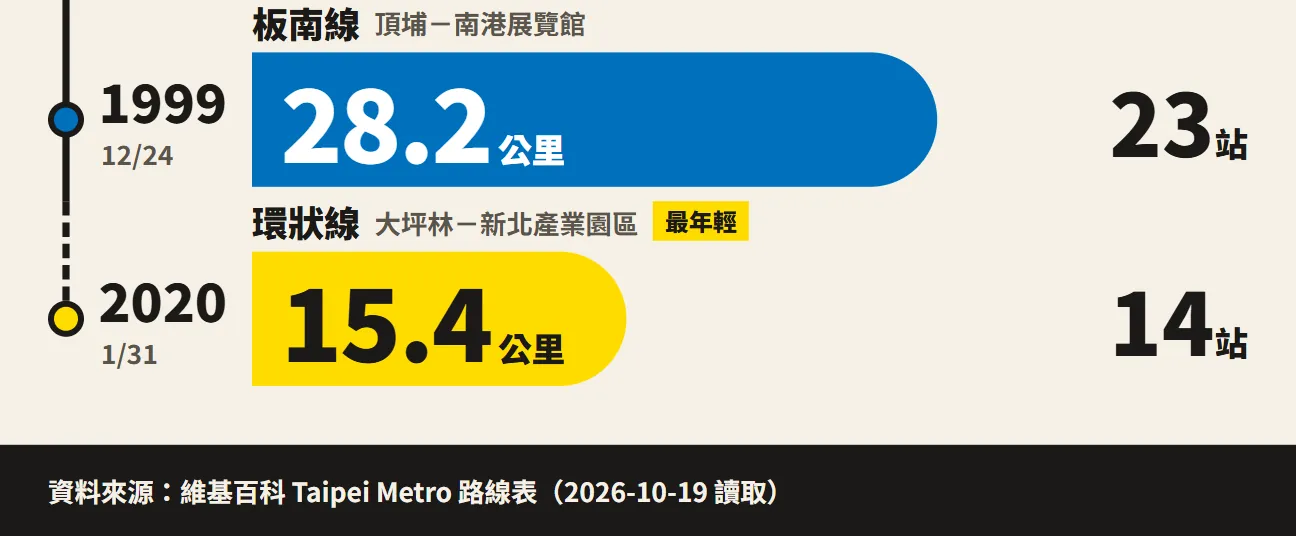
Opening years sit on a vertical timeline on the left, each dot in its line's colour. There's a 20-year gap between 1999 and 2020, and Claude drew that stretch as a dashed line on its own, so viewers see at once that the Circular line came much later. The source and the date read sit in a black band at the very bottom.
- Check the numbers: does every number on the poster match the data you pasted?
- Check small: shrink the preview to phone size. Can you still read your one sentence?
- Check colours: are any two colours too alike?
- Check small text: are route names, dates and units too tiny to read?
Change the [Zhonghe–Xinlu line]'s band and header dot to a clear [orange #F08A00] so it separates from [the Circular line's yellow]. Make the [longest] tag twice as big and put it at the end of the [red band]. Don't change anything else.
When it's right, use Share at the top right to export. The official export formats are PDF, PPTX, standalone HTML, and sending to Canva. PNG export isn't officially listed; for the Instagram image we zoomed the preview in and took a screenshot.
08Good to know
- The poster's data comes from the lines table on the English Wikipedia Taipei Metro page (read 19 October 2026) and is only an example of the method. Lines get extended and numbers change; check again before using it, ideally against Taipei Metro's own official data.
- On Wikipedia, the Tamsui–Xinyi line's 31.6 km shares a cell with the Xinbeitou branch, and the Songshan–Xindian line's 19.7 km shares one with the Xiaobitan branch; the 29 and 19 station counts exclude the branches.
- This is a demo piece, not official. It was not made by Taipei Metro and uses no official logo. The band colours approximate the line colours; they are not official colour codes.
- The poster was generated by Claude Design and we did not edit it. The train-and-commuters illustration was generated in ChatGPT, and the people in it are fictional.
- “Diagram” is the template name we picked. Official pages don't list templates, so the name may change.
- The standalone claude.ai/design site stays open until 14 December 2026, and Claude Design already works inside normal Claude chats. Export important projects first.