Does your Claude-built site just scroll? Install the official Frontend Design skill and write a scroll script
No GSAP needed. Install the Frontend Design skill, then give Claude a mood, a 5-part scroll script and pacing: every move follows your finger.
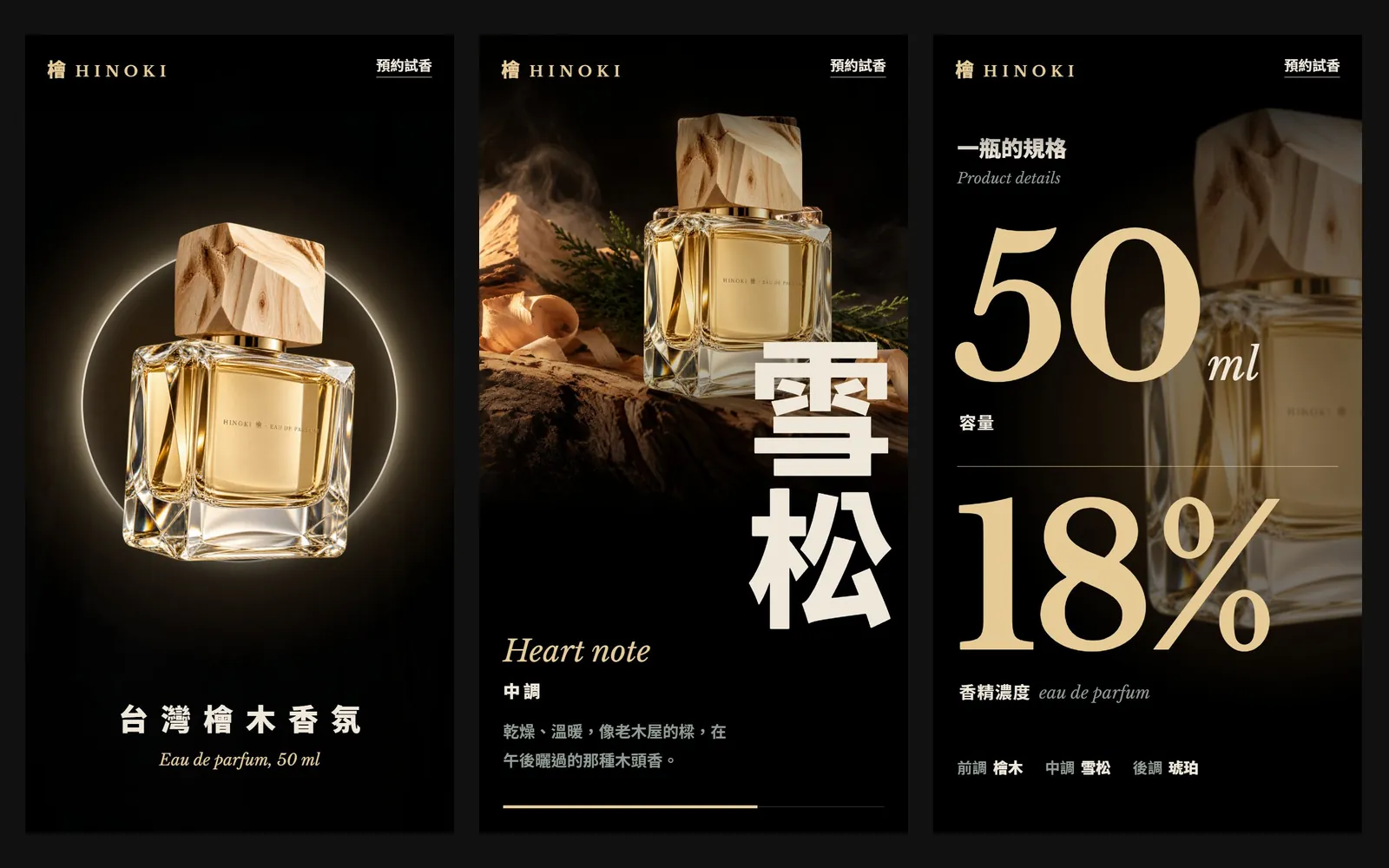
Does every website Claude builds for you just scroll down in blocks? Other people's sites have a bottle that grows under your finger and a giant word wiped in letter by letter. It's the same Claude, and nobody had to learn GSAP. Only two things differ: Anthropic's official Frontend Design skill, and a "scroll script" written into the prompt. This guide uses HINOKI, a fictional Taiwanese hinoki fragrance brand. Every website screenshot below was actually built by Claude Code.
01Same Claude, two websites
We had Claude build the HINOKI site twice. The first time we typed one line: "Make a perfume brand website for HINOKI, a Taiwanese hinoki fragrance; the photos are in the assets folder." The second time we installed the Frontend Design skill first and added a scroll script. Same brand, same photos.
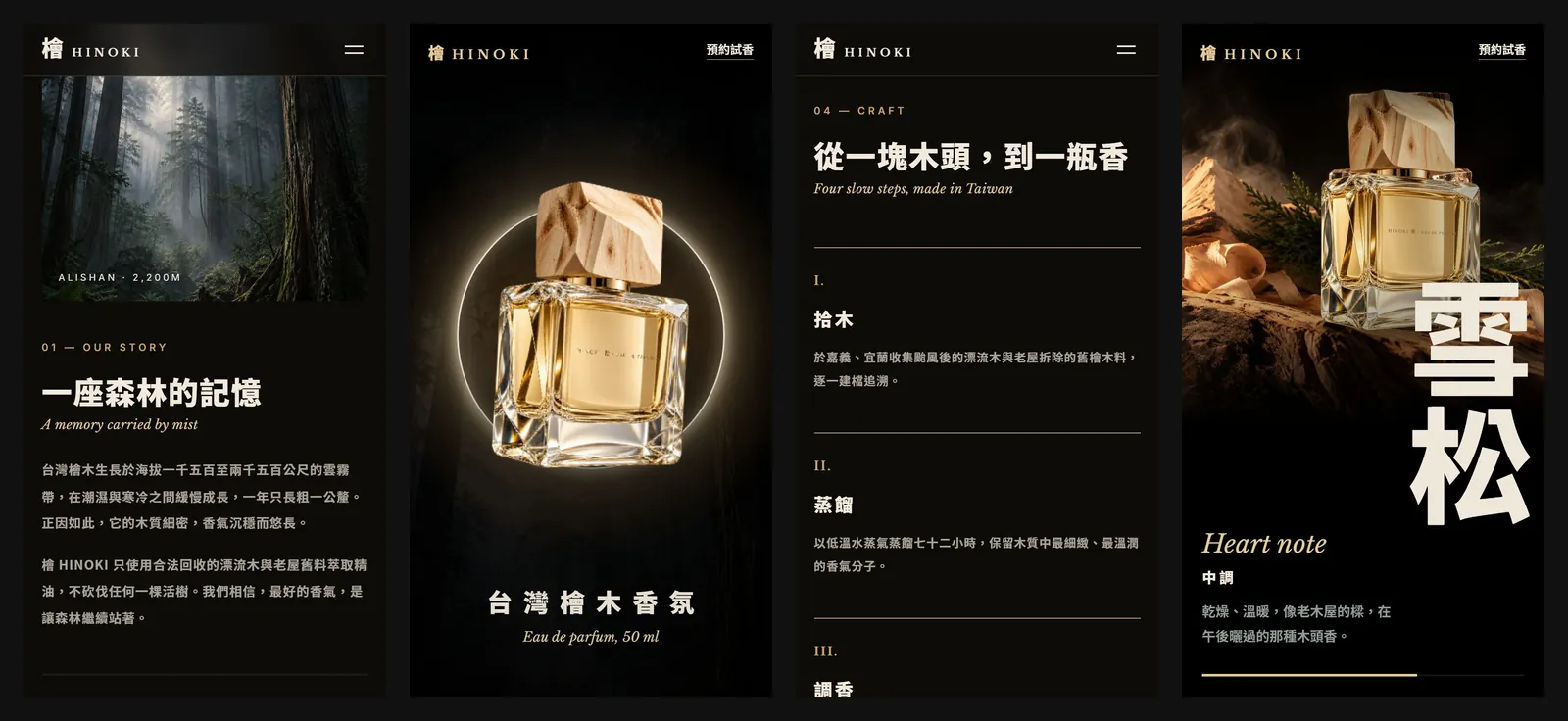
The one-line version isn't ugly: it has the dark palette, the gold and the real photos. But its only motion is a fade-in as each block arrives, plus a float and a marquee that play on their own. None of it follows your finger, and further down it is block after block of small text. The scripted version has one hero per screen and follows the scroll exactly: stop and it stops, scroll back and it rewinds.
02Step 1: install the Frontend Design skill in Claude Code
- Open Claude Code.
- Type: /plugin install frontend-design@claude-plugins-official (or type /plugin and find frontend-design under Discover).
- Once installed, it switches on by itself for web and interface work. To be safe, still start your prompt with "Use the Frontend Design skill".
It lives in Anthropic's official plugin directory, claude-plugins-official, and its description promises interfaces that avoid generic AI aesthetics. It makes Claude work like a design lead: write a design plan first (4 to 6 named colours, type roles, a layout concept), check the plan against your brief and change anything that reads as a default, then write the code and critique screenshots as it goes.
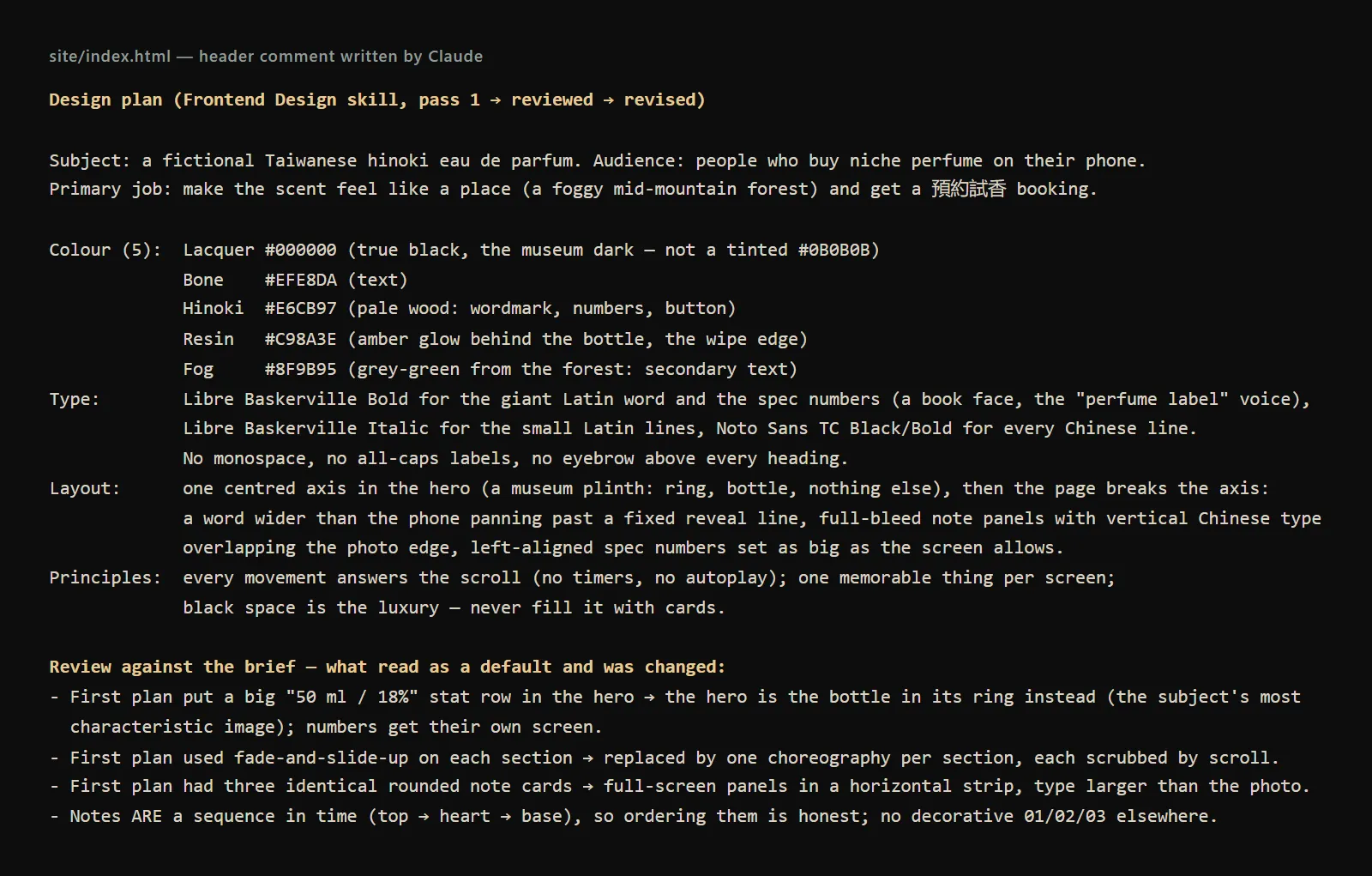
The last part is the most useful. The first plan put "50 ml / 18%" in the hero, faded in every section and made the three notes three identical rounded cards. After checking against the brief, Claude changed all three: the hero is just the bottle and its ring, the numbers get their own screen, and the notes became full-screen sideways panels.
- Frontend Design plugin (GitHub) — Anthropic's official plugin directory, Apache 2.0 licence
03Step 2: prepare 2 to 3 real photos
Photos carry a scroll site. Without them Claude can only draw grey boxes, and no animation can save that. We prepared three, all generated in ChatGPT:
- A product cut-out (a PNG with a transparent background): this is what grows and turns in the opening.
- A scene photo: a misty hinoki forest, used behind the opening and inside the HINOKI letters.
- A still life: the bottle on hinoki wood against black, for the notes and the ending.
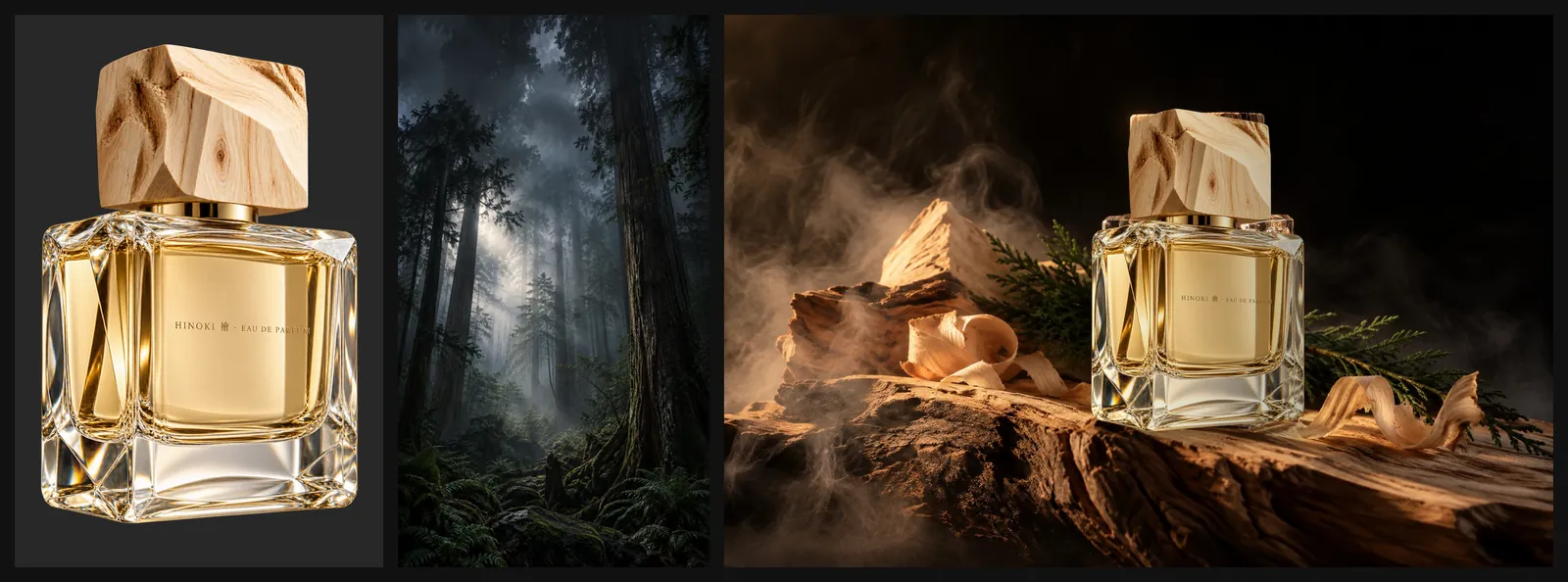
Put the photos in the project folder, give them clear file names, and name in the prompt which photo goes where.
04Step 3: paste the scroll-script prompt
The prompt has four parts: photos, mood, scroll script and pacing. Replace the [ ] parts with your brand and paste it into Claude Code.
Use the Frontend Design skill to build a one-page website for [type of brand], mobile first, that moves as you scroll.
Brand: "[brand name]". Photos: [photo 1], [photo 2], [photo 3]. Use only these, no grey placeholder boxes.
Mood: [e.g. museum black: an all-black page with a glowing ring behind the product]; [e.g. perfume-ad lighting: only the product is lit, lots of black]; [e.g. huge serif type over the photos].
Scroll script (in this order, every part tied to the scroll, nothing plays on its own):
1. Pin the opening for about [3] screens: [product] slowly grows from small and turns a little, while [background photo] drifts the other way.
2. One huge word "[brand name in English]" is wiped in letter by letter, with one line of copy under it.
3. [three key points] slide past sideways (scroll down, the screen moves left), one full screen each.
4. Numbers: [number 1] and [number 2] count up with the scroll.
5. Ending: [photo] comes forward with one button, "[action]".
Pacing: the opening is longest, the letter wipe is slow, each key point holds for a beat, the numbers are fast, the ending stays still.
Calculate every animation from the scroll position (no timers). All copy in English.
The three mood lines are what we noted down after looking at reference images, for example "museum black: an all-black page with a glowing ring behind the bottle". Describe the picture, not an adjective: Claude can't act on "luxurious", but it can build "all black, only the product is lit".
05The 5 sections of the script, one by one
These are the screens Claude built from the script, captured at phone width. "Pin for N screens" means the section stays fixed on screen for that much scrolling before it lets go.
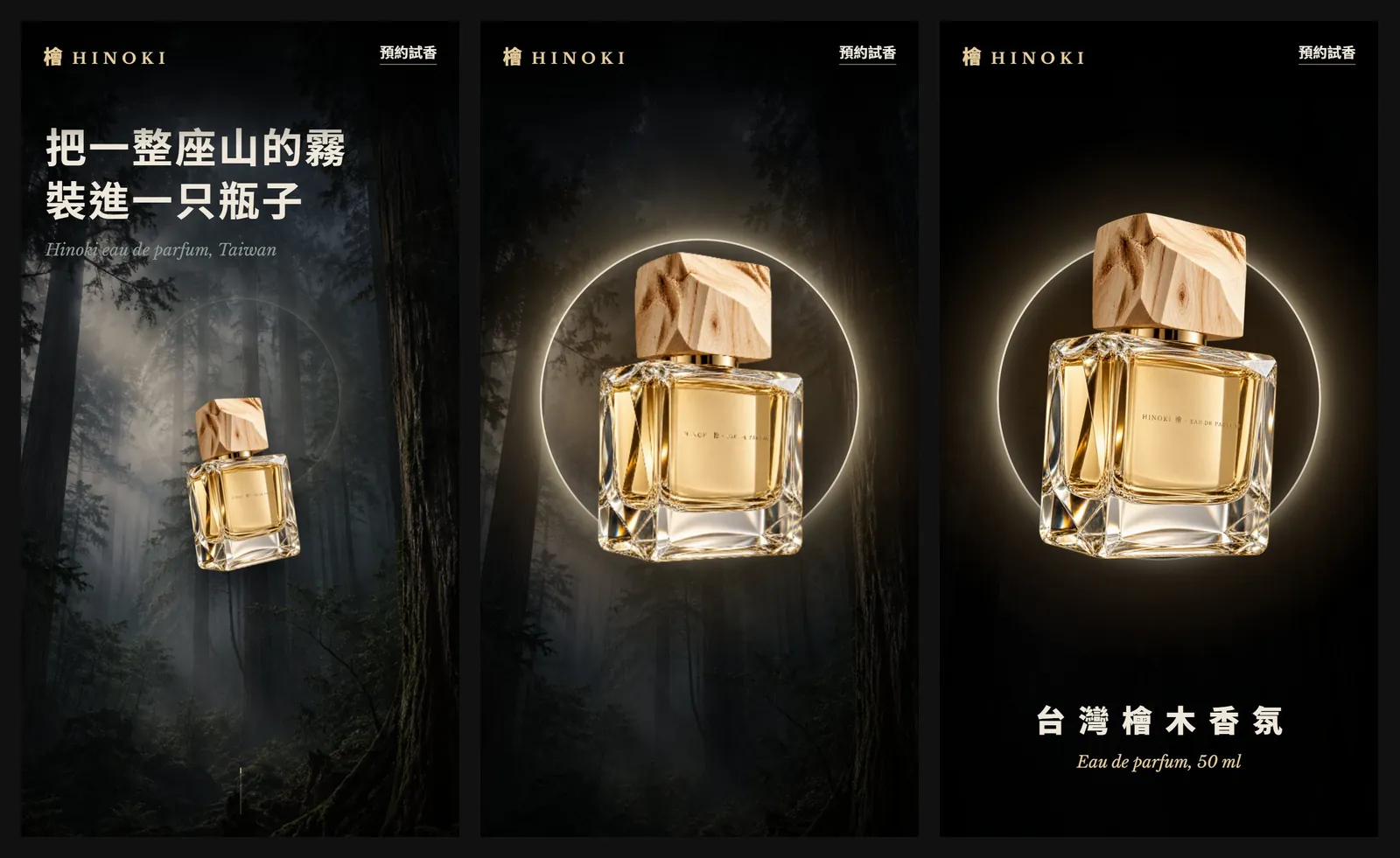
Section 1, the opening: the bottle grows and straightens, the ring lights up, and the forest behind drifts the other way and darkens. The headline fades up and away as soon as you start scrolling, leaving only the bottle, the ring and the brand line.
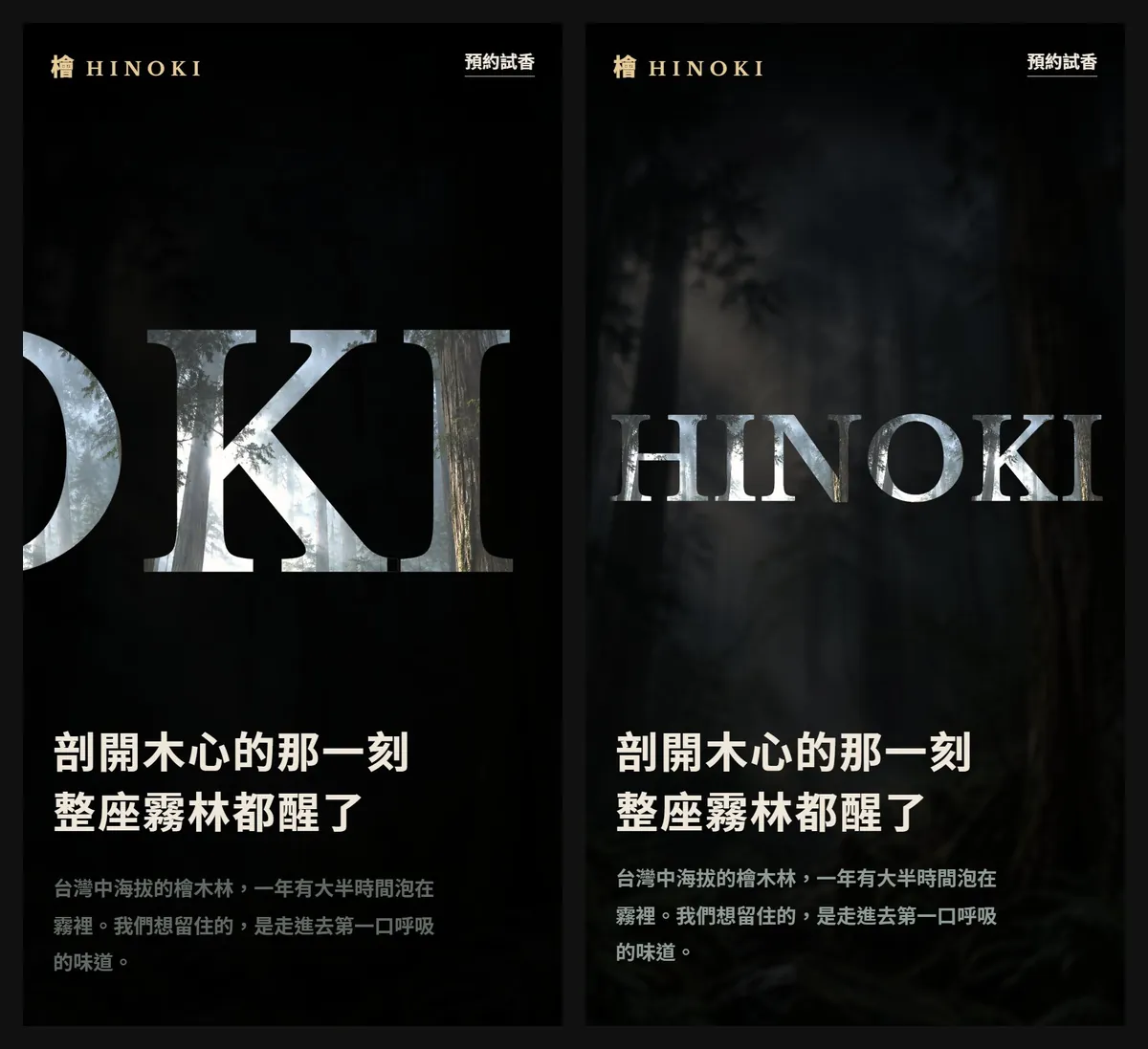
Section 2, the giant word: a HINOKI wider than the phone moves left, and each letter is wiped in as it crosses a fixed line, filled with the forest photo. When every letter is in, the whole word pulls back to exactly one screen wide and the Chinese line underneath writes itself character by character.
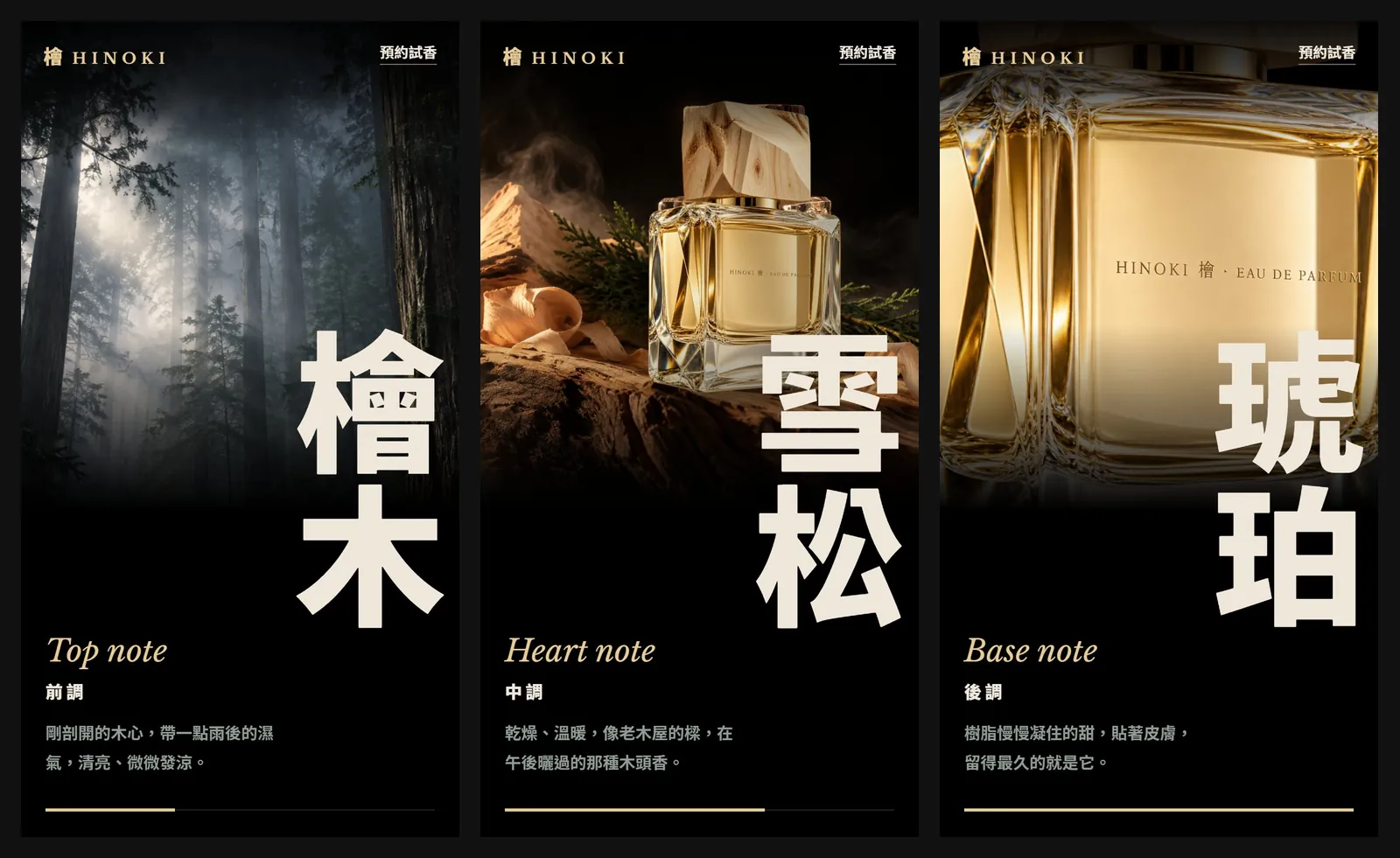
Section 3, the notes sideways: you scroll down and the screen moves left. Top note hinoki, heart note cedar, base note amber each take a full screen and hold for a beat before the next. The vertical Chinese type overlaps the photo edge and outshines the photo.
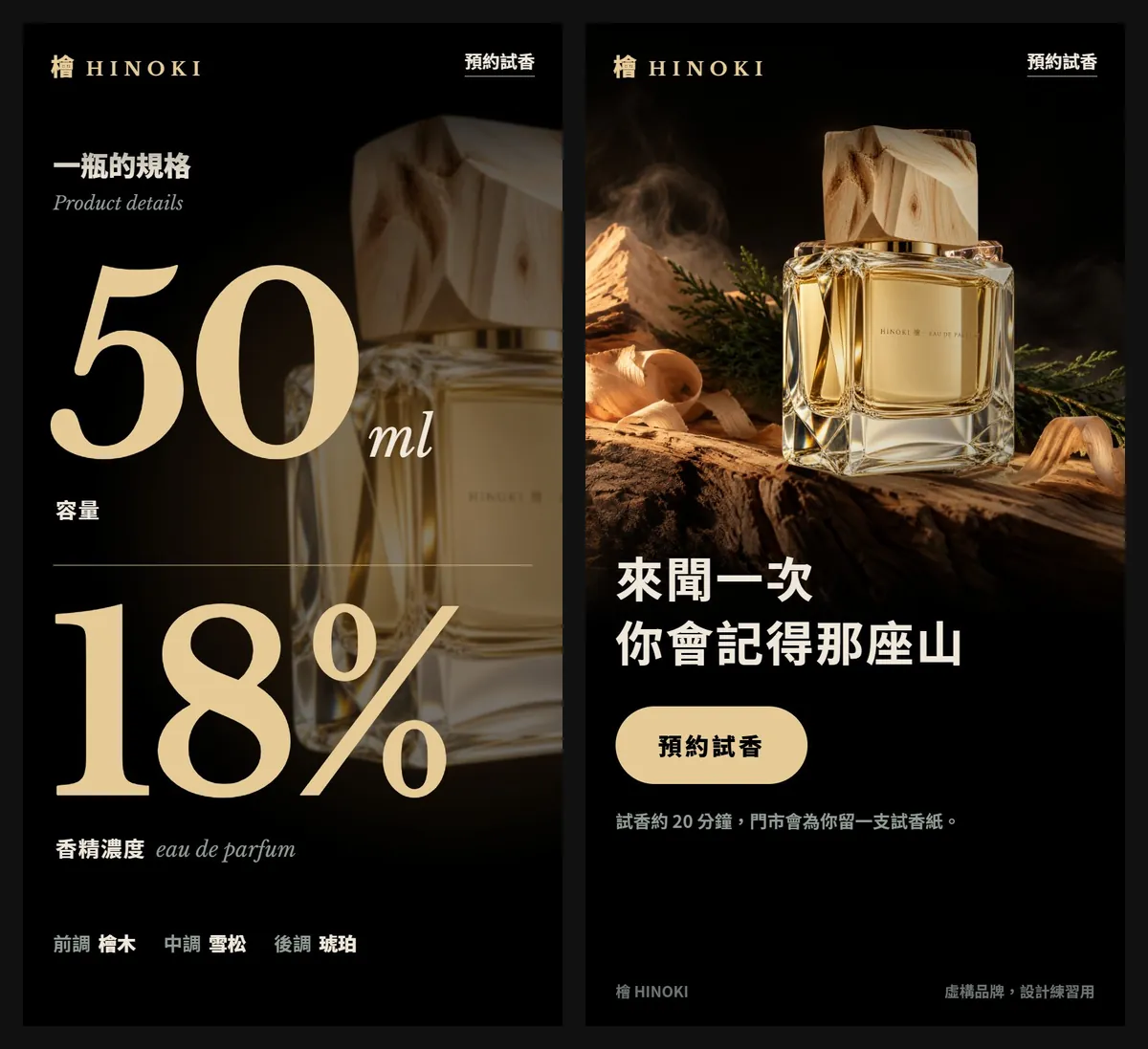
Sections 4 and 5, numbers and ending: 50 ml and 18% count up with the scroll, set as wide as the screen. In the ending the still life comes forward and brightens, one booking button appears, and then everything stops.
06Step 4: open it at phone width and tune the pacing section by section
When the first version is ready, scroll it top to bottom on a phone (or the browser's phone mode). If a section is too fast or too slow, change only that section's scroll length. In Claude's file each section's length is one height value; subtract one screen and you get how long it stays pinned:
- Opening 400vh: pinned for about 3 screens, the longest on the page.
- Giant word 300vh: about 2 screens, so the letter wipe stays slow.
- Notes 380vh: three notes plus the pauses between them.
- Numbers 250vh: shorter, so the numbers feel fast.
- Ending 100vh: one screen, no more motion.
We fixed three things for real, and you'll probably meet them too:
- At the end of the HINOKI section, the giant word slid under the nav bar and tangled with the brand name. Fix: fade the whole section out over its last 10%, then let the next section rise out of black.
- The nav bar covered the product. Fix: give the nav bar a black-to-transparent gradient.
- Between sections, a frame or two showed one line of text on an empty black screen. Fix: move where that section starts and stops pinning.
Section [2] is too fast: make its scroll length one screen longer and leave the other sections alone.
At the end of section [2] the word slides under the nav bar. Fade the whole section out over its last 10%, and fade the next section in from black.
07Good to know
- HINOKI is a fictional brand; the 50 ml and 18% specs and all the copy are for the demo. The site was generated by Claude Code with the Frontend Design skill in October 2026, and the photos were generated in ChatGPT.
- The official plugin directory also warns: make sure you trust any plugin before you install it.
- The last line of the script, "calculate every animation from the scroll position", also helps people who turn on Reduce Motion: our version shows each section's finished screen straight away. Turn the setting on once yourself before going live.
- Use fonts licensed for commercial use. We used Libre Baskerville and Noto Sans TC, both under the SIL OFL, with the font files kept in the project.
- Before going live, swap the AI product photos for real shots, so the bottle customers see is the bottle they receive.
- Use reference images only to write the mood lines. Don't put other people's photos or designs on your site.