Make Instagram carousels with Claude: upload product photos, paste one prompt, download each slide as PNG
Upload product photos to claude.ai and use one prompt to get a full 1080×1350 carousel in HTML + CSS, with a download button. Edit one thing at a time.
Watch the reel on InstagramComment #Carousel to get this guide
The carousel in the Reel was not dragged together slide by slide in Canva. Claude built it in one go with HTML + CSS, and every slide downloads as a PNG with one click.
The upside: fonts, colours and spacing always match across the set, and an edit takes one sentence. Here are the full steps and the prompt.
013 steps
- Open claude.ai (the free plan works too) and upload your product photos. Upload 3 to 5 at once so it has choices.
- Paste the all-purpose prompt below and fill in your brand, topic, fonts and colours. Claude builds a web page you can preview in the Artifact panel on the right.
- If you don't like something, ask for a change: "Make the headline bigger", "Make the price bigger", "Use a different photo on slide 3". Change one thing at a time, and it won't mess up the other slides.
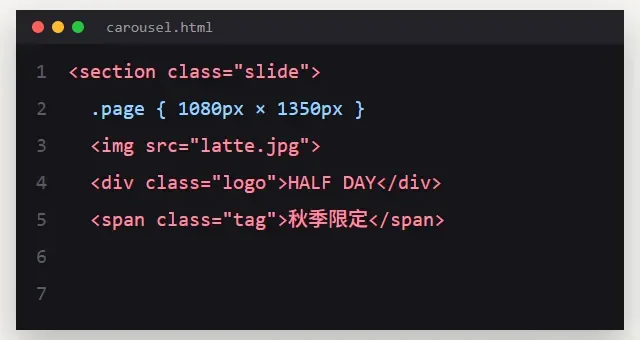
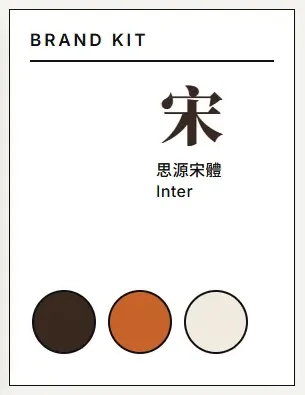
02All-purpose prompt
Use HTML + CSS to make me an Instagram carousel, each slide 1080×1350.
Brand: [name + industry, e.g. coffee shop]
Topic: [e.g. new autumn menu / hydration how-to]
Photos: use the photos I uploaded
Fonts + colours: [your brand]
Structure: slide 1 is the cover and the hook, each middle slide covers one point, the last slide reminds people to save it or gives an offer.
Add a button that downloads each slide as a PNG.
A filled-in example:
Use HTML + CSS to make me an Instagram carousel, each slide 1080×1350.
Brand: Hill Coffee (山丘咖啡), a neighbourhood coffee shop
Topic: 3 new autumn drinks (hojicha latte, brown sugar cinnamon, chestnut cream)
Photos: use the 3 photos I uploaded, one per drink
Fonts + colours: headlines Noto Serif TC, body Noto Sans TC; background #F4E9D8, main colour #C57B3A, text #4A2C1A
Structure: slide 1 is the cover hook ("Three cups of autumn"), slides 2 to 4 each show one drink (name, one line on taste, price), slide 5 is a summary, slide 6 reminds people to save it + "10% off single cups this week".
Add a button that downloads each slide as a PNG.
03Why the carousel is structured this way
- Slide 1 is the hook: one line that makes people swipe. Don't use your logo and brand name as the cover.
- Each middle slide covers one point only: one headline, one line of explanation, one image. If there is too much, add a slide.
- The last slide needs an action: "Save this post", "Comment for a discount code". Give readers one thing to do.
- 6 to 8 slides is the sweet spot. Too short and there is no swipe, too long and people drop off in the middle.
04Download and upload
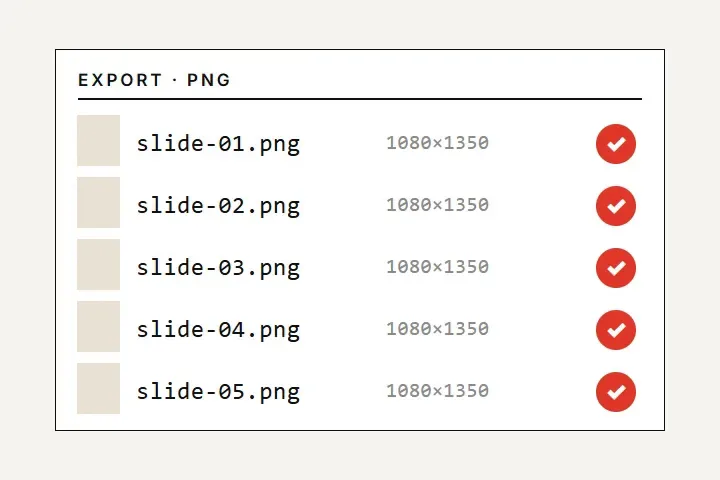
- Press the download button on each slide. It saves as a 1080×1350 PNG.
- Name the files in order (01, 02, 03) so they don't get mixed up when you upload to Instagram.
- An Instagram carousel holds up to 20 slides, and the ratio must match. Use 4:5 for all of them.
- Check it once on your phone before posting, to make sure the text is big enough on a phone.
05Watch out
- When the Artifact is done, you can press "Publish" to share a link. To edit it later, go back to the same chat.
- You can only use photos commercially if they are yours. For AI-generated photos, check the tool's terms of use.
- After each edit, download all the slides again, or one of them will be an old version.