No After Effects: one Claude prompt makes a glowing 3D isometric motion-graphic explainer
One prompt with each scene's timing, colours and text: Claude builds a three.js 3D isometric animation you record as a vertical video. Prompt and steps.
Watch the reel on InstagramComment #等距 to get this guide
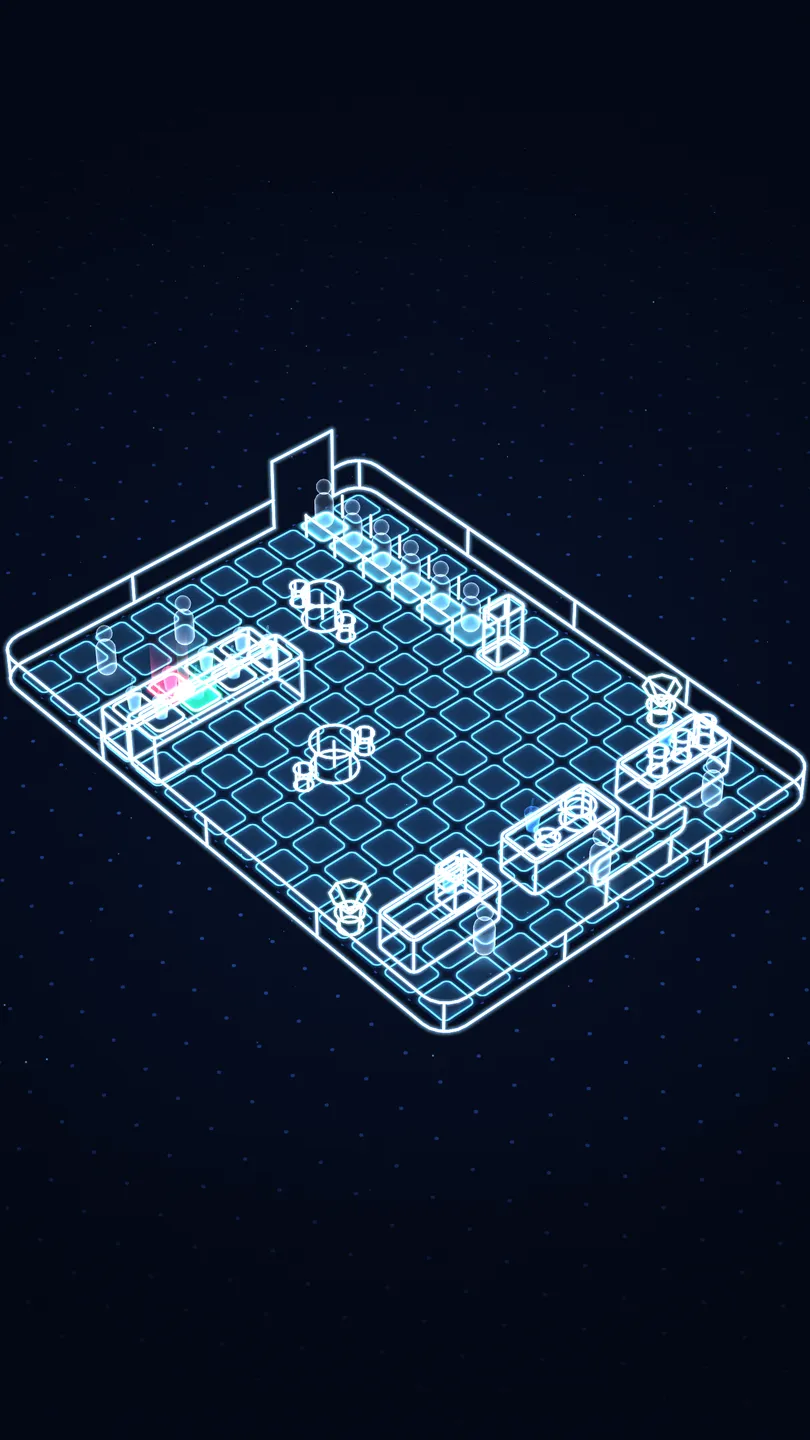
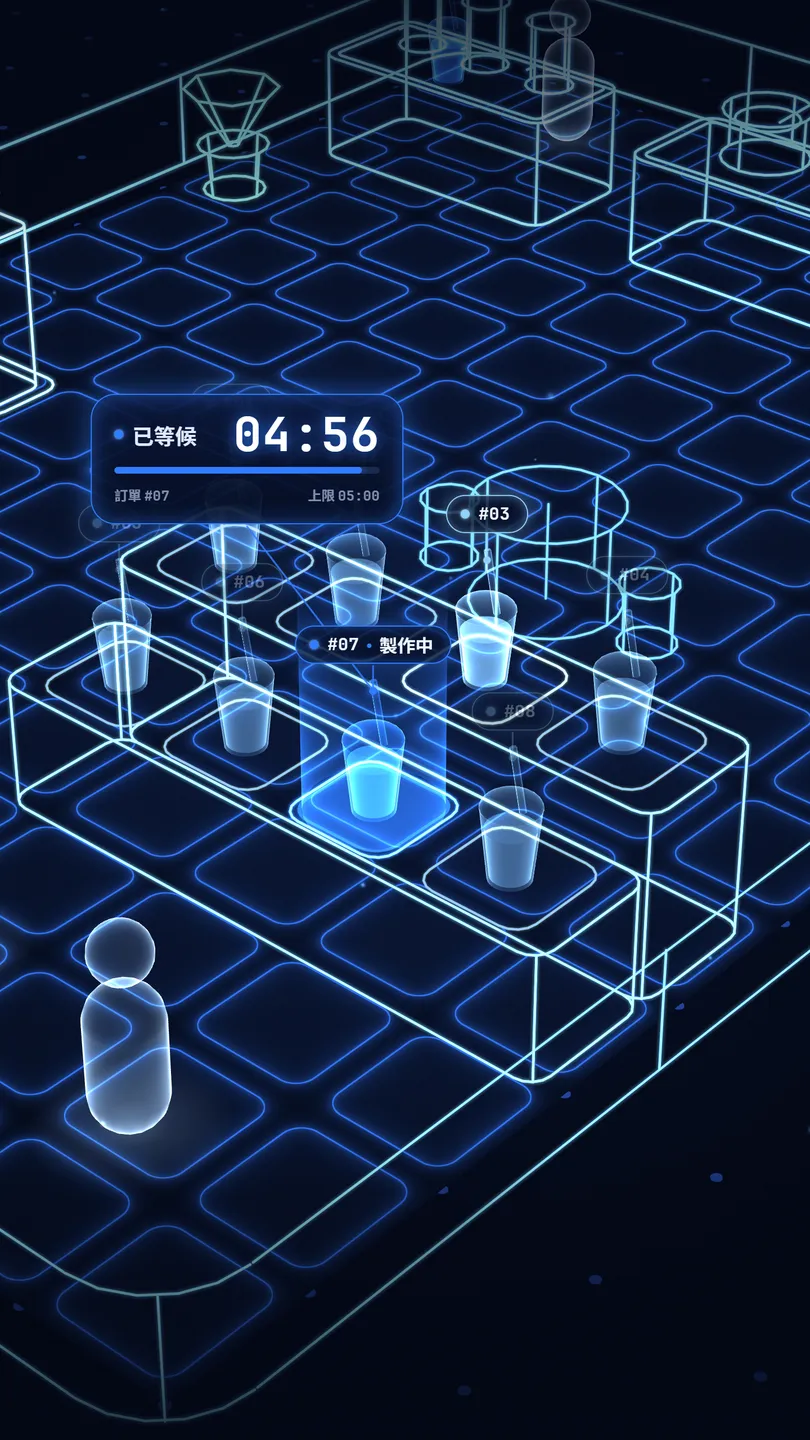
Glowing dark-blue 3D isometric explainers like this look like After Effects or Blender work. We opened neither: we gave Claude one prompt, it wrote a three.js web page, and we recorded the page frame by frame as a video. The subject is a fictional bubble-tea shop, 霧光茶室 (Misty Light Tea Room), and how it tracks every order. Every picture below is a real frame drawn by that page. You get the prompt we used (swap in your own topic), the technical requirements that make it easy to record, and the recording steps.
01The result: 7 scenes from one prompt
The animation runs 48 seconds in 7 scenes. Claude followed the timetable in the prompt, scene by scene:
- 0–7 s: the wireframe grows cell by cell into the whole shop, and the figures fade in.
- 7–12 s: numbers #01–#08 pop up above each drink.
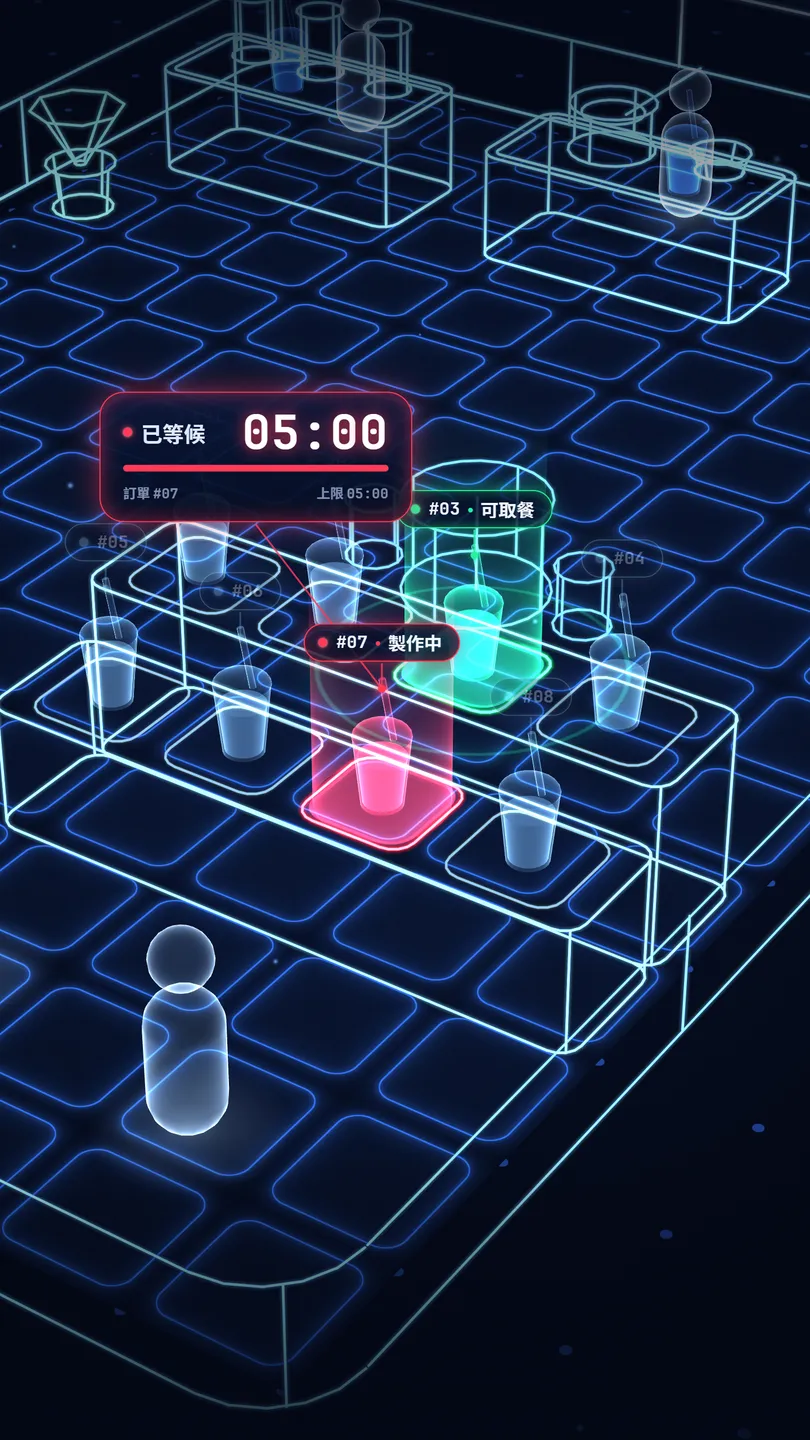
- 12–21 s: the camera pushes in on #07; the timer ticks from 04:50 to 05:00 and turns red; #03 turns green, ready for pickup.
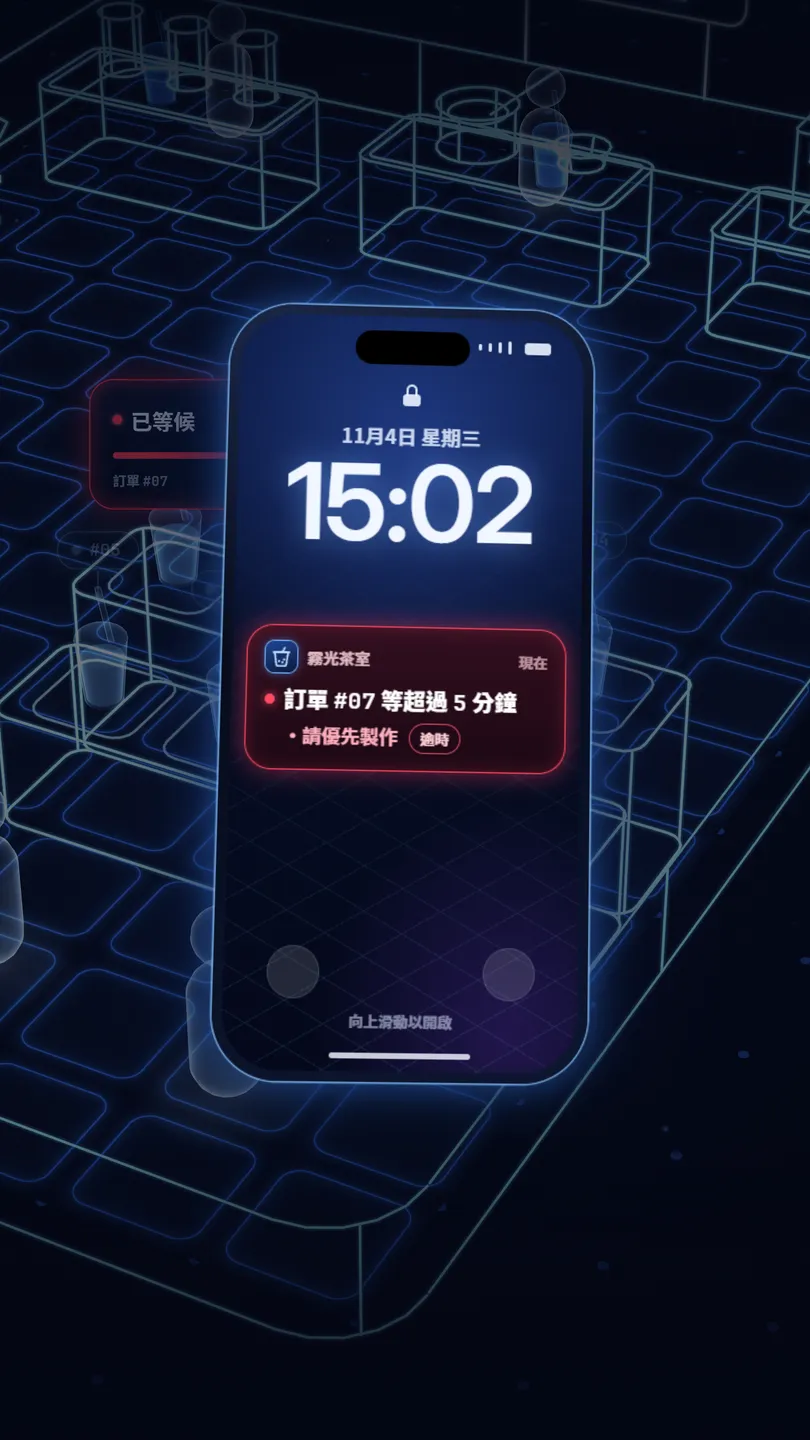
- 21–26 s: a phone shows a red notification: order #07 has waited over 5 minutes.
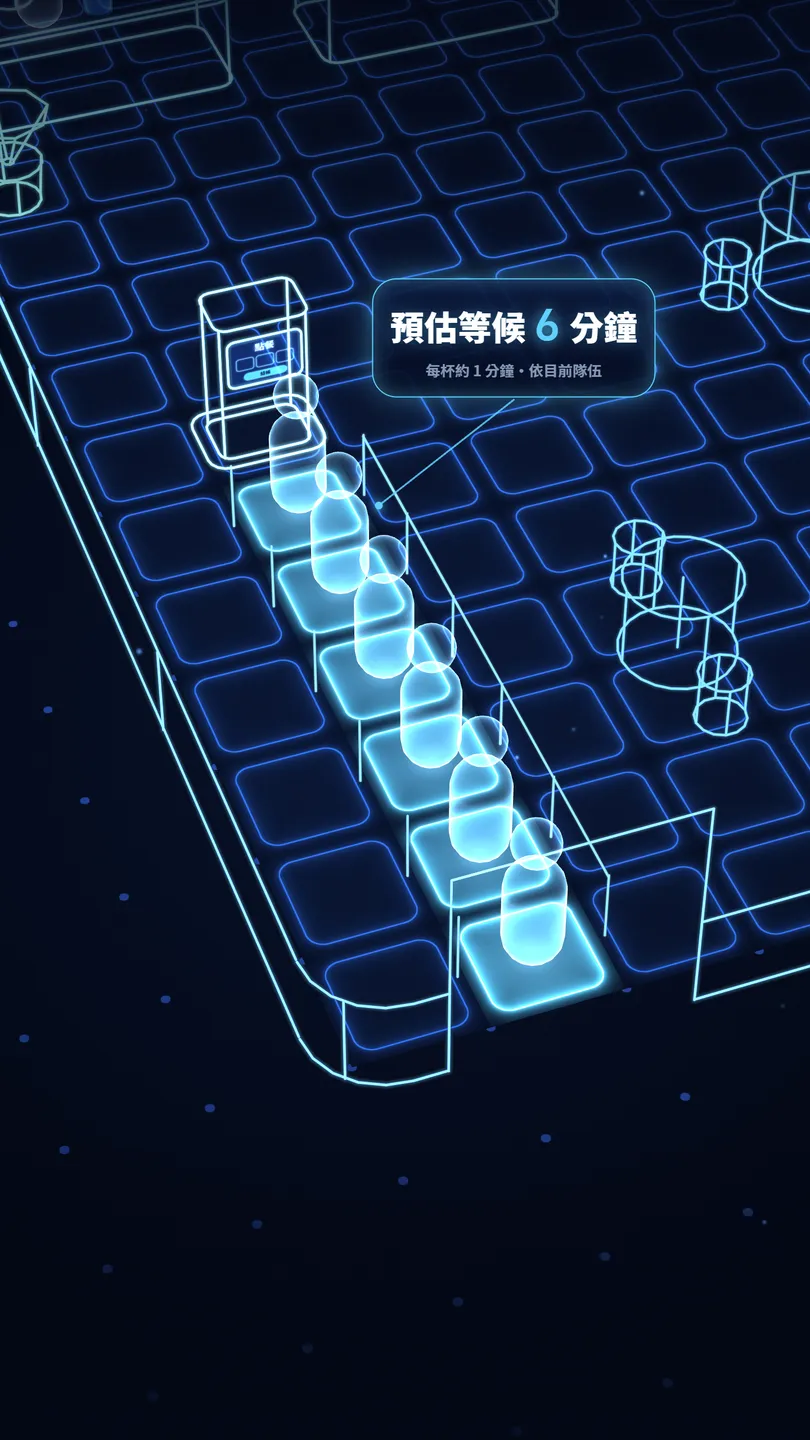
- 26–34 s: six people queue at the door and a card estimates a 6-minute wait.
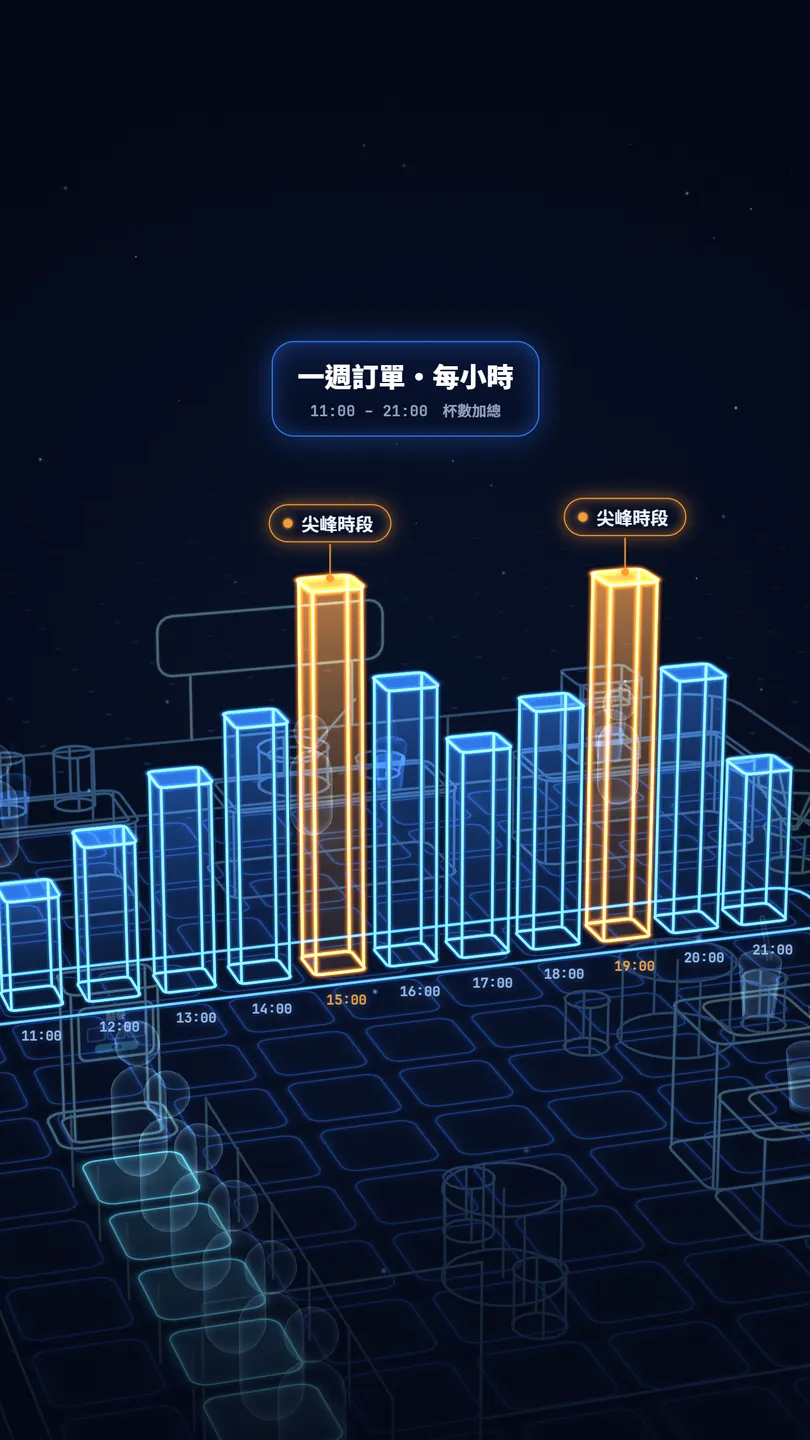
- 34–42 s: a week of orders becomes a 3D bar chart, with the peak hours in orange.
- 42–48 s: pull back and the whole shop lights up.
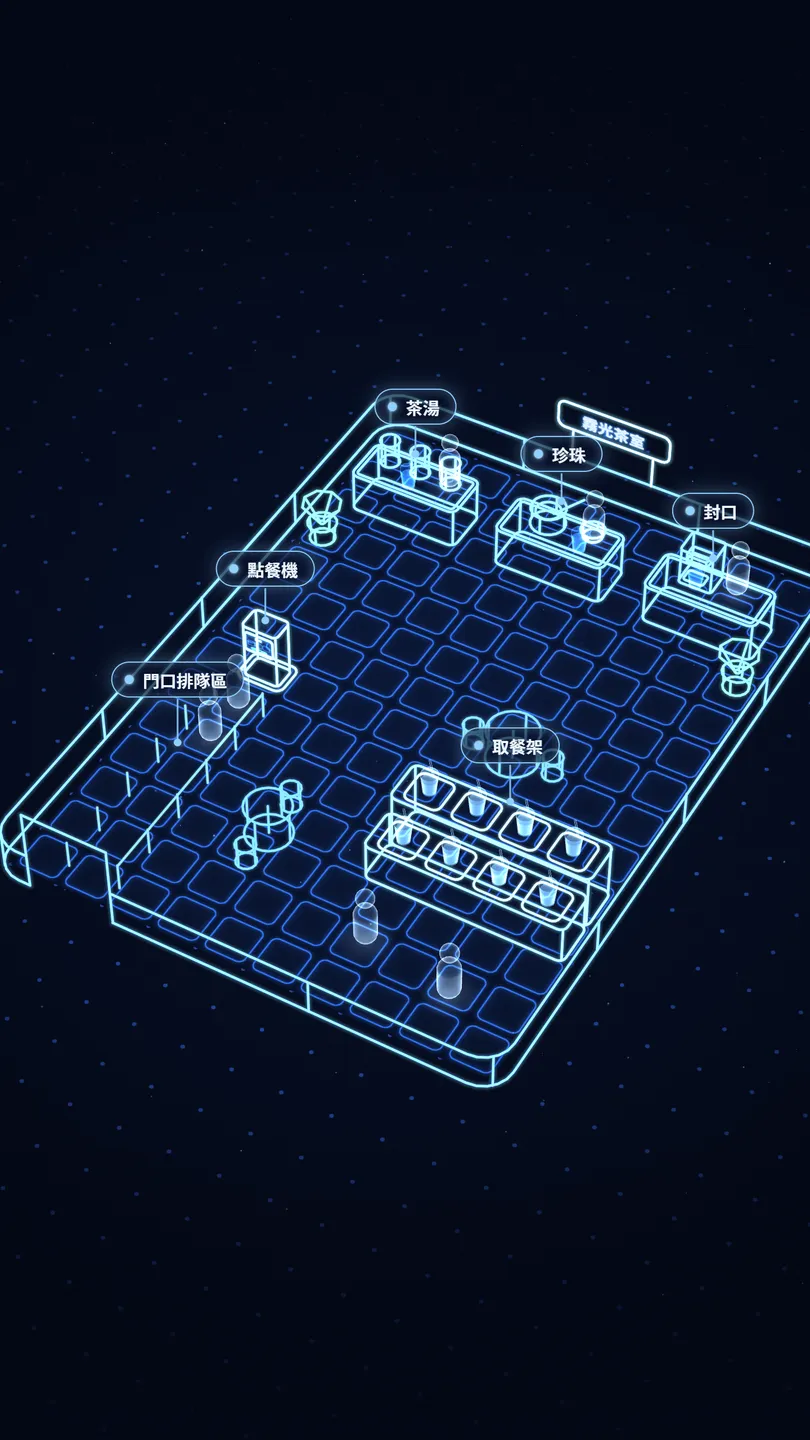
02Step 1: write the prompt with timings for every scene
Three things matter: describe the style precisely (deep navy, neon wireframe, translucent figures), say what each colour means, and give every scene its seconds. With timings, Claude follows the timetable and the voiceover lines up later. Replace the [ ] parts with your topic:
Use three.js to make a vertical 3D isometric motion-graphic explainer (9:16) about how [fictional shop or product] handles [the process you want to explain].

Style: a deep navy space; the whole scene is a glowing blue neon wireframe floor plan (isometric view, rounded grid cells, glowing lines); people are simple translucent glowing figures; [main objects] are small glowing models. The camera moves slowly the whole time and never stops. Colour rules: blue = [state one], green = [state two], red = [state three], orange = [highlight]. All text in [language]; labels are rounded pills.

7 scenes, [total seconds, e.g. 48] seconds in all:
1. (0–7 s) The wireframe grows cell by cell from the centre and builds the whole scene: [area one], [area two], [area three]; the figures fade in. The camera turns from straight overhead to a 45° angle.
2. (7–12 s) A number tag [#01–#08] pops up above each [object], one after another.
3. (12–21 s) The camera pushes in on [one number]: label "[number · state one]", and a timer card "[waiting 04:50]" appears above it, ticking up second by second; at [threshold, e.g. 05:00] everything turns red and flashes once. Next to it, [another number] turns green "[state two]".
4. (21–26 s) A phone slides up from the bottom and its lock screen shows a red notification "[notification text]".
5. (26–34 s) [The queue or progress scene]; a card above it shows "[number one]", then changes to "[number two]".
6. (34–42 s) A 3D bar chart of [a week / a month] rises from the floor ([x-axis range]); [the key bars] turn orange and are labelled "[highlight name]".
7. (42–48 s) Pull back to see the whole scene, all the wireframes light up together, and the camera slowly circles once.
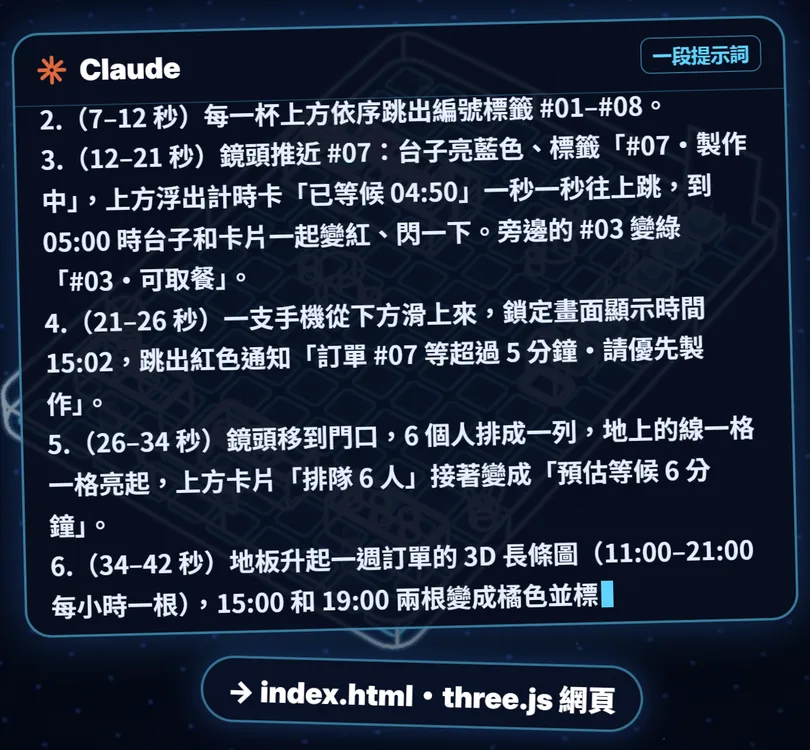
03Step 2: add technical requirements so it can be recorded frame by frame
The prompt controls the picture; the technical requirements control how it records. The key one is renderAt(t): each frame depends only on time, so even a slow computer can screenshot it frame by frame without dropping frames. We gave Claude this block together with the prompt:
Technical requirements (so it can be recorded as a video):
- Make one index.html only. Put three.js in the same folder and load it with an importmap; no network requests.
- Put the fonts in ./fonts/ and load them with @font-face; fixed 720×1280 frame.
- Every frame depends only on the time t: provide window.renderAt(t), which draws that moment immediately when called; use a seeded random generator.
- No post-processing addons (bloom); fake the glow with additive-blended translucent layers.
- Keep the top 200px and bottom 250px free for titles and captions; keep labels in the middle.
- When done, take screenshots at t = 1, 10, 20, 30 and 40 s yourself and check every scene renders.
We used Claude Code: it can create files directly on your computer and open a browser to screenshot and check its own work. In a normal Claude chat you can also ask for the HTML, save it and open it in a browser.
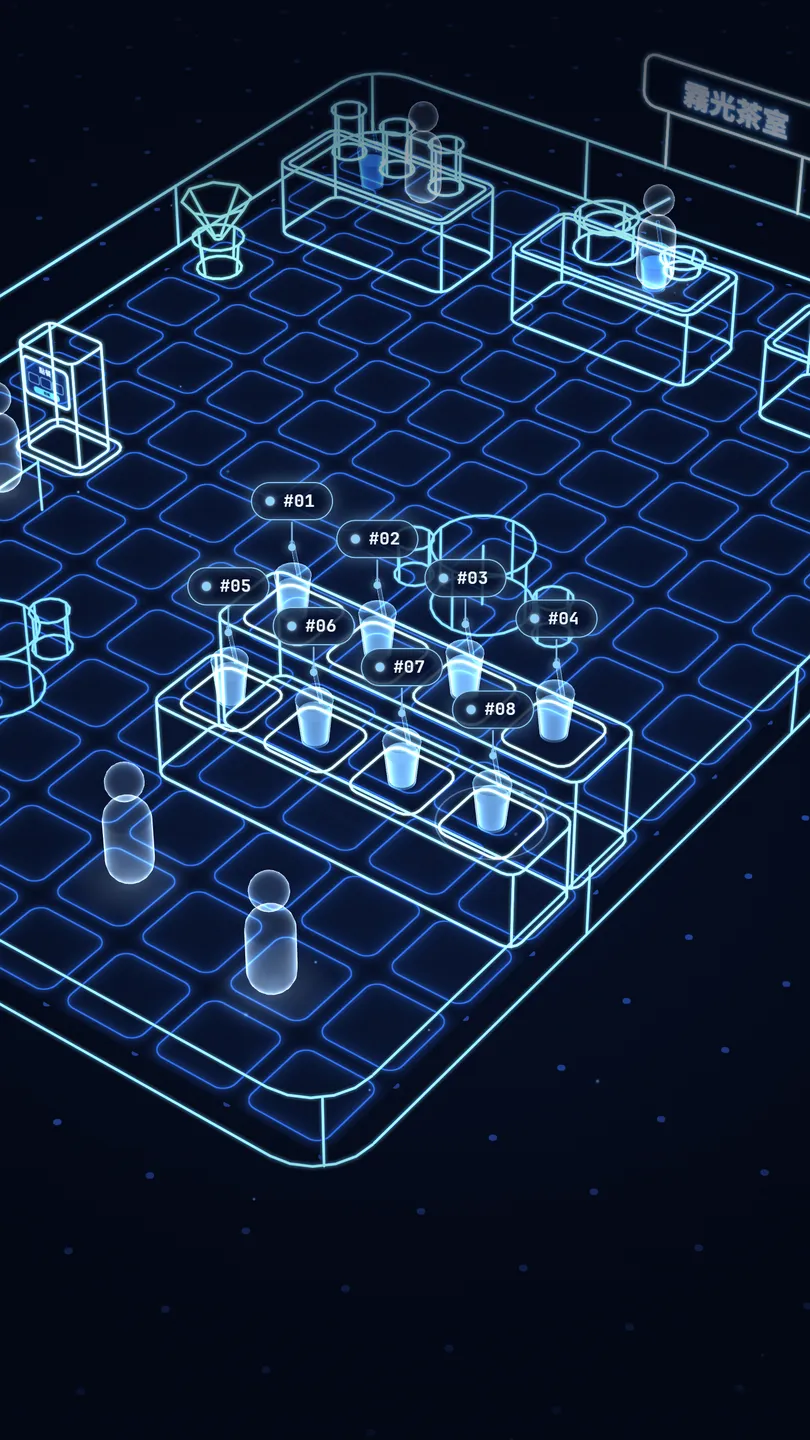
04Step 3: open the page and check each scene
Open index.html in Chrome and it plays from the start. In every scene check three things: is everything drawn, does any text overlap, and do the colours follow your rules.
05Step 4: record it as a vertical video
The simplest way is your computer's built-in screen recorder, capturing the autoplay. For a clean frame-by-frame recording with no dropped frames, ask Claude for a small script:
- Use puppeteer to open headless Chrome and load index.html.
- For each frame call renderAt(t), adding 1/30 s each time, and take a screenshot.
- Join the screenshots into a 30 fps MP4 with ffmpeg.
- Put it in your editor and add titles, captions and voiceover.
06Swap in your own topic
This format fits anything with one process, a few states and a set of numbers. Just change what's inside the [ ]:
- Coffee shop: cup numbers, in progress / ready, peak hours.
- Co-working space: desk bookings, free / in use, weekly occupancy.
- Online store: orders, shipping / delivered, orders per day.
- Event check-in: entrance queue, people checked in, visitors per time slot.
07Good to know
- 霧光茶室 is a fictional shop; the orders, people, times and chart on screen are made-up demo data, not real statistics.
- This was made in November 2026 with Claude Code and three.js r160; with other versions the code Claude writes may differ.
- Claude's output is not the same every time; the same prompt can give different camera moves and details, so check each scene.
- Recording without a graphics card (software rendering) gets slower as the scene gets busier, so don't overdo objects and translucent layers.
- Don't copy someone else's brand or logo into the scene for commercial use.