Does your Claude landing page look obviously AI-made? 3 free skills, same prompt, before and after
One cafe homepage prompt, run twice: the second time with taste-skill, impeccable and Anthropic's frontend-design. A 7-tell checklist, installs and prompts.
Watch the reel on InstagramComment #去AI味 to get this guide
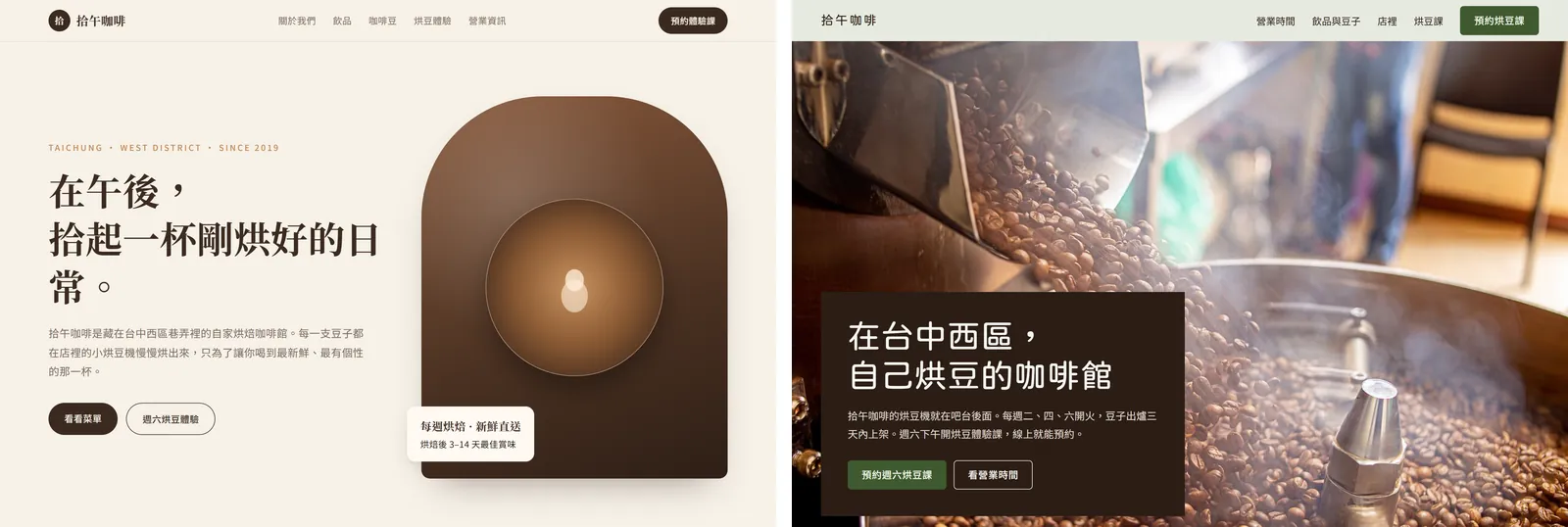
Does the landing page Claude made for you look AI-made the moment it opens? Cream background, small English labels, a row of identical cards, a gradient block where a picture should be. Your prompt isn't the problem; Claude is missing the right tools. We tested this on a fictional Taichung cafe, Shiwu Coffee (拾午咖啡): the same prompt run twice, the second time with only 3 free skills added. You get a checklist of 7 AI tells, install steps for the 3 skills and prompts you can reuse with your own shop's name. Every image below is a page Claude actually made.
01The result first: one prompt, run twice
The method is simple. Open a new Claude chat, give it a one-line request and get version one. Open another new chat, give it exactly the same request plus one line, “use these three skills”, and get version two. We didn't edit either page by hand.
- Version one (no skills): cream background, serif headline, caramel accent and a drawn coffee cup on the right.
- Version two (3 skills): a real photo of a coffee roaster as the hero, colours taken from green and roasted beans, and the headline set in Huninn, a rounded Taiwanese typeface.
02Without skills: 7 AI tells your page may have too
Version one isn't ugly. It is tidy and easy to read. The problem is that it looks like most AI-made pages. We wrote a small script that opens the page at 1280px wide and counts them one by one:
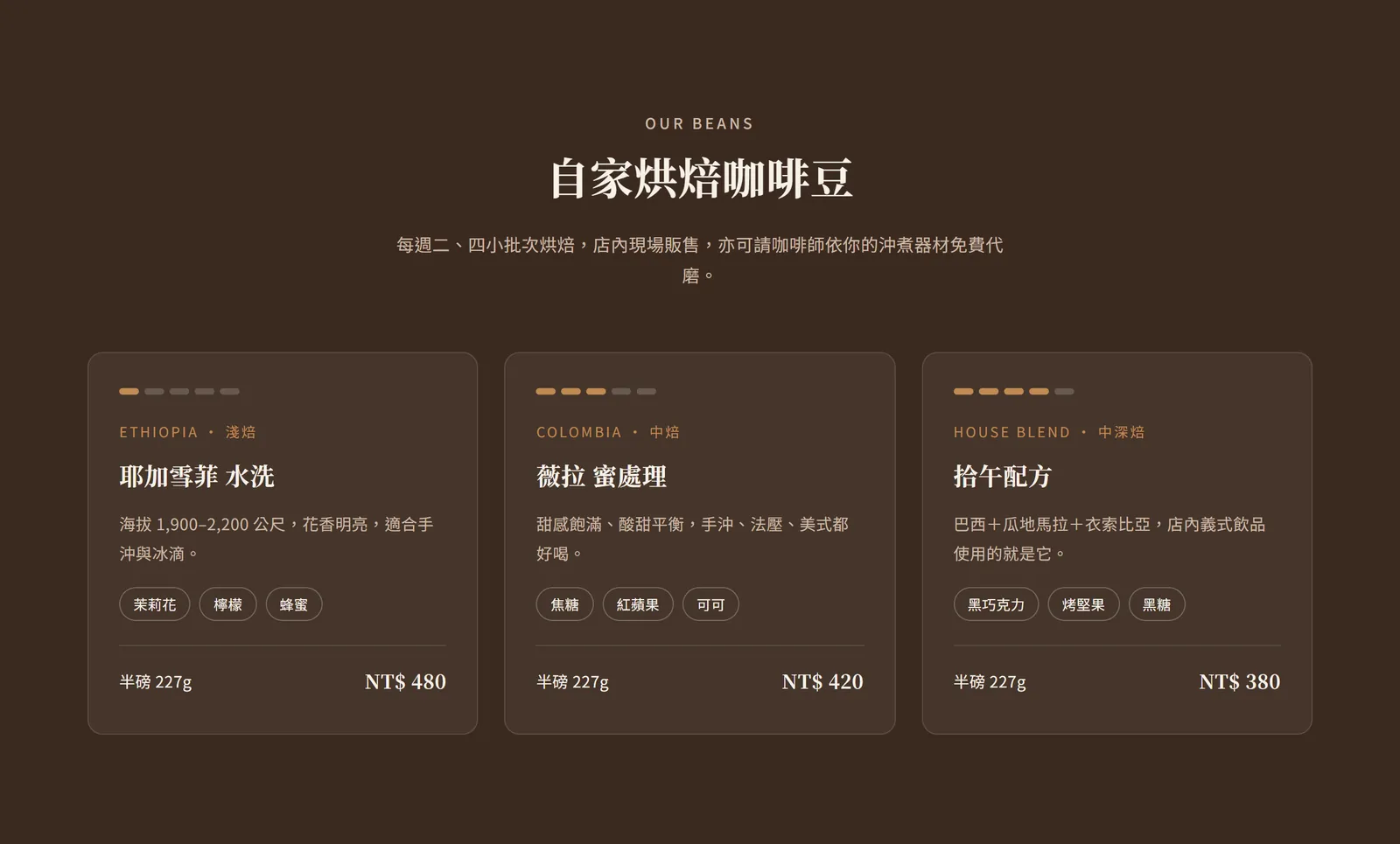
- Small ALL-CAPS English labels above the headings: 6 (ABOUT US, MENU, OUR BEANS…).
- Info strings joined with middle dots: 7 (TAICHUNG · WEST DISTRICT · SINCE 2019, ETHIOPIA · 淺焙…).
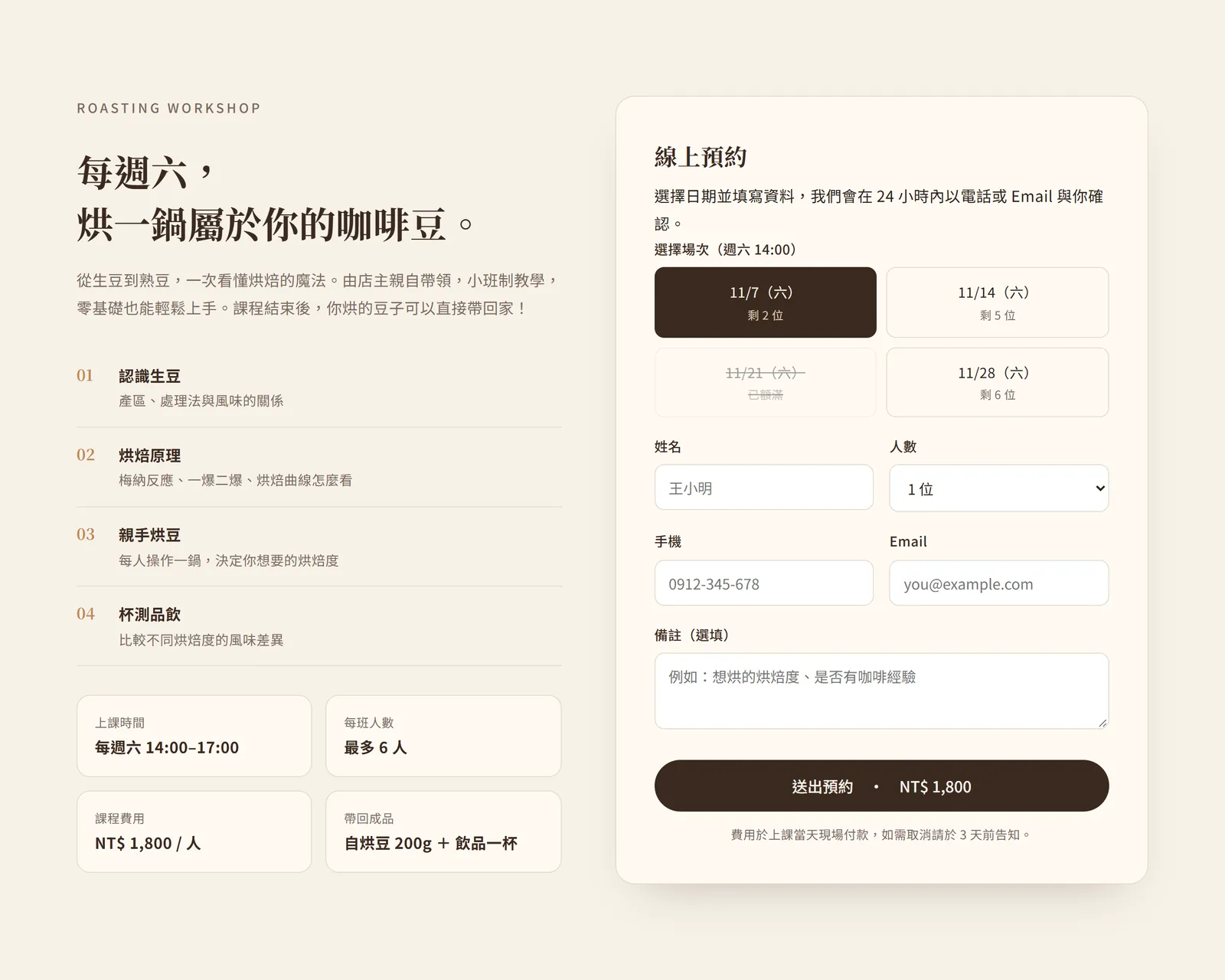
- Identical rounded cards: 7 (3 bean cards plus 4 class-info cards).
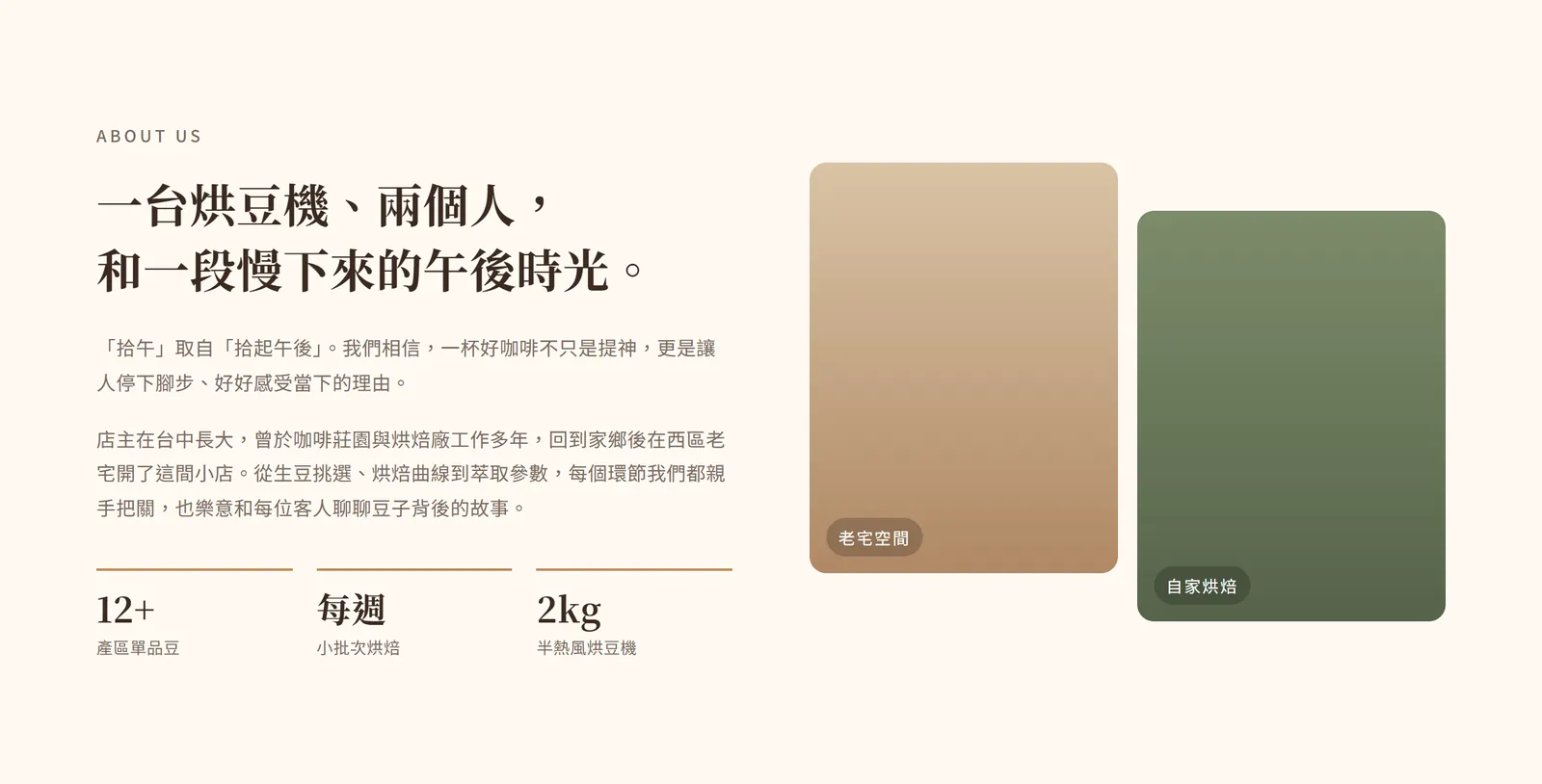
- Gradient blocks pretending to be pictures: 3 (the hero coffee cup and two blocks in the About section).
- Big-number stats template: 1 row (12+, 每週, 2kg with small labels underneath).
- Cream #F7F1E8 + Noto Serif TC serif + caramel #C08A52 colour scheme.
- Real photos: 0.
03Install the 3 free skills
- taste-skill: in Claude Code type /plugin marketplace add Leonxlnx/taste-skill, then /plugin install taste-skill@taste-skill. Or run npx skills add https://github.com/Leonxlnx/taste-skill --skill "design-taste-frontend" in a terminal.
- impeccable: run npx impeccable install in your project folder, restart Claude Code, then type /impeccable init.
- frontend-design (by Anthropic): in Claude Code type /plugin marketplace add anthropics/skills, then /plugin install example-skills@anthropic-agent-skills. frontend-design is part of the example-skills set.
- Once installed, start a new chat and use the prompts in the “Prompts” section below.
- taste-skill (GitHub) — Leonxlnx, MIT licence
- impeccable (GitHub) — Paul Bakaus, Apache-2.0 licence
- frontend-design SKILL.md (GitHub) — Official Anthropic skill, Apache 2.0 licence
04① taste-skill: drawn placeholders become real photos
taste-skill's rule is blunt: on a “place” site such as a cafe, bakery or guesthouse, photographs lead, 12 to 20 on a full page, and gradients, effects or drawings never stand in for them. It ships with a photo library from Wikimedia Commons, each photo tagged with its author and licence.
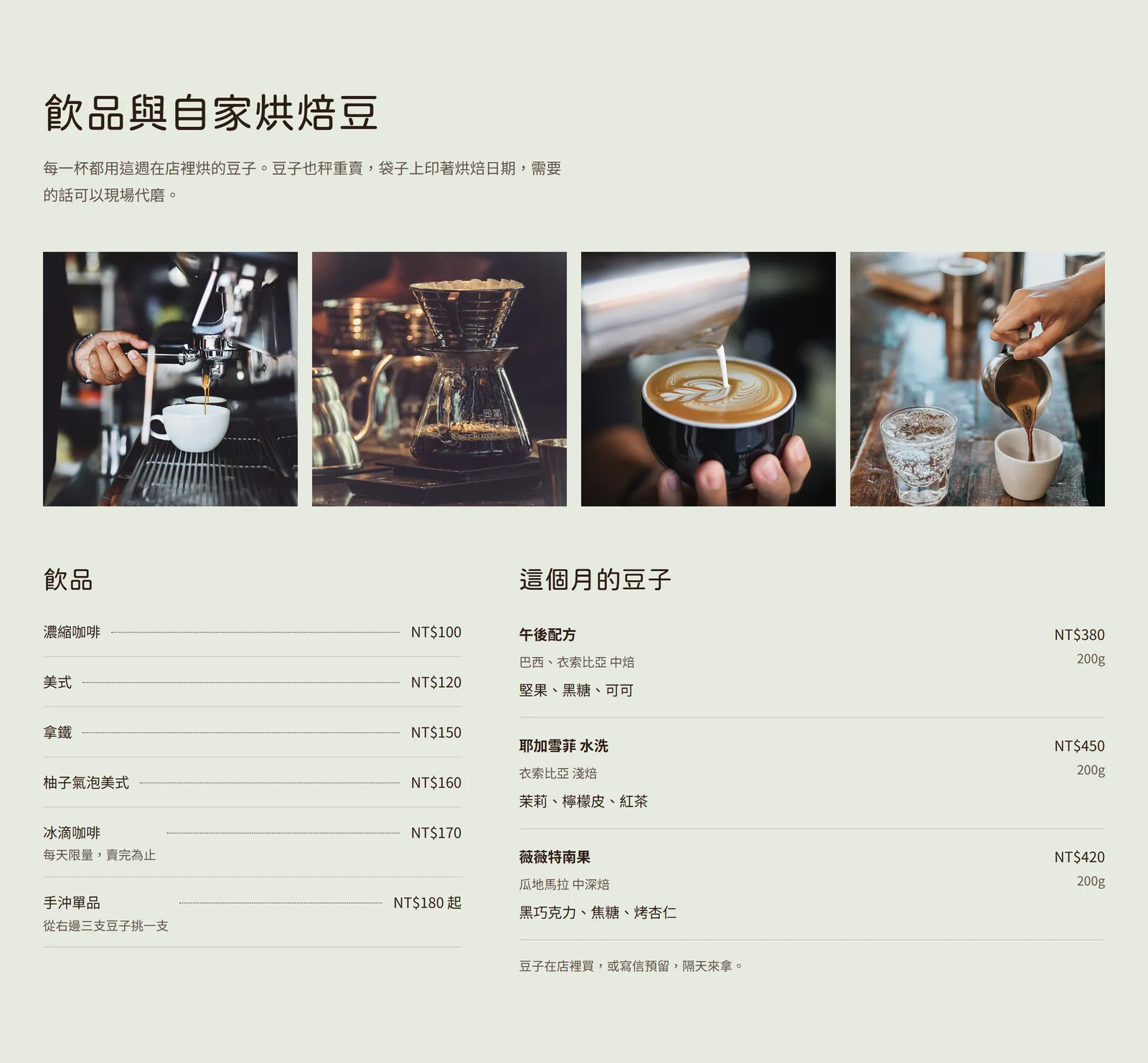
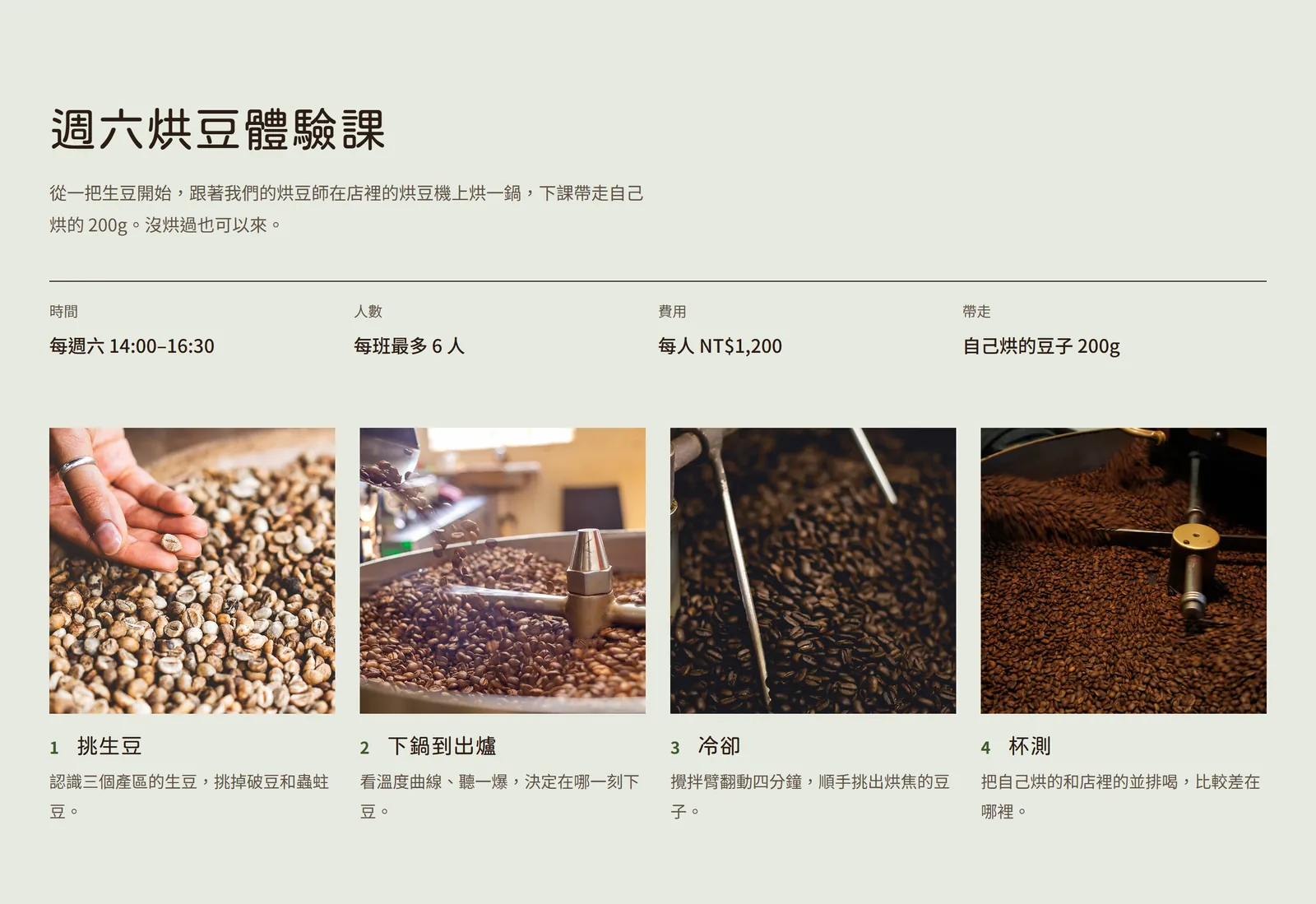
For version two, Claude picked 16 photos from the library's cafe set: beans pouring out of the roaster in the hero, brewing shots for the drinks, one photo per step of the roasting class. All 3 gradient blocks from version one are gone.
05② impeccable: English labels, identical cards, stats templates
impeccable has a quality-floor checklist (craft-floor) with some outright bans: no small label above a heading; no grid of same-size cards as the page's structure; no “big number plus small label” stats template. Our script counted 14 of these in version one (6 + 7 + 1); version two has none.
What replaced the cards? Drinks and beans became lists that read like a counter price board, class details sit on one line, and only the 4 class steps keep numbers, because they really are a sequence.
- It works on finished pages too: type /impeccable critique [file name] and it points out the problems first.
- Then type /impeccable polish [file name] for a final pass before you ship.
06③ frontend-design: drop AI's favourite colour scheme
frontend-design is Anthropic's official skill. Its SKILL.md is only about 9 KB, the shortest of the three, yet it changes the feel of the page the most. It lists the traits AI-made design clusters around today, and the first one is a warm cream background (near #F4F1EA) with a high-contrast serif headline and a terracotta or warm-clay accent. Version one hit all three.
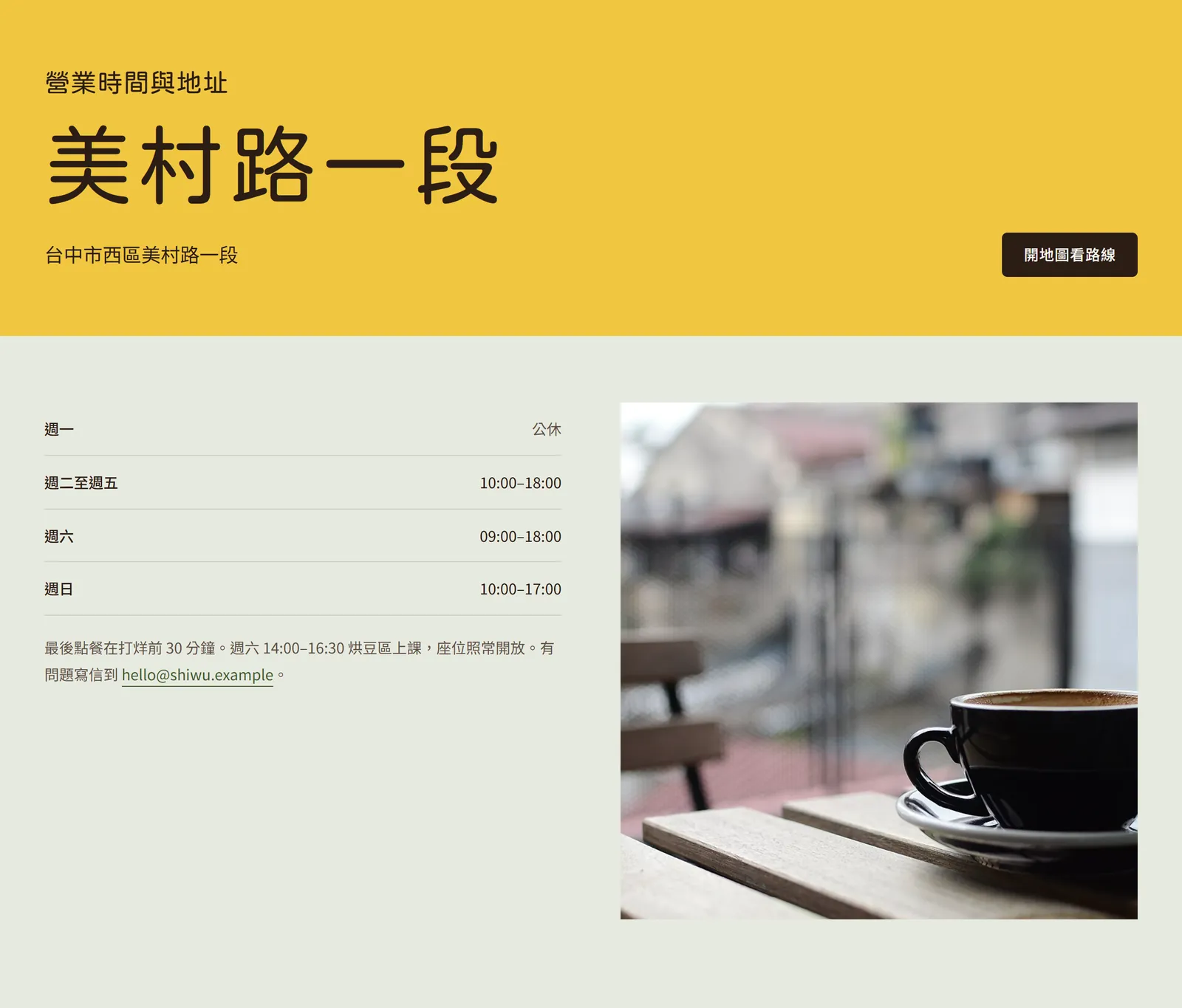
It asks Claude to take colours from the subject's own world. Version two uses green-bean grey-green #E7EAE0 as the ground, roasted-bean brown #2B1D15 for text and green-bean green #3F5A2E for buttons. The one bold move on the whole page is a noon-yellow #F1C640 band with the address set very large. The headline moved from a serif to justfont's Huninn (粉圓).
07Prompts: run the same prompt again
Make a first version with the first prompt and keep it, then open a new chat and use the second. Replace the [ ] parts with your shop.
Make me a landing page for “[shop name]”, a [type of shop] in [city and district]. Introduce [the shop, its products or services], [an event or class people can book online], plus opening hours and the address. Write it in [language] as a single HTML file.
Make me a landing page for “[shop name]”, a [type of shop] in [city and district]. Introduce [the shop, its products or services], [an event or class people can book online], plus opening hours and the address. Write it in [language] as a single HTML file.

Follow these three installed skills:
1. frontend-design (official, by Anthropic)
2. impeccable (pbakaus/impeccable, including craft-floor)
3. taste-skill (Leonxlnx/taste-skill; use photos from its photo library for the [type of shop] photos)
幫我做一個 landing page:台中西區一間自家烘焙的咖啡館「拾午咖啡」。介紹這間店、飲品和咖啡豆、每週六的烘豆體驗課(可以線上預約),還有營業時間和地址。用繁體中文,做成單一 HTML 檔。

請依照這三個已安裝的 skill 來做:
1. frontend-design(Anthropic 官方)
2. impeccable(pbakaus/impeccable,含 craft-floor)
3. taste-skill(Leonxlnx/taste-skill,咖啡館照片用它照片庫裡的 cafe 照片)
08Good to know
- Shiwu Coffee is fictional. Its hours, prices, class details and street are demo content written by Claude, and the booking form isn't connected to a backend.
- The counts of the 7 tells come from our own script, not from impeccable's built-in checker. impeccable's launcher downloads a program, and we didn't run it this time.
- We gave Claude the cafe list from taste-skill's photo library directly and didn't run its photo-picking script. All photos are licensed from Wikimedia Commons; CC BY-SA and CC BY photos need the author and licence credited.
- Before going live, use photos of your own shop and real hours and prices.
- Every run is different: the same prompt and skills will give a different layout next time. We made each version once.
- All 3 skills update often and their commands may change, so check each README before installing. The install commands were checked on GitHub on 6 Nov 2026.
- Not affiliated with the skills' authors or Anthropic.