A magazine-cover Instagram carousel with Claude Design: one great reference, halftone cut-outs, one accent colour
Don't let AI lay it out cold. Pick one great Pinterest carousel, make halftone cut-outs in ChatGPT, then one Claude Design prompt makes 7 magazine-style slides.
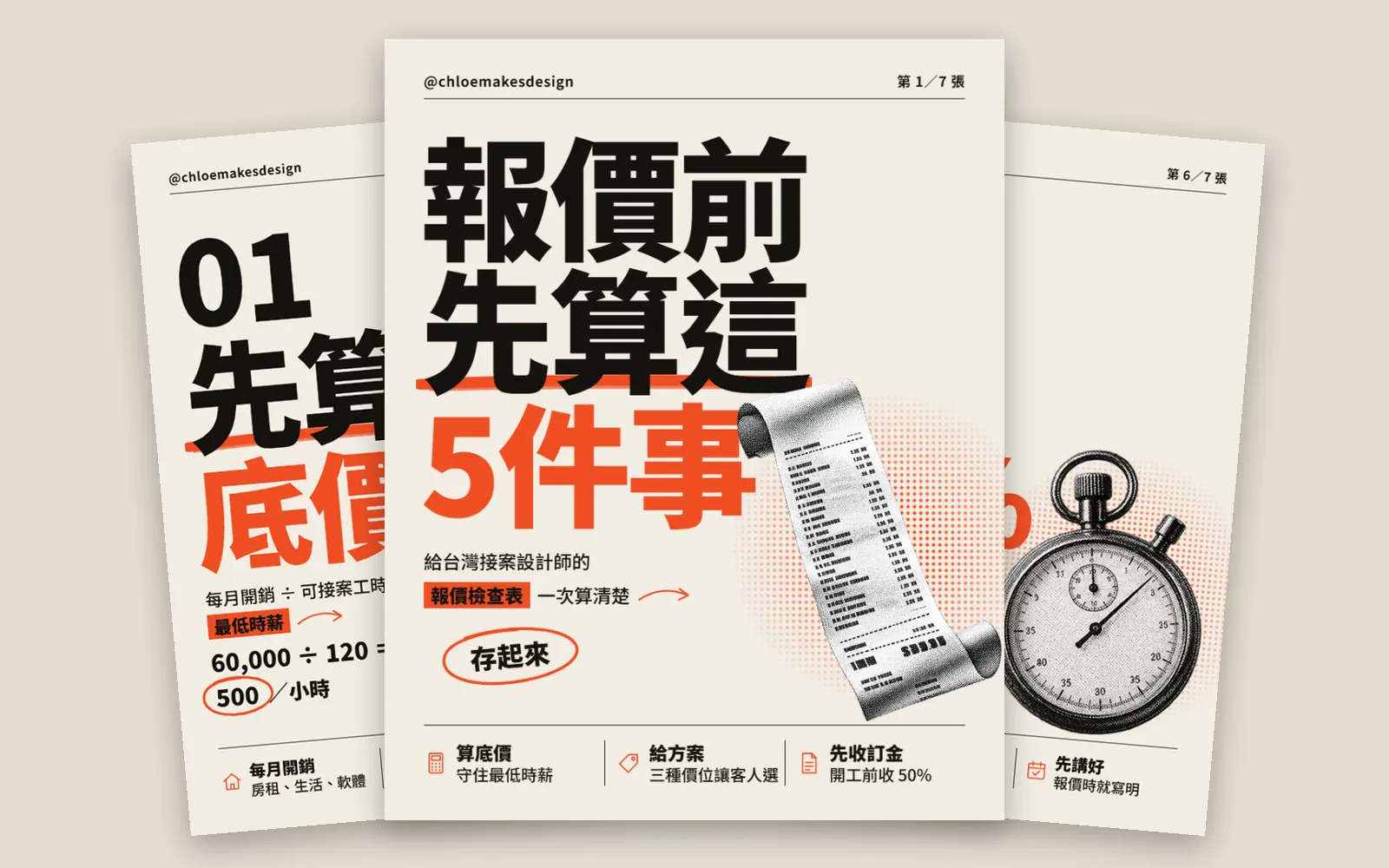
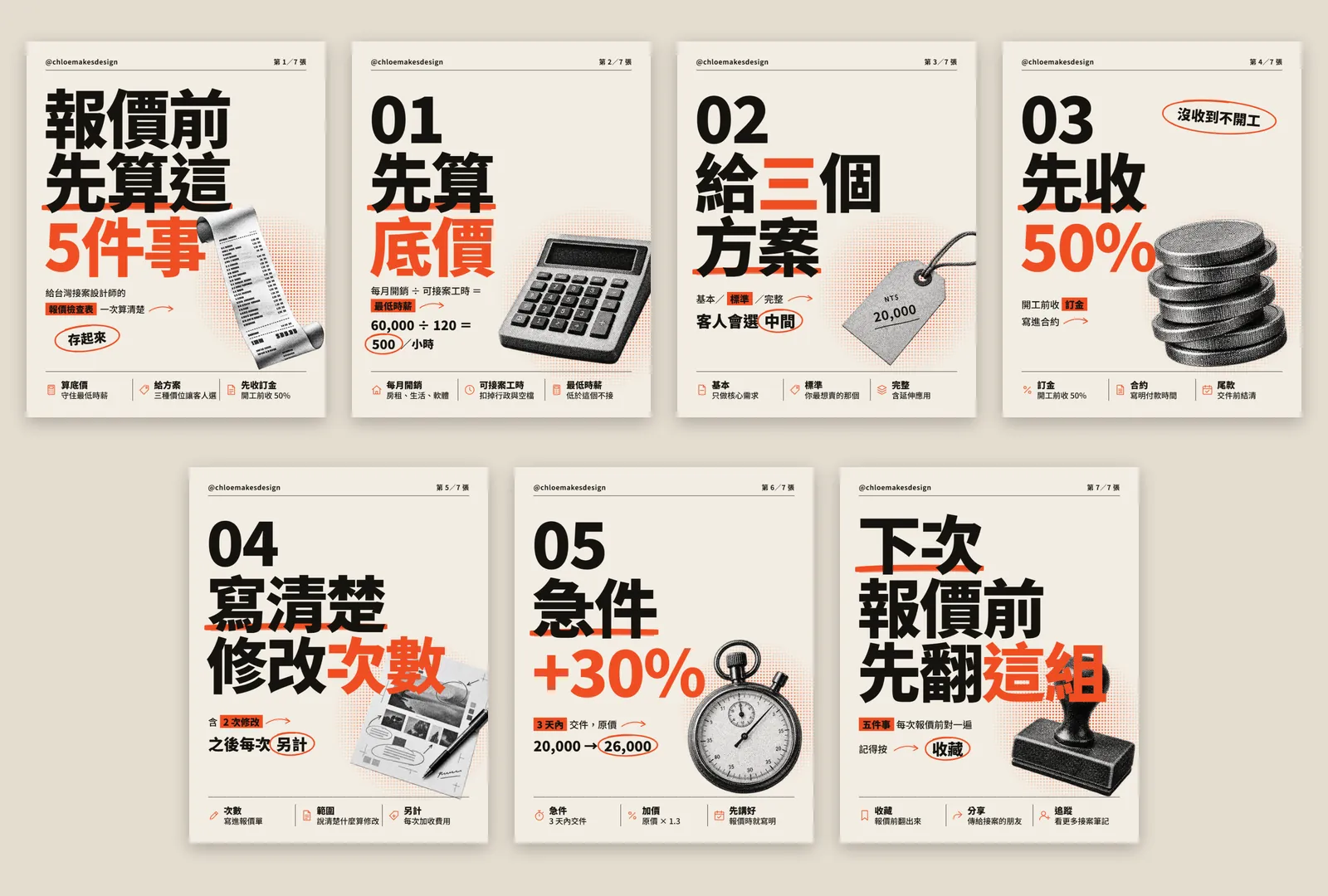
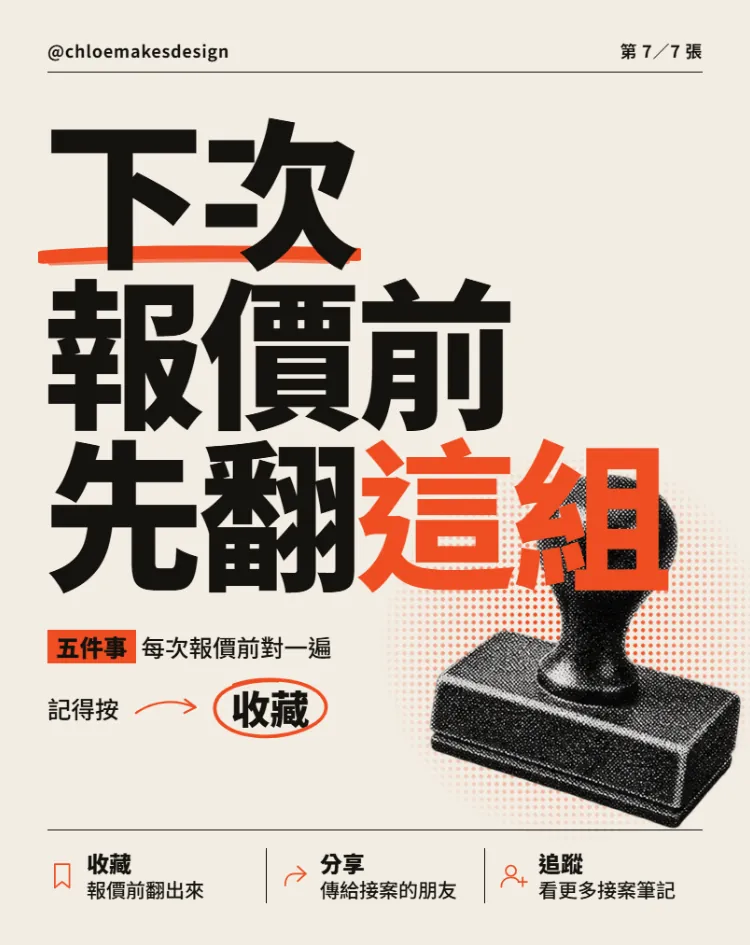
Why do other people's Claude carousels look like magazine covers while yours look like eight PowerPoint slides? It isn't that AI can't do layout. You didn't give it a good reference or good photos. Following the process from the reel, we made a carousel for freelance designers, "5 things to work out before you quote": direction from Pinterest, photos from ChatGPT, layout in Claude Design. Every image below is the real finished carousel.
01Open Claude Design (1 minute)
- Go to claude.ai/design and sign in to your Claude account.
- When you start a new project, pick a template for slides. We picked "Slides"; the name may change later.
- Don't paste a prompt yet. Getting your photos and reference ready first makes a big difference.
Claude's official page says Claude Design is included in every plan, including the Free plan. The standalone claude.ai/design site stays open until December 14, 2026, and Claude Design already works inside regular Claude chats. The official announcement also says you can upload images to work with, which is how the photos in this guide went in.
- Claude Design official page — Plans and site dates
02Step 1: pick just one really good carousel on Pinterest
Most people ask AI to lay out a carousel straight away. With no direction, it gives you the safest layout: a title, three points and a picture, the same on every slide, so it looks like PowerPoint. First find one carousel that makes you stop scrolling, then write down in words what makes it good.
The one we picked has a magazine-poster look. Broken down, it relies on just these things:
- An off-white paper background with a thin rule at the top: handle on the left, page number on the right, like a magazine masthead.
- A huge, heavy black headline is the hero, filling more than half the slide with tight spacing.
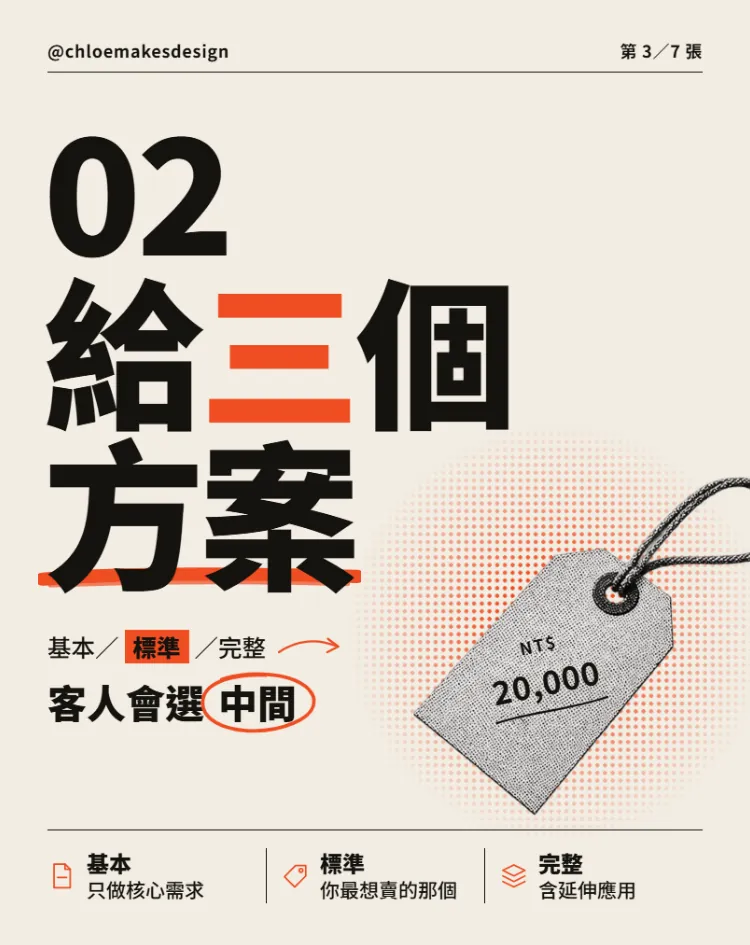
- Only one accent colour in the whole set (orange-red), used on 1 or 2 words, one brush underline and one hand-drawn circle.
- One black-and-white halftone cut-out photo that overlaps the headline.
- A strip along the bottom: three small icons, each with two short lines of text.
03Step 2: make the photos in ChatGPT as black-and-white halftone cut-outs
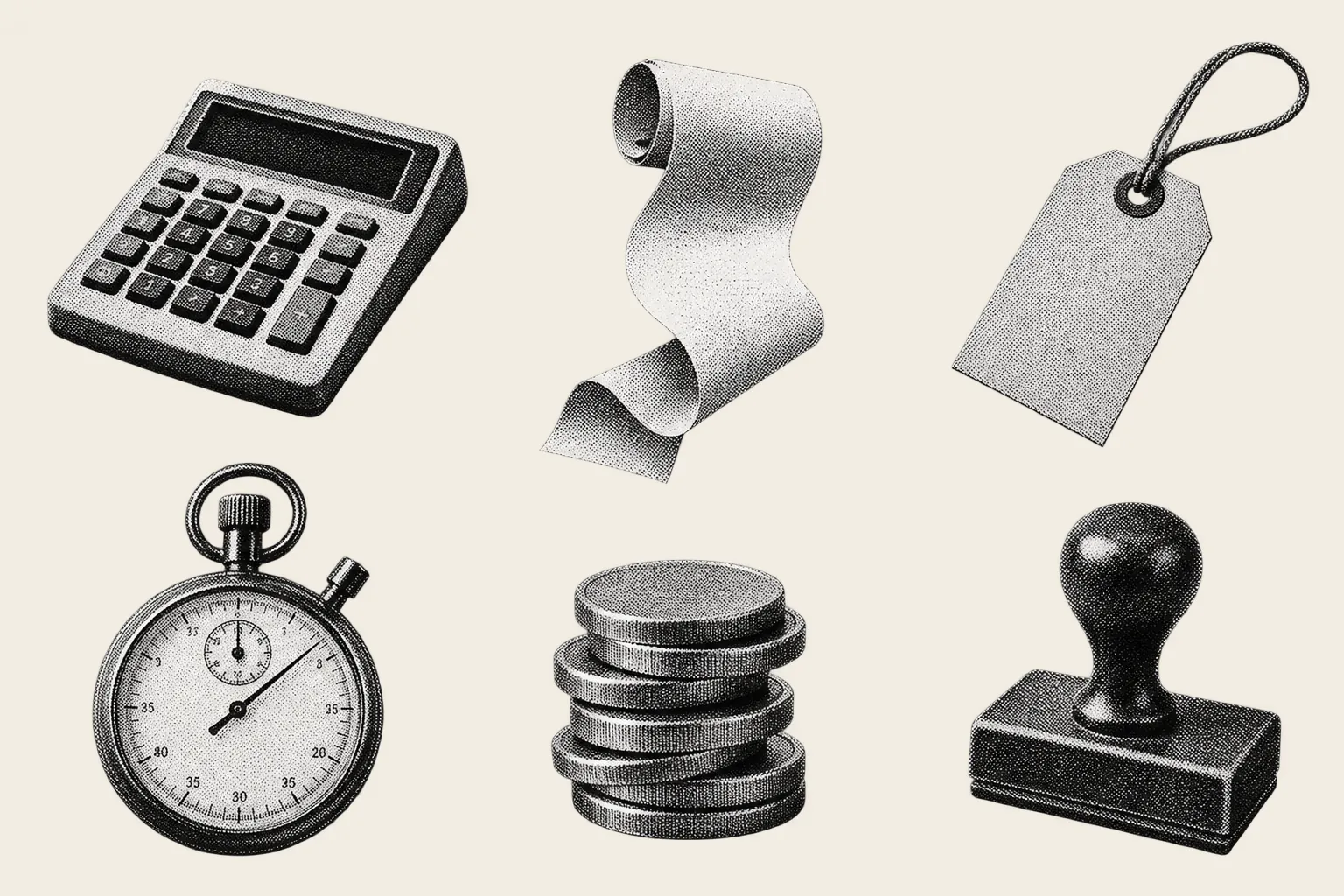
Half of the magazine feel comes from the photos. Don't use the photos from your reference; swap in objects that fit your topic. Our topic is quoting, so we made a calculator, a receipt, a price tag, a stopwatch, coins and a stamp, all in black-and-white halftone like an old newspaper print.
Make one image: 6 objects related to "[your topic, e.g. quoting]", such as [a calculator, a receipt, a price tag, a stopwatch, coins, a stamp].
Arrange them in 2 rows of 3, separate and not overlapping.
Style: black-and-white halftone print texture, like a photo in an old newspaper.
Transparent background.
No text, no people, no hands.
04Step 3: attach the photos and paste this prompt
Back in Claude Design, attach the cut-out photos and paste the prompt below. The prompt is really just the "why it works" list from step 1, spelled out point by point.
Make a set of 7 Instagram carousel slides at 4:5 (1080×1350) called "[topic]".
Style: off-white paper background; a huge, heavy black headline filling more than half the slide;
only one [accent colour] in the whole set, used on just 1–2 words per slide, one brush underline and one hand-drawn circle;
on each slide, place one of my attached black-and-white halftone cut-out photos overlapping the headline;
along the bottom, a strip of three small icons with two short lines of text each.
One cover slide, one slide per point, and a closing slide asking people to save it. All text in Traditional Chinese.
05Step 4: one accent colour, circling only the most important word
The huge black type is the hero, and orange-red goes on just one or two words. The eye lands on the orange first, so put it on the word you most want people to remember. On the slide below, the line is "give three options", and only "three" is orange.
The photo has to overlap the type to feel like a magazine. Here, "how many" sits right on top of the proof sheet, so the words and the object read as one piece instead of sitting side by side.
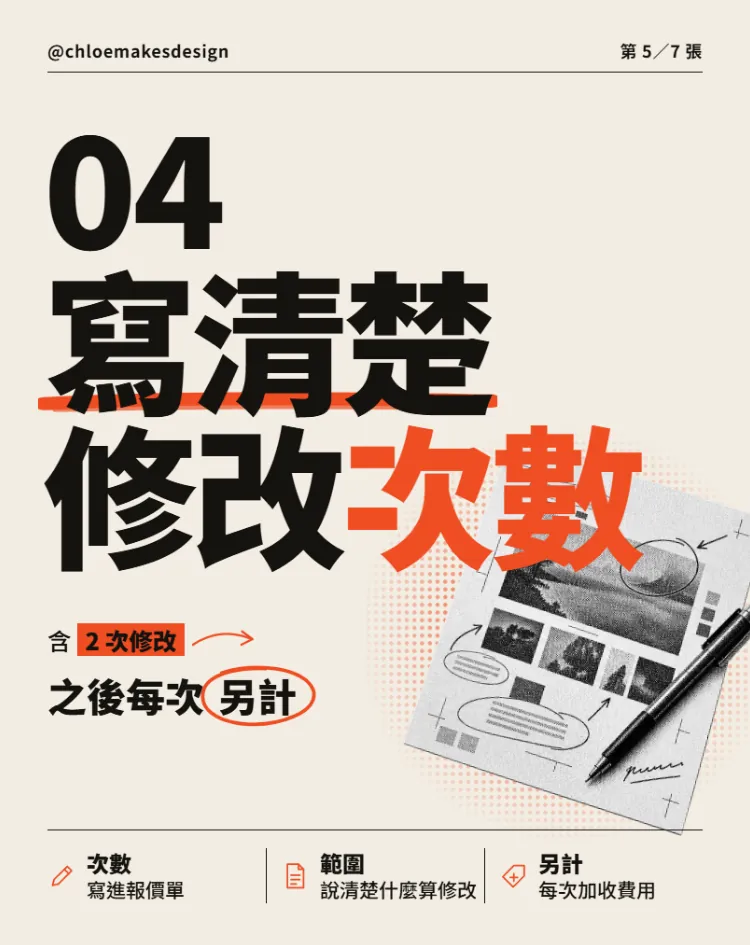
The icon strip at the bottom is what people remember after they swipe. Three cells is enough: one bold word and one short line each.

06Step 5: put the key numbers right in the headline
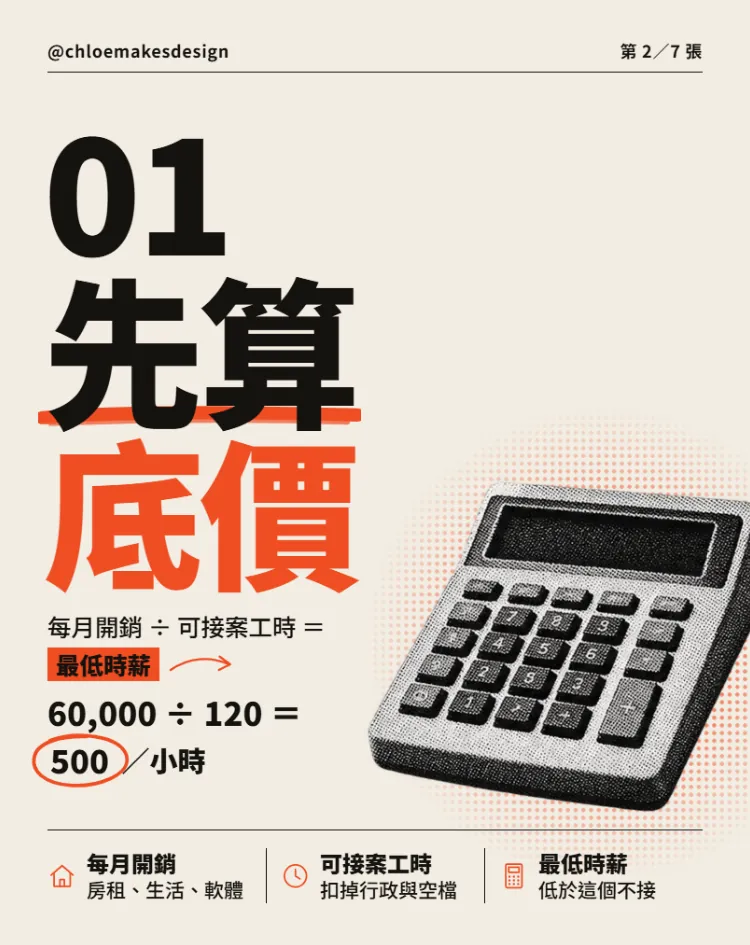
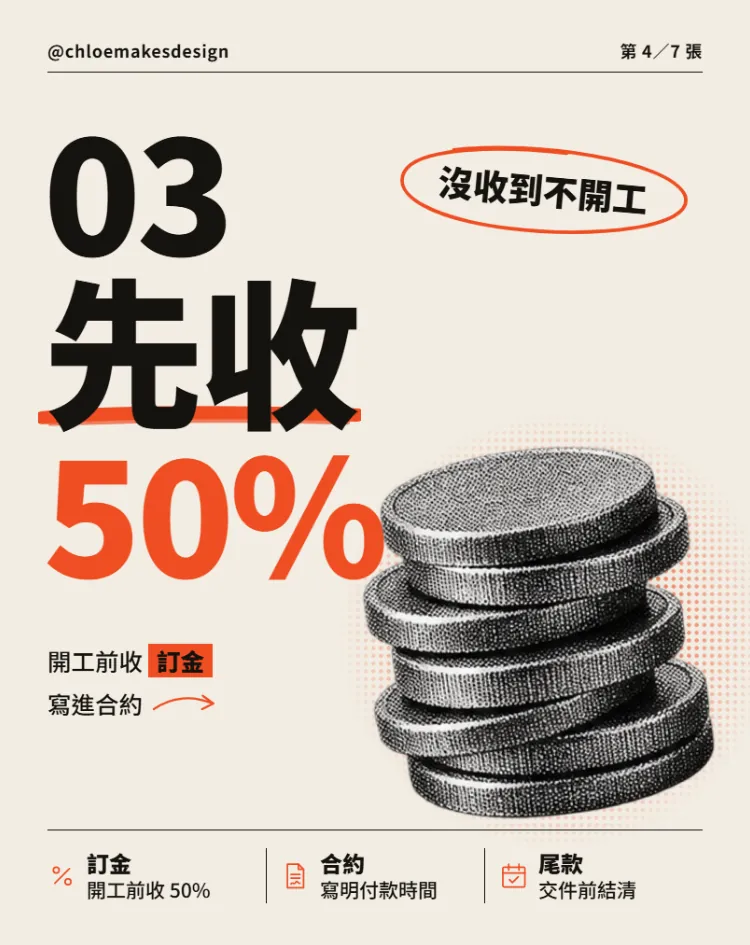
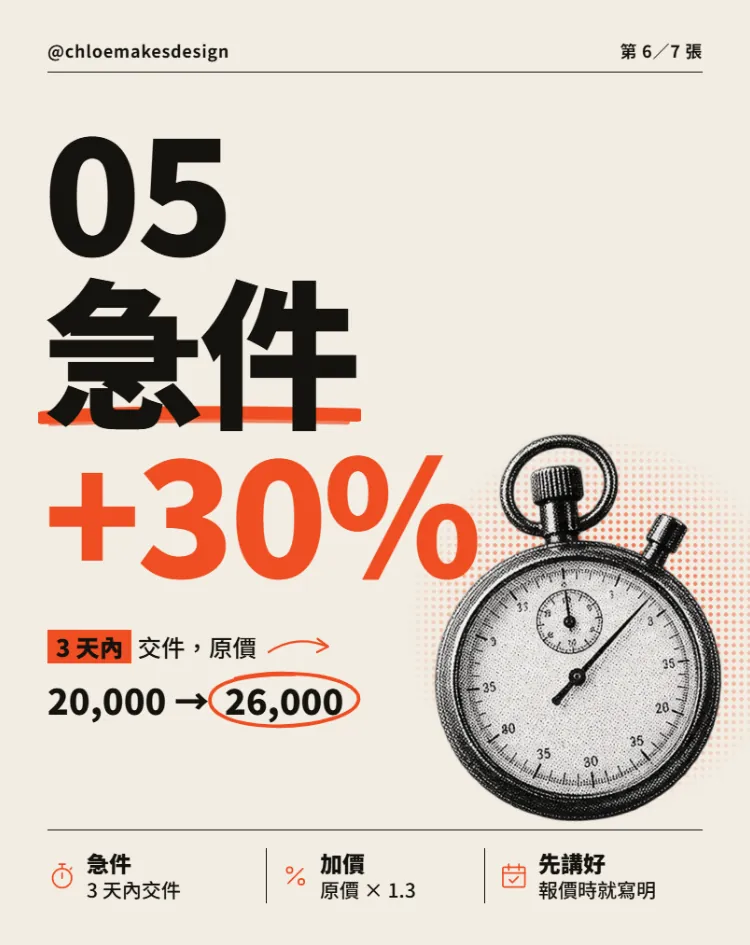
Numbers make the best headlines. "Take 50% first" stops the thumb better than "remember to take a deposit". If you can show the maths, put the formula on the slide too.
07Step 6: fix one slide at a time, then export and post
The first version usually has a few small problems. Ours had two: the cover headline originally included a Chinese comma, which drifted up in the huge type and looked like an apostrophe; on another slide, a comma sat too far from the orange box and looked like a stray dot. Both were fixed the same way: delete the comma and use a line break instead.
Change only slide [6]: [there's too much empty space top left, so left-align "05 rush jobs" and keep +30% overlapping the stopwatch]. Don't change the other slides or the overall style.
- The official export options are PDF, PPTX, standalone HTML, or sending it to Canva.
- Instagram needs images, so we suggest sending it to Canva and downloading PNGs from there.
- Name the files in order (01 to 07) so they don't get shuffled when you upload.
- Keep every slide at the same 4:5 ratio, and check once on your phone that the small text is readable.
08Good to know
- This carousel was laid out by Claude Design, and the object photos were generated by ChatGPT. No photos of real people were used.
- The numbers in the carousel (60,000 a month, 120 hours, a 50% deposit, +30% for rush jobs) are examples, not industry standards. Swap in your own prices and rules.
- Use the Pinterest reference for direction only. Don't copy someone else's layout, and don't put their photos in your carousel.
- We made this in October 2026 on claude.ai/design. The standalone site is open until December 14; after that the interface and template names may change, so export important projects first.
- Direct PNG export isn't listed officially, so this guide goes through Canva to get images. If more export options appear, go by the official page.