Turn a PDF brand guide into an animated video with Claude Code + Remotion (4 steps + full prompts)
Claude Code + Remotion turn a PDF brand guide into a 16-second vertical video: one scene per page, only the guide's fonts and colours. Setup + 2 prompts.
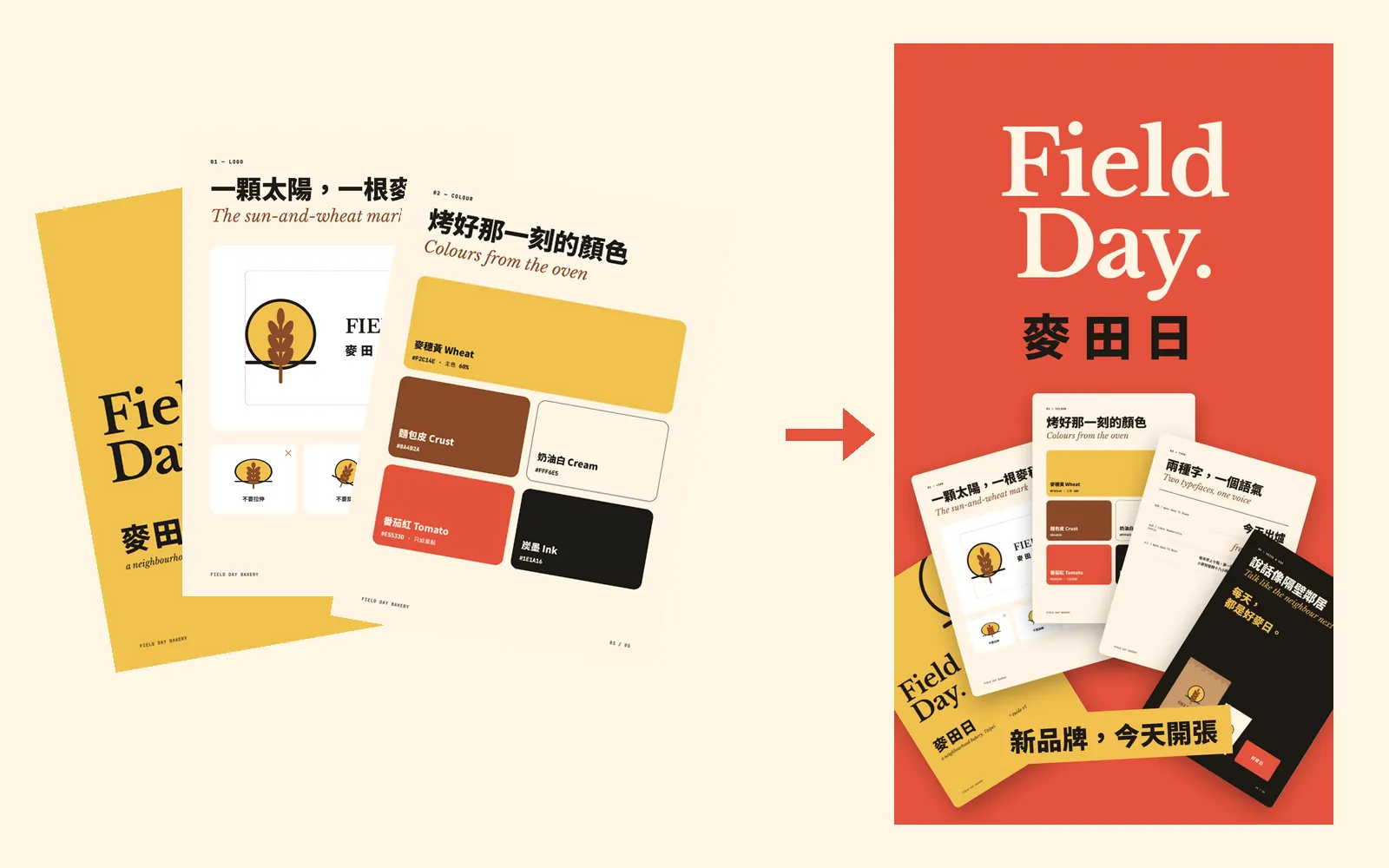
Got a PDF brand guide, pitch deck or catalogue you want as an animated video, but no After Effects skills? We gave Claude Code the 5-page brand guide of a fictional bakery, FIELD DAY 麥田日, and Remotion turned it into a 16-second 1080×1920 vertical video. Then one line of feedback produced a punchier second version. Every video frame below was grabbed from the MP4 Remotion actually rendered, and the setup commands and both prompts are included.
01Get these 4 things ready first
- Node.js and Claude Code on your computer. The project we installed lists Node 20.19+ (or 22.13+, 24+) in its package.json.
- A PDF. We used our own fictional bakery brand guide "FIELD DAY 麥田日", 5 pages: cover, logo, colour, type, voice & use.
- The font files the PDF uses (ours: Noto Sans TC and Libre Baskerville, both under the SIL OFL, fine for commercial use).
- A PNG of every PDF page, for the small "source page" thumbnail in the corner later.

02Step 1: Create a Remotion project
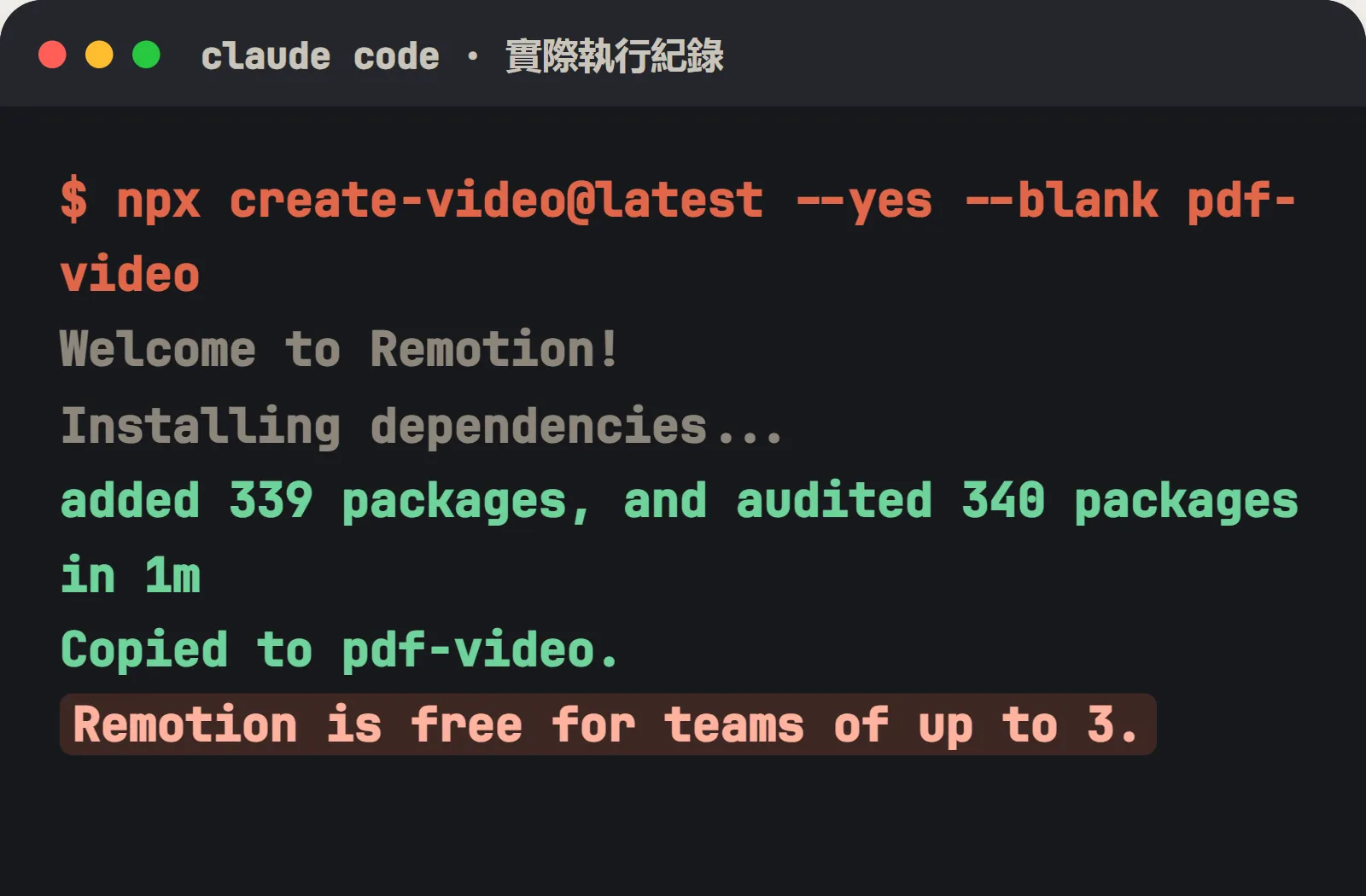
Remotion is a tool for making videos with React code, and its homepage gives you an npx create-video line to copy. We added --yes --blank to create an empty project straight away, with no demo animation.
1. In a terminal (or ask Claude Code to run it):
npx create-video@latest --yes --blank [project-folder-name]

2. (Optional) Add Remotion's official agent skills:
npx skills add remotion-dev/skills

3. Open Claude Code inside that project folder and put your PDF in it.
- Remotion website — npx create-video command on the homepage
- Remotion official agent skills — Official page says they work with Claude Code, Codex, Cursor and more
03Step 2: Put the PDF, fonts and page images in the project
- Put the PDF in the project folder (ours was field-day-brand-guide.pdf).
- Put the font files in public/fonts.
- Put the page images in public/pages, named p1.png, p2.png… so Claude can match them to page numbers.
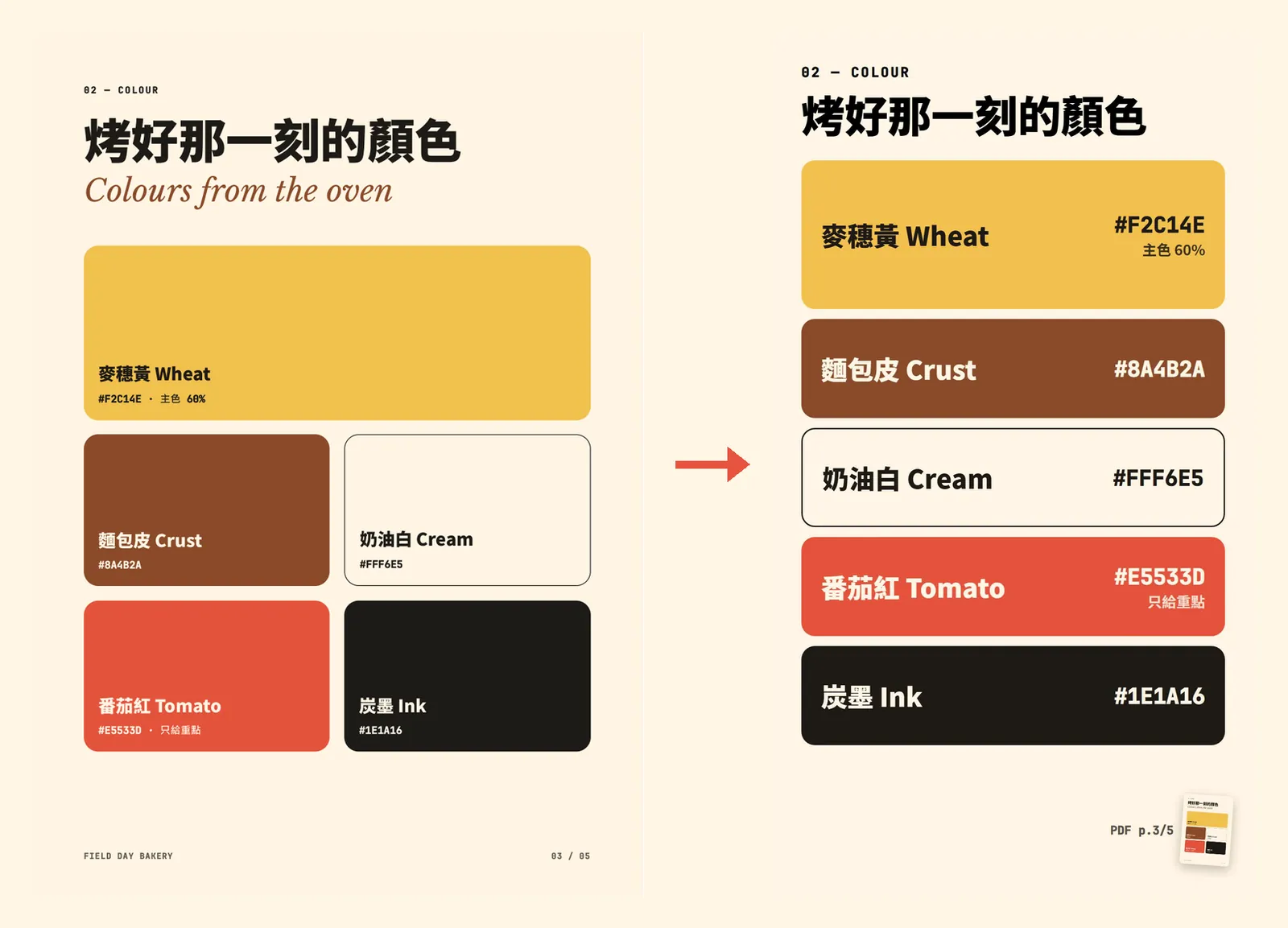
After reading the PDF, Claude pulls out each page's content: how the logo is built (a sun and a stalk of wheat), the 5 hex codes (Wheat #F2C14E, Crust #8A4B2A, Cream #FFF6E5, Tomato #E5533D, Ink #1E1A16), and what each typeface is for (headlines Noto Sans TC Black, accents Libre Baskerville Italic, body Noto Sans TC Bold). Every colour and letter in the animation comes from there.
04Step 3: Paste the main prompt
Open Claude Code in the project folder and paste the prompt below. It is the exact prompt we used, with the FIELD DAY details swapped for [ ] for you to fill in.
Read [your-file].pdf and turn it into a [16]-second, [1080×1920] vertical [brand intro] video, written with Remotion in src/Composition.tsx.
- One scene per PDF page, in the PDF's order: [cover → logo → colour → type → voice & use].
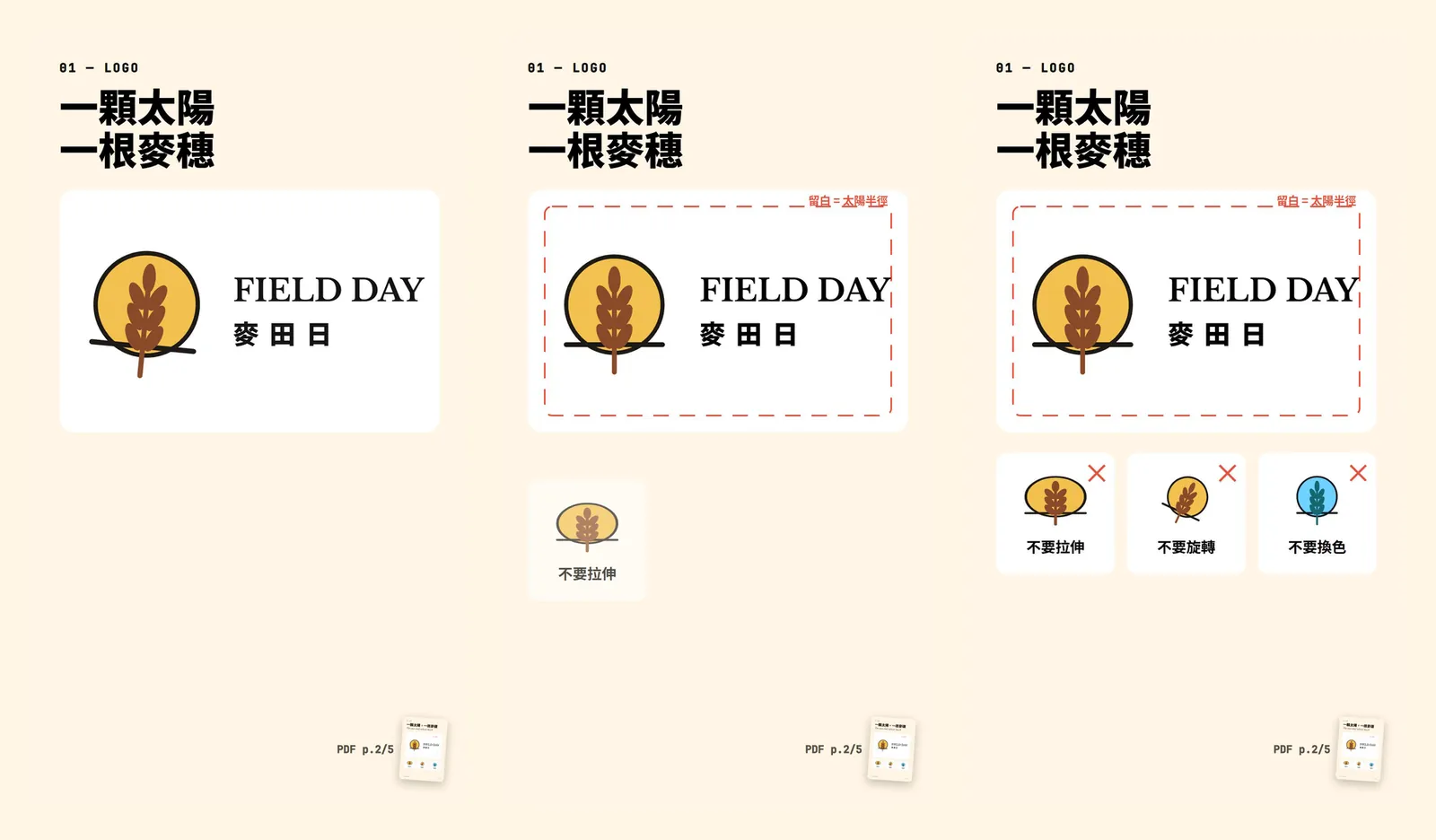
- Don't just paste the PDF pages in: rebuild each page's content as animation ([the logo's sun grows and the wheat leaves grow one by one; colour swatches slide in one by one with the hex codes typed out; headline characters pop up one by one; body text types itself out]).
- Use only the typefaces named in the PDF (font files are in public/fonts) and only the hex codes on the PDF's colour page.
- Put a small thumbnail of the source page and "PDF p.X/[total pages]" in the bottom-right corner of every scene.
- When it's done, run npx remotion render and output out/[video-name].mp4.
- "Don't just paste the PDF pages in" matters most. Without it you easily get a slideshow of pages zooming in and out.
- "Only the fonts and hex codes in the PDF" keeps the video on-brand, with no extra colours the AI picked itself.
- The "source page" thumbnail tells viewers which page of the guide each part comes from, and makes checking with a client easier.

05One scene per page: rebuilt, not pasted
Claude turned the 5 pages into 5 scenes: a 75-frame intro (2.5 s), then 4 scenes of 100 to 105 frames each, 480 frames in all, which is 16 seconds at 30fps. Every scene is laid out again, not a screenshot of the PDF page.
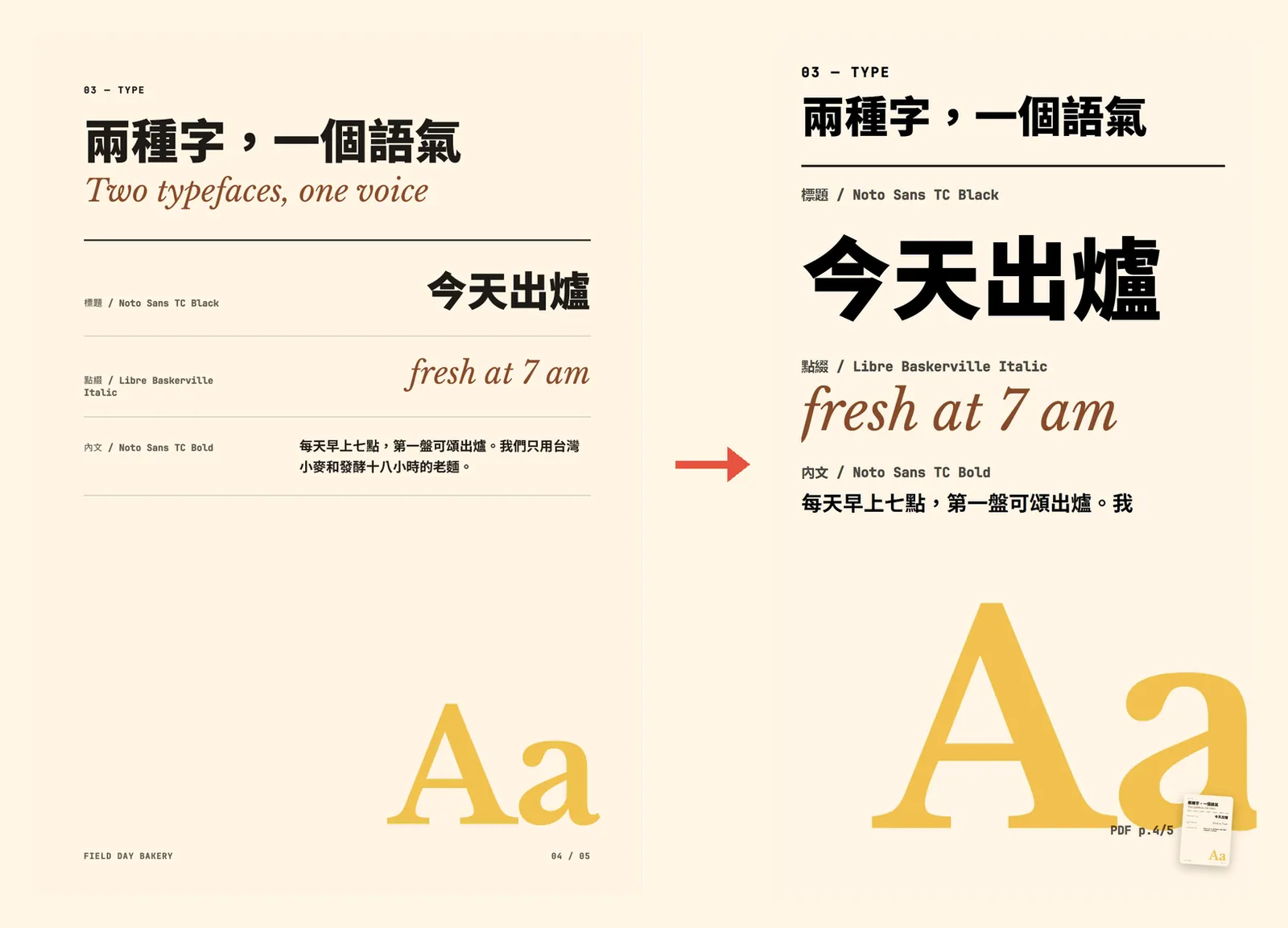
06Step 4: Render to MP4
Once the code is written, Claude runs the render itself. Our command was npx remotion render FieldDay out/field-day-v1.mp4, where FieldDay is the composition name it chose. The terminal counted 480/480 frames and wrote a 2.7 MB MP4.
07Step 5: Want a change? Just say it
In v1 the intro grows the wheat slowly, and the brand name only shows up after 2.5 seconds. We said one line, "make the opening punchier", plus what exactly to change:
Make the opening punchier: cut the intro to [1.5] seconds, slam the title in with a heavy scale-down, fan the [5] PDF pages out behind it, and add a small tag "[New brand, open today]". Save it as a separate composition and render it to out/[video-name-v2].mp4.

Claude did not start a new project. It added a switch to the same code and made a second composition, FieldDayPunchy: the intro shrank from 75 to 45 frames (1.5 s), the whole video to 450 frames, 15 seconds, rendered at 3.3 MB. v1 stays untouched, so you can compare the two side by side.
08Things to watch
- FIELD DAY 麥田日 is a fictional brand; the PDF guide and the videos are demos made by Claude.
- Remotion licence: free for individuals, for-profit companies with up to 3 employees, and non-profits; other companies need a Company License (remotion.pro). The licence also says it will change slightly with Remotion 5.0, so check the latest terms before you use it (checked 2026-11-06).
- For someone else's brand guide (say, a client's PDF), make sure you have the right to turn it into a video and publish it.
- Use fonts licensed for commercial use and embedding in video, such as Noto Sans TC under the SIL OFL.
- You need Node.js installed. The UI cards and captions in the reel are our own HTML; the finished videos and terminal logs are real runs.
- Remotion licence LICENSE.md (GitHub) — Free-use conditions, Company License, the 5.0 change
- Write a 15-second product ad with Claude Code + Remotion — Full guide to setup, spring() animation and Studio preview
- Turn a static poster into a motion video: Claude Design or Claude Code + HyperFrames — Another route, starting from one poster