Turn your shop into a clickable 3D dashboard: 3 prompts for Claude Code and a moving three.js world
Give it data (sample data if there is no POS yet), describe your shop, then ask for three.js with everything clickable. Tested on a fictional bubble tea shop.
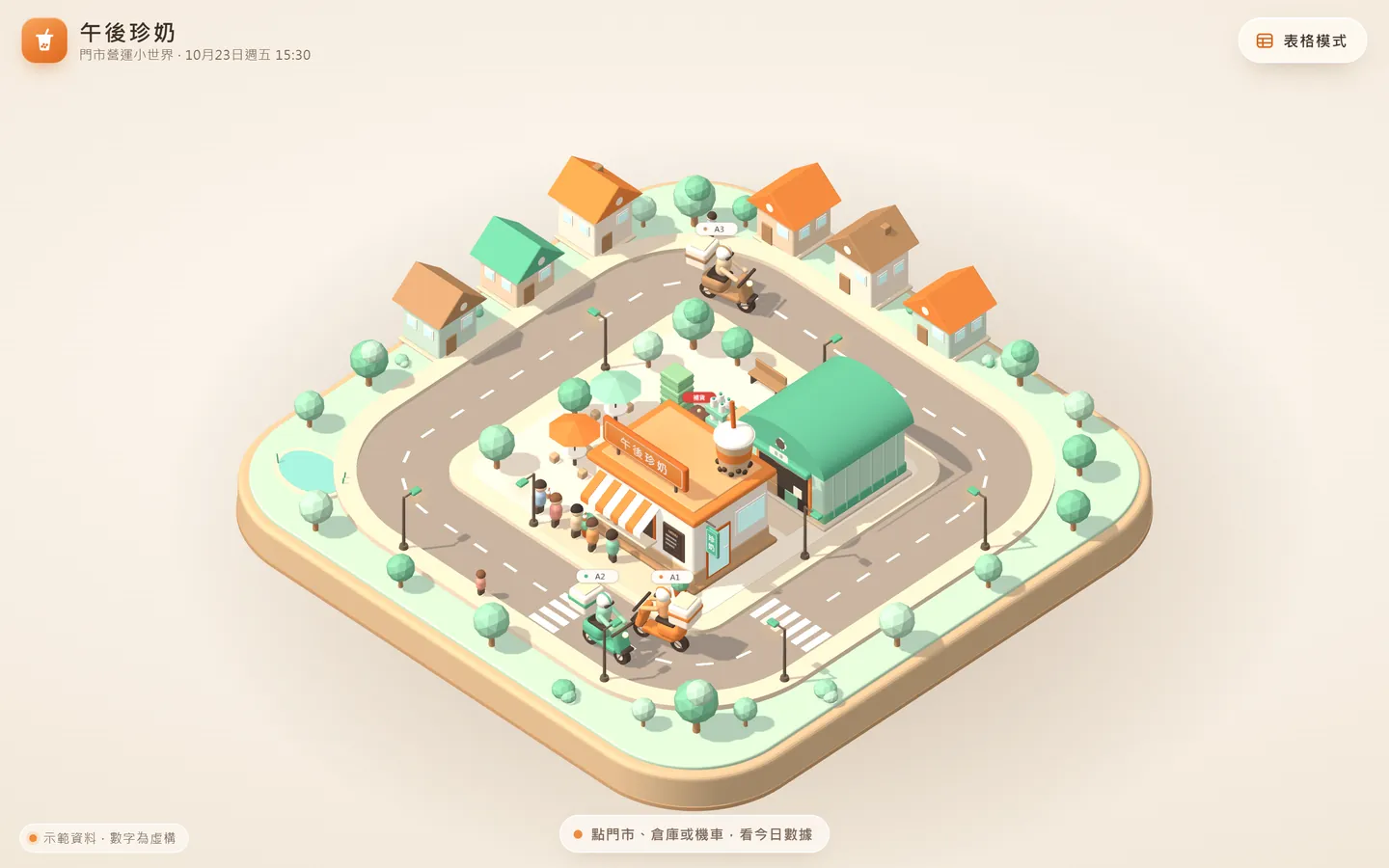
Is your daily revenue always a flat table? In this guide Claude Code turns a bubble tea shop into a small 3D world: click the shop to see today's cups, click a scooter to see when it arrives, and any stock item that runs low turns red. The shop, 午後珍奶 (Afternoon Boba), is fictional, and every number on screen is sample data Claude made. No real POS is connected. Every picture below is the actual page running.
01Before you start: Claude Code and an empty folder
We used Claude Code (Opus 5.5), not a normal chat window, because it creates files on your computer and can open a browser to check its own work. The whole page is four files, index.html, app.js, style.css and sample-data.json, all written by Claude.
- Install Claude Code by following the official quickstart.
- Create an empty folder, for example my-shop-dashboard, and open Claude Code inside it.
- Give it the three prompts below in order: 1, 2, 3. Ours worked first time; we didn't ask for any changes.
- Claude Code — Official page
- Claude Code quickstart — Install and first run
02Step 1: give it data, and ask for sample data if there's no POS yet
Say where the dashboard's numbers come from in the very first prompt. Our shop has no POS yet, so we asked for sample data, with fields that are easy to swap so real POS exports can replace it later.
I run a [bubble tea shop] called "[shop name]" and I haven't connected a POS yet.
First make me a sample data file, sample-data.json. Later I'll replace it with real data exported from my POS, so keep the fields easy to swap:
- Store: cups sold today, revenue today (in [currency]), people in the queue now, top 3 items with their cup counts
- Warehouse stock: [tea leaves, tapioca pearls, fresh milk, cups], each with current quantity, unit and a low-stock threshold (at least one item already below its threshold)
- [3] delivery scooters: ID, status (delivering / returning / standby), orders on board, next stop, ETA in minutes
- Customers today, repeat-purchase rate
Clearly mark the file as sample data.
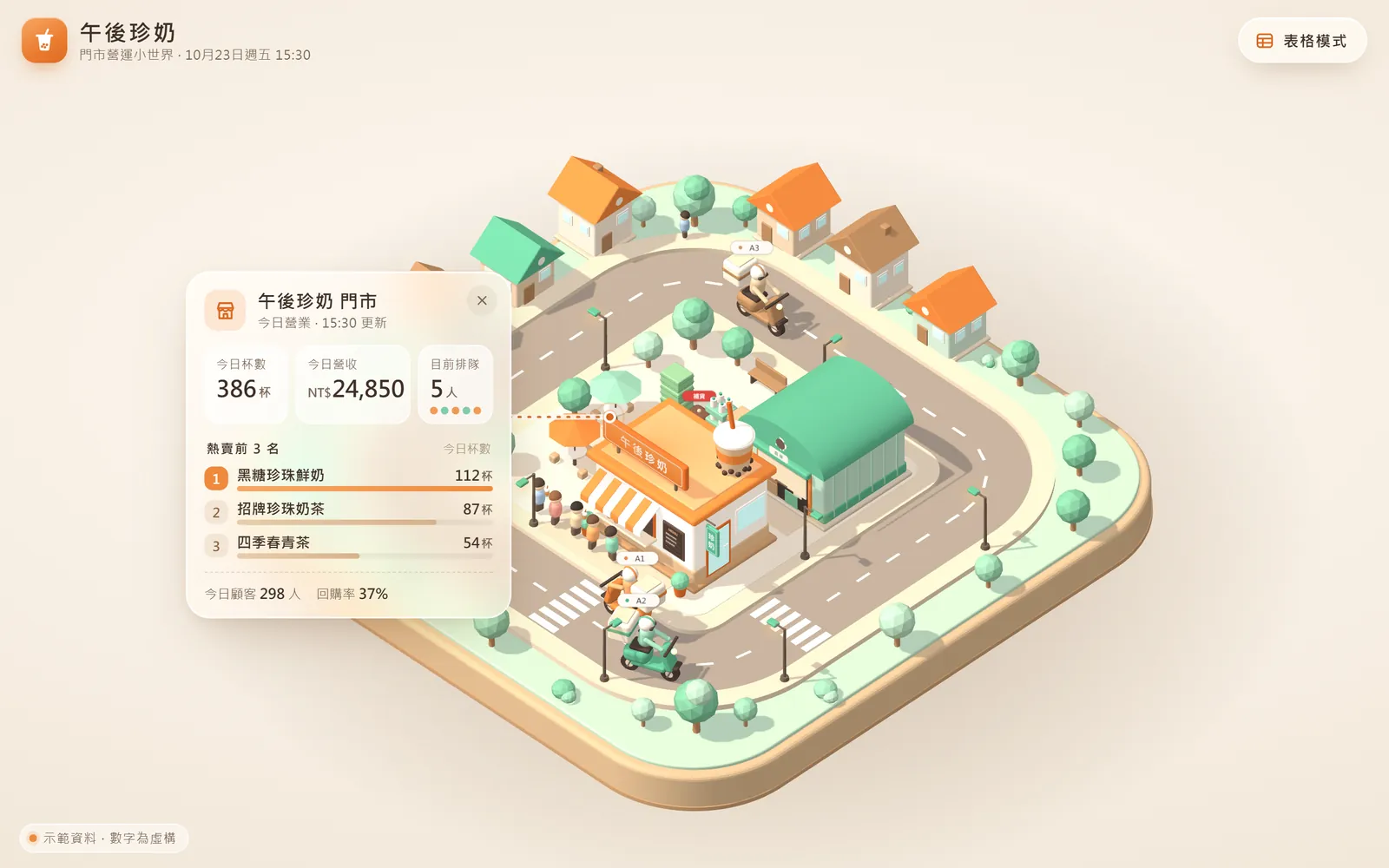
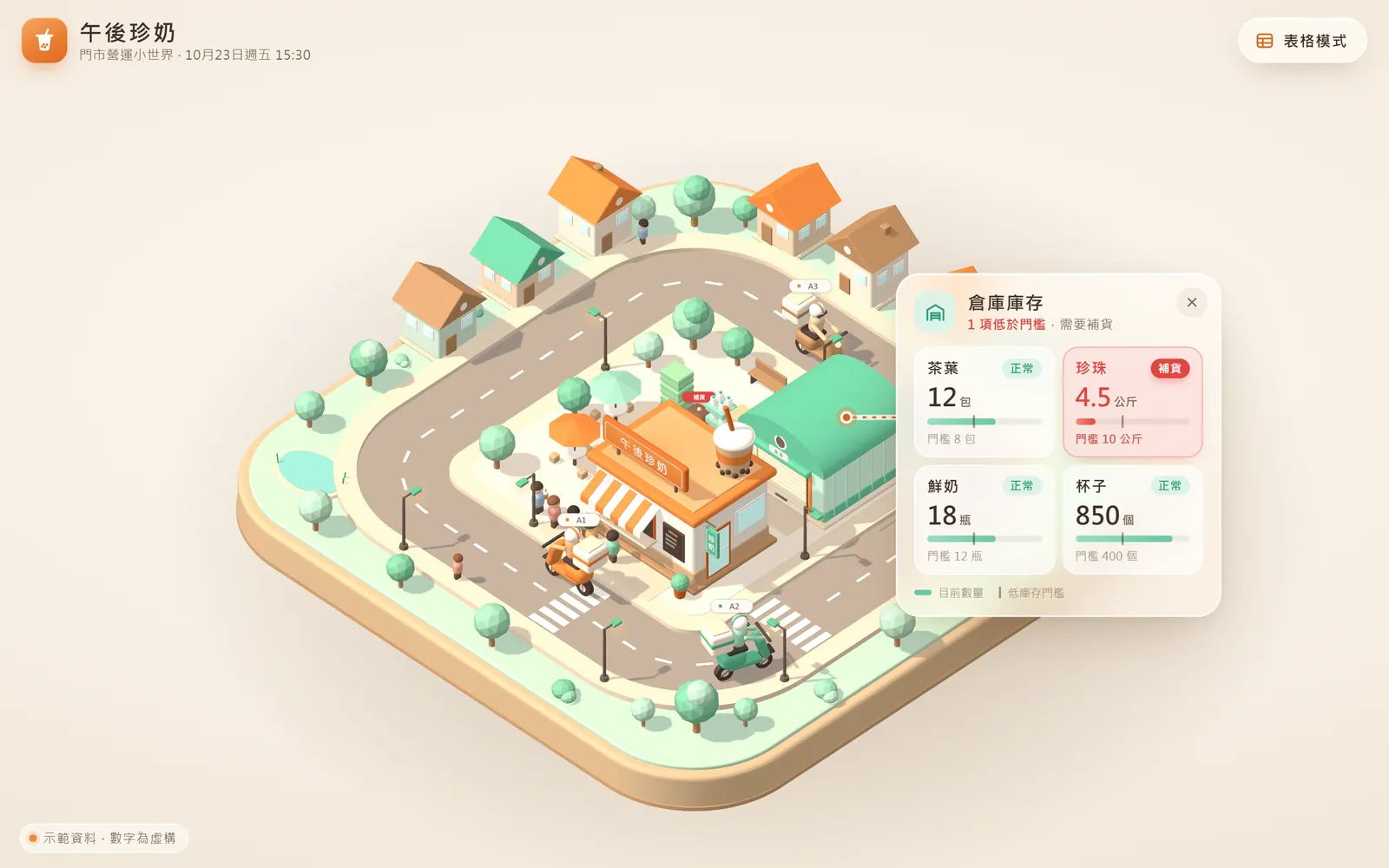
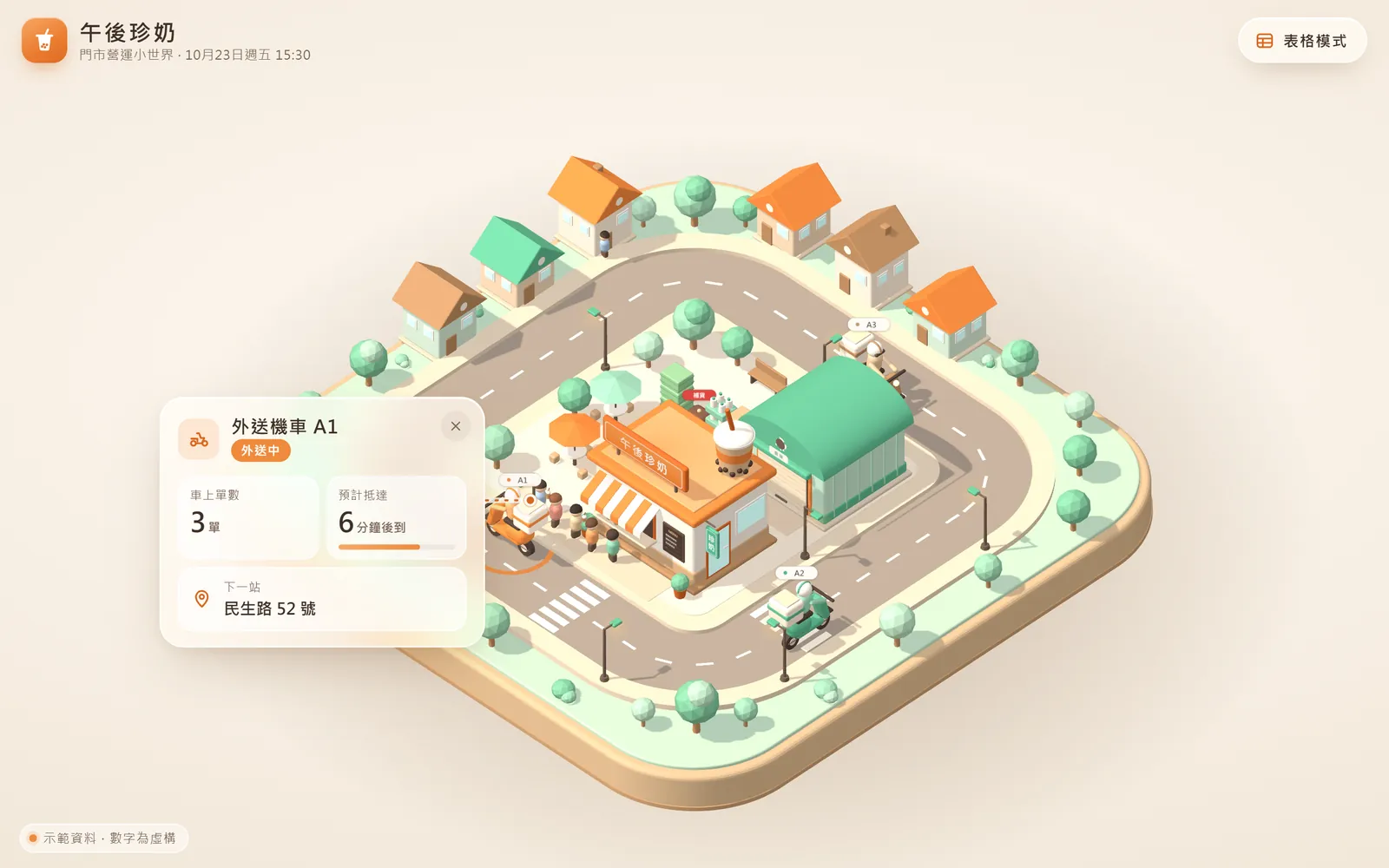
We used the shop name 午後珍奶 (fictional). The sample-data.json Claude made includes 386 cups today, NT$24,850 revenue and 5 people queueing; only 4.5 kg of tapioca pearls left, below the 10 kg threshold; and scooter A1 out on delivery with 3 orders, arriving in 6 minutes. All of these are made-up sample numbers.
03Step 2: describe your shop as if it were a toy model
The second prompt is only about looks. Write one thing per line: what is in the shop, what is next to it, what moves, what is in the background, and the style and colours.
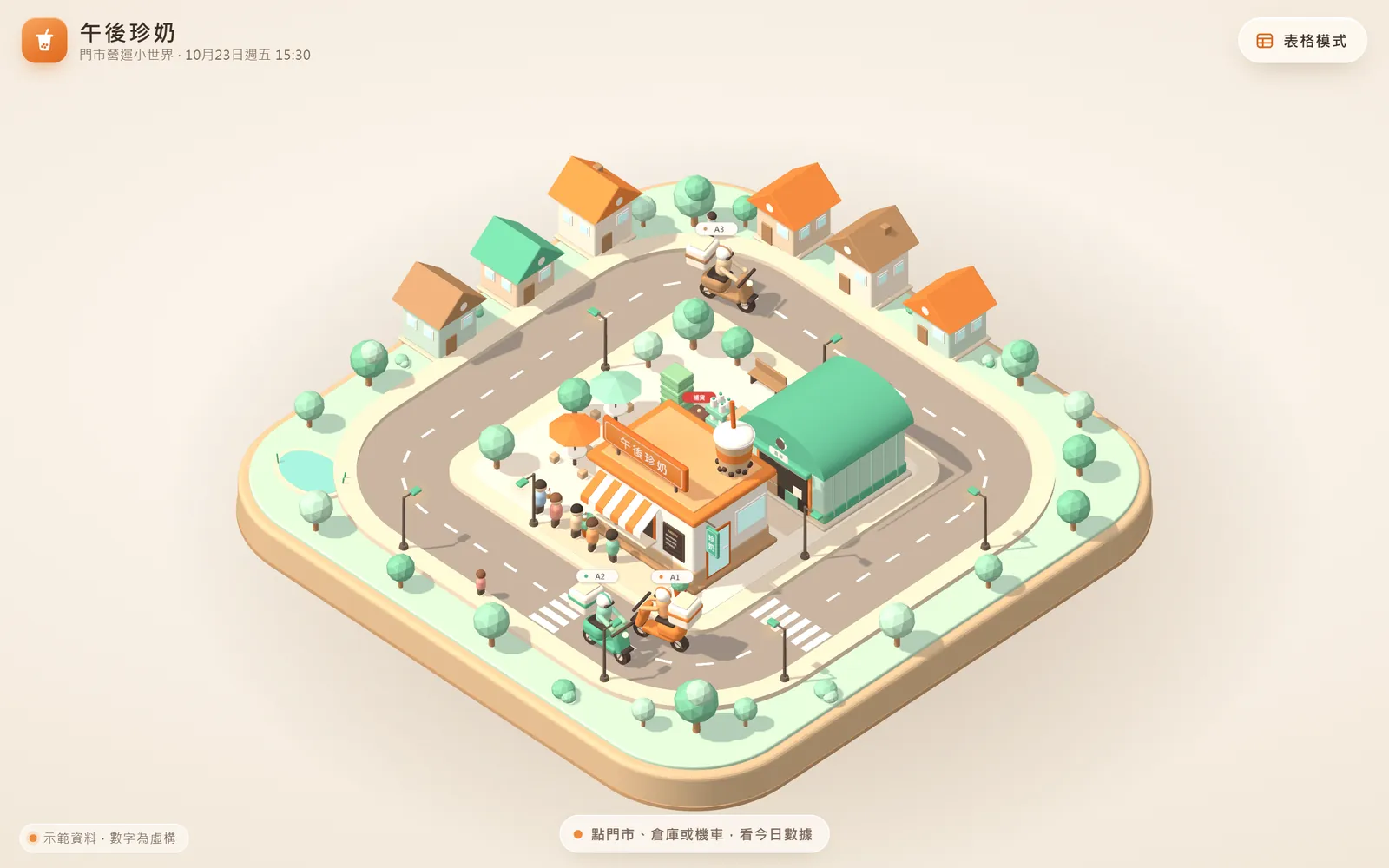
Design my shop as a small 3D isometric world, like a toy model on a desk:
- On the street corner, a [bubble tea shop called "shop name"]: [orange sign, takeaway window, a few little people queueing at the door]
- A small warehouse behind the shop with boxes of [tea leaves, tapioca pearls, fresh milk and cups]
- [3] delivery scooters driving around the streets, each with an insulated box on the back
- Zebra crossings, street lamps, a few round trees and some low houses in the background
- Off-white background, soft shadows, clean low-poly style, colours [orange, milk-tea beige, mint green]
04Step 3 (the important one): ask for three.js, with everything moving and clickable
If you only say "make it 3D", you often get a pretty picture you can't click. This prompt has to spell out three things: build a web page with three.js, make everything move, and make every object clickable, with data cards that read from sample-data.json.
Build this world as a web page with three.js (index.html, reading its data from sample-data.json):
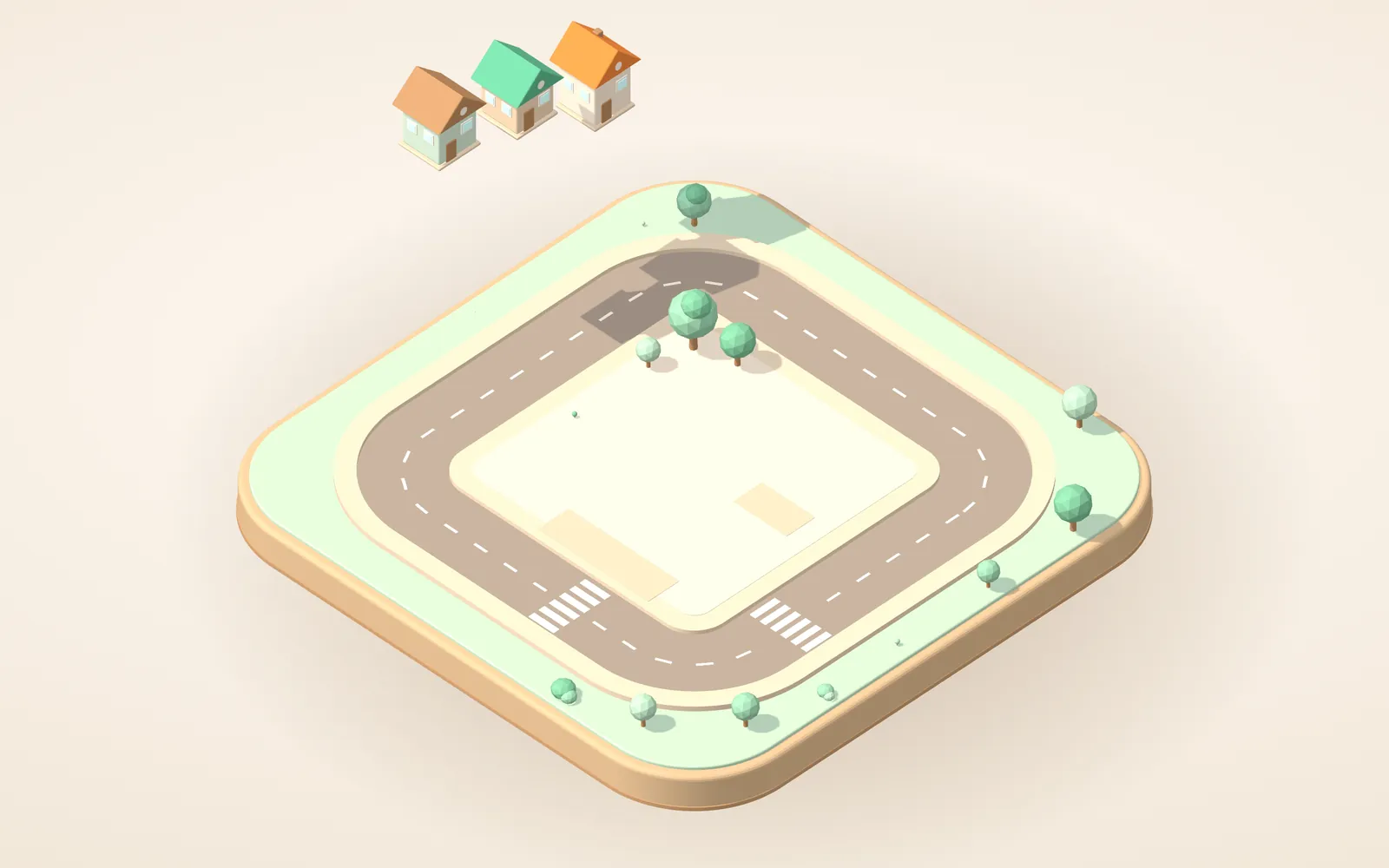
- When the page opens, the world assembles piece by piece (the ground appears first, buildings drop in from above with a small bounce)
- Everything moves: scooters loop around the streets, the sign glows softly, the queueing people sway a little, the warehouse roller door opens and closes
- Every object is clickable: it brightens on hover, and a click opens a frosted-glass data card next to it, joined to the object by a dashed line. Every number is read from sample-data.json
  - Click the [shop]: [cups today, revenue, queue, top 3 items]
  - Click the [warehouse]: [each stock item; any item below its threshold turns red and is marked "Restock"]
  - Click a [scooter]: [status, orders on board, next stop, minutes to arrival]
- Cards follow their object as it moves; click empty space to close them
- A "Table mode" button at the top right switches to an ordinary flat table dashboard (same data) for comparison; press it again to go back to 3D
- Shop name at the top left, and a small "Sample data" label in a corner
- It must look good on both phone and desktop
05Compare: one click turns the same data back into a flat table
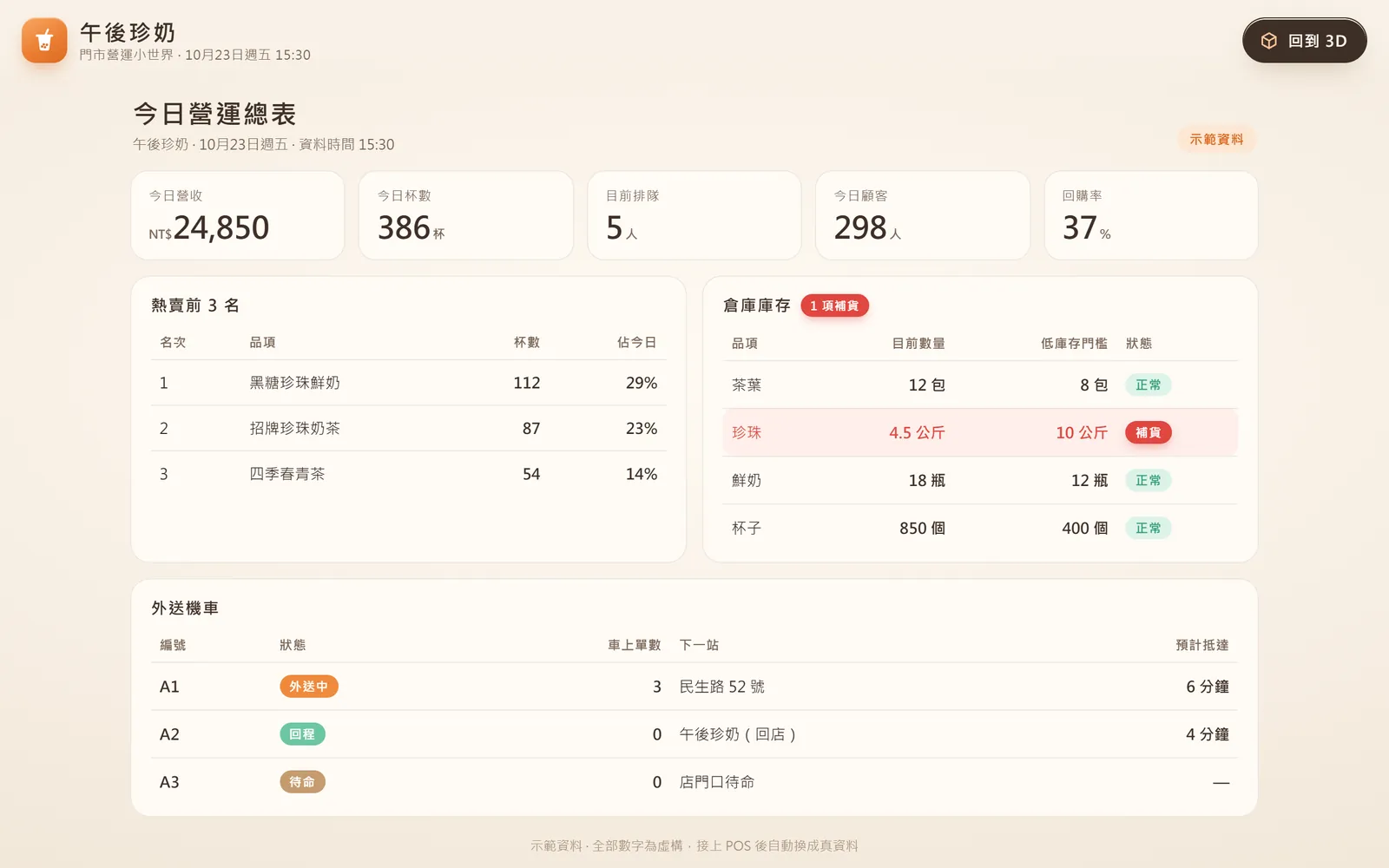
The 表格模式 (Table mode) button at the top right is something we asked for in prompt 3. One click turns the same data into an ordinary dashboard: revenue, cups, queue, customers and repeat rate, plus tables for top items, stock and scooters. Click 回到 3D (Back to 3D) to return.
06It works on phones too
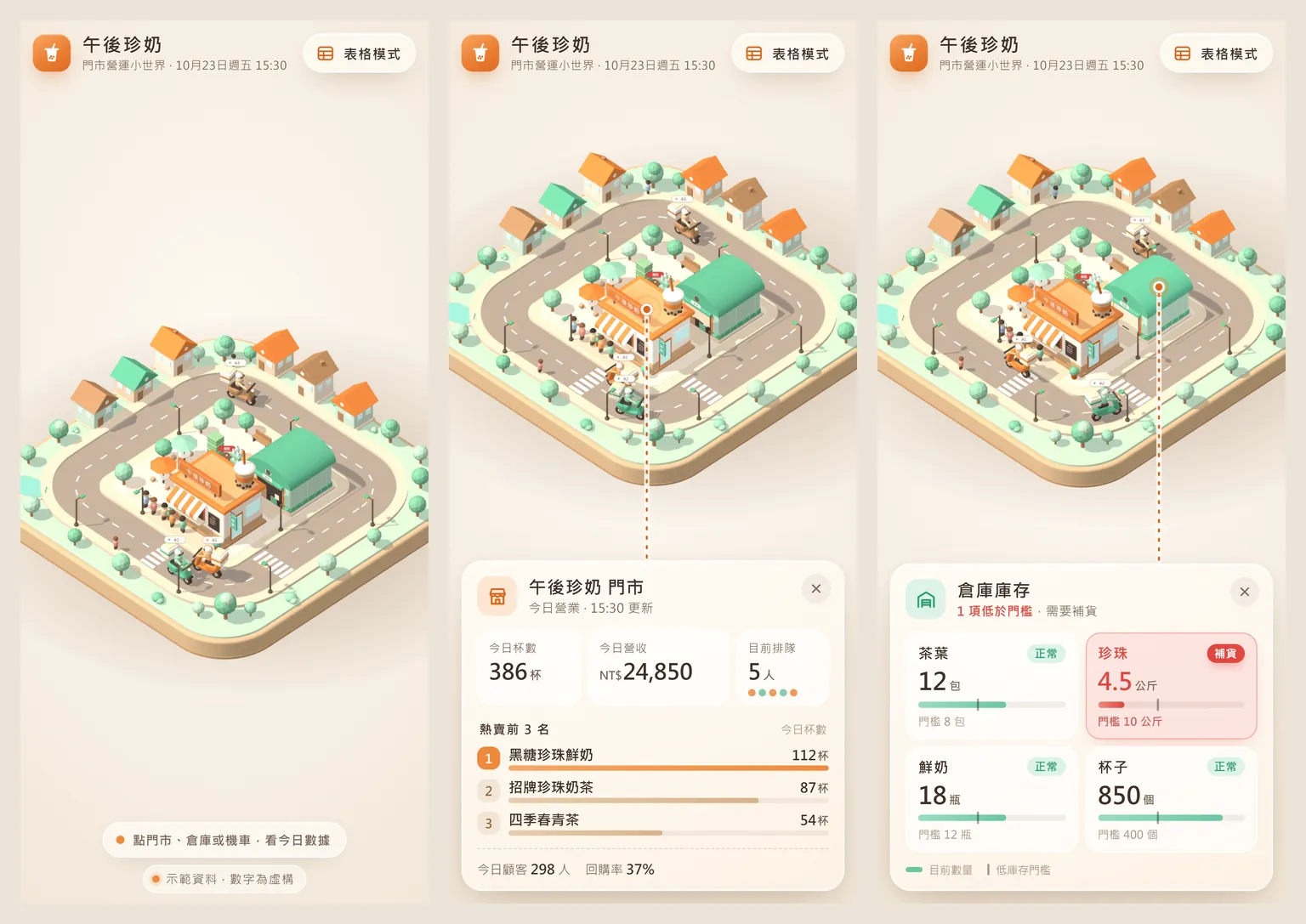
The last line of prompt 3 says it must look good on phone and desktop. We opened the same page at phone size (390×844): the world shrinks and centres itself, and data cards sit at the bottom of the screen, still joined by a dashed line to the object you tapped.
07Trying it yourself: opening the page and switching to real data
- The page reads sample-data.json, so double-clicking index.html won't load the data; the page tells you to open it through a local server.
- Run npx serve in the folder, or ask Claude Code to start a local server for you, then open the address it gives you.
- Once you have a POS, overwrite sample-data.json with your POS export using the same field names. The page doesn't need to change.
- When the data is real, remember to switch off the sample-data flag (in our file it is isDemo).
08Keep in mind
- 午後珍奶 is a fictional shop, and every number on screen is sample data generated by Claude, not real sales.
- We didn't connect any POS, Stripe or Square, and this guide doesn't show a connection.
- Claude Code (Opus 5.5) built the page in one go on 23 October 2026 and we didn't edit it. The same prompts give different details on every run.
- Before you load real revenue or customer data, think about who can see it: a sample-data.json on a public URL can be opened by anyone.
- three.js loads from jsDelivr, so the 3D view needs an internet connection.