Why do Claude-made videos sound fake? Right place, right level, plus 3 free tools that fix it
Fake-sounding effects sit on the wrong frame and are too loud. The editor's two rules, then how to set up and prompt earshot, real-sound and the Openverse API.
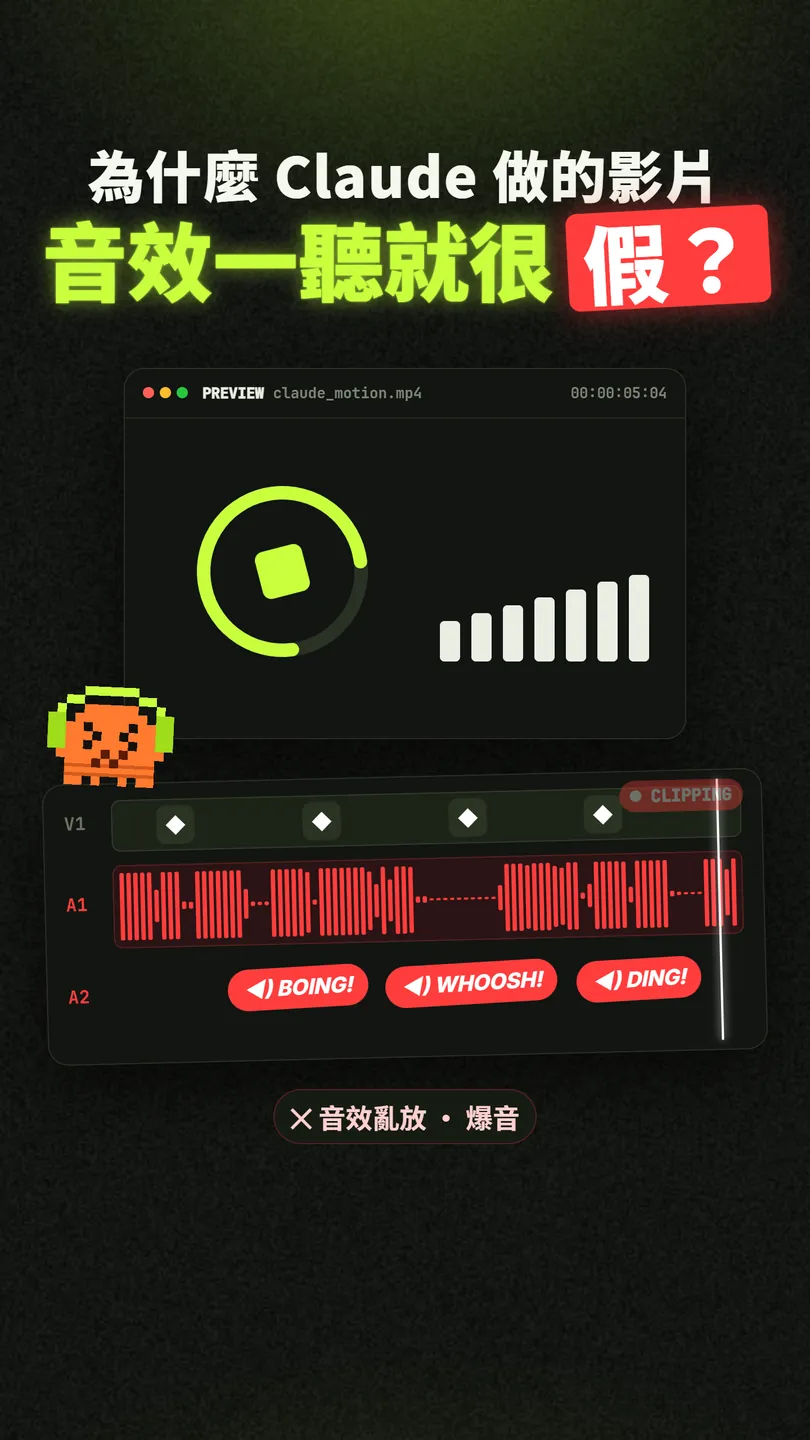
Claude is now very good at animation and at writing the code behind a video, but the sound effects give it away: a ding half a beat late, a whoosh that buries the voice, a whole film that clips. The problem is rarely the sounds themselves. It is two things: placement and level. This guide covers how an editor thinks about both, then three free tools: earshot, the real-sound skill in the same repo, and the Openverse API. The pictures come from our reel's timeline interface and from the GitHub and Openverse pages we captured.
01First: fake-sounding effects usually come down to two problems
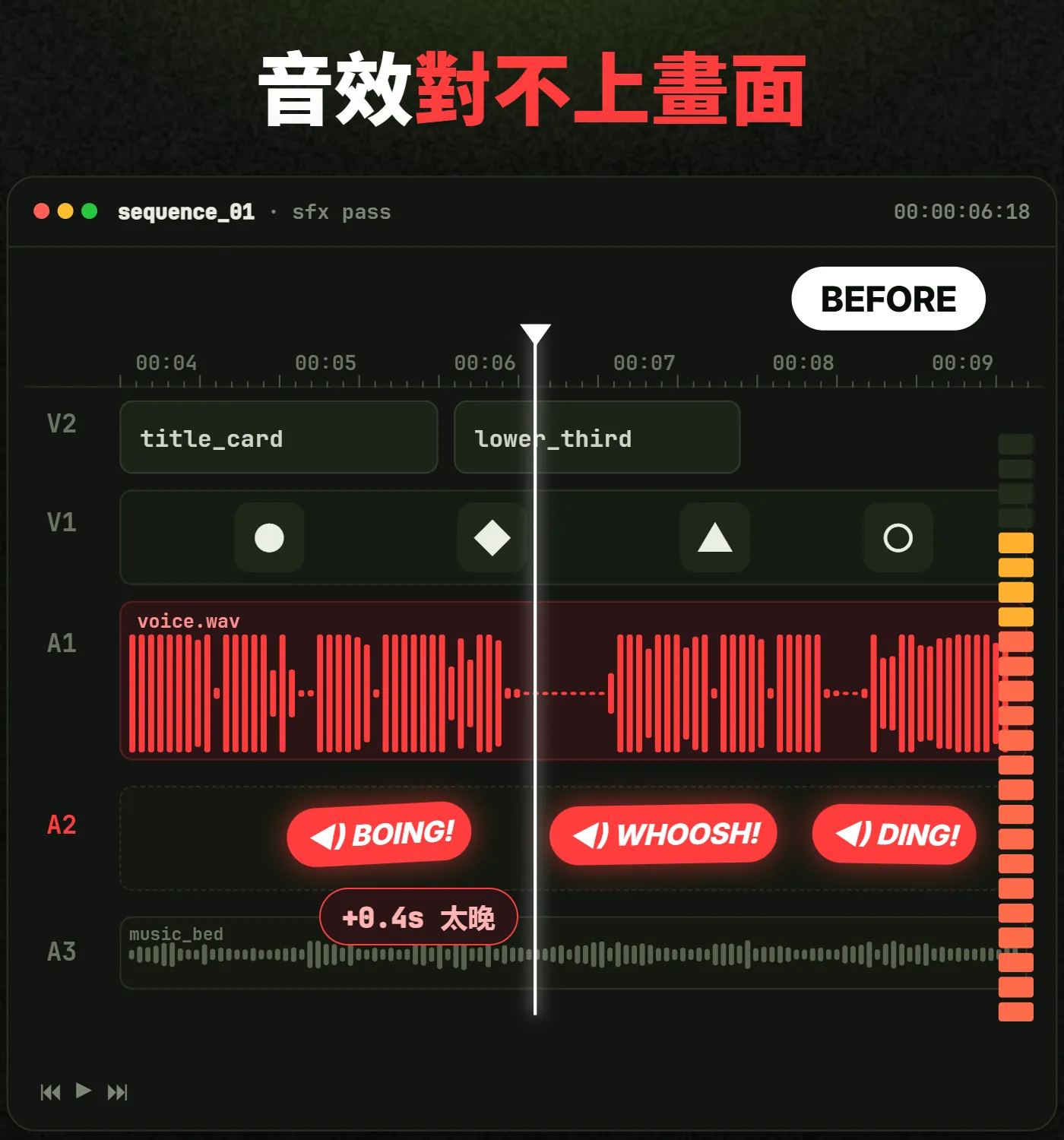
We built a deliberately broken timeline first. A dot, a diamond and a triangle each make a move on screen, but the BOING, WHOOSH and DING all land late, and the levels are pushed into the red, so everything clips.
The fixed version changes only two things: each effect moves to the frame of its action, and the level drops below the voice. About the same number of sound files, and it goes from fake to polished.
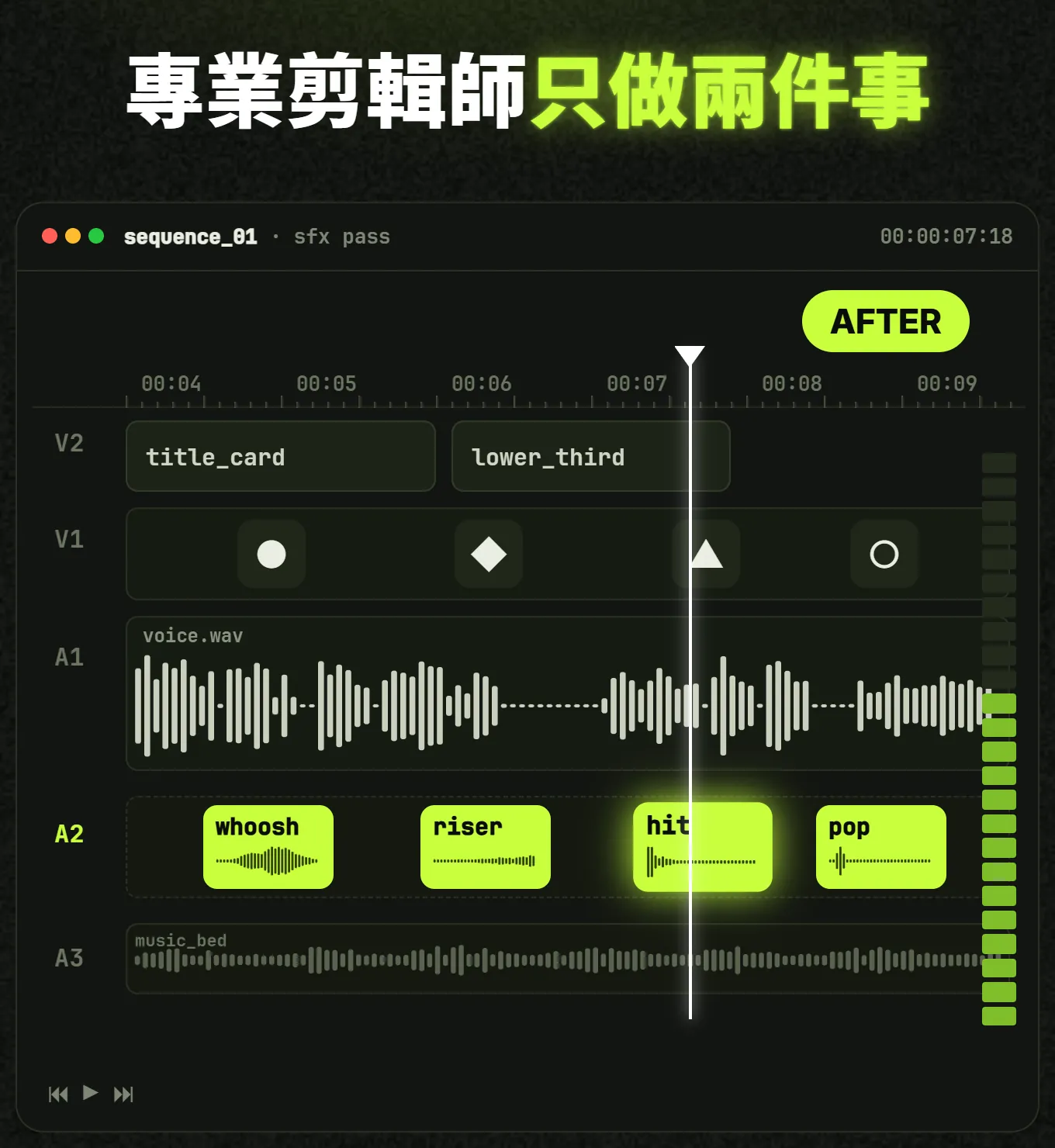
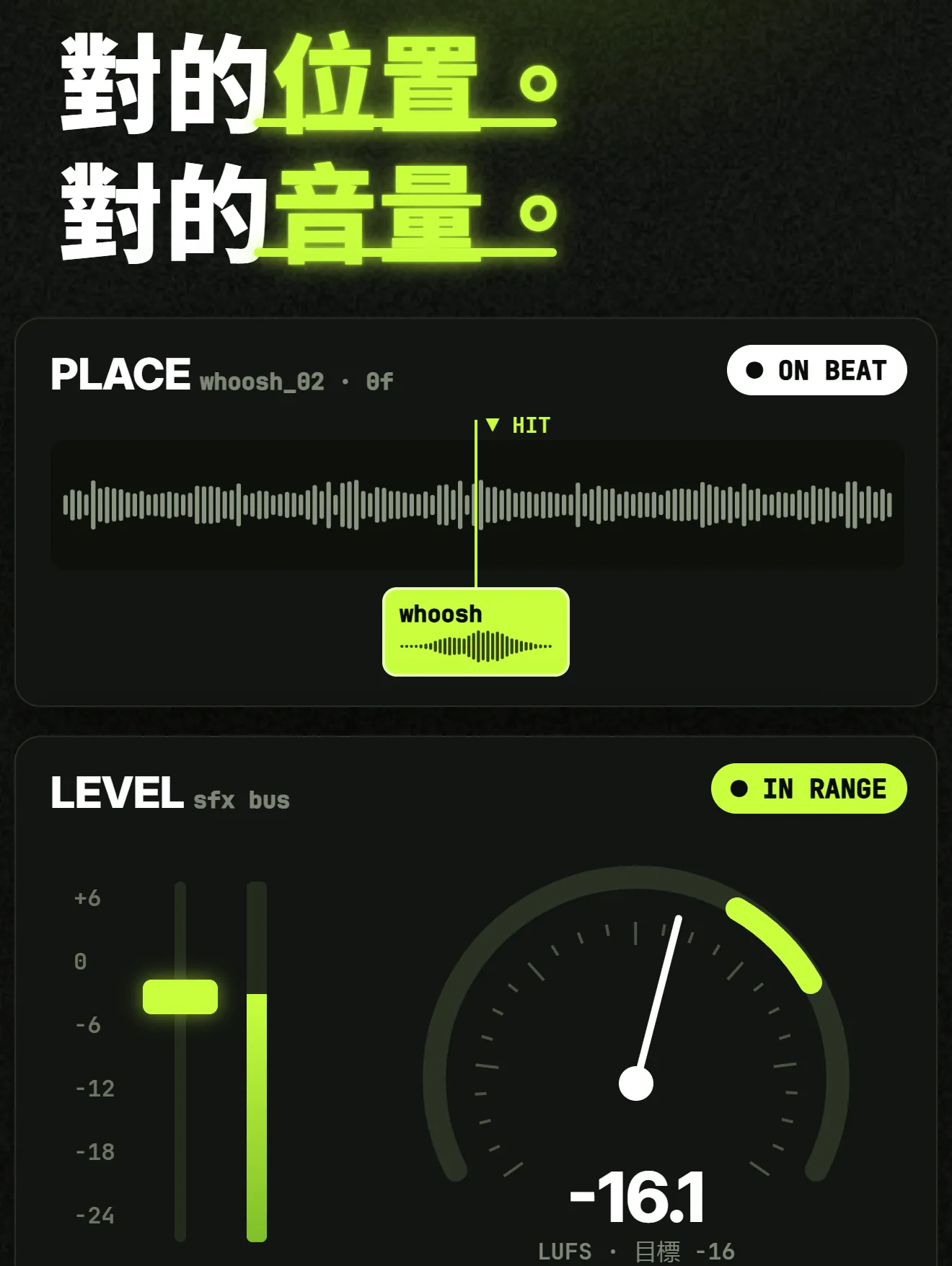
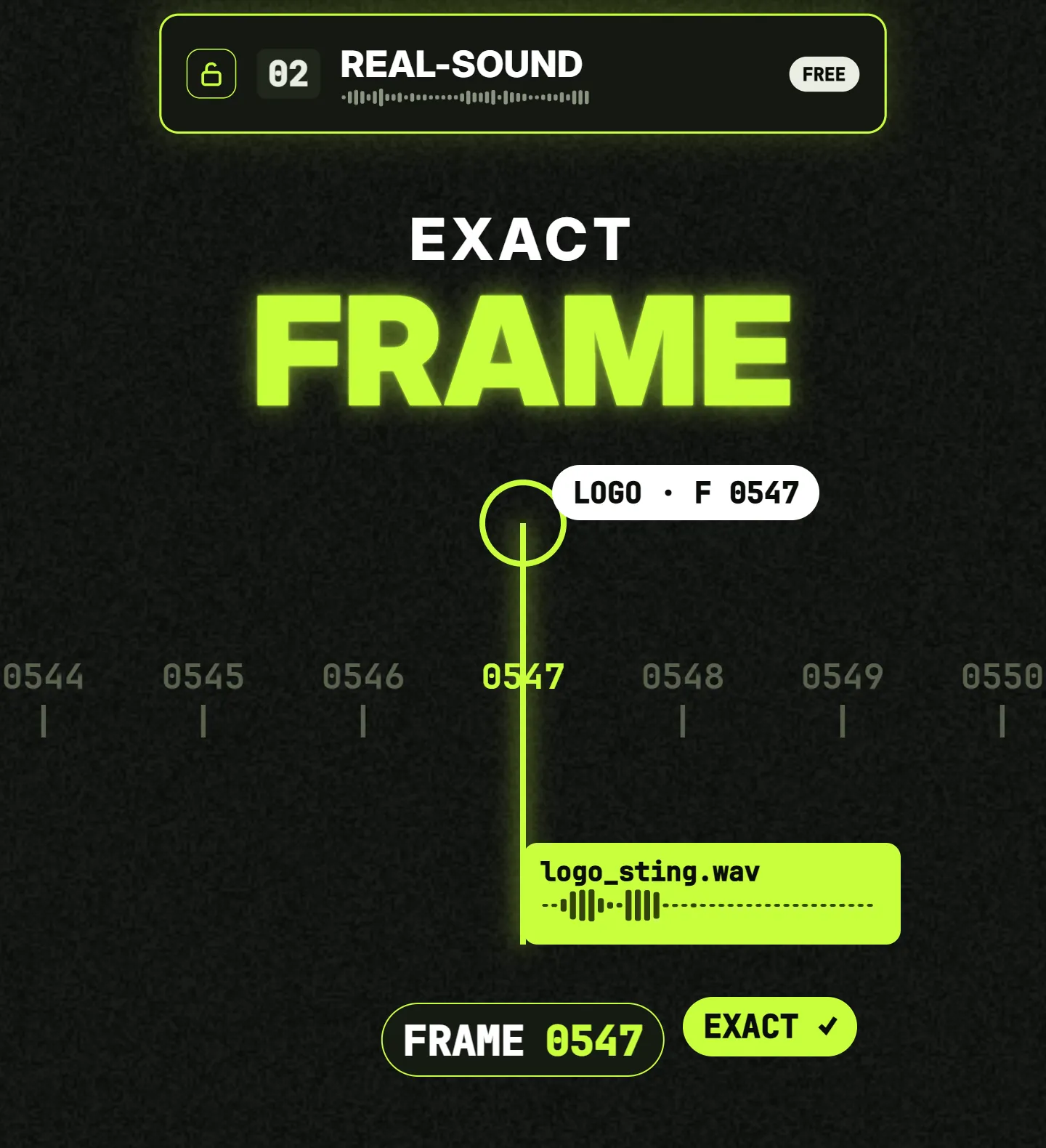
- Right place: the effect sits on the frame where the action happens. The frame of a hit, a pop-in or a cut needs its sound; 0.3 s late is audible.
- Right level: the voice is always the clearest thing, and the effects sit well below it. Our reel lands at about -16 LUFS overall.
02Tool 1: earshot, make the sound you can't find in code
Libraries often don't have the exact sound you need, say a whoosh that is 0.8 s long and peaks at 0.32 s. earshot is an open-source tool on GitHub (MIT licence) whose README tagline is "Ears for coding agents". It can describe what a file sounds like and find a moment in a long recording, and it can make sounds in code: a bank of 252 sounds stored as code, which earshot sfx render aims at your picture as a new take.
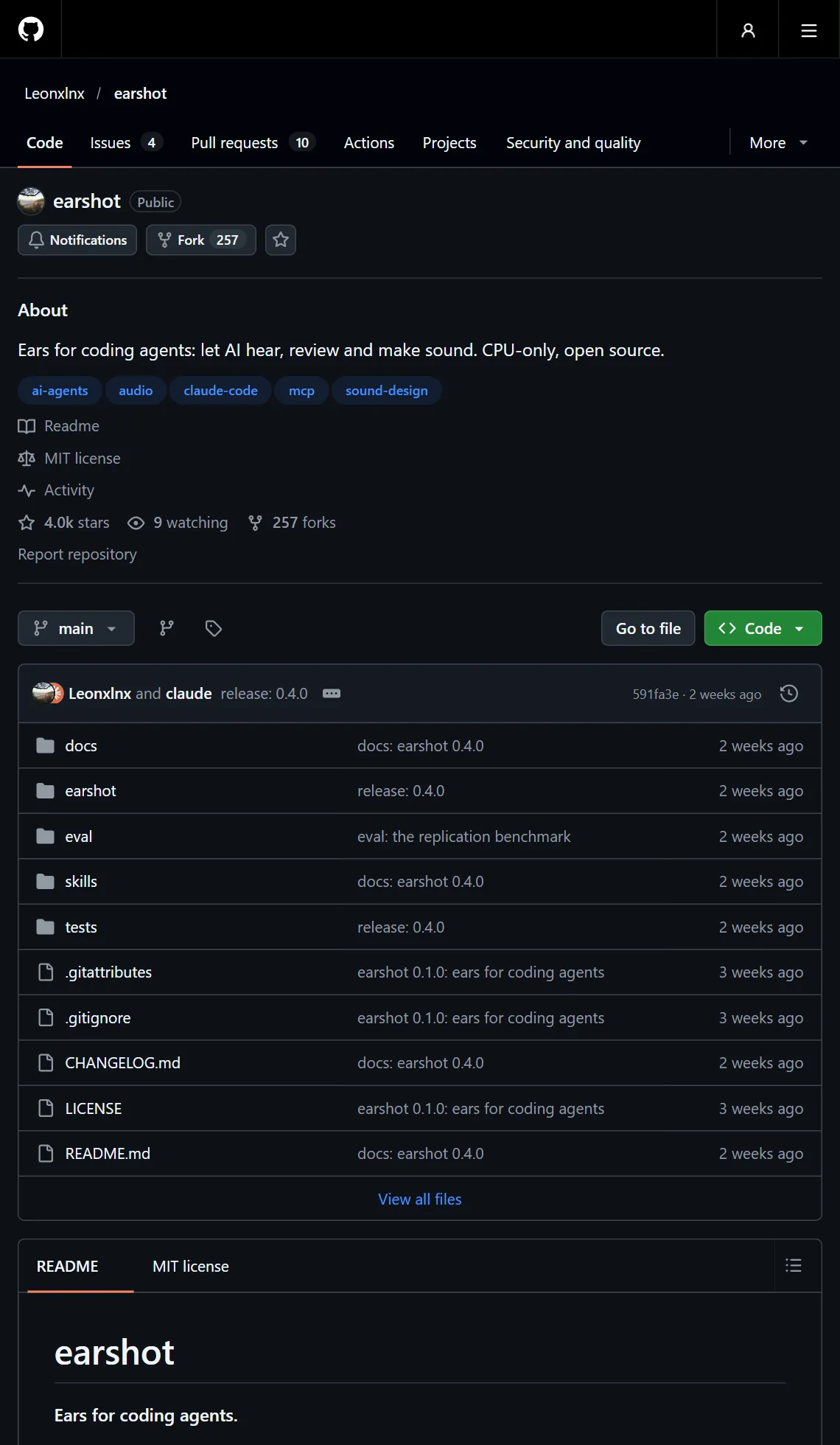
- Have Python 3.10 or newer, plus ffmpeg and ffprobe. No GPU is needed; it runs on CPU.
- Install as the README says: git clone https://github.com/Leonxlnx/earshot, go into the folder and create a virtual environment (python -m venv .venv).
- In that environment install the CPU build of PyTorch first, then earshot itself (pip install -e ".[mcp,llm,dev]"). Paste the exact commands from the README's Install section; on Windows the path is .venv/Scripts/python.
- Run python -m earshot doctor --load to check the install.
- Copy the repo's skills/earshot folder into ~/.claude/skills/ or a project's .claude/skills/ so Claude Code knows how to use it.
- To let Claude Code call it directly, you can also add it as an MCP server with claude mcp add, as the README shows.
(First install earshot following the README at https://github.com/Leonxlnx/earshot and copy skills/earshot into .claude/skills/)

Make a rising whoosh for my [intro], then a whole sound kit for this film.
- Use earshot sfx list --kind whoosh to find the closest sound, then earshot sfx render aimed at [the intro's move] (--dur, and --apex on the picture's peak, around [0.32] s)
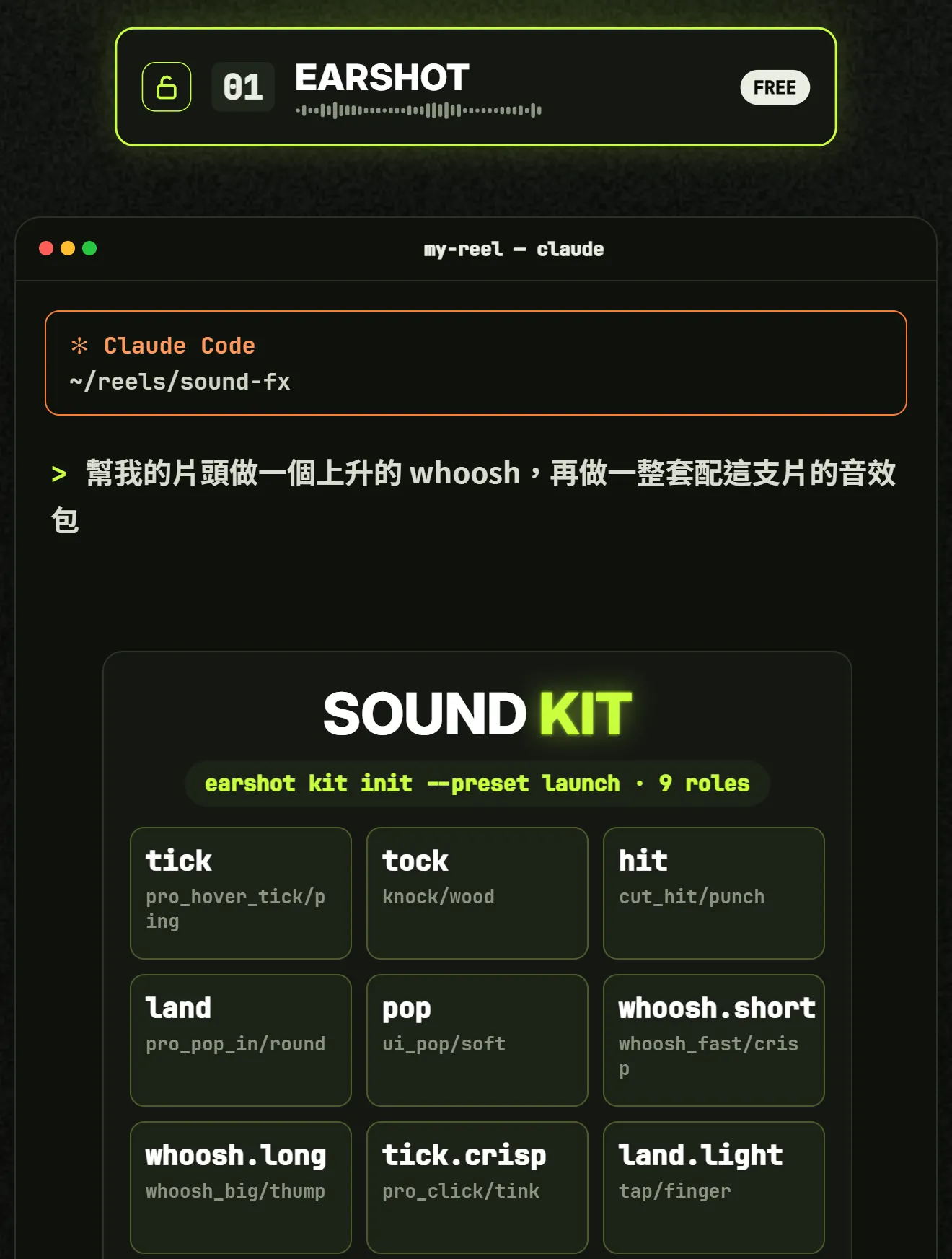
- For the kit, run earshot kit init --preset launch, then earshot kit render to make each role's audio and sync points
- Run earshot sfx check on every sound; only use ones with no clipping and no cut-off tails
earshot kit init --preset launch creates a whole sound kit: one sound per role, such as tick, hit, pop and whoosh. Per the README, the launch preset is for films cut to music and records how far above the music each role sits and whether it lands before or after the cut.
03Tool 2: the real-sound skill, read the timeline and hit the exact frame
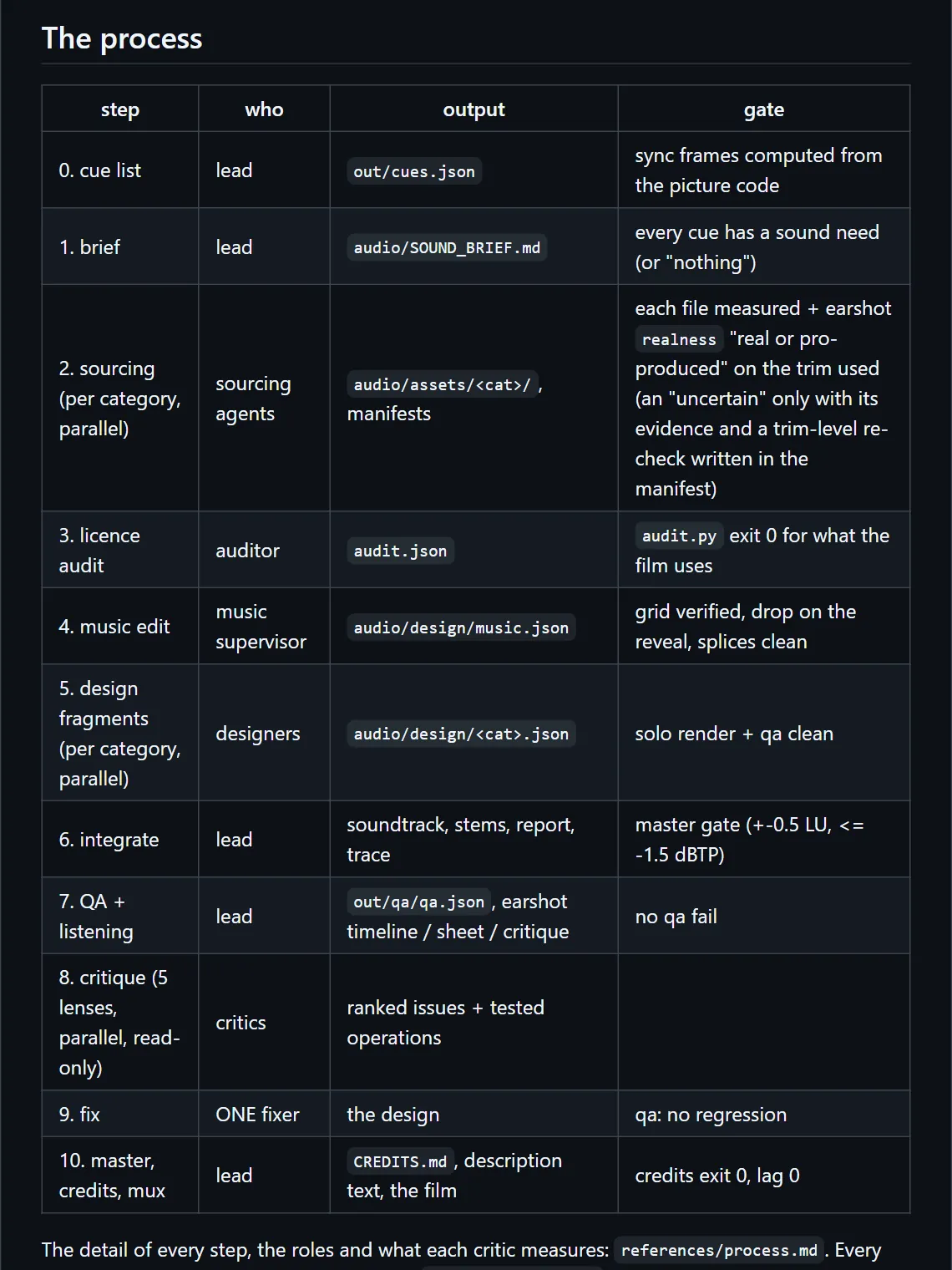
real-sound is a Claude skill in the same earshot repo. It casts Claude as a sound supervisor who cannot hear: first it computes a cue list from the picture code (the frame of every moment that needs a sound), then it sources real recordings, checks licences, mixes, measures loudness and writes credits. SKILL.md says it uses only real recordings; code selects, trims, places and levels, and never generates a sound.
- Install earshot first (Tool 1). real-sound's scripts need the Python that has earshot installed (earshot's .venv).
- Copy the repo's skills/real-sound folder into .claude/skills/real-sound.
- It works best when your video is made in code (Remotion, HyperFrames, three.js, GSAP), so Claude can compute the frame of every move.
- Paste the prompt below into Claude Code with your own file names and loudness target.
(Copy https://github.com/Leonxlnx/earshot/tree/main/skills/real-sound into .claude/skills/real-sound)

Use real-sound to do the sound for [this video / your project folder]:
1. First compute a cue list from the picture code (out/cues.json): which frame each moment that needs a sound lands on
2. Use only real recordings (Freesound CC0 / CC BY, Mixkit); check every file's licence and write it into the credits
3. Effects on the right frame at the right level: the voice is always clearest, the whole film around [-16] LUFS
4. Finally run QA and tell me where anything clips, gets masked or is out of sync
04Tool 3: the Openverse API, let Claude find CC-licensed sounds itself
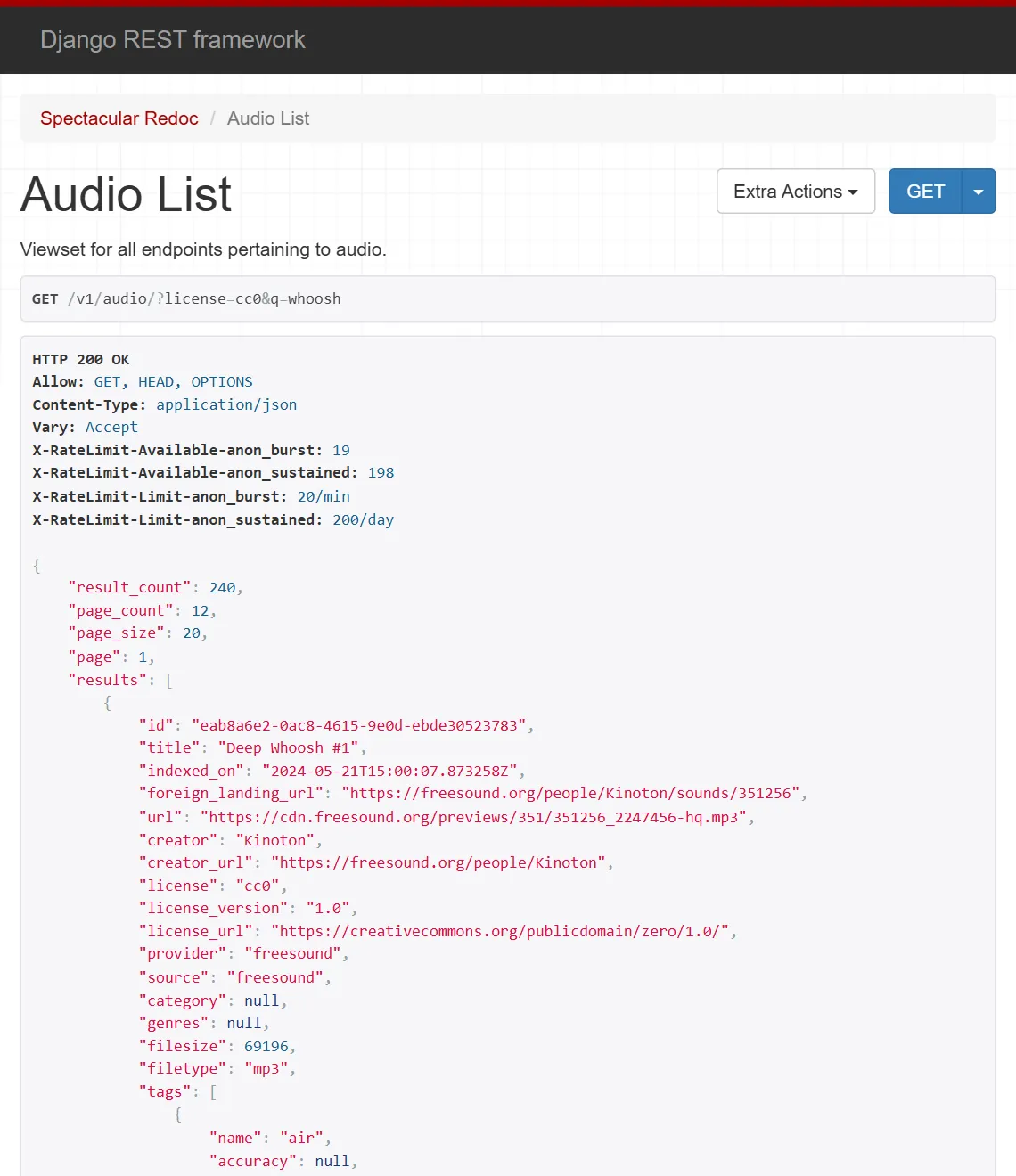
Openverse is a search engine for openly licensed media, and its API needs no key. Anonymous use is limited to 20 requests a minute and 200 a day (from the API's response headers). You search with a URL: q=whoosh plus license=cc0 returns only CC0 whooshes.
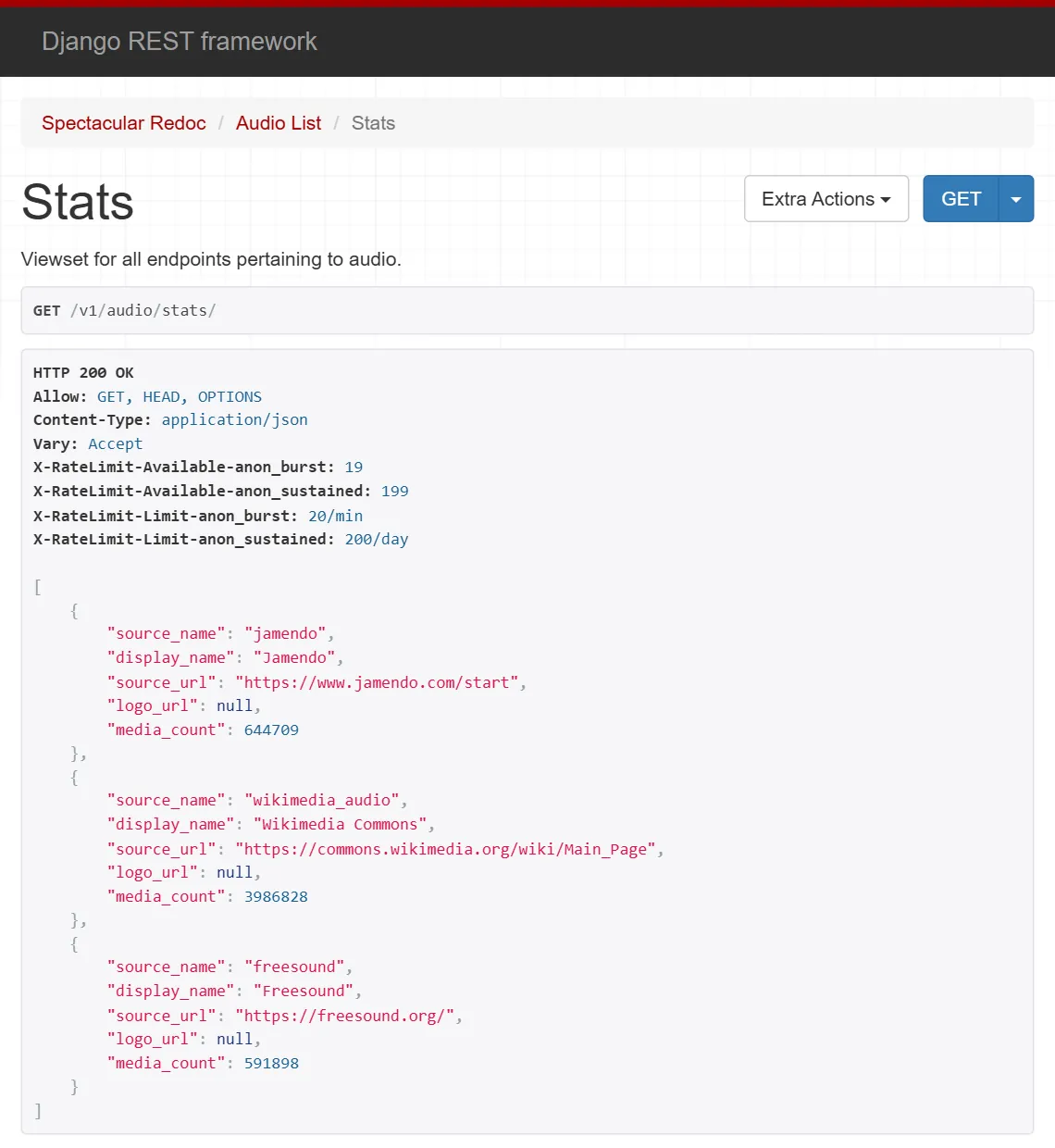
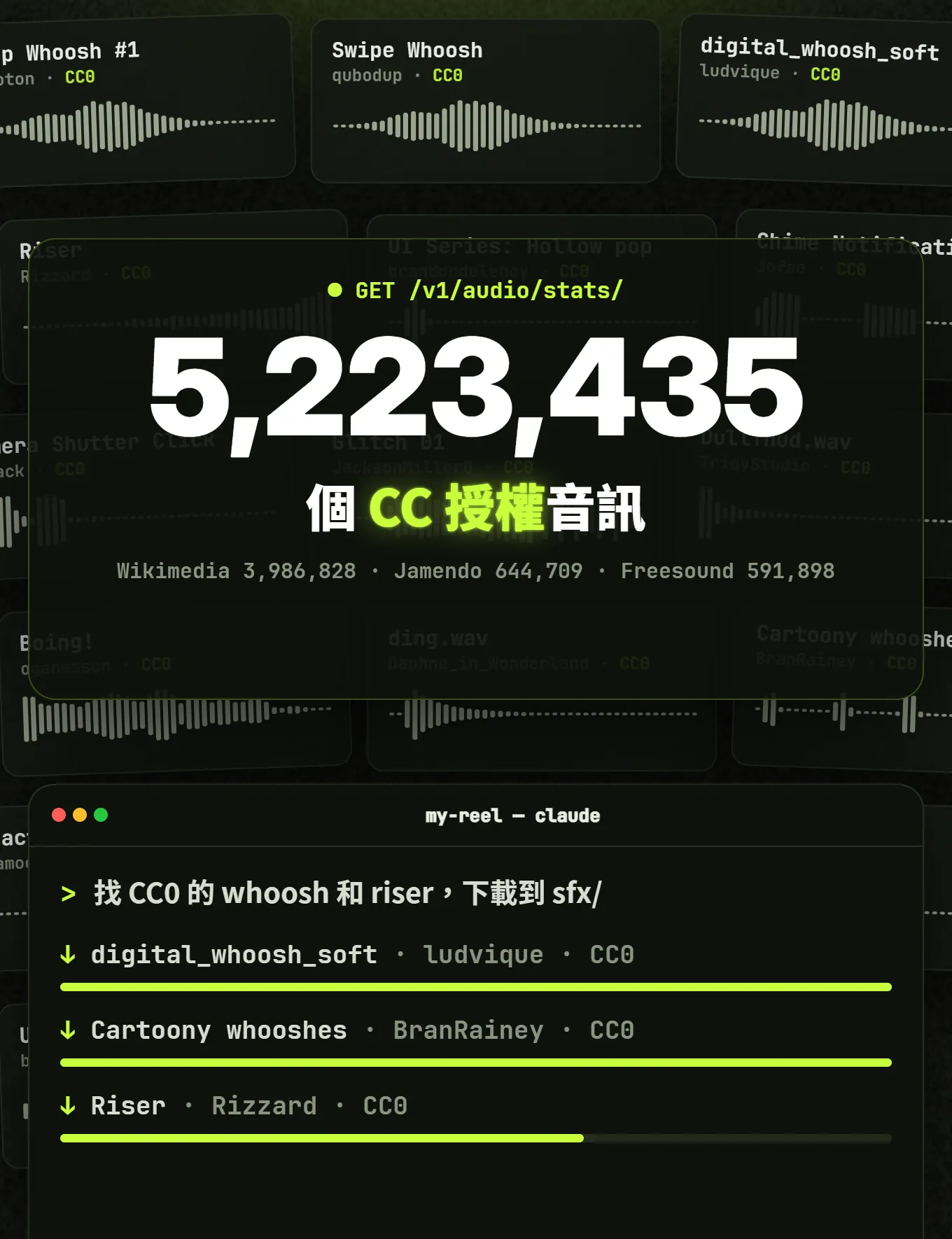
When we checked /v1/audio/stats/ on 6 Nov 2026, Openverse indexed 5,223,435 audio items: Wikimedia Commons 3,986,828, Jamendo 644,709 and Freesound 591,898. Not all of these are sound effects (Jamendo is mostly music), which is why the reel says "CC-licensed audio".
Use the Openverse API to find [3] CC0 [whoosh] sounds and download them to sfx/:
- Search: GET https://api.openverse.org/v1/audio/?q=[whoosh]&license=cc0 (no key, 20 anonymous requests a minute)
- Keep only results whose license is cc0, and download the audio from results[].url
- Record each file's title, creator and foreign_landing_url in sfx/CREDITS.md
- After downloading, measure length and peak with ffmpeg and tell me which one best fits a [0.5] s transition
05Where our reel's sounds came from
earshot did not run in our test (the install was blocked), so there are no earshot-made sounds in the reel. Every effect is a Freesound preview found through the Openverse API, all CC0 1.0, and we checked the licence on each Freesound page. CC0 needs no credit, but we list them anyway.
- Boing! (the deliberately clipped BEFORE take) — oganesson · CC0
- Cartoony whooshes (BEFORE take) — BranRainey · CC0
- ding.wav (BEFORE take) — Daphne_in_Wonderland · CC0
- digital_whoosh_soft.wav — ludvique · CC0
- Riser — Rizzard · CC0
- UI Series: Hollow pop — brandondelehoy · CC0
- SFX UI Button Click — suntemple · CC0
- DullThud.wav — TriqyStudio · CC0
- Computer keyboard typing snippet — cabled_mess · CC0
- Chime Notification — Jofae · CC0
- 'Unlocked' Video Game Sound — EVRetro · CC0
- Camera Shutter Click — Kodack · CC0
- Glitch 01 — JacksonMiller0 · CC0
06Things to watch
- We did not actually run earshot or real-sound in this test (the install was blocked). What this guide says about them follows the README and SKILL.md on GitHub as of v0.4.0 on 6 Nov 2026, and may change.
- real-sound needs earshot installed first. earshot's listening features download about 1.1 GB of models the first time, each under its own licence (the README lists CLAP as Apache-2.0 and AST as BSD-3-Clause).
- Check every sound's licence on its own page. CC0 can be used freely; CC BY must credit the author; keep NC (non-commercial) and ND (no derivatives) sounds out of commercial videos. real-sound's SKILL.md also forbids NC, ND and SA.
- Openverse only helps you find things; the licence on the source page (foreign_landing_url) is what counts.
- earshot has an optional llm command that uploads audio to Gemini; it needs your own key and explicit consent. Leave it off if you don't need it.
- Openverse's anonymous quota is 20 requests a minute and 200 a day, so ask Claude to search once and download slowly, not to retry in a loop.