Prompt Motion, a free prompt gallery: paste one line into Claude Code and make a 15-second brand opener in 7 steps
Copy a free showreel prompt from Prompt Motion, set Claude Code to effort max, add 5 brand lines, and Claude writes a 15 s square brand opener.
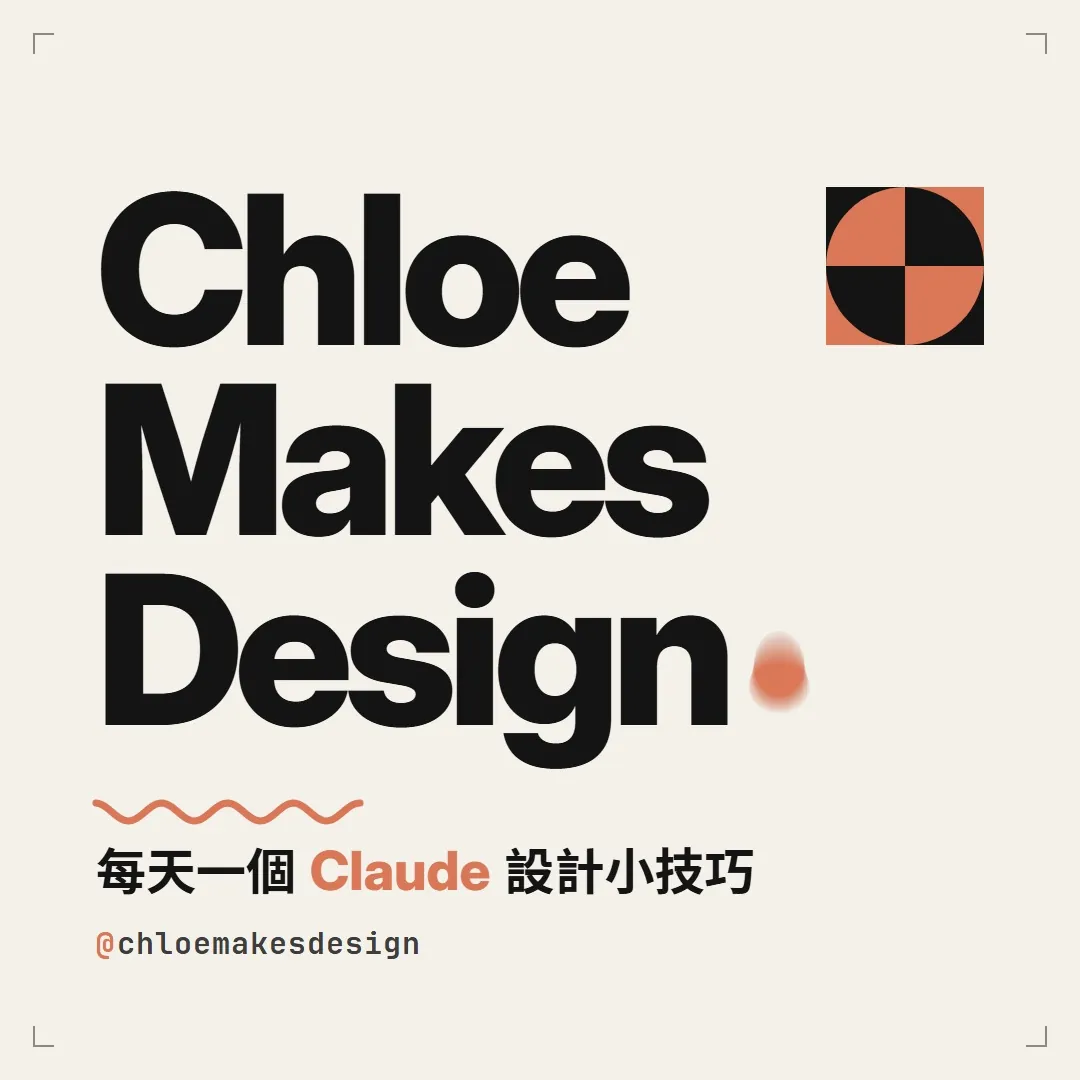
Want a brand opener for the start of your Reels but don't know After Effects? The opener in this guide wasn't edited in AE. Claude wrote it as code.
The method is simple: copy a ready-made prompt from Prompt Motion, an animation gallery, paste it into Claude Code, add 5 lines about your brand underneath, and press Enter. Every result image below is a frame Claude actually made this time, and we didn't change a single frame. The prompt was shared on Prompt Motion by @stephanlivera, and we link to the original throughout.
01The result first: a 15-second brand opener written by Claude
We gave it one prompt and 5 brand lines (name, handle, tagline, 3 colour codes, size). Claude came up with its own concept, "a designer's alphabet in 15 seconds": it starts from a point and turns into a line, a pattern, type, layered depth and finally the brand wordmark.
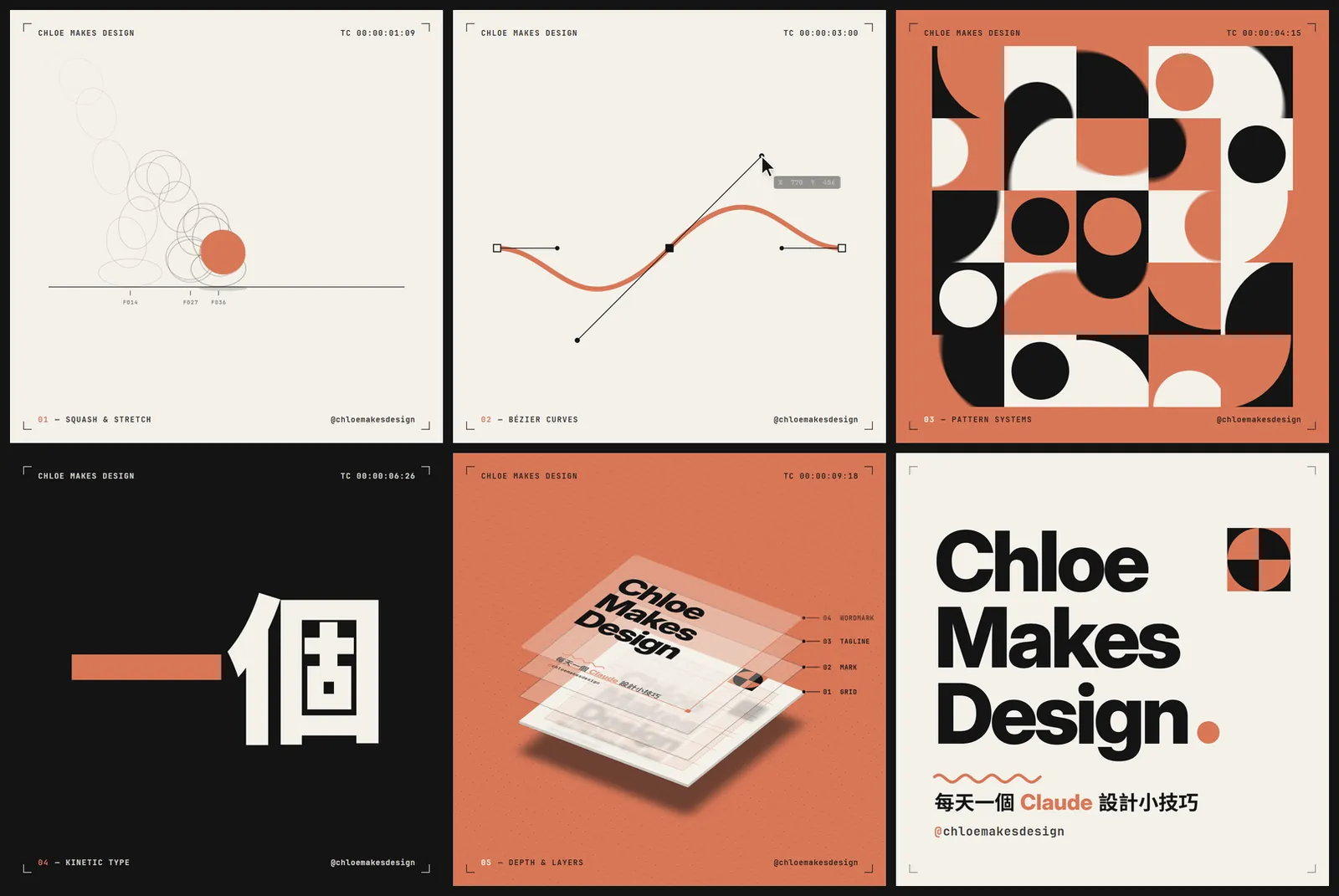
- 0–1.9 s: an orange ball bounces and lands, showing squash and stretch.
- 1.9–3.6 s: the ball stretches into a line and a cursor drags a handle to draw a Bézier curve.
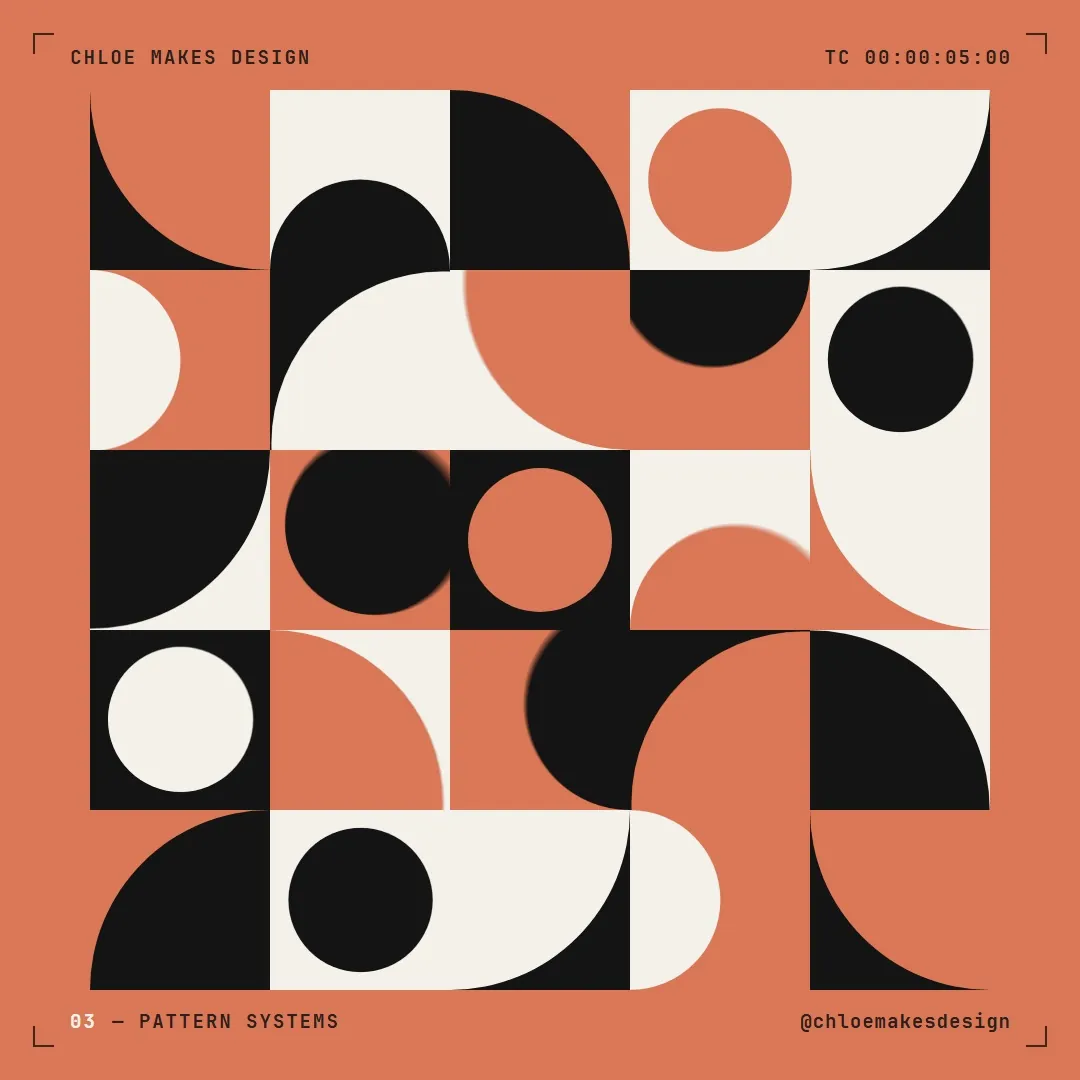
- 3.6–6.1 s: the curve becomes a 5×5 Bauhaus-style tile pattern.
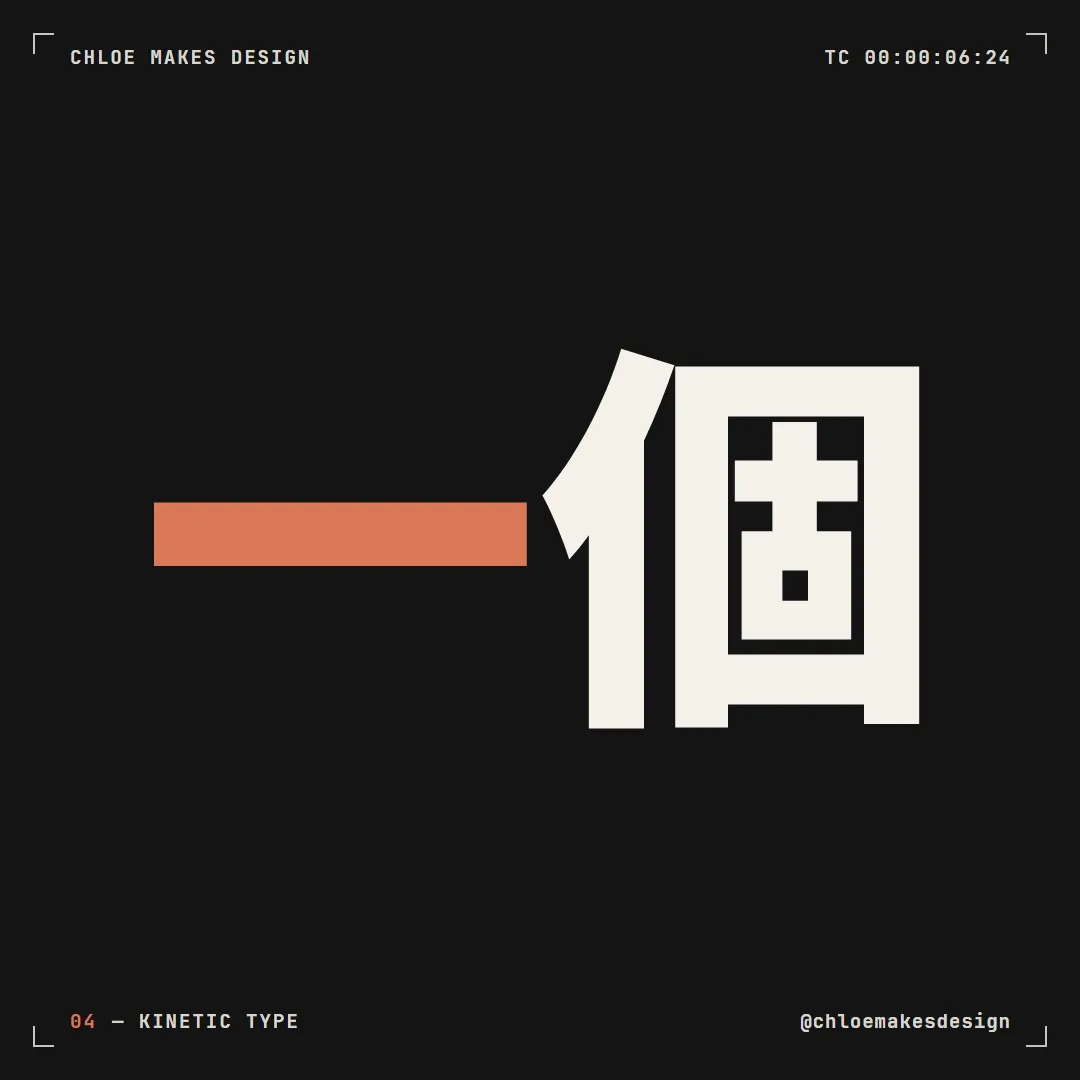
- 5.6–9.4 s: the tagline 每天 / 一個 / Claude / 設計 / 小技巧 pops in word by word.
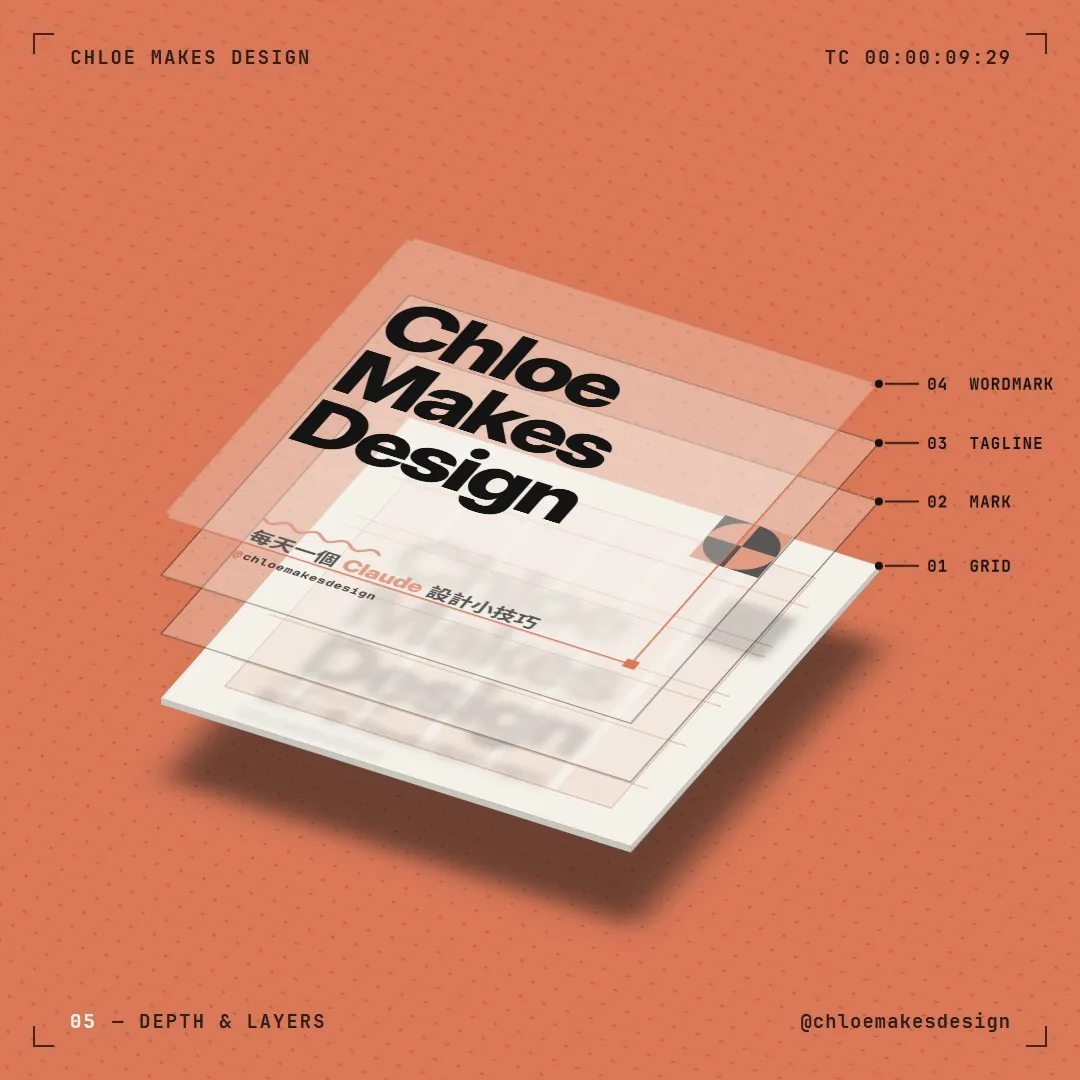
- 8.8–11.3 s: the brand splits into 4 layers (grid, mark, tagline, wordmark) in 3D.
- 11.3–15 s: it settles into the wordmark, and the ball from the first second becomes the orange full stop in "Design."
02Step 1: Open Prompt Motion
Prompt Motion is an animation gallery. In its own words, it's a collection of motion videos made with Claude Opus 5.5, with the prompts and skills behind them. You can browse without logging in.
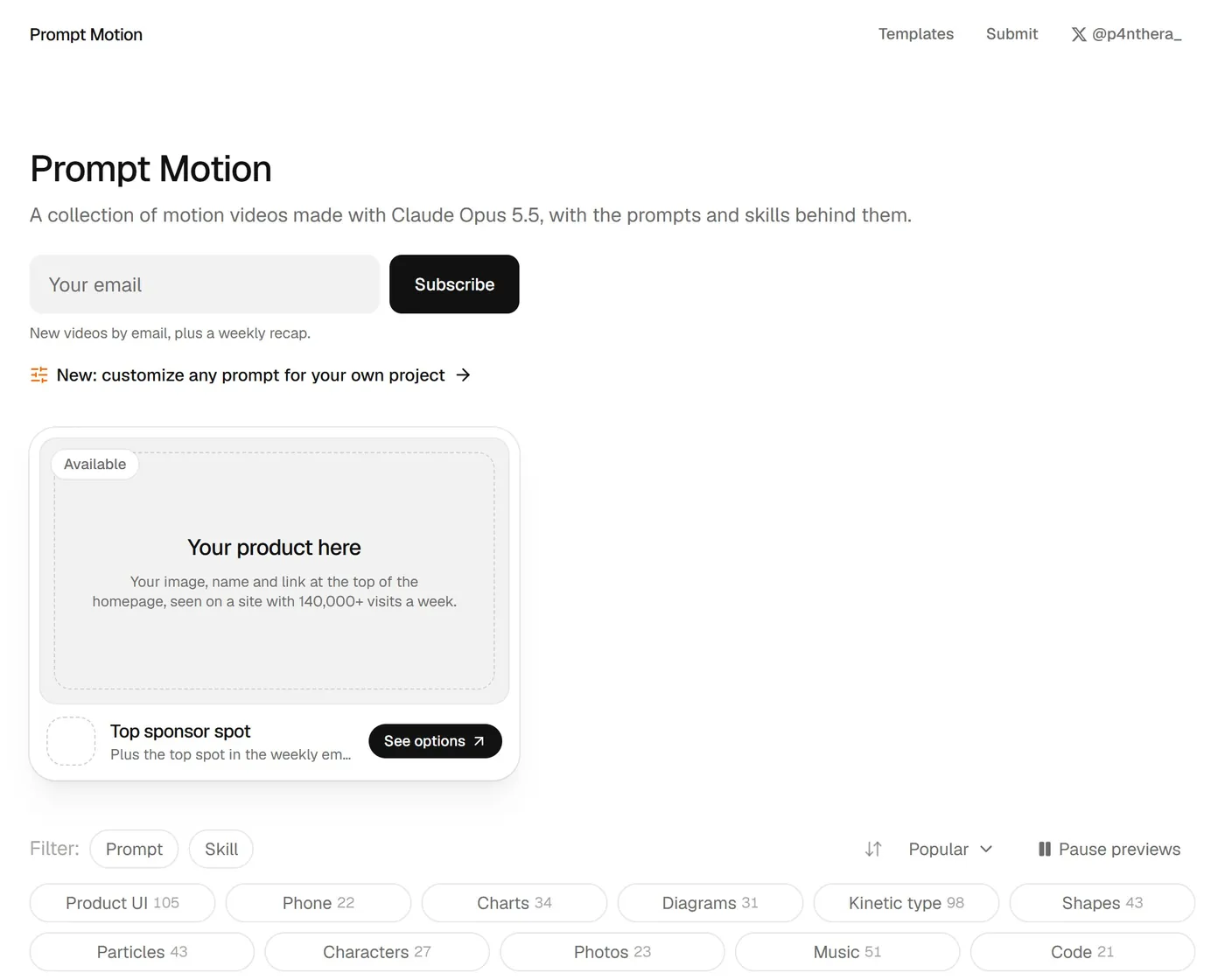
- Every prompt has a Copy button: free to copy, no account needed.
- "Customize" lets you add your purpose, format and colours to get a tailored prompt. The site says it's free and your details stay in your browser.
- The only paid things are sponsor placements for advertisers. Watching and copying prompts costs nothing.
- Prompt Motion — Gallery of Claude-made animations, each with its prompt, free to copy
03Step 2: Pick an animation
We picked "Claude motion designer showreel" by @stephanlivera. It is first when sorted by Popular, and the site's Templates page calls it the most-used prompt on Prompt Motion (49 videos used it when we checked on 9 Nov 2026).
04Step 3: Press Copy
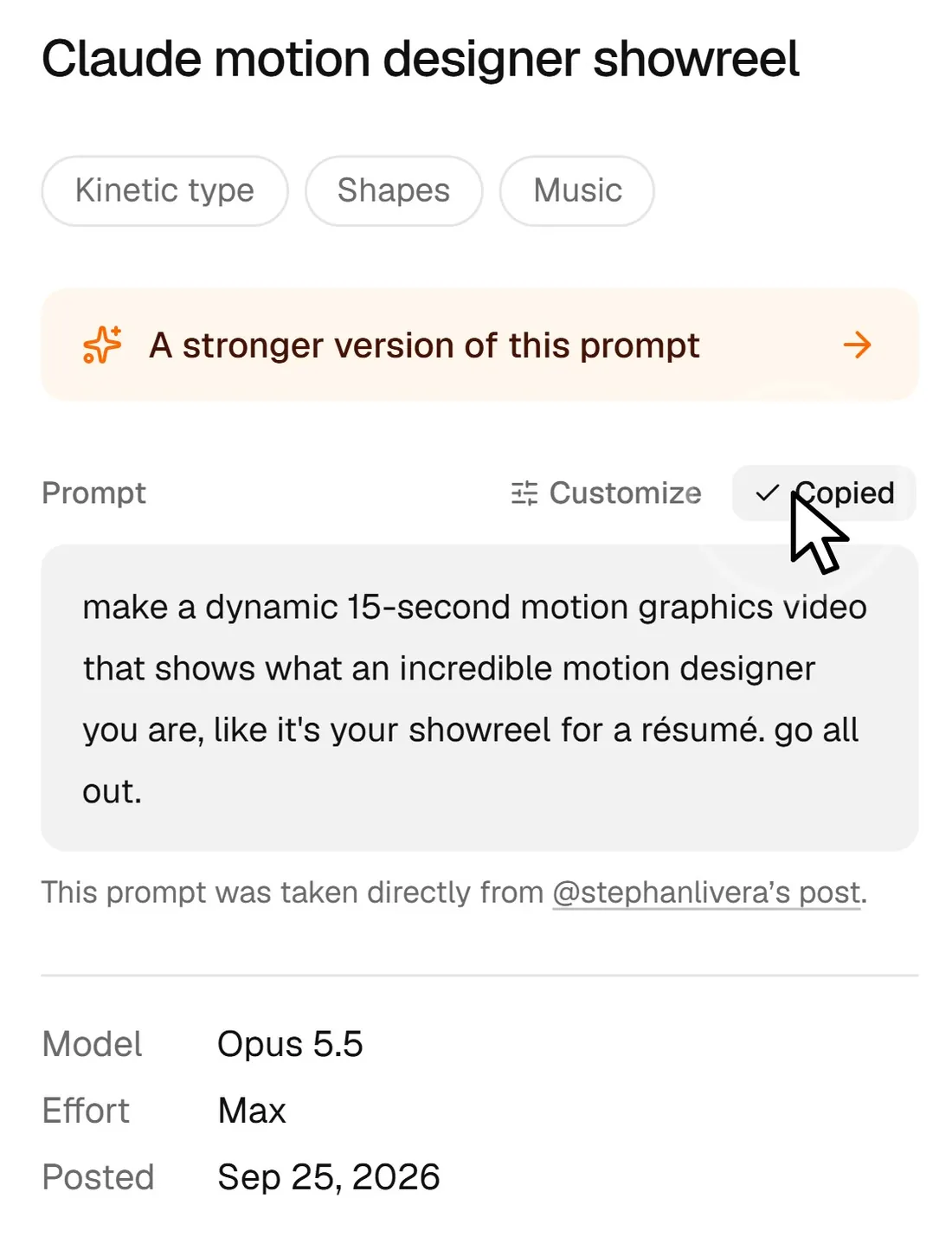
make a dynamic 15-second motion graphics video that shows what an incredible motion designer you are, like it's your showreel for a résumé. go all out.
That's the whole prompt. It doesn't describe a single frame, so Claude has a lot of room to create, which is exactly why it works well as a starting point for a brand opener.
- Claude motion designer showreel (@stephanlivera) — The prompt we used, free to copy
05Steps 4 and 5: Open Claude Code and set effort to max
- Install Claude Code with the official quickstart (it needs a paid Claude plan or a Claude Console account).
- Make an empty folder, for example brand-opener, open it in your terminal and type claude.
- Type /effort max and press Enter.
- Claude Code replies "Set effort level to max (this session only)", meaning this session uses the deepest reasoning level.
The Prompt Motion entry is also marked Effort: Max. An animation means planning a concept, writing code and checking it frame by frame, so higher effort gives a more complete result.
- Claude Code quickstart (official) — Install and log in
- Claude Code docs: adjust effort level — The /effort command and each level
06Step 6: Paste the prompt and add 5 brand lines
Paste the prompt you copied, unchanged. On a new line underneath, add your brand details. We added only these 5 lines:
[paste the prompt copied from Prompt Motion]

Turn it into my brand opener:
Brand: [your brand name] (@[your handle])
Tagline: [one line]
Colours: [colour 1] cream, [colour 2] ink black, [colour 3] accent
Size: 1080×1080 square (for Instagram)
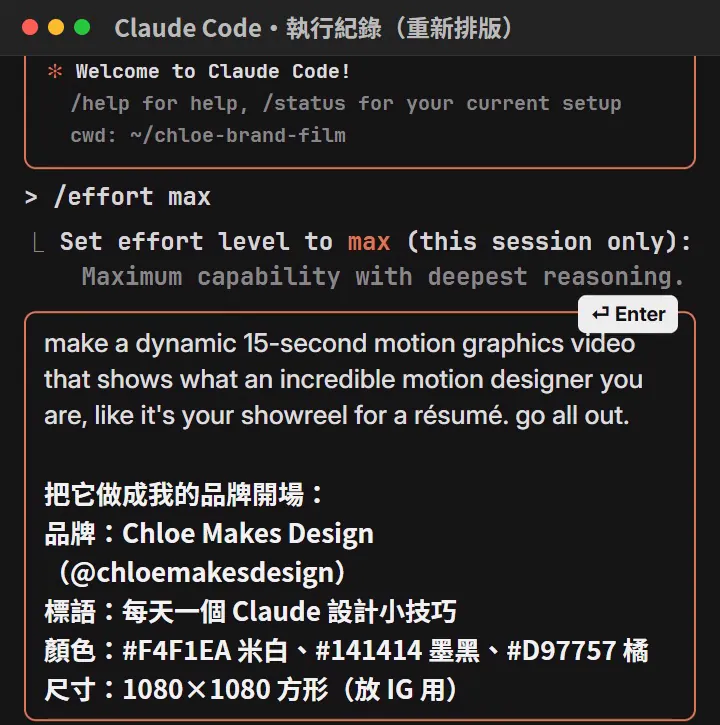
- Brand: the name becomes the end wordmark and the handle goes in a corner.
- Tagline: Claude uses it for the kinetic type part.
- Colours: 3 is enough, one background, one text colour, one accent. Claude used only these 3.
- Size: say 1080×1080 square clearly, or it may make a 16:9 landscape video.
07Step 7: Press Enter and let Claude build and check it
After Enter, it's Claude's job. This time Claude wrote one index.html, then took screenshots in a headless browser to check its work over 4 rounds, made about 30 fixes, confirmed that each moment renders identically every time (20 of 20 frames matched), and exported a preview exactly 15 seconds long.
To have it check itself the same way, add one more block under your brand lines:
Make it one index.html that plays when opened in a browser, exactly 15 seconds.
No music.
When done, take 6 screenshots at different times and check: is any text cut off, are only my 3 colours used, is the brand name clear in the last frame. Fix anything wrong yourself, then tell me.
08Record it and put it at the start of your Reels
- Easiest: open index.html in Chrome, press F11 for full screen, screen-record 15 seconds (Mac: Shift + Cmd + 5; Windows: Win + Alt + R), then crop to a square.
- For clean frames: ask Claude Code to "capture it frame by frame in headless Chrome at 30 fps, then use ffmpeg to make a 1080×1080 MP4". That's how we put it into our Reel.
- For a vertical Reel: place the square video in the middle of a 9:16 frame and keep titles and captions above and below, not on top of the animation.
09Good to know
- The prompt's author is @stephanlivera, and Prompt Motion curates it. The site says videos and prompts belong to their creators; if you share it, link the author and Prompt Motion, and don't present it as your own.
- The preview videos in the gallery are each author's own work: for reference only, not for reuse. Every result image in this guide is what Claude made this time for Chloe Makes Design.
- The same prompt gives a different result every run, so yours won't match ours exactly. The clearer your brand lines, the steadier the result.
- Prompt Motion's entry count, rankings and what is free reflect what we saw on 9 Nov 2026 and may change.
- The Claude Code screen in step 6 is re-typeset from the real session log, with the same content and order, but it is not a screen recording.
- This guide uses Claude Code. You can paste the same prompt into claude.ai, but we didn't run it there this time.