Why doesn't your Claude-made UI feel like Apple? The free apple-design skill found 7 problems on one page and fixed them
The free apple-design skill turns Apple's WWDC design talks into rules for Claude. We ran it on our own site: it found 7 problems, then fixed them.
Watch the reel on InstagramComment #蘋果 to get this guide
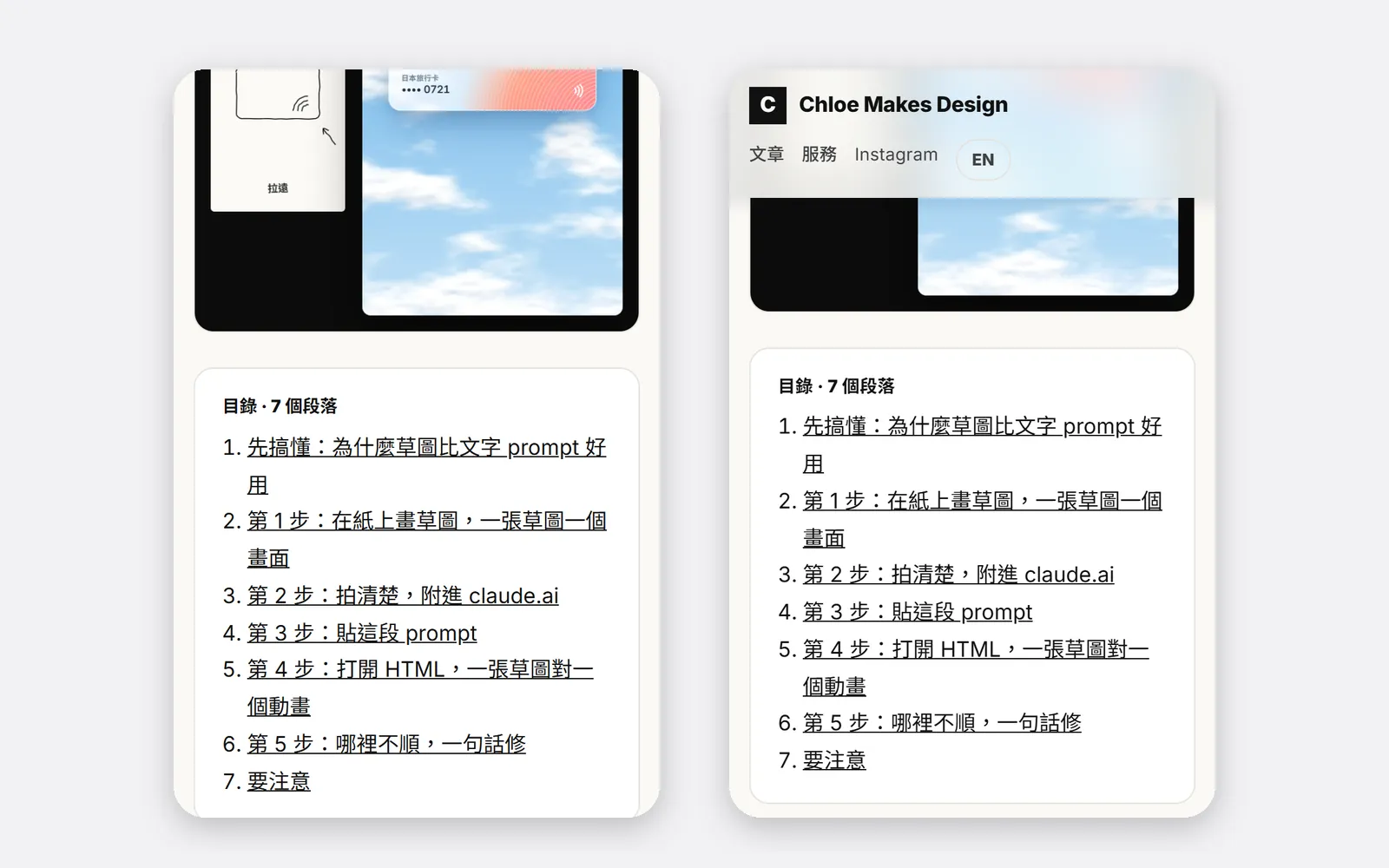
The interface you built with Claude looks right, but the moment you press something, it doesn't feel like Apple. Your prompt isn't too short. Claude just doesn't know Apple's rules for how things should respond to a press. Someone wrote those rules up as a free Claude skill called apple-design. In this guide we used it to check one article page on our own website. It found 7 problems and then fixed the page. Every screenshot below comes from that real run. The fixed version was only tested on our own computer and is not live.
01First: what the apple-design skill is
A skill is a manual written for Claude. Once it's installed, Claude reads it whenever you mention something related and follows its rules. apple-design was written by design engineer Emil Kowalski and lives in his open-source GitHub repo emilkowalski/skills, under the MIT licence, free to use. The repo had 48,000+ stars on 23 Oct 2026.
Most of it comes from Apple's WWDC 2018 talk Designing Fluid Interfaces, translated into CSS and JavaScript you can use on the web. The file is 290 lines long. These are the main ideas:
- Respond the moment something is pressed, not when it's released.
- When you drag, the object sticks to your finger and moves 1:1.
- Animate with springs, so motion can be grabbed and reversed at any time.
- On release, keep the finger's speed and glide toward where it was heading.
- Don't hard-stop at an edge. Resist like a rubber band.
- Use translucent materials for anything floating on top, so you can tell what sits above what.
- Tighten tracking on large text, loosen it slightly on small text, and follow the user's text-size setting.
- If someone turns on Reduce Motion, switch to cross-fades.
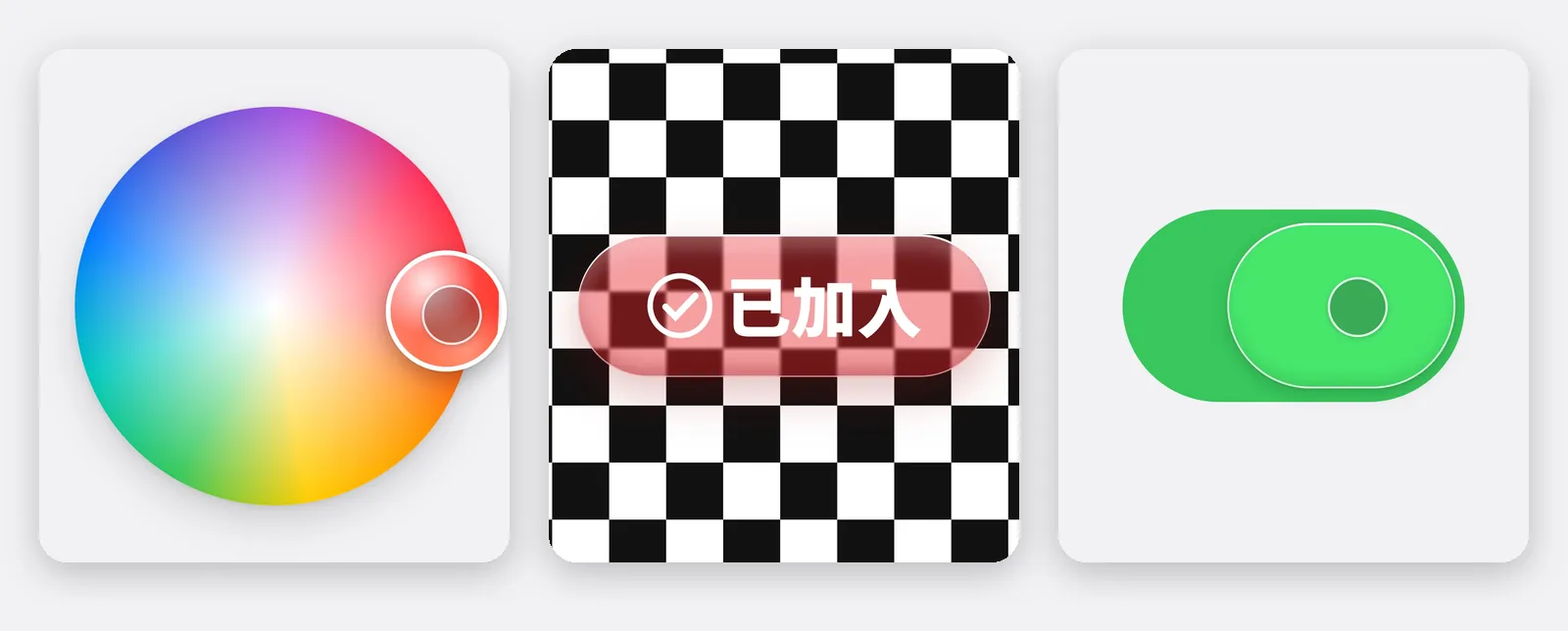
- emilkowalski/skills (GitHub) — By Emil Kowalski, MIT licence
- The full apple-design SKILL.md — 290 lines
02Install it first (2 minutes)
- Install Node.js first (the npx command needs it).
- Open your project folder in a terminal.
- Paste: npx skills@latest add emilkowalski/skills -s apple-design -a claude-code -y --copy
- When you see "Installed 1 skill" and "Done!", it's installed. The files go into the project's .claude/skills/apple-design/.
- Open Claude Code. It picks up the skill automatically.
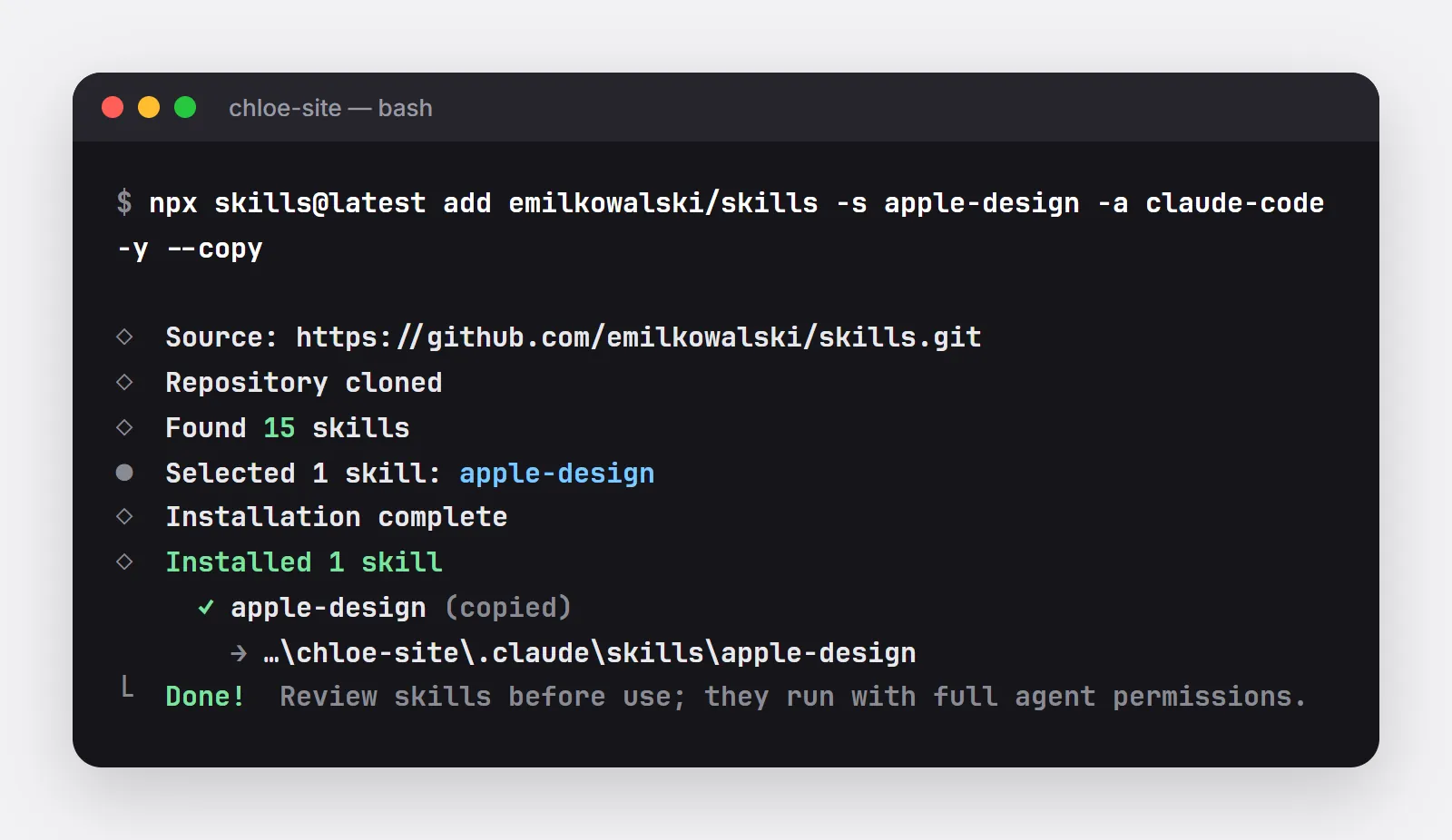
The command uses Vercel Labs' skills tool. If you type only npx skills@latest add emilkowalski/skills, it lists every skill in the repo and lets you choose. To install by hand, copy the skills/apple-design folder from GitHub into ~/.claude/skills/ (all projects) or your project's .claude/skills/ (that project only). On claude.ai you can zip the folder and upload it under Skills in settings. We didn't try that route this time.
03Step 1: ask it to check one page
We picked the "hand-drawn sketch to animated app UI" article on our own site, copied it to our computer, and typed one sentence in Claude Code. Claude read SKILL.md first, looked at the page at phone width (390px) and desktop width (1280px), and read the site's CSS and JavaScript.
Use the apple-design skill to check [this page / URL / file path], list the problems, then fix them for me.
04Step 2: understand the 7 problems it found
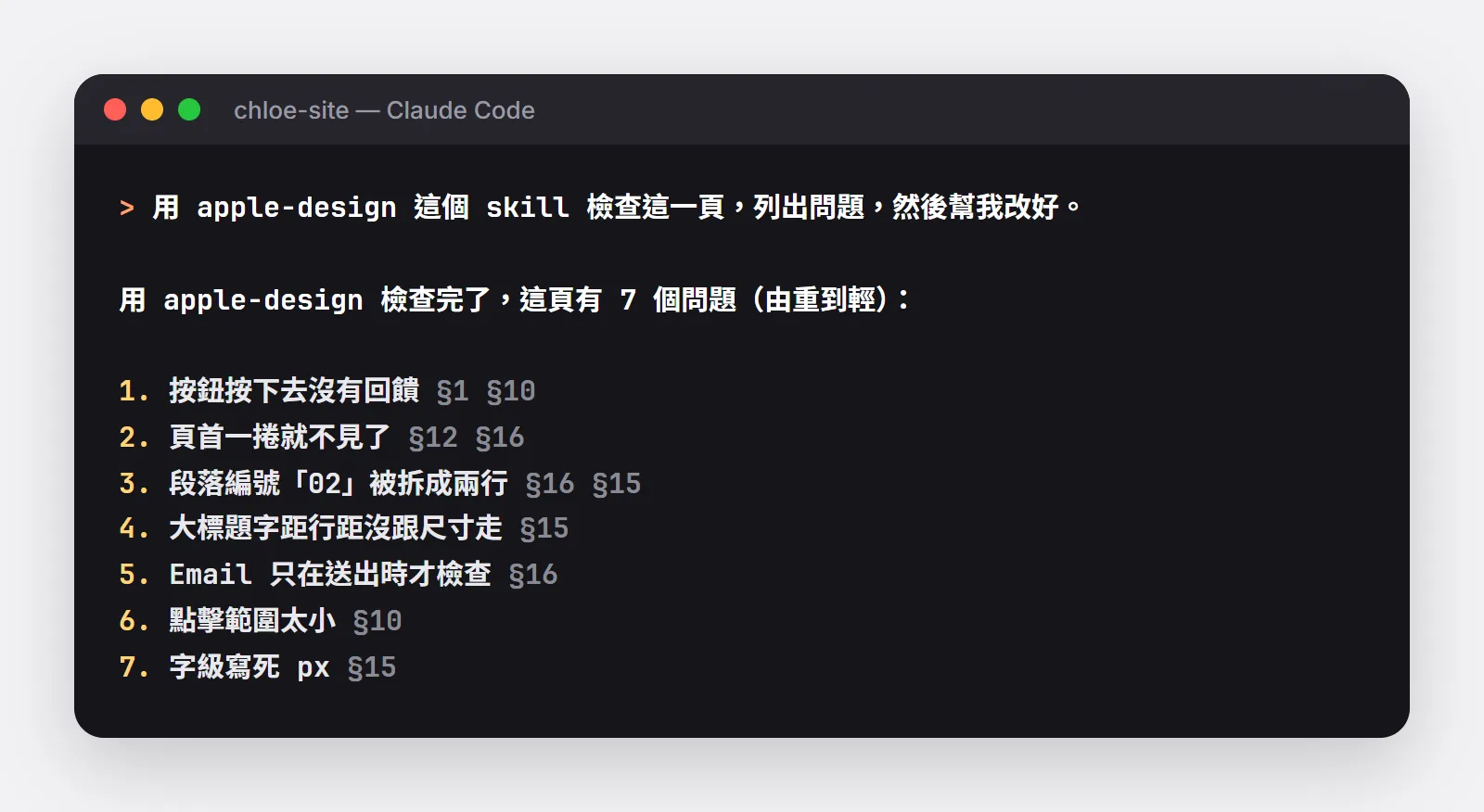
It doesn't just say "looks good". For every point it names the CSS line, what it measured, and which chapter of the skill asks for what:
- Buttons give no feedback when pressed: there is no :active anywhere in the CSS, so nothing moves. The skill wants scale(0.97) the instant you press, over 100ms.
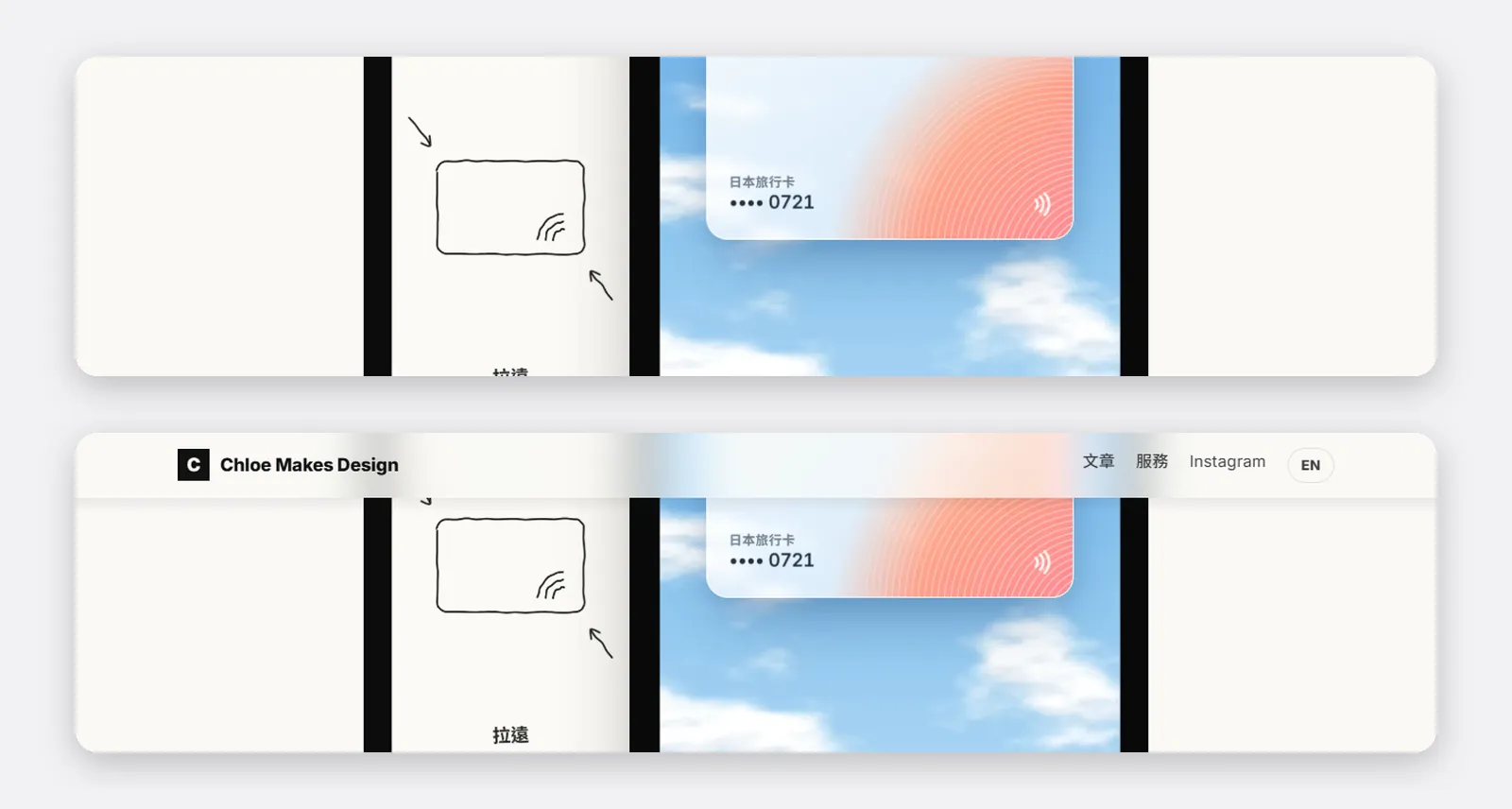
- The header scrolls away: it isn't fixed, so halfway through a 7-minute article the menu and the EN switch are gone. The skill wants a translucent header that content scrolls underneath.
- Section numbers split onto two lines: on a phone, "02" breaks into "0" over "2" because the number is allowed to shrink.
- Headline tracking and leading don't follow size: the 46px title is at -0.01em. The skill says large text should tighten to about -0.02em and small text should loosen slightly.
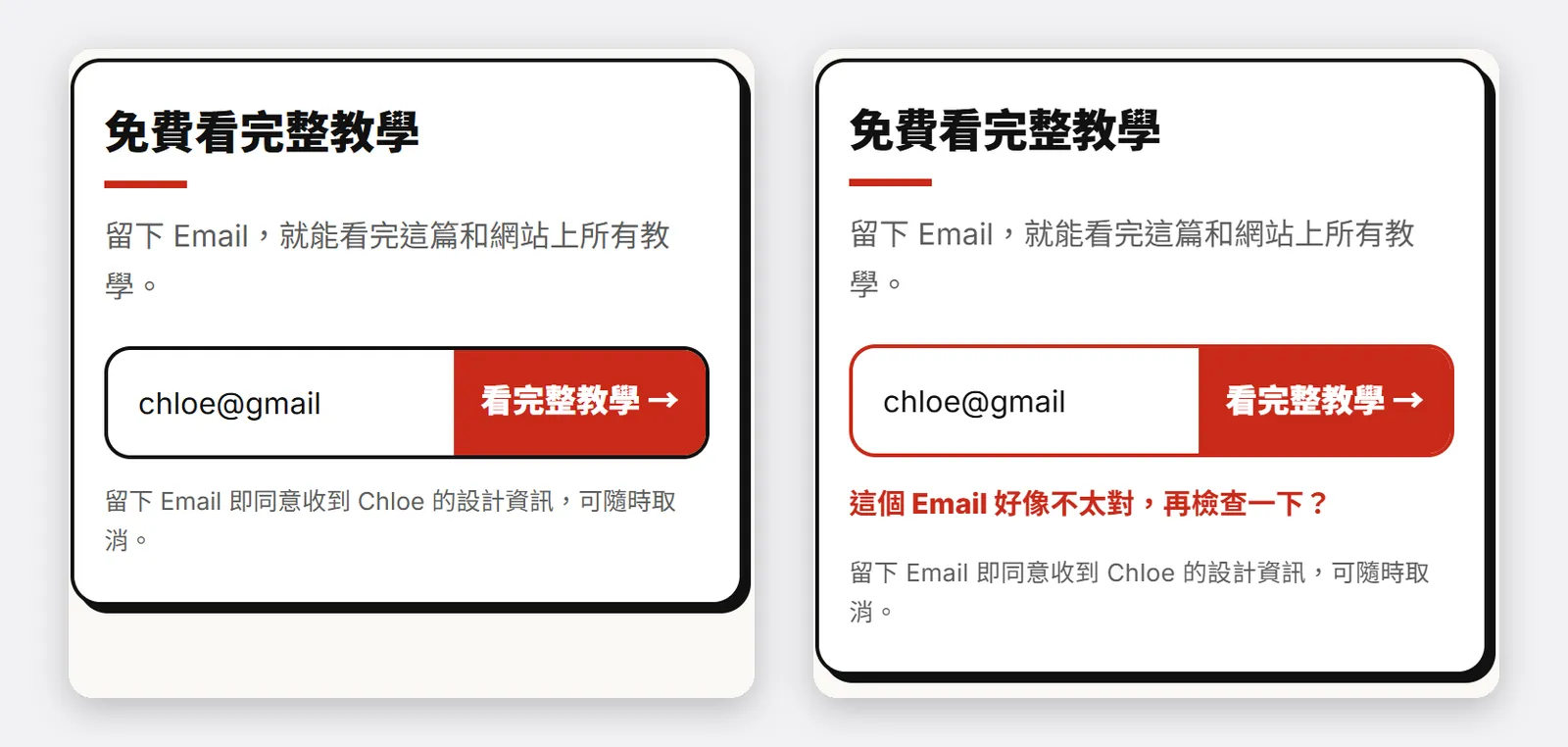
- The email is only checked on submit: type a wrong address, leave the field, and nothing happens; the button label doesn't change while sending. The skill wants inline validation and a visible in-progress state.
- Tap targets are too small: the Copy button is 50×35px and breadcrumb links are 28×17px. The skill wants about 10px of extra hit area around a target.
- Font sizes are fixed in px: if the reader enlarges browser text, this page doesn't change. The skill wants rem so it follows the reader's text-size setting.
05Step 3: let it fix them, then compare
The second half of the same sentence, "then fix them for me", made Claude add two new files: apple-fixes.css (108 lines) and apple-fixes.js (99 lines). The article HTML only gained two lines that load them. The original CSS and JS weren't touched, and the colours, fonts and layout stayed the same.


06The values it used, ready to copy
These are the values Claude wrote into apple-fixes.css and apple-fixes.js following the skill. Try them on your own site:
- Press feedback: on :active, transform: scale(.97) with transition: transform 100ms ease-out.
- Frosted header: position: sticky, background: rgba(250,249,246,.72), backdrop-filter: blur(20px) saturate(180%).
- Phone header: tucks away 1:1 as you scroll down, comes back when you scroll up, and settles with a no-bounce spring (damping 1.0, response 0.35 s).
- Numbers that don't break: flex: none plus white-space: nowrap.
- Headline: line-height 1.18, letter-spacing -0.022em; small 12–14px text +0.012em.
- Hit area: a transparent ::after that extends about 10px outward, with no visual change.
- Font size: body becomes 1.0625rem (17px by default), so it grows when the reader enlarges text.
- When Reduce Motion is on: no scale on press, a fade instead; the header snaps into place without a spring.
07Good to know
- The fixed version was only tested on our own computer. The live chloe.hobbyland-group.com site does not have these changes.
- apple-design is by Emil Kowalski, MIT licence. It's a set of rules based on Apple's public talks, not an official Apple product.
- Read SKILL.md before installing a skill. It runs with Claude's full permissions.
- After any change, press through it on a real phone. Header blur and springs feel different from phone to phone.
- The star count is from 23 Oct 2026 and will change.