motionsites.ai prompt gallery: paste a free website prompt into Claude Code, unedited, and get this starry homepage
Copy a free motionsites.ai prompt, paste it into Claude Code unedited, get a polished homepage. Free vs paid, what the prompt specifies, our real result.
Watch the reel on InstagramComment #版型 to get this guide
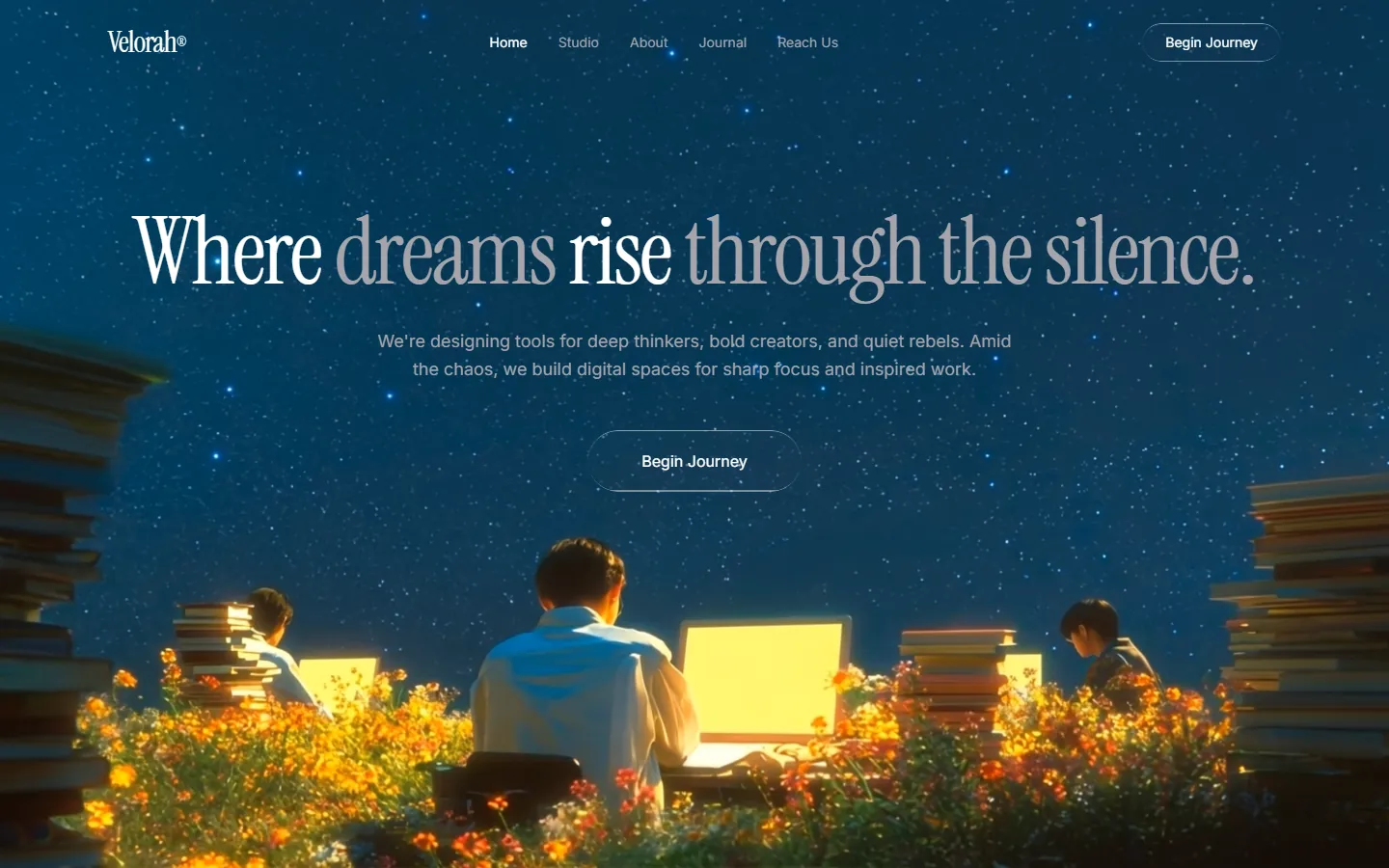
Do AI-made websites all look the same to you: purple gradients, glowing buttons, a row of emoji cards? The problem is usually not the AI. It's the prompt. In this guide we used motionsites.ai, a gallery of website designs with prompts, picked the free design "Velorah", copied its full prompt with one click and pasted it into Claude Code without changing a word. The result screenshots below are of the site it actually built for us.
01Why do AI websites all look like this?
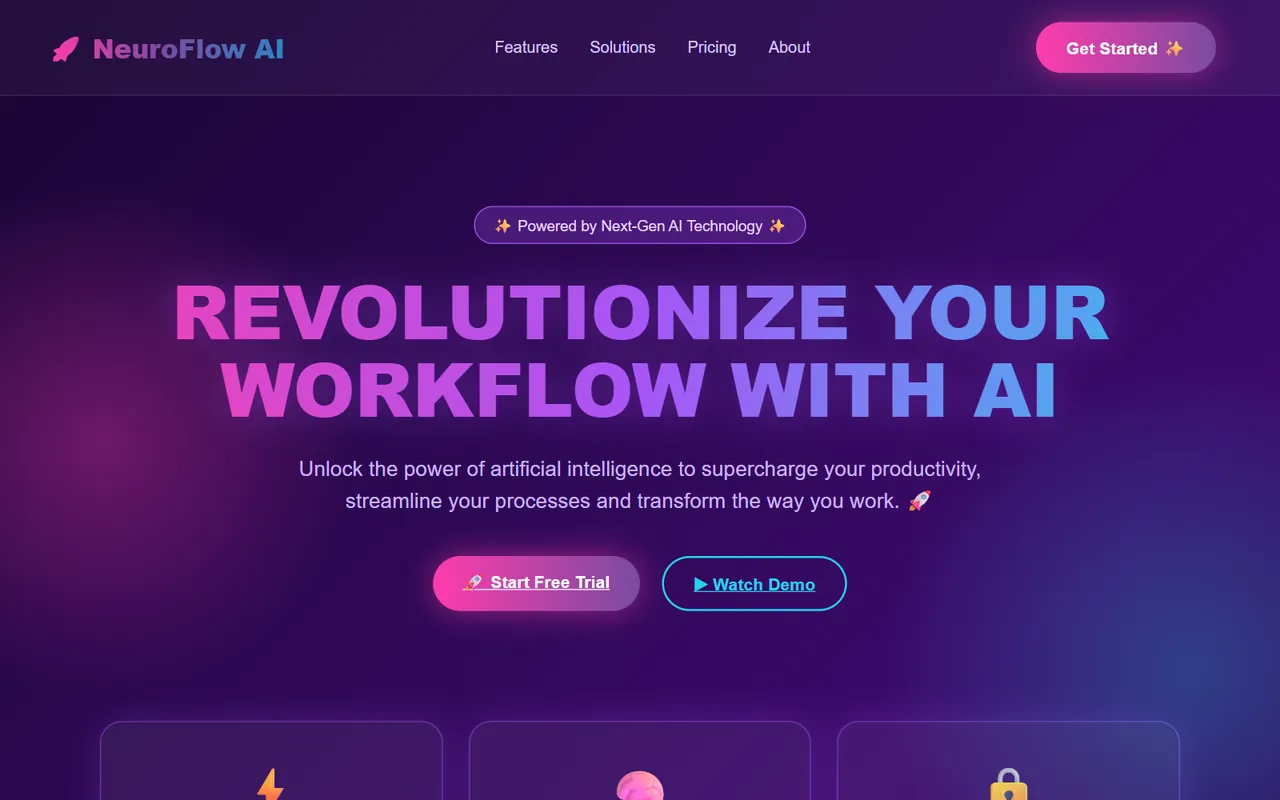
If you only tell an AI "make me a techy homepage", it has to guess. Its guess is the most common look: purple gradient, all-caps headline, glowing buttons.
Good-looking sites are in the details: which two fonts, how big the headline is, the letter spacing, what the buttons are made of, how many seconds the animation takes. The motionsites.ai prompts spell all of that out, so the AI doesn't have to guess.
02motionsites.ai: every website design comes with its full prompt
motionsites.ai is a gallery of website designs. Each card is a finished homepage or section, and opening it gives you a full prompt to paste into an AI coding tool. Not all of them are free, so learn to tell them apart first.
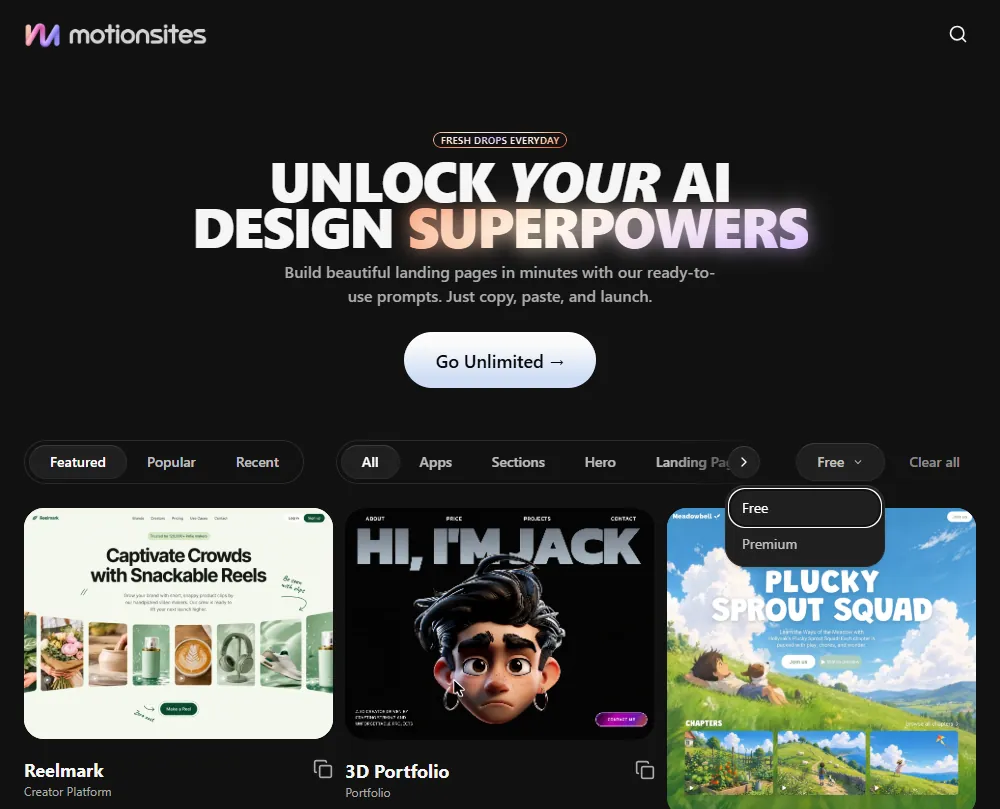
- Open motionsites.ai. No login needed.
- In the filter menu to the right of the category bar (it says Pricing by default), choose "Free".
- Cards with a copy icon next to the name are free: you can copy the prompt straight away.
- Cards with a crown icon are paid and unlock with a Premium / Go Unlimited plan.
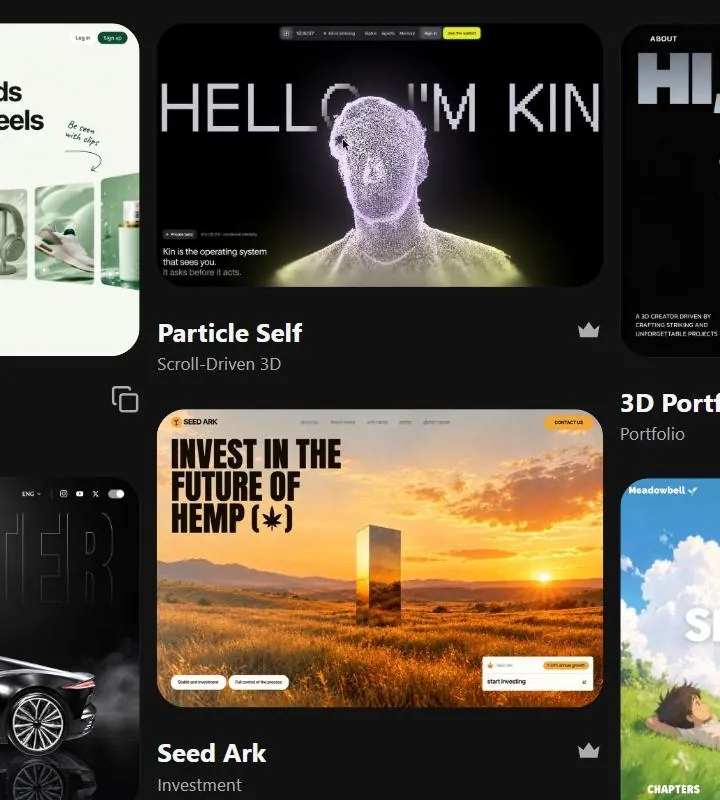
- motionsites.ai — Website design prompt gallery, free and paid
03Step 1: open a design you like
We picked the free "Velorah" (category: Agency): a starry deep-blue background video, a tall serif headline and glass buttons. Click a card to open its detail page, with a moving preview on the left.
04Step 2: click "Copy full prompt"
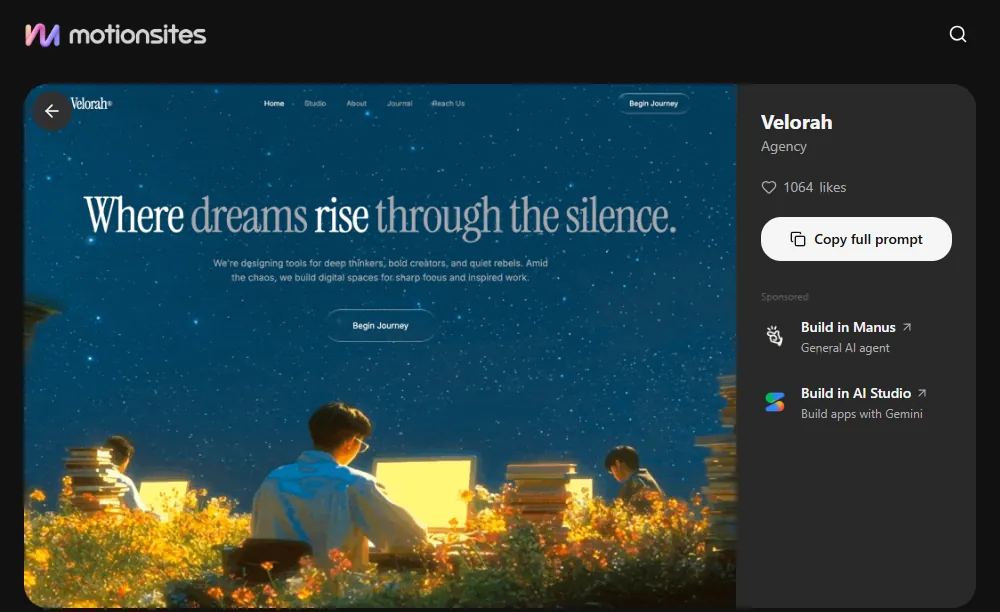
The button changes to "✓ Copied" and the site shows a "Prompt copied" notice. The Velorah prompt is 79 lines long.
05What the prompt says (and why it works)
Copy the full prompt from the Velorah page on motionsites.ai (the site's terms don't allow reposting prompt text, so here is only a summary). It is really a detailed design spec:
- Stack: React + Vite + Tailwind CSS + TypeScript, plus shadcn/ui.
- Background: a fullscreen autoplaying, looping, muted video. The video URL is in the prompt (hosted on motionsites' servers).
- Fonts: Instrument Serif for headings and Inter for body text, loaded from Google Fonts.
- Colours: deep navy background, white text, grey secondary text, all as HSL values in CSS variables.
- Navigation: logo, 5 links and a "Begin Journey" glass button. The links hide on mobile.
- Headline: "Where dreams rise through the silence." with some words in grey for contrast, down to exact letter spacing and line height.
- Glass look: a full .liquid-glass CSS block with the blur, gradient border and shadow.
- Animation: headline, subtext and button fade and rise in turn, 0.2 seconds apart.
- Last line: no decorative blobs, gradients or overlays. The video provides all the depth.
- Velorah prompt (motionsites.ai) — Free: copy it with Copy full prompt
06Step 3: paste into Claude Code and press Enter
- Install Claude Code by following the official guide. You need a paid Claude plan (Pro, Max, Team or Enterprise) or a Claude Console account.
- Make an empty folder, e.g. velorah-site, go into it in your terminal and type claude.
- Paste the whole copied prompt. If you want it to follow the prompt and not improvise, add the text below at the end.
- Press Enter and wait while it creates the project, installs packages and writes the code. It asks before running commands: read them, then allow.
[Paste the full prompt copied from motionsites.ai]

Create the project with Vite in this empty folder and set up Tailwind and shadcn/ui as the prompt asks.
Just follow the prompt: don't add sections, change colours or "improve" the design.
When you're done, run npm run build to check for errors, then tell me how to open it in the browser.
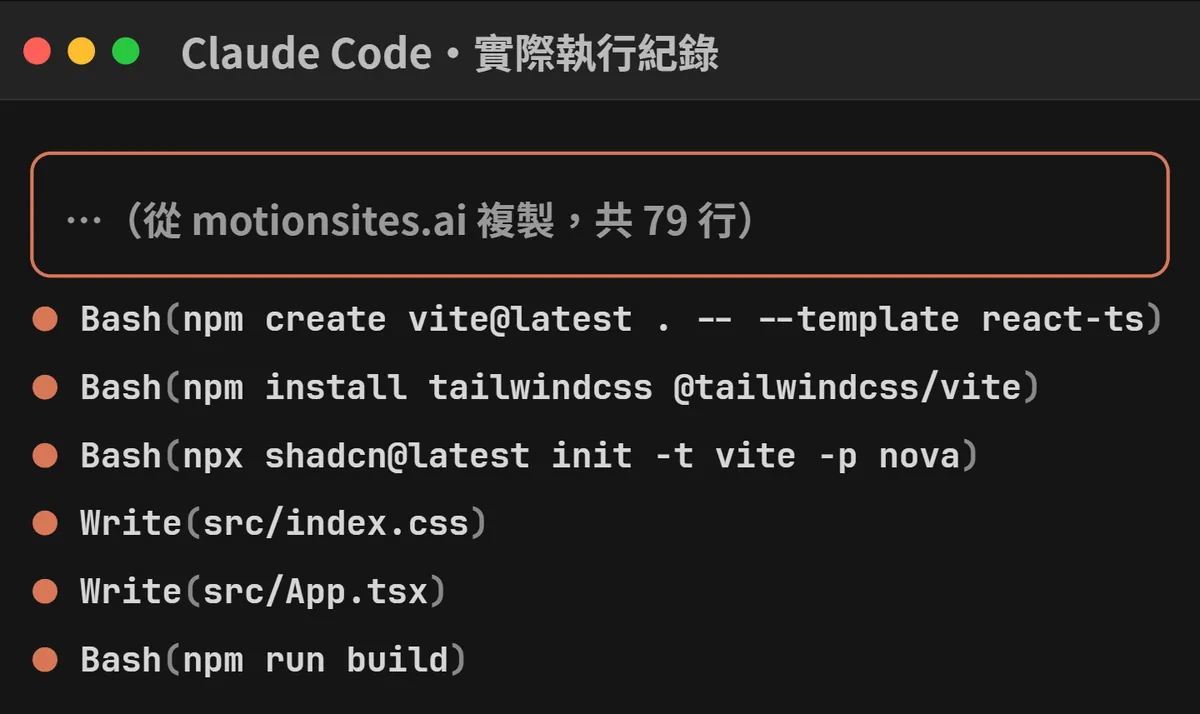
Claude Code did this on its own: created a React + TypeScript project with Vite, installed Tailwind, set up shadcn/ui, wrote src/index.css (fonts, colours, glass effect, animation) and src/App.tsx (the whole page), and finally passed npm run build, built in 816 ms.
To see it in the browser, type npm run dev in the same folder and open the localhost address it gives you.
07The result: not a word changed, and it works on desktop, tablet and phone
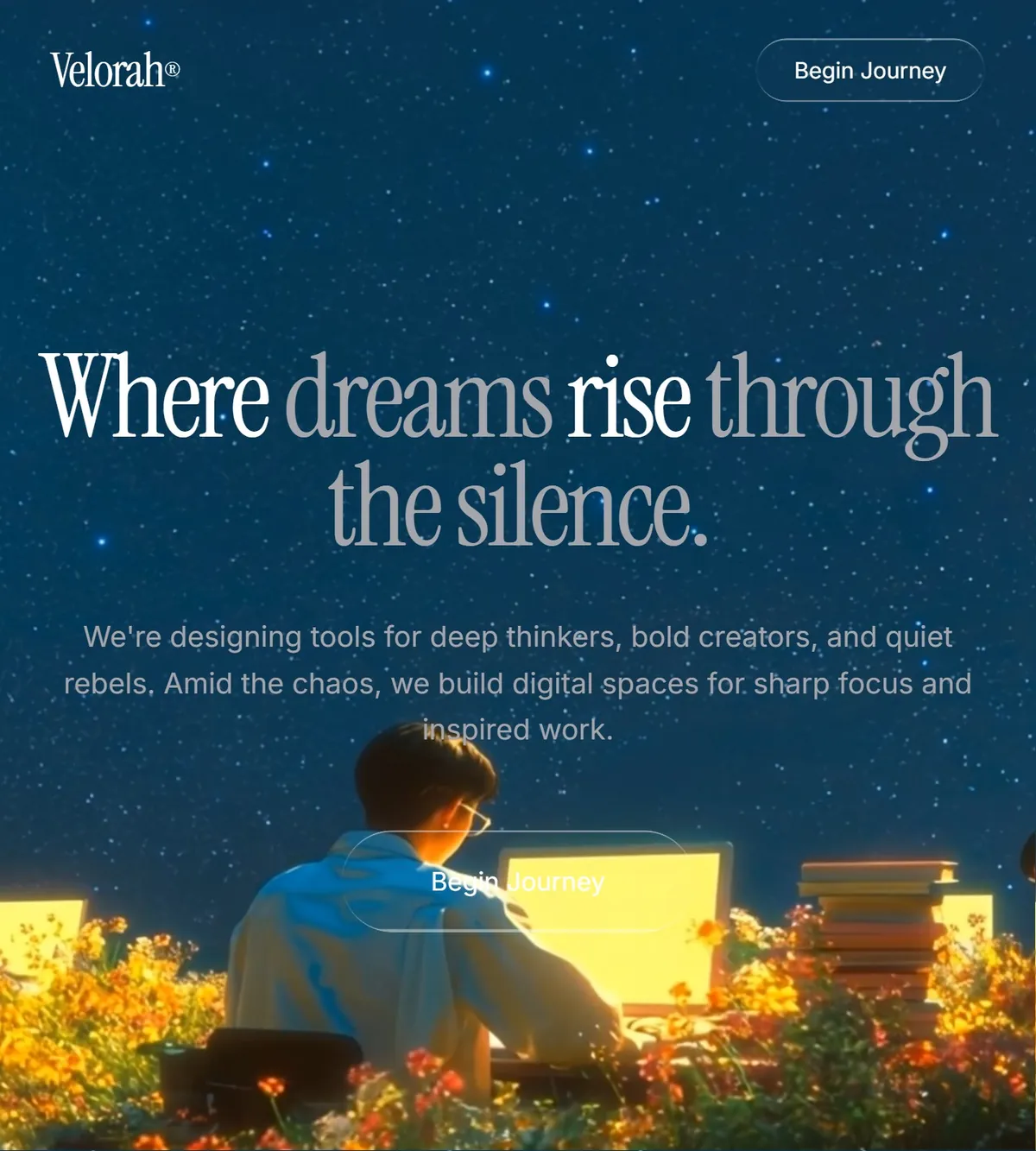
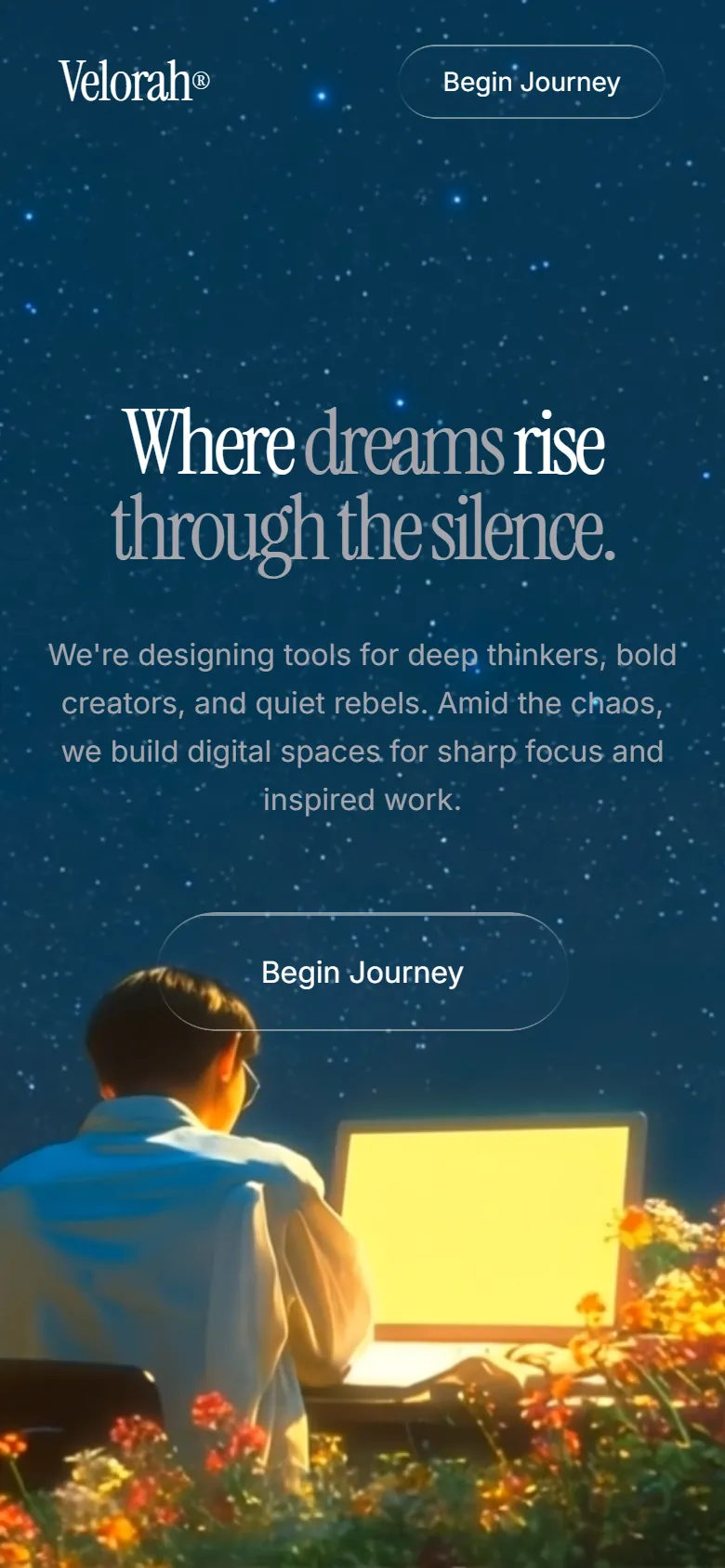
The background video (a boy on a laptop under the stars) comes with the prompt and is hosted on motionsites' servers. We didn't make it. That's why the result looks almost exactly like the gallery preview.
Claude Code made only two small calls of its own. The prompt spells the font "Instrumental Serif", which doesn't exist, so it loaded the correct Instrument Serif. shadcn adds the Geist font by default, and since the prompt asks for Inter, it removed Geist. The design itself wasn't touched.
08Swap in your own content
Once it's built, keep the layout and swap the text and video for your brand. Change one thing at a time so you don't break the design.
Keep the current layout, fonts, colours, spacing and animation. Only change the content:
1. Logo text: "[your brand name]"
2. Nav links: [link 1], [link 2], [link 3]
3. Headline: "[one-line tagline]", with "[words to grey out]" in the same grey as now
4. Subtext: "[one or two sentences about you]"
5. Background video: public/[your video file].mp4
When you're done, run npm run build to check for errors.
09Good to know
- The design and the prompt both come from motionsites.ai. Crowned ones are paid; what's free is as of 23 Oct 2026 and may change.
- motionsites.ai's terms let you use prompts in your own projects and publish or sell the sites you build, but not repost or share the prompt text. To share one, share the motionsites link.
- The background video is hosted on motionsites' servers and belongs to motionsites. For a site you'll really launch, swap in video you shot or licensed, so you don't depend on their link either.
- The purple site at the start is a demo page we hand-built. NeuroFlow AI is fictional.
- The same prompt can come out a little differently in another tool or on another day. If it's far off the preview, screenshot both and ask Claude Code to fix the differences.